Leadsforge vs Voila Norbert: AI Lead Lists or Precise Email Finding?
Leadsforge builds whole prospect lists from a chat prompt. Voila Norbert finds one verified email at a time. Here is which one fits your outbound workflow in 2026, and when neither is the right call.
TL;DR
- Leadsforge is an AI list builder. You describe your ideal customer in plain English and it returns a prospect list with contact data. It fits teams that don't know who to target yet.
- Voila Norbert is a classic email finder. You already know the person and the company, and it returns their verified work email. It fits teams that already have names.
- Voila Norbert's pricing is simpler and only charges for emails it finds. Leadsforge's credits cover discovery plus contact data, so each credit does more work but costs more.
- Neither tool gives you a full finder, verifier, domain search, and phone data in one plan. If you need all four, a platform like Tomba is worth adding to your shortlist.
- Our pick: choose Leadsforge for top-of-funnel list building, Voila Norbert for accurate lookups on names you already have.
What is the real difference between Leadsforge and Voila Norbert?#
These two tools look like competitors on a G2 grid, but they answer different questions.
Leadsforge answers "who should I be emailing?" Voila Norbert answers "what is this specific person's email address?"
Think of it as a restaurant. Leadsforge is the waiter who suggests a whole menu from a description of what you're hungry for. Voila Norbert takes your exact order and brings that dish. The first is better when you're not sure what you want. The second is better when you know precisely what you want and just need it done right.
That split drives everything that follows: pricing, accuracy, workflow fit, and which one you'll outgrow first.
What is Leadsforge?#
Leadsforge belongs to the Forge product family, next to Salesforge (sequencing), Warmforge (warmup), and Mailforge/Infraforge (sending infrastructure). You get a chat-style interface: type something like "Series A SaaS companies in Germany with 50–200 employees, heads of marketing," and it builds a list of matching companies and contacts.
Core capabilities, at the time of writing:
- Natural-language ICP search: describe your target in plain language instead of stacking filters.
- Lookalike discovery: give it a company you've already won and get similar accounts back.
- Contact data on output: returned leads include work emails (verified before export) and, depending on plan, extra enrichment fields.
- Native Forge-stack handoff: lists move straight into Salesforge sequences.
Pricing is credit-based with monthly subscriptions, and credits get used when contacts are revealed. Plans and credit amounts have changed several times, so check the Leadsforge site before you budget.
What is Voila Norbert?#
Voila Norbert is one of the older standalone email finders. You enter a first name, last name, and company domain, and Norbert returns the most likely address after checking it against the mail server. You can also upload a CSV and run bulk lookups.
Core capabilities:
- Single and bulk email finding by name + domain.
- Built-in verification of found addresses, plus a separate verify-only feature for existing lists.
- Pay only for found leads: if Norbert can't find an address, the lookup doesn't use a credit.
- CRM integrations with HubSpot, Salesforce, Pipedrive, and Zapier, plus a Chrome extension and API.
At the time of writing, published plans run from about $49/mo (Valet, 1,000 leads) through $99/mo (Butler), $249/mo (Advisor), and $499/mo (Organization), with a small free trial allowance.

How do Leadsforge and Voila Norbert compare feature by feature?#
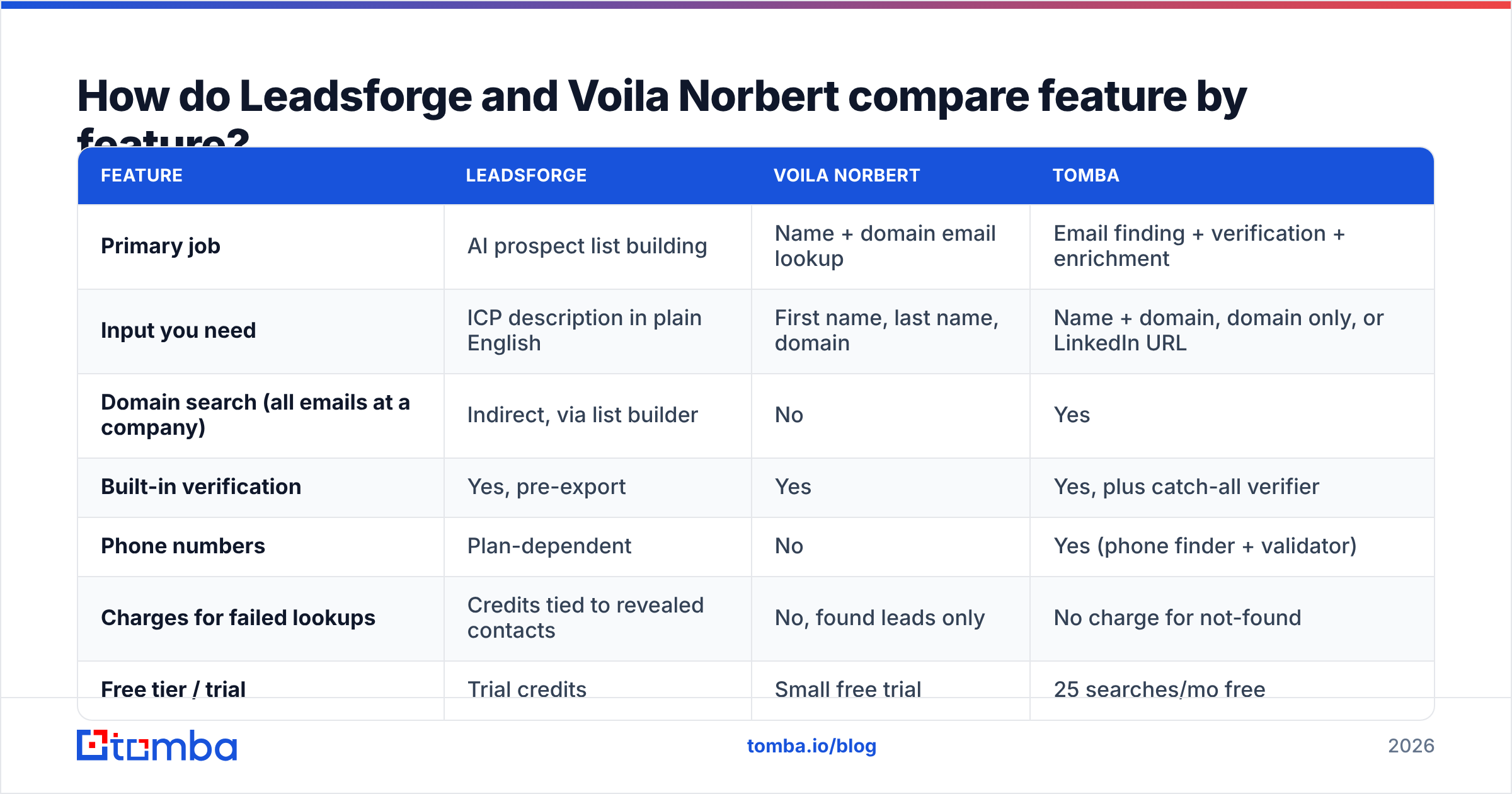
Here's the side-by-side. Tomba is included as a reference point, since many teams end up comparing all three.
| Feature | Leadsforge | Voila Norbert | Tomba |
|---|---|---|---|
| Primary job | AI prospect list building | Name + domain email lookup | Email finding + verification + enrichment |
| Input you need | ICP description in plain English | First name, last name, domain | Name + domain, domain only, or LinkedIn URL |
| Domain search (all emails at a company) | Indirect, via list builder | No | Yes |
| Built-in verification | Yes, pre-export | Yes | Yes, plus catch-all verifier |
| Phone numbers | Plan-dependent | No | Yes (phone finder + validator) |
| Charges for failed lookups | Credits tied to revealed contacts | No, found leads only | No charge for not-found |
| Free tier / trial | Trial credits | Small free trial | 25 searches/mo free |
| Entry paid plan | Credit-based, check current pricing | ~$49/mo (1,000 leads) | $49/mo Starter |
| Best native integration | Salesforge | HubSpot, Salesforce, Pipedrive | HubSpot, Salesforce, Pipedrive, Zapier, Sheets |
| Best for | Building net-new lists from scratch | Precise lookups on known names | Teams needing finder + verifier + enrichment in one account |

Which tool is more accurate?#
Accuracy means different things for each tool, so the question needs splitting.
For Voila Norbert, accuracy is simple to measure: when it returns an email, does that email deliver? Its approach of pattern inference plus SMTP-level checking tends to give reliable results on normal corporate domains. Like every finder, it has trouble with catch-all domains, where the mail server accepts every address. Norbert flags these, but a flag doesn't confirm the person exists.
For Leadsforge, accuracy comes in two layers:
- Targeting accuracy: did the AI read your ICP correctly? Vague prompts get vague lists. "Marketing leaders at B2B companies" pulls in far more noise than "VP or Director of Demand Gen at US B2B SaaS, 100–500 employees, using HubSpot."
- Contact accuracy: is the returned email valid? Leadsforge verifies before export, which removes the worst bounces, but the database-plus-verification model means some records are older than a live lookup.

Whichever tool you pick, run the final list through a separate verification pass before a campaign goes out. Addresses decay by roughly 2–3% a month as people change jobs, so a list that was clean in January won't be clean in April. A dedicated email verifier with catch-all handling is cheap protection for your sender reputation.
How does pricing compare in practice?#
List prices don't tell you much here, because the two tools charge for different units of work.
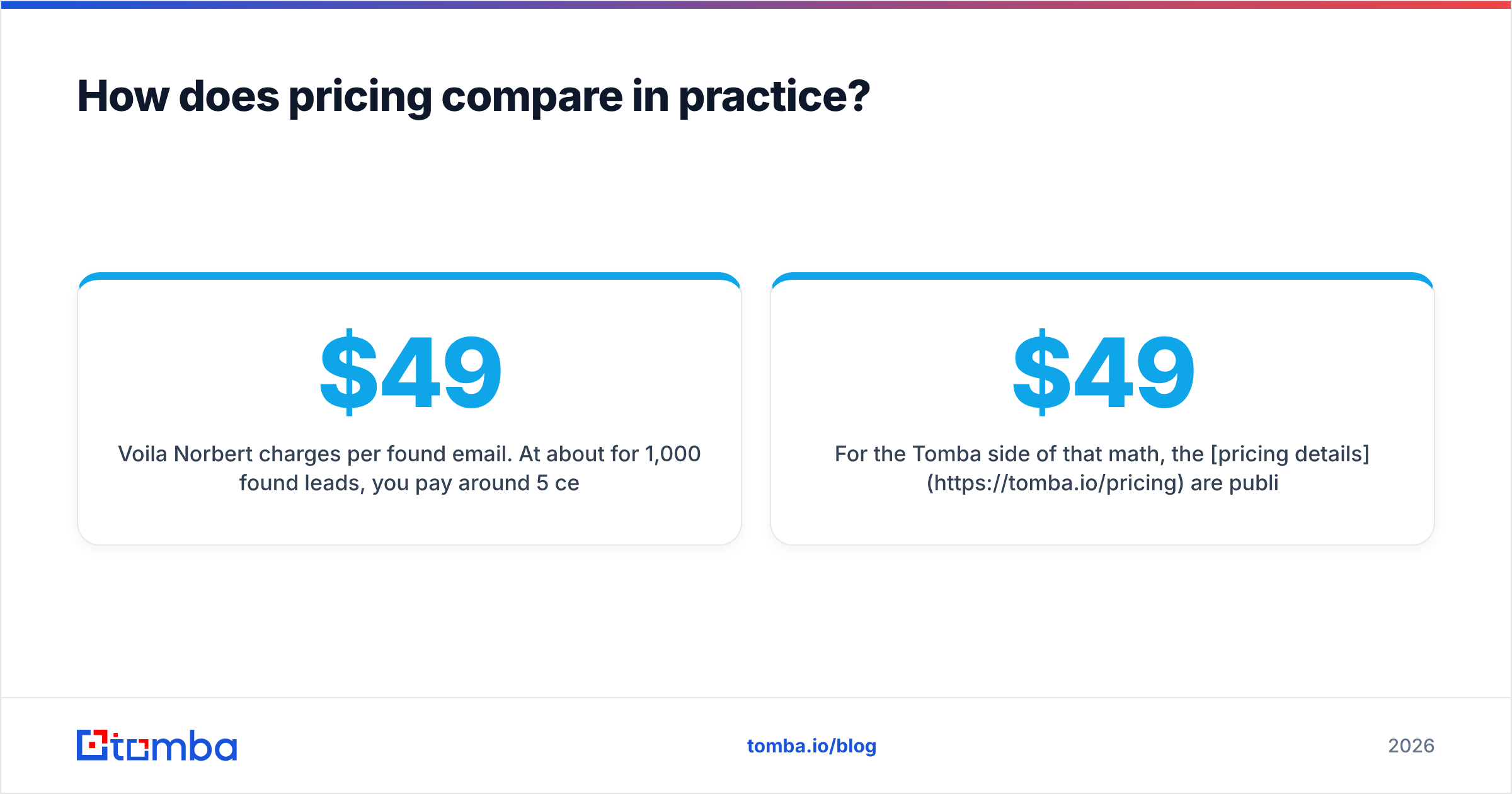
Voila Norbert charges per found email. At about $49 for 1,000 found leads, you pay around 5 cents per valid address. Failed lookups are free, so the cost stays predictable. What isn't included is the time spent finding those 1,000 names in the first place, usually hours of LinkedIn Sales Navigator or Apollo-style filtering.
Leadsforge charges for discovery and contact data together. One credit covers the list building and the contact. The per-contact cost is usually higher than Norbert's, but you're also paying for the research you'd otherwise do by hand.
A quick way to decide:
- You already have 2,000 names from a conference, CRM export, or Sales Navigator. Voila Norbert is cheaper. You don't need discovery.
- You're starting with a blank sheet and a vague ICP. Leadsforge's bundled cost probably beats paying an SDR to build the list.
- You need both, repeatedly. Look at a platform that combines domain search, a name-based finder, and verification under one credit pool, so you're not paying two vendors.
For the Tomba side of that math, the pricing details are public: Free (25 searches/mo), Starter $49/mo, Growth $99/mo, Pro $249/mo, and custom Enterprise.
Which workflows does each tool fit best?#
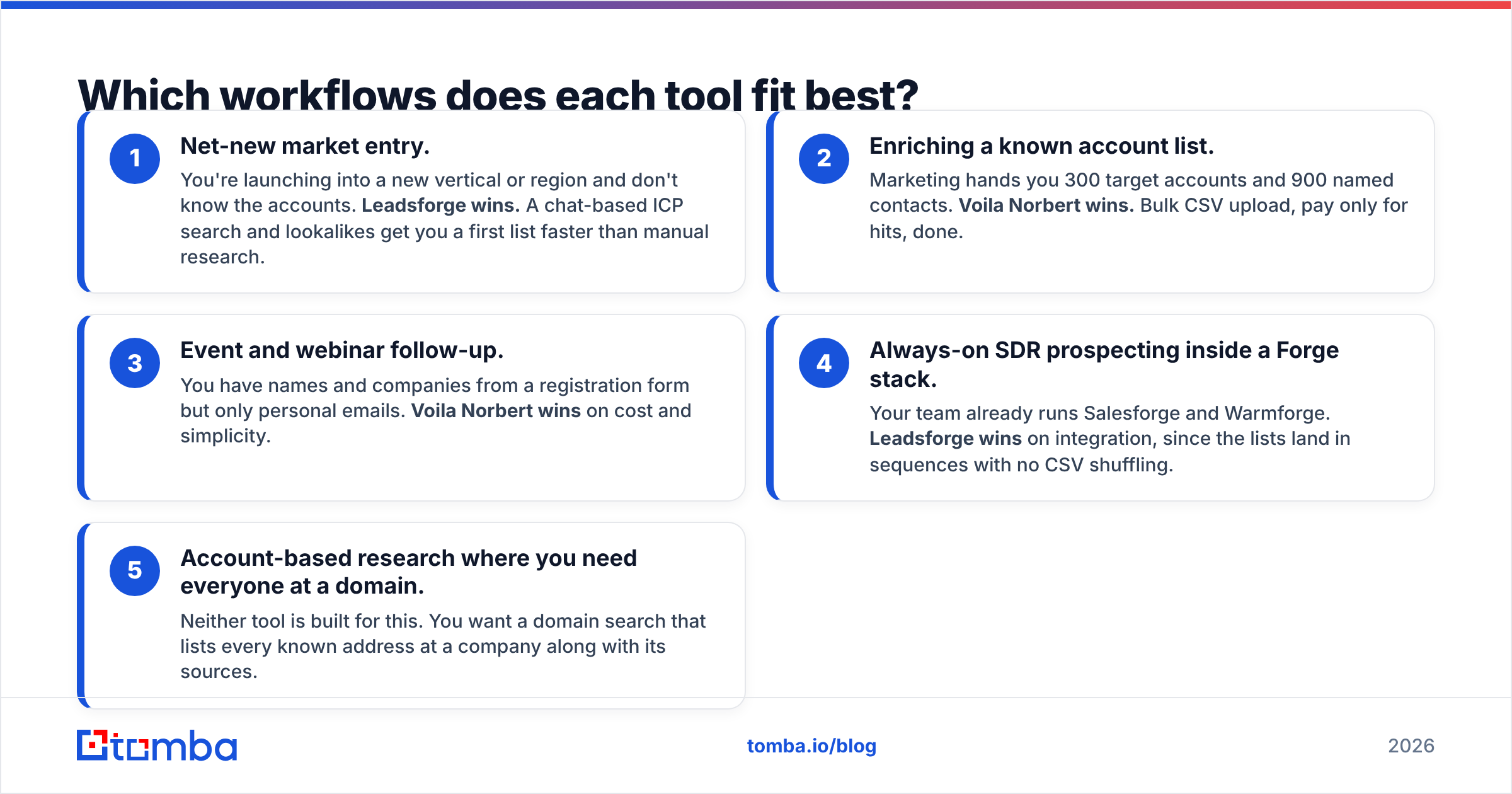
Here's how each tool fits four common outbound workflows.
- Net-new market entry. You're launching into a new vertical or region and don't know the accounts. Leadsforge wins. A chat-based ICP search and lookalikes get you a first list faster than manual research.
- Enriching a known account list. Marketing hands you 300 target accounts and 900 named contacts. Voila Norbert wins. Bulk CSV upload, pay only for hits, done.
- Event and webinar follow-up. You have names and companies from a registration form but only personal emails. Voila Norbert wins on cost and simplicity.
- Always-on SDR prospecting inside a Forge stack. Your team already runs Salesforge and Warmforge. Leadsforge wins on integration, since the lists land in sequences with no CSV shuffling.
- Account-based research where you need everyone at a domain. Neither tool is built for this. You want a domain search that lists every known address at a company along with its sources.
What are the pros and cons of each?#
Leadsforge pros
- You don't have to start with names, which removes the slowest step in list building
- Natural-language search is quick to learn, even for founders doing their own outbound
- Tight handoff to Salesforge if you're in that ecosystem
Leadsforge cons
- Output quality depends on how precise your prompt is
- Credit costs are higher than a pure lookup tool
- Less useful when you already know exactly who you want
Voila Norbert pros
- Simple, transparent pricing, and you only pay for found emails
- Reliable results on standard corporate domains
- Mature CRM integrations and a proven API
Voila Norbert cons
- No prospect discovery, so you still have to source names elsewhere
- No domain-wide search and no phone numbers
- The interface and feature set haven't changed much in years
Is there a case for using both?#
Yes, and plenty of teams do. A common setup is to build and qualify accounts in Leadsforge, then run the names that come back with missing or catch-all emails through Voila Norbert as a second lookup. This waterfall approach usually pushes find rates above what either tool reaches on its own.
The catch is operational overhead: two subscriptions, two credit pools, two sets of exports, and a deduplication step between them. For a solo founder that's manageable. For a 10-person SDR team, the handoffs tend to break, and nobody is sure which tool's record is current.
If you're already heading toward a two-tool waterfall, check whether one platform can handle both the lookup and the verification layer. Review sites like G2's email finder category are a useful sanity check on real-user find rates before you commit.
Where does Tomba fit into this comparison?#
Tomba sits between the two. It isn't a chat-based AI list builder like Leadsforge, and it does more than a name-plus-domain finder like Voila Norbert.
What you get in one account:
- Name-based email finder for the Norbert-style lookup
- Domain search to surface every known address at a company, with source URLs
- Email verifier and catch-all verifier so risky addresses don't reach your sequences
- Phone finder, enrichment, and LinkedIn finder for multichannel outreach
- Integrations with Google Sheets, HubSpot, Salesforce, Pipedrive, Zapier, and an API/MCP server for custom workflows
It won't replace Leadsforge's "describe your ICP and get a list" experience. If discovery is your bottleneck, Leadsforge is the more specialized tool. If your bottleneck is turning names and domains into verified, deliverable contacts, Tomba covers what Voila Norbert does plus the verification and domain-level coverage Norbert lacks.
So, Leadsforge or Voila Norbert: which should you pick?#
Pick Leadsforge if:
- You don't have target names yet and need an AI-assisted way to build lists
- You're already running Salesforge or another Forge product
- You value speed-to-first-list over cost per contact
Pick Voila Norbert if:
- You already have names and domains and just need the emails
- You want predictable, pay-for-results pricing
- Your CRM is HubSpot, Salesforce, or Pipedrive and you want a mature native integration
Look at a combined platform if:
- You need domain search, verification, and phone data along with lookups
- You're tired of paying two vendors and reconciling two exports
Neither tool is the "wrong" choice. They solve different problems. The mistake is buying a list builder when your real problem is lookups, or the reverse.
Ready to find verified emails without juggling two tools?#
If your team already knows who to target and needs accurate, verified work emails, whether from a single name, a whole company domain, or a LinkedIn profile, try the Tomba Email Finder. The free plan gives you 25 searches a month to test find rates on your own target accounts, and paid plans start at $49/mo with verification included, so you can compare it directly against Voila Norbert's per-lead cost before you commit.
Related guides#
// get started
Find, verify and enrich your first contacts today
Start on the free plan with 25 searches a month, then scale when your team is ready.
Free plan · No credit card required · GDPR & CCPA
// about the author