LeadsGorilla vs ListKit (2026): Local Leads or B2B Lists?
LeadsGorilla finds local businesses with marketing gaps. ListKit sells verified B2B contact lists for cold email. They look alike on a pricing page, but they solve different problems. Here's how to pick the right one.
TL;DR
- LeadsGorilla is a local-business lead finder built for agencies. It pulls businesses from Google, Facebook and Yelp, scores their marketing gaps, and produces branded audit reports you can use in a pitch.
- ListKit is a B2B contact database built for cold emailers. It sells email-verified lists of decision-makers at companies, and has a free tier plus paid plans starting around $97/mo on monthly billing.
- They rarely compete head to head. If you sell SEO, reviews or websites to local SMBs, LeadsGorilla fits. If you sell B2B services or software to named roles, ListKit fits.
- Check the hidden costs. LeadsGorilla needs your own Google Maps API key. ListKit credits expire every month.
- Whichever you choose, verify emails before you send. A scraped or bought list that nobody has checked is how domains end up burned.
What is the real difference between LeadsGorilla and ListKit?#
Picture two ways to fish. LeadsGorilla drops a net in your local harbour: every restaurant, dentist and roofer in "Austin, TX" who has a weak Google profile. ListKit hands you a sorted catch of VP-of-Sales contacts at 50–200 person SaaS companies in North America, with their emails already checked.
Put more technically, LeadsGorilla is a discovery and audit tool for local businesses. ListKit is a B2B contact data provider for outbound campaigns. The overlap is small. Both output a spreadsheet with emails in it, and that's why they get compared in the first place.
Most people who search "leadsgorilla vs listkit" are agency owners asking one question: should I pitch local businesses or go after B2B accounts? Answer that first. The tool choice usually follows.
How does LeadsGorilla work?#
You enter a niche and a location. LeadsGorilla returns matching businesses from Google Maps, Facebook and Yelp, then gives each one a lead score based on:
- Listing completeness (claimed or unclaimed Google Business Profile)
- Review volume and rating
- Website presence and basic SEO or mobile issues
- Social activity and ad or pixel signals
Its best-known feature is the PDF audit report. Pick a business and LeadsGorilla generates a branded report showing that business's gaps: unclaimed listing, thin reviews, missing citations. For an agency selling local SEO or reputation management, this doubles as a pitch deck. Recent versions also include AI-written business descriptions, basic CRM tracking and email templates.
There are two limits to keep in mind:
- Contact data is shallow. You mostly get the email published on the business's site or listing, often
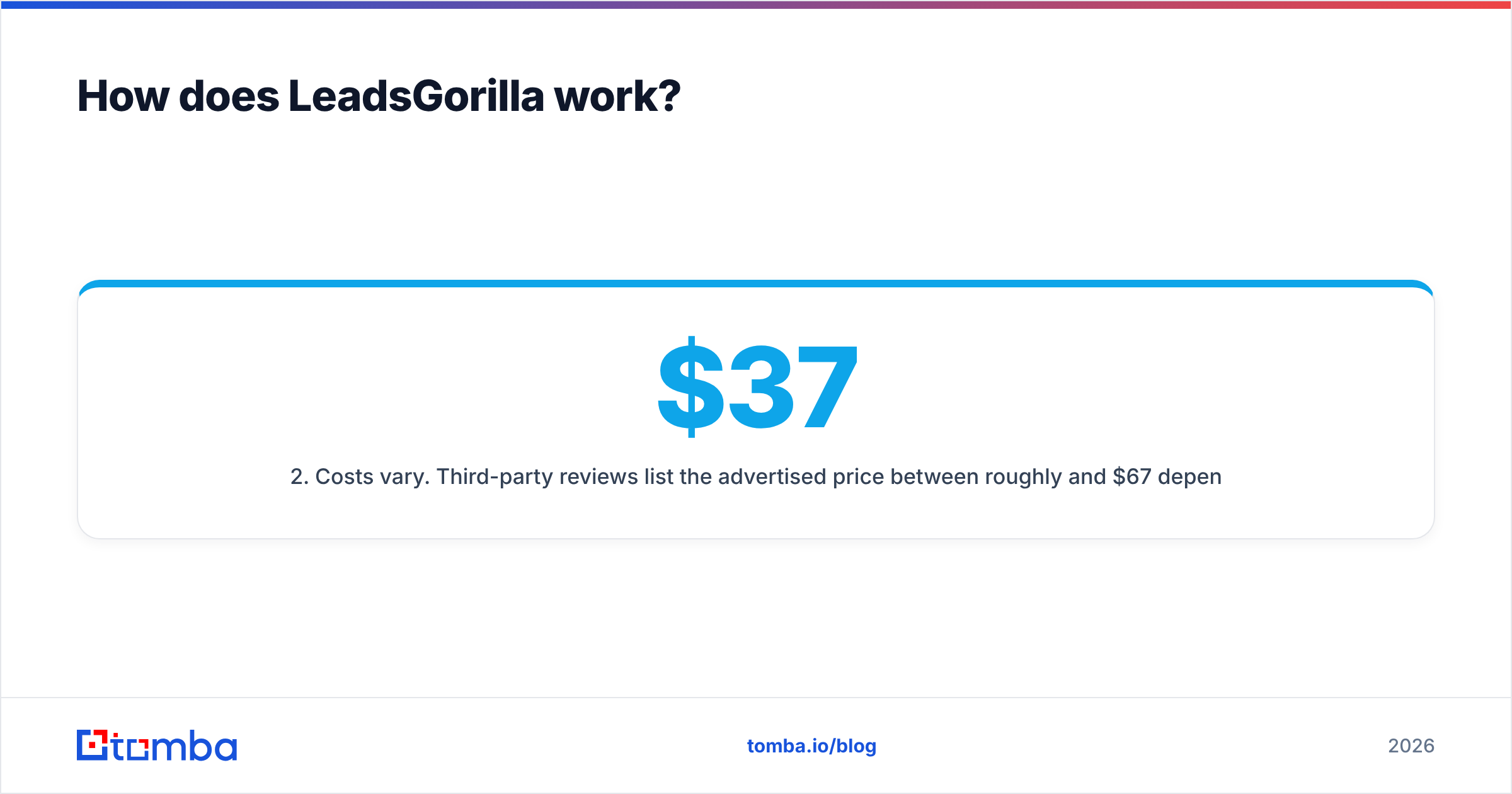
info@orcontact@, and not the owner's direct address. - Costs vary. Third-party reviews list the advertised price between roughly $37 and $67/month depending on plan and promotion. On top of that, you supply your own Google Maps API key, which can add $50–$200+/month if you search heavily. Check the current listing on Capterra's LeadsGorilla page before you commit.
How does ListKit work?#
ListKit is a B2B database with a cold-email focus. You filter by job title, industry, headcount, location and technology, and export contacts whose emails ListKit has already run through its verification process. It also sells done-for-you list building and, on some plans, bundles in sending infrastructure for cold email teams.
According to ListKit's pricing page and recent third-party breakdowns:
- Free plan: 100 credits/month
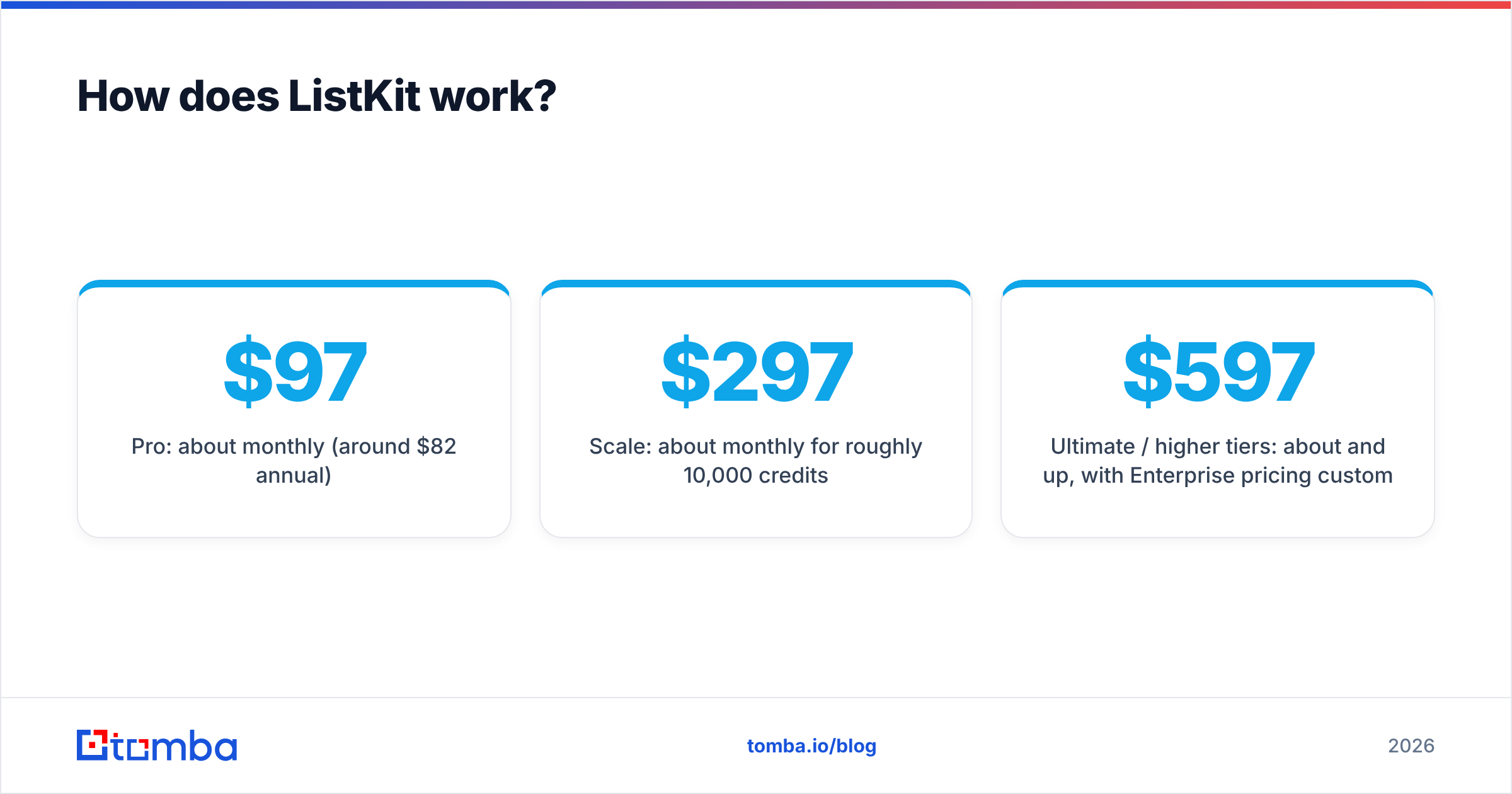
- Pro: about $97/mo monthly (around $82/mo annual)
- Scale: about $297/mo monthly for roughly 10,000 credits
- Ultimate / higher tiers: about $597/mo and up, with Enterprise pricing custom
Two caveats. ListKit announced credit-price cuts in 2026, so older reviews may understate how many credits you get. And credits expire at the end of each monthly term, so if you buy 10,000 and use 4,000, the other 6,000 are gone.

LeadsGorilla vs ListKit: how do they compare feature by feature?#
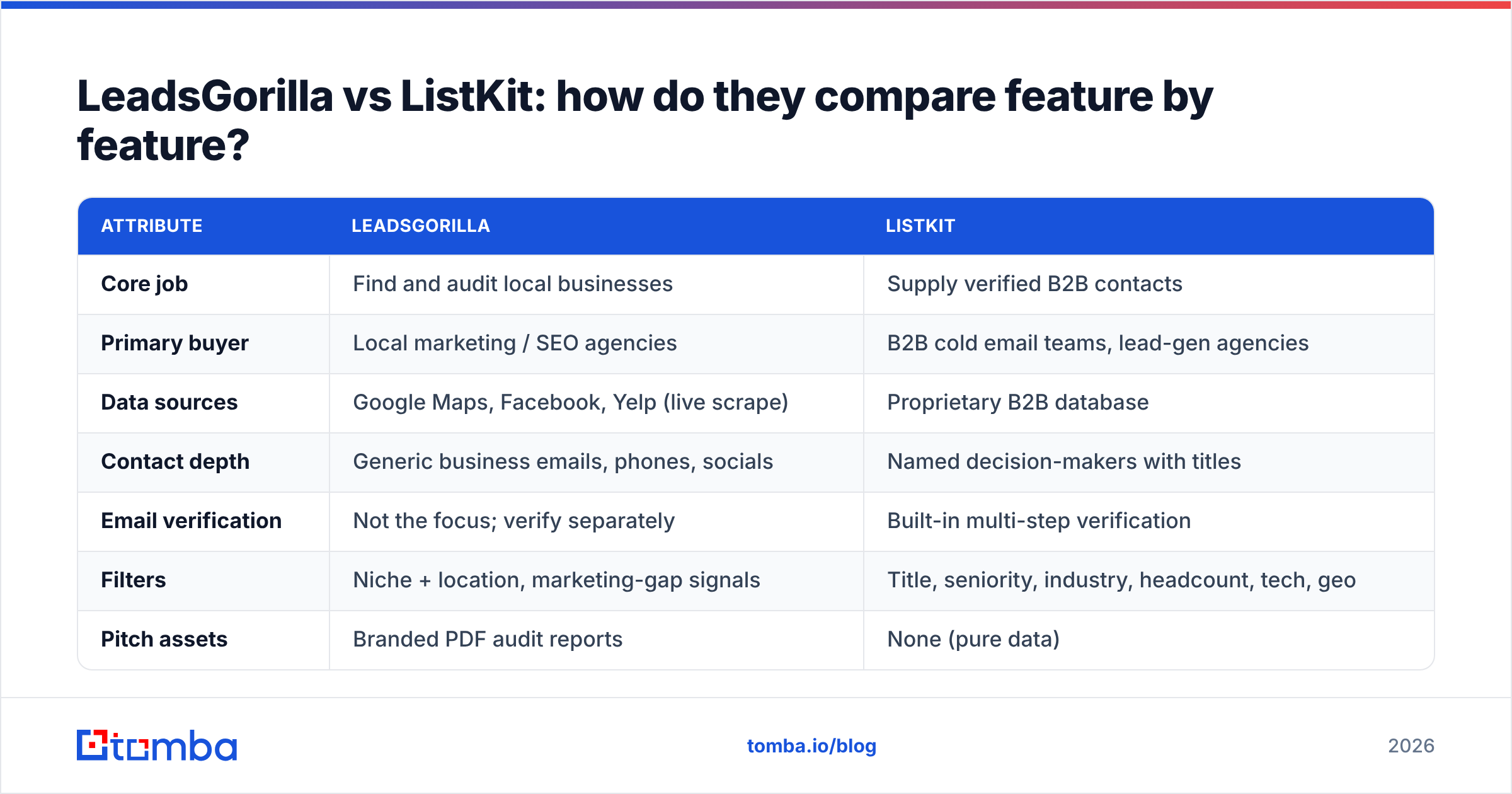
| Attribute | LeadsGorilla | ListKit |
|---|---|---|
| Core job | Find and audit local businesses | Supply verified B2B contacts |
| Primary buyer | Local marketing / SEO agencies | B2B cold email teams, lead-gen agencies |
| Data sources | Google Maps, Facebook, Yelp (live scrape) | Proprietary B2B database |
| Contact depth | Generic business emails, phones, socials | Named decision-makers with titles |
| Email verification | Not the focus; verify separately | Built-in multi-step verification |
| Filters | Niche + location, marketing-gap signals | Title, seniority, industry, headcount, tech, geo |
| Pitch assets | Branded PDF audit reports | None (pure data) |
| Free tier | Not a standing free tier (check current offers) | 100 credits/month |
| Entry paid price | ~$37–$67/mo + Google Maps API costs | |
| Hidden cost to watch | Google API usage billing | Monthly credit expiry |
| Best for | "Your Google profile is losing you calls" pitches | "Book a meeting with the Head of RevOps" campaigns |
The table points to one conclusion. LeadsGorilla sells you a reason to call. ListKit sells you the right person to email.
Which tool is better for local business prospecting?#
LeadsGorilla, clearly. ListKit's database is built around firmographics like headcount and industry codes. A two-location dental practice or a family-run HVAC company is often thin or missing in B2B databases like this, and even when it's there, you don't learn whether that business has 12 reviews or 1,200.
LeadsGorilla's scoring model is built for exactly that. A workflow that works well:
- Search a tight niche. "Roofing contractors" plus one metro area beats "home services" across a whole state.
- Sort by gap score. Unclaimed listings and low review counts are your warmest angles.
- Generate the audit PDF. Keep it to one page with the three biggest problems.
- Find the owner. The listing usually gives you
info@. Use the business domain to look up the owner or manager directly. A domain search lists the addresses publicly tied to that domain and the naming pattern the company uses. - Personalise with the audit. "Noticed your Google profile is unclaimed and a competitor is showing above you for 'emergency roof repair'" earns replies.
Step 4 matters more than people expect. A generic inbox gets checked by whoever is at the front desk, while the owner's direct email reaches the person who signs the cheque.
Which tool is better for B2B cold email?#
ListKit. It exists for this workflow: filter by role, export, load into your sequencer. Verified emails from the start mean fewer bounces in week one, which protects the sender reputation you spent weeks warming up.
A few practical notes if you pick ListKit:
- Plan around credit expiry. Buy the tier that matches what you'll actually send each month, not what you hope to send.
- Re-verify anything older than 30–60 days. B2B data decays as people change jobs. Running a stored export through an email verifier before each campaign is cheap insurance.
- Watch catch-all domains. Many mid-market companies accept all mail at the server, so a "valid" status on a catch-all domain is really "unknown." Segment those contacts and send to them at lower volume.
- Don't send the full export on day one. Start with your best-fit 20% and measure reply rates, then expand.
If you're comparing ListKit with other B2B data tools, G2's sales intelligence category is a reasonable place to read verified user reviews side by side.
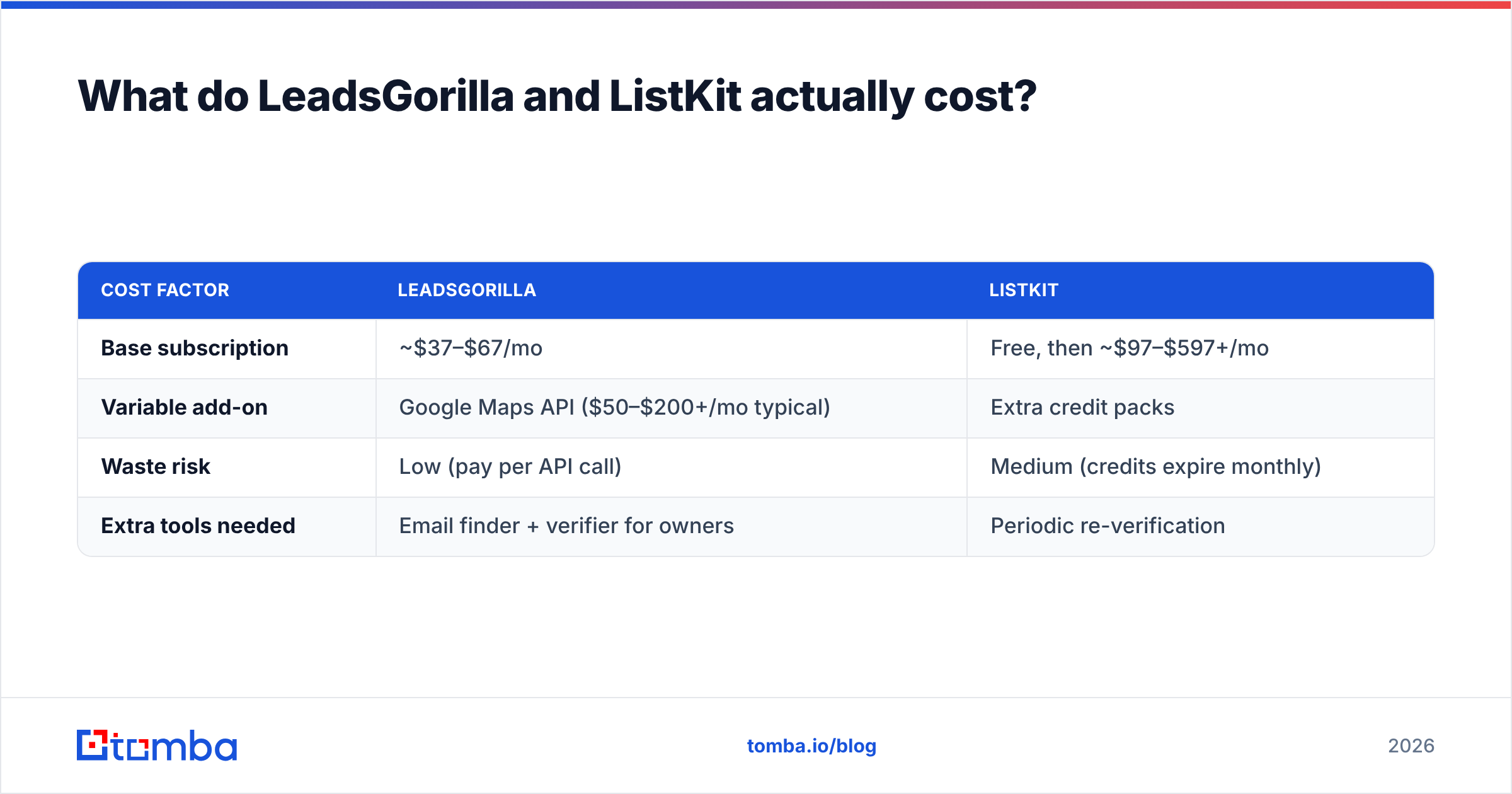
What do LeadsGorilla and ListKit actually cost?#
Sticker prices don't tell you much here. Compare the effective cost per usable contact instead.
LeadsGorilla example. Say you pay ~$67/mo for the plan and ~$100/mo in Google Maps API usage, and pull 2,000 businesses. Maybe 60% have a findable email, and most of those are generic. Your cost per contact is low, around $0.14, but reaching a decision-maker takes extra enrichment work.
ListKit example. On the Scale plan at ~$297/mo you get about 10,000 credits. If you use all of them, you pay about $0.03 per verified contact. If you only use 3,000 before they expire, you pay about $0.10 each. That's still reasonable, but it's three times the headline rate.
| Cost factor | LeadsGorilla | ListKit |
|---|---|---|
| Base subscription | ~$37–$67/mo | Free, then ~$97–$597+/mo |
| Variable add-on | Google Maps API ($50–$200+/mo typical) | Extra credit packs |
| Waste risk | Low (pay per API call) | Medium (credits expire monthly) |
| Extra tools needed | Email finder + verifier for owners | Periodic re-verification |
Prices change often in this category, so treat these figures as a snapshot and confirm on each vendor's site before you buy.
What are the pros and cons of each?#
LeadsGorilla pros
- Built-in pitch angle. The audit report does your discovery for you.
- Live data. Scraping current listings catches new businesses that databases haven't indexed yet.
- Low entry price for solo agencies.
LeadsGorilla cons
- Generic inboxes by default, with few named owners.
- API setup and billing that non-technical users sometimes find confusing.
- Narrow use case. It's close to useless for B2B SaaS or enterprise targets.
ListKit pros
- Verified, role-targeted contacts ready for sequencing.
- Standing free tier so you can test data quality.
- Cold-email orientation, with extras around infrastructure and done-for-you lists.
ListKit cons
- Credits expire monthly, which penalises uneven sending.
- Local SMB coverage is weaker than a live Maps scrape.
- Higher tiers get expensive quickly once you scale past a few thousand contacts a month.
Can you use LeadsGorilla and ListKit together?#
Yes, if your agency serves both markets. Some agencies run local SEO retainers alongside a B2B lead-gen offer. In that case:
- Use LeadsGorilla for the local book of business: discovery, audits, pitch.
- Use ListKit for B2B campaigns: role-based lists, verified at export.
- Use a standalone finder and verifier to fill the gaps on both sides: owner emails LeadsGorilla can't surface, and re-checks for ListKit exports that have gone stale.
Running both costs more than most solo operators need, though. If 80% of your revenue comes from one market, pay for that tool only and fill the gaps with a lighter-weight finder.
Where does an email finder fit if you choose either tool?#
Both tools leave the same gap: getting from "we know this company is a good fit" to "we have the right person's working email."
- With LeadsGorilla, you have the business and its domain but usually not the owner.
- With ListKit, you have a list, but contacts at accounts outside the database, or ones that changed jobs last quarter, are missing or stale.
A domain-based finder closes that gap. You give it a name and company domain and get back the most likely address plus a verification status. If you prospect in bulk, compare cost per verified email across tools. Tomba pricing starts with a free tier of 25 searches/month, then Starter at $49/mo, Growth at $99/mo and Pro at $249/mo. That's useful as an add-on layer when you don't want to pay for a full database seat.
So, LeadsGorilla or ListKit: which should you pick?#
- Choose LeadsGorilla if you sell local SEO, reviews, websites or ads to small businesses and want a pitch asset that makes the first call easier.
- Choose ListKit if you run B2B cold email to specific job titles and want verified contacts ready to load into your sequencer, and you can use most of your monthly credits.
- Choose neither (yet) if you only send a few hundred emails a month. A free tier plus a pay-as-you-go finder will likely cover you until volume justifies a subscription.
Neither tool is the "winner" in the abstract. The better one is the one that matches who you sell to.
Whichever you choose, you'll still hit contacts that neither tool gives you: the owner behind a generic info@ inbox, or the new VP who joined last month. Tomba Email Finder fills that gap. Enter a name and domain and it returns the verified professional address, so your LeadsGorilla audits and ListKit campaigns reach decision-makers instead of shared inboxes. Start on the free plan and upgrade only when your volume needs it.
Related guides#
// get started
Find, verify and enrich your first contacts today
Start on the free plan with 25 searches a month, then scale when your team is ready.
Free plan · No credit card required · GDPR & CCPA
// about the author