Leadsgorilla vs SMARTe: Local Lead Scraper or Global B2B Data?
One tool scrapes local businesses for a one-time fee. The other sells verified B2B contacts and direct dials on an annual contract. Here's how to tell which one your pipeline actually needs.
TL;DR
- Leadsgorilla is a lead scraper for local businesses. It pulls prospects from Google Maps and similar public listings, and it's aimed at agencies and freelancers who sell services to small local companies. It's usually sold as a one-time purchase with paid upgrades on top.
- SMARTe is a B2B contact data platform. It sells professional emails, direct dials, and mobile numbers for decision-makers at mid-market and enterprise accounts, with strong coverage outside North America. Pricing is quote-based.
- These tools barely compete. Leadsgorilla finds the local businesses you should pitch. SMARTe finds the people inside companies you should sell to.
- Neither one removes the need to verify contacts before you send. Scraped emails bounce more than most, and bought data goes stale at roughly 2-3% a month.
- Our pick: local-service agencies on a tight budget should start with Leadsgorilla. B2B sales teams selling into named accounts across regions should go with SMARTe. If you only need accurate emails for companies you've already picked, a pay-as-you-go email finder is usually cheaper than both.
What is the real difference in Leadsgorilla vs SMARTe?#
Most "Leadsgorilla vs SMARTe" searches start with a wrong assumption: that these are two versions of the same product. They aren't. They're built for different buyers, draw on different data sources, and fit different sales motions.
Leadsgorilla is a discovery and outreach tool for local SMB prospecting. You type in a niche and a city, such as "dentists in Austin", and it returns businesses along with their public details: website, phone, rating, social profiles, and any email it can find on the site. On top of that it adds audit-style signals like missing websites, weak reviews, or no social presence, which give an agency something to open the pitch with.
SMARTe is a B2B contact intelligence platform. You search by company, title, seniority, industry, or region and get named contacts with business emails, direct dials, and often mobile numbers. It also offers CRM enrichment, a Chrome extension for LinkedIn and company websites, and API access. Its main selling point is coverage in markets like EMEA and APAC, where many US-first databases get thin.
Here's an analogy. Leadsgorilla is like a phone book for Main Street: it tells you which shops exist and which ones look like they need help. SMARTe is like a company directory for the corporate park: it tells you who the VP of Operations is and how to reach them directly.
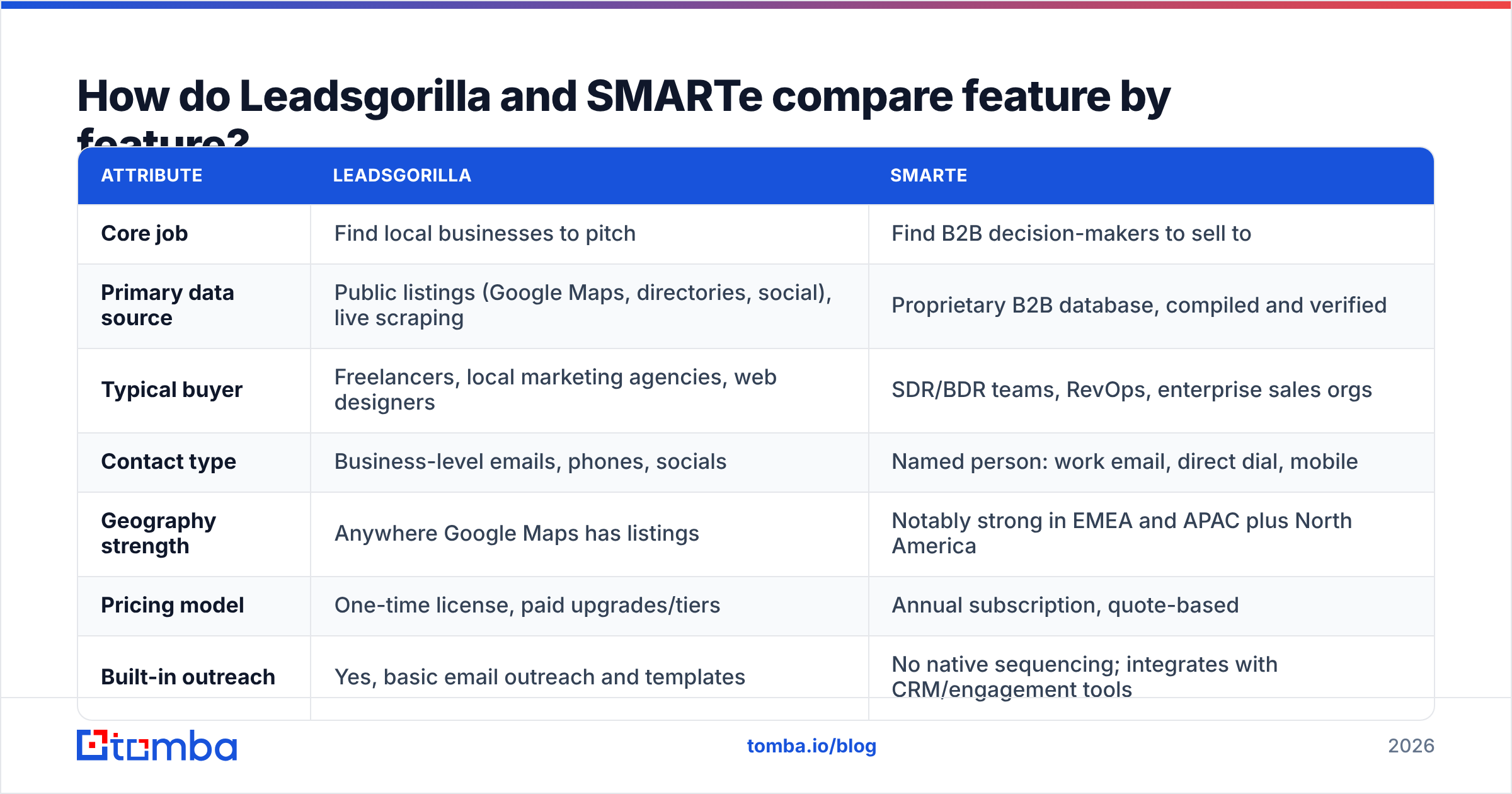
How do Leadsgorilla and SMARTe compare feature by feature?#
The table below reflects how each vendor positions itself publicly as of 2026. Both have changed packaging over time, so check the current plan pages before you buy.
| Attribute | Leadsgorilla | SMARTe |
|---|---|---|
| Core job | Find local businesses to pitch | Find B2B decision-makers to sell to |
| Primary data source | Public listings (Google Maps, directories, social), live scraping | Proprietary B2B database, compiled and verified |
| Typical buyer | Freelancers, local marketing agencies, web designers | SDR/BDR teams, RevOps, enterprise sales orgs |
| Contact type | Business-level emails, phones, socials | Named person: work email, direct dial, mobile |
| Geography strength | Anywhere Google Maps has listings | Notably strong in EMEA and APAC plus North America |
| Pricing model | One-time license, paid upgrades/tiers | Annual subscription, quote-based |
| Built-in outreach | Yes, basic email outreach and templates | No native sequencing; integrates with CRM/engagement tools |
| CRM integrations | Limited; mostly CSV export | Salesforce, HubSpot, and others, plus API |
| Verification | Minimal; you should verify separately | Vendor-verified, with a stated accuracy focus |
| Best for | "Which local businesses need my service?" | "Who exactly do I call at this account?" |
The biggest line in that table is the data source. Scraped data is as fresh as the listing it came from, but nobody vets it: generic inboxes like info@ and contact@, abandoned domains, and emails that bounce show up often. A compiled database like SMARTe's is vetted and structured, but it's a snapshot, and it decays between refreshes. Each approach has its own failure mode.
Who should use Leadsgorilla?#
Leadsgorilla fits one workflow very well: agencies selling marketing, web, SEO, or reputation services to local businesses.
It helps you most when:
- Your prospect is the business, not a person. A dental clinic or plumbing company usually has one owner who reads the general inbox anyway. You don't need a VP-level org chart.
- You need a reason to reach out. Its audit signals, like "no website," "no SSL," or "3.1-star rating," give you a relevant hook without extra research.
- You work to a small, fixed budget. A one-time purchase is attractive if you're a solo operator who doesn't want another monthly bill.
- Your market is geographic. "Every roofer within 50 miles" is exactly the query the tool was built to answer.
Where it struggles:
- B2B selling above the SMB level. For a 500-person SaaS company, a scraped info@ address won't get you to the buyer.
- Deliverability. Sending cold email straight from a raw scraped list is one of the fastest ways to burn a domain. Plan to run everything through an email verifier first.
- Long-term support and roadmap. One-time-purchase software sold through launch-style funnels often leans on upsells, and feature development can be uneven. Read recent reviews before you commit.

Who should use SMARTe?#
SMARTe is designed for structured B2B outbound at scale, especially when your territory spans several continents.
It helps you most when:
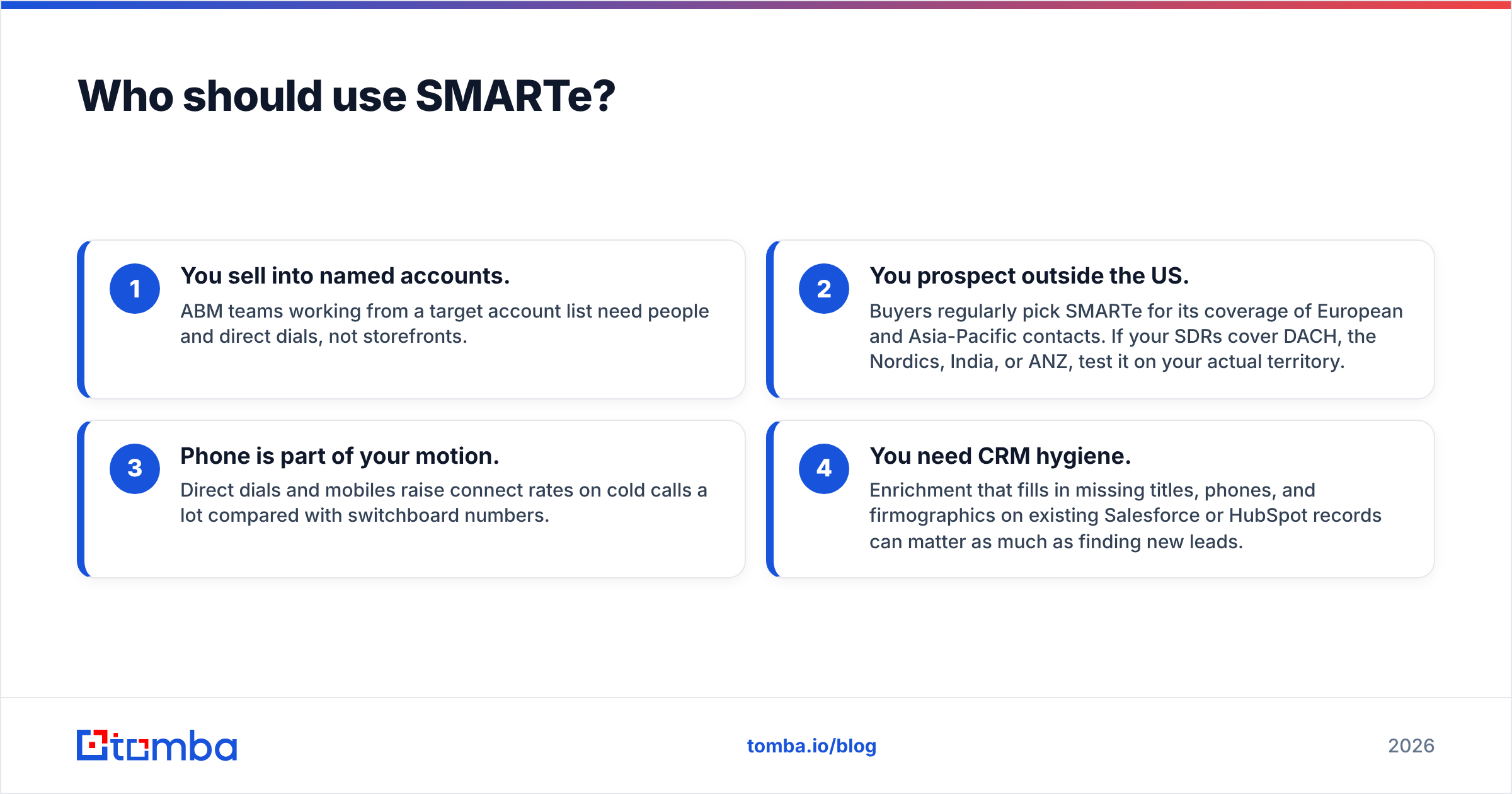
- You sell into named accounts. ABM teams working from a target account list need people and direct dials, not storefronts.
- You prospect outside the US. Buyers regularly pick SMARTe for its coverage of European and Asia-Pacific contacts. If your SDRs cover DACH, the Nordics, India, or ANZ, test it on your actual territory.
- Phone is part of your motion. Direct dials and mobiles raise connect rates on cold calls a lot compared with switchboard numbers.
- You need CRM hygiene. Enrichment that fills in missing titles, phones, and firmographics on existing Salesforce or HubSpot records can matter as much as finding new leads.
Where it struggles:
- Price transparency and entry cost. Quote-based annual contracts are normal in this category, but they're a hurdle for small teams that want to try before committing.
- Local SMB prospecting. You won't find the neighborhood bakery owner in a B2B database built around corporate hierarchies.
- No native sequencing. You still need an engagement platform to send and track outreach.
User reviews on sites like G2 tend to praise SMARTe's international mobile coverage and responsive support, and to ask for more flexible pricing. That's typical for enterprise data vendors. Look at the official SMARTe site for current product modules.
Is Leadsgorilla cheaper than SMARTe?#
At the sticker level, yes, by a wide margin. That isn't the comparison that matters, though.
Leadsgorilla's one-time license costs much less than a single month of most enterprise data contracts. SMARTe's annual contracts are usually priced per seat and per credit volume, so expect a four- or five-figure yearly commitment depending on team size.
A better number to track is cost per reachable decision-maker:
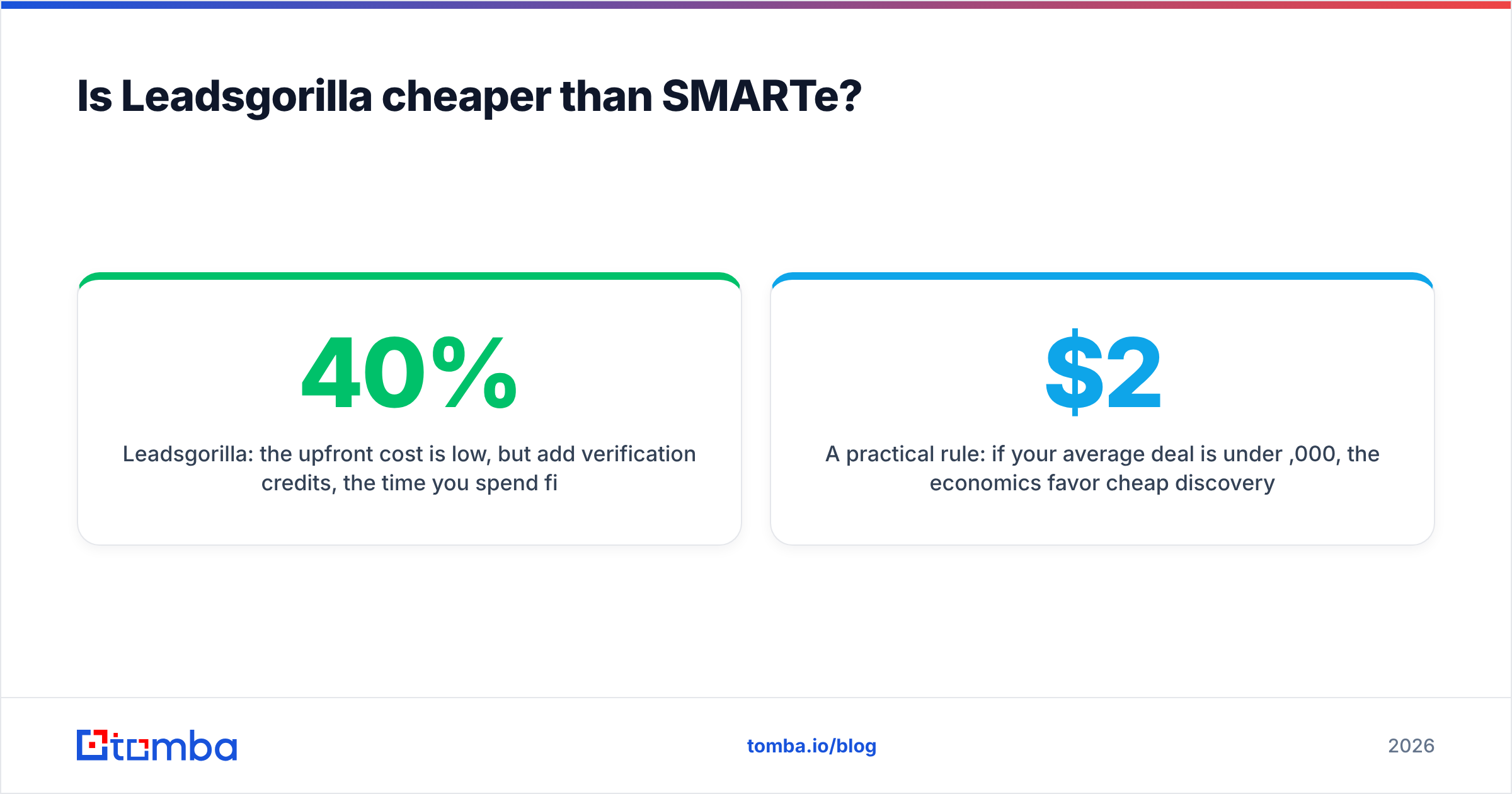
- Leadsgorilla: the upfront cost is low, but add verification credits, the time you spend filtering generic inboxes, and deliverability risk. If 30-40% of a scraped list is unusable or generic, your real cost per contact climbs quickly.
- SMARTe: the upfront cost is high, but each record is a named person with more than one channel. For a team booking enterprise meetings, one extra closed deal usually pays for the contract.
- Hidden costs on both sides: you'll need an outreach tool (Leadsgorilla's built-in sender is basic; SMARTe has none), a verification step, and CRM sync.
A practical rule: if your average deal is under $2,000, the economics favor cheap discovery tools. If it's over $20,000, paying for premium contact data is almost always justified.
How accurate is the data from each tool?#
The two tools get accuracy wrong in different ways, and you should plan for each.
Leadsgorilla's risk is relevance and validity. Live scraping gives you current listings, but the emails it finds are usually whatever's printed on the website. Some are dead, many are generic, and a few are spam traps planted on pages to catch scrapers. You don't get person-level verification.
SMARTe's risk is decay. B2B contact data goes stale as people change jobs, get promoted, or companies rebrand. Industry estimates put decay at roughly 25-30% a year, which is why vendors like SMARTe put so much into re-verification. Even so, a record that was correct at purchase can bounce by next quarter.
What to do either way:
- Verify before every send, not just when you import the list. A contact that was valid 90 days ago may not be today.
- Treat catch-all domains separately. Many corporate domains accept all mail at the SMTP level, so a normal check can't confirm the mailbox exists. Segment those contacts and send to them at lower volume.
- Check bounce rates by source. Tag each lead with where it came from so you can see which source actually delivers.
- Enrich instead of re-buying. When a contact changes jobs, data enrichment against the new company domain is usually cheaper than buying another record.
Can you use Leadsgorilla and SMARTe together?#
You can, but most teams don't need to, because each serves a different buyer. It makes sense if you run two distinct motions:
- An agency arm pitching local SMBs, fed by Leadsgorilla
- A B2B arm selling to mid-market or enterprise brands, fed by SMARTe
A more common hybrid is lighter: use a discovery tool (Leadsgorilla, or even manual Google Maps research) to build the company list, then use an email finder to get the right person's verified address at each domain. That skips the enterprise contract and still gets you past info@.

Which is better for cold email deliverability?#
Neither tool sends your email for you in a way that protects your domain, so deliverability is your job. Still, the starting data matters.
SMARTe lists start cleaner. Vendor-verified, person-level emails usually bounce far less than raw scraped lists. Keep bounces under 2% (under 1% is better) to stay out of trouble with Google's and Yahoo's bulk sender requirements.
Leadsgorilla lists need cleaning first. Run full verification, remove role-based addresses unless your offer really suits them, and throttle volume on new domains.
Before sending from either source, set up SPF, DKIM, and DMARC, warm up your domains, and keep volume per inbox modest. HubSpot's email deliverability guide is a solid primer if you're starting out.
Leadsgorilla vs SMARTe: which should you choose?#
Use this decision list:
- Pick Leadsgorilla if you sell services to local small businesses, you want a one-time cost, and the business itself (not a specific executive) is your buyer.
- Pick SMARTe if you run a B2B SDR team, sell into named mid-market or enterprise accounts, need direct dials and mobiles, and cover international territories.
- Pick neither, and use a focused email finder instead, if you already know your target companies and just need accurate, verified emails for the right people without an annual contract.
- Pick both only if you truly run two separate go-to-market motions with different ideal customer profiles.
For a lot of readers, option three is the honest answer. Plenty of teams buy an enterprise data contract when what they needed was "give me the verified email of the head of marketing at these 400 domains." That job doesn't need a platform. It needs a reliable email finder and a verification step.
What should you check before signing either contract?#
Run the same five-point test on either tool before you commit:
- Test on your real territory. Ask for a sample list or trial credits for your actual ICP and region, not the vendor's demo accounts.
- Measure the bounce rate yourself. Put 200-500 records through independent verification and compare.
- Count usable contacts, not total records. Generic inboxes, duplicates, and wrong-title matches don't count.
- Read the renewal terms. Auto-renewal windows and credit rollover rules differ a lot between vendors.
- Check the export and integration path. Confirm the data lands cleanly in your CRM and sequencer with no manual cleanup.
Reviews on Capterra and G2 help as a sanity check, but your own pilot data beats any aggregate star rating.
Where does Tomba fit in this decision?#
If you've read this far and neither tool quite fits, you're probably in the middle ground: a B2B team that knows which companies it wants and needs verified emails without an enterprise contract or a local-business scraper.
That's the job the Tomba Email Finder does. Enter a domain, a name plus company, or a whole list, and Tomba returns professional email addresses with confidence scores and public sources, then checks them with its built-in verifier and catch-all checks. There's a free tier with 25 searches a month, and paid plans start at $49/mo, with Growth at $99/mo and Pro at $249/mo. See the full Tomba pricing. Run your next target list through the free tier and compare the bounce rate with whatever you're using now.
Related guides#
// get started
Find, verify and enrich your first contacts today
Start on the free plan with 25 searches a month, then scale when your team is ready.
Free plan · No credit card required · GDPR & CCPA
// about the author