LeadsGorilla vs UpLead: Local Lead Scraper or B2B Contact Database?
LeadsGorilla and UpLead both promise you leads, but they're built for different buyers. One is for agencies selling to local shops. The other is for B2B teams prospecting decision-makers. Here's how to choose between them.
TL;DR
- LeadsGorilla is a local lead generation tool. It pulls small businesses from sources like Google Maps and audits their online presence, which makes it useful to agencies and freelancers who sell marketing services to local shops.
- UpLead is a B2B contact database with filters for firmographics, technographics and job titles, plus real-time email verification. It suits SDRs, founders and RevOps teams going after companies and named decision-makers.
- Pricing models are different. LeadsGorilla has historically sold one-time licenses with upgrade tiers. UpLead charges a monthly or annual subscription based on credits.
- Data quality is where the two split furthest. Local scrapers tend to surface generic inboxes like info@ and contact@. UpLead advertises verified, person-level business emails.
- If you already know which companies you want, a domain-based email finder can be a cheaper third option than either tool.
What is the real difference between LeadsGorilla and UpLead?#
These two products don't really compete. People compare them because both say "leads" on the homepage and both hand you a spreadsheet at the end. The businesses in that spreadsheet are very different, though.
LeadsGorilla is built for the local-business market. You type in a niche and a location, for example "dentists in Austin". The tool pulls matching businesses from public sources such as Google Maps and business directories, then scores each one on digital-presence gaps: no website, weak SEO signals, poor mobile experience, missing social profiles, low review counts. It exists so a marketing agency can find a local business with an obvious problem and pitch the fix.
UpLead is a B2B prospecting database. You filter by industry, company size, revenue, location, technology used, job title and seniority, and you get named contacts with business emails and, often, direct phone numbers. UpLead verifies emails in real time when you reveal them and markets a data-accuracy guarantee. Its buyers are sales teams running outbound into mid-market and enterprise accounts.
Put simply, LeadsGorilla helps you find businesses that need help. UpLead helps you find the person inside a company who signs the contract.
How do LeadsGorilla and UpLead compare feature by feature?#
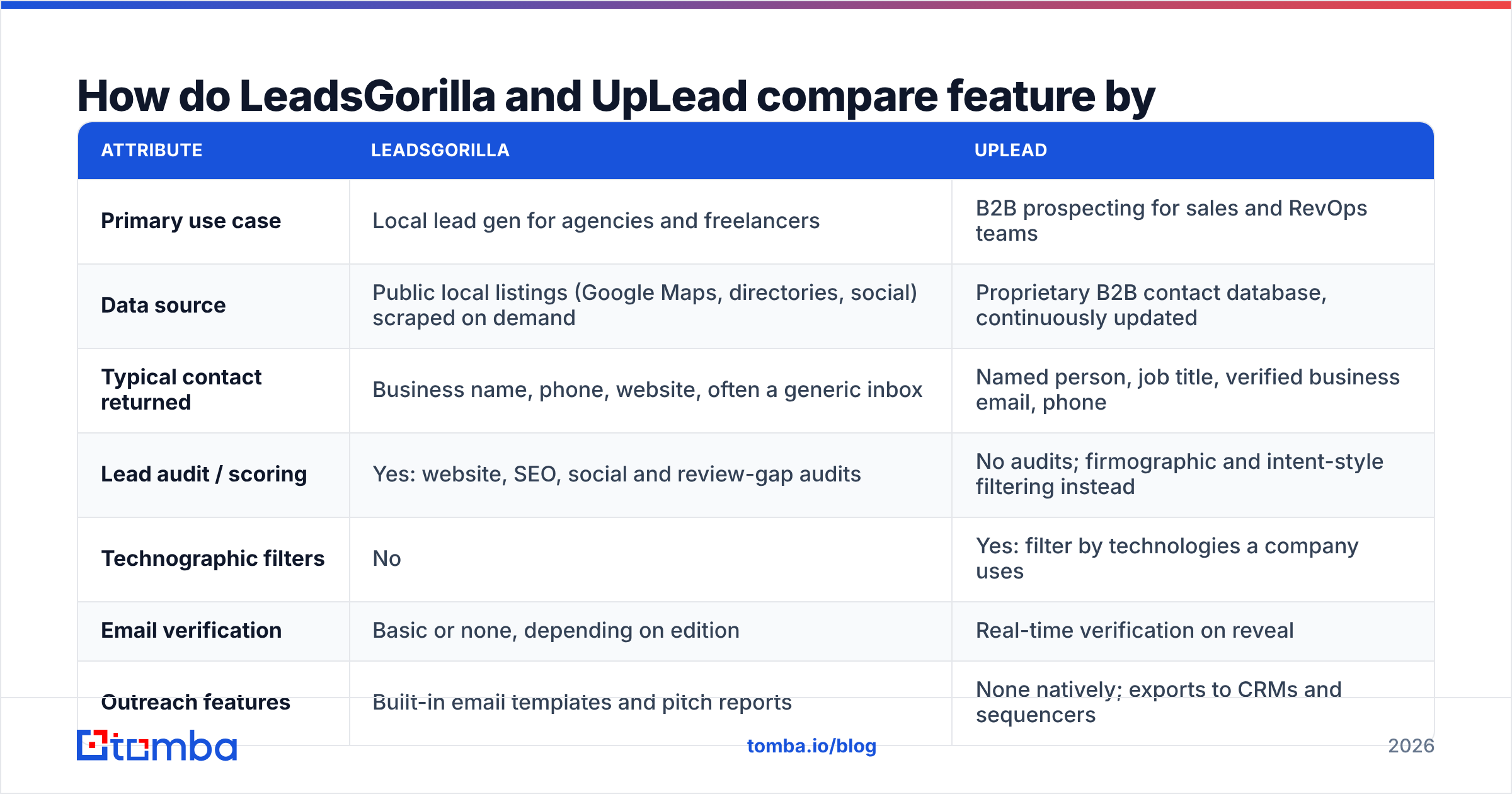
The table covers the attributes that tend to decide a purchase. Feature sets change between versions, so confirm the current details on each vendor's site before you buy.
| Attribute | LeadsGorilla | UpLead |
|---|---|---|
| Primary use case | Local lead gen for agencies and freelancers | B2B prospecting for sales and RevOps teams |
| Data source | Public local listings (Google Maps, directories, social) scraped on demand | Proprietary B2B contact database, continuously updated |
| Typical contact returned | Business name, phone, website, often a generic inbox | Named person, job title, verified business email, phone |
| Lead audit / scoring | Yes: website, SEO, social and review-gap audits | No audits; firmographic and intent-style filtering instead |
| Technographic filters | No | Yes: filter by technologies a company uses |
| Email verification | Basic or none, depending on edition | Real-time verification on reveal |
| Outreach features | Built-in email templates and pitch reports | None natively; exports to CRMs and sequencers |
| CRM integrations | Limited (CSV export) | Salesforce, HubSpot, Pipedrive, Zapier and others |
| Pricing model | Historically one-time license plus optional upgrades | Monthly or annual credit-based subscription |
| Best for | Web design, SEO and social media agencies | SDR teams, founders and B2B marketers |
The row that matters most is "Typical contact returned." Everything else follows from it.
Who should use LeadsGorilla?#
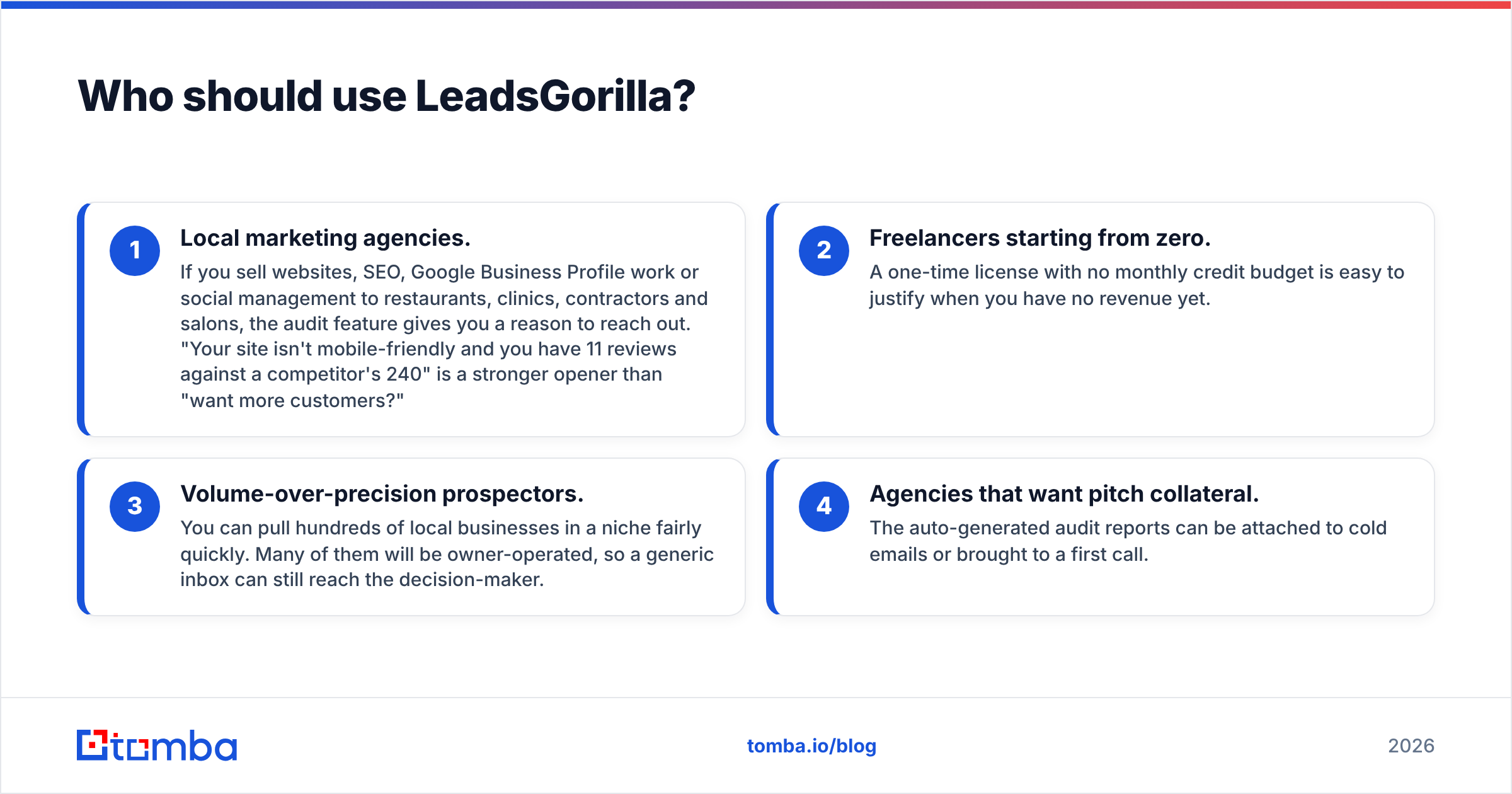
LeadsGorilla fits a narrow profile, and it serves that profile well.
- Local marketing agencies. If you sell websites, SEO, Google Business Profile work or social management to restaurants, clinics, contractors and salons, the audit feature gives you a reason to reach out. "Your site isn't mobile-friendly and you have 11 reviews against a competitor's 240" is a stronger opener than "want more customers?"
- Freelancers starting from zero. A one-time license with no monthly credit budget is easy to justify when you have no revenue yet.
- Volume-over-precision prospectors. You can pull hundreds of local businesses in a niche fairly quickly. Many of them will be owner-operated, so a generic inbox can still reach the decision-maker.
- Agencies that want pitch collateral. The auto-generated audit reports can be attached to cold emails or brought to a first call.
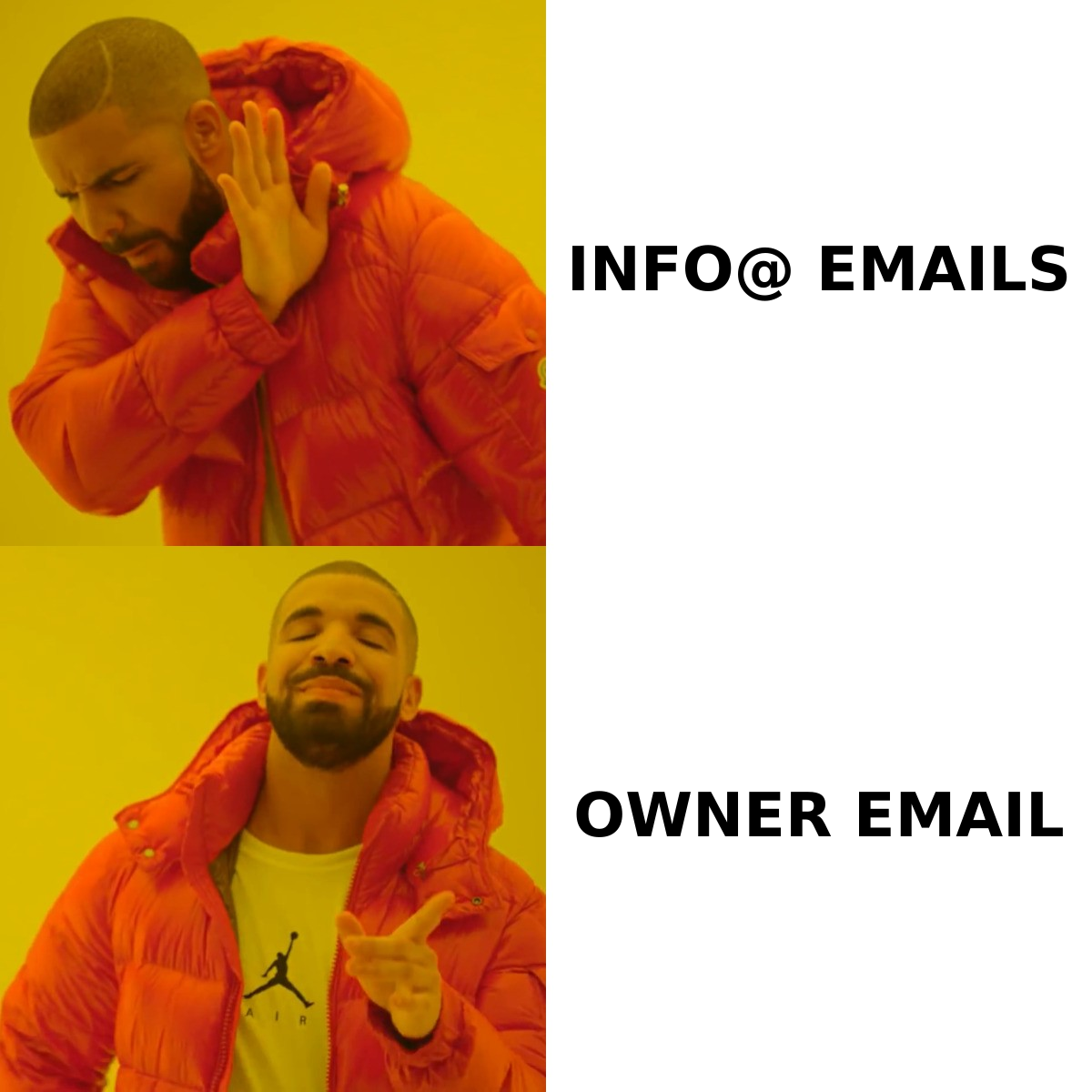
LeadsGorilla does not give you a verified, person-level contact at a 200-person SaaS company. The underlying data comes from local listings, not a B2B people graph. When you try to use it for enterprise outbound, you end up with a list of info@ addresses that route to a shared inbox nobody watches.
Who should use UpLead?#
UpLead is a stronger fit if your ideal customer profile is defined by company attributes and job titles rather than a map pin.
- Outbound SDR teams that need 50 to 200 new verified contacts a week in a specific segment, such as "VP Engineering at US fintechs with 50 to 500 employees using AWS".
- Founders doing founder-led sales who want a small, accurate list more than a big, noisy one.
- RevOps and marketing ops teams enriching inbound leads or building account lists for ABM.
- Teams that care about bounce rates. Because UpLead verifies at reveal, bounce rates on exported lists usually stay low. That protects your email deliverability and your domain's reputation.
The trade-off is cost per contact and the credit model. Each reveal uses a credit, and the lower tiers don't include many credits per month. At high volume, the cost per contact goes up quickly. UpLead's reviews on G2 generally praise accuracy and the interface, and the recurring complaint is credit limits.
How does pricing compare between LeadsGorilla and UpLead?#
The pricing models are very different, which makes a direct price comparison hard to read.
LeadsGorilla has historically been sold as a one-time license, often through launch-style sales pages that add upgrade tiers for more searches, agency or white-label rights, and extra features. The entry price is low compared with any SaaS subscription. The catch is that one-time-license tools tend to depend on the vendor continuing to ship new versions, and some features may sit behind the upgrades. Check the current sales page for what the base license includes.
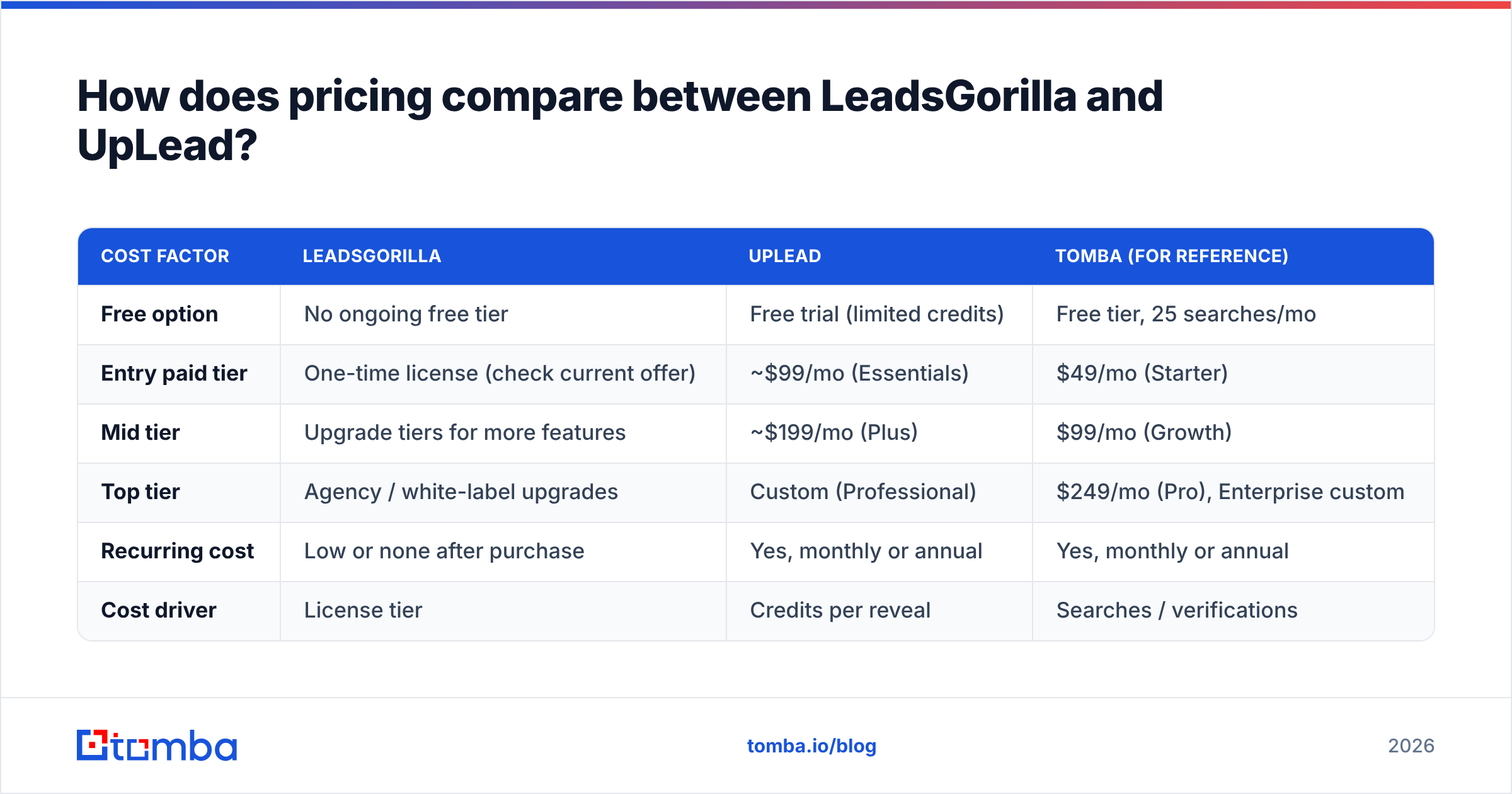
UpLead uses credit-based subscriptions. At the time of writing, its pricing page lists a free trial with a small number of credits, an Essentials plan at around $99/month, a Plus plan at around $199/month, and a custom Professional tier. Annual billing brings the monthly rate down. Credits cover contact reveals, so your real cost is the plan price divided by the contacts you actually use.
| Cost factor | LeadsGorilla | UpLead | Tomba (for reference) |
|---|---|---|---|
| Free option | No ongoing free tier | Free trial (limited credits) | Free tier, 25 searches/mo |
| Entry paid tier | One-time license (check current offer) | ~$99/mo (Essentials) | $49/mo (Starter) |
| Mid tier | Upgrade tiers for more features | ~$199/mo (Plus) | $99/mo (Growth) |
| Top tier | Agency / white-label upgrades | Custom (Professional) | $249/mo (Pro), Enterprise custom |
| Recurring cost | Low or none after purchase | Yes, monthly or annual | Yes, monthly or annual |
| Cost driver | License tier | Credits per reveal | Searches / verifications |
Here's a rough way to decide. If you need a few hundred local-business leads a month and you'll write the pitch yourself, LeadsGorilla's model is hard to beat on cost. If you need a few hundred verified decision-maker emails a month, the useful comparison is cost per delivered email, not cost per month. On that measure a verified database is often cheaper once bounces and wasted sends are counted.
Which tool gives you better data accuracy?#
For person-level B2B contacts, UpLead is more accurate. This is a consequence of how each tool is built, and it doesn't reflect badly on LeadsGorilla.
LeadsGorilla scrapes what local businesses publish about themselves. The name, phone, address and website are usually right because the owner maintains them. The email is the weak point. Many local listings show no email at all, and when a scraper does find one, it's usually a role address from the contact page. Role addresses aren't worthless, since a plumber with three employees reads info@ personally. But you can't personalize to a named person, and many cold-email platforms and filters treat role addresses as higher risk.
UpLead verifies addresses when you reveal them and returns named contacts with titles. That means fewer bounces, less damage to your sender reputation, and emails that reach a specific person.
Whichever tool you pick, run the final list through a separate check before it goes into a sequencer. A standalone email verifier catches addresses that went bad between export and send. For local-business lists full of role addresses and catch-all domains, this step makes a big difference.
What about compliance and data sourcing?#
Both tools work with publicly available business information, but they sit in different places compliance-wise.
- Local scraping collects contact details that businesses publish themselves. For sole traders in the EU and UK, a business email can still count as personal data under the GDPR, so you need a legitimate-interest basis and a working opt-out in every email.
- B2B databases like UpLead publish their own compliance positions and handle suppression and opt-out requests at the database level. This doesn't remove your obligations, but it does mean someone other than you is maintaining the source data.
- Either way, keep a record of where each contact came from and honor unsubscribes quickly. That is the minimum for staying compliant with any lead source.
Is there a third option between LeadsGorilla and UpLead?#
Yes. Many teams comparing these two already have a list of target companies, whether from a CRM, an events list, a Google Maps export or a tech-stack search. What they're missing is the right person's email at each company.
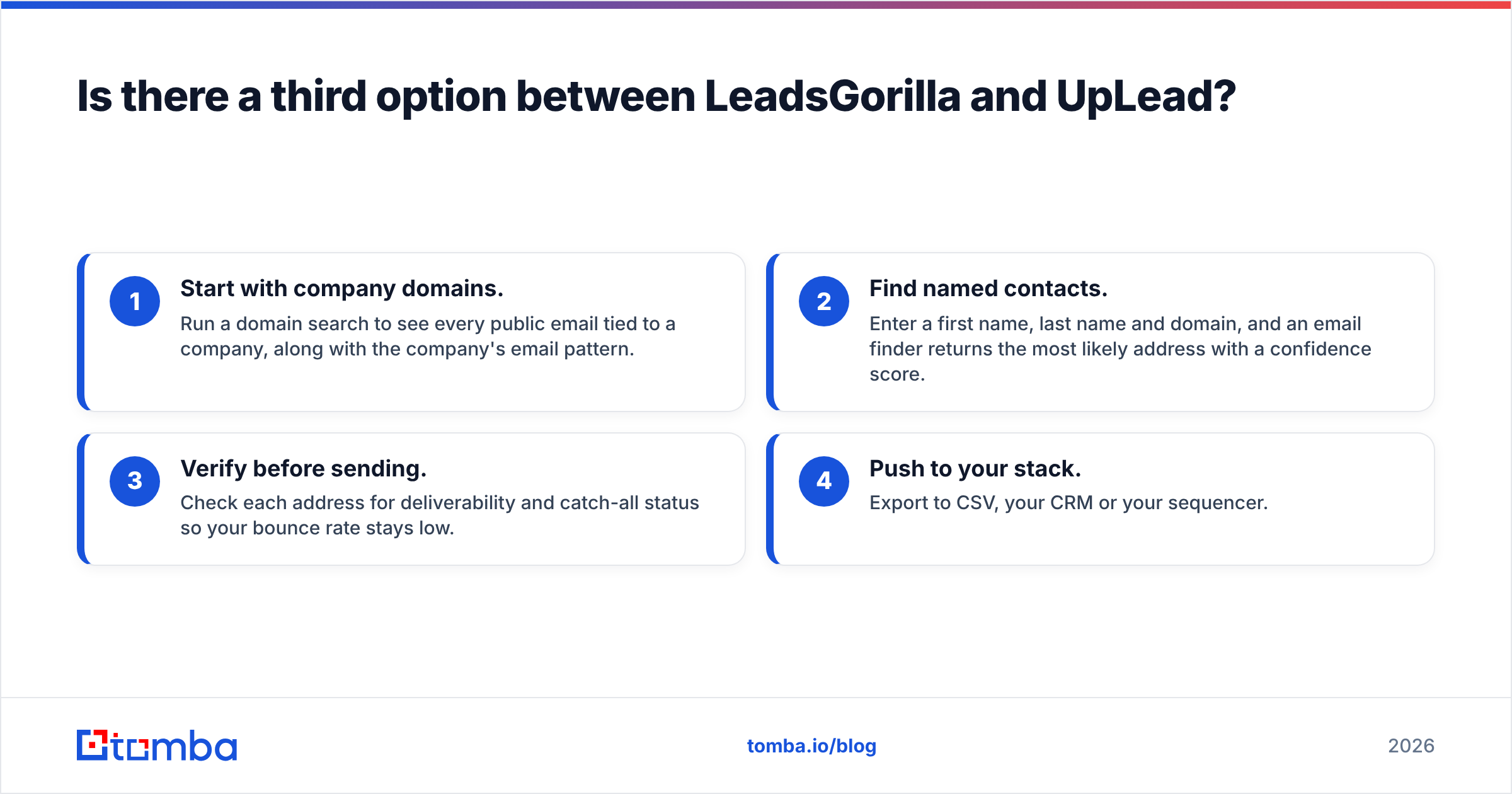
In that situation you don't need a full database subscription or a local scraper. You need a domain-based email finder:
- Start with company domains. Run a domain search to see every public email tied to a company, along with the company's email pattern.
- Find named contacts. Enter a first name, last name and domain, and an email finder returns the most likely address with a confidence score.
- Verify before sending. Check each address for deliverability and catch-all status so your bounce rate stays low.
- Push to your stack. Export to CSV, your CRM or your sequencer.
This workflow pairs well with LeadsGorilla. Use LeadsGorilla to find local businesses with weak digital presence, then use a domain-based finder to replace the generic info@ with the owner's or marketing manager's address. You get the pitch angle from one tool and a personal inbox from the other.

LeadsGorilla vs UpLead: which one should you choose?#
Base the decision on who you sell to, not on which feature list is longer.
Choose LeadsGorilla if:
- Your buyers are local, owner-operated businesses
- You sell marketing, web or SEO services and want audits to use as a pitch angle
- You want a low one-time cost rather than a subscription
- You're comfortable with generic inboxes and will verify before sending
Choose UpLead if:
- Your buyers are B2B companies with defined departments and titles
- You need verified, named decision-makers with firmographic and technographic filters
- Your team works in Salesforce or HubSpot and wants native integrations
- Deliverability matters more to you than raw list volume
Choose a domain-based email finder if:
- You already know your target accounts and just need the right emails
- You want lower entry pricing than a full B2B database
- You want to improve lists from a local scraper or an event export
Neither tool is universally better. LeadsGorilla does what it was built for, which is local agency prospecting. UpLead is the better product for B2B outbound. Most complaints about either tool come from buyers who used it for the other job.
Frequently asked questions#
Is LeadsGorilla good for B2B lead generation?#
Only if your B2B buyers are small local businesses. For mid-market or enterprise targets you need person-level data with job titles, and LeadsGorilla's local-listing sources aren't built to provide it.
Does UpLead work for local businesses?#
It can find local companies, but its value is in named contacts at established B2B organizations. Many small local businesses have one decision-maker and a sparse data footprint, so a local scraper plus an email finder is often cheaper for that segment.
Which is cheaper, LeadsGorilla or UpLead?#
LeadsGorilla usually costs less upfront because of its one-time license model. UpLead costs more per month, but it can come out cheaper per verified, deliverable email when you're prospecting B2B decision-makers.
Do I still need email verification with UpLead?#
It's a good habit. UpLead verifies at reveal, but emails decay as people change jobs. If a list sits for weeks before you send, re-verify it.
Ready to fill the gaps either tool leaves?#
LeadsGorilla leaves you with generic local inboxes. UpLead's credits get expensive at volume. Either way, the fix is the same: find the right person's verified email from a company domain. Tomba Email Finder lets you search by domain, name or company, returns a confidence score, and verifies addresses so your campaigns reach real inboxes. It starts with a free tier of 25 searches a month, and paid plans begin at $49/month. See the full Tomba pricing and run a test on your next list.
Related guides#
// get started
Find, verify and enrich your first contacts today
Start on the free plan with 25 searches a month, then scale when your team is ready.
Free plan · No credit card required · GDPR & CCPA
// about the author