Leadsrush vs Smarte (2026): Scraped Leads or Verified B2B Data?
Leadsrush scrapes business listings for fast, high-volume lead lists. SMARTe sells a global B2B contact database with intent signals. Here's how their data, pricing and use cases compare, and which one fits your pipeline.
TL;DR
- Leadsrush is a list-building scraper. It pulls business contacts from directories, maps listings and public web pages. It suits agencies and small teams that want lots of local or niche SMB leads.
- SMARTe is a sales-intelligence platform. It advertises 280M+ contacts, direct dials, technographics and Bombora-powered intent data, and it's aimed at mid-market and enterprise B2B teams selling globally.
- On price, SMARTe publishes a free plan (10 credits), a Pro plan starting around $25/mo at roughly $0.50 per credit, and enterprise contracts from about $15,000. Leadsrush doesn't publish comparable tier details, so confirm pricing with them directly.
- Pick Leadsrush if your targets are local businesses with public listings. Pick SMARTe if you're selling to named decision-makers inside mid-size and large companies, especially outside the US.
- Whichever tool you choose, verify every email before you send. Scraped and database contacts both decay, and bounces hurt your domain.
What is the real difference between Leadsrush and SMARTe?#
These two tools get put side by side, but they solve different problems. The comparison makes more sense once you see the gap.
Leadsrush works like a harvester. You give it a search, such as "dentists in Austin", "HVAC contractors in Ohio" or "Shopify agencies". It then crawls public sources (directories, map listings, business websites) and returns a spreadsheet of businesses. That usually includes a name, company, website, a generic or personal email where one exists, and sometimes a phone number. The data is as good as whatever the business published online.
SMARTe works like a library. It keeps its own B2B database, which the company says covers 289M+ contacts and 66M+ companies in 200+ countries. You query it with firmographic, technographic and intent filters. You're not scraping anything yourself. You're renting access to records that SMARTe has already compiled, enriched and (by its own account) verified. On top of that sit AI agents for buying-group discovery, intent signals and API/CRM connectors.
In practice:
- If you're looking for businesses, especially small ones that list their contact details publicly, Leadsrush's model fits.
- If you're looking for people inside companies, such as the VP of Finance at a 2,000-person logistics firm in Germany, SMARTe's model fits.
Most of the other differences come from this split.
How do Leadsrush and SMARTe compare feature by feature?#
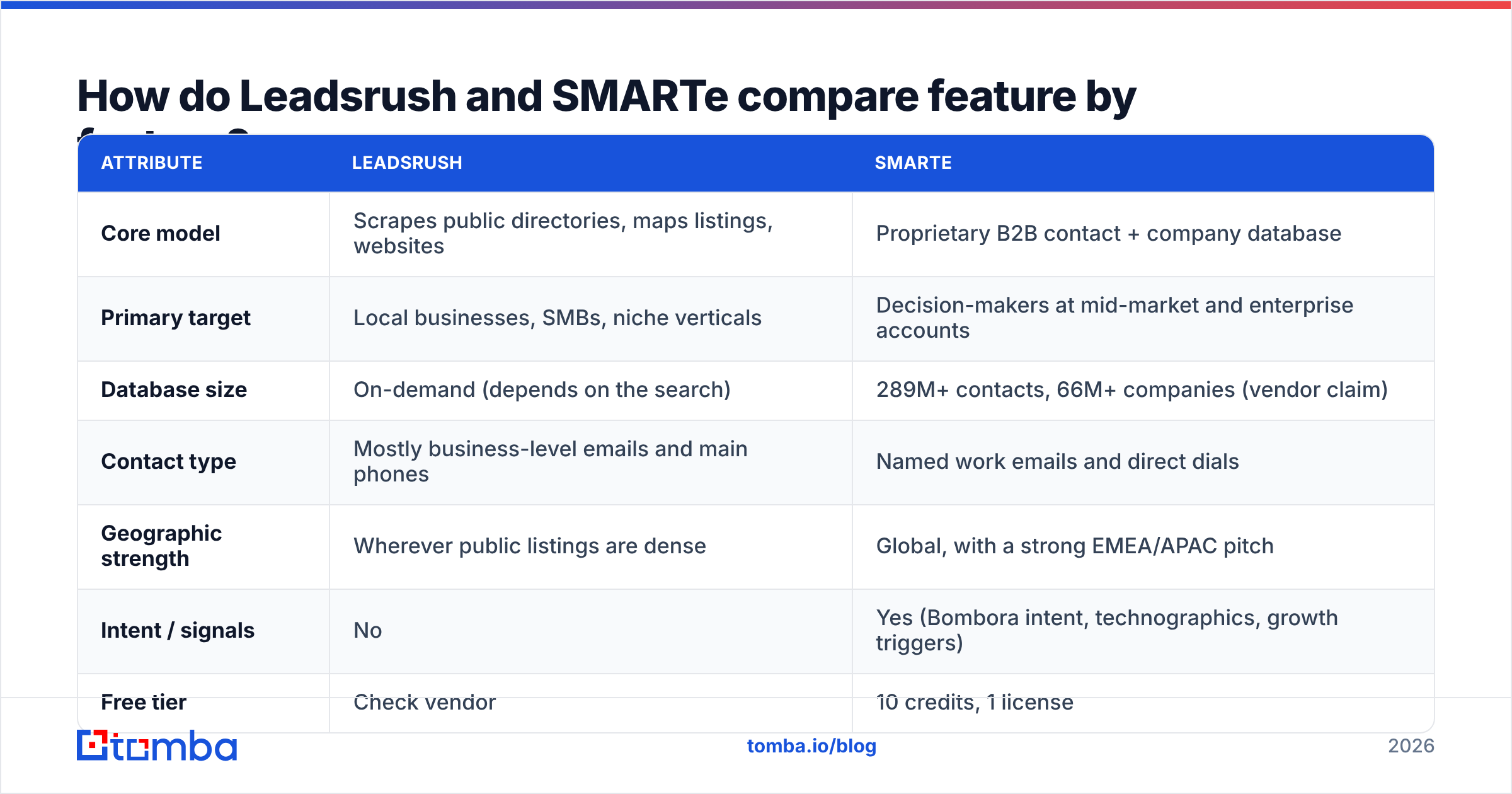
Here's the side-by-side. SMARTe figures come from its public pricing page at the time of writing. For Leadsrush, we describe how the tool works rather than guessing at plan numbers it doesn't publish in a comparable format.
| Attribute | Leadsrush | SMARTe |
|---|---|---|
| Core model | Scrapes public directories, maps listings, websites | Proprietary B2B contact + company database |
| Primary target | Local businesses, SMBs, niche verticals | Decision-makers at mid-market and enterprise accounts |
| Database size | On-demand (depends on the search) | 289M+ contacts, 66M+ companies (vendor claim) |
| Contact type | Mostly business-level emails and main phones | Named work emails and direct dials |
| Geographic strength | Wherever public listings are dense | Global, with a strong EMEA/APAC pitch |
| Intent / signals | No | Yes (Bombora intent, technographics, growth triggers) |
| Free tier | Check vendor | 10 credits, 1 license |
| Entry paid plan | Check vendor | Pro from ~$25/mo, ~$0.50/credit |
| Enterprise | Not the focus | From ~$15,000 (2-year terms, ~$0.30/credit) |
| Chrome extension | Varies | Yes |
| CRM enrichment | Export-based (CSV) | Native connectors + API |
| Compliance posture | Your responsibility (public data) | GDPR/CCPA compliance claimed |
| Best for | Agencies, local lead gen, volume outreach | SDR/AE teams running account-based outbound |
Two rows matter most here: contact type and target. A Leadsrush list full of info@ and contact@ addresses works well if you're pitching the owner of a 6-person plumbing company, because the owner reads that inbox. It works badly if you're trying to reach the Head of IT at a Fortune 1000 company. SMARTe has the opposite problem. You'd be paying for sales-intelligence features you never use just to reach a neighborhood bakery.

How accurate is the data from each tool?#
Accuracy means something different for each tool, so evaluate them separately.
Leadsrush accuracy depends on the source. A scraper returns whatever was online when it crawled. If a business updated its website last month, the data is probably fresh. If the directory listing is from 2021, you're getting a 2021 email address. Scrapers also tend to return:
- Role-based addresses (
info@,sales@,hello@) that go to a shared inbox, or to nobody. - Duplicates when the same business appears in several directories.
- Catch-all domains where the mail server accepts everything, so you can't confirm whether a mailbox exists without a dedicated check.
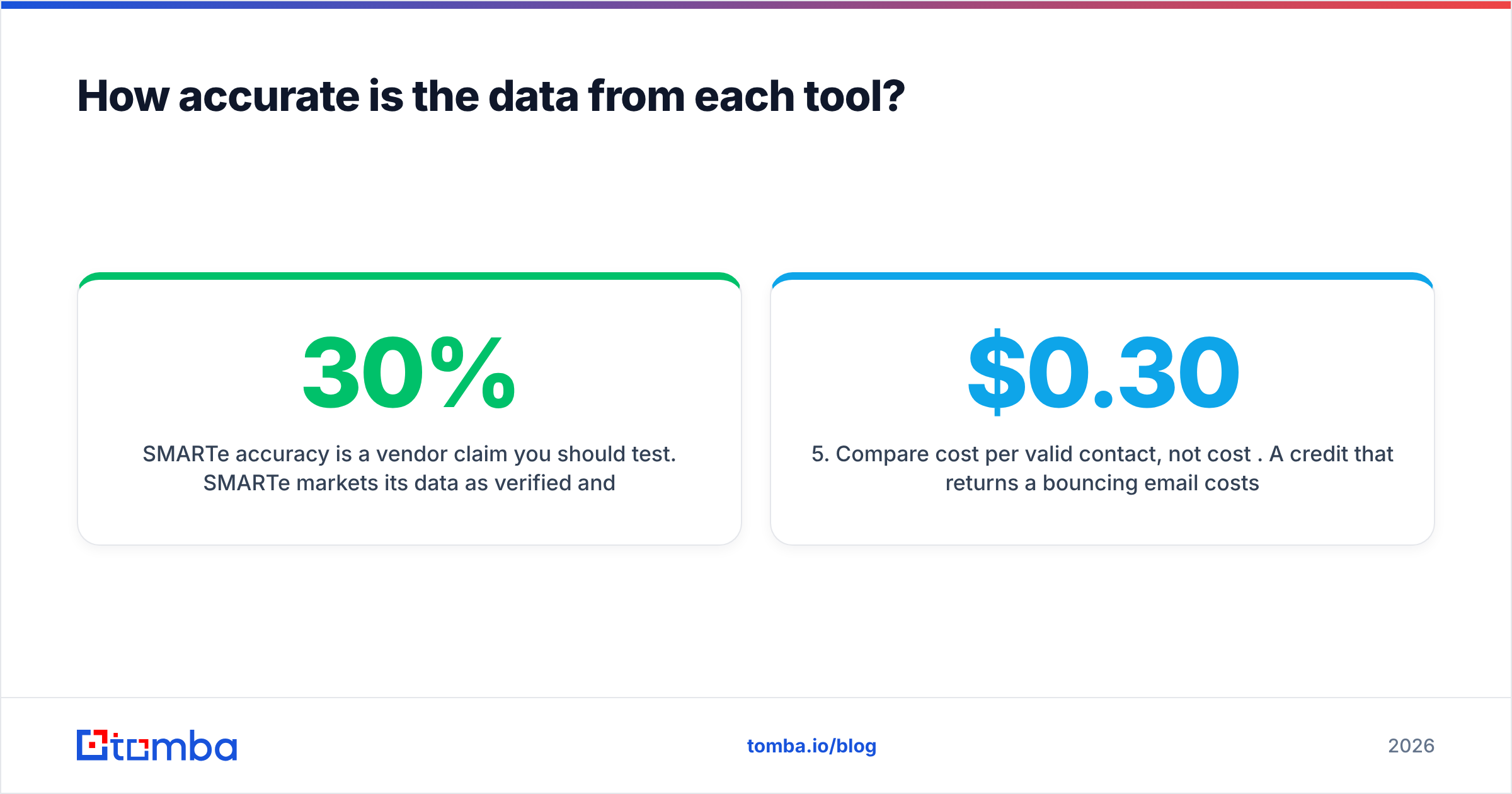
SMARTe accuracy is a vendor claim you should test. SMARTe markets its data as verified and compliant, and reviewers on G2 often praise its international coverage and direct dials. Still, every B2B database decays. People change jobs, companies rebrand and domains move. Industry estimates put B2B contact decay at roughly 20–30% a year. No database is immune to that, because the people in it keep moving.
Before you commit budget to either tool, run the same test on both:
- Pull 200 records that match your real ICP, not a demo query.
- Run every email through an independent email verifier. Don't rely on the vendor's own "verified" flag.
- Count valid, invalid, catch-all and unknown results. Your real accuracy is valid divided by total.
- Spot-check 20 contacts by hand on LinkedIn to confirm they still hold the title you pulled.
- Compare cost per valid contact, not cost per credit. A $0.30 credit that returns a bouncing email costs more than a $0.50 credit that lands.
This takes about an hour and tells you more than any review site.
How much do Leadsrush and SMARTe actually cost?#
List prices don't tell you much here, because the two tools charge for different things.
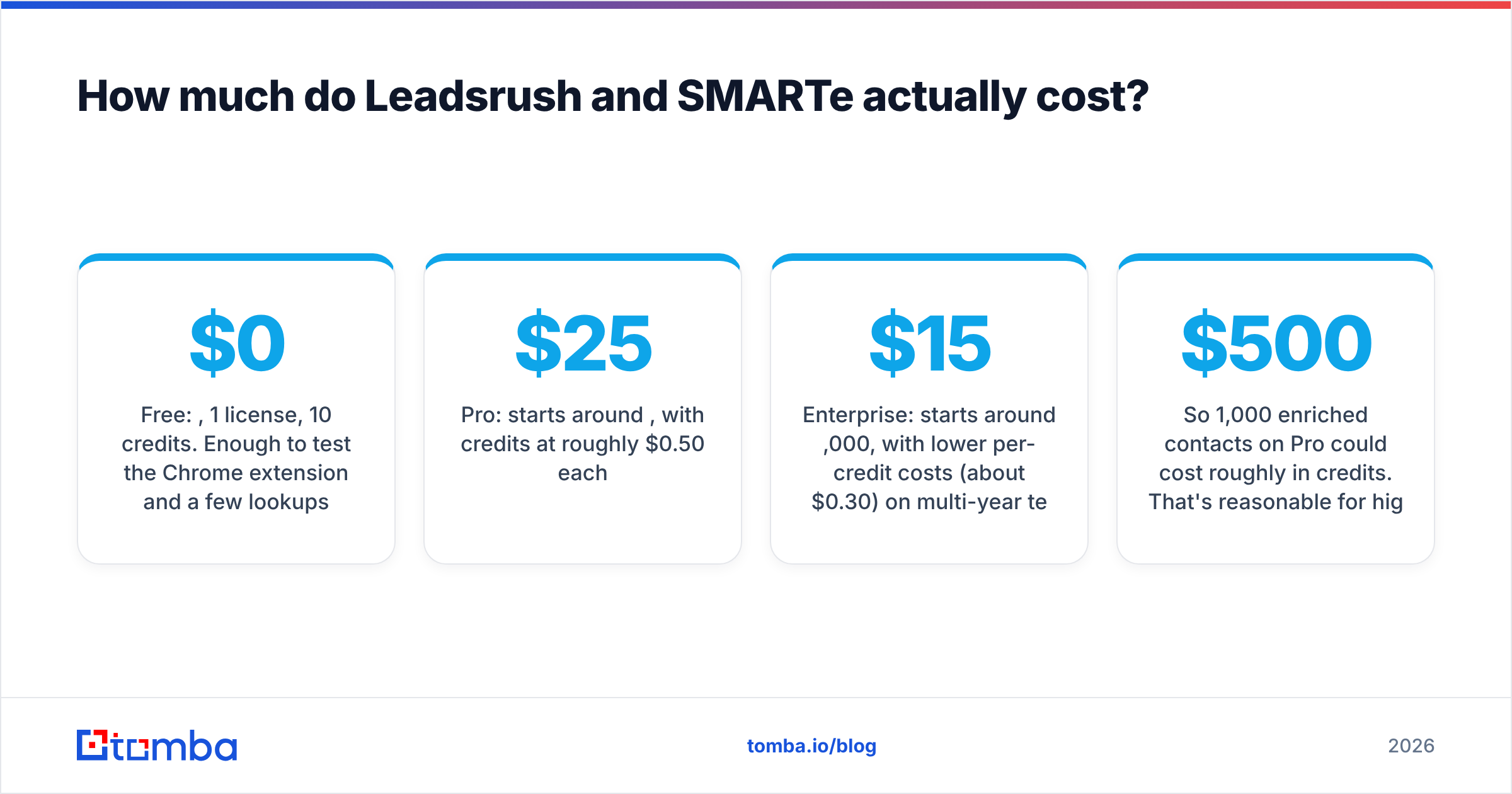
SMARTe is credit-based. According to its pricing page:
- Free: $0, 1 license, 10 credits. Enough to test the Chrome extension and a few lookups.
- Pro: starts around $25/month, with credits at roughly $0.50 each.
- Enterprise: starts around $15,000, with lower per-credit costs (about $0.30) on multi-year terms.
So 1,000 enriched contacts on Pro could cost roughly $500 in credits. That's reasonable for high-value named accounts and expensive for low-ACV SMB outreach.
Leadsrush is built for volume list-building. Scrapers usually charge by searches, rows exported, or a flat subscription, and the cost per raw row tends to be much lower than a sales-intelligence credit. That gap is misleading, though. A raw row isn't a contact you can safely email. Once you remove duplicates, role-based addresses and invalid emails, your usable yield could be half of what you exported, or less. Confirm Leadsrush's current plans directly, then add verification costs to your math.
A simple formula works for both:
True cost per usable contact = (tool cost + verification cost + ops time) ÷ contacts that pass verification and match your ICP
For teams that mostly need emails, and not intent data or direct dials, a dedicated email finder is often cheaper than either. For comparison, Tomba plans start with a free tier of 25 searches a month, then Starter at $49/mo, Growth at $99/mo and Pro at $249/mo, with verification included in the workflow.
Which use cases favor Leadsrush?#
Leadsrush makes sense when most of these are true:
- Your buyers are local or small businesses. Restaurants, clinics, contractors, salons, law firms and agencies are the businesses that list contact details on maps and directories.
- You need volume more than precision. You're an agency running cold outreach for clients and need 5,000 fresh rows a week.
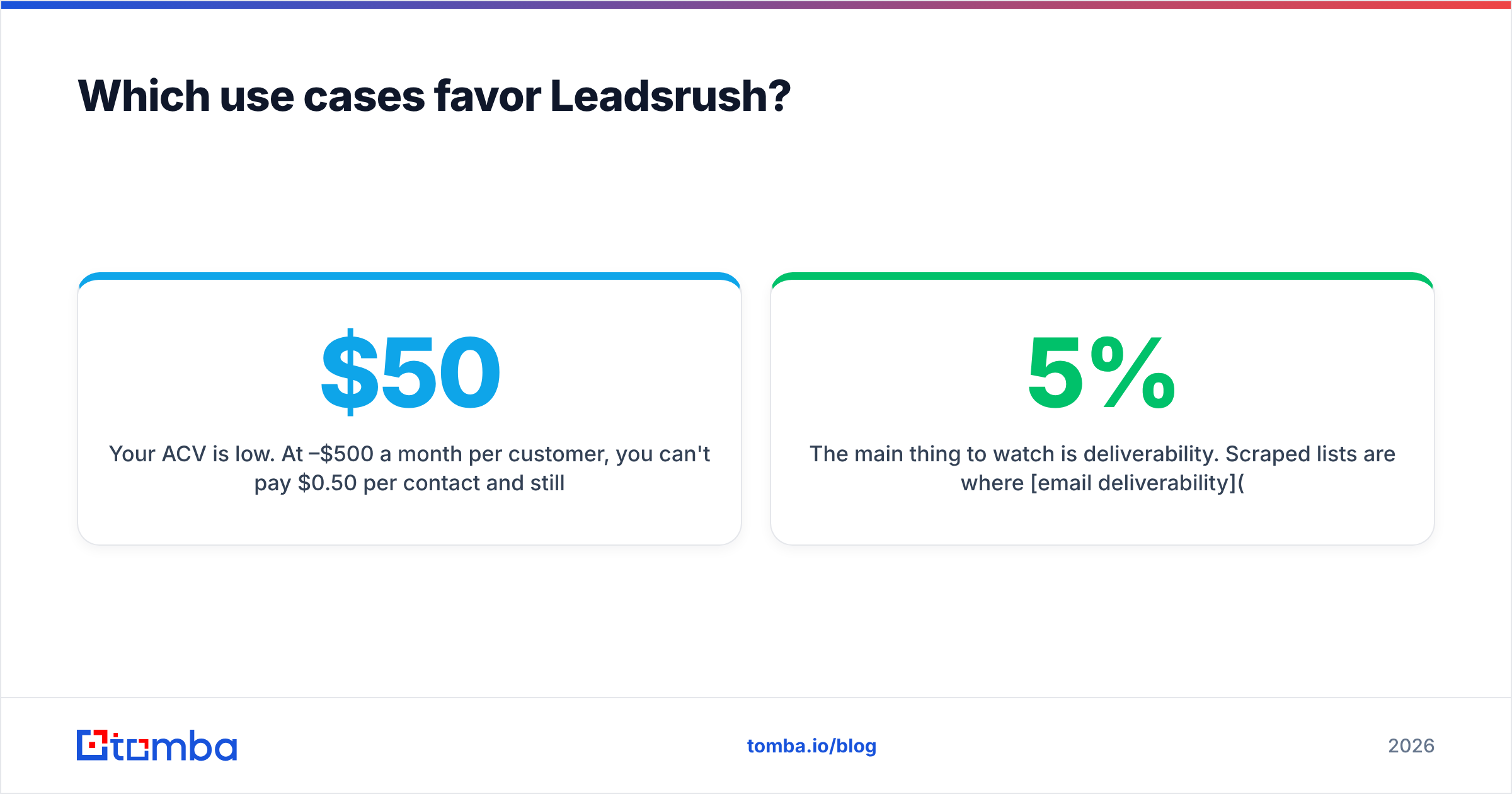
- Your ACV is low. At $50–$500 a month per customer, you can't pay $0.50 per contact and still make the numbers work.
- Geography matters more than job title. "Every roofer within 30 miles of Denver" is a Leadsrush query. "Every CFO at a Series B fintech" isn't.
The main thing to watch is deliverability. Scraped lists are where email deliverability problems usually start: bounce rates climb past 5%, mailbox providers throttle you, and your domain's reputation drops. Clean the list before it gets anywhere near a sequencer.
Which use cases favor SMARTe?#
SMARTe makes sense when most of these are true:
- You sell to named roles inside companies. Your ICP is defined by title, seniority, department, company size and tech stack.
- You sell internationally. SMARTe's pitch focuses on coverage outside North America, where many US-centric databases are thinner.
- You need phones as well as emails. Direct dials and mobiles matter if your SDRs cold-call.
- You run account-based motions. Intent signals and buying-group discovery help you decide which accounts to work this week and who to multithread into.
- You need CRM hygiene. Native enrichment keeps Salesforce or HubSpot records current without CSV round-trips.
The risk with SMARTe is paying for more than you use. If your team uses 10% of the platform, which is often just the email field, the enterprise contract is hard to justify. Salesforce's own lead generation tools guide makes the same point: match the tool to the motion, not to the feature list.
Is Leadsrush better than SMARTe?#
Neither one wins outright, because they don't compete for the same buyer. Here's the verdict by scenario:
- Local lead-gen agency: Leadsrush. SMARTe's database isn't built around the long tail of local SMBs, and its per-credit pricing is poor value at low ACV.
- Outbound SDR team selling $20k+ ACV B2B software: SMARTe. You need named decision-makers, direct dials and intent, and a scraper won't give you those.
- EMEA/APAC expansion: SMARTe. Its global coverage is the core of the product.
- Founder doing early-stage prospecting on a budget: Neither is ideal. Pair a free-tier email finder with manual research and spend the savings on a good sending setup.
- Team that already has target accounts and only needs emails: A focused email finder plus verifier will usually beat both on cost per usable contact.
What should you check before you buy either tool?#
Use this checklist in trials with both vendors:
- Run the ICP sample test. 200 records, independently verified, as described above.
- Check export limits. Can you export to CSV freely, or is data locked into the platform or capped per month?
- Check credit rollover. Do unused credits expire monthly? That matters a lot on annual plans.
- Check the compliance paperwork. Ask for their GDPR lawful-basis statement and opt-out process. With scraped data, a lot of that responsibility is yours.
- Check integration depth. Native CRM sync vs. CSV upload changes how much ops time you'll spend each week.
- Check how bounces are handled. Does the vendor refund credits for invalid contacts? Some do and many don't.
Where does an email finder fit next to Leadsrush or SMARTe?#
A common setup is to use a source tool for discovery and an email tool for precision.
If Leadsrush gives you a list of 3,000 company websites, a domain search can return the named people at each domain along with their email pattern. That turns info@acme-roofing.com into mike.jensen@acme-roofing.com, which reaches the actual owner. If SMARTe gives you a target account list but you don't want to spend enterprise credits on every contact, an email finder can fill the gaps at a lower per-lookup cost.
Whichever source tool you use, add a verification step before sending. Anything that bounces is one lookup cost you absorb. Enough of them and your domain reputation goes too.
The bottom line#
The Leadsrush vs SMARTe decision is really about who you're trying to reach. If you're after lots of local businesses cheaply, use Leadsrush and clean the output hard. If you're after named decision-makers at global mid-market and enterprise accounts, with intent data to prioritize them, use SMARTe and test its accuracy claims on your own ICP before you sign.
If what you mostly need is accurate, named work emails, without scraping cleanup or an enterprise contract, try Tomba Email Finder. Search by domain, by name and company, or in bulk, verify results in the same workflow, and start with 25 free searches a month before moving to Starter at $49/mo. Run it next to your Leadsrush or SMARTe trial and compare cost per valid contact.
Related guides#
// get started
Find, verify and enrich your first contacts today
Start on the free plan with 25 searches a month, then scale when your team is ready.
Free plan · No credit card required · GDPR & CCPA
// about the author