LeadzenAI vs Voila Norbert: Which Email Finder Wins in 2026?
LeadzenAI builds prospect lists from an ICP. Voila Norbert finds and verifies one email at a time with precision. Here's how they compare on data, accuracy, pricing and workflow, and which one fits your team.
- Different tools for different jobs. LeadzenAI is an AI-assisted prospecting database that builds lead lists from your ideal customer profile (ICP). Voila Norbert is an email finder and verifier: you give it a name and a domain, and it returns an address.
- Pick Voila Norbert if you already know who you want to reach and need a clean, verified email for each person. It has simple published pricing (from $49/mo) and only charges you when it finds an email.
- Pick LeadzenAI if you don't have a list yet and want to go from "SaaS CFOs in India and the Middle East" to a list of contacts with emails and phone numbers in one tool.
- Neither one covers the whole workflow. Discovery-first teams still need to verify what they find, and lookup-first teams still need somewhere to source names. Budget for that gap.
- Worth considering: if you want domain search, name-based lookup, verification and catch-all handling on one credit plan, Tomba sits between the two and starts at $49/mo, with a free tier of 25 searches.
What is the real difference between LeadzenAI and Voila Norbert?#
These two tools start at opposite ends of the outbound workflow. That's the most useful thing to know before comparing features.
Voila Norbert starts with a person. You type a first name, last name and company domain. Norbert works out the likely address pattern, checks it against the mail server, and gives you back an email with a confidence signal. It has done this for about a decade, and the product is still built around that single lookup: a clean interface, bulk CSV upload, a verification module, an enrichment add-on and an API. It doesn't try to be a prospect database. You bring the names.
LeadzenAI starts with a market. You describe who you want to sell to (industry, geography, headcount, job function, and sometimes a plain-language prompt) and the platform returns companies and decision-makers that match, with contact details attached. Email finding is one feature inside a wider lead-generation product, alongside phone numbers, company intelligence and a LinkedIn-side browser extension.
A simple way to see it: Voila Norbert is a locksmith who opens one door you point to, very reliably. LeadzenAI is a real-estate agent who shows you a street of houses that fit your brief. You wouldn't hire one to do the other's job, and a lot of outbound teams end up paying for both kinds of tool without realising it.
How do LeadzenAI and Voila Norbert compare feature by feature?#
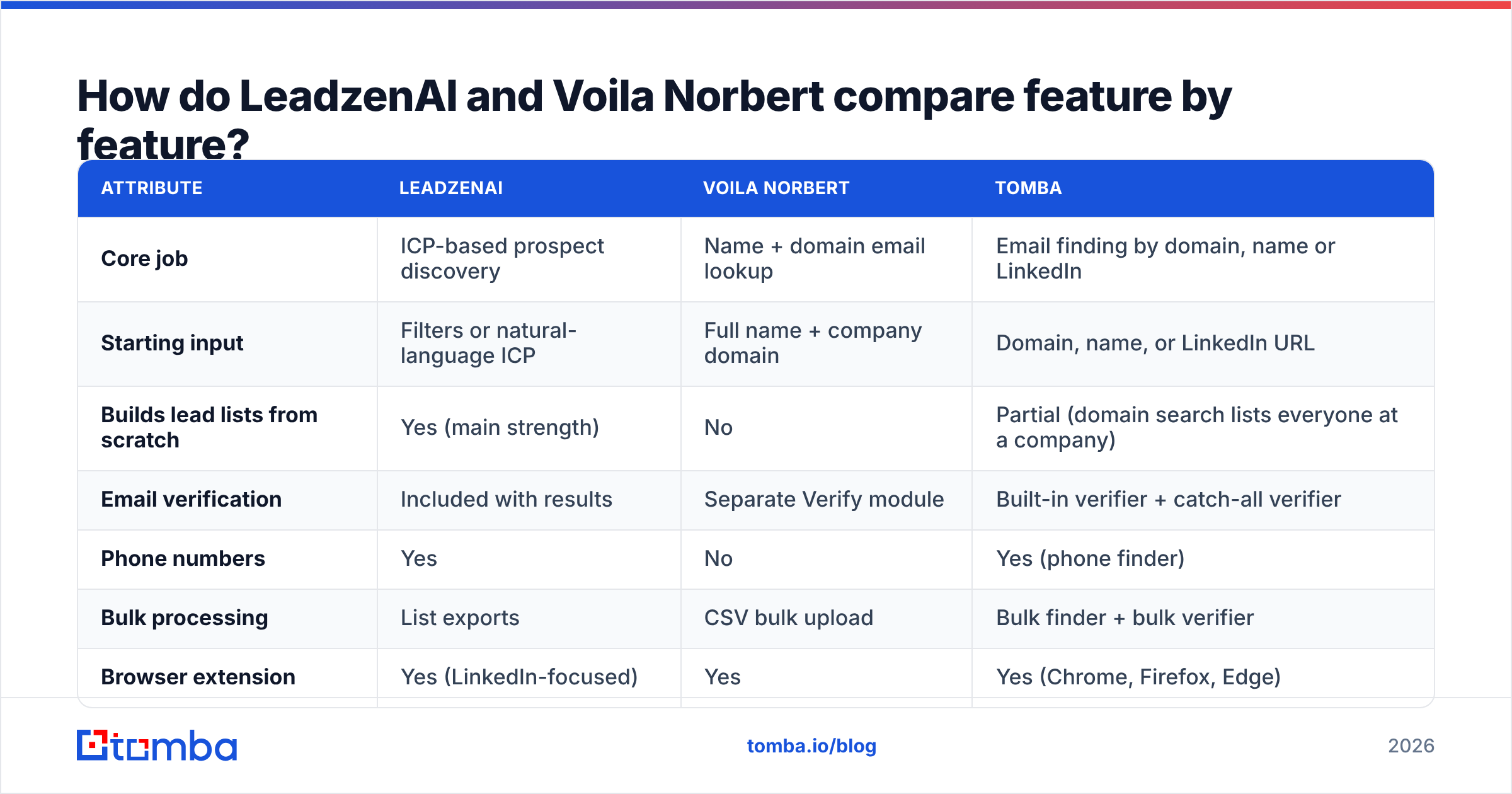
The table below covers the attributes that matter in day-to-day prospecting. I've added Tomba as a reference column because it's the kind of all-in-one email tool many teams compare these two against. Pricing for LeadzenAI changes often and differs by region, so check the vendor's site before you commit.

| Attribute | LeadzenAI | Voila Norbert | Tomba |
|---|---|---|---|
| Core job | ICP-based prospect discovery | Name + domain email lookup | Email finding by domain, name or LinkedIn |
| Starting input | Filters or natural-language ICP | Full name + company domain | Domain, name, or LinkedIn URL |
| Builds lead lists from scratch | Yes (main strength) | No | Partial (domain search lists everyone at a company) |
| Email verification | Included with results | Separate Verify module | Built-in verifier + catch-all verifier |
| Phone numbers | Yes | No | Yes (phone finder) |
| Bulk processing | List exports | CSV bulk upload | Bulk finder + bulk verifier |
| Browser extension | Yes (LinkedIn-focused) | Yes | Yes (Chrome, Firefox, Edge) |
| API | Available | Yes, documented | Yes, plus CLI and MCP server |
| CRM integrations | Common CRMs + exports | HubSpot, Salesforce, Pipedrive, Zapier and more | HubSpot, Salesforce, Pipedrive, Zapier, Make and more |
| Free option | Trial credits | 50 free leads to test | 25 searches/mo free |
| Entry paid plan | Credit-based tiers (check leadzen.ai) | $49/mo (1,000 leads) | $49/mo Starter |
| Mid tier | Credit-based tiers | $99/mo (5,000 leads) | $99/mo Growth |
| Upper tier | Custom / enterprise | $249/mo (15,000), $499/mo (50,000) | $249/mo Pro, Enterprise custom |
| Charges for misses | Credit rules vary by action | No (pay only for found emails) | Credits are used on successful finds |
| Best geographic fit | Strong in India/APAC, global coverage | Global, strongest in North America/Europe | Global |
Two things stand out. First, Voila Norbert is the only one of the three that doesn't give you phone numbers or a real discovery engine, which is a deliberate choice to stay focused. Second, LeadzenAI's value depends on how good its database is in your target market, and a table can't show you that. You need to test it on your own ICP.
Which tool finds more accurate emails?#
For a single known contact, Voila Norbert has the cleaner record. It has been tuned for name-plus-domain lookups for years, it runs SMTP-level checks before returning a result, and because it doesn't charge you for misses, it has no reason to hand you a low-confidence guess just to use up a credit. On review platforms like G2, users mostly praise it for accuracy and simplicity. Complaints tend to be about missing coverage, not wrong addresses.
LeadzenAI's accuracy works differently. When emails come from a pre-built database, accuracy depends on how fresh the data is as much as on the lookup method. Someone who left their job four months ago can still show up as a valid contact in any database-first tool if the record hasn't been refreshed. That's not unique to LeadzenAI. It's the trade-off every list-building platform makes. The practical fix is to run an independent email verification pass on any exported list before it goes near your sending domain.

Where both tools struggle is the same place every email finder struggles: catch-all domains. These are servers configured to accept mail for any address, so an SMTP check can't confirm whether jane.doe@company.com really exists. Voila Norbert usually flags these as lower-confidence. Database tools often just return them. If a big share of your target accounts are mid-market companies on catch-all setups, a dedicated catch-all verifier will do more for your bounce rate than switching finders.

How should you run a fair accuracy test?#
Don't rely on vendor accuracy claims, including the ones in this post. Run your own test:
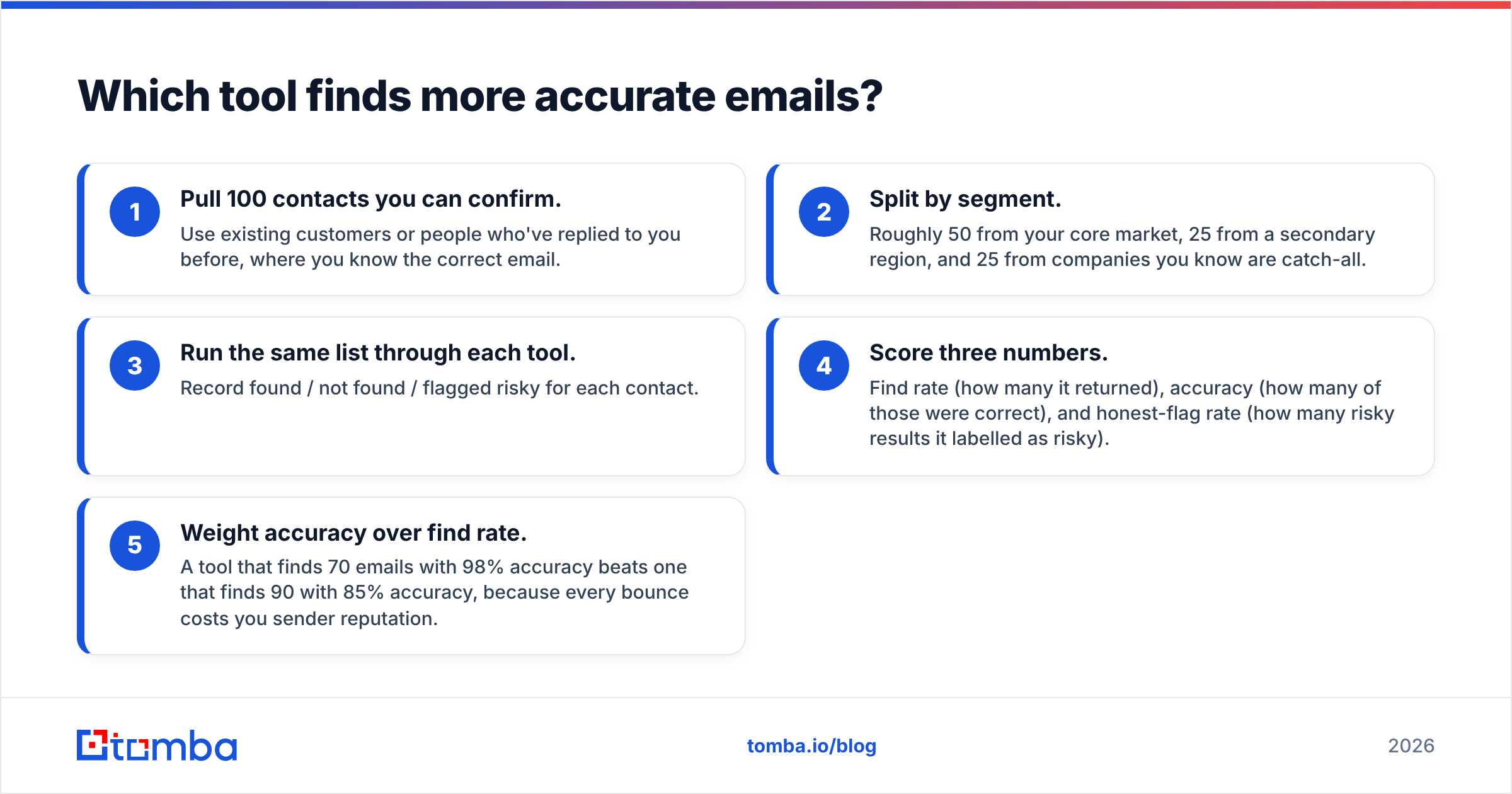
- Pull 100 contacts you can confirm. Use existing customers or people who've replied to you before, where you know the correct email.
- Split by segment. Roughly 50 from your core market, 25 from a secondary region, and 25 from companies you know are catch-all.
- Run the same list through each tool. Record found / not found / flagged risky for each contact.
- Score three numbers. Find rate (how many it returned), accuracy (how many of those were correct), and honest-flag rate (how many risky results it labelled as risky).
- Weight accuracy over find rate. A tool that finds 70 emails with 98% accuracy beats one that finds 90 with 85% accuracy, because every bounce costs you sender reputation.
That test takes an afternoon and tells you more than any review roundup.
How does pricing compare in practice?#
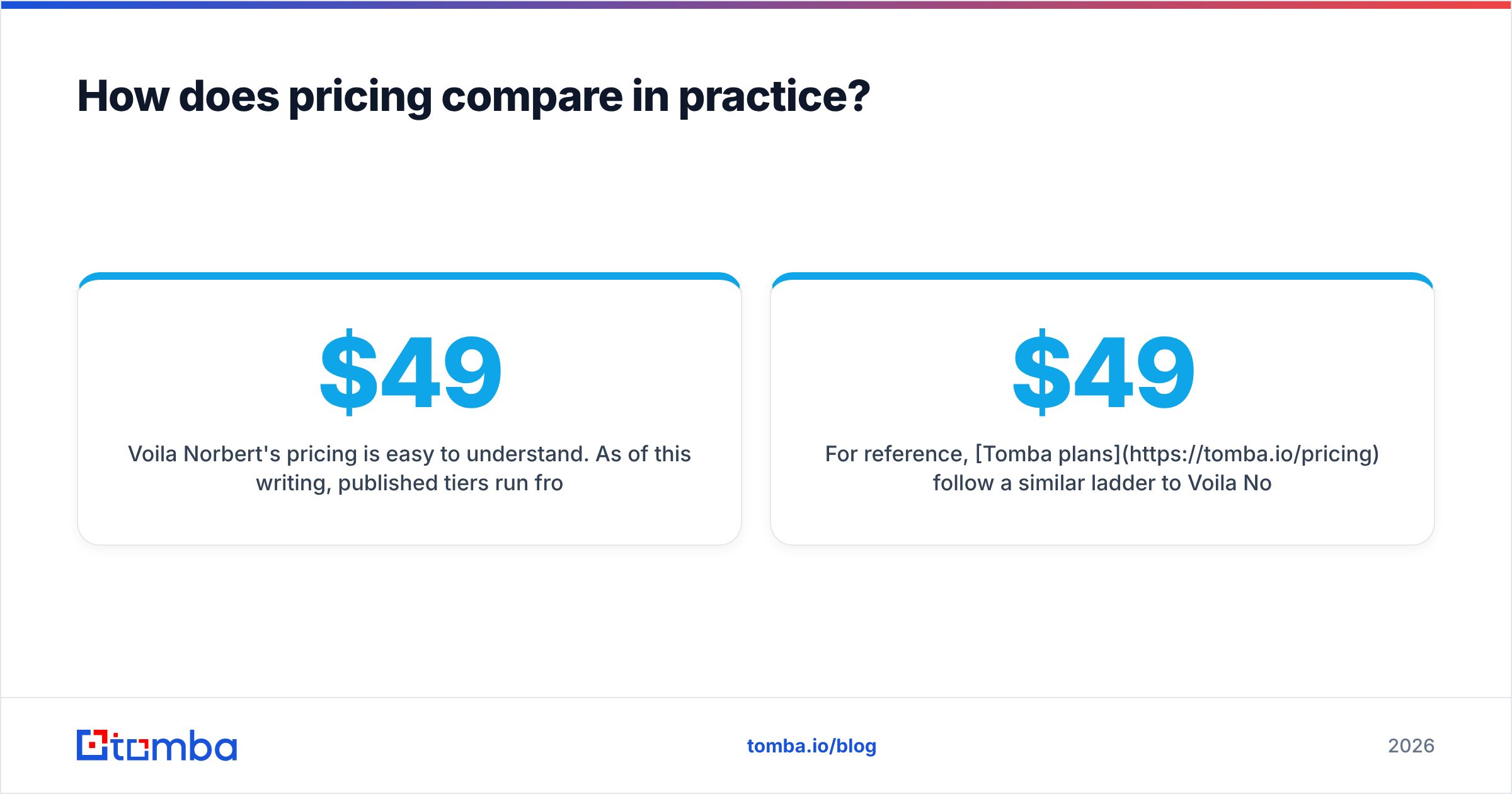
Voila Norbert's pricing is easy to understand. As of this writing, published tiers run from $49/mo for 1,000 leads to $499/mo for 50,000, with annual discounts available and a free test allowance of 50 leads. You only pay for emails it actually finds, so your effective cost per usable contact is close to the sticker price: about $0.05 per lead on the entry tier, falling to roughly $0.01 at the top. Always confirm current numbers on voilanorbert.com.
LeadzenAI uses credit-based plans that bundle different actions: searching, revealing emails, revealing phone numbers, exporting. Bundles like this can be very good value if you use all of it, and expensive if you only need one piece. Phone reveals in particular usually cost more credits than emails across the category. Check the current plan structure on leadzen.ai and map it to what you'll actually do each month.
A useful way to compare them is cost per sendable contact:
- With Voila Norbert: subscription cost + the cost of sourcing names elsewhere (a LinkedIn Sales Navigator seat, a list vendor, or SDR research time), divided by verified emails.
- With LeadzenAI: subscription cost + an external verification pass on exported lists, divided by the contacts that survive verification.
Teams often find the two land closer together than the headline prices suggest. The difference comes down to which hidden cost you'd rather carry: sourcing names or cleaning lists.
For reference, Tomba plans follow a similar ladder to Voila Norbert: Free (25 searches/mo), Starter $49/mo, Growth $99/mo, Pro $249/mo, and Enterprise custom. They also include domain search and verification, which covers part of both hidden costs.
Which one fits your workflow better?#
Match the tool to how your team already prospects, not to the longest feature list.
- Account-based sellers with named targets. Choose Voila Norbert. If your AEs work a fixed list of 200 accounts and already know the buying committee, a precise lookup tool is all you need. Anything more is extra you pay for and don't use.
- SDR teams building volume from scratch. Choose LeadzenAI. If your weekly target is "find 500 new prospects in fintech," a discovery engine saves hours of manual list building, especially in markets like India where Western-centric databases have thin coverage.
- Agencies running campaigns for several clients. Consider using both, or one hybrid tool. Agencies switch ICPs every week, so discovery matters. But their reputation depends on deliverability, so verification can't be skipped.
- Developers wiring enrichment into a product. Lean toward Voila Norbert or a tool with a mature API. Its API is simple and well documented. Whichever you pick, test rate limits and error handling before you depend on it.
- Founders doing their own outbound. Start with whichever free allowance covers your first 50 prospects, then decide. At low volume, how easy the tool is to use matters more than small price differences.
What are the pros and cons of each?#
Voila Norbert
Pros:
- Very focused product with a short learning curve.
- Pay-only-for-found pricing keeps your cost per useful result predictable.
- Solid native integrations with HubSpot, Salesforce, Pipedrive and Zapier.
- Strong track record for single-contact accuracy.
Cons:
- No prospect discovery. You have to bring your own names.
- No phone numbers.
- Verification and enrichment feel like separate modules rather than one workflow.
- Coverage is thinner outside North America and Western Europe.
LeadzenAI
Pros:
- Goes from ICP to contact list in one tool.
- Emails and phone numbers in the same record.
- Better regional coverage for India and parts of APAC than many US-built databases.
- AI-assisted search lowers the barrier for non-technical users.
Cons:
- Credit bundles can make costs harder to predict.
- Database-first data needs an independent verification pass before you send.
- Accuracy varies more by segment, so test on your own ICP before you roll it out.
- A smaller integration ecosystem than older tools.
Is there a middle ground between the two?#
Yes, and it's the option most comparison posts skip. Plenty of teams don't need a full prospect database or a single-lookup tool. They need a mix: "show me everyone at this company," "find this specific person," and "tell me which of these are safe to send to."
That's where a tool like the Tomba Email Finder fits. Domain search gives you the list-building half at the account level. Name and LinkedIn lookups give you Norbert-style precision. The verifier and catch-all checks cover the cleaning step that both LeadzenAI and Voila Norbert users usually pay for separately. It's not a replacement for a full ICP discovery engine if you're building lists from nothing across a whole market. If you already have target accounts, though, it covers most of the workflow on one plan.

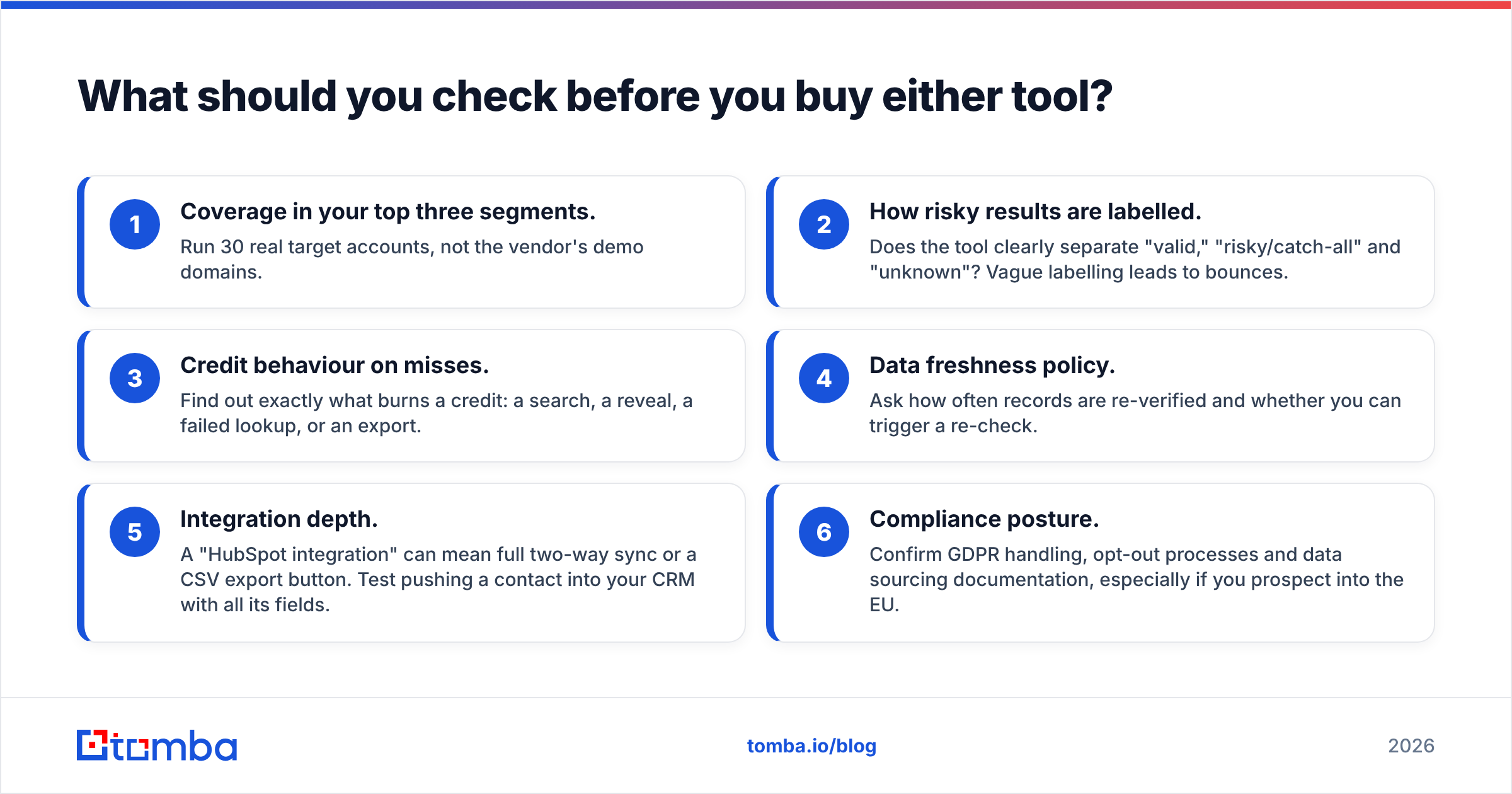
What should you check before you buy either tool?#
Use this checklist in any trial, whichever tool you're leaning toward:
- Coverage in your top three segments. Run 30 real target accounts, not the vendor's demo domains.
- How risky results are labelled. Does the tool clearly separate "valid," "risky/catch-all" and "unknown"? Vague labelling leads to bounces.
- Credit behaviour on misses. Find out exactly what burns a credit: a search, a reveal, a failed lookup, or an export.
- Data freshness policy. Ask how often records are re-verified and whether you can trigger a re-check.
- Integration depth. A "HubSpot integration" can mean full two-way sync or a CSV export button. Test pushing a contact into your CRM with all its fields.
- Compliance posture. Confirm GDPR handling, opt-out processes and data sourcing documentation, especially if you prospect into the EU.
So, LeadzenAI or Voila Norbert?#
If you know who you want to email, choose Voila Norbert. It does one job well, the pricing is transparent, and you won't pay for features you don't use.
If you don't know who to email yet, choose LeadzenAI. Discovery is the harder problem, and it handles it in one place, especially for APAC-heavy target markets. Plan for a verification step before sending.
If you're somewhere in between, with a target account list that you need to expand into contacts and verify at scale, a hybrid email tool is likely the better fit.
FAQ#
Is Voila Norbert free?#
It offers a free allowance of 50 leads so you can test it. After that, paid plans start at $49/mo for 1,000 leads.
Does LeadzenAI verify emails?#
It returns emails with its own validity signals. For cold outreach, it's still good practice to run exported lists through an independent verifier before sending.
Can Voila Norbert build lead lists?#
Not in the discovery sense. It finds emails for people you already have names for. You'll need another source for the names.
Which is better for LinkedIn prospecting?#
Both offer browser extensions. LeadzenAI leans harder into LinkedIn-side workflows. If LinkedIn is your main source, also look at dedicated LinkedIn email tools.
Ready to find verified emails without juggling two tools?#
If your team already knows its target accounts and wants Norbert-level precision plus domain-wide search and built-in verification, try the Tomba Email Finder. Start on the free tier with 25 searches a month, run the 100-contact accuracy test above against whichever tool you're considering, and move to the $49/mo Starter plan only if the numbers hold up on your own data.
Related guides#
// get started
Find, verify and enrich your first contacts today
Start on the free plan with 25 searches a month, then scale when your team is ready.
Free plan · No credit card required · GDPR & CCPA
// about the author