LFBBD Lead For Business vs SalesQL: Honest 2026 Comparison
LFBBD sells ready-made lead databases. SalesQL pulls emails and phone numbers from LinkedIn profiles on demand. Here's which model fits your pipeline, what each costs, and when neither is the right pick.
TL;DR
- LFBBD (Lead For Business) sells prebuilt B2B, eCommerce, SaaS, and Amazon-seller lead databases. You buy a segment once and receive a file. It works best when you need a large list in one niche.
- SalesQL is a LinkedIn-first contact finder. A Chrome extension reveals emails and phone numbers on profiles, and you pay with monthly credits. It works best for recruiters and SDRs who build lists one profile at a time.
- The two products don't do the same job. LFBBD sells a snapshot. SalesQL is a lookup. Your choice depends on whether you want volume up front or precision on demand.
- Whichever one you choose, verify before you send. Purchased lists lose accuracy every month, and LinkedIn-derived emails still bounce on catch-all domains.
- If you want lookups by domain or name without being tied to LinkedIn, plus built-in verification, an email finder such as Tomba sits between the two models.
What is LFBBD Lead For Business?#
LFBBD, short for Lead For Business, is a data vendor. It sells segmented contact databases, not a self-serve search tool. Its homepage advertises roughly 500M B2B contacts, 30M companies, 50M+ direct dials, and 20+ data points per record. It also runs dedicated verticals: eCommerce brands, SaaS companies, startups, local businesses, and about 300K Amazon FBA/FBM sellers across 9 countries.
LFBBD positions its data as "AI + human verified" and claims 95–99% accuracy. Treat that as the vendor's own claim, not an independent benchmark. The claim can be fully true on the day a list is built and still drift afterwards, because people change jobs.
The buying process looks like this:
- You pick a segment, such as "Shopify brands in the US doing $1M+" or "SaaS companies with 11–50 employees."
- You receive a file with contacts, company attributes, and (often) direct dials.
- You import it into your CRM or sequencer and start working it.
LFBBD also publishes a separate data products catalog for off-the-shelf datasets. Pricing is mostly per list or per quote rather than a public monthly subscription, so check the current offer directly before you budget.
What is SalesQL?#
SalesQL takes the opposite approach. Its core product is a Chrome extension that runs on LinkedIn, LinkedIn Sales Navigator, and LinkedIn Recruiter. You open a profile, click the extension, and SalesQL shows the person's business email, personal email where available, and phone number. You can also run it across a whole Sales Navigator search results page to enrich many contacts at once.
Around that core, SalesQL adds:
- A searchable contact database
- CSV enrichment (upload names and companies, get contacts back)
- Email verification
- An API for enrichment
- Basic email campaigns and sequences
- CRM exports (HubSpot, Salesforce, Pipedrive, and others)
On G2, SalesQL holds roughly a 4.6/5 average across 170+ reviews. Reviewers praise how fast the LinkedIn workflow is. The most common complaints are credit limits and occasionally outdated records.
At the time of writing, SalesQL has a Free plan (about 50 credits), and paid tiers start around $39/month (Basic), with Professional and Organization plans above that. Annual billing gets a meaningful discount. One credit typically unlocks one prospect's contact data.
How do LFBBD and SalesQL differ in how they deliver data?#
This is the most important difference, and it matters more than any line on a pricing page.
LFBBD is like buying a printed phone book for a city. You get everything at once, and it starts aging the moment you receive it. SalesQL is like calling directory assistance. You get one fresh answer each time you ask, and you pay per question.
Here are the practical differences:
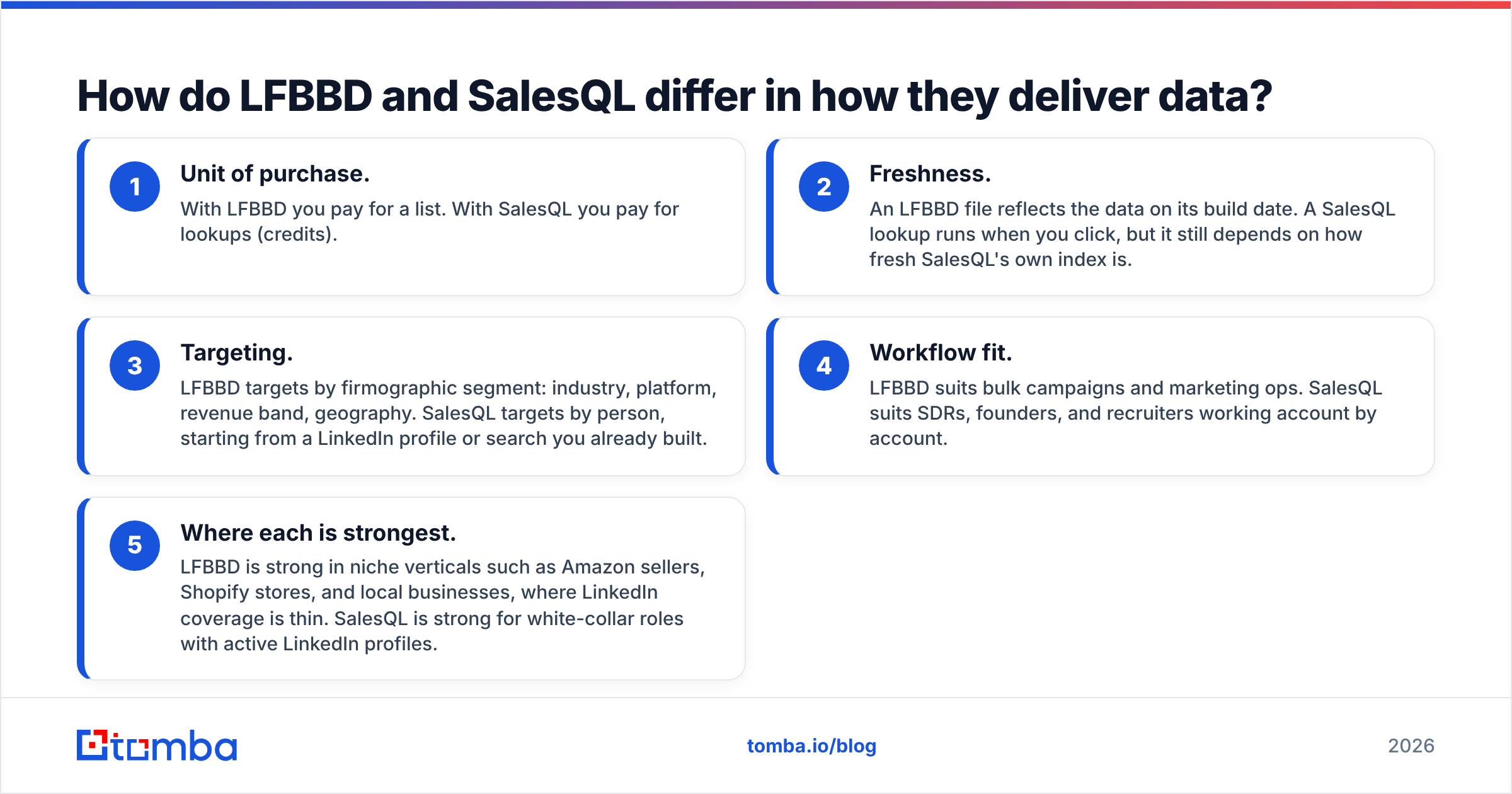
- Unit of purchase. With LFBBD you pay for a list. With SalesQL you pay for lookups (credits).
- Freshness. An LFBBD file reflects the data on its build date. A SalesQL lookup runs when you click, but it still depends on how fresh SalesQL's own index is.
- Targeting. LFBBD targets by firmographic segment: industry, platform, revenue band, geography. SalesQL targets by person, starting from a LinkedIn profile or search you already built.
- Workflow fit. LFBBD suits bulk campaigns and marketing ops. SalesQL suits SDRs, founders, and recruiters working account by account.
- Where each is strongest. LFBBD is strong in niche verticals such as Amazon sellers, Shopify stores, and local businesses, where LinkedIn coverage is thin. SalesQL is strong for white-collar roles with active LinkedIn profiles.

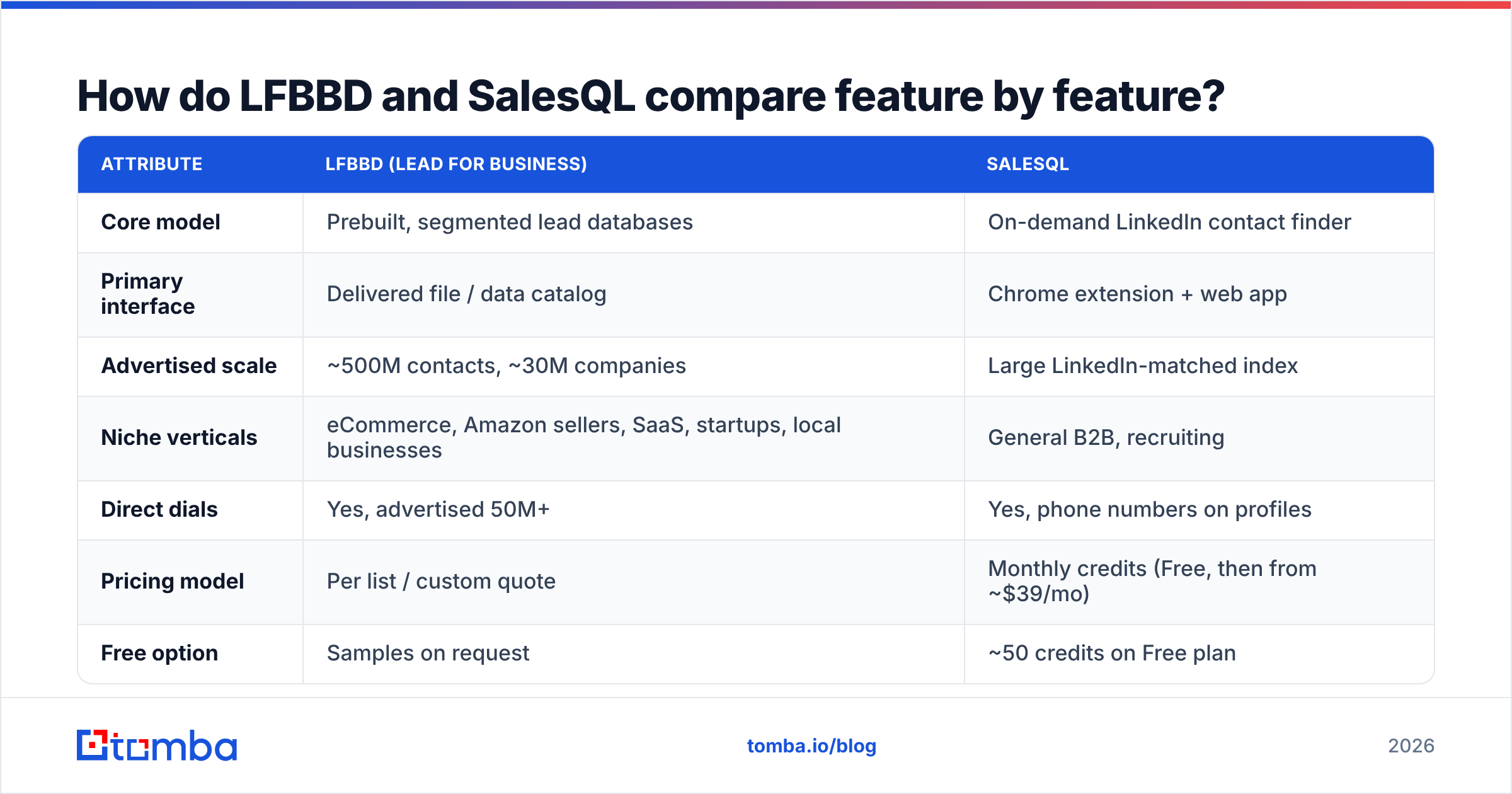
How do LFBBD and SalesQL compare feature by feature?#
| Attribute | LFBBD (Lead For Business) | SalesQL |
|---|---|---|
| Core model | Prebuilt, segmented lead databases | On-demand LinkedIn contact finder |
| Primary interface | Delivered file / data catalog | Chrome extension + web app |
| Advertised scale | ~500M contacts, ~30M companies | Large LinkedIn-matched index |
| Niche verticals | eCommerce, Amazon sellers, SaaS, startups, local businesses | General B2B, recruiting |
| Direct dials | Yes, advertised 50M+ | Yes, phone numbers on profiles |
| Pricing model | Per list / custom quote | Monthly credits (Free, then from ~$39/mo) |
| Free option | Samples on request | ~50 credits on Free plan |
| Built-in verification | Verified at build time | Email verification included |
| Outreach tools | None, bring your own sequencer | Basic campaigns and sequences |
| API | Data delivery, not a lookup API | Enrichment API |
| Best for | High-volume niche campaigns | LinkedIn-driven prospecting and recruiting |
Pricing and feature sets change often. Treat this table as a snapshot and confirm on each vendor's site before you sign.
Which is more accurate, LFBBD or SalesQL?#
Neither vendor publishes an independent third-party accuracy audit that you can reproduce. So "which is more accurate" really means "which one decays in a way you can manage."
- LFBBD accuracy depends on the delivery date. B2B contact data decays quickly because people change roles, companies rebrand, and domains move. A list that tested at 95% on delivery won't hold that number six months later. If you buy a list, send to it quickly or re-verify it before every campaign.
- SalesQL accuracy depends on LinkedIn. When a profile is current, SalesQL results tend to be good. When a profile is stale, or the person uses a personal email that LinkedIn never exposes, results get weaker. G2 reviewers mention outdated records often enough that you should check this yourself.
With either tool, run the output through an email verifier before it reaches your sending domain. A 5% bounce rate on a cold campaign damages your sender reputation far more than the cost of a verification pass.
Is LFBBD cheaper than SalesQL?#
It depends on how you measure cost.
- Cost per record: A bulk database from a list vendor like LFBBD usually comes out cheaper per contact than credit-based lookups, because you buy in volume.
- Cost per usable record: This is the number that matters. If you only work 20% of a 10,000-row list, and part of that 20% has decayed, your real cost per usable contact rises sharply.
- Cost predictability: SalesQL's monthly credits are easy to budget and scale with headcount. LFBBD purchases are lumpier, with a big spend up front and nothing until the next list.
Ask yourself honestly whether you'll work the entire list within about 60 days. If yes, a database buy can be good value. If you'll cherry-pick accounts, per-lookup pricing wastes less.
Who should choose LFBBD Lead For Business?#
LFBBD makes sense when:
- You sell to a niche LinkedIn doesn't cover well. Examples: Amazon FBA sellers, small Shopify stores, local service businesses. Many of these owners have thin or no LinkedIn profiles, and a specialist database will find them where a LinkedIn tool can't.
- You're launching a volume campaign fast. When marketing needs 20,000 contacts in one vertical this week, a prebuilt list gets there quicker than clicking through profiles.
- You have an ops person who can clean data. Someone needs to dedupe, verify, and segment the file before it goes into a sequencer.
- Direct dials matter to you. Cold-calling teams get value from the advertised phone coverage.
Who should choose SalesQL?#
SalesQL makes sense when:
- Your team already lives in LinkedIn Sales Navigator or Recruiter. The extension adds almost no friction to the workflow they already use.
- You prospect account by account. SDRs building tight, researched lists get more from 2,000 precise credits than from 20,000 generic rows.
- You recruit. Personal emails and phone numbers pulled from LinkedIn profiles are a big part of why recruiters rate SalesQL highly.
- You want predictable monthly spend that grows per seat instead of per purchase.
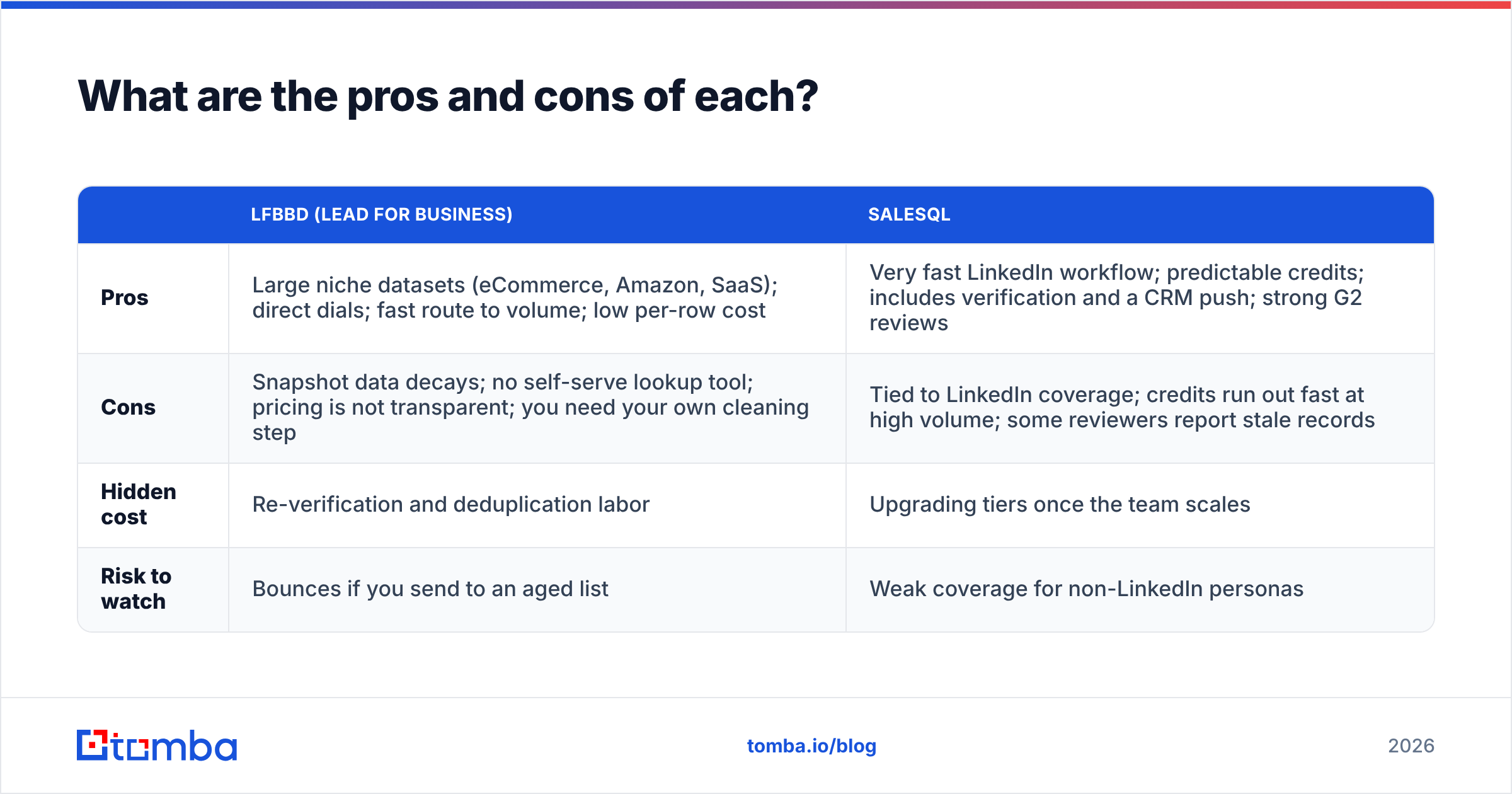
What are the pros and cons of each?#
| LFBBD (Lead For Business) | SalesQL | |
|---|---|---|
| Pros | Large niche datasets (eCommerce, Amazon, SaaS); direct dials; fast route to volume; low per-row cost | Very fast LinkedIn workflow; predictable credits; includes verification and a CRM push; strong G2 reviews |
| Cons | Snapshot data decays; no self-serve lookup tool; pricing is not transparent; you need your own cleaning step | Tied to LinkedIn coverage; credits run out fast at high volume; some reviewers report stale records |
| Hidden cost | Re-verification and deduplication labor | Upgrading tiers once the team scales |
| Risk to watch | Bounces if you send to an aged list | Weak coverage for non-LinkedIn personas |
Is there a middle ground between a bulk list and a LinkedIn finder?#
Yes. Many teams outgrow both models for the same reason: they need on-demand lookups that don't depend on LinkedIn. Typical cases:
- Your best leads come from a list of company websites, event attendee lists, or website visitor identification, not from LinkedIn.
- You want to find emails by domain across a whole company, then choose the right people.
- You need finding and verification in one pass, so nothing unverified reaches your sequencer.
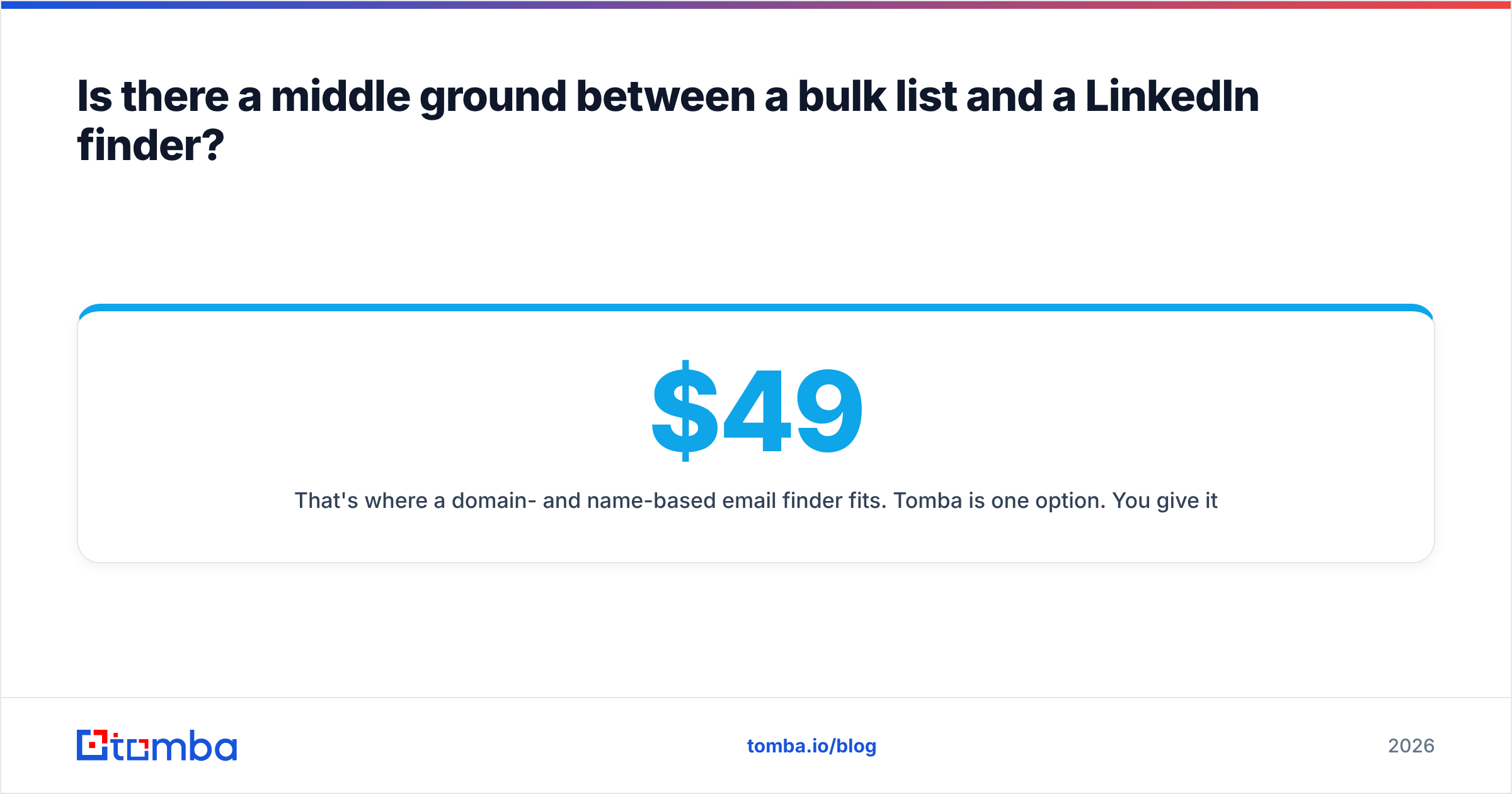
That's where a domain- and name-based email finder fits. Tomba is one option. You give it a domain, or a first name, last name, and company, and it returns a verified address with its sources. It runs through a web app, a Chrome extension, Google Sheets, or the API. Plans start with a free tier of 25 searches per month, then Starter at $49/month, Growth at $99/month, and Pro at $249/month (full pricing details). When you do have a large CSV, the bulk email finder handles thousands of rows in one job.
To be fair to both vendors reviewed here: if you need 300,000 Amazon sellers, a specialist list vendor like LFBBD is the right tool. If your team spends all day in Sales Navigator, SalesQL's extension is hard to beat for speed. A general email finder is the better fit when your targets arrive as domains and names, not profiles or pre-cut segments.
How should you decide between LFBBD and SalesQL?#
Answer these four questions:
- Where do your target accounts come from? Segments or verticals point to LFBBD. LinkedIn searches point to SalesQL. Domain lists or inbound signals point to a general email finder.
- How fast will you work the data? If you'll work it all within about 60 days, a list purchase is viable. If you'll work it slowly, buy per lookup.
- Who owns data hygiene? If nobody does, avoid bulk lists or budget for verification.
- What's your real volume? Estimate contacts per rep per month, then price both models against that number, not against the headline plan.
Also run a paid pilot before any annual commitment. Take 200 contacts from each source, verify all of them, send a small campaign, and compare bounce rate and reply rate. Real numbers from your own market settle the question faster than any vendor claim.
Final verdict: LFBBD Lead For Business vs SalesQL#
These products solve different problems, so neither one wins across the board. LFBBD wins for niche, high-volume list building, especially in eCommerce, Amazon, and local-business segments that LinkedIn tools miss. SalesQL wins for LinkedIn-driven prospecting and recruiting, where speed per profile and predictable monthly credits matter most.
If neither model fits because your targets start as company domains or names rather than segments or LinkedIn profiles, try the Tomba Email Finder. You enter a domain or a person's name and company, get a verified professional email back in seconds, and pay by monthly plan. There are no aging list files to maintain and no dependence on LinkedIn. Start on the free tier with 25 searches and check its accuracy against your own accounts before you commit.
Related guides#
// get started
Find, verify and enrich your first contacts today
Start on the free plan with 25 searches a month, then scale when your team is ready.
Free plan · No credit card required · GDPR & CCPA
// about the author