Line2 Alternatives: 7 Business Phone Apps Compared for 2026
Line2 is fine for a second number on your cell phone. Once you need a shared inbox, CRM logging, or a power dialer, these 7 Line2 alternatives cover the gap.
TL;DR
- Line2 does one job well: it puts a second business number on the phone you already carry. If you work alone and only need calls, texts and voicemail, you may not need to switch.
- Look at alternatives when you need shared numbers for a team, CRM call logging, a power dialer, or call analytics. Line2 was not built for any of those.
- Quo (formerly OpenPhone) is the closest like-for-like upgrade for small teams. Google Voice is the cheapest if you already pay for Google Workspace. Aircall and JustCall fit outbound sales teams.
- RingCentral and Dialpad suit companies that want a full UCaaS stack (phone, video, contact center) from a single vendor.
- A better phone system still depends on your contact list. Wrong numbers and stale leads waste dialer minutes whichever app you choose.
What is Line2, and why do people look for alternatives?#
Line2 is a cloud phone app that adds a second number to your existing smartphone, tablet or desktop. Calls and texts run over Wi-Fi or mobile data using VoIP, so your personal number stays private and your business number goes wherever you do. It has been around since before "second phone number app" was a crowded category, and it still works for plenty of solo operators.
Most people who search for Line2 alternatives have outgrown the solo use case. The common triggers:
- You hired someone. Line2 is built around one person and one line. A support inbox that three people answer, or a sales line with round-robin routing, takes extra work to set up or isn't possible at all.
- Your CRM doesn't know about your calls. Reps end up logging calls in HubSpot or Salesforce by hand, which means half of them never get logged.
- You started doing outbound. Dialing 80 prospects a day one at a time from a mobile app is slow. You need click-to-call, a queue, and voicemail drop.
- Texting got complicated. In the US, business SMS now runs through A2P 10DLC registration. Some providers handle this for you with little effort and some leave you to fill in carrier forms yourself.
- Price per value. Line2's entry price is similar to apps that include shared inboxes and integrations. Once you compare them side by side, the gap shows.
How should you evaluate a Line2 alternative?#
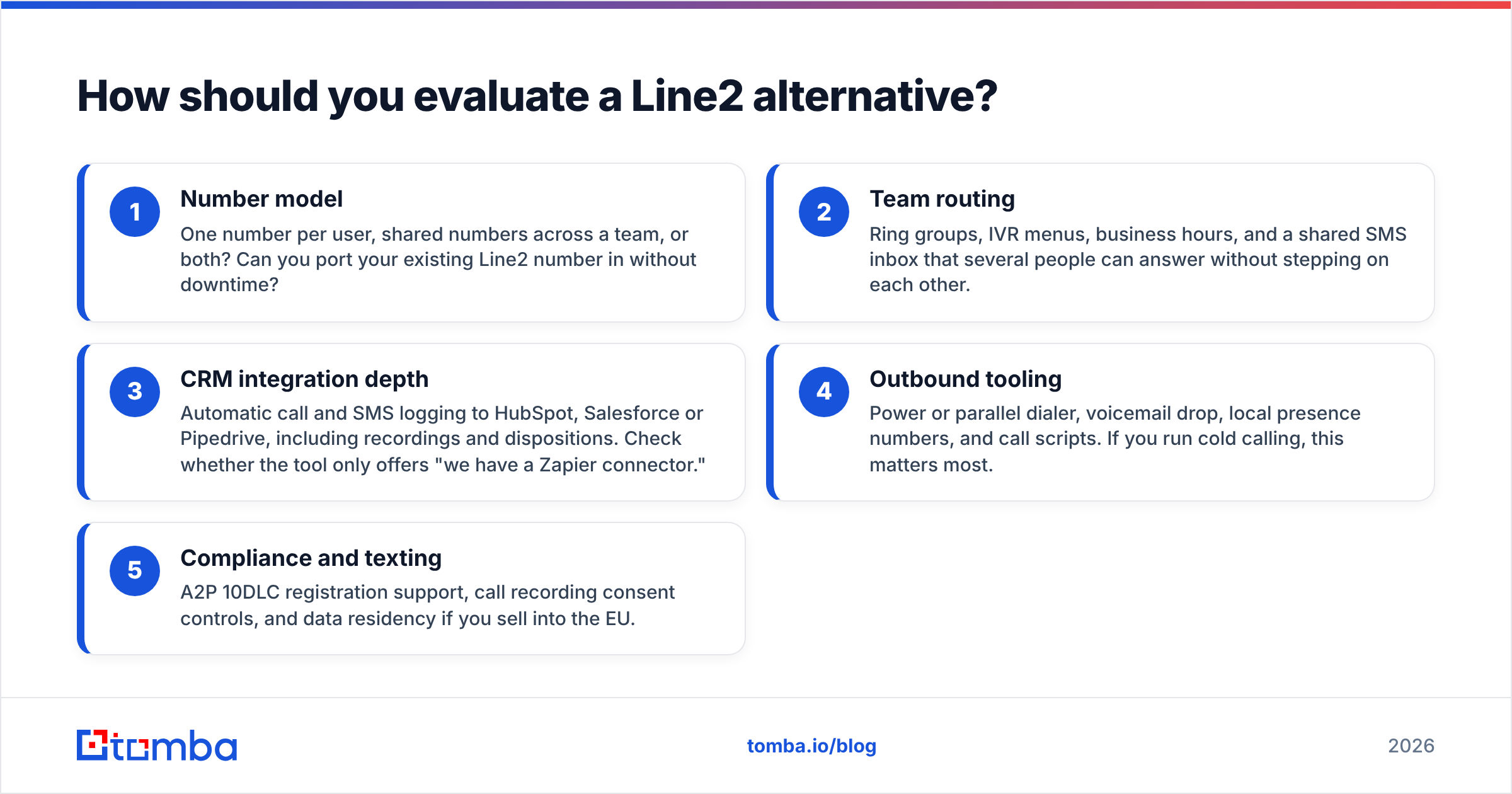
A phone system is like a shop's front door. Every door opens. What you need to know is whether it lets the right people in, whether the whole team can staff it, and whether it records who came through. Score each option on these five criteria before you look at price:
- Number model: One number per user, shared numbers across a team, or both? Can you port your existing Line2 number in without downtime?
- Team routing: Ring groups, IVR menus, business hours, and a shared SMS inbox that several people can answer without stepping on each other.
- CRM integration depth: Automatic call and SMS logging to HubSpot, Salesforce or Pipedrive, including recordings and dispositions. Check whether the tool only offers "we have a Zapier connector."
- Outbound tooling: Power or parallel dialer, voicemail drop, local presence numbers, and call scripts. If you run cold calling, this matters most.
- Compliance and texting: A2P 10DLC registration support, call recording consent controls, and data residency if you sell into the EU.
Price only matters after these five. A $15 app that makes reps log calls by hand ends up costing more than a $30 one that logs them automatically.

Which Line2 alternatives are worth considering in 2026?#
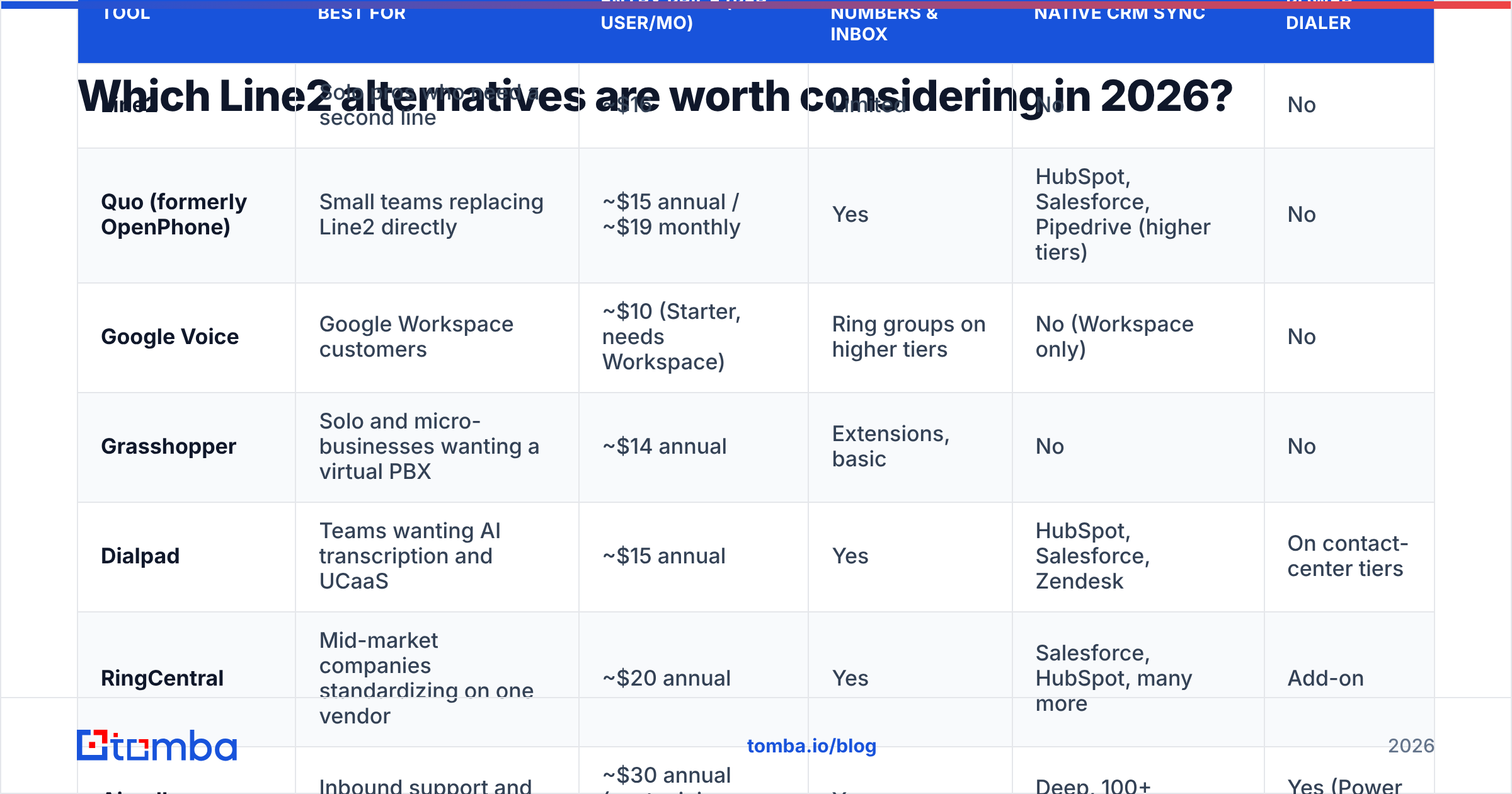
The prices below are the lowest published list prices per user per month at the time of writing. Most vendors discount annual billing and add a premium for monthly billing. Confirm current numbers on each vendor's pricing page before you commit, because this category changes its packaging often.
| Tool | Best for | Entry price (per user/mo) | Shared numbers & inbox | Native CRM sync | Power dialer |
|---|---|---|---|---|---|
| Line2 | Solo pros who need a second line | ~$16 | Limited | No | No |
| Quo (formerly OpenPhone) | Small teams replacing Line2 directly | ~$15 annual / ~$19 monthly | Yes | HubSpot, Salesforce, Pipedrive (higher tiers) | No |
| Google Voice | Google Workspace customers | ~$10 (Starter, needs Workspace) | Ring groups on higher tiers | No (Workspace only) | No |
| Grasshopper | Solo and micro-businesses wanting a virtual PBX | ~$14 annual | Extensions, basic | No | No |
| Dialpad | Teams wanting AI transcription and UCaaS | ~$15 annual | Yes | HubSpot, Salesforce, Zendesk | On contact-center tiers |
| RingCentral | Mid-market companies standardizing on one vendor | ~$20 annual | Yes | Salesforce, HubSpot, many more | Add-on |
| Aircall | Inbound support and outbound sales teams | ~$30 annual (seat minimums apply) | Yes | Deep, 100+ integrations | Yes (Power Dialer) |
| JustCall | SMB outbound teams on a budget | ~$19 annual | Yes | HubSpot, Salesforce, Pipedrive | Yes (Pro tiers) |
1. Quo (formerly OpenPhone): the closest upgrade from Line2#
Quo keeps what people like about Line2, a clean mobile and desktop app with a real business number, and adds the team layer Line2 lacks. Several teammates can share one number, work SMS as a shared inbox with assignments and internal notes, and see full call history on each contact.
Why switch: Shared numbers, contact-level threads, automatic call summaries on higher tiers, and native CRM integrations. Watch out for: No power dialer. Quo handles conversations well but isn't built for high-volume outbound.
2. Google Voice: cheapest if you already live in Workspace#
If your company runs on Google Workspace, Google Voice is the obvious low-cost option. It's managed from the same admin console, users sign in with their Workspace account, and you get voicemail transcription and ring groups on the upper tiers.
Why switch: Low price, one admin console, Google's reliability. Watch out for: Outside the Google ecosystem, integrations are thin. There is no native CRM logging and no dialer, and international availability varies. The free consumer version is not a business tool.
3. Grasshopper: a virtual PBX for very small businesses#
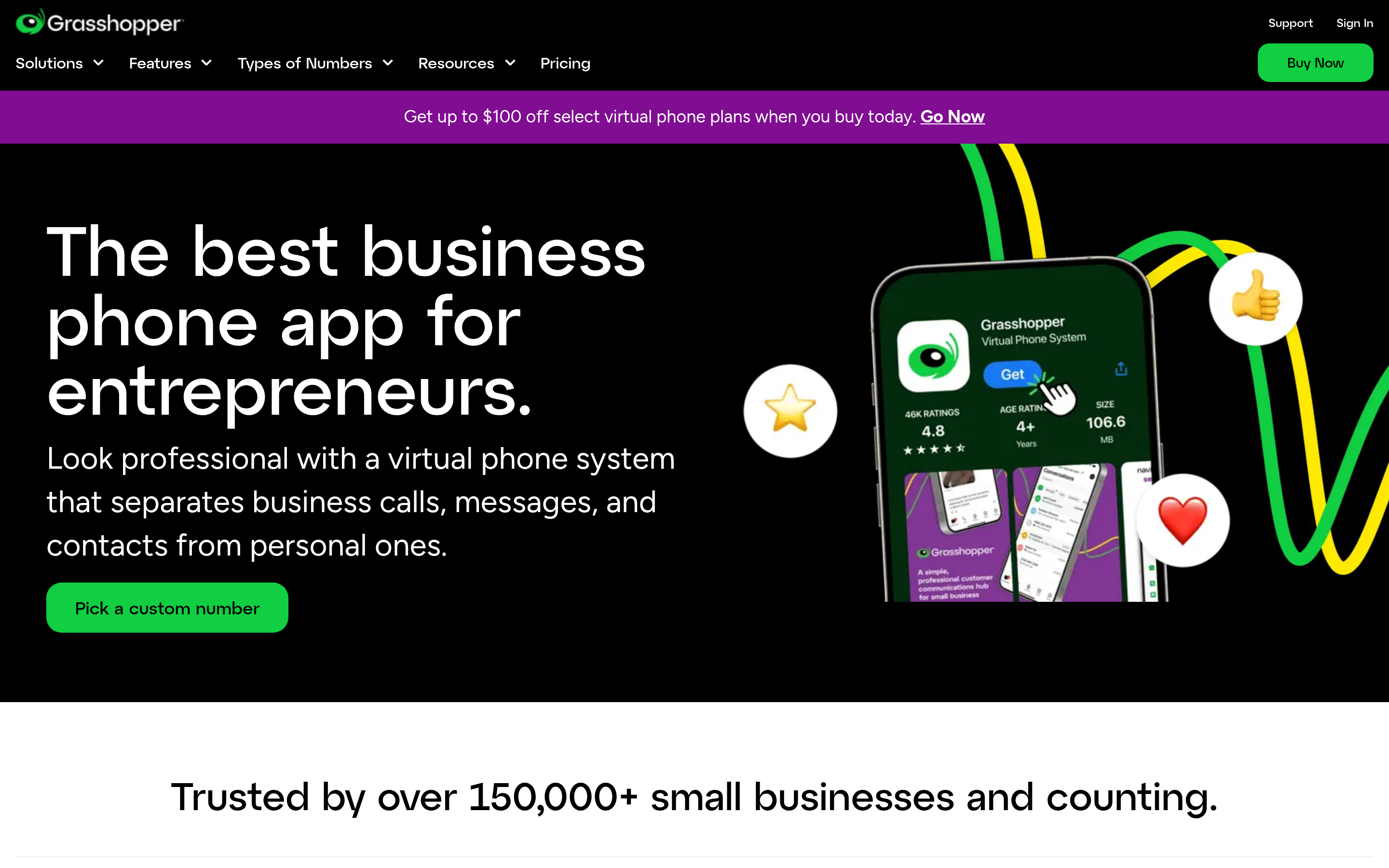
Grasshopper has been selling "sound like a bigger company" for years. You get a main number, extensions, a professional greeting, and call forwarding to anyone's cell phone. Like Line2, it rides on the devices you already own.
Why switch: Extensions and an auto-attendant menu without buying hardware. Watch out for: Weak on integrations and texting at scale. It fits a three-person office better than a sales floor.
4. Dialpad: AI-first UCaaS#
Dialpad covers calling, messaging, meetings and a contact center on one platform, and it was early to real-time transcription and AI call summaries. For managers, live coaching cards and searchable transcripts are the main draw.
Why switch: Transcription, sentiment, and AI recaps on every call; strong Salesforce and HubSpot sync. Watch out for: The most useful sales features (dialers, advanced analytics) sit on contact-center tiers that cost a lot more than the entry price.
5. RingCentral: the enterprise-safe choice#
RingCentral is the default pick when procurement wants one vendor for phones, video, fax and contact center across many offices and countries. Its integration catalog is huge, and its compliance paperwork is mature.
Why switch: Global coverage, uptime SLAs, deep admin controls, and hundreds of integrations. Watch out for: Far more tool than a 5-person team needs. Setup and admin take real time.

6. Aircall: built for sales and support teams#
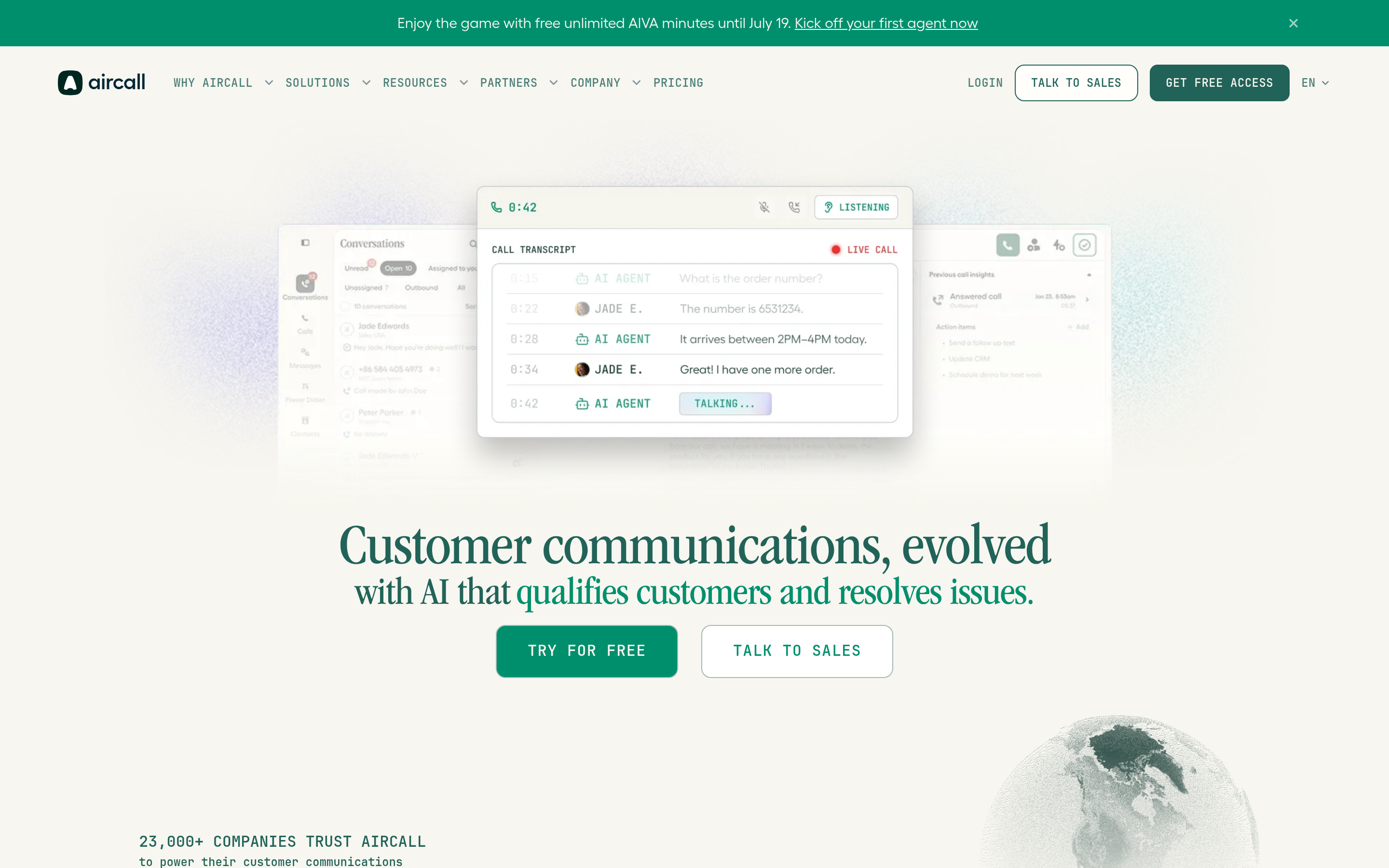
Aircall gives sales and support teams a phone system that behaves like part of their CRM. Calls, recordings, and dispositions write back automatically, and the Power Dialer lets reps work through a call list without dialing each number by hand. Reviews on G2 consistently praise its HubSpot and Salesforce integrations.
Why switch: Best-in-class CRM integration, power dialer, call tagging, and live monitoring for managers. Watch out for: Seat minimums and a higher per-user price. It's overkill if nobody on the team makes outbound calls.
7. JustCall: budget-friendly outbound#
JustCall targets the same buyers as Aircall at a lower entry price. It combines calling, SMS campaigns, a predictive or power dialer, and AI call scoring, with integrations for most SMB CRMs.
Why switch: Outbound features at a lower price; SMS campaigns and a dialer on one platform. Watch out for: Per-minute charges for international calls and dialer usage add up. Model your real call volume before you sign.
Is Line2 still the right choice for anyone?#
Yes. Line2 is still a reasonable choice if all of these apply:
- You are a solo consultant, freelancer, or landlord who needs a separate business number.
- You rarely hand calls to anyone else.
- You don't need calls logged to a CRM automatically.
- Your text volume is conversational (replying to clients), not campaigns.
In that case, switching adds cost and setup work for no gain. Once any of those conditions stops being true, the tools above earn their price.
Which alternative fits which team?#
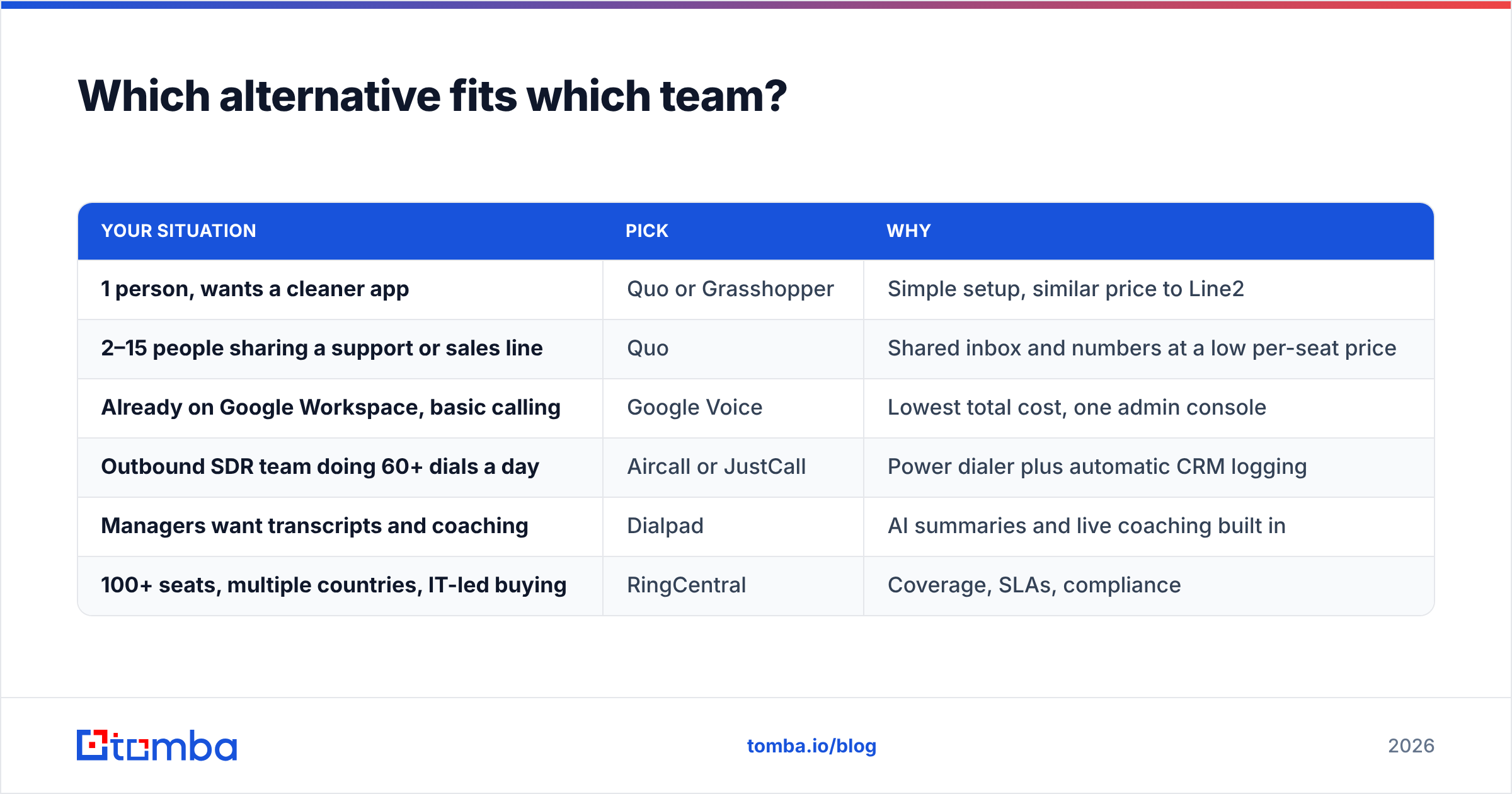
Here's a quick way to narrow the list:
| Your situation | Pick | Why |
|---|---|---|
| 1 person, wants a cleaner app | Quo or Grasshopper | Simple setup, similar price to Line2 |
| 2–15 people sharing a support or sales line | Quo | Shared inbox and numbers at a low per-seat price |
| Already on Google Workspace, basic calling | Google Voice | Lowest total cost, one admin console |
| Outbound SDR team doing 60+ dials a day | Aircall or JustCall | Power dialer plus automatic CRM logging |
| Managers want transcripts and coaching | Dialpad | AI summaries and live coaching built in |
| 100+ seats, multiple countries, IT-led buying | RingCentral | Coverage, SLAs, compliance |
Why does the phone system matter less than the list you dial?#
This is where teams get disappointed after migrating. A new dialer makes reps faster at calling whatever is in the queue. If a third of those numbers are disconnected switchboards, personal cells of people who left the company, or plain wrong numbers, the power dialer just gets you to dead ends sooner.
Clean the list before you connect a new phone system:
- Validate numbers before import. Run your list through a phone validator to flag disconnected, invalid, or wrongly formatted numbers and to separate mobile from landline. Landlines matter for SMS, since you can't text them.
- Fill in missing direct dials. A phone finder can add direct numbers to contacts who only have a company switchboard, and a direct dial connects far more often than a main line.
- Add email as a second channel. Calls land better when the prospect has already seen your name in their inbox. Multichannel sequences (email first, then a call) usually beat cold dials alone, and you need a verified business email for each contact to run them.
- Sync back to your CRM. Whatever phone system you choose, logs and dispositions should land on the same contact record your enrichment tool updates. If they don't, you end up with duplicates and conflicting data.
The best phone app in this list still can't reach a prospect whose contact data is wrong.
What does migrating off Line2 actually involve?#
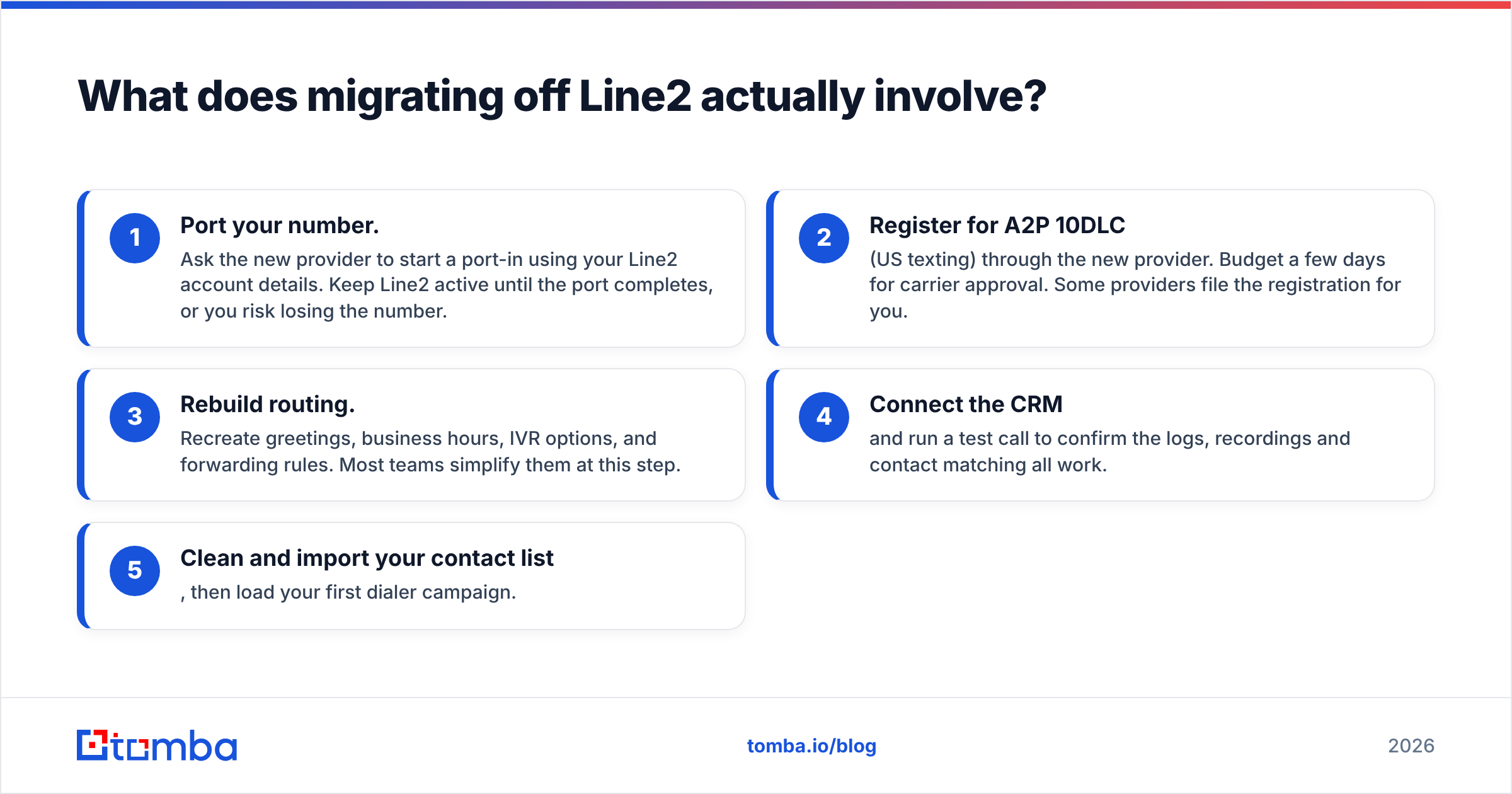
Most switches take a week or less if you plan them:
- Port your number. Ask the new provider to start a port-in using your Line2 account details. Keep Line2 active until the port completes, or you risk losing the number.
- Register for A2P 10DLC (US texting) through the new provider. Budget a few days for carrier approval. Some providers file the registration for you.
- Rebuild routing. Recreate greetings, business hours, IVR options, and forwarding rules. Most teams simplify them at this step.
- Connect the CRM and run a test call to confirm the logs, recordings and contact matching all work.
- Clean and import your contact list, then load your first dialer campaign.
Final verdict: which Line2 alternative should you choose?#
For most small teams leaving Line2, Quo is the smoothest move: similar feel, similar price, and real team features. Google Voice wins on cost inside Workspace. For outbound sales, go straight to Aircall or JustCall, since a power dialer and automatic CRM logging will do more for your pipeline than any calling feature Line2 lacks. Dialpad and RingCentral fit larger companies that want one vendor for everything.
Whichever phone system you pick, the contact data you put into it decides your connect rate. Before you load your first campaign, use the Tomba Email Finder to add verified business emails to every prospect, so each call has an email touch before or after it and every dial goes to someone who actually works at the account. You can start on the free tier with 25 searches a month, and paid plans start at $49/mo. See Tomba pricing for the full breakdown.
Related guides#
// get started
Find, verify and enrich your first contacts today
Start on the free plan with 25 searches a month, then scale when your team is ready.
Free plan · No credit card required · GDPR & CCPA
// about the author