LinkedLeads Pricing Reviews Pros and Cons: 2026 Guide
LinkedLeads promises automatic DMs to every new LinkedIn connection for about $50/mo. Here is what that buys, what reviewers can and cannot confirm, and when an email-first stack is the better fit.
This LinkedLeads pricing reviews pros and cons guide covers what the $50/mo tool buys, what users can confirm, and when to pick something else.
TL;DR
- LinkedLeads (linkedleads.app) is a Chrome extension for LinkedIn automation. It accepts connection requests and sends welcome and follow-up DMs. It also automates profile views, invites and InMails.
- Pricing trackers list one paid tier from about $50/month. There's no free plan, but sales may offer a trial. Check the live checkout, since small tools change prices often.
- Independent reviews are rare. G2 says it has too few to give buying insight.
- Pros: cheap, simple, quick to set up, and good at greeting new connections. Cons: LinkedIn terms-of-service risk, fewer features than Expandi or Dripify, no email channel, and little social proof.
- For replies at scale, pair LinkedIn with verified email.
What is LinkedLeads, exactly?#
Before you compare prices, make sure you're looking at the right product. At least three unrelated businesses use this name:
- LinkedLeads (linkedleads.app): the SaaS tool and Chrome extension this review covers. It automates LinkedIn engagement.
- Linked Leads (linkedleads.marketing): a done-for-you LinkedIn lead-generation agency with retainer-style plans.
- LinkedLeads (linkedleads.com): a separate marketing-tools site with its own pricing page.
Most "LinkedLeads pricing" searches are about the first one. It's a lightweight extension that:
- Auto-accepts connection requests and opens a conversation with a personalized message
- Runs sequential messaging, so a follow-up goes out if the first DM gets no reply
- Automates profile views and smart invites to warm up prospects before a connection request
- Sends InMails automatically if your LinkedIn plan includes InMail credits
- Tracks chats so you can see which new connections replied
The idea is easy to understand. Most people accept a connection request and never follow up, and LinkedLeads makes sure every new connection gets a message. You could compare it to a doorman who greets everyone who walks in. That's useful, but it isn't a salesperson.
How much does LinkedLeads cost in 2026?#
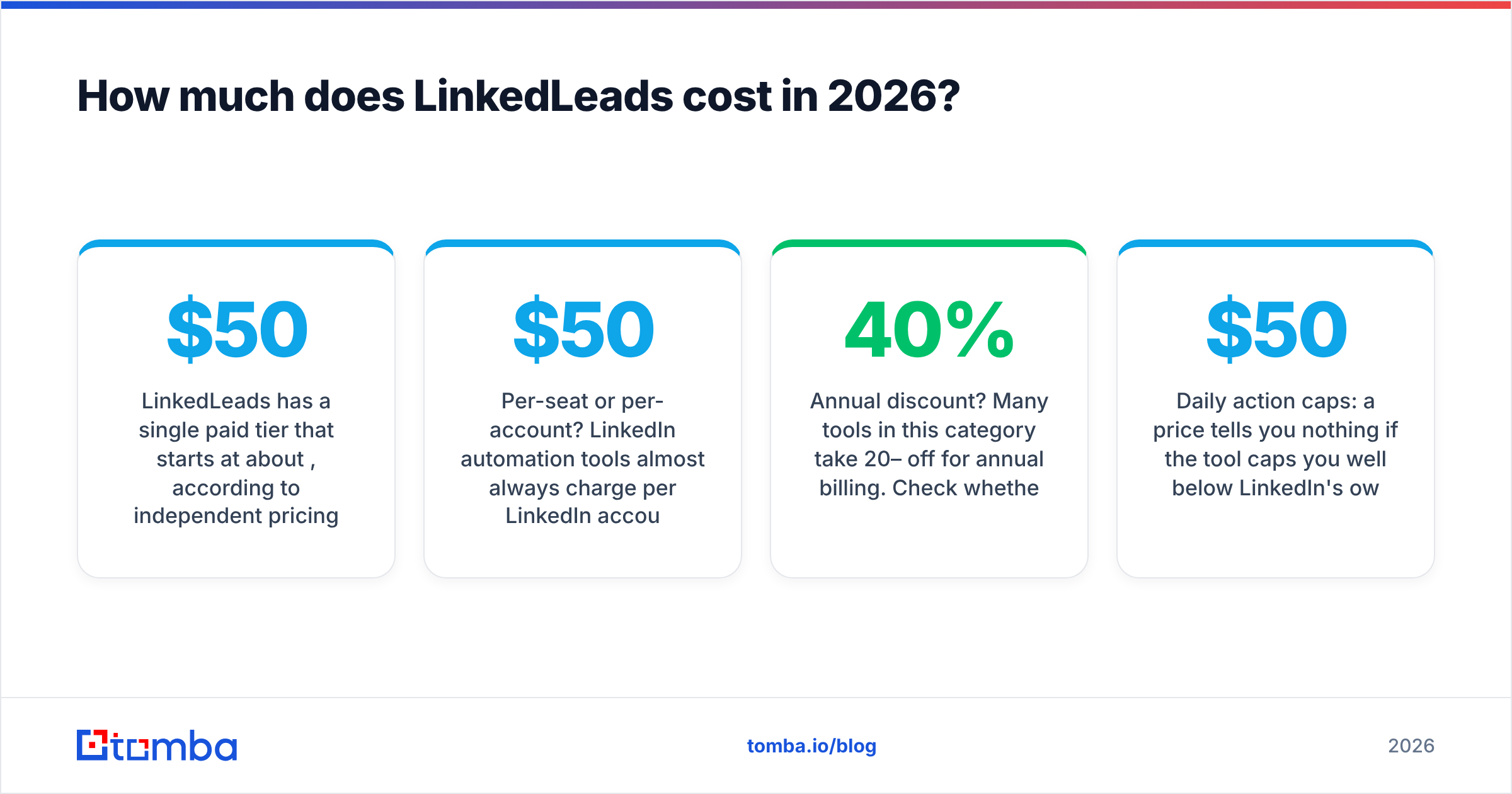
LinkedLeads has a single paid tier that starts at about $50/month, according to independent pricing trackers that scraped its public page in 2026. Checkout is self-serve by card. No free tier is listed on the public page, but trackers report that you may be able to get a trial through the sales team.
These are the numbers you should verify yourself, because they drift:
- Per-seat or per-account? LinkedIn automation tools almost always charge per LinkedIn account. If three SDRs use it, expect roughly 3 × $50.
- Annual discount? Many tools in this category take 20–40% off for annual billing. Check whether the checkout shows a toggle.
- Daily action caps: a $50 price tells you nothing if the tool caps you well below LinkedIn's own weekly invite limits.
What are the hidden costs?#
The subscription is the smallest part of what you'll spend. Budget for these as well:
- LinkedIn Sales Navigator or Premium. Automated InMails need InMail credits, and those come with paid LinkedIn plans. That can cost more than LinkedLeads itself.
- Account risk. LinkedIn's User Agreement prohibits third-party software that automates activity on the site. A restricted account costs you your network and pipeline, and it takes a long time to rebuild.
- Copywriting time. Automated DMs only work if the message is good. Bad copy at scale just gets you ignored faster.
- The missing email channel. LinkedLeads doesn't find or verify email addresses. If you want a second touchpoint outside LinkedIn, you need another tool.

How does LinkedLeads compare to other LinkedIn automation tools?#
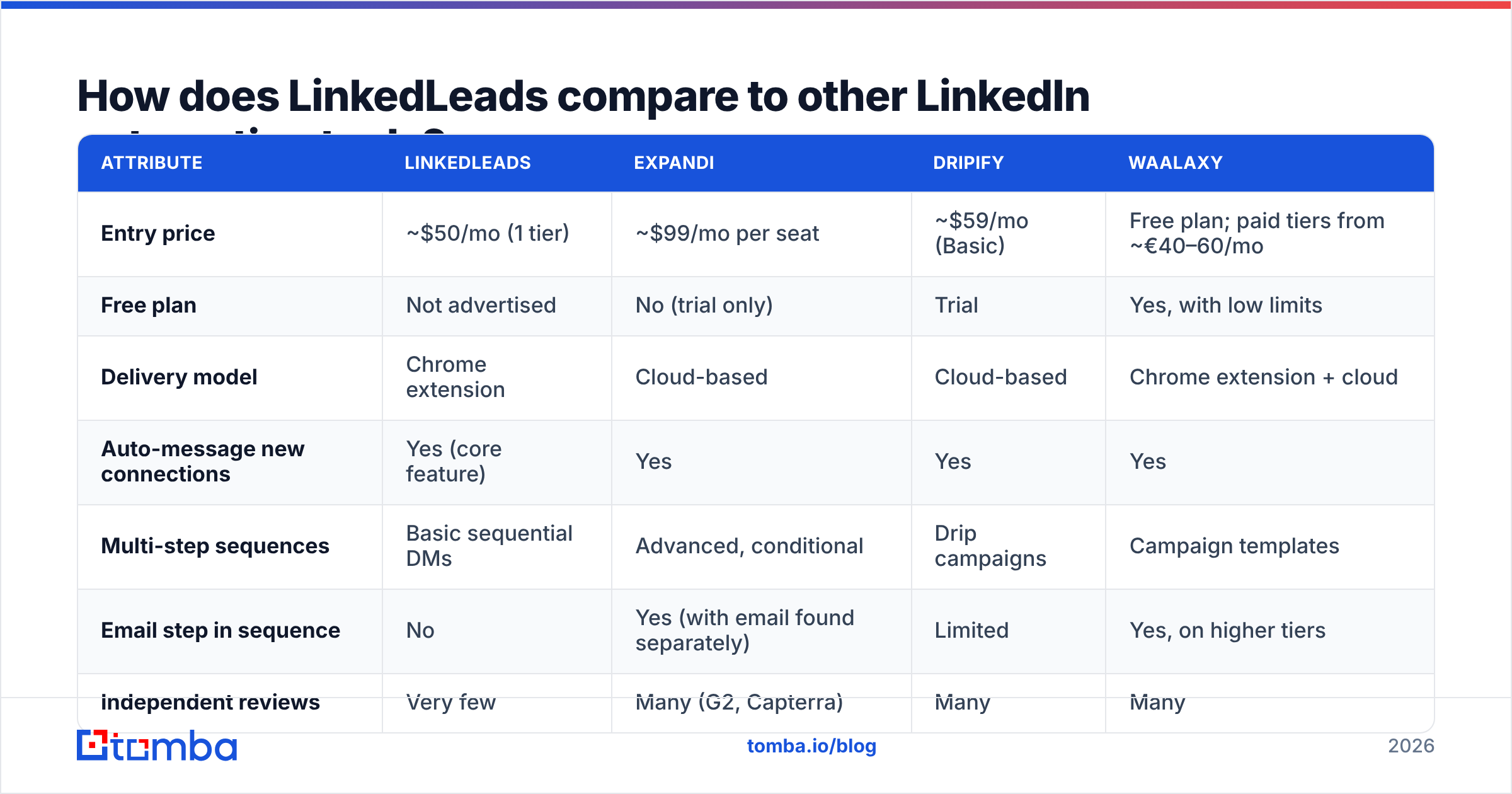
LinkedLeads competes on price and simplicity. The main alternatives compete on features and on how safe they are to run. The table below uses publicly listed entry prices at the time of writing. Confirm current prices on each vendor's site.
| Attribute | LinkedLeads | Expandi | Dripify | Waalaxy |
|---|---|---|---|---|
| Entry price | ~$50/mo (1 tier) | ~$99/mo per seat | ~$59/mo (Basic) | Free plan; paid tiers from ~€40–60/mo |
| Free plan | Not advertised | No (trial only) | Trial | Yes, with low limits |
| Delivery model | Chrome extension | Cloud-based | Cloud-based | Chrome extension + cloud |
| Auto-message new connections | Yes (core feature) | Yes | Yes | Yes |
| Multi-step sequences | Basic sequential DMs | Advanced, conditional | Drip campaigns | Campaign templates |
| Email step in sequence | No | Yes (with email found separately) | Limited | Yes, on higher tiers |
| Independent reviews | Very few | Many (G2, Capterra) | Many | Many |
| Best for | Solo founders, consultants | Agencies, growth teams | SMB sales teams | Beginners, EU teams |
This is the tradeoff. At about $50, LinkedLeads costs about the same as Dripify's entry tier and about half of Expandi. The other tools give you conditional logic, cloud execution (they run when your laptop is closed) and many more public reviews. If you're weighing the others, our breakdowns of the Expandi alternative and Waalaxy alternative options go further, and so does the Dripify alternative page.
What do LinkedLeads reviews actually say?#
Not much, and that tells you something. G2 has a seller listing for LinkedLeads (g2.com/sellers/linkedleads) but says it doesn't have enough reviews to provide buying insight. The Chrome Web Store listing has some ratings, but store ratings are easy to inflate and rarely describe long-term use.
When you search for "LinkedLeads reviews," check which product each result is about:
- LinkeLeads (linkeleadsapp.com) has Trustpilot and G2 reviews, but it is a different product with a similar name.
- LinkedLeadGen (linkedleadgen.app) is also a different tool.
- Agency reviews for linkedleads.marketing describe a service, not the software.
Since there's little product-specific feedback, it's more honest to judge LinkedLeads by what it does and the risks that come with its category. Across LinkedIn automation tools in general, reviews tend to say the same things:
- Praise: it saves a lot of time on repetitive DMs, messages can be customized, and setup is fast
- Complaints: accounts get flagged or restricted, the extension stops working after LinkedIn UI changes, and support is slow at small vendors
A small tool like LinkedLeads is likely to show the same pattern. The UI-breakage risk is probably higher, because a small team has to push a fix every time LinkedIn changes its front end.
What are the pros and cons of LinkedLeads?#
Pros#
- Low entry price. Around $50/month is at the cheap end for dedicated LinkedIn automation.
- Solves one problem well. Every new connection gets a timely, personalized opener, so accepted requests don't just sit there.
- Fast setup. It's a Chrome extension, so you can install it and start a sequence in minutes. There's no workspace to configure.
- Covers the main automation actions. Profile views, invites, sequences and InMails cover what most solo sellers need.
- No long contract. Self-serve card checkout means you can cancel if it doesn't work for you.
Cons#
- Terms-of-service exposure. Any tool that automates LinkedIn actions breaks LinkedIn's rules, and extension-based tools can be easier to detect than cloud tools that throttle activity.
- Little independent validation. With almost no G2 or Capterra reviews, you're relying on the vendor's own claims.
- LinkedIn only. It has no email finding, no verification and no multichannel sequences. If a prospect ignores LinkedIn DMs, you have no other way to reach them.
- Extension-based execution. Your browser usually has to stay open for campaigns to run. Cloud tools don't have that limit.
- Easy to confuse with other products. Several products share the name, so it's harder to find support threads, tutorials or community answers.
Is LinkedLeads worth it?#
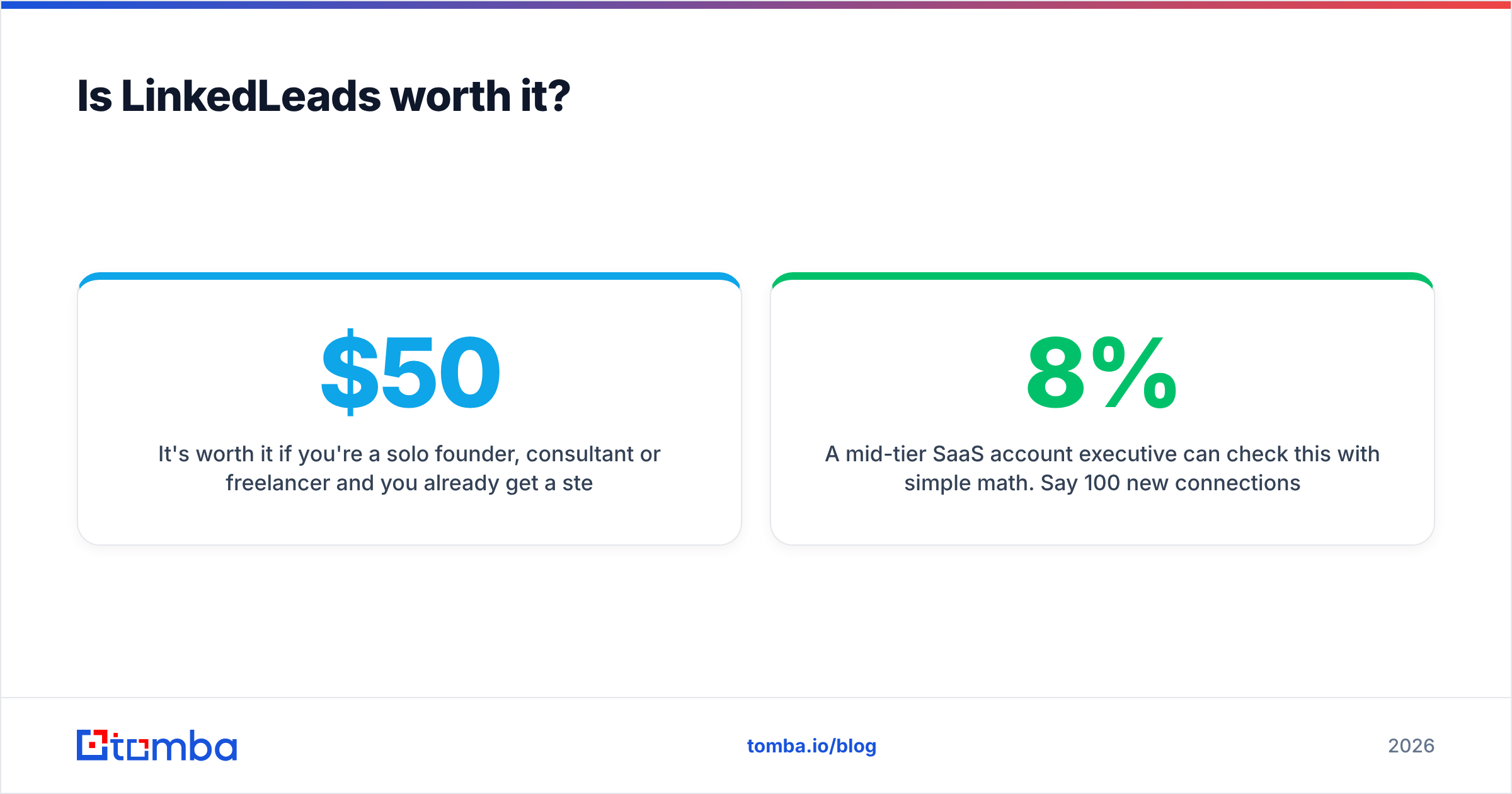
It's worth it if you're a solo founder, consultant or freelancer and you already get a steady flow of inbound connection requests. In that case the doorman job is exactly what you need, and $50/month is cheap compared with one closed deal.
It's not worth it if you run a sales team, need cloud execution, or rely on outbound for pipeline. Then you should pay more for Expandi or Dripify and their safety features, reviews and sequence logic. Or you can move most of your volume to email, where you control the channel.
A mid-tier SaaS account executive can check this with simple math. Say 100 new connections a month each get a LinkedLeads opener and 8% reply. That's 8 conversations. If you can also reach the other 92 by email, you get a second chance with the 92% who ignored the DM, and that's where most of the added reply volume comes from.

Should you run LinkedIn automation alone or with email?#
Run them together. LinkedIn-only outreach has two ceilings: LinkedIn's weekly invite limits and the risk to your account. Email has neither, as long as you send to verified addresses and protect your email deliverability.
A multichannel workflow that holds up in 2026 looks like this:
- Connect on LinkedIn (manually or with light automation) and engage with the prospect's content.
- Find the prospect's work email from their LinkedIn profile or company domain. A LinkedIn finder turns a profile URL into an email address.
- Verify before you send. Run every address through an email verifier so bounces don't hurt your sender reputation.
- Send a short, relevant email that mentions the LinkedIn connection. That makes it warm outreach rather than cold.
- Follow up on the channel that responds. If they reply on LinkedIn, stay there. If they open the email, keep going by email.
Here's the difference in plain terms. LinkedLeads sends a message to people who already let you in. An email finder lets you reach the people who haven't connected yet, and that group is usually most of your market.
How does the cost compare with an email-first stack?#
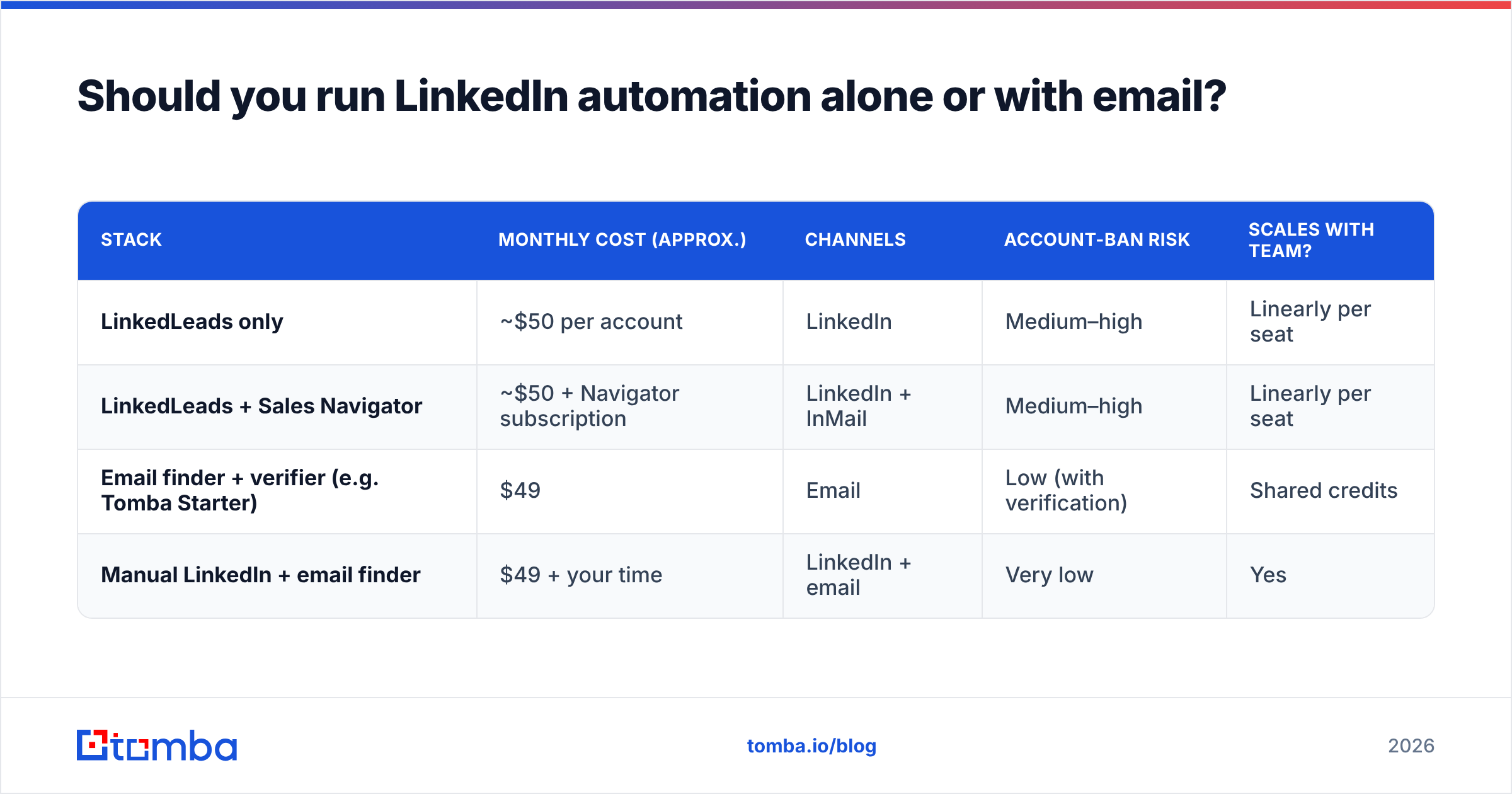
| Stack | Monthly cost (approx.) | Channels | Account-ban risk | Scales with team? |
|---|---|---|---|---|
| LinkedLeads only | ~$50 per account | Medium–high | Linearly per seat | |
| LinkedLeads + Sales Navigator | ~$50 + Navigator subscription | LinkedIn + InMail | Medium–high | Linearly per seat |
| Email finder + verifier (e.g. Tomba Starter) | $49 | Low (with verification) | Shared credits | |
| Manual LinkedIn + email finder | $49 + your time | LinkedIn + email | Very low | Yes |
The last row is the cheapest and lowest-risk setup for most small teams. You do LinkedIn engagement by hand, which is what LinkedIn is built for. Then you put automation into email.
Email is a channel you own, and automating it doesn't break anyone's terms of service. Tomba's Starter plan is $49/month, and there's also a free tier with 25 searches a month for testing. See Tomba pricing for how the tiers compare.
What should you check before buying LinkedLeads?#
Before you enter a card, go through this list:
- Confirm the product. Make sure you're on linkedleads.app and not a lookalike domain.
- Ask for a trial. Trackers say one may be available through sales, so ask.
- Check the Chrome Web Store update date. If the extension hasn't been updated in months, expect it to break the next time LinkedIn changes its UI.
- Read the limits. Find the daily and weekly caps on invites and messages, and check whether you can set them yourself.
- Test on a secondary workflow first. Don't point a new automation tool at your most valuable LinkedIn account on day one.
- Plan the second channel. Decide how you'll reach people who never accept or never reply on LinkedIn.
Final verdict on LinkedLeads pricing reviews pros and cons#
Put together, the LinkedLeads pricing reviews pros and cons point to a fairly priced, narrow tool. At about $50/month it welcomes every new LinkedIn connection and runs basic sequences. That's enough for solo sellers with inbound connection flow. It isn't a full outbound engine, though. It has almost no independent reviews, it only works on LinkedIn, and extension-based automation carries real account risk. Teams that need scale should compare the cloud-based alternatives and add an email channel.
If you're adding that email channel, Tomba Email Finder finds professional email addresses from a name and company domain or a LinkedIn profile. It includes built-in verification so your sends reach inboxes. Start on the free tier with 25 searches a month. When the replies justify it, move up to Starter at $49/month, which is less than a LinkedIn automation seat and carries no account-ban risk.
Related guides#
// get started
Find, verify and enrich your first contacts today
Start on the free plan with 25 searches a month, then scale when your team is ready.
Free plan · No credit card required · GDPR & CCPA
// about the author