LionDesk vs Wise Agent: Real Estate CRM Comparison for 2026
LionDesk has video texting and tiered plans. Wise Agent charges one flat price and includes transaction management. We compare pricing, features and team fit so you can pick the right real estate CRM in 2026.
TL;DR
- Pick Wise Agent if you run a small team and want one flat price (about $49/mo for up to five shared users) that covers contacts, drip campaigns and transaction management.
- Pick LionDesk if you're a solo agent who lives in text and video follow-up and wants usage-based tiers from about $30/mo up to $99/mo.
- LionDesk now belongs to Lone Wolf Technologies. Before you sign a long contract, ask where the product is headed.
- Wise Agent's headline price goes up once you add texting and individual logins. A five-person team with those add-ons pays about $140/mo.
- Neither CRM can fix bad contact data. Clean and verify your lists before you import them, or your automations will just send faster to dead inboxes.
Real estate agents don't pick a CRM the way a SaaS sales team does. You're juggling open-house sign-ins, Zillow leads, past clients due for an anniversary touch, lender and title partners, and at least one active deal that could fall apart over an inspection. LionDesk and Wise Agent are both built for that job. They go about it differently, though, and the differences show up on your bill and in your daily routine.
We looked at both tools' current plans, their feature sets and what reviewers on third-party sites keep praising or complaining about. Here's what matters.
What are LionDesk and Wise Agent?#
LionDesk is a real estate CRM known for communication features: video emails, video texts, bulk texting, drip campaigns and an AI assistant that helps with lead follow-up. Lone Wolf Technologies acquired it, and it's increasingly tied to Lone Wolf's wider product suite, which includes transaction and back-office tools. The official site is liondesk.com.
Wise Agent is an older, all-in-one real estate CRM. It bundles contact management, lead capture, marketing campaigns, landing pages, lead rotation and transaction management into one product. You can see the details at wiseagent.com. Its pitch is simple: one price, most of the features, month to month with no long-term contract.
In short, LionDesk is a follow-up engine with CRM features around it. Wise Agent is a CRM with the transaction workflow built in.
How do LionDesk and Wise Agent compare feature by feature?#
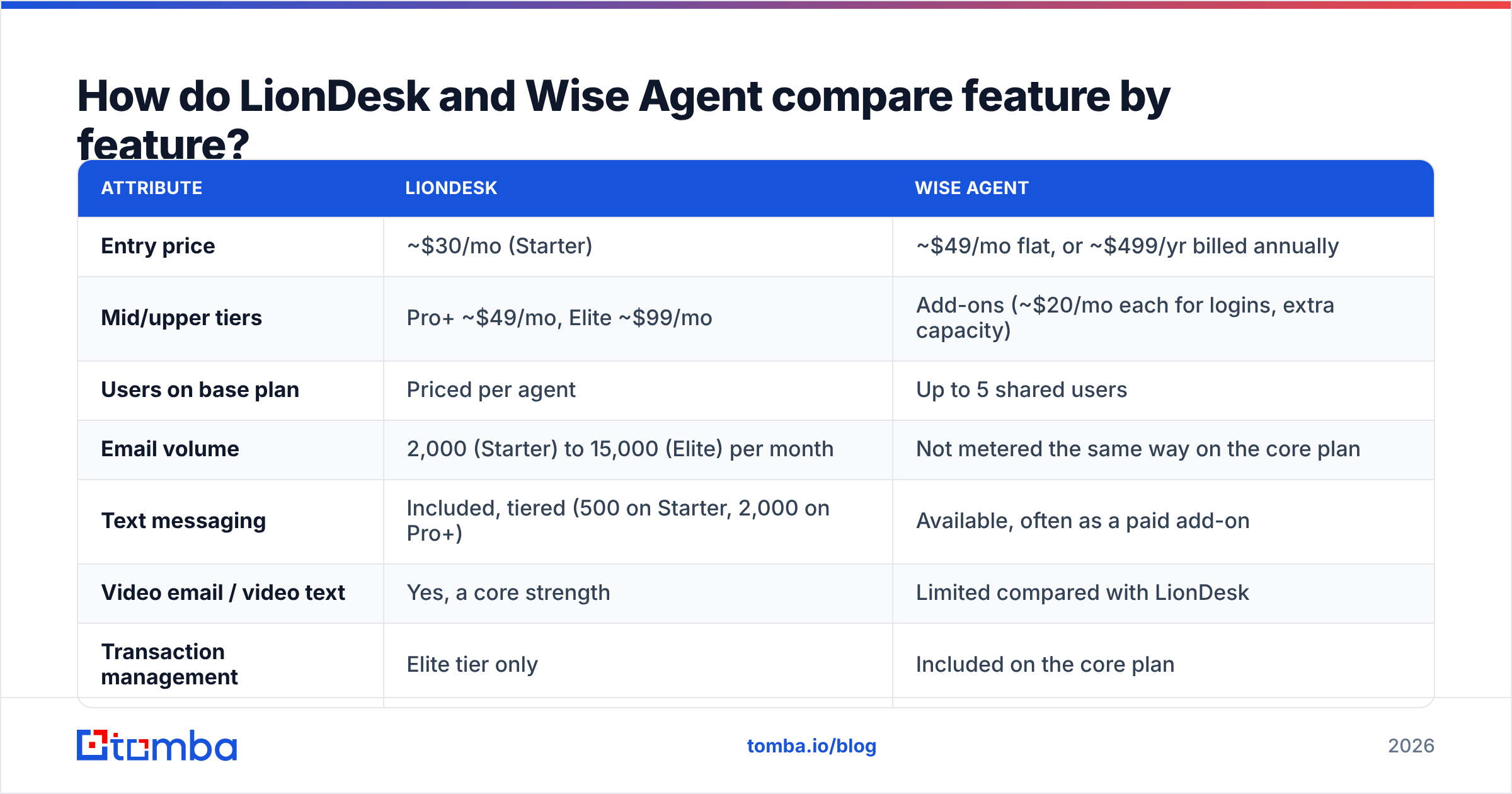
This is the side-by-side most readers are after. Pricing reflects public listings at the time of writing. Both vendors change plans often, so check the live pricing page before you buy.
| Attribute | LionDesk | Wise Agent |
|---|---|---|
| Entry price | ~$30/mo (Starter) | ~$49/mo flat, or ~$499/yr billed annually |
| Mid/upper tiers | Pro+ ~$49/mo, Elite ~$99/mo | Add-ons (~$20/mo each for logins, extra capacity) |
| Users on base plan | Priced per agent | Up to 5 shared users |
| Email volume | 2,000 (Starter) to 15,000 (Elite) per month | Not metered the same way on the core plan |
| Text messaging | Included, tiered (500 on Starter, 2,000 on Pro+) | Available, often as a paid add-on |
| Video email / video text | Yes, a core strength | Limited compared with LionDesk |
| Transaction management | Elite tier only | Included on the core plan |
| Lead rotation / routing | Basic | Built in |
| Free trial | 14 days, no credit card | Free trial available |
| Contract | Monthly | Monthly, no long-term contract |
| Best for | Solo agents who text and video a lot | Small teams that want everything in one place |
Two points stand out. First, LionDesk meters its communication. Every tier caps emails, texts and video texts, so your real cost depends on how much you send. Second, Wise Agent meters seats and add-ons. The base price looks cheap for a team, but individual logins and texting are where the bill grows.
How much do LionDesk and Wise Agent really cost?#
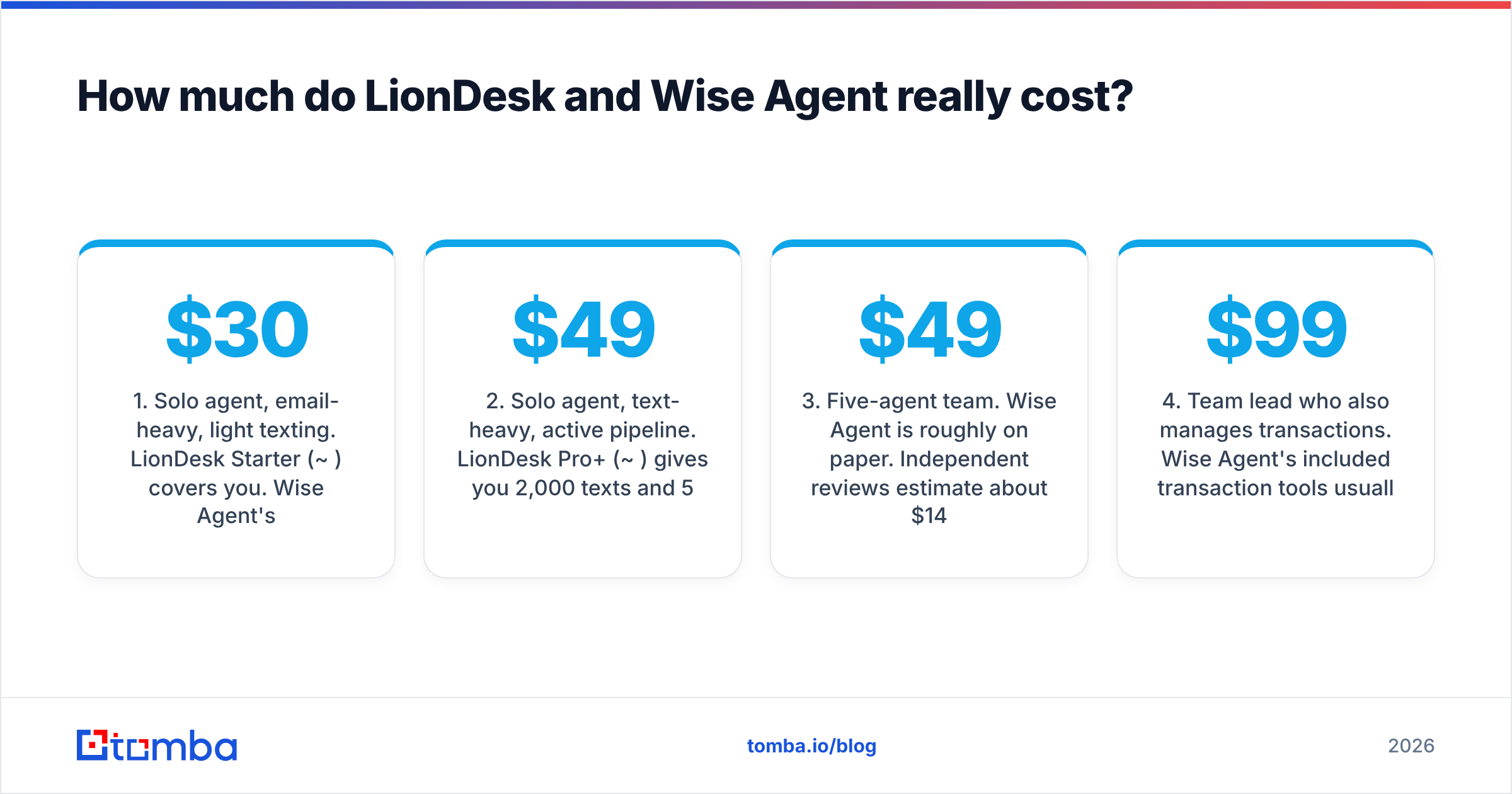
The sticker price and the price you actually pay are different numbers for both tools. Here's how they compare for three common setups, using the public pricing above.
- Solo agent, email-heavy, light texting. LionDesk Starter (
$30/mo) covers you. Wise Agent's base plan ($49/mo) costs more but includes transaction management you might otherwise pay for elsewhere. - Solo agent, text-heavy, active pipeline. LionDesk Pro+ (~$49/mo) gives you 2,000 texts and 500 video texts. On Wise Agent, a realistic solo setup with texting is about $60/mo.
- Five-agent team. Wise Agent is roughly $49/mo on paper. Independent reviews estimate about $140/mo once you add texting and individual logins. LionDesk bills per agent, so five agents on Pro+ run about $245/mo before any Lone Wolf bundling.
- Team lead who also manages transactions. Wise Agent's included transaction tools usually win here. LionDesk only offers multiple-transaction management on its ~$99/mo Elite tier.
For current numbers and user-reported add-on costs, see the LionDesk pricing page on Capterra and the Wise Agent pricing page on Capterra. Both are updated more often than most blog posts.
Which CRM is better for lead follow-up?#
LionDesk is stronger at follow-up. Its main selling point is getting a personal-feeling message to a lead quickly: a short selfie video by text, a templated video email, or a bulk campaign to everyone who attended Sunday's open house. For agents whose conversion depends on speed-to-lead and personality, that matters more than any pipeline view.
Wise Agent handles follow-up with drip campaigns, marketing templates and automated touchpoints tied to contact records. It works, but it feels more like a system than a conversation. If you already have a routine (call first, then email, then a monthly market update), Wise Agent keeps that routine running. If you want each touch to feel personal, LionDesk's video tools do more of that work for you.
One warning applies to both tools. Follow-up automation makes whatever data you feed it louder. Import a list with stale or mistyped addresses and you'll get more bounces, a damaged sender reputation and campaigns that quietly land in spam. Our glossary entry on email deliverability explains the mechanics. For agents, the short version is: verify before you import.
Which CRM handles transactions and team workflows better?#
Wise Agent wins on transactions and teams. Transaction management is part of the core product. You can build checklists for listings and buyer deals, assign tasks to a transaction coordinator, and keep deal milestones visible to everyone on the team. Lead rotation sends new inquiries to agents automatically, so nobody has to forward emails by hand at 11 p.m.
LionDesk's answer is tiering and the Lone Wolf ecosystem. Elite (~$99/mo) adds multiple-transaction management and 1:1 training. Brokerages already using Lone Wolf's transaction and back-office products may find that path works well. Independent agents may feel they're paying extra for features Wise Agent includes by default.
Consider what your team actually looks like:
- Solo agent with a part-time TC. Either tool works. Wise Agent is simpler if the TC needs to live inside the CRM.
- Three to five agents sharing leads. Wise Agent's shared-user model and lead rotator fit this setup best.
- Brokerage already on Lone Wolf. LionDesk probably fits into your existing workflow better.
- Team that runs mostly on text. LionDesk. Communication volume matters more than deal checklists.
Which is easier to use and adopt?#
Reviews on sites like G2's Follow Up Boss vs Wise Agent comparison and Capterra show a consistent pattern. Users like Wise Agent's support team and its all-in-one scope. The common complaint is that the interface feels dated and crowded because it does so much. LionDesk users like the texting and video features and the low entry price, but some report a learning curve and uncertainty about how the product will change under Lone Wolf.
Neither tool is hard to learn if you commit to it for two weeks. The real adoption risk is getting your data in. Most agents arrive with years of contacts spread across a phone, an old CRM export, a Gmail account and a folder of open-house sign-in sheets. Deduplicating those sources, filling in missing emails and verifying what you have takes longer than learning either interface.
Where does contact data fit into a real estate CRM decision?#
This is the part most LionDesk vs Wise Agent comparisons leave out. Both CRMs assume you already have good contact data. Neither one finds or validates it for you.
That's fine for inbound leads from portals and your website, where the contact typed in their own address. It breaks down in the prospecting work that gives agents an edge:
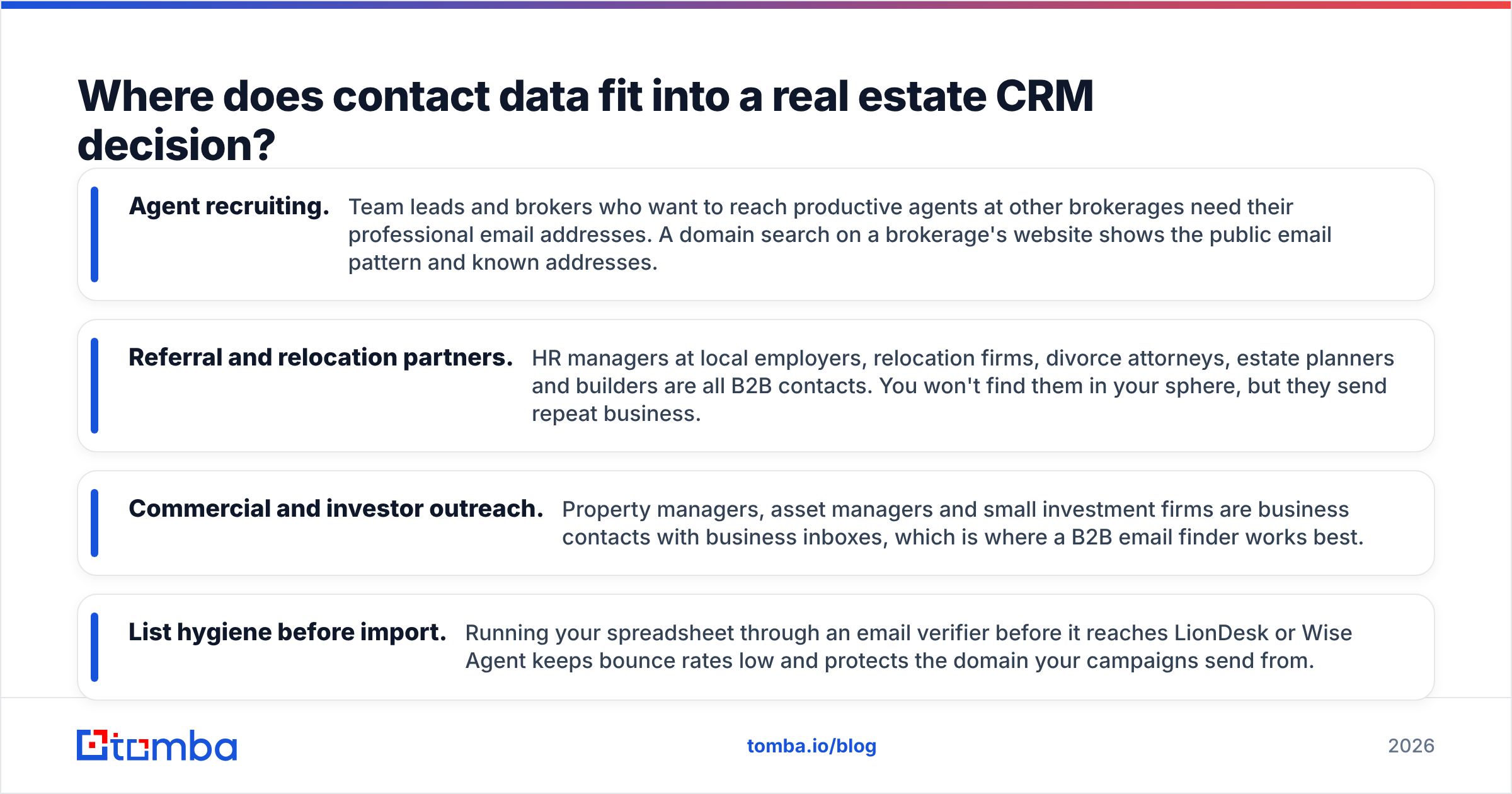
- Agent recruiting. Team leads and brokers who want to reach productive agents at other brokerages need their professional email addresses. A domain search on a brokerage's website shows the public email pattern and known addresses.
- Referral and relocation partners. HR managers at local employers, relocation firms, divorce attorneys, estate planners and builders are all B2B contacts. You won't find them in your sphere, but they send repeat business.
- Commercial and investor outreach. Property managers, asset managers and small investment firms are business contacts with business inboxes, which is where a B2B email finder works best.
- List hygiene before import. Running your spreadsheet through an email verifier before it reaches LionDesk or Wise Agent keeps bounce rates low and protects the domain your campaigns send from.
To be clear about limits: a B2B email tool like Tomba won't turn up a first-time homebuyer's personal Gmail, and it shouldn't. It's built for professional contacts. That's why it pairs well with a real estate CRM and doesn't compete with one.
Is LionDesk better than Wise Agent?#
It depends on what your business runs on.
Choose LionDesk if:
- You're a solo agent or a small partnership
- Speed-to-lead and personal video or text follow-up drive your conversions
- You want the lowest entry price (~$30/mo) and can live with metered sends
- Your brokerage already uses Lone Wolf tools
Choose Wise Agent if:
- You run a team and want shared users on a single flat plan
- Transaction management needs to live in the CRM, not a separate tool
- You want lead rotation and landing pages without extra software
- You prefer month-to-month billing with add-ons you pick yourself
Our pick: For most small teams in 2026, Wise Agent gives you more usable features per dollar, as long as you budget for texting and individual logins from the start. For solo agents who close deals through fast, personal follow-up, LionDesk is the better tool, especially on Pro+.
Whichever you choose, use the free trial properly. Import a real slice of your database, run one actual campaign, and walk one live transaction through it. A two-week trial with real data will tell you more than any comparison table, including this one.
How should you set up either CRM for success?#
A short checklist that works for both tools:
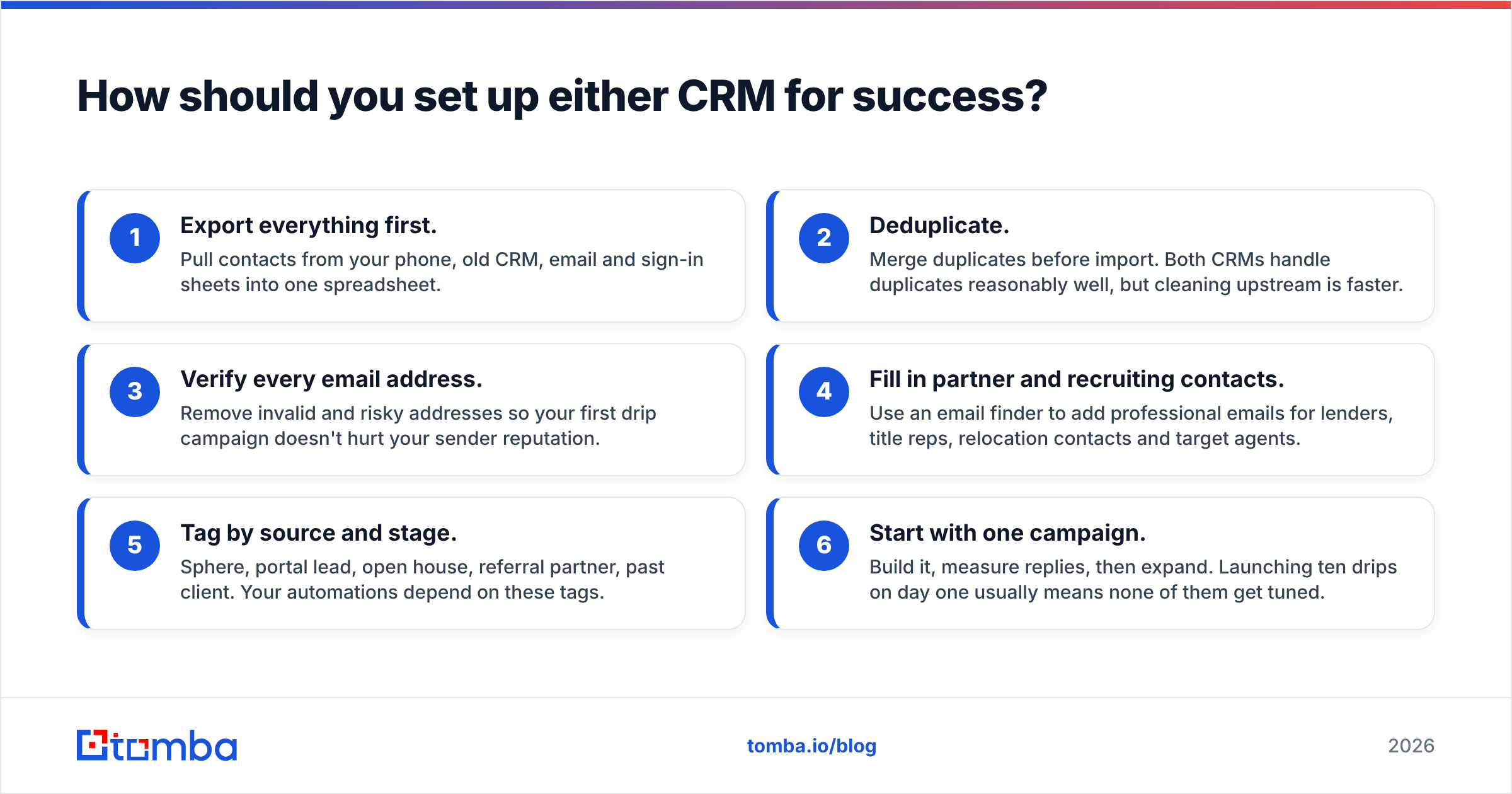
- Export everything first. Pull contacts from your phone, old CRM, email and sign-in sheets into one spreadsheet.
- Deduplicate. Merge duplicates before import. Both CRMs handle duplicates reasonably well, but cleaning upstream is faster.
- Verify every email address. Remove invalid and risky addresses so your first drip campaign doesn't hurt your sender reputation.
- Fill in partner and recruiting contacts. Use an email finder to add professional emails for lenders, title reps, relocation contacts and target agents.
- Tag by source and stage. Sphere, portal lead, open house, referral partner, past client. Your automations depend on these tags.
- Start with one campaign. Build it, measure replies, then expand. Launching ten drips on day one usually means none of them get tuned.
What's the bottom line?#
In the LionDesk vs Wise Agent decision, you're choosing between communication depth and all-in-one breadth. LionDesk gives solo agents strong text and video follow-up at a low starting price. Wise Agent gives small teams a single flat-priced system for contacts, marketing and transactions. Both depend on the quality of the contacts you load into them.
If your growth plan includes recruiting agents, building referral-partner relationships or reaching commercial contacts, Tomba Email Finder fits well alongside either CRM. Enter a name and a company domain and you get a professional email address with a confidence score, ready to verify and import. Start free with 25 searches a month, then move to Starter at $49/mo when your outreach grows. Try Tomba Email Finder and give your CRM contacts that will actually reply.
Related guides#
// get started
Find, verify and enrich your first contacts today
Start on the free plan with 25 searches a month, then scale when your team is ready.
Free plan · No credit card required · GDPR & CCPA
// about the author