ListKit vs Techsalerator: Which B2B Data Source Fits You in 2026?
ListKit sells verified lead lists to outbound teams that pay by the seat. Techsalerator sells global company datasets to data teams on custom quotes. Here's how to tell which one fits your pipeline, and when neither is the right tool.
Choosing between ListKit vs Techsalerator comes down to one question. Do you need contacts to email this week, or company data for your warehouse?
TL;DR
- ListKit is a self-serve lead database for outbound teams. You filter by title, industry and headcount, and you export contacts with verified emails. Paid plans start at about $83/mo billed annually ($97 monthly).
- Techsalerator is a data vendor. It sells firmographic, point-of-interest and contact datasets for 200+ countries. You usually get them as bulk files or through an API, and most pricing is quote-based.
- If you're an SDR or agency sending cold email this week, ListKit fits better. If you're a data, RevOps or analytics team that needs global company records in your warehouse, Techsalerator is the closer match.
- Neither one is built to find the email of one specific person at one specific domain. For that you need a dedicated email finder and verifier.
What are ListKit and Techsalerator, really?#
The two tools sit in the same "B2B data" category, but they're built for different buyers. Comparing them is a bit like comparing a supermarket with a wholesale distributor. Both sell food. You shop at one and sign a supply contract with the other.
ListKit is aimed at people who run cold outbound. You sign up and filter a contact database by job title, industry, company size and location. Then you export lists whose emails are already verified. ListKit also sells done-for-you sending setups (pre-warmed inboxes and domains) as bundles. So it's an outbound data company as much as a database. Its official site is written for agencies and SDR teams, not data engineers.
Techsalerator is a data provider in the more traditional sense. It publishes company, point-of-interest and contact datasets across more than 200 countries. Many are listed on marketplaces like AWS Data Exchange and Datarade, and larger purchases are priced by quote. The Techsalerator site is written for data buyers. They want files, feeds or API access to plug into their own systems, not a prospecting UI.
That split shapes everything below: pricing, workflow, data freshness and who each tool actually helps.
ListKit vs Techsalerator: how do they compare side by side?#
Here's how the two stack up on the attributes that matter when you're choosing:
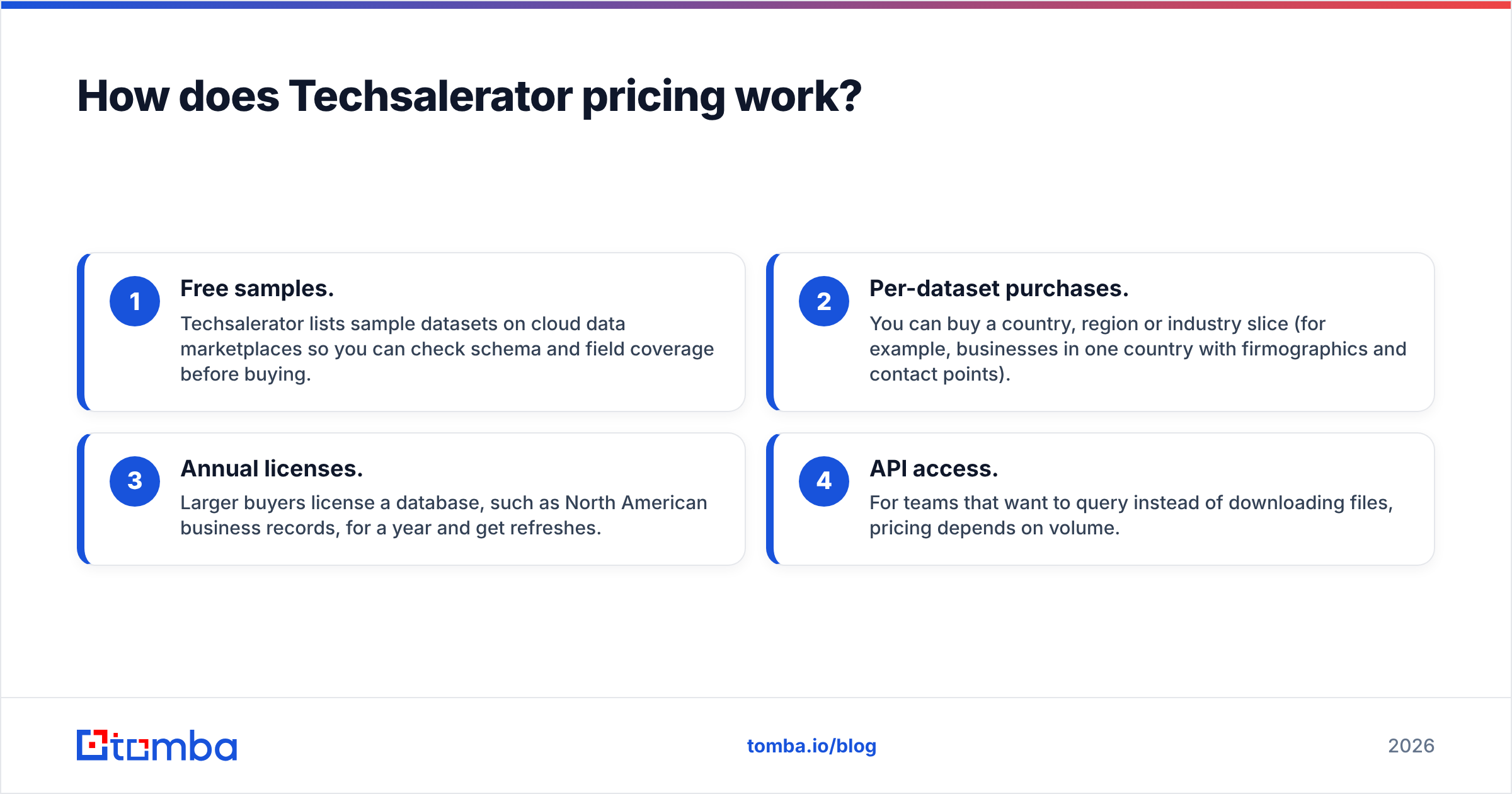
| Attribute | ListKit | Techsalerator |
|---|---|---|
| Primary buyer | SDRs, agencies, founders doing outbound | Data teams, RevOps, analysts, data resellers |
| Core product | Searchable contact database + list export | Bulk firmographic, POI and contact datasets + API |
| Geographic focus | Strongest in North America and Western Europe | 200+ countries, including hard-to-source emerging markets |
| Free option | Free plan with 100 credits | Free sample datasets (e.g., via AWS Marketplace) |
| Entry paid price | ~$83/mo annual / ~$97/mo monthly (Professional) | Custom quote for full datasets and yearly licenses |
| Pricing model | Credits: 1 per email, 5 per phone, up to 10 per fully enriched contact | Per-dataset, per-record or annual license (varies by deal) |
| Email verification | Emails verified before export | Depends on dataset; plan to verify yourself |
| Delivery | Web app, CSV export, integrations with sending tools | Files (CSV/Parquet-style), cloud marketplaces, API |
| Outbound extras | Done-for-you inboxes/domains via bundles | None; it's data only |
| Best for | Getting a campaign-ready list today | Loading global company data into a warehouse or model |
Two things stand out. ListKit is open and self-serve. You can see prices, start free and be exporting within an hour. Techsalerator is broad and flexible. But you'll usually talk to sales before you see a real price for anything beyond a sample.
How does ListKit pricing work?#
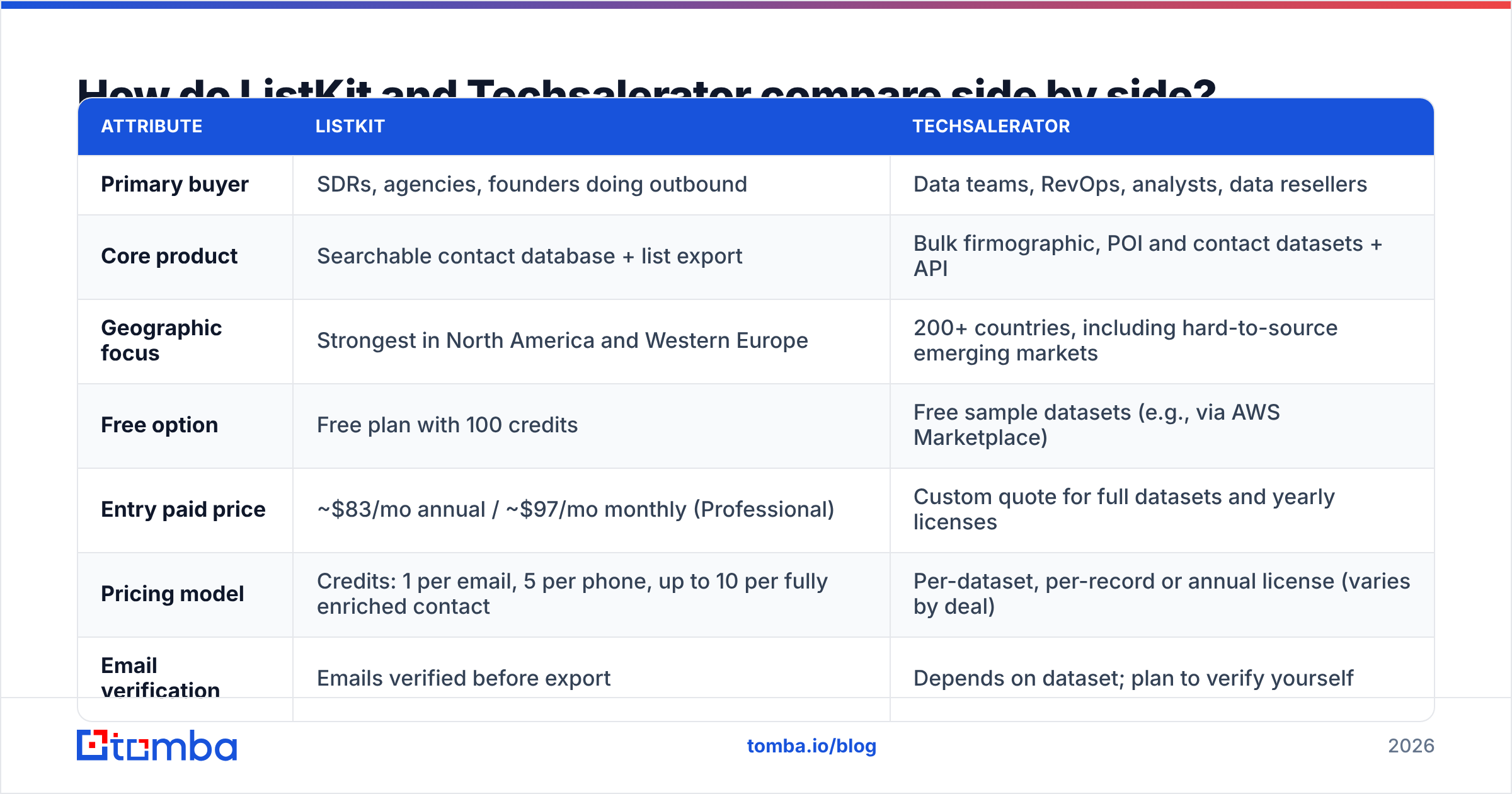
ListKit uses a credit system. According to ListKit's own credits documentation, different data points cost different amounts. Across public 2026 pricing breakdowns, the plans look like this:
- Free: 100 credits total, every feature unlocked. Enough to test data quality on one niche.
- Professional:
$83/mo billed annually ($97 monthly), about 24,000 credits a year. - Scale:
$253/mo annually ($297 monthly), about 120,000 credits a year. - Ultimate: ~$508/mo annually, about 600,000 credits a year.
- Bundles: from about $597/mo, pairing data with done-for-you sending infrastructure (sized around daily email volume).
The catch is the credit math. An email costs 1 credit, but a phone number costs 5. A fully enriched contact can cost up to 10. If your team calls as well as emails, 24,000 credits a year covers far fewer contacts than the headline suggests. Before you commit to annual billing, work out your real mix. How many contacts do you need? How many need phones? How many will you actually send to?
How does Techsalerator pricing work?#
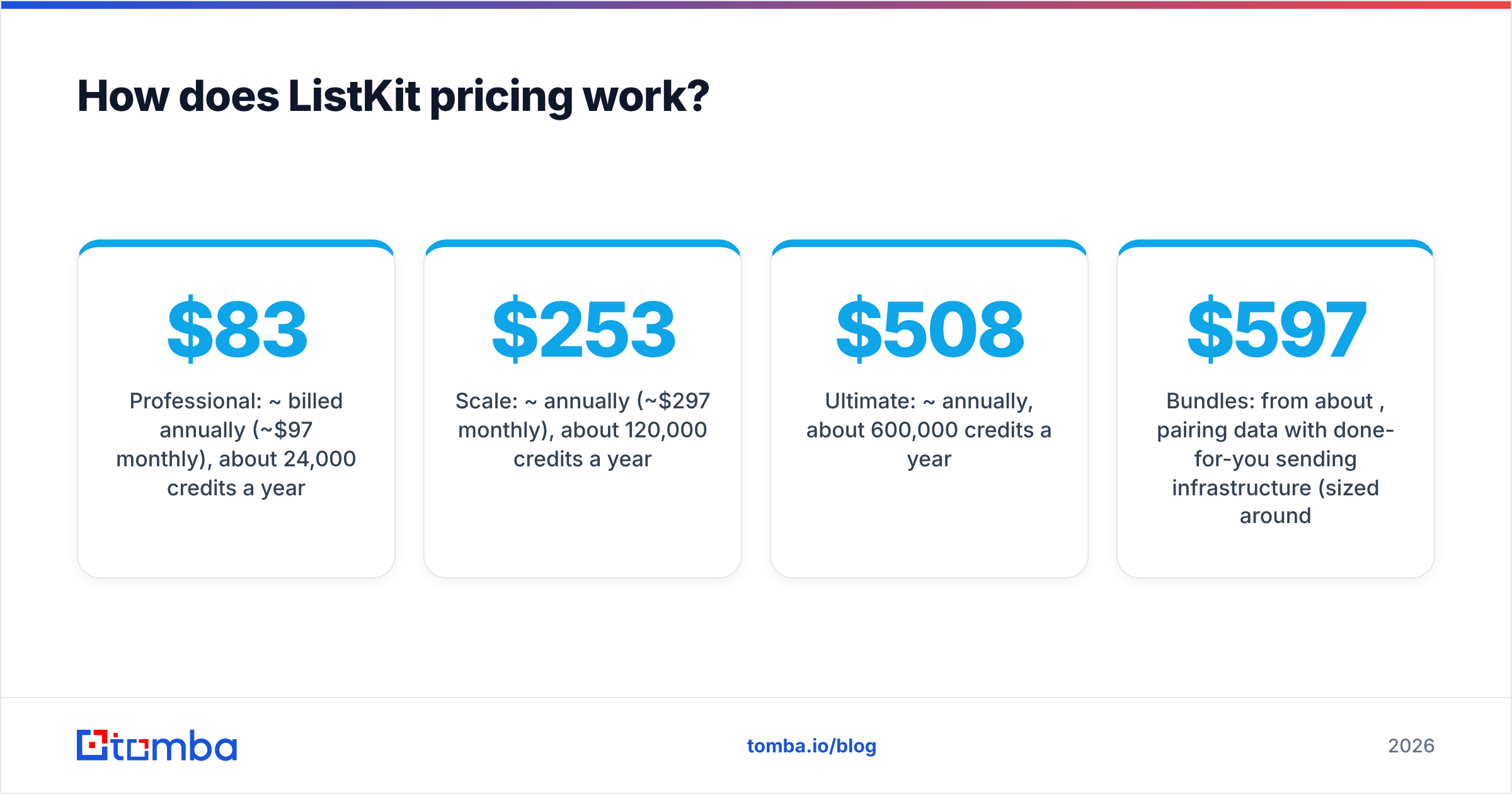
Techsalerator doesn't publish a self-serve price list the way ListKit does. Here's what the public picture looks like:
- Free samples. Techsalerator lists sample datasets on cloud data marketplaces so you can check schema and field coverage before buying.
- Per-dataset purchases. You can buy a country, region or industry slice (for example, businesses in one country with firmographics and contact points).
- Annual licenses. Larger buyers license a database, such as North American business records, for a year and get refreshes.
- API access. For teams that want to query instead of downloading files, pricing depends on volume.
For a data team this is normal. Enterprise data is almost always sold this way. For a two-person agency it's friction. You can't swipe a card and start prospecting this afternoon. And the minimum deal size may be well above what a single campaign justifies.

ListKit vs Techsalerator: which has better data coverage and accuracy?#
It depends on where you sell and what you need in each record.
Techsalerator wins on geography. It covers 200+ countries. That includes markets in Central Asia, Africa, the Pacific and Latin America that many US-focused tools treat as an afterthought. If you're sizing a market in Southeast Asia or building a global company graph, ListKit simply won't have the depth.
ListKit wins on outbound-ready contacts. Its whole pitch is that emails are verified before you export them. So you're not burning sender reputation on day one. For North American and European B2B targeting by title, that matters more than having a record for every registered business in Kazakhstan.
A few practical points on accuracy:
- Company data and contact data go stale at different rates. Company name, address and industry code change slowly. Individual emails go stale much faster as people change jobs. A dataset that's great for market sizing can still bounce badly in a cold email campaign.
- Bulk datasets need a verification pass before sending. Whatever you buy from a dataset vendor, run it through an email verifier before it goes near your sending domain.
- Catch-all domains are the silent killer. Both database-style and dataset-style sources struggle here. If your ICP skews toward mid-market companies with catch-all mail servers, budget for a dedicated catch-all check.
Neither vendor publishes an independent accuracy benchmark that settles this. Don't take anyone's accuracy numbers on faith, including ours. Pull 200 records for your exact ICP from each source's free tier or sample. Verify them, then compare bounce and match rates yourself.
What does the ListKit vs Techsalerator workflow look like day to day?#
This is where the difference is most obvious.
A typical ListKit workflow:
- Log in, set filters (e.g., "VP Marketing, SaaS, 50–200 employees, US").
- Preview counts and spend credits to reveal the contacts.
- Export to CSV or push to your sending tool.
- Launch a sequence, often on inboxes ListKit set up for you.
The whole thing takes about an hour, and nobody on your team needs to know SQL.
A typical Techsalerator workflow:
- Talk to sales or pull a marketplace sample to check the schema.
- Agree on scope (countries, industries, fields, refresh cadence).
- Receive files or API credentials.
- Load into your warehouse or CRM, dedupe, normalize and match against existing accounts.
- Pull the relevant slices into prospecting, enrichment or analytics.
This takes days to weeks and needs someone who is comfortable with data pipelines. The payoff is control. You own the records, can join them to your own data and can build models on top.
If your CRM is the center of your sales motion and you have RevOps support, Techsalerator's model can work well. If your "stack" is one sequencer and a spreadsheet, ListKit will feel natural. Techsalerator will feel like homework.
ListKit vs Techsalerator: what are the pros and cons of each?#
ListKit pros
- Transparent, self-serve pricing with a free plan
- Emails verified before export
- Built around cold outbound, including optional done-for-you infrastructure
- Fast time to first campaign
ListKit cons
- Credit costs rise quickly once you add phones and full enrichment
- Weaker outside North America and Western Europe
- Annual billing is needed for the best rate
- You're renting access to a list, not building a data asset
Techsalerator pros
- Very wide geographic coverage (200+ countries)
- Firmographic and point-of-interest depth that prospecting tools rarely offer
- Flexible delivery through files, cloud marketplaces and API
- Good fit for market sizing, TAM modeling and data enrichment pipelines
Techsalerator cons
- Quote-based pricing slows down small buyers
- Not a prospecting UI; you need your own tooling to act on the data
- Contact-level data needs your own verification before sending
- Minimum deal sizes may not suit solo sellers or small agencies
Is ListKit better than Techsalerator?#
For most outbound sales teams, yes. ListKit is built for what those teams do every day: pick a segment, get verified contacts and send. You'll get to a live campaign faster and more cheaply.
For data-heavy organizations, no. Techsalerator is the better choice when you need global company coverage, firmographic depth, or a dataset you can own and model against. Doing TAM analysis across 30 countries with a prospecting database is the wrong tool for the job.
Here's a simple ListKit vs Techsalerator decision rule:
- You measure success in replies and meetings booked this quarter: ListKit.
- You measure success in coverage, match rate and data completeness: Techsalerator.
- You need both: use Techsalerator (or a similar dataset) for account-level coverage and a prospecting tool for contacts. Then verify everything before you send.

When should you use neither and reach for an email finder instead?#
There's a third job neither tool is really designed for: you already know who you want to reach, and you need their email.
Maybe it's a named account list from marketing or a set of conference speakers. Maybe it's the author of an industry report, or 400 target companies your CEO pulled from a board meeting. Buying a whole database just to reach those specific people is overkill. You'd pay for thousands of records you'll never use.
This is where a dedicated email finder fits in. You give it a name and a domain (or just a domain). It returns the most likely work email with a confidence score and sources. Pair it with a domain search to see every public email pattern at a company. Then use a verifier to check deliverability before sending.
Tomba is one option in this category. Its pricing starts with a free tier of 25 searches a month. Then comes Starter at $49/mo, Growth at $99/mo and Pro at $249/mo, with custom Enterprise plans above that. That's lower than a ListKit annual plan or a typical dataset deal if your volume is targeted rather than bulk. It also pairs well with either vendor: find the missing emails, then verify the whole file.
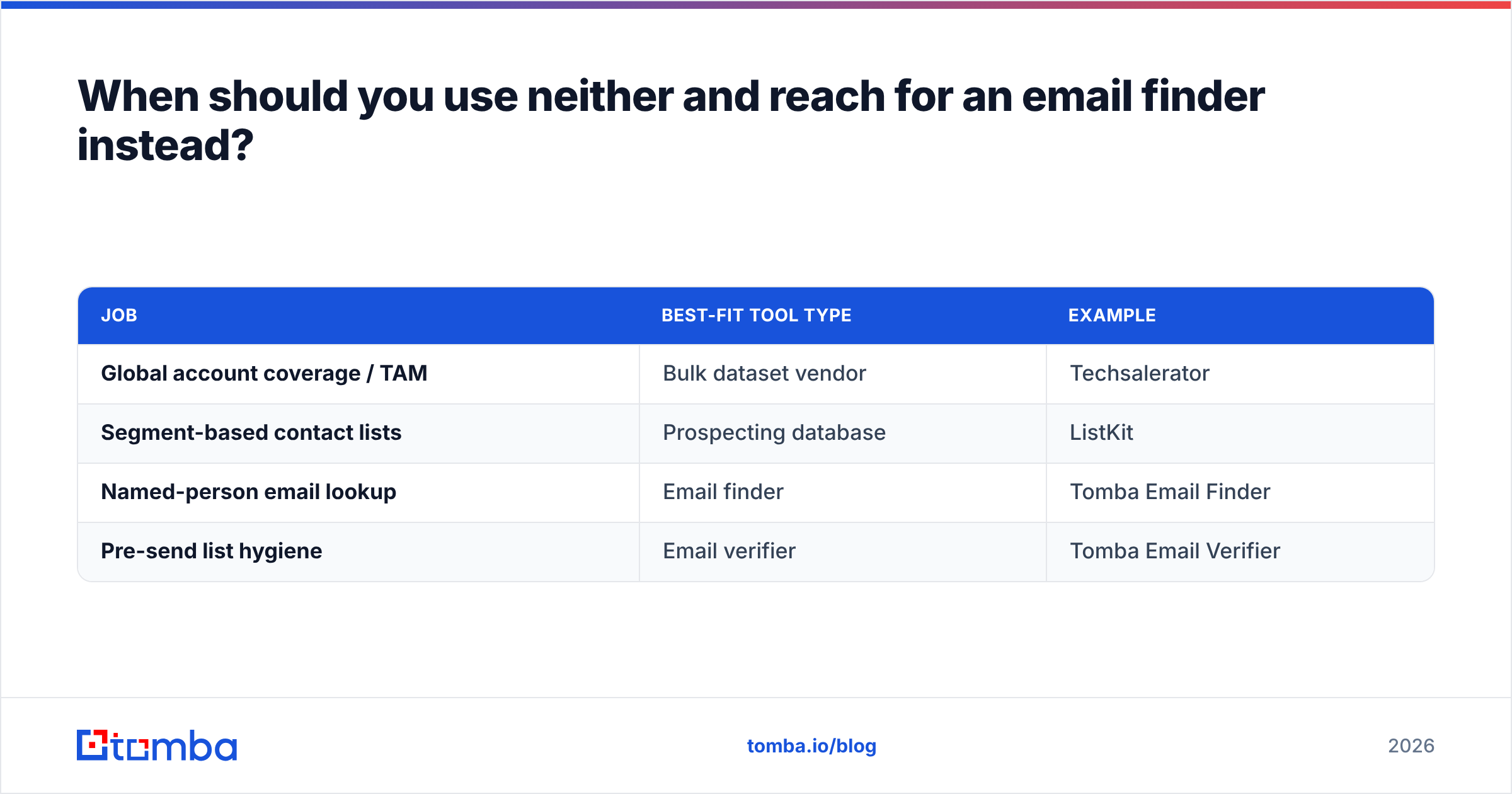
Many teams end up with a stack like this:
| Job | Best-fit tool type | Example |
|---|---|---|
| Global account coverage / TAM | Bulk dataset vendor | Techsalerator |
| Segment-based contact lists | Prospecting database | ListKit |
| Named-person email lookup | Email finder | Tomba Email Finder |
| Pre-send list hygiene | Email verifier | Tomba Email Verifier |
What should you test before you buy either one?#
Whichever way your ListKit vs Techsalerator choice leans, run this five-step test before you sign anything:
- Define one tight ICP slice. For example, "Heads of Finance at 100–500 employee logistics companies in Germany."
- Pull 100–200 records from each source's free tier or sample. ListKit's free credits and Techsalerator's samples are both enough for this.
- Verify every email independently. Record valid, invalid, catch-all and unknown rates.
- Spot-check 20 records by hand. Is that person still in that role? Is the company still operating?
- Calculate cost per usable contact, not cost per record. A cheap record that bounces is the most expensive record you'll buy.
The numbers from that test will tell you more than any vendor comparison page, including this one.
The bottom line on ListKit vs Techsalerator#
ListKit vs Techsalerator isn't a close fight, because the two tools aren't competing for the same buyer. ListKit is a fast, self-serve lead list tool for cold outbound. Techsalerator is a broad, global data supplier for teams that build their own pipelines. Pick based on your bottleneck. Is it getting contacts into a sequence, or getting data coverage into a warehouse?
Maybe your real bottleneck is simpler. You already know which companies and people you want, but you can't reach them. Then skip the bulk purchase. Try the Tomba Email Finder: search by name and domain, get a verified work email with its sources, and start on the free plan before you commit to anything bigger.
Related guides#
// get started
Find, verify and enrich your first contacts today
Start on the free plan with 25 searches a month, then scale when your team is ready.
Free plan · No credit card required · GDPR & CCPA
// about the author