ListKit vs VerifiedEmail (2026): Lead Database or Pure Verifier?
ListKit builds verified lead lists. VerifiedEmail cleans the lists you already have. We compare pricing, credits, catch-all handling, and workflow fit so you can tell which one your outbound stack actually needs.
TL;DR
- ListKit is a B2B lead database: you search, filter, and export contacts with emails verified at the moment you export them. It's credit-based. Paid plans start at $97/mo billed monthly, or $83/mo billed annually.
- VerifiedEmail is a verification and list-cleaning tool. You bring the list, and it checks syntax, domains, catch-alls, disposable addresses, and role-based inboxes. It doesn't sell you prospect data.
- The two aren't really substitutes. ListKit answers "who should I email?" and VerifiedEmail answers "is this address safe to send to?"
- If you have no list, start with ListKit or another email finder. If you have lists from events, inbound forms, old CRM exports, or several vendors, a standalone verifier like VerifiedEmail is the better fit.
- Many teams end up paying for both a data source and a verifier. A platform that does finding and verification together can remove one of those line items.
What is the real difference between ListKit and VerifiedEmail?#
The search "ListKit vs VerifiedEmail" makes it sound like two rival products fighting over one job. They don't. They sit at different points in the outbound pipeline, and most of the confusion comes from both mentioning "verified emails" in their marketing.
Here's an analogy. ListKit is a grocery store where every item has been checked before it reaches the shelf. VerifiedEmail is a food inspector who comes to your kitchen and checks what's already in your fridge. You need the store if your fridge is empty. You need the inspector if your fridge is full of things you bought from ten different places and you've lost track of what's still good.
In practical terms:
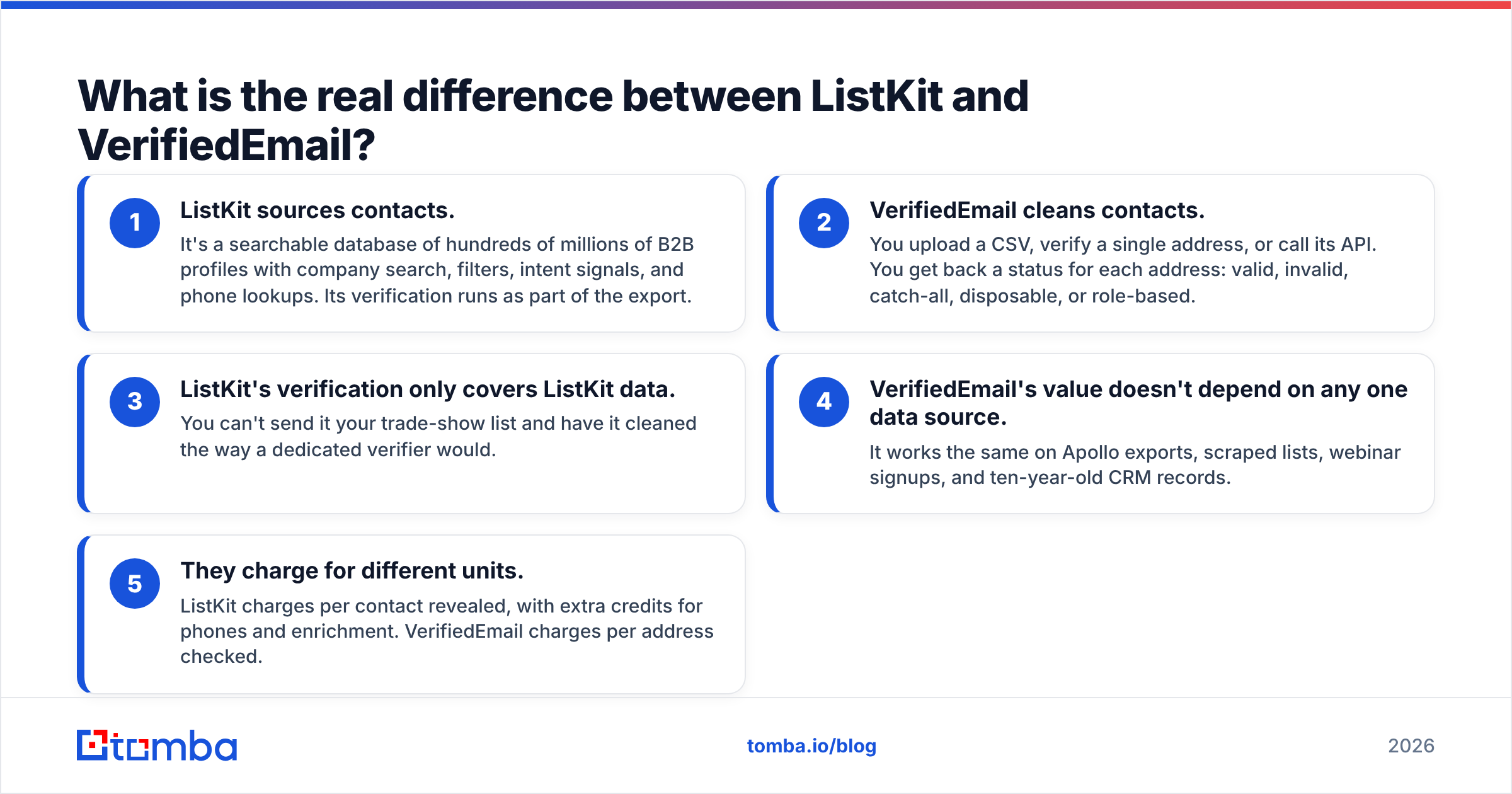
- ListKit sources contacts. It's a searchable database of hundreds of millions of B2B profiles with company search, filters, intent signals, and phone lookups. Its verification runs as part of the export.
- VerifiedEmail cleans contacts. You upload a CSV, verify a single address, or call its API. You get back a status for each address: valid, invalid, catch-all, disposable, or role-based.
- ListKit's verification only covers ListKit data. You can't send it your trade-show list and have it cleaned the way a dedicated verifier would.
- VerifiedEmail's value doesn't depend on any one data source. It works the same on Apollo exports, scraped lists, webinar signups, and ten-year-old CRM records.
- They charge for different units. ListKit charges per contact revealed, with extra credits for phones and enrichment. VerifiedEmail charges per address checked.
So the useful question isn't which tool is better. It's which problem you actually have right now.
What does ListKit offer in 2026?#
ListKit is a list-building platform aimed at cold-email teams and agencies. Its current pitch is a database of 600M+ contacts, AI-assisted company search, daily-refreshed intent data, and what it calls a triple-verification engine that checks each email at the moment you export it. It also pushes leads straight into sending tools like Smartlead and Salesforge, and into your CRM, so you don't have to move CSVs around by hand.
According to ListKit's own credit documentation, credits are consumed per data type. The costs that matter most:
- A business email costs 1 credit.
- Triple verification on that email adds 1 more credit, so a verified email costs 2.
- Phone numbers cost 5 credits.
- A fully enriched contact can use up to about 10 credits.
That last point is the one people miss. A plan's credit total isn't a contact total. If you want email plus phone for every lead, the number of contacts you actually get can be a fraction of the headline credit number.
ListKit strengths:
- One place to search, filter, verify, and export.
- Every plan includes every feature. You're paying for volume, not for unlocking features.
- Direct sync into popular cold-email senders.
- Intent data is included instead of being sold as an enterprise add-on.
ListKit weaknesses:
- Verification only applies to data pulled from ListKit.
- Credit costs rise quickly if you need phones or deep enrichment.
- Monthly billing gives you noticeably worse value than annual billing.

What does VerifiedEmail offer in 2026?#
VerifiedEmail is a cloud email verification and list-hygiene tool. Its Capterra listing describes it as offering real-time verification through a dashboard, website widget, or API, and targets e-commerce brands, agencies, and sales teams.
The checks it runs are the standard set you'd expect from a modern verifier:
- Syntax validation (typos, malformed addresses)
- Domain and MX checks
- Catch-all server detection
- Disposable and temporary address detection
- Role-based address flagging (info@, sales@, support@)
- Duplicate removal and bounce-risk scoring
It claims 99% accuracy, AES-256 encryption, and GDPR compliance. New accounts get 200 free verification credits, and you can choose pay-as-you-go or a subscription. VerifiedEmail hasn't published fixed per-tier prices on the major review sites, so check its pricing page for current rates. Don't trust a third-party number that may already be out of date.
VerifiedEmail strengths:
- Works on any list from any source.
- API and widget options mean you can verify at the point of capture, such as signup forms, not just in batches.
- Pay-as-you-go suits teams whose verification volume is irregular.
- Catch-all and role-based flags help you decide what to hold back instead of treating everything as simply valid or invalid.
VerifiedEmail weaknesses:
- It doesn't find anyone, so you still need a separate data source.
- Public pricing is less transparent than some competitors'.
- Catch-all results are still a risk category, not a guarantee. That's true of every verifier, but it's worth knowing going in.
How do ListKit and VerifiedEmail compare side by side?#
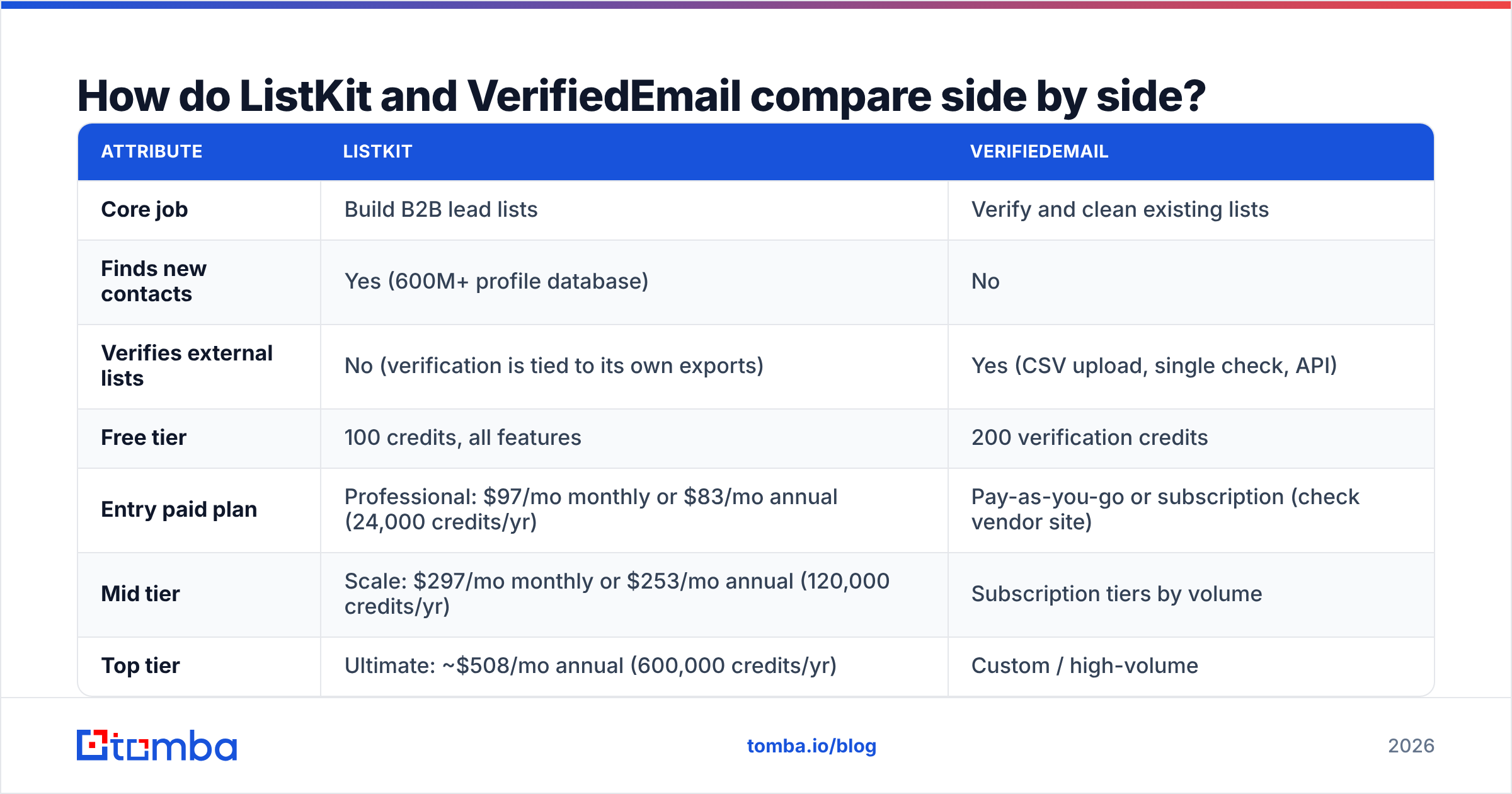
| Attribute | ListKit | VerifiedEmail |
|---|---|---|
| Core job | Build B2B lead lists | Verify and clean existing lists |
| Finds new contacts | Yes (600M+ profile database) | No |
| Verifies external lists | No (verification is tied to its own exports) | Yes (CSV upload, single check, API) |
| Free tier | 100 credits, all features | 200 verification credits |
| Entry paid plan | Professional: $97/mo monthly or $83/mo annual (24,000 credits/yr) | Pay-as-you-go or subscription (check vendor site) |
| Mid tier | Scale: $297/mo monthly or $253/mo annual (120,000 credits/yr) | Subscription tiers by volume |
| Top tier | Ultimate: ~$508/mo annual (600,000 credits/yr) | Custom / high-volume |
| Cost of one verified email | 2 credits (email + triple verification) | 1 verification credit |
| Phone numbers | Yes, 5 credits each | No |
| Catch-all handling | Filtered at export | Flagged as a separate status |
| Integrations | Smartlead, Salesforge, CRMs | API, website widget, dashboard |
| Best for | Outbound teams and agencies with no list yet | Marketers and sales teams with data from mixed sources |
ListKit prices are from ListKit's published plans and third-party breakdowns of its billing. Credit allowances change, so confirm before you commit to annual billing.
Is ListKit's "triple verification" the same as using a dedicated verifier?#
Not quite, and the difference matters when you're protecting a sending domain.
ListKit's verification is built into the export step. That's convenient: every contact you pull has been checked at that moment, and ListKit cites roughly 98% deliverability. For a team that only sends to ListKit-sourced leads within a few days of exporting them, that's often enough.
A dedicated verifier covers two things ListKit's built-in check doesn't:
- Time decay. B2B email data goes stale as people change jobs. A list exported in January and sent in May needs to be checked again, and you can't re-verify old exports through ListKit without spending credits to pull them again.
- Mixed-source lists. Most real lists are blended from a database export, conference badge scans, inbound demo requests, and a partner's spreadsheet. Only a standalone verifier handles all of that consistently.
Catch-all domains are the hardest part of the problem for everyone. A catch-all server accepts mail for any address at the domain, so an SMTP check can't tell whether the specific mailbox exists. Both tools deal with this. ListKit filters these out at export, and VerifiedEmail flags them. Neither can fully resolve them with standard SMTP checks alone. If a large share of your target accounts sit on catch-all domains, which is common in enterprise and Microsoft 365-heavy segments, a specialised catch-all verifier can recover addresses you'd otherwise have to throw away.
Which is cheaper: ListKit or VerifiedEmail?#
It depends on what you're counting. Because the two products charge for different things, compare cost per usable, sendable contact rather than headline plan prices.
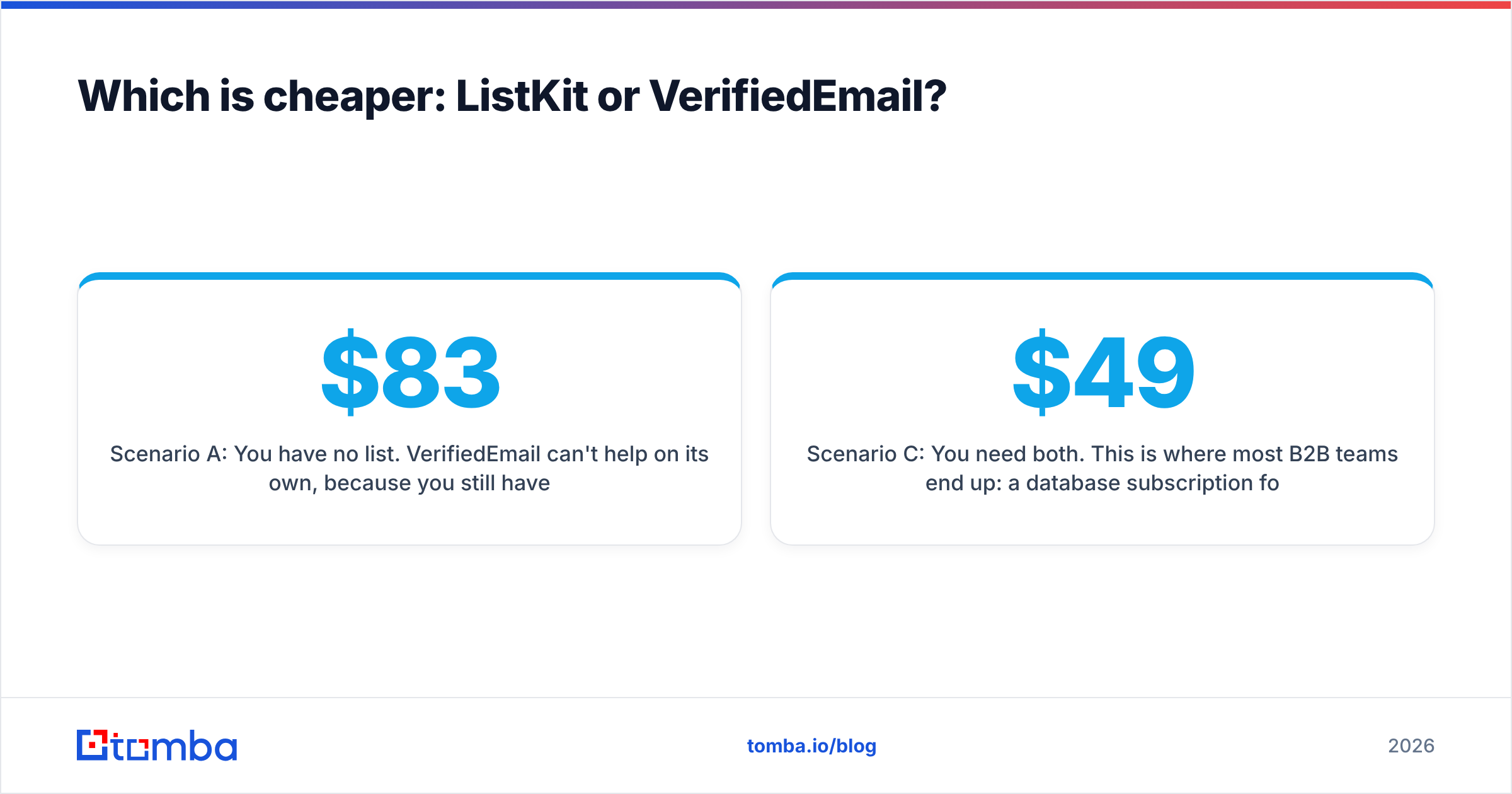
Scenario A: You have no list. VerifiedEmail can't help on its own, because you still have to buy data somewhere. ListKit's Professional plan on annual billing ($83/mo, 24,000 credits a year) gives you about 12,000 verified emails a year at 2 credits each, or around 1,000 a month. Add phones and that number drops sharply.
Scenario B: You already have 20,000 contacts from mixed sources. ListKit can't clean them. With VerifiedEmail, you'd use the free 200 credits for a trial batch and then pay per verification for the rest. Standalone verifiers in this category typically cost a few dollars per thousand checks, so cleaning 20,000 addresses usually costs far less than a month of a database subscription.
Scenario C: You need both. This is where most B2B teams end up: a database subscription for new leads plus a verifier for everything else. That's two vendors, two credit balances, and two sets of API keys. If that describes your stack, look at platforms that bundle an email finder and an email verifier under one credit pool. For example, Tomba's plans start with a free tier of 25 searches a month and go to $49/mo (Starter), $99/mo (Growth), and $249/mo (Pro), with verification included alongside finding.
Which tool should you choose?#
Use this as a decision shortcut:
- Choose ListKit if you run cold outbound, you're starting with only an ICP and no list, you want company search and intent filters in one place, and you send soon after exporting. Agencies running many client campaigns will get the most out of the all-features-on-every-plan model.
- Choose VerifiedEmail if your lists already exist and come from several places, you want to verify at signup via API or widget, your volume is irregular enough that pay-as-you-go beats a subscription, or you mainly need to protect sender reputation on newsletters and lifecycle email rather than cold outreach.
- Choose both (or a combined platform) if you prospect new accounts and also maintain a sizeable CRM. Clean the CRM on a regular schedule, source new leads monthly, and verify everything again before a large send.

What mistakes do teams make when comparing ListKit and VerifiedEmail?#
A few patterns come up again and again:
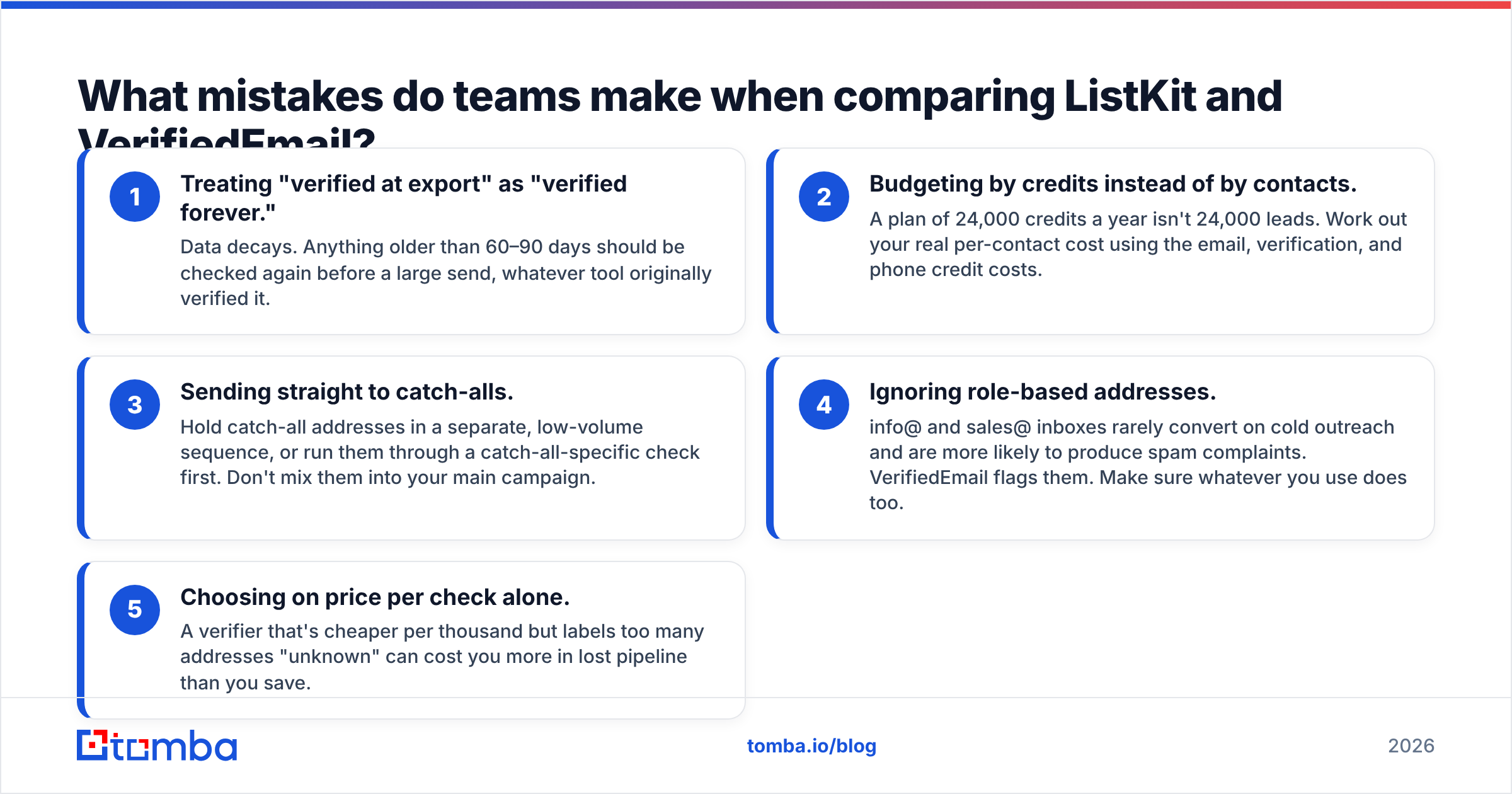
- Treating "verified at export" as "verified forever." Data decays. Anything older than 60–90 days should be checked again before a large send, whatever tool originally verified it.
- Budgeting by credits instead of by contacts. A plan of 24,000 credits a year isn't 24,000 leads. Work out your real per-contact cost using the email, verification, and phone credit costs.
- Sending straight to catch-alls. Hold catch-all addresses in a separate, low-volume sequence, or run them through a catch-all-specific check first. Don't mix them into your main campaign.
- Ignoring role-based addresses. info@ and sales@ inboxes rarely convert on cold outreach and are more likely to produce spam complaints. VerifiedEmail flags them. Make sure whatever you use does too.
- Choosing on price per check alone. A verifier that's cheaper per thousand but labels too many addresses "unknown" can cost you more in lost pipeline than you save.
Are there alternatives worth considering?#
If you're weighing ListKit vs VerifiedEmail, you're probably also looking at the wider market. On the database side, teams usually shortlist Apollo, ZoomInfo, Lusha, and similar tools, and checking the reviews on G2 for your company size is worth the time. On the verification side, ZeroBounce, NeverBounce, Bouncer, and DeBounce are the usual comparisons.
The third group is hybrid tools that do domain search, email finding, and verification in one product. They make the most sense when you don't want to reconcile two vendors every month, or when your team finds contacts one at a time (from a website, a LinkedIn profile, or an article author) rather than pulling large filtered exports.
Final verdict: ListKit or VerifiedEmail?#
ListKit wins if your bottleneck is finding prospects. It gives you a large, filterable database with verification built into each export, and its pricing rewards committing to annual billing.
VerifiedEmail wins if your bottleneck is list hygiene. It's a flexible, source-agnostic verifier with API and widget options, a free 200-credit trial, and pay-as-you-go billing for irregular volumes.
Neither covers the whole problem, so the honest answer for most outbound teams is that the "vs" is a false choice. The real decision is whether you'd rather manage two specialised tools or one platform that handles both jobs.
If you'd rather manage one, try Tomba Email Finder. You can find professional addresses by domain, name, or company, verify them in the same workflow, and handle catch-all domains without exporting and re-uploading CSVs between tools. The free tier gives you 25 searches a month to test it on your own target accounts before you pay anything.
Related guides#
// get started
Find, verify and enrich your first contacts today
Start on the free plan with 25 searches a month, then scale when your team is ready.
Free plan · No credit card required · GDPR & CCPA
// about the author