Listmint vs UpLead (2026): Email Verifier or Contact Database?
Listmint cleans lists you already have, including catch-alls. UpLead sells you new verified contacts. Here's how to tell which one your outbound stack is missing, with pricing and cost per contact.
TL;DR
- These tools do different jobs. Listmint is an email verification service that specializes in catch-all addresses. UpLead is a B2B contact database that sells verified emails and direct dials.
- Pick Listmint if you already have leads from scraping, a CRM export, or an older database and need to cut bounces, especially on catch-all domains.
- Pick UpLead if you need new leads and want to filter by firmographics, technographics and job title, with verification included in every credit.
- The costs work differently. Listmint's Starter plan lists $99/mo for 20,000 standard plus 5,000 catch-all credits. UpLead Essentials is $99/mo (or $74/mo billed annually) for 170 contacts.
- You might not need both. If you only want to find and verify emails, a combined tool such as Tomba (from $49/mo) handles both steps.
What is the real difference between Listmint and UpLead?#
People search "Listmint vs UpLead" because both come up in the same outbound conversations. They aren't the same kind of product, though, and choosing between them is more about which part of your pipeline is weak than which tool is "better."
Here's an analogy. UpLead is a grocery store: you go there to get ingredients (contacts) you don't have yet. Listmint is the quality inspector at your kitchen door: it checks what you already bought and throws out anything spoiled before it reaches the plate (your sending domain).
In practice:
- UpLead is a prospecting database. You filter by industry, headcount, location, technology used, job title and seniority. Each unlock costs one credit and gives you a contact whose email is verified in real time at the moment you unlock it. Mobile numbers are included where UpLead has them.
- Listmint is a verification layer. You upload a CSV or call its API, and it sorts each address into valid, invalid, risky and so on. Its main selling point is catch-all resolution. On domains that accept every address at the SMTP level, where most verifiers give up and return "unknown," Listmint tries to tell you whether a specific mailbox actually exists.
Neither one replaces the other. One adds data to your stack and the other filters it.
How do Listmint and UpLead compare feature by feature?#
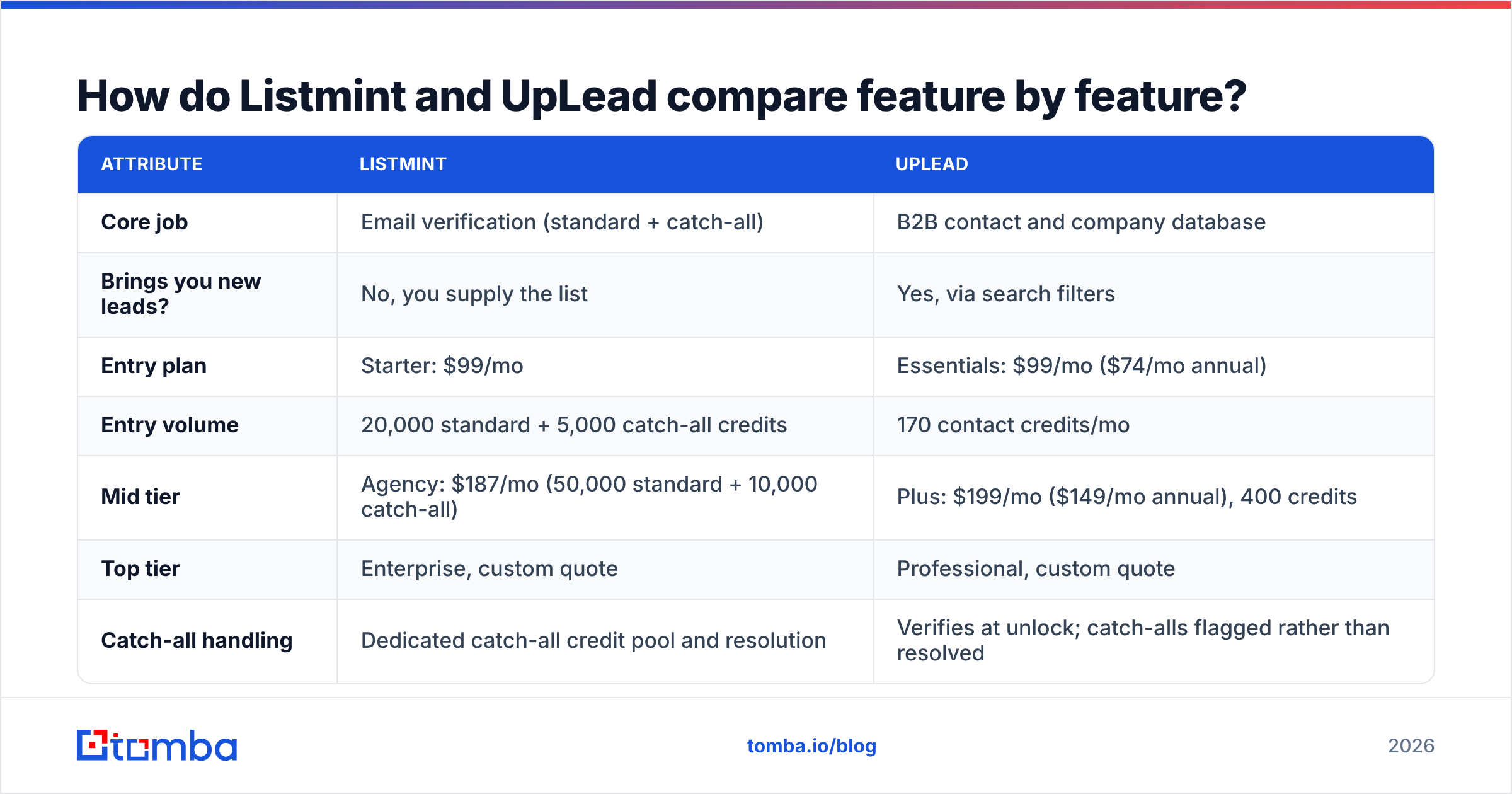
The table below is the short version. Prices come from each vendor's published plans at the time of writing. Check their pricing pages before you buy, because credit bundles change often.
| Attribute | Listmint | UpLead |
|---|---|---|
| Core job | Email verification (standard + catch-all) | B2B contact and company database |
| Brings you new leads? | No, you supply the list | Yes, via search filters |
| Entry plan | Starter: $99/mo | Essentials: $99/mo ($74/mo annual) |
| Entry volume | 20,000 standard + 5,000 catch-all credits | 170 contact credits/mo |
| Mid tier | Agency: $187/mo (50,000 standard + 10,000 catch-all) | Plus: $199/mo ($149/mo annual), 400 credits |
| Top tier | Enterprise, custom quote | Professional, custom quote |
| Catch-all handling | Dedicated catch-all credit pool and resolution | Verifies at unlock; catch-alls flagged rather than resolved |
| Phone numbers | No | Yes, direct dials/mobiles where available |
| Firmographic / technographic filters | No | Yes |
| API | Yes | Yes (higher tiers) |
| Best for | Agencies and senders cleaning big, messy lists | SDR teams that need targeted net-new contacts |
The pricing rows are where people get confused. $99 at Listmint buys you checks on up to 25,000 addresses. $99 at UpLead buys you 170 people. That isn't a markup. UpLead is charging for sourcing the data, and Listmint is charging only for testing it.

How does Listmint handle catch-all emails?#
Catch-all handling is the reason Listmint exists, so it's worth understanding what a catch-all is.
A catch-all domain (sometimes called accept-all) is set up to accept mail sent to any address at that domain, whether or not the mailbox exists. When a normal verifier connects over SMTP and asks "does jane.doe@company.com exist?", the server answers "yes" for Jane and also for zzz123@company.com. The verifier can't tell them apart, so it returns "unknown" or "risky."
For B2B senders this is a real problem. Mid-market and enterprise companies are much more likely to run catch-all configurations, often because of security gateways. If you throw away every catch-all, you lose a large share of your best accounts. If you send to all of them blind, some will hard-bounce, and those bounces hurt your sender reputation.
Listmint's answer is a separate "catch-all credit" pool with its own verification method, priced above standard SMTP checks. According to Listmint's own positioning, this can recover 50%+ more valid leads from lists that would otherwise be discarded. We haven't independently benchmarked that number, so treat it as a vendor claim to test on your own data. The usual approach is to split-test 1,000 catch-all rows and track bounce rates in your sending tool.
What Listmint does well:
- Separate credit pools. You pay catch-all rates only on catch-all rows, not on the whole file.
- High volume per dollar. 20,000+ checks at the entry tier suits agencies running many client campaigns.
- Works with any source. Scraped lists, event attendee lists, CRM exports, and even UpLead exports.
- API access. You can verify at the point of capture instead of in batches.
Where it stops:
- It won't find you a single new contact.
- There are no phone numbers, company data or intent signals.
- It doesn't fix your targeting. A clean list of the wrong people is still the wrong list.
If you'd rather keep verification in the same tool you use to find contacts, Tomba's catch-all verifier does the same kind of accept-all resolution next to the standard email verifier.
What does UpLead do better than a verifier?#
UpLead is built for building a list from nothing. Its value is in the search and the filters, not in the verification alone.
What you get:
- Granular filtering. Industry, employee count, revenue range, location, job function, seniority, and technographics (for example, "companies using HubSpot with 50–200 employees").
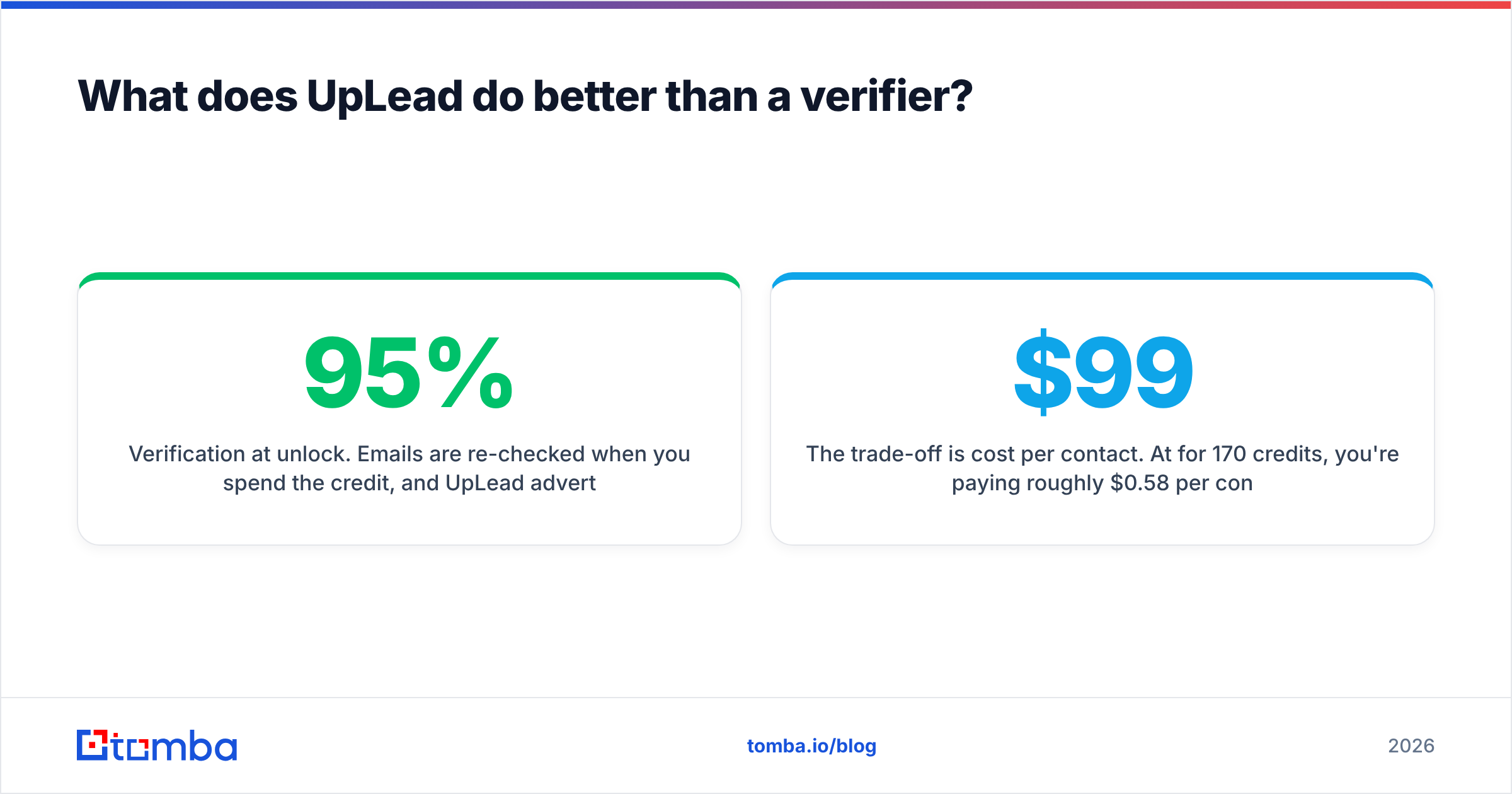
- Verification at unlock. Emails are re-checked when you spend the credit, and UpLead advertises a 95% data accuracy guarantee with credit refunds for bounced contacts. Read the terms before counting on the refund.
- Direct dials. One credit unlocks the email and the mobile number where available, which helps if your team runs call blocks.
- CRM integrations. Push contacts straight into Salesforce, HubSpot or Pipedrive on most tiers.
- Chrome extension. Look up contacts while browsing company sites or LinkedIn.
The trade-off is cost per contact. At $99/mo for 170 credits, you're paying roughly $0.58 per contact on monthly Essentials, or about $0.44 if you prepay annually at $74/mo. Top-up credits run around $0.60 on Essentials and $0.50 on Plus. That's fine for a small SDR team working a tight ICP, but expensive if you're an agency filling 20 client sequences a week.
Reviews on G2 are generally positive on accuracy and usability. Recurring complaints are about credit limits and thinner coverage outside North America. That's worth checking if you sell mostly into EMEA or APAC.
Which tool gives the better cost per usable contact?#
You can't compare cost per credit directly, because the credits buy different things. The fairer metric is cost per usable contact: a person who matches your ICP, has a deliverable email, and actually reaches an inbox.
Take a team that needs 1,000 usable contacts per month:
- UpLead only. About 1,000 credits. That's past the Plus plan's 400, so you need top-ups or a Professional quote, likely several hundred dollars a month. Verification is built in, so you don't need a second tool.
- Cheap or scraped source + Listmint. The list might cost little or nothing, and Listmint Starter ($99) covers verification with room left over. But you'll verify 2,000–3,000 raw rows to end up with 1,000 good ones, and you have to build targeting and enrichment yourself.
- UpLead + Listmint together. Makes sense only if you're getting a lot of catch-all results from UpLead that you want resolved instead of skipped. Otherwise you're paying twice for verification.
- One tool that finds and verifies. An email finder with built-in verification and catch-all checks, such as Tomba, can cover both steps from $49/mo. It won't match UpLead's technographic filters. It does remove the two-subscription overhead for teams whose main need is "get me this person's working email."
There's no single right answer. It depends on where your hours go. If your SDRs spend most of their time building lists, UpLead's filters pay for themselves. If they spend it cleaning up bounces, Listmint is the fix.
Is Listmint or UpLead better for your use case?#
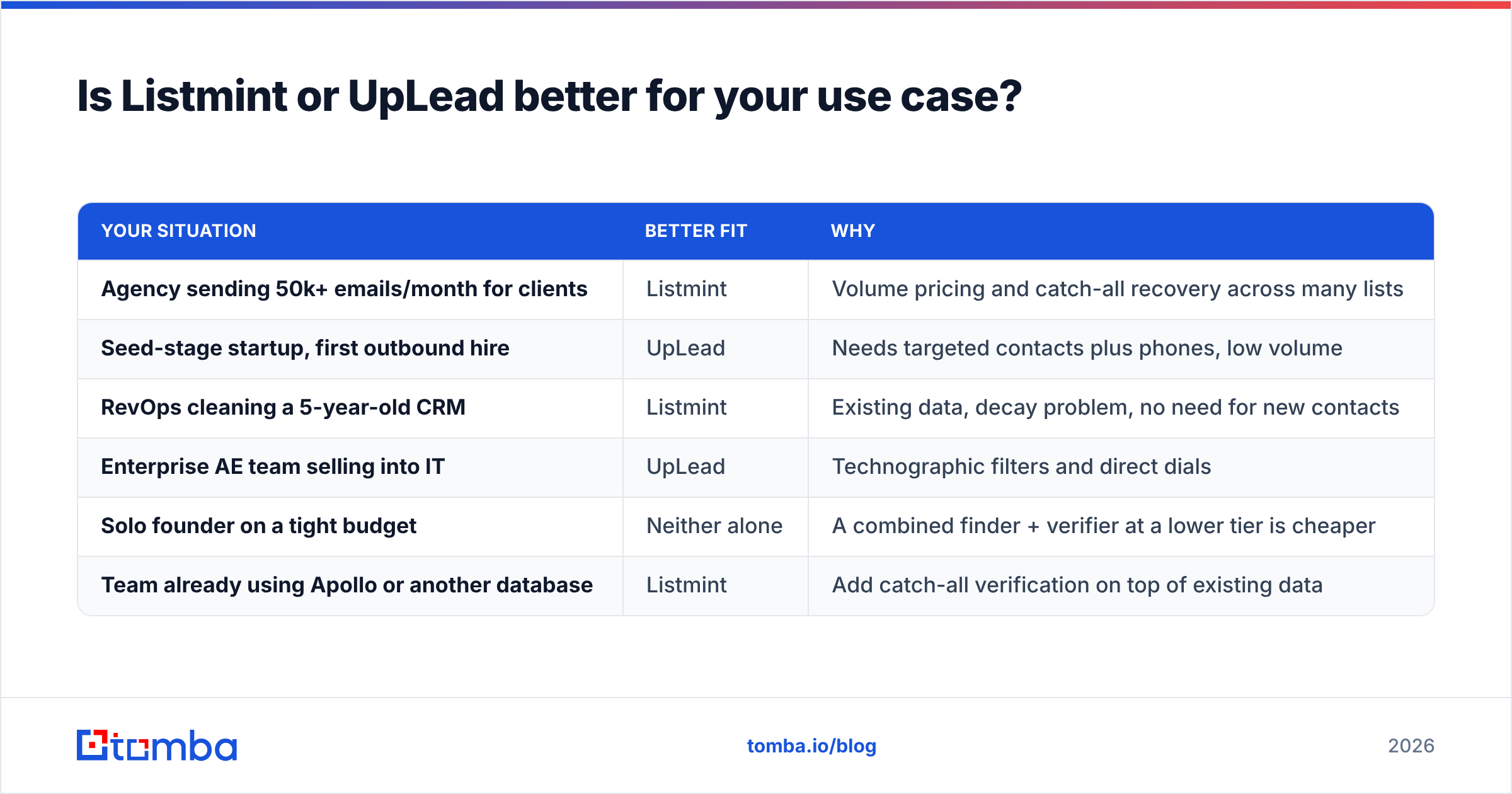
Here's how different teams usually decide:
| Your situation | Better fit | Why |
|---|---|---|
| Agency sending 50k+ emails/month for clients | Listmint | Volume pricing and catch-all recovery across many lists |
| Seed-stage startup, first outbound hire | UpLead | Needs targeted contacts plus phones, low volume |
| RevOps cleaning a 5-year-old CRM | Listmint | Existing data, decay problem, no need for new contacts |
| Enterprise AE team selling into IT | UpLead | Technographic filters and direct dials |
| Solo founder on a tight budget | Neither alone | A combined finder + verifier at a lower tier is cheaper |
| Team already using Apollo or another database | Listmint | Add catch-all verification on top of existing data |
The last row matters. Many teams looking at "Listmint vs UpLead" already pay for some database. If so, you probably don't need a second database. You need better verification on the one you have.

What are the pros and cons of each?#
Listmint
- Pro: One of the few tools that focuses specifically on catch-all resolution
- Pro: Very low cost per verification at volume
- Pro: Works with whatever data source you already use
- Con: No prospecting, enrichment or phone data
- Con: Separate credit pools take some planning so you don't run out of catch-all credits mid-campaign
- Con: Newer and less reviewed than long-standing verifiers, so run a pilot before migrating
UpLead
- Pro: Real-time verification included with every contact
- Pro: Strong filtering, including technographics
- Pro: Email and mobile in one credit
- Pro: Accuracy guarantee with credit refunds
- Con: High cost per contact compared with verification-only tools
- Con: Monthly credit caps limit high-volume outbound
- Con: Coverage outside North America is thinner, per user reviews
How do you decide in five minutes?#
Answer these three questions in order:
- Do you already have more contacts than you can email? If yes, you have a data-quality problem, not a data-volume problem. Start with Listmint or another verifier.
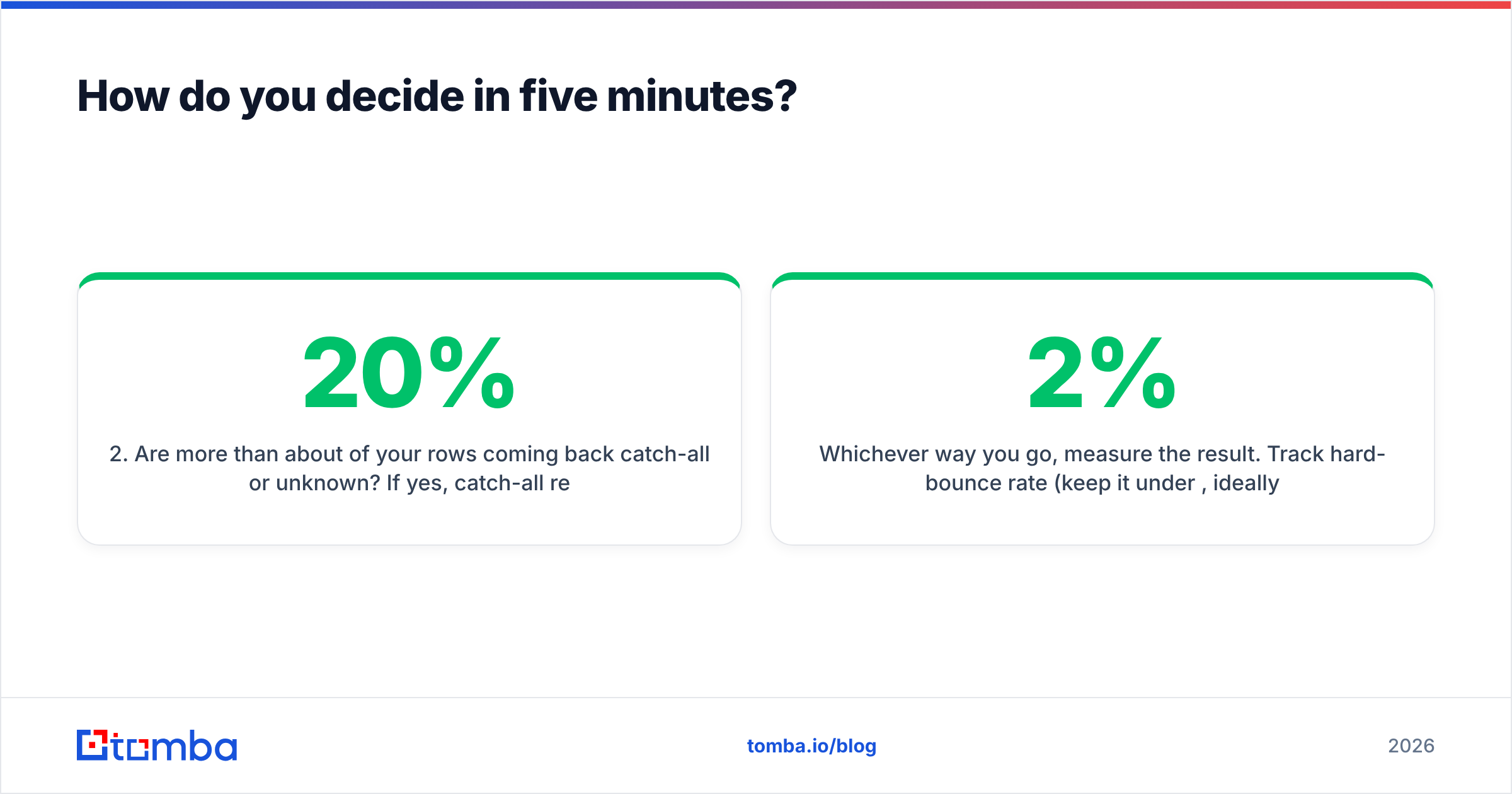
- Are more than about 20% of your rows coming back catch-all or unknown? If yes, catch-all resolution (Listmint's specialty, or a catch-all verifier elsewhere) will get back real pipeline.
- Do you need phone numbers or technographic filters? If yes, UpLead or a comparable database is the right purchase, and verification is already included.
If you answered "no" to all three, you probably need neither tool at its current price. A lighter finder-plus-verifier setup will do.
Whichever way you go, measure the result. Track hard-bounce rate (keep it under 2%, ideally under 1%) and reply rate by list source for at least two campaigns before you commit to an annual plan. HubSpot's email deliverability guidance is a good checklist for what to monitor alongside bounces.
Where does Tomba fit if you want one tool instead of two?#
If you're comparing Listmint and UpLead because you want accurate emails without paying for two subscriptions, consider a combined tool. Tomba Email Finder looks up professional addresses by name + domain, by domain alone, or from LinkedIn. It verifies them in the same workflow and flags or resolves catch-all domains, so you don't need a separate cleaning step. Plans start with a free tier (25 searches/month) and go to $49/mo Starter, $99/mo Growth and $249/mo Pro. See Tomba pricing for credit details.
It doesn't replace UpLead's technographic filtering or a dedicated high-volume catch-all verifier for agencies processing hundreds of thousands of rows. For most SDR teams and founders, though, finding and verifying in one place is the simpler and cheaper setup. Try the Tomba Email Finder on your next 25 prospects and compare the bounce rate with your current stack.
Related guides#
// get started
Find, verify and enrich your first contacts today
Start on the free plan with 25 searches a month, then scale when your team is ready.
Free plan · No credit card required · GDPR & CCPA
// about the author