Lusha vs Tomba (2026): Pricing, Data Coverage and Which to Pick
Lusha is built around direct dials and LinkedIn prospecting. Tomba is built around finding and verifying emails by domain. Here's how they compare on pricing, credits, accuracy and workflow, and which one fits your team.
TL;DR
- Lusha is a contact-data platform built around direct dials and mobile numbers. It works best for SDR teams who prospect on LinkedIn and call a lot.
- Tomba is an email finder first. You can search a whole domain, look up a single person, verify the result and check catch-all servers, all from one account.
- Lusha's credits make phone data expensive: a phone reveal costs about 10 credits and an email costs 1. Tomba's plans (Free, $49, $99, $249/mo) are built around email searches and verifications.
- Pick Lusha if phone numbers drive your pipeline and you work inside Salesforce or HubSpot. Pick Tomba if email is your main channel and you need domain-level search, verification or API access without per-seat pricing.
- Plenty of teams use both: Lusha for dials on a few key accounts, Tomba for email at volume.
What is the real difference between Lusha and Tomba?#
Lusha and Tomba both get filed under "B2B contact data," but they answer different questions.
Lusha's question is "How do I reach this person right now?" It's built for a rep looking at a LinkedIn profile who wants a mobile number and a work email in one click. Its Chrome extension, CRM enrichment and intent signals all support that one-person-at-a-time flow, and its reputation rests on phone data.
Tomba's question is "Who works at this company, and what are their verified emails?" The core product is an email finder. Next to it sit domain search, an email verifier, a catch-all verifier, a phone finder and enrichment. The flow is domain-first: type acme.com, get the known addresses, the company's email pattern and the sources, then verify before you send.
If you came here expecting one tool to beat the other on every point, it won't. They overlap on maybe 60% of jobs. The other 40% decides which one you should pay for.
How do Lusha and Tomba compare feature by feature?#
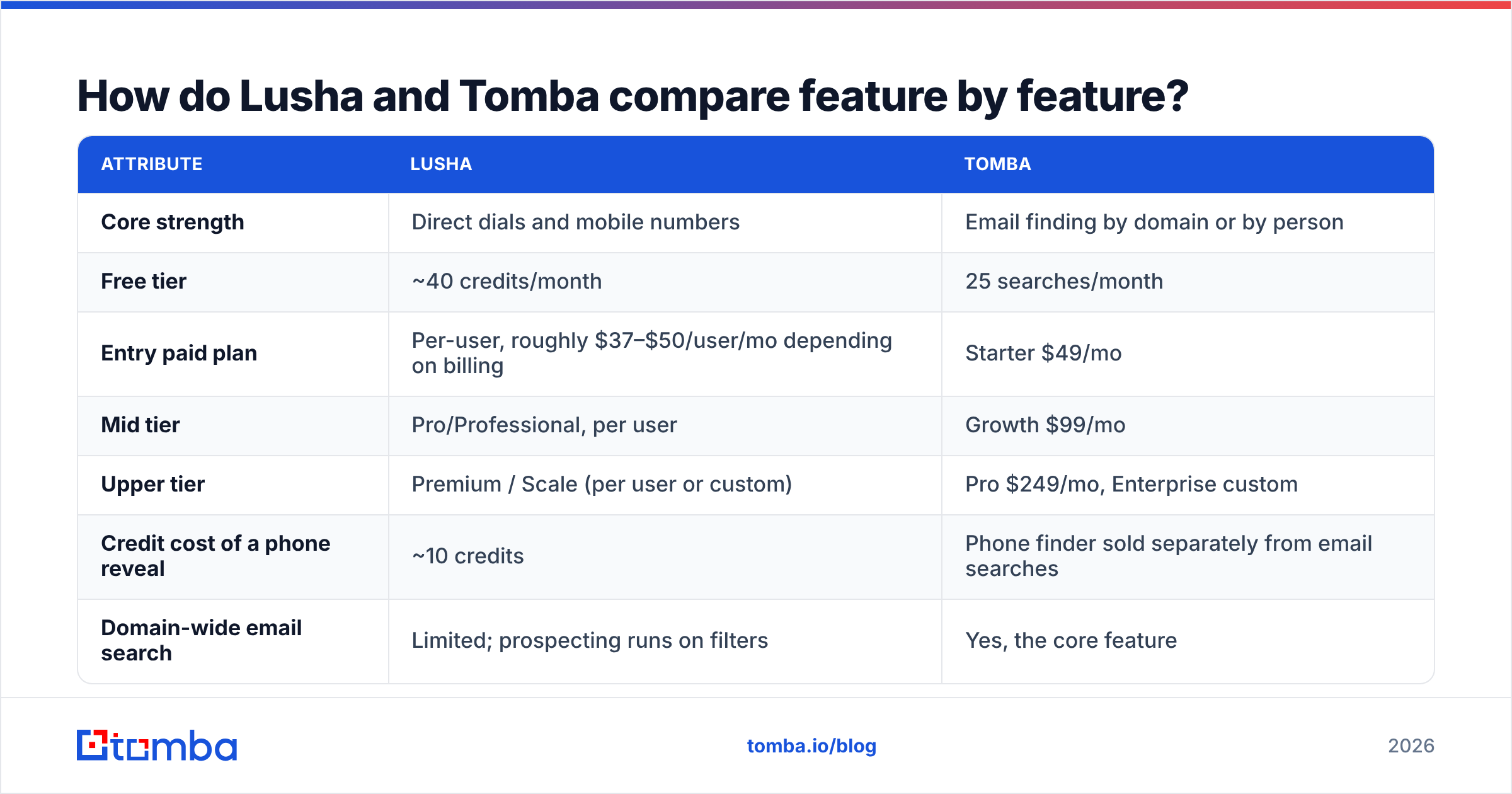
Here are the attributes that actually affect a buying decision.
| Attribute | Lusha | Tomba |
|---|---|---|
| Core strength | Direct dials and mobile numbers | Email finding by domain or by person |
| Free tier | ~40 credits/month | 25 searches/month |
| Entry paid plan | Per-user, roughly $37–$50/user/mo depending on billing | Starter $49/mo |
| Mid tier | Pro/Professional, per user | Growth $99/mo |
| Upper tier | Premium / Scale (per user or custom) | Pro $249/mo, Enterprise custom |
| Credit cost of a phone reveal | ~10 credits | Phone finder sold separately from email searches |
| Domain-wide email search | Limited; prospecting runs on filters | Yes, the core feature |
| Built-in email verification | Validation on reveal | Dedicated verifier + catch-all verifier |
| Author / article email lookup | No | Yes (Author Finder) |
| Chrome extension | Yes, LinkedIn-focused | Yes, works on websites and LinkedIn |
| CRM integrations | Salesforce, HubSpot, Pipedrive, Zoho and more | HubSpot, Salesforce, Pipedrive, Zapier, Make |
| Developer access | API on higher tiers | REST API, CLI, MCP server |
| Spreadsheet workflow | CSV enrichment | Google Sheets, Excel and Airtable add-ons |
| Best fit | Phone-heavy SDR teams | Email-led outbound, agencies, developers |
Lusha's prices and credit amounts change often, and published numbers vary between monthly and annual billing. Before you budget, check the current figures on Lusha's pricing page. The pattern holds, though: Lusha charges per user, and phone reveals use up credits about ten times faster than emails.
Which tool has better email accuracy?#
It depends on how you measure accuracy. Run a test on your own ICP before you trust any vendor's number, including the ones below.

A few things shape what you'll actually see:
- Where the data comes from. Lusha's database is built partly from its user community and partner sources, and it's strongest on North American and European contacts at mid-market and enterprise companies. Tomba collects emails from public web sources and keeps the source URLs. Tomba explains this on its data sources page, and it means you can check why an address is believed to exist.
- Catch-all domains. Many company mail servers accept every address, so "valid" doesn't tell you much. Lusha marks confidence on reveal. Tomba runs a separate catch-all verification step. If a big share of your targets use catch-all servers (common in enterprise and Microsoft 365 setups), this matters more than any headline percentage.
- Pattern inference vs found addresses. When there's no known address, both tools fall back on the company's email pattern. Tomba shows you the pattern and its confidence. That helps when you're building emails for a new hire who isn't indexed anywhere yet.
The practical test: export 200 contacts from accounts you've already closed or touched. Run them through both tools. Send a verification pass (not a campaign) and compare bounces. That afternoon of work will tell you more than any review site.

How does Lusha pricing compare to Tomba pricing?#
This is where the structure matters more than the sticker price.
Lusha's model:
- Per-user licences. Five reps means five seats.
- Each seat gets a monthly or annual pool of credits.
- An email reveal costs about 1 credit. A phone reveal costs about 10.
- Exports, intent data and some integrations are locked to higher tiers.
So if your reps mostly pull phone numbers, a 400-credit seat buys around 40 contacts with a dial, not 400. That's why teams often say their real Lusha spend runs well above the plan price once they add top-ups and extra seats.
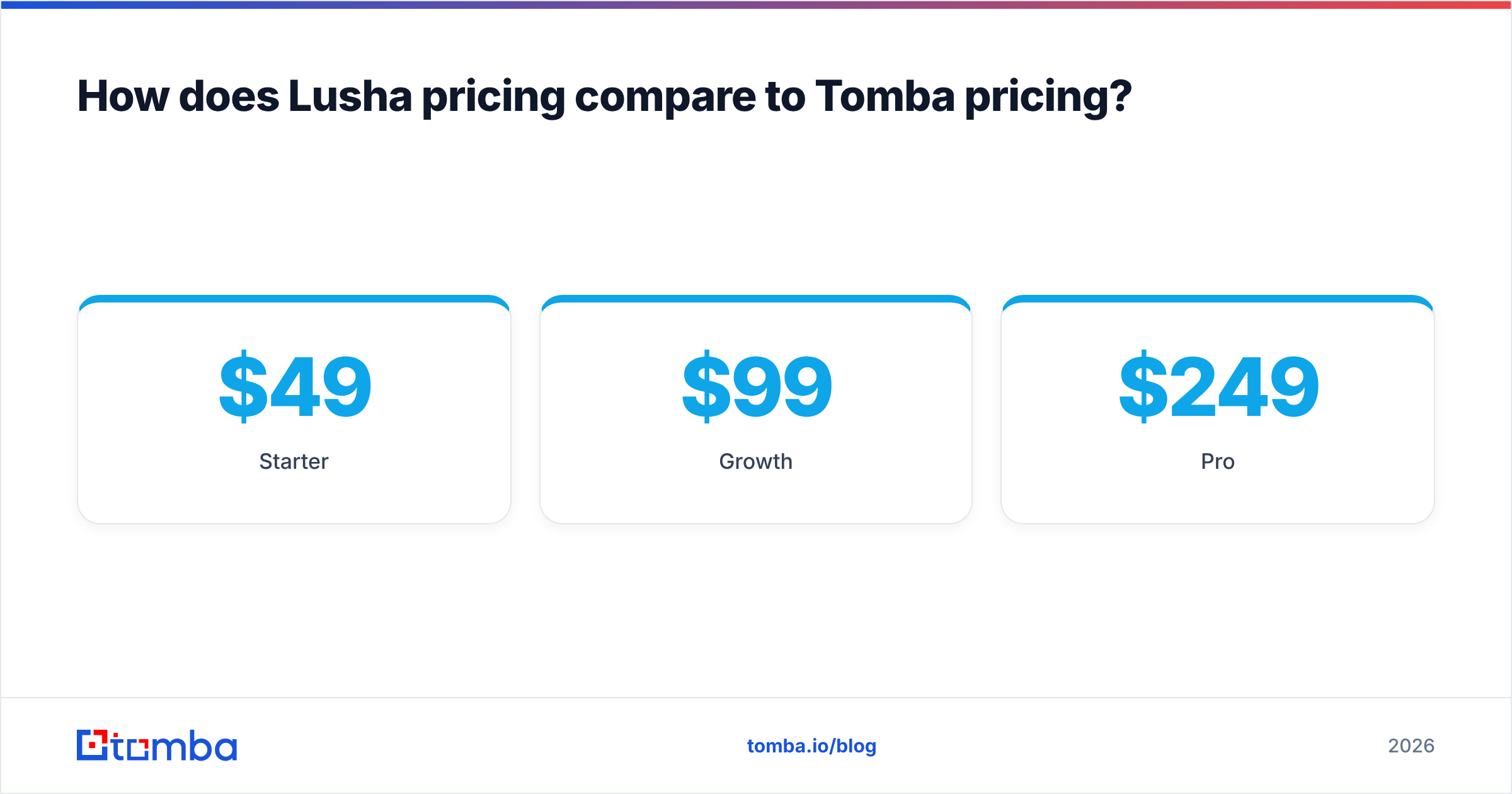
Tomba's model:
- Free: 25 searches per month
- Starter: $49/mo
- Growth: $99/mo
- Pro: $249/mo
- Enterprise: custom
Searches and verifications are the units, and the plan isn't built around phone-reveal multipliers. Full allowances are on the Tomba pricing page.
Worked example. Say a 3-person team needs about 1,500 verified emails and 100 phone numbers a month.
- On a per-seat credit model, you pay for three seats. The 100 phone reveals alone use about 1,000 credits, before you've pulled a single email.
- On an account-level email plan, the 1,500 emails fit a mid-tier plan, and phone lookups come out of a separate pool.
Neither model is wrong. Per-seat pricing suits a team where every rep prospects alone in LinkedIn. Account-level pricing suits a team where one ops person or a script pulls lists for everyone.
What are the pros and cons of Lusha?#
Pros
- Phone data quality. Direct dials and mobiles are why most teams buy Lusha. For cold-calling teams, connect rate is the metric that matters, and Lusha has a solid reputation there.
- LinkedIn workflow. The extension sits right on top of LinkedIn and Sales Navigator, so reps barely leave the page.
- CRM depth. Native enrichment for Salesforce and HubSpot, with automatic field updates on higher plans.
- Compliance posture. Lusha puts GDPR and CCPA alignment front and centre in its marketing, which helps when legal reviews the purchase.
- Large review base. There are thousands of reviews on G2's Lusha page, so it's easy to find feedback from a team like yours.
Cons
- Per-seat pricing grows linearly with headcount.
- The 10:1 phone-to-email credit ratio drains budgets fast.
- Coverage drops outside North America and Western Europe, and for small companies.
- Domain-wide email discovery isn't really what it's designed for.
What are the pros and cons of Tomba?#
Pros
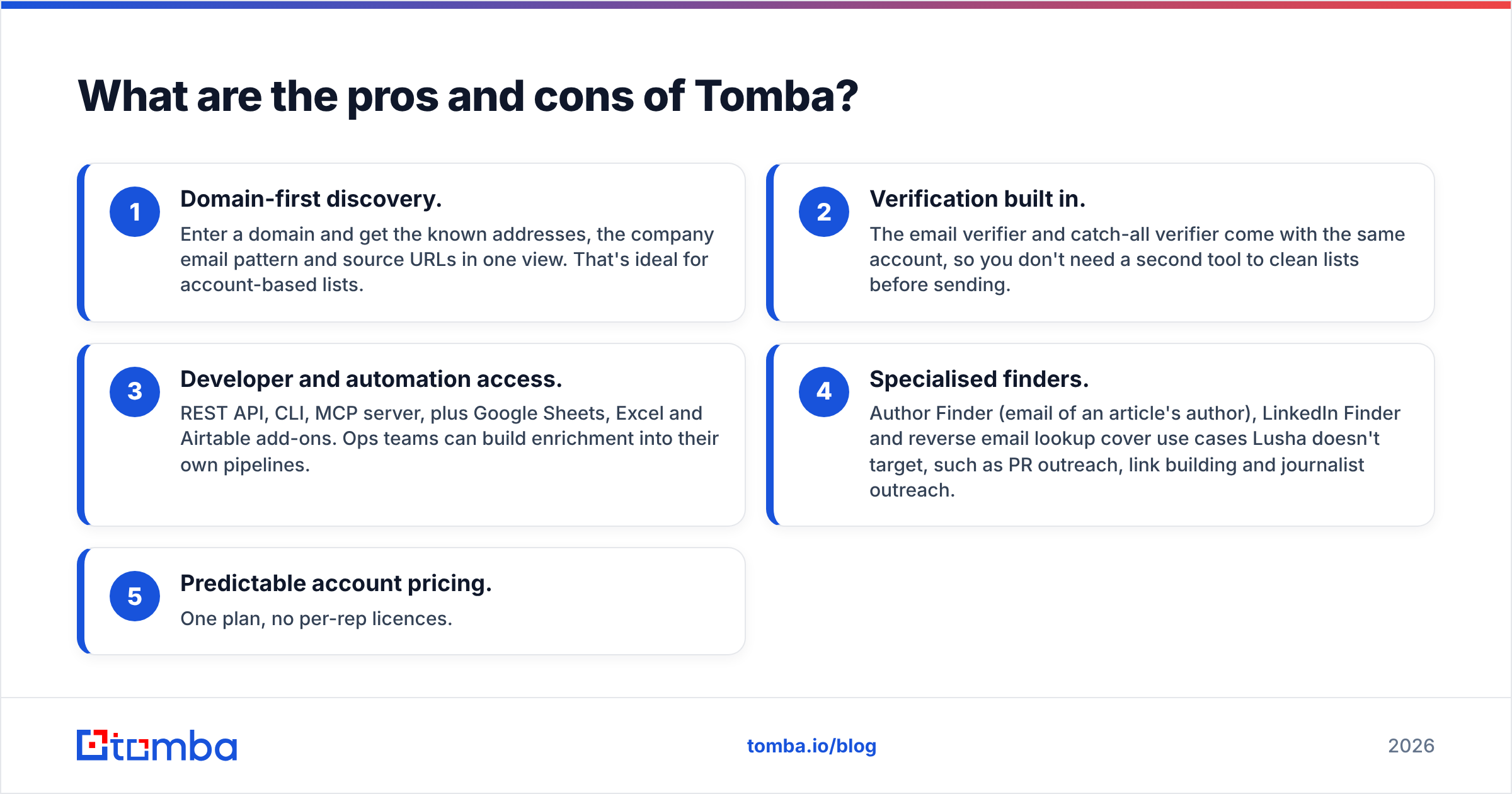
- Domain-first discovery. Enter a domain and get the known addresses, the company email pattern and source URLs in one view. That's ideal for account-based lists.
- Verification built in. The email verifier and catch-all verifier come with the same account, so you don't need a second tool to clean lists before sending.
- Developer and automation access. REST API, CLI, MCP server, plus Google Sheets, Excel and Airtable add-ons. Ops teams can build enrichment into their own pipelines.
- Specialised finders. Author Finder (email of an article's author), LinkedIn Finder and reverse email lookup cover use cases Lusha doesn't target, such as PR outreach, link building and journalist outreach.
- Predictable account pricing. One plan, no per-rep licences.
Cons
- Phone coverage isn't the main product. If dials drive your pipeline, test the phone finder against Lusha on your own accounts before you switch.
- Fewer intent and buying-signal features than Lusha's top tiers.
- The CRM integrations are solid but less "set and forget" than Lusha's native Salesforce enrichment.
Is Lusha better than Tomba for SDR teams?#
For a phone-first SDR team, often yes. If your reps make 60 dials a day and email is secondary, Lusha's mobile coverage and LinkedIn extension fit the job. The per-seat price buys real speed for each rep.
For an email-first outbound team, usually not. A team running sequences in Instantly, Smartlead, Outreach or Apollo sequences needs volume, verification and clean domains. Paying 1 credit per email on a per-seat plan, then running a separate verifier, costs more than one account that finds and verifies in the same step.
For agencies and lead-gen shops, Tomba tends to fit better. Agencies pull lists for many clients across many domains, often through spreadsheets or the API. Per-seat licensing doesn't match that work.
For RevOps and developers wiring enrichment into a CRM or data warehouse, compare API terms directly. Tomba gives API, CLI and MCP access from its plans. Lusha's API is real, but check which tier includes it before you build against it.

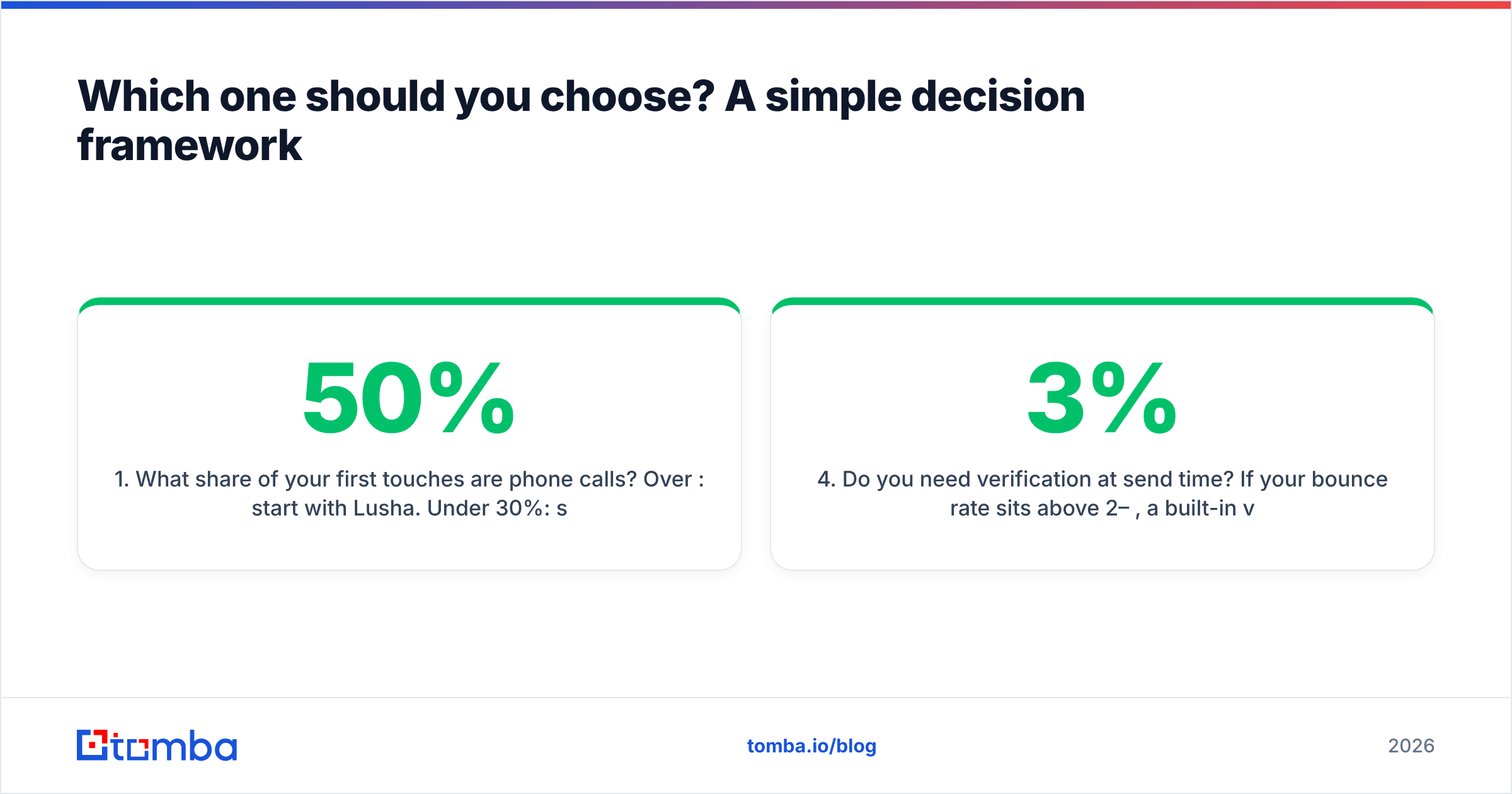
Which one should you choose? A simple decision framework#
Answer these four questions honestly:
- What share of your first touches are phone calls? Over 50%: start with Lusha. Under 30%: start with Tomba.
- How many people need access? One ops person pulling lists for everyone favours account-level pricing. Ten reps each prospecting on LinkedIn favours per-seat tools.
- Do you prospect by account or by person? Account-based (whole domains, buying committees) favours domain search. Person-by-person LinkedIn browsing favours Lusha's extension.
- Do you need verification at send time? If your bounce rate sits above 2–3%, a built-in verifier and catch-all check will pay for itself in sender reputation.

Can you use Lusha and Tomba together?#
Yes, and it's a common setup for teams that sell to enterprise accounts:
- Tomba builds and verifies the email list. Run domain search on your target accounts, verify, then push to your sequencer.
- Lusha pulls direct dials for the top 10–20% of accounts where a call is worth it.
This keeps phone-credit spend on the contacts that justify it, while email volume runs on a plan priced for volume. Just dedupe in your CRM so the two tools don't overwrite each other's fields.
What about data privacy and compliance?#
Both vendors handle personal data about EU and California residents, so both fall under GDPR and CCPA rules. Whichever you choose, you are still the data controller for your outreach. That means:
- Document a legitimate-interest basis for cold B2B email in the EU.
- Honour opt-outs across every tool, not just your sequencer.
- Store source information where you can. Tomba exposes source URLs per email, which helps if a prospect asks where you got their address.
Ask both vendors for their DPA and current security certifications during procurement. Don't rely on a comparison blog, this one included, for legal sign-off.
Final verdict: Lusha vs Tomba#
Lusha is the better buy when phone numbers are your main channel, your reps live in LinkedIn and you can accept per-seat pricing. Tomba is the better buy when email is your main channel, you prospect by account or domain, and you want finding, verification and API access in one account at a flat price.
For most email-led outbound teams, agencies and developers, Tomba covers more of the daily work for less money. For call-heavy SDR teams, Lusha's dials are hard to replace.
If email is how you start conversations, try the Tomba Email Finder on your own target accounts. The free tier gives you 25 searches a month, enough to run the 200-contact bounce test above on a sample. You can see the domain patterns, source URLs and verification results before you spend anything.
Related guides#
// get started
Find, verify and enrich your first contacts today
Start on the free plan with 25 searches a month, then scale when your team is ready.
Free plan · No credit card required · GDPR & CCPA
// about the author