Mailgun vs Tomba: Email Sending API vs Email Finder Compared
Mailgun sends email and Tomba finds the people to send it to. Here is where the two tools overlap, where they don't, and which one your stack needs first.
TL;DR
- Mailgun and Tomba solve different problems. Mailgun is an email sending API for transactional and marketing mail. Tomba is an email finding and enrichment platform that tells you who to contact and whether the address is real.
- The only real overlap is email validation. Mailgun sells validation as part of its Optimize product line, and Tomba has a standalone email verifier. Both can catch bad addresses before you send.
- Mailgun is the wrong tool for cold outreach. Its acceptable use policy is written for permission-based email, so sending to contacts you found yourself puts your account at risk.
- Most B2B teams that need both use them in sequence: find and verify with Tomba, then send product and transactional mail through Mailgun (and cold email through a dedicated outreach platform).
- Pick by job: if your app needs to send password resets and receipts, start with Mailgun. If your sales team needs verified B2B contacts, start with Tomba.
Why are people comparing Mailgun and Tomba at all?#
They show up in the same searches because both deal with email addresses and both have developer APIs. If you're a founder or RevOps lead building an outbound stack, you've probably seen "Mailgun" next to words like validation and "Tomba" next to verification and figured they compete.
They mostly don't. Think about a restaurant. Mailgun is the delivery fleet that gets food to the door on time. Tomba is the reservation book that tells you who your guests are and whether their phone numbers work. Both matter, but one can't stand in for the other.
The confusion matters because picking the wrong tool for a job causes real damage: bounces, blocked sending domains, or a sales team with nobody to email. This guide splits the two by function, compares them where they actually overlap, and ends with a recommendation for each type of buyer.
What is Mailgun?#
Mailgun is an email delivery service built for developers. It started as a REST and SMTP API for sending, receiving and tracking email from applications, and it's now part of Sinch's messaging group. Its main jobs are:
- Transactional email such as sign-up confirmations, password resets, invoices and alerts
- Bulk and marketing sends to opted-in lists, with templates and scheduling
- Inbound routing, which parses incoming email and forwards it to your app through webhooks
- Deliverability tooling under the Mailgun Optimize name, including inbox placement testing, reputation monitoring and email validation
If you've worked with SMTP, Mailgun is what saves you from running your own mail servers. You call an endpoint, it handles queueing, retries, authentication (SPF, DKIM, DMARC) and analytics. The Mailgun documentation is detailed, and the SDKs cover every major language.
Mailgun does not find email addresses. It has no database of people or companies and no domain search, and it won't tell you who the VP of Sales at a given company is. It delivers mail to addresses you already have.
What is Tomba?#
Tomba is a B2B email-finder and lead-enrichment platform. Its core product is the email finder: give it a name and company, or just a domain, and it returns professional email addresses with confidence scores and public sources.
Around that core sit:
- An email verifier that checks syntax, MX records, SMTP response and disposable/role-based status
- Domain search, which lists every known address at a company
- A catch-all verifier for domains that accept any address
- A phone finder and phone validator
- Data enrichment that fills in title, company, location and social profiles
- Access through a Chrome extension, Google Sheets and Excel add-ons, a CLI, an MCP server and a REST API
Tomba does not send email. You won't find SMTP relay, templates or open tracking in it. It produces clean, verified contact data, and you hand that data to whatever sending tool fits the job.

How do Mailgun and Tomba differ in practice?#
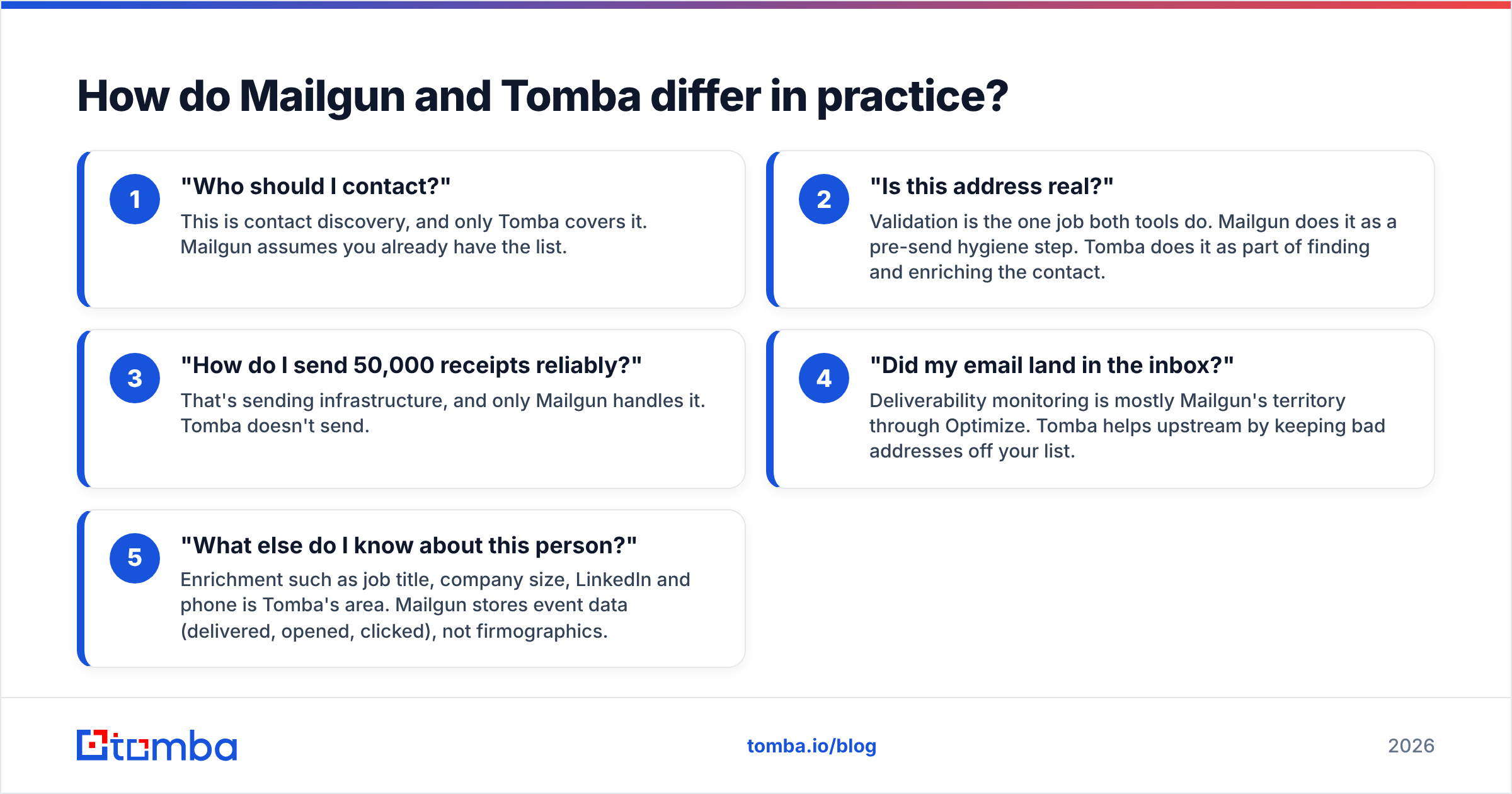
Here's the split by job. These are the five questions that decide which tool you reach for:
- "Who should I contact?" This is contact discovery, and only Tomba covers it. Mailgun assumes you already have the list.
- "Is this address real?" Validation is the one job both tools do. Mailgun does it as a pre-send hygiene step. Tomba does it as part of finding and enriching the contact.
- "How do I send 50,000 receipts reliably?" That's sending infrastructure, and only Mailgun handles it. Tomba doesn't send.
- "Did my email land in the inbox?" Deliverability monitoring is mostly Mailgun's territory through Optimize. Tomba helps upstream by keeping bad addresses off your list.
- "What else do I know about this person?" Enrichment such as job title, company size, LinkedIn and phone is Tomba's area. Mailgun stores event data (delivered, opened, clicked), not firmographics.
Mailgun vs Tomba: feature-by-feature comparison#
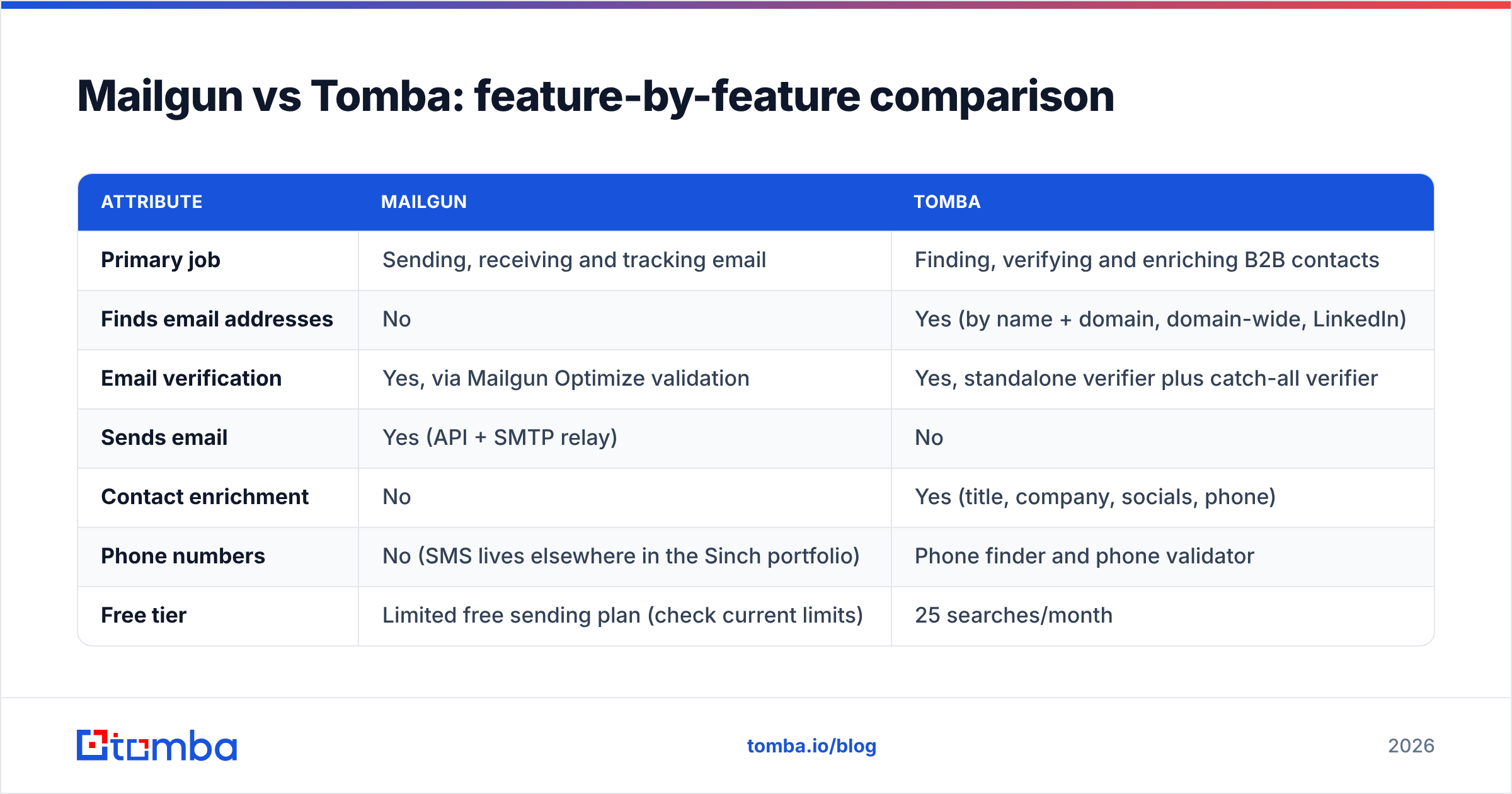
| Attribute | Mailgun | Tomba |
|---|---|---|
| Primary job | Sending, receiving and tracking email | Finding, verifying and enriching B2B contacts |
| Finds email addresses | No | Yes (by name + domain, domain-wide, LinkedIn) |
| Email verification | Yes, via Mailgun Optimize validation | Yes, standalone verifier plus catch-all verifier |
| Sends email | Yes (API + SMTP relay) | No |
| Contact enrichment | No | Yes (title, company, socials, phone) |
| Phone numbers | No (SMS lives elsewhere in the Sinch portfolio) | Phone finder and phone validator |
| Free tier | Limited free sending plan (check current limits) | 25 searches/month |
| Entry paid plan | Sending plans start in the low-tens of dollars per month | Starter $49/mo |
| Mid-tier | Higher sending volume tiers, Optimize priced separately | Growth $99/mo, Pro $249/mo |
| Primary user | Developers and product/engineering teams | SDRs, growth, RevOps, recruiters, developers |
| Interfaces | REST API, SMTP, dashboard | Web app, Chrome extension, Sheets/Excel, API, CLI, MCP |
| Cold outreach suitability | Not designed for it; AUP restricts unsolicited mail | Built for sourcing outbound contacts (you still need a sender) |
Mailgun changes its plans and limits fairly often, so check the Mailgun pricing page before you budget. Tomba's tiers are listed on Tomba pricing.
Is Mailgun's email validation the same as Tomba's email verifier?#
They answer the same question ("will this address bounce?") but come at it from different directions.
Mailgun validation is built as a gate in front of sending. You run your existing list through it, or call it at sign-up to reject typos like jon@gmial.com. It returns a risk rating and flags disposable, role-based and undeliverable addresses. If your list is opt-in users of your own product, this fits well: you protect your sending domain without changing tools.
Tomba's verifier is built as a gate in front of prospecting. Most of the addresses it checks came from a finder or enrichment step, often at company domains you've never mailed before. It adds things that matter for B2B data:
- Catch-all handling. Many corporate domains accept every address at the SMTP level, so a standard check returns "accept-all" and stops. Tomba's catch-all verifier goes further to separate likely-real addresses from guesses.
- Source context. Addresses found through Tomba come with the public pages where they appeared, so you can judge freshness.
- Bulk workflows built for sales. You can upload a CSV of names and domains, find and verify in one pass, and export back to your CRM.
Practical rule: if the addresses came from your own sign-up form, Mailgun validation is enough. If they came from prospecting, verify them with a tool designed for B2B data before they go anywhere near a sending domain.
Can you use Mailgun for cold email?#
Technically you can call the API with any recipient. Practically, you shouldn't. Mailgun's acceptable use policy, like those of most transactional ESPs, expects recipients to have opted in. Cold B2B outreach to contacts you sourced yourself sits outside that, even when it's legal in your jurisdiction and well targeted.
What tends to happen:
- Complaint and bounce rates rise above what shared infrastructure tolerates
- Mailgun throttles or suspends the account
- If you send product mail from the same domain, your password resets start landing in spam
Even with a perfectly verified list from Tomba, the problem isn't data quality. It's that transactional infrastructure isn't designed for one-to-one prospecting at volume. Cold outreach belongs on dedicated outreach platforms (Instantly, Smartlead, Lemlist, Apollo sequences and similar) that use separate warmed-up mailboxes and secondary domains, and that rotate sending. It's also worth reading up on email deliverability basics before you scale any of it.
How do Mailgun and Tomba work together in one stack?#
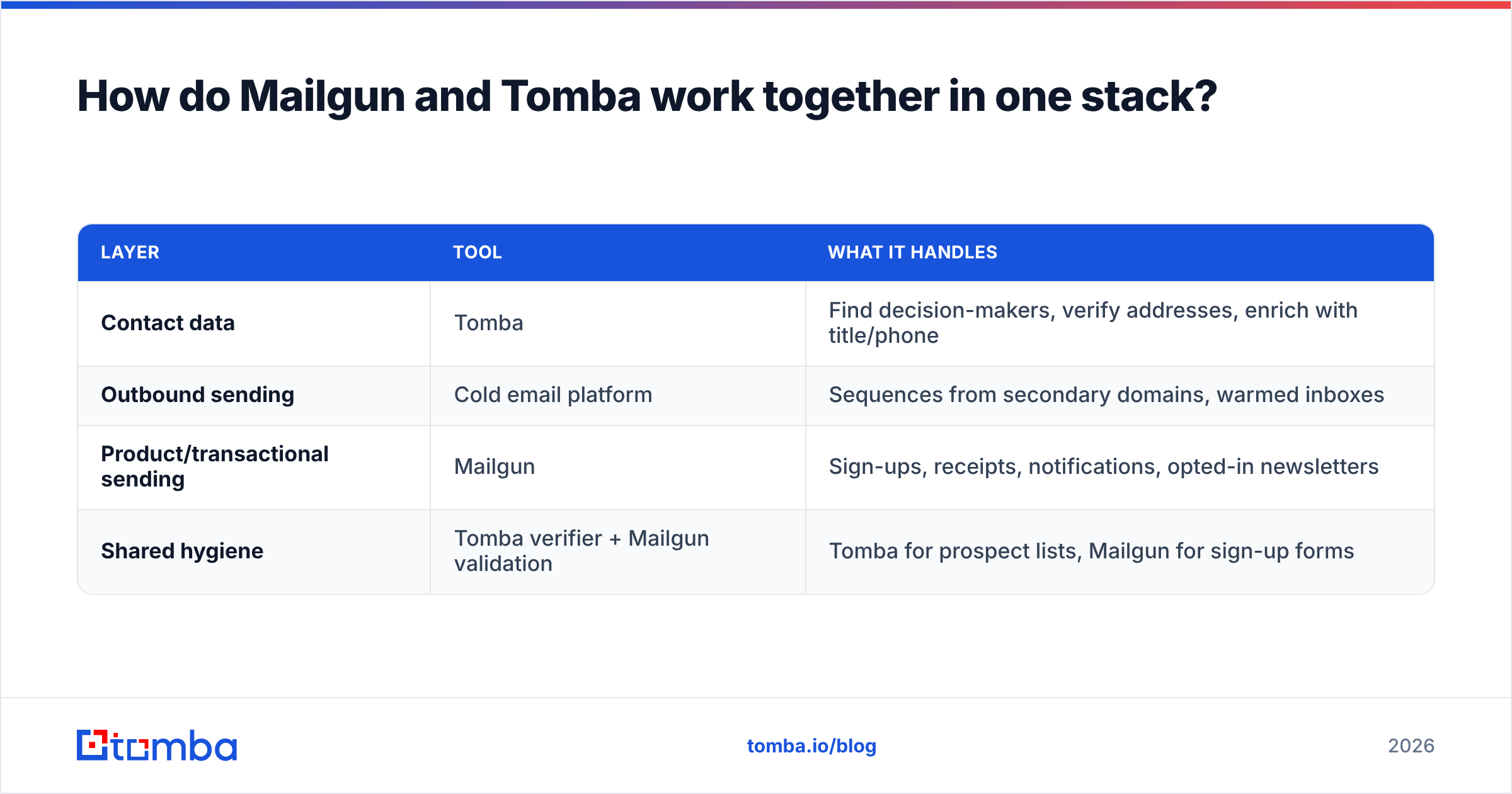
For a typical B2B SaaS company the clean setup has three layers:
| Layer | Tool | What it handles |
|---|---|---|
| Contact data | Tomba | Find decision-makers, verify addresses, enrich with title/phone |
| Outbound sending | Cold email platform | Sequences from secondary domains, warmed inboxes |
| Product/transactional sending | Mailgun | Sign-ups, receipts, notifications, opted-in newsletters |
| Shared hygiene | Tomba verifier + Mailgun validation | Tomba for prospect lists, Mailgun for sign-up forms |
A concrete flow:
- Your SDR pulls 500 target accounts into a sheet.
- Tomba's domain search and finder return the right contacts and verify them. Catch-all results get a second pass.
- Verified contacts go into your outreach tool and CRM.
- When a prospect signs up for a trial, your app sends the welcome sequence through Mailgun from your primary domain.
- Mailgun validation at the sign-up form blocks typos and throwaway addresses.
Each tool does the job it was built for, and your primary domain's reputation stays separate from your prospecting experiments.
How does pricing compare between Mailgun and Tomba?#
You can't compare them dollar for dollar because they meter different things.
- Mailgun meters messages sent per month, with plan tiers based on volume and features such as dedicated IPs, longer log retention and more inbound routes. Validation and the other Optimize features are priced separately or bundled into higher tiers. The free option is meant for testing, not production.
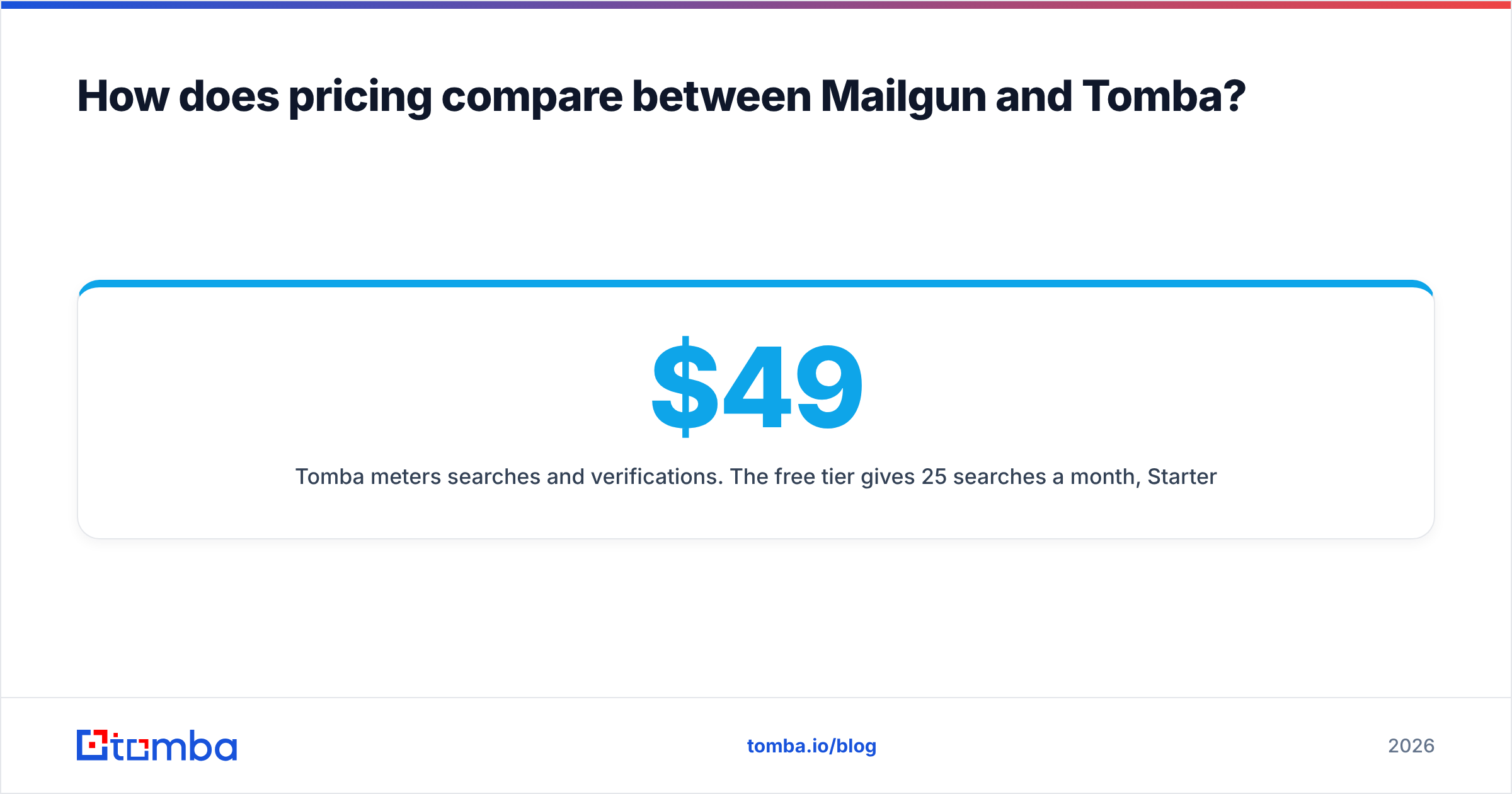
- Tomba meters searches and verifications. The free tier gives 25 searches a month, Starter is $49/mo, Growth is $99/mo, Pro is $249/mo and Enterprise is custom. Higher tiers raise credit limits and unlock bulk operations and more API throughput.
Budget them as separate lines. A product team sending 100,000 transactional emails a month and a three-person SDR team prospecting 1,000 contacts a month have completely different cost drivers, even inside the same company.
A quick sanity check if you're only buying validation: estimate how many addresses you'll check per month and compare the per-check cost on each vendor's current pricing page. If you also need to find those addresses, Tomba's plans cover both steps, so a separate validation subscription is often redundant.
What do users say about each tool?#
On review sites like G2, the two tools get praised for different things, as you'd expect:
Mailgun is generally praised for:
- Reliable API with good docs and SDKs
- Detailed logs and webhook events
- Easy setup for transactional mail
Common Mailgun complaints:
- Support response times on lower tiers
- Pricing changes and add-on costs for Optimize features
- Shared IP reputation problems on cheaper plans
Tomba is generally praised for:
- Fast domain search and finder results
- An affordable entry tier compared with larger data platforms
- Many access points (extension, Sheets, API, MCP)
Common Tomba complaints:
- Coverage is thinner in some regions and small-company niches, which is true of every email finder
- Catch-all domains still need judgement calls, even with the dedicated verifier
Neither set of complaints is a dealbreaker. They're the trade-offs you'd expect from a sending platform and a data platform.
Which should you choose: Mailgun or Tomba?#
Answer one question first: do you already have the email addresses?
Choose Mailgun if:
- You're building an app that has to send transactional or notification email
- Your recipients opted in (users, customers, newsletter subscribers)
- You need inbound parsing, webhooks or detailed delivery logs
- Your main validation need is cleaning sign-up forms and existing customer lists
Choose Tomba if:
- Your sales, recruiting or partnerships team needs to find the right person at a target company
- You're building prospect lists and need them verified before outreach
- You want enrichment (title, phone, LinkedIn) attached to each contact
- You're a developer who wants email finding through the Tomba API or an MCP server inside an AI agent
Use both if:
- You're a B2B SaaS company that prospects outbound and sends product email. This describes most companies big enough to have a sales team.
The mistake to avoid is treating one as a substitute for the other. Mailgun can't build your pipeline, and Tomba can't deliver your password resets.
Frequently asked questions#
Is Tomba an alternative to Mailgun? No. Tomba finds and verifies email addresses but doesn't send email. The only place they overlap is validation.
Does Mailgun have an email finder? No. Mailgun can validate addresses you already have, but it has no contact database or search by name or domain.
Can I verify my Mailgun list with Tomba? Yes. You can bulk-upload any list to Tomba's verifier before importing it into Mailgun, which helps on older lists or lists that came from multiple sources.
Which is better for developers? Both have solid REST APIs. Mailgun's is for sending and event tracking. Tomba's is for finding, verifying and enriching contacts. Most developer-heavy teams end up integrating both.
Get verified contacts before you hit send#
Mailgun keeps your sending infrastructure reliable, but it only works as well as the list you feed it, and it won't build that list for you. If your next problem is "who should we be emailing, and are these addresses real?", start with the Tomba Email Finder. Look up decision-makers by name, company or domain, verify every result in the same workflow, and test it on the free tier with 25 searches a month before you commit to a plan.
Related guides#
// start free
See who Tomba finds at any company
Type a company's domain to see its people, their roles and verified work emails, each with the pages it was found on. Free account, no card.
Free plan · No credit card required · GDPR & CCPA
// about the author