Email Deliverability in 2026: The Complete Sender's Guide
Your open rate means nothing if your emails never reach the inbox. Here's how email deliverability actually works in 2026 — authentication, reputation, warmup, and list hygiene — with a checklist you can run today.
Email Deliverability in 2026: The Complete Sender's Guide
You can write the best cold email of your life. If it lands in the spam folder, none of it matters. Deliverability is the quiet tax on every outbound and marketing program — and most teams don't notice they're paying it until reply rates collapse.
This guide breaks down what email deliverability actually is in 2026, why mailbox providers like Google and Microsoft put your messages where they do, and the concrete levers you control: authentication, sender reputation, warmup, and list hygiene.
TL;DR#
- Deliverability is inbox placement, not just delivery. A message can be "delivered" and still rot in spam — those are different metrics.
- Authentication is table stakes in 2026. SPF, DKIM, and DMARC are now enforced, not optional. Google and Yahoo require them for bulk senders.
- Reputation is earned by behavior — consistent volume, low complaints, low bounces, real engagement. Buying a list torches it fast.
- Warm up new domains and inboxes over 4–6 weeks before sending at volume. Cold-starting a domain at 1,000 sends/day is the fastest way to the spam folder.
- Clean your list before every send. Verifying addresses with an email verifier keeps bounce rates under the 2–3% threshold that triggers throttling.
What is email deliverability?#
Email deliverability is the share of your sent emails that actually reach the recipient's inbox — not the spam folder, not a black hole. Think of it like mailing a physical letter: "delivery" means the post office accepted it, but "deliverability" means it landed on the kitchen table instead of the recycling bin by the front door.
People conflate two metrics that look similar and mean very different things:
- Delivery rate — the email was accepted by the receiving server (it didn't hard-bounce). You can have a 99% delivery rate and still be invisible.
- Inbox placement rate — the email reached the primary inbox. This is the number that actually drives replies and revenue.
Mailbox providers decide placement using a scoring system that weighs who you are (authentication and reputation) against how recipients react to you (opens, replies, complaints, deletes). Your job is to send signals that say "this is a wanted message from a trusted sender."
Why do your emails land in spam?#
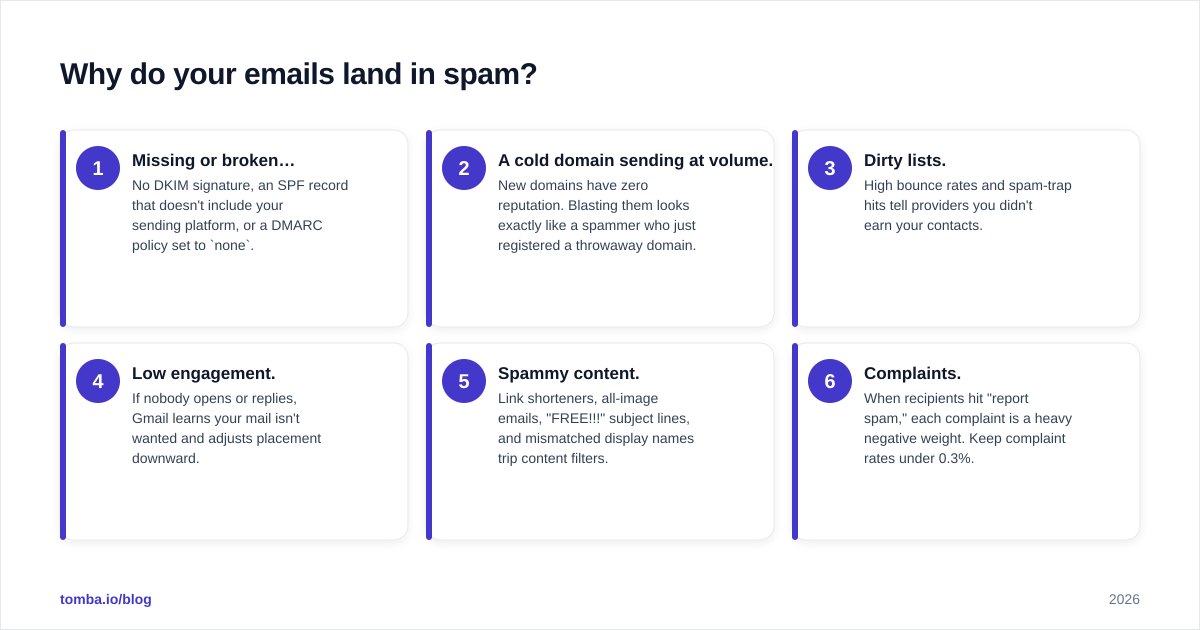
Spam placement is rarely one big mistake. It's usually the sum of several small signals. Here are the most common culprits in 2026, roughly ordered by how often they bite senders:
- Missing or broken authentication. No DKIM signature, an SPF record that doesn't include your sending platform, or a DMARC policy set to
none. - A cold domain sending at volume. New domains have zero reputation. Blasting them looks exactly like a spammer who just registered a throwaway domain.
- Dirty lists. High bounce rates and spam-trap hits tell providers you didn't earn your contacts.
- Low engagement. If nobody opens or replies, Gmail learns your mail isn't wanted and adjusts placement downward.
- Spammy content. Link shorteners, all-image emails, "FREE!!!" subject lines, and mismatched display names trip content filters.
- Complaints. When recipients hit "report spam," each complaint is a heavy negative weight. Keep complaint rates under 0.3%.
The fix isn't one heroic change. It's tightening each lever until the cumulative signal flips positive.
How do you authenticate your email in 2026?#
Authentication proves you are who you say you are. As of the Google and Yahoo bulk-sender rules that rolled out in 2024 and tightened since, all three protocols below are effectively mandatory if you send meaningful volume. Microsoft followed with similar enforcement for high-volume senders.
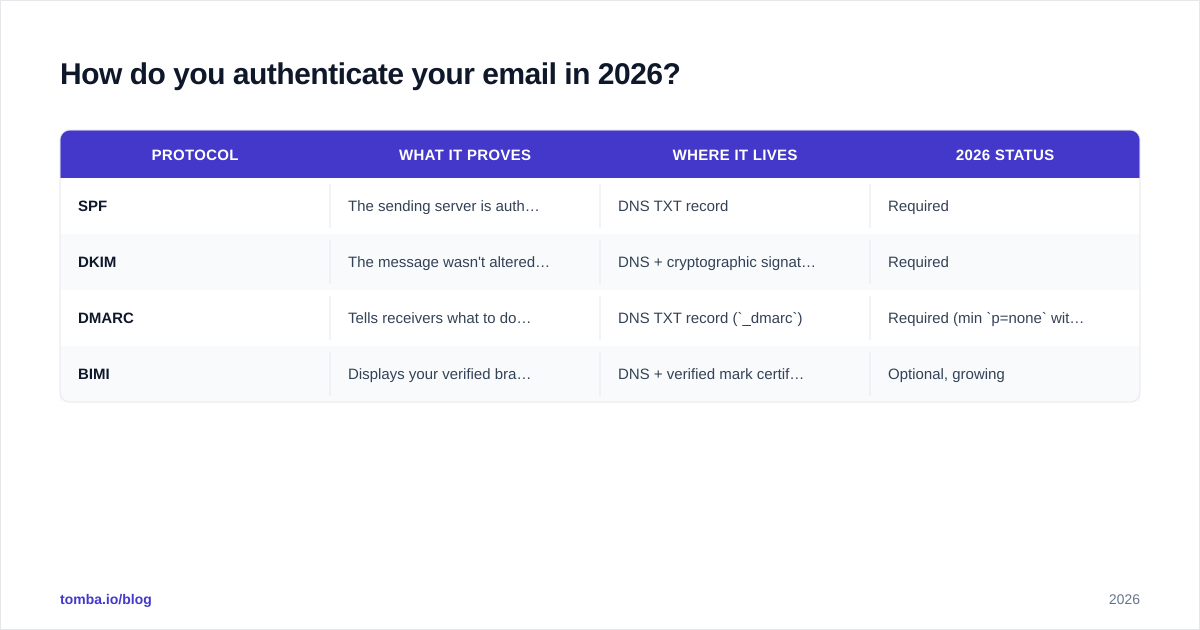
Here's how the three core protocols compare:
| Protocol | What it proves | Where it lives | 2026 status |
|---|---|---|---|
| SPF | The sending server is authorized to send for your domain | DNS TXT record | Required |
| DKIM | The message wasn't altered and came from your domain | DNS + cryptographic signature | Required |
| DMARC | Tells receivers what to do when SPF/DKIM fail, and where to report | DNS TXT record (_dmarc) |
Required (min p=none with reporting; quarantine/reject recommended) |
| BIMI | Displays your verified brand logo in the inbox | DNS + verified mark certificate | Optional, growing |
A few practical notes that trip people up:
- SPF has a 10-DNS-lookup limit. If you chain too many
include:statements (one per tool), SPF silently breaks. Flatten it or use a subdomain strategy. - DKIM keys should be 2048-bit. 1024-bit is considered weak in 2026 and some providers downgrade it.
- Start DMARC at
p=nonewith anruareporting address so you can watch the reports, then move toquarantineand finallyrejectonce you confirm legitimate mail passes.
You can sanity-check your records with a free SPF checker before you trust them in production. For the underlying concept, the sender reputation and email deliverability glossary entries are a good primer. Google's own bulk-sender requirements are the authoritative source — read them directly at Google Postmaster.
What is sender reputation and how do you build it?#
Sender reputation is a score that mailbox providers assign to your domain and IP based on your sending history. It works like a credit score: built slowly through good behavior, damaged quickly through bad behavior, and impossible to fake.
Reputation is tracked at two levels:
- Domain reputation — tied to your sending domain. This is the one that follows you even if you switch tools, and it's the more important of the two in 2026.
- IP reputation — tied to the sending IP. Matters more on dedicated IPs than on shared ones.
The inputs that move your reputation:
- Complaint rate (keep under 0.3%)
- Bounce rate (keep under 2–3%)
- Spam-trap hits (aim for zero)
- Engagement — opens, replies, forwards, and "move to inbox" actions
- Consistency — steady volume beats erratic spikes
You can monitor Gmail-side reputation directly through Google Postmaster Tools, which shows your domain and IP reputation as Bad / Low / Medium / High.
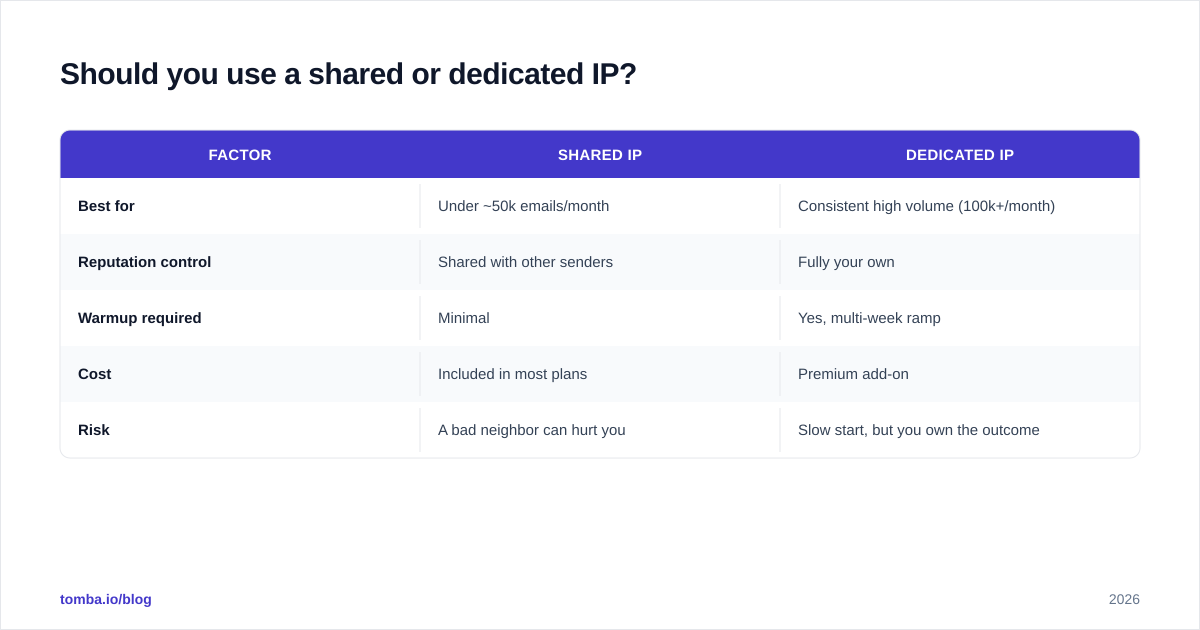
Should you use a shared or dedicated IP?#
This depends almost entirely on volume. The wrong choice can sink an otherwise healthy program.
| Factor | Shared IP | Dedicated IP |
|---|---|---|
| Best for | Under ~50k emails/month | Consistent high volume (100k+/month) |
| Reputation control | Shared with other senders | Fully your own |
| Warmup required | Minimal | Yes, multi-week ramp |
| Cost | Included in most plans | Premium add-on |
| Risk | A bad neighbor can hurt you | Slow start, but you own the outcome |
For most cold-outreach and SMB marketing teams, a shared IP with a strong domain reputation is the right call. Dedicated IPs only pay off when you send enough consistent volume to keep the IP "warm" on its own.
How do you warm up a new domain or inbox?#
Warming up means gradually increasing sending volume so providers see a natural growth curve instead of a spam-like spike. A brand-new domain that sends 1,000 emails on day one looks identical to a throwaway spam domain — because that's exactly what spammers do.
A typical ramp for cold outreach looks like this:
- Weeks 1–2: 5–20 emails/day per inbox, heavy on conversational replies.
- Weeks 3–4: 20–40/day, introduce real campaign sends slowly.
- Weeks 5–6: 40–50/day, full campaign cadence once reputation holds.
Two rules that matter more than the exact numbers:
- One inbox, modest volume. Don't push a single inbox past ~50 cold sends/day even after warmup. Use multiple inboxes/domains to scale, not one inbox at high volume.
- Engagement during warmup is everything. Warmup networks that auto-reply and mark mail as important help, but real human replies help more. Estimate your ramp with an email warmup calculator before you start.

The temptation to skip warmup and "just send" is strong — and it's the single fastest way to burn a domain you'll then have to abandon.
How does list hygiene protect deliverability?#
List hygiene is the practice of removing invalid, risky, and unengaged addresses before you send. It's the highest-leverage, lowest-effort deliverability win available — and most teams skip it.
Every hard bounce and spam-trap hit damages your reputation. If you scrape or buy a list and mail it raw, you're gambling your domain on data you didn't vet. The defense is simple: verify before you send.
A clean workflow looks like this:
- Source accurate data. Pull verified contacts rather than scraping at random — see where the data comes from before you trust a source.
- Verify the list. Run every address through an email verification pass to catch invalids, role accounts, and catch-all domains.
- Segment by engagement. Suppress contacts who haven't opened in 90+ days; re-engage them on a separate, low-volume track.
- Re-verify periodically. B2B email data decays at roughly 25–30% per year as people change jobs. A list verified six months ago is already stale.
Keeping bounces under the 2–3% line isn't just good manners — it's the threshold where Gmail and Outlook start throttling or filtering you outright.
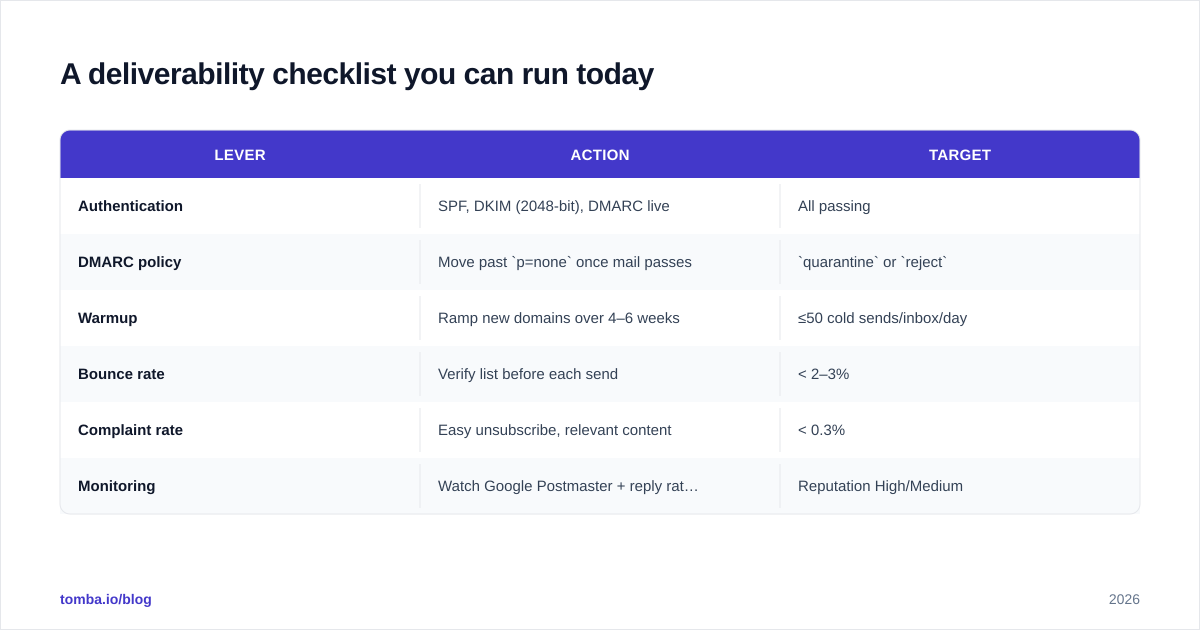
A deliverability checklist you can run today#
| Lever | Action | Target |
|---|---|---|
| Authentication | SPF, DKIM (2048-bit), DMARC live | All passing |
| DMARC policy | Move past p=none once mail passes |
quarantine or reject |
| Warmup | Ramp new domains over 4–6 weeks | ≤50 cold sends/inbox/day |
| Bounce rate | Verify list before each send | < 2–3% |
| Complaint rate | Easy unsubscribe, relevant content | < 0.3% |
| Monitoring | Watch Google Postmaster + reply rates | Reputation High/Medium |
Run this top to bottom before any new campaign. Most "our emails stopped working" emergencies trace back to a row someone skipped.
Frequently asked questions#
Is email deliverability the same as the delivery rate? No. Delivery rate measures whether the server accepted your email; deliverability (inbox placement) measures whether it reached the primary inbox. You can have a high delivery rate and terrible inbox placement at the same time.
How long does it take to recover a burned domain? Often 4–8 weeks of careful, low-volume sending with strong engagement — and sometimes never. It's usually cheaper to prevent the damage than to repair it, which is why warmup and verification matter so much.
Do I need DMARC if I'm a small sender? Yes. Even below the bulk-sender thresholds, mailbox providers increasingly favor authenticated mail, and DMARC protects your domain from spoofing. There's no downside to having it.
Where Tomba fits#
Most deliverability failures start upstream, in the data. If half your list is invalid or guessed, no amount of warmup will save you. The fix is sending to real, reachable people from the start.
Tomba's Email Finder returns professional email addresses with confidence scores and a built-in verification step, so the contacts entering your sequences are real before they ever count against your bounce rate. Pair it with the email verifier for ongoing list hygiene, and check the Tomba pricing — the free tier covers 25 searches a month, with Starter at $49/mo when you're ready to scale. Clean data in means inbox placement out. Start there, then layer on the authentication and warmup steps above.
For broader context on the metrics that deliverability drives, HubSpot's email marketing benchmarks at hubspot.com and the general email deliverability overview on Wikipedia are worth a read.
// get started
Find, verify and enrich your first contacts today
Start on the free plan with 25 searches a month, then scale when your team is ready.
Free plan · No credit card required · GDPR & CCPA
// about the author