Email Deliverability Audits and Monitoring: 2026 Guide
Inbox placement is not luck. Learn how to run a full email deliverability audit, set up continuous monitoring, and catch reputation drops before they cost you a quarter of pipeline.
TL;DR
- An email deliverability audit is a structured check of the four levers that decide inbox placement: authentication, list hygiene, sender reputation, and content. Run a full one quarterly and a lightweight one monthly.
- Monitoring is the other half of the job. Auditing tells you where you stand today; monitoring tells you the moment something breaks — usually 24-72 hours before your reply rate craters.
- Most deliverability failures trace back to two fixable causes: missing or broken authentication (SPF/DKIM/DMARC) and dirty lists that inflate bounce and spam-complaint rates.
- The cheapest reputation insurance is verifying every address before you send. Bounces above 2-3% are the fastest way to get throttled by Gmail and Outlook.
- Build a weekly dashboard from Google Postmaster Tools, your ESP analytics, and a blacklist check. Three numbers matter most: bounce rate, spam-complaint rate, and authenticated delivery percentage.
What is an email deliverability audit?#
An email deliverability audit is a repeatable inspection of everything that determines whether your messages land in the inbox or the spam folder. Think of it like a pre-flight checklist for a pilot: the plane might fly fine without it, but you only need one missed item — a broken DKIM signature, a spike in complaints — to end up grounded.
Deliverability is not the same as delivery. Your ESP can report a 99% "delivered" rate while half those messages sit in Promotions or Junk. "Delivered" only means the receiving server accepted the message; it says nothing about placement. An audit exists to close that gap between accepted and actually seen.
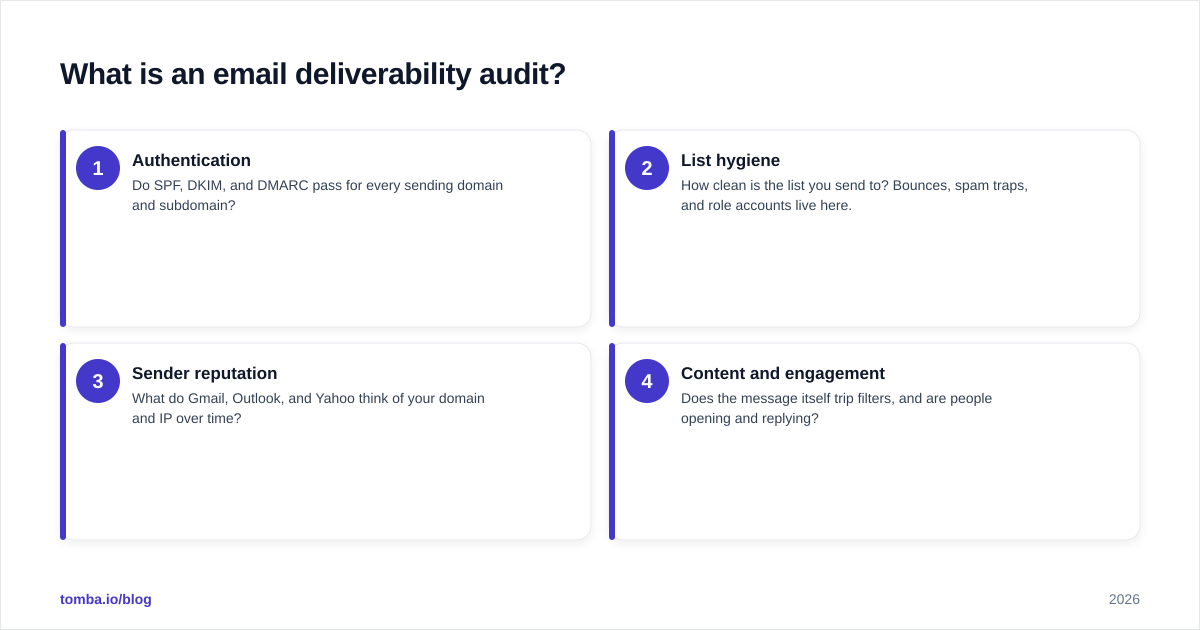
There are four levers an audit inspects, and they roughly stack in order of impact:
- Authentication — Do SPF, DKIM, and DMARC pass for every sending domain and subdomain?
- List hygiene — How clean is the list you send to? Bounces, spam traps, and role accounts live here.
- Sender reputation — What do Gmail, Outlook, and Yahoo think of your domain and IP over time?
- Content and engagement — Does the message itself trip filters, and are people opening and replying?
Get the bottom two layers right and the top two become far easier. Most teams obsess over subject lines while ignoring a DMARC record stuck on p=none — which is like repainting a car with four flat tires.
Why do you need a deliverability audit in 2026?#
Because the mailbox providers raised the bar and stopped being quiet about it. In 2024 Google and Yahoo began enforcing bulk-sender requirements: authenticated mail, one-click unsubscribe, and a spam-complaint rate kept under 0.3%. Those rules did not relax in 2026 — they became the floor, and Microsoft tightened its own enforcement for high-volume senders on top.
The practical effect: a sending setup that "worked fine" two years ago can now silently degrade. You do not get an email telling you your reputation dropped. You just watch reply rates fall and assume your copy got stale, when the real problem is that 40% of your volume is landing in spam.
A regular email deliverability audit catches that drift before it compounds. The cost of skipping it is asymmetric — a few hours of checks versus a burned domain that can take months to rehabilitate.

How do you run an email deliverability audit step by step?#
Work top to bottom through the four layers. Here is the sequence that catches the most problems fastest.
Step 1 — Verify authentication#
Pull the DNS records for every domain you send from and confirm three things pass:
- SPF — authorizes which servers may send for your domain. Check there is exactly one SPF record and you are under the 10-DNS-lookup limit. Use an SPF checker to confirm.
- DKIM — cryptographically signs each message so the receiver knows it was not altered. Confirm the selector resolves and the signature validates.
- DMARC — ties SPF and DKIM together and tells receivers what to do on failure. Aim to move from
p=none(monitor only) top=quarantineorp=rejectonce your reports are clean. Google's DMARC reference is a good primer if you are new to the policy levels.
If any one of these fails, fix it before touching anything else. Authentication problems poison every other metric downstream.
Step 2 — Audit list hygiene#
A clean list is the single biggest controllable input to reputation. Pull your last 90 days of sends and look at:
- Hard bounce rate — should sit under 2%. Above that, mailbox providers throttle you.
- Spam-trap hits — recycled or pristine traps signal you are mailing addresses you should not have.
- Role and catch-all addresses —
info@,sales@, and unverifiable catch-all domains that inflate risk.
The fix is verification before send. Running every new address through an email verifier removes invalids and traps before they ever touch your sender reputation. For domains that accept everything, a dedicated catch-all verifier tells you which catch-alls are actually safe to mail.
Step 3 — Check sender reputation#
Reputation is the receiver's running opinion of you, and you can read it directly. Connect Google Postmaster Tools to see your domain and IP reputation, spam rate, and authentication pass rate as Gmail sees them. Then run your domain and IP through a blacklist checker — landing on Spamhaus or a major RBL can tank delivery overnight.
Step 4 — Inspect content and engagement#
Finally, look at the message. Run a representative email through a spam checker to flag spammy phrases, broken links, bad image-to-text ratios, and missing unsubscribe headers. Then check engagement: opens, clicks, and especially replies. High engagement is the strongest positive reputation signal there is, so cold lists with zero replies hurt you even when the addresses are valid.
What is the difference between auditing and monitoring?#
An audit is a snapshot; monitoring is the movie. You audit on a schedule — quarterly deep dives, monthly spot checks. You monitor continuously, so the moment a metric crosses a threshold you find out the same day rather than the next quarter.
The analogy: an audit is your annual physical, monitoring is the fitness watch you wear every day. The physical catches structural problems; the watch catches the heart-rate spike during the run. You need both.
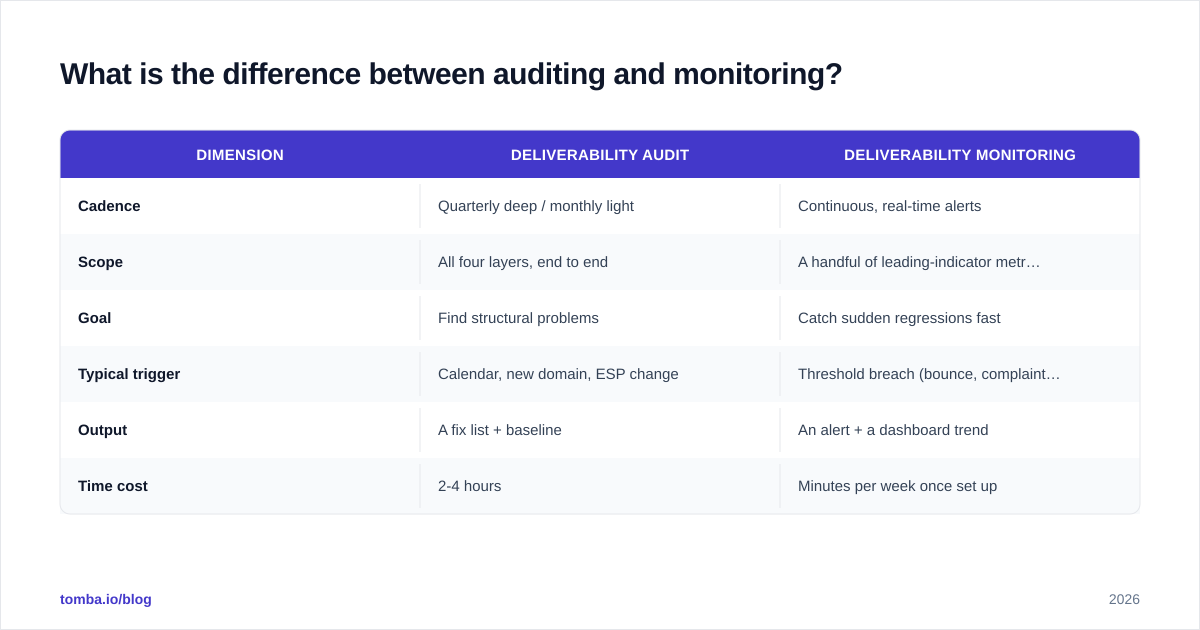
Here is how the two compare in practice:
| Dimension | Deliverability audit | Deliverability monitoring |
|---|---|---|
| Cadence | Quarterly deep / monthly light | Continuous, real-time alerts |
| Scope | All four layers, end to end | A handful of leading-indicator metrics |
| Goal | Find structural problems | Catch sudden regressions fast |
| Typical trigger | Calendar, new domain, ESP change | Threshold breach (bounce, complaints) |
| Output | A fix list + baseline | An alert + a dashboard trend |
| Time cost | 2-4 hours | Minutes per week once set up |
The mistake most teams make is doing one audit, fixing everything, and assuming they are done. Reputation is not a state you reach — it is a balance you maintain. Skip monitoring and you are flying blind between audits.
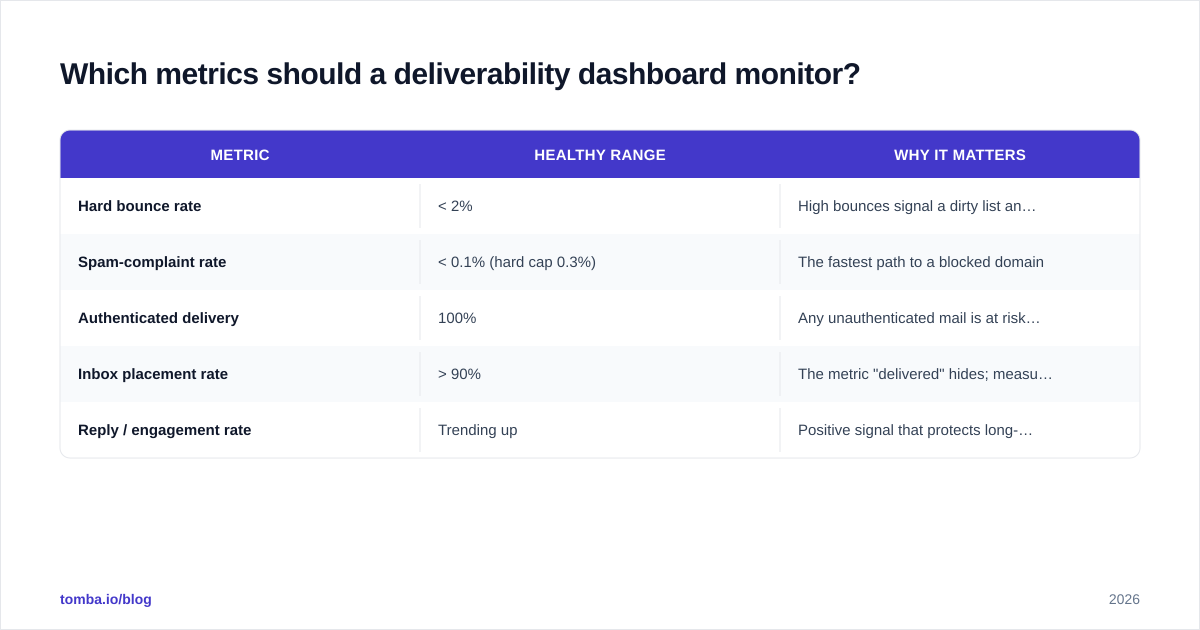
Which metrics should a deliverability dashboard monitor?#
You can drown in metrics. Resist it. Five numbers carry most of the signal, and the first three are non-negotiable.
| Metric | Healthy range | Why it matters |
|---|---|---|
| Hard bounce rate | < 2% | High bounces signal a dirty list and trigger throttling |
| Spam-complaint rate | < 0.1% (hard cap 0.3%) | The fastest path to a blocked domain |
| Authenticated delivery | 100% | Any unauthenticated mail is at risk of rejection |
| Inbox placement rate | > 90% | The metric "delivered" hides; measures real placement |
| Reply / engagement rate | Trending up | Positive signal that protects long-term reputation |
Pull bounce and complaint data from your ESP, authentication and spam rate from Google Postmaster Tools, and placement from a seed-test tool. Review weekly. The point of a dashboard is not to admire green numbers — it is to notice the day one of them turns amber, because that is your 48-hour head start before reply rates fall.
For teams running outbound at volume, leaders like HubSpot and most ESPs now surface complaint and bounce trends natively, and review sites like G2 track the dedicated monitoring tools if you outgrow spreadsheets.
How does list verification protect deliverability?#
Verification is upstream prevention — it stops bad addresses from ever damaging your reputation, which is far cheaper than recovering after the fact. Roughly a quarter of B2B contact data decays every year as people change jobs, so a list that was clean in January is measurably dirtier by summer.
The mechanism is simple. Every hard bounce and every spam-trap hit is a black mark against your domain. Verifying a list before you send removes the addresses that would have bounced, removes obvious traps and invalids, and flags the risky catch-all domains so you can decide whether to mail them. The result is a lower bounce rate, a cleaner sender reputation, and more of your volume reaching real inboxes.
For one-off sends, verify the list before each campaign. For continuous outbound, verify at the point of capture — when a lead enters your CRM — and re-verify the whole database on a rolling 90-day cycle. Bulk verification makes this practical even for large lists, so hygiene becomes a standing process rather than a fire drill.
What is a realistic deliverability audit schedule?#
Match effort to risk. A team sending 500 cold emails a week does not need the same regime as one sending 500,000. A workable default:
- Weekly — Glance at the dashboard: bounce rate, complaint rate, authentication pass rate. Five minutes.
- Monthly — Light audit: re-verify recent contacts, run a blacklist check, review Postmaster trends.
- Quarterly — Full audit across all four layers, plus a seed-list inbox-placement test.
- Event-triggered — Any time you add a new sending domain, switch ESP, change DNS, or ramp volume, run a full audit before you scale.
The event-triggered checks matter most. The two highest-risk moments in deliverability are spinning up a fresh domain and sharply increasing volume — both demand warmup and a clean list, not a big blast on day one. Treat a new domain like a new credit history: you build trust slowly, and one reckless month sets you back further than it gained.
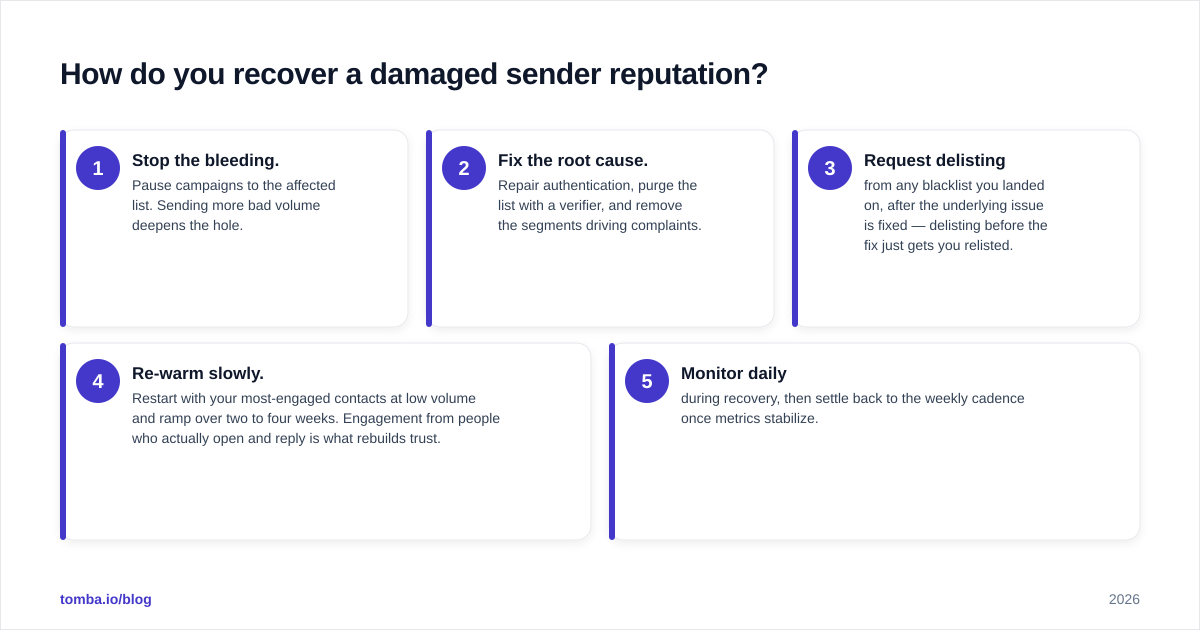
How do you recover a damaged sender reputation?#
If an audit reveals you are already in trouble — high spam rate in Postmaster, on a blacklist, placement under 70% — recovery follows a predictable path, and patience is the active ingredient.
- Stop the bleeding. Pause campaigns to the affected list. Sending more bad volume deepens the hole.
- Fix the root cause. Repair authentication, purge the list with a verifier, and remove the segments driving complaints.
- Request delisting from any blacklist you landed on, after the underlying issue is fixed — delisting before the fix just gets you relisted.
- Re-warm slowly. Restart with your most-engaged contacts at low volume and ramp over two to four weeks. Engagement from people who actually open and reply is what rebuilds trust.
- Monitor daily during recovery, then settle back to the weekly cadence once metrics stabilize.
There is no shortcut. Reputation recovers at the speed the mailbox providers allow, which is roughly the same speed you damaged it — gradually, through consistent good behavior.
Put it together: audit, then never stop monitoring#
Inbox placement is the quiet tax on every outbound program. You can have the best copy and the sharpest offer, but if 40% of your sends land in spam, you are paying that tax in lost pipeline you never see. A disciplined email deliverability audit finds the leaks; continuous monitoring keeps them sealed.
The single highest-leverage habit is verifying contacts before they ever reach a campaign. Tomba's Email Finder sources professional addresses by name, domain, or company and pairs with verification so the data entering your pipeline is accurate from the start — fewer bounces, a cleaner reputation, and more replies from the inboxes that matter. Pair it with a weekly dashboard and a quarterly audit, and deliverability stops being a mystery you diagnose after the fact and becomes a number you control. Check the Tomba pricing tiers to find the verification volume that matches your sending — the free tier is enough to audit your next list today.
// get started
Find, verify and enrich your first contacts today
Start on the free plan with 25 searches a month, then scale when your team is ready.
Free plan · No credit card required · GDPR & CCPA
// about the author