Sales Automation Tools in 2026: The Complete Buyer's Guide
Sales automation tools promise more meetings with less busywork—but most teams buy the wrong ones. Here's how to pick, stack, and price them in 2026.
TL;DR
- Sales automation tools handle the repetitive parts of selling—data entry, sequencing, enrichment, follow-ups—so reps spend more time talking to qualified buyers.
- The category splits into six layers: data/enrichment, sequencing, CRM, scheduling, conversation intelligence, and orchestration. You rarely need all six on day one.
- Most teams overspend by buying overlapping all-in-one suites. A lean, best-of-breed stack usually wins on cost and data quality.
- Pricing ranges from free tiers to $250+/user/mo. Match the layer to the bottleneck you actually have, not the demo that looked shiny.
- Start at the top of the funnel: clean contact data feeds every downstream automation. Garbage in, garbage automated.
What are sales automation tools?#
Sales automation tools are software that removes manual, repetitive work from the selling process so your reps can focus on conversations that move deals forward. Think of it like a dishwasher for your pipeline: the machine handles the scrubbing (logging activity, sending follow-ups, enriching records) so the chef (your rep) stays at the stove cooking the meal that actually matters—closing.
The term covers a wide span. On one end you have a single-purpose utility like an email sequencer. On the other you have a sprawling platform that claims to do prospecting, dialing, sequencing, forecasting, and coaching in one login. Both are "sales automation." That ambiguity is exactly why buyers get burned.
Here's the honest framing: automation only pays off when it sits on top of good data and a defined process. Automating a broken workflow just makes you fail faster and at scale.
What are the six layers of a sales automation stack?#
Almost every tool on the market fits into one of six functional layers. Knowing the layers keeps you from buying the same capability twice.
- Data & enrichment — finding and verifying contact details (emails, phones, job titles, company firmographics). This is the foundation; everything downstream depends on it.
- Sequencing & outreach — multi-step email and LinkedIn cadences with automated follow-ups.
- CRM — the system of record where deals, contacts, and pipeline live.
- Scheduling — meeting booking, round-robin routing, reminders.
- Conversation intelligence — call recording, transcription, and coaching insights.
- Orchestration — the glue (Zapier, Make, native triggers) that moves data between the other five.
You do not need all six to start. A two-person SDR team can run effectively on data + sequencing + a CRM. A 40-rep org with inbound volume needs scheduling and conversation intelligence too. The mistake is buying a six-layer suite when you only have a two-layer problem.
Which sales automation tools should you compare in 2026?#
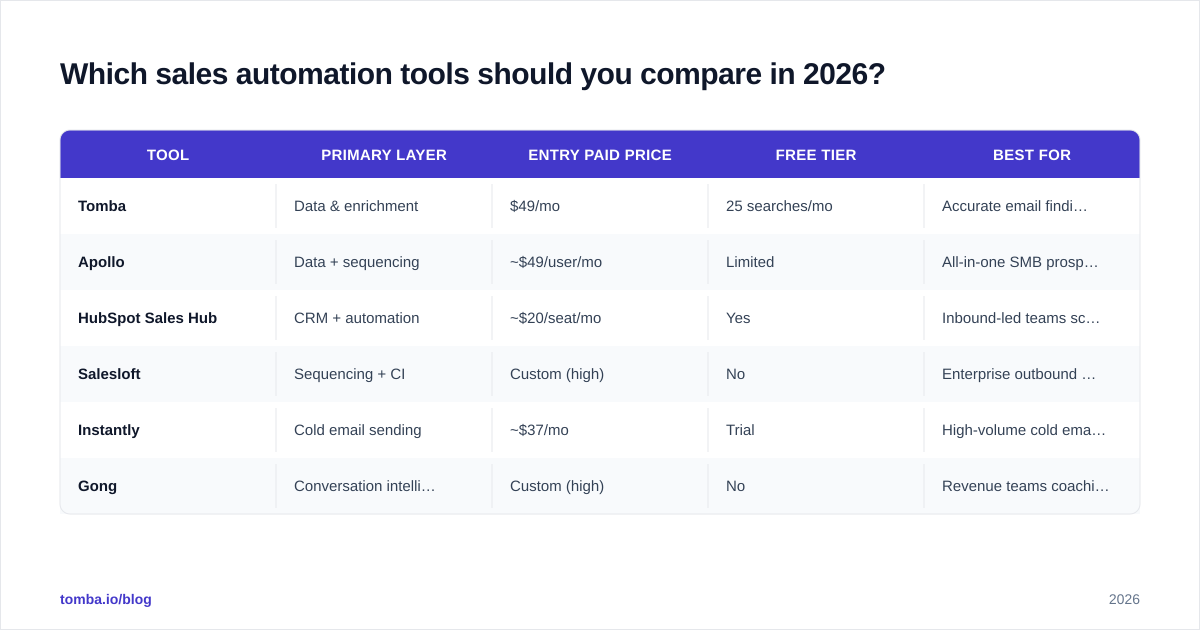
Below is a representative comparison across the most common categories buyers evaluate. Prices are list prices for entry paid tiers as of 2026 and shift often—always confirm on the vendor site before you commit budget.
| Tool | Primary layer | Entry paid price | Free tier | Best for |
|---|---|---|---|---|
| Tomba | Data & enrichment | $49/mo | 25 searches/mo | Accurate email finding + verification |
| Apollo | Data + sequencing | ~$49/user/mo | Limited | All-in-one SMB prospecting |
| HubSpot Sales Hub | CRM + automation | ~$20/seat/mo | Yes | Inbound-led teams scaling up |
| Salesloft | Sequencing + CI | Custom (high) | No | Enterprise outbound orchestration |
| Instantly | Cold email sending | ~$37/mo | Trial | High-volume cold email infrastructure |
| Gong | Conversation intelligence | Custom (high) | No | Revenue teams coaching at scale |
A few takeaways from the table. First, the cheapest line item is not always the cheapest stack—an all-in-one suite at $79/user/mo can be more expensive than three focused tools once you count seats. Second, free tiers are real and useful for validation; Tomba's 25 free searches a month and HubSpot's free CRM let you prove value before paying. Third, "custom pricing" almost always means enterprise budgets and annual contracts, so don't put Gong or Salesloft on a 4-person team's shortlist.
For deeper, side-by-side breakdowns of specific platforms, our Apollo alternative and Instantly alternative guides compare features and pricing in detail.
How do you choose the right sales automation tools?#
Start with your bottleneck, not the feature list. Run this diagnostic before you look at a single demo:
- Reps can't find contacts? Your bottleneck is the data layer. Fix that first.
- Reps find contacts but never follow up? You need sequencing.
- Deals slip through the cracks? Your CRM hygiene or process is the issue, not your outreach volume.
- Managers can't tell why deals lose? Conversation intelligence earns its cost.
- Data lives in five disconnected apps? You have an orchestration problem.
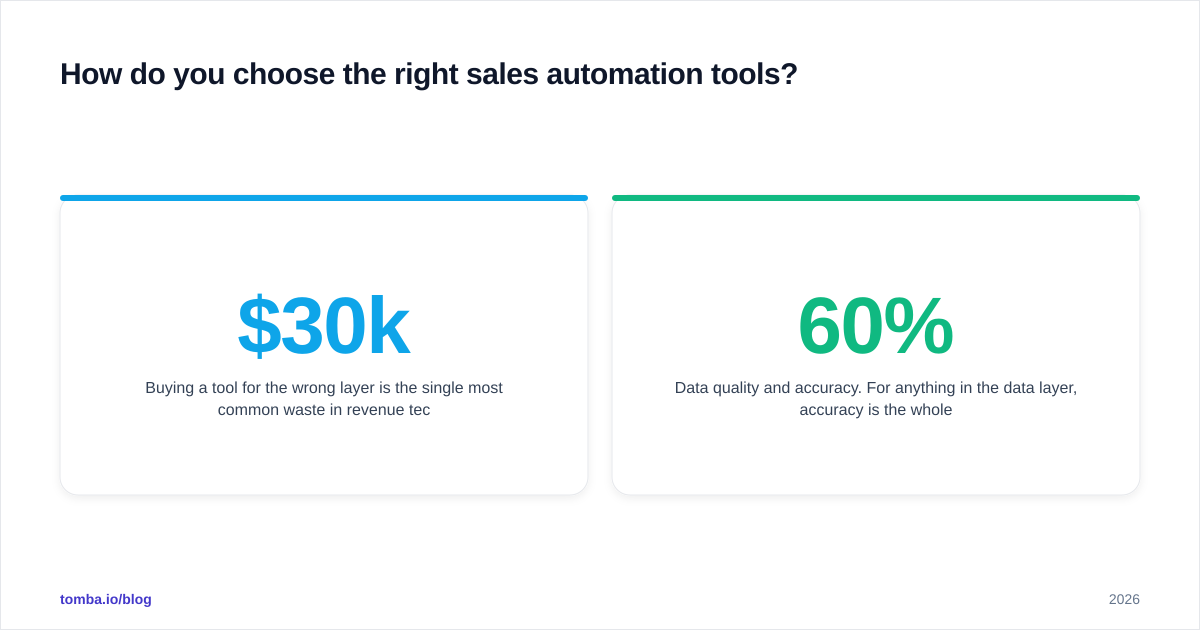
Buying a tool for the wrong layer is the single most common waste in revenue tech. If reps can't reliably find a prospect's email, a $30k Gong contract won't help—there are no calls to record because no meetings got booked.
Once you've named the bottleneck, weigh these criteria:
- Data quality and accuracy. For anything in the data layer, accuracy is the whole game. A cheap tool with 60% deliverability costs you more in bounced sends and burned domain reputation than a pricier one at 95%.
- Native integrations. A tool that syncs cleanly to your CRM beats a "more powerful" tool you have to babysit with manual exports. Check for a real HubSpot integration or Salesforce connector before buying.
- Total cost at your seat count. Multiply per-seat pricing by headcount and add a year. Per-user suites scale expensively.
- Compliance. Verify GDPR/CCPA posture and where the data comes from, especially for enrichment vendors.
- Time to value. If onboarding takes a quarter, the ROI clock starts late.
The "distracted by the new tool" trap is real. Every quarter a flashy launch tempts teams to bolt on capability they already own. Resist it. Consolidation usually beats accumulation. Before adding anything, ask: which existing tool does this overlap with, and would I cancel that?
Is an all-in-one suite better than a best-of-breed stack?#
It depends on your stage, but most growing teams are better served by a focused best-of-breed stack—especially at the data layer.
All-in-one platforms (Apollo, the larger suites) are genuinely convenient: one login, one bill, one vendor relationship. For a brand-new team with no existing tooling, that simplicity has real value and gets you moving fast.
The trade-off shows up in two places. First, suites are usually "good at one thing, fine at the rest." Their headline feature is strong; the bundled extras are often mediocre. Many teams discover the enrichment data baked into their all-in-one suite is noticeably less accurate than a dedicated email verifier. Second, when one bundled feature underperforms, you're stuck—you can't swap just that piece without leaving the platform.
A best-of-breed stack lets you pick the strongest tool per layer and replace any single component as needs change. The cost is more integration work, which modern connectors and Zapier integration have made far less painful than it was a few years ago.
A reasonable rule of thumb:
- 0–5 reps, no tooling yet: start with an all-in-one or a CRM + one finder, keep it cheap.
- 5–25 reps, scaling outbound: go best-of-breed; data quality differences start costing real money at this volume.
- 25+ reps, enterprise motion: hybrid—a CRM platform of record plus specialized tools for sequencing, CI, and enrichment.
Why does data quality decide your automation ROI?#
Because every automated action downstream inherits the quality of the contact data you feed it. This is the part buyers underrate the most.
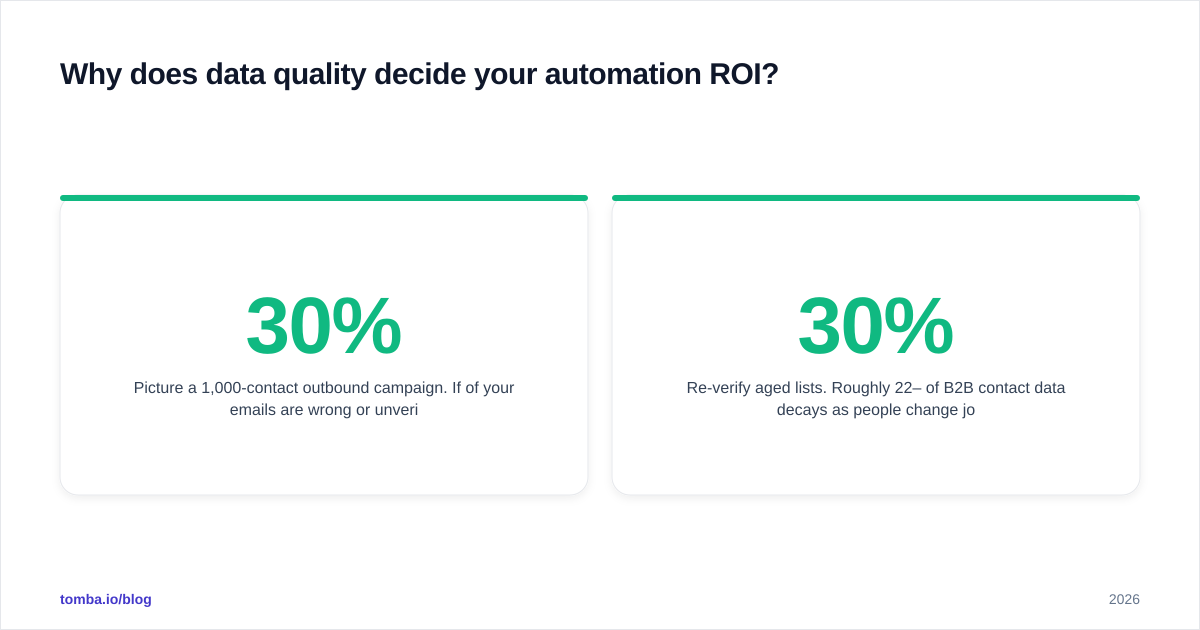
Picture a 1,000-contact outbound campaign. If 30% of your emails are wrong or unverified, 300 sends bounce. High bounce rates wreck your sender reputation, which drags down deliverability for the 700 good addresses too. So a data-quality problem doesn't cost you 30%—it compounds, and a single bad list can quietly suppress an entire domain's inbox placement for weeks. Your beautifully automated 7-step sequence is now landing in spam folders.
This is why we keep pushing the data layer first. Clean, verified contacts make every other tool in the stack work better. It's the cheapest, highest-leverage fix in most go-to-market motions, and it's why a focused tool like Tomba's email finder sits upstream of the flashier automation toys.
Practical safeguards before you automate any send:
- Verify in bulk before loading a list into a sequencer—a bulk email finder plus verification step pays for itself in protected reputation.
- Watch catch-all domains. They accept everything at the server, so a naive verifier marks them "valid" when they may not be. A real catch-all verifier digs deeper.
- Re-verify aged lists. Roughly 22–30% of B2B contact data decays per year as people change jobs. Last year's clean list is this year's bounce pile.
For broader benchmarks on data decay and verification, G2's sales intelligence category and HubSpot's sales statistics roundup are useful neutral references.
What does a lean sales automation stack actually look like?#
Here's a concrete, defensible stack for a typical 10-rep B2B outbound team in 2026, mapped to the six layers and kept deliberately small.
| Layer | Tool choice | Why | Rough monthly cost |
|---|---|---|---|
| Data & enrichment | Tomba (Growth) | Accurate finding + verification, API access | $99/mo |
| CRM | HubSpot Sales Hub | Free-to-start, strong automation | $20/seat |
| Sequencing | Dedicated sequencer | Multi-channel cadences | ~$40/seat |
| Scheduling | Native CRM scheduler | Avoids an extra tool | $0 (bundled) |
| Conversation intel | Add later | Not the current bottleneck | $0 |
| Orchestration |
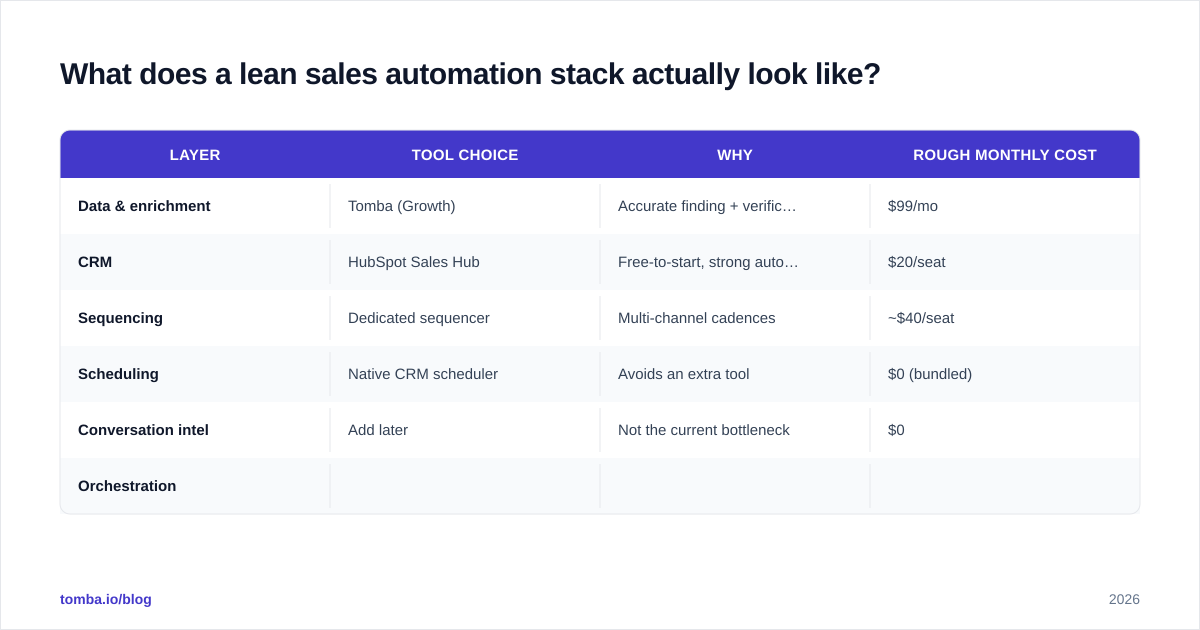
Zapier / native | Glue the above together | ~$20/mo |
Notice what's missing: no conversation intelligence, no second enrichment vendor, no standalone scheduler. You add those when a named bottleneck appears, not preemptively. This stack covers the full find-to-meeting motion for a fraction of a six-figure enterprise suite, and every piece is swappable.
The enrichment layer here uses Tomba's Growth plan because at 10 reps you've crossed the volume where free tiers run dry but haven't hit the point where Pro's higher limits are justified. Match the tier to throughput, not aspiration.
If you want to see where contact data originates and how accuracy is measured, Tomba documents its data sources openly—worth checking for any enrichment vendor you evaluate, since "where does this data come from" is a question too few buyers ask.
How do you roll out new sales automation tools without chaos?#
Treat adoption as a process, not a purchase. Tools fail in the field far more often from poor rollout than poor features.
- Pilot with one squad. Pick 2–3 reps, run the tool for 2–4 weeks, measure against a baseline (meetings booked, bounce rate, hours saved).
- Define the data flow before go-live. Decide exactly how records move from finder to CRM to sequencer. Undefined handoffs create duplicate and orphaned records.
- Set hygiene rules. Who verifies lists? How often do you re-enrich? Write it down.
- Train on the why, not just the buttons. Reps adopt tools they understand the purpose of.
- Review at 90 days. If a tool isn't moving a metric you named upfront, cut it. Sunk cost is not a strategy.
For automation that spans tools, lean on documented connectors rather than brittle custom scripts. Native integrations and platforms like Make.com keep data synced without an engineer babysitting it. And remember the immutable rule of automation: you can only automate a process you can describe. If a rep can't write down the steps, don't automate them yet.
For more on the strategic side—when automation helps versus when it just hides a broken process—the concept of sales automation in our glossary is a useful primer, and Salesforce's own sales automation overview covers the platform-vendor perspective.
The bottom line#
Sales automation tools are leverage, not magic. They multiply whatever process and data you already have—so a clean foundation multiplies into results, and a messy one multiplies into noise. Name your bottleneck, buy for that single layer, keep the stack lean, and protect your data quality above all else.
Start at the top of the funnel, because every automated email, sequence, and CRM record downstream is only as good as the contact data feeding it. Tomba's Email Finder gives you verified, accurate B2B emails by name, domain, or company—the clean foundation your entire automation stack depends on. Spin it up free with 25 searches a month, prove the accuracy against whatever you're using now, and scale into a paid plan only once the data earns it. Fix the foundation first; automate everything else second.
// get started
Find, verify and enrich your first contacts today
Start on the free plan with 25 searches a month, then scale when your team is ready.
Free plan · No credit card required · GDPR & CCPA
// about the author