How to Automate Follow Up Emails That Convert in 2026
Most deals die in the follow-up gap. Here is how to automate follow up emails in 2026 without sounding like a robot or torching your deliverability.
Most replies come from the follow-up, not the first send. Yet follow-ups are the first thing a busy rep drops. Automating them is the highest-leverage fix you can make to an outbound motion in 2026 — if you do it without sounding like a bot or burning your domain.
TL;DR#
- 80% of conversions need 5+ touches, but the average rep stops after two. Automation closes that gap.
- Automate the cadence, personalize the content. Triggers and timing are mechanical; the first line and the offer are not.
- Deliverability is the hidden tax. Verify every address and warm your domain before you scale, or your "automated" sequence lands in spam.
- The stack is simple: clean data (email finder + verifier) → a sequencer (Instantly, Saleshandy, HubSpot) → reply detection that stops the sequence the instant someone responds.
- Tomba handles the data layer — finding and verifying the addresses your sequences run on — so automation doesn't amplify bounces.
What does it mean to automate follow up emails?#
Automating follow-ups means a tool sends the next message in a sequence on a schedule and on a condition — unless the prospect replies, books, or unsubscribes first. Think of it like a thermostat: you set the rules once (temperature, schedule), and it acts on its own, but it stops the moment the room hits the target. You are not blasting a list. You are running a conditional, multi-step conversation that pauses the second a human enters it.
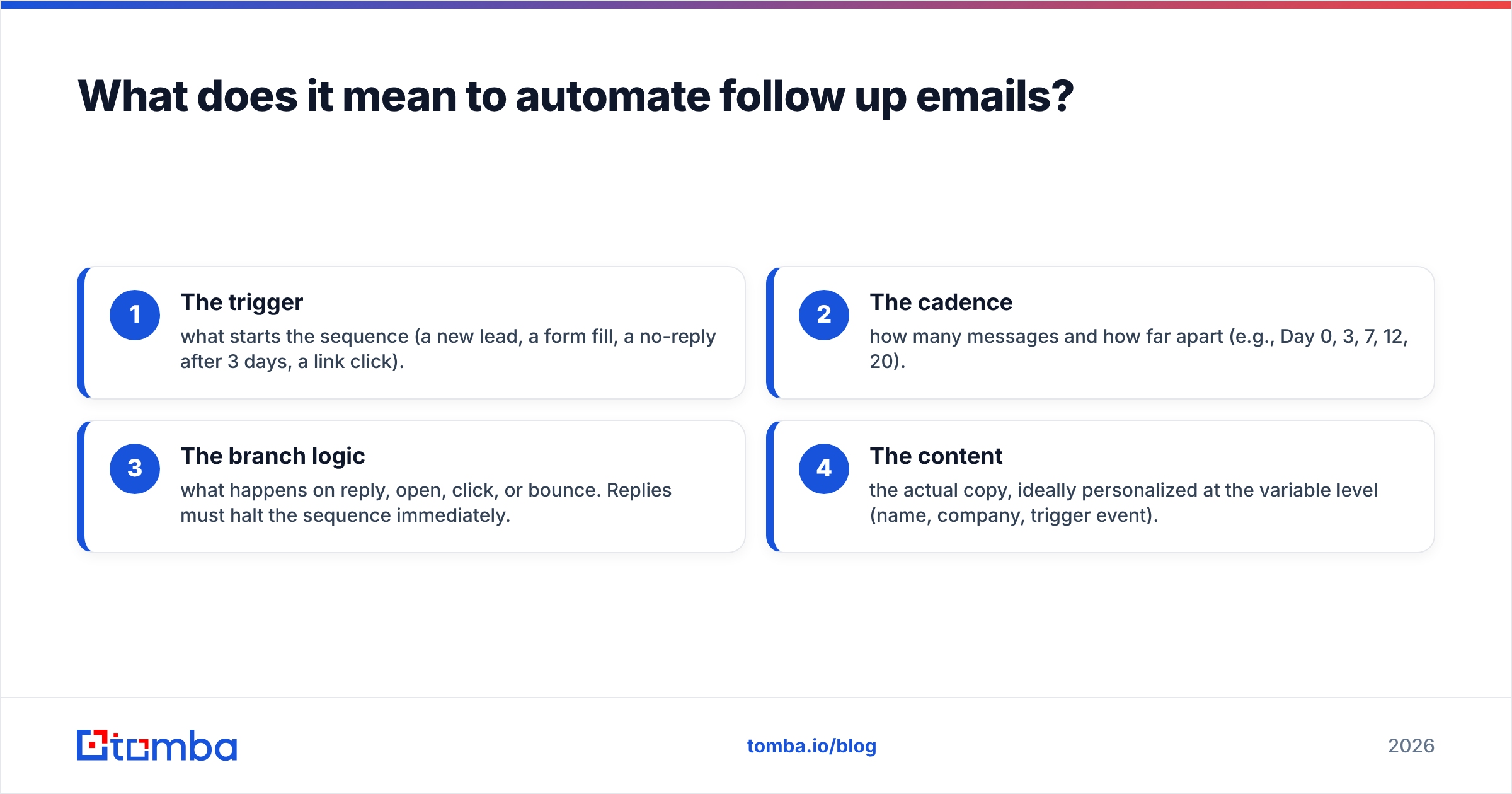
A real follow-up automation has four moving parts:
- The trigger — what starts the sequence (a new lead, a form fill, a no-reply after 3 days, a link click).
- The cadence — how many messages and how far apart (e.g., Day 0, 3, 7, 12, 20).
- The branch logic — what happens on reply, open, click, or bounce. Replies must halt the sequence immediately.
- The content — the actual copy, ideally personalized at the variable level (name, company, trigger event).
Get the first three right and you have reliability. Get the fourth right and you have replies. Most teams automate the cadence and forget the content reads like a form letter.
)
Why automate follow up emails at all?#
Conclusion first: because manual follow-up does not scale and humans forget. The data is brutal — HubSpot's sales research consistently shows the majority of prospects need five or more touches before they convert, while most reps quit after one or two. The gap between "two touches" and "five touches" is where your pipeline lives.
Three concrete wins from automation:
- Consistency. Every lead gets the full sequence, every time, regardless of whether the rep is on PTO or buried in demos.
- Speed-to-lead. A triggered first follow-up can fire within minutes of a form fill. Lead-response studies have shown contacting a lead in the first 5 minutes dramatically outperforms an hour later.
- Rep time back. A rep who stops manually chasing 200 open threads gets hours back for calls and live conversations — the work automation can't do.
The trap: automation amplifies whatever you feed it. Feed it bad data and you amplify bounces. Feed it generic copy and you amplify being ignored at scale. That is why the data layer and the copy layer matter more than the sending tool.
What does a good follow-up sequence look like?#
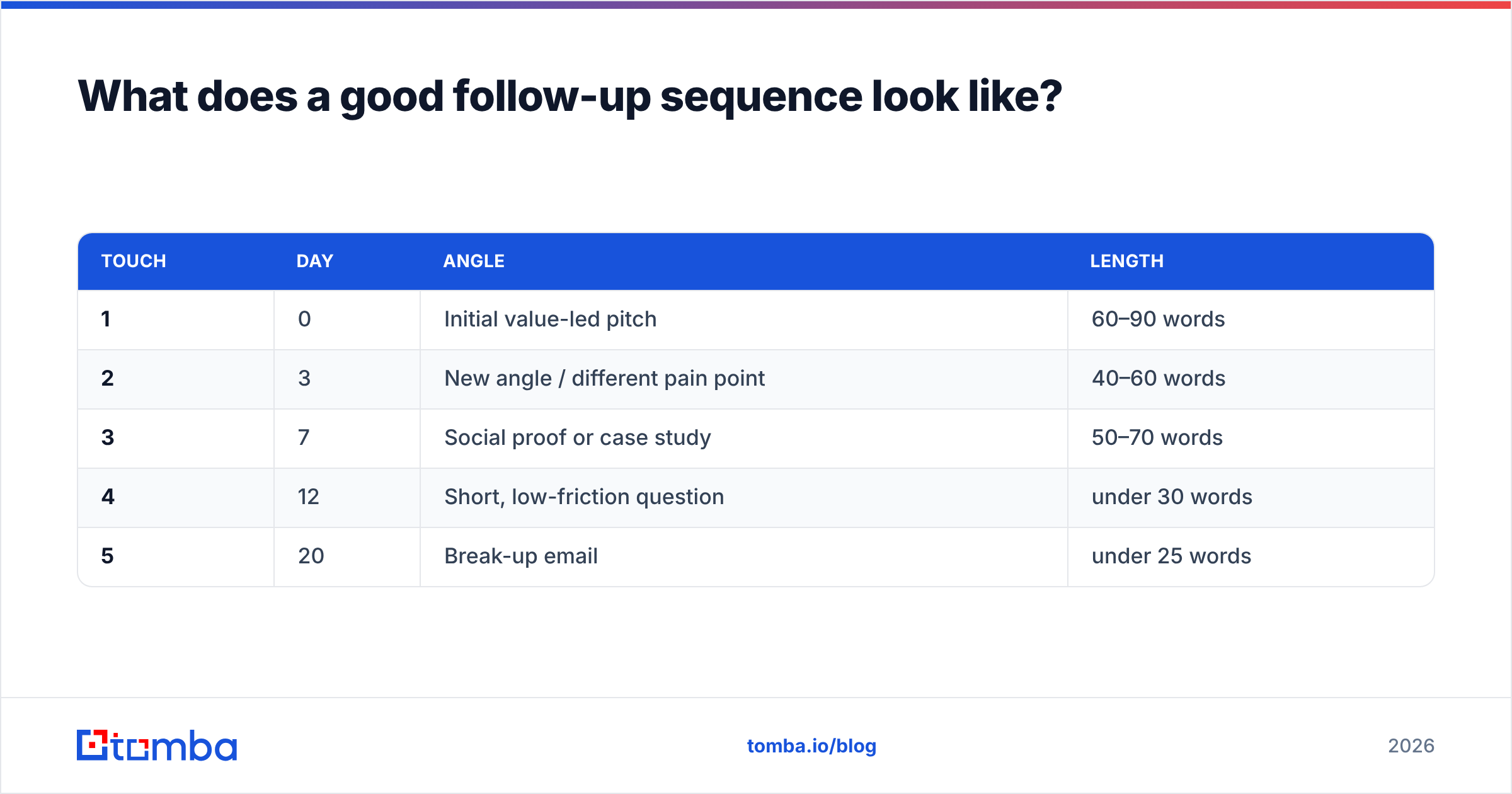
A strong 2026 B2B follow-up sequence is short, spaced, and varied. Here's a proven five-touch structure for a cold outbound thread:
| Touch | Day | Angle | Length |
|---|---|---|---|
| 1 | 0 | Initial value-led pitch | 60–90 words |
| 2 | 3 | New angle / different pain point | 40–60 words |
| 3 | 7 | Social proof or case study | 50–70 words |
| 4 | 12 | Short, low-friction question | under 30 words |
| 5 | 20 | Break-up email | under 25 words |
Rules that make this work:
- Never just "bumping this up." Each follow-up must add a new reason to reply — a different angle, a resource, a relevant trigger event.
- Get shorter as you go. By touch 4 you want a one-line question that's easy to answer from a phone.
- The break-up email converts. "Should I close your file?" reliably surfaces the people who meant to reply and forgot.
- Reply in-thread. Keep follow-ups on the same thread so context travels with the message.
For copy you can adapt, Tomba's free cold email templates library is a fast starting point, and the subject line generator helps with the part that decides whether touch 2 even gets opened.
How do you actually automate follow up emails? (Step by step)#
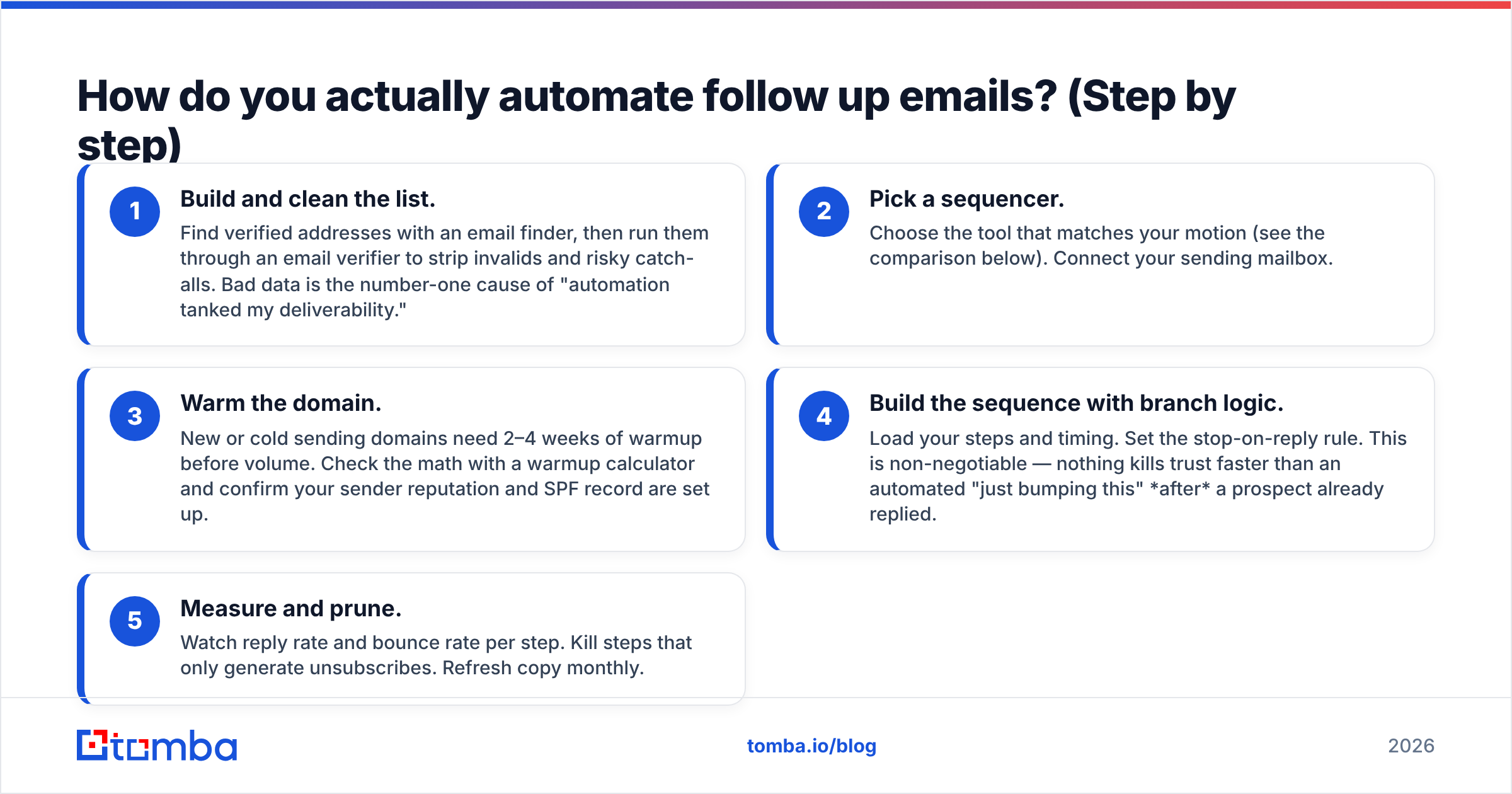
Five steps, in order. Skip step one and the rest is wasted motion.
- Build and clean the list. Find verified addresses with an email finder, then run them through an email verifier to strip invalids and risky catch-alls. Bad data is the number-one cause of "automation tanked my deliverability."
- Pick a sequencer. Choose the tool that matches your motion (see the comparison below). Connect your sending mailbox.
- Warm the domain. New or cold sending domains need 2–4 weeks of warmup before volume. Check the math with a warmup calculator and confirm your sender reputation and SPF record are set up.
- Build the sequence with branch logic. Load your steps and timing. Set the stop-on-reply rule. This is non-negotiable — nothing kills trust faster than an automated "just bumping this" after a prospect already replied.
- Measure and prune. Watch reply rate and bounce rate per step. Kill steps that only generate unsubscribes. Refresh copy monthly.
)
Which tools should you use to automate follow-ups?#
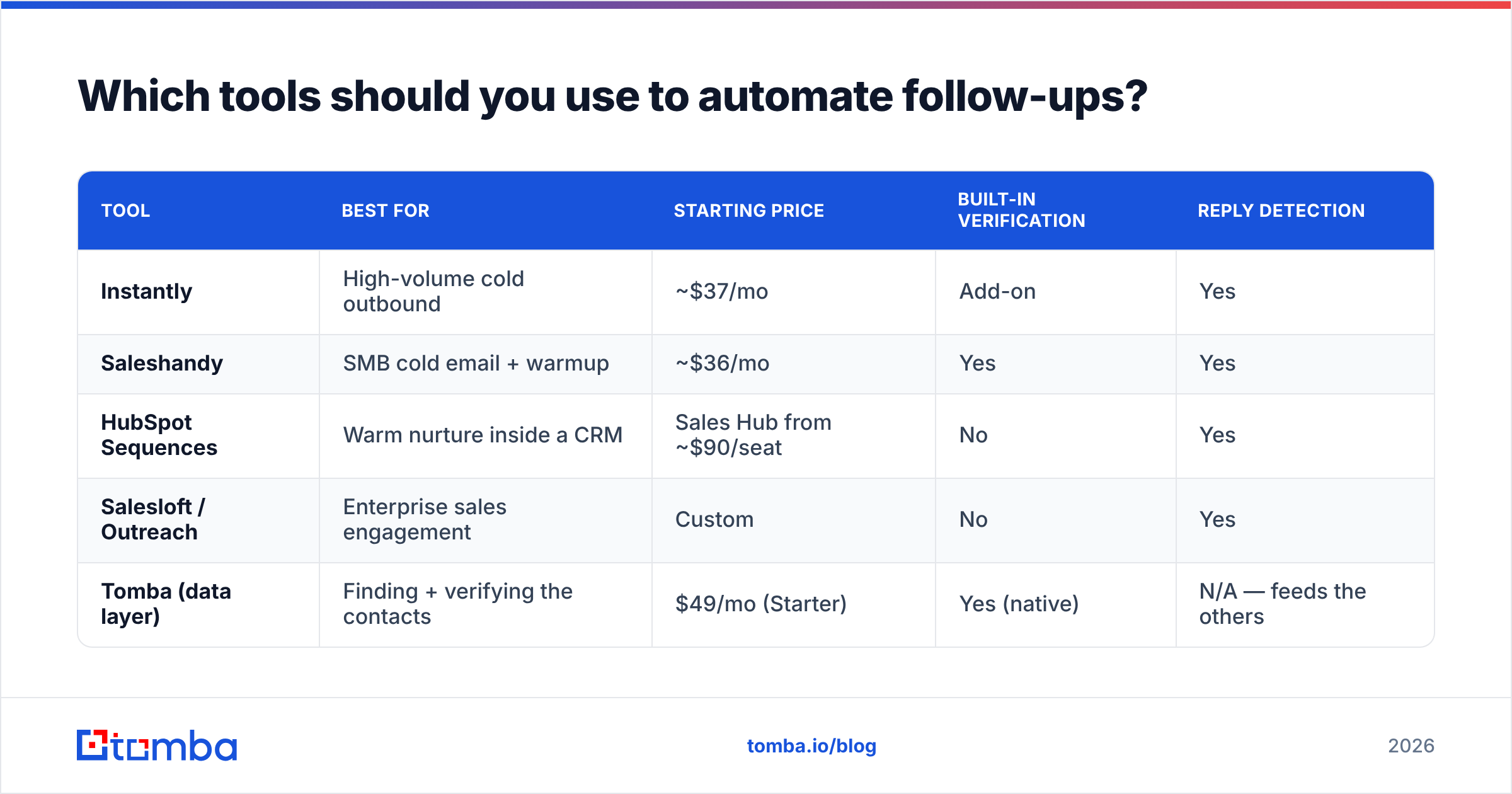
There is no single "best" — it depends on whether you run cold outbound, warm nurture, or full-CRM sales. Here's an honest comparison of common 2026 options:
| Tool | Best for | Starting price | Built-in verification | Reply detection |
|---|---|---|---|---|
| Instantly | High-volume cold outbound | ~$37/mo | Add-on | Yes |
| Saleshandy | SMB cold email + warmup | ~$36/mo | Yes | Yes |
| HubSpot Sequences | Warm nurture inside a CRM | Sales Hub from ~$90/seat | No | Yes |
| Salesloft / Outreach | Enterprise sales engagement | Custom | No | Yes |
| Tomba (data layer) | Finding + verifying the contacts | $49/mo (Starter) | Yes (native) | N/A — feeds the others |
The key distinction: sequencers send; data tools make sure there's a real person on the other end. Tomba sits in the data layer. You use Tomba (or its Tomba API) to find and verify addresses, then push clean contacts into Instantly, Saleshandy, or HubSpot via the native integration. If you're weighing sequencers specifically, the Instantly alternative and Saleshandy alternative breakdowns go deeper than this table can.
For a fair external benchmark of the sequencing tools themselves, G2's sales engagement category has current verified reviews and pricing.
How do you keep automated follow-ups out of spam?#
Conclusion first: clean data plus a warmed domain plus volume discipline. Automation does not cause spam complaints — bad lists and cold domains do. Three controls matter most:
- Verify before you send. Every unverified address is a coin flip on a bounce, and a high bounce rate is the fastest way to wreck email deliverability. Run lists through verification and handle catch-alls with a dedicated catch-all verifier.
- Respect volume ramps. Don't send 1,000 cold emails on day one from a fresh domain. Ramp from ~20/day and climb as reputation builds.
- Authenticate the domain. SPF, DKIM, and DMARC are table stakes. Use a free SPF checker and spam checker before you scale.
A quick honesty check: if your bounce rate on a verified list is above 2–3%, your data source is the problem, not your sequencer. That's the layer to fix first.
When should automation stop and a human take over?#
Automation owns the chase; humans own the conversation. The handoff rules are simple:
- On reply — sequence stops, rep takes the thread. Always.
- On a positive intent signal (clicked pricing twice, replied with a question) — escalate to a call. Pull the number with a phone finder and switch channels.
- On unsubscribe or "not interested" — suppress permanently. No exceptions.
- After the break-up email — stop. Re-add to a long-cycle nurture, not the same cold sequence.
The whole point of automating the mechanical 80% is to free your reps for the 20% that actually needs a person. A sequence that keeps firing at someone who already replied isn't automation — it's a bug that costs you the deal.
Common mistakes to avoid#
- Automating before verifying. The single biggest error. Garbage list in, spam folder out.
- One channel only. Blend email with LinkedIn and a call for response rates that email alone won't hit.
- Set-and-forget copy. A sequence written in January and untouched by June is a decaying asset. Refresh angles quarterly.
- No reply detection. If your tool can't reliably stop on reply, it's not ready for automation.
- Vanity volume. 5,000 sends at a 0.3% reply rate is worse than 500 sends at 5%. Tighten targeting, not throughput.
Frequently asked questions#
How many follow-ups is too many? For cold outbound, five touches over ~20 days is the sweet spot. Beyond that, returns drop sharply and complaint risk climbs. Warm leads can tolerate more.
Can I automate follow-ups and still personalize? Yes — that's the whole game. Automate the timing and branch logic; use merge variables and a personalized first line per prospect. The cadence is mechanical; the hook is not.
Does automating follow-ups hurt deliverability? Only if you skip verification and warmup. Clean, verified lists sent from an authenticated, warmed domain perform as well as manual sends — at a fraction of the effort.
What's the cheapest way to start? Many sequencers start near $36–$37/mo. Pair one with Tomba's free tier (25 searches/mo) to test the full loop, then scale into a paid plan. See Tomba pricing for the data side.
Ready to automate without amplifying bounces?#
Automation multiplies whatever you feed it — so feed it clean, verified contacts. Start with the Tomba Email Finder to build accurate, deliverable lists, verify them in the same workflow, then push them into your sequencer of choice. Your follow-ups will reach real inboxes, your reply rate will reflect real interest, and your reps will spend their time on the conversations that close. Spin up the free tier, find your first 25 verified contacts, and let the automation do the chasing.
Ready to find emails that actually work?
Join 150,000+ professionals who stopped guessing and started sending. Free credits on signup — no credit card required.
Get the Tomba newsletter
Practical outbound tactics and product updates — once every two weeks.
About the author