How to Buy B2B Leads in 2026 Without Burning Your Domain
Buying B2B leads can fast-track pipeline or torch your sender reputation. Here's how to vet vendors, avoid stale lists, and build leads that actually convert.
When you decide to buy B2B leads, you are really making two bets at once: that the contacts are real, and that they are relevant to what you sell. Get either wrong and you do not just waste money — you damage the asset every outbound program depends on, your sending domain. This guide walks through how to buy B2B leads in 2026 without setting your reputation on fire, and when building leads on demand beats buying a static list outright.
TL;DR#
- Buying B2B leads is fast but risky. Pre-packaged lists decay ~22–30% per year, and stale data triggers bounces that wreck deliverability.
- The vendor model matters more than the price. Static list brokers, data platforms, and on-demand finders each fit a different buyer.
- Always verify before you send. Run any purchased list through an email verifier and segment by confidence score.
- On-demand beats bulk for most teams. Pulling fresh, verified contacts as you need them avoids paying for records you never touch.
- Compliance is not optional. GDPR, CAN-SPAM, and legitimate-interest rules apply the moment you import a list.
What does it actually mean to buy B2B leads?#
Buying B2B leads means paying a third party for contact records — names, job titles, company data, and usually a business email or phone number — that match a target profile you define. It sounds simple, like buying a stack of business cards. The catch is that, unlike a business card someone handed you, a purchased record carries no proof that the person still works there, still wants to hear from vendors, or ever existed at the accuracy the seller claims.
There are three broad ways money changes hands in this market, and confusing them is the single most common buyer mistake.
- Static list brokers sell you a CSV or a one-time export. You pay per record, you own the file, and the data is frozen the moment you download it. Cheap up front, expensive in bounces.
- B2B data platforms sell access to a large contact database on a subscription. You search, filter, and export within a credit limit. Fresher than a broker file, but you are renting the haystack, not the needles.
- On-demand email finders let you pull a verified contact only when you need it — by name, company, or domain. You buy the lead at the moment of intent, so it is as fresh as the lookup.
The rest of this guide compares those models so you can match the buying motion to your actual workflow.
Why is buying a static B2B lead list so risky?#
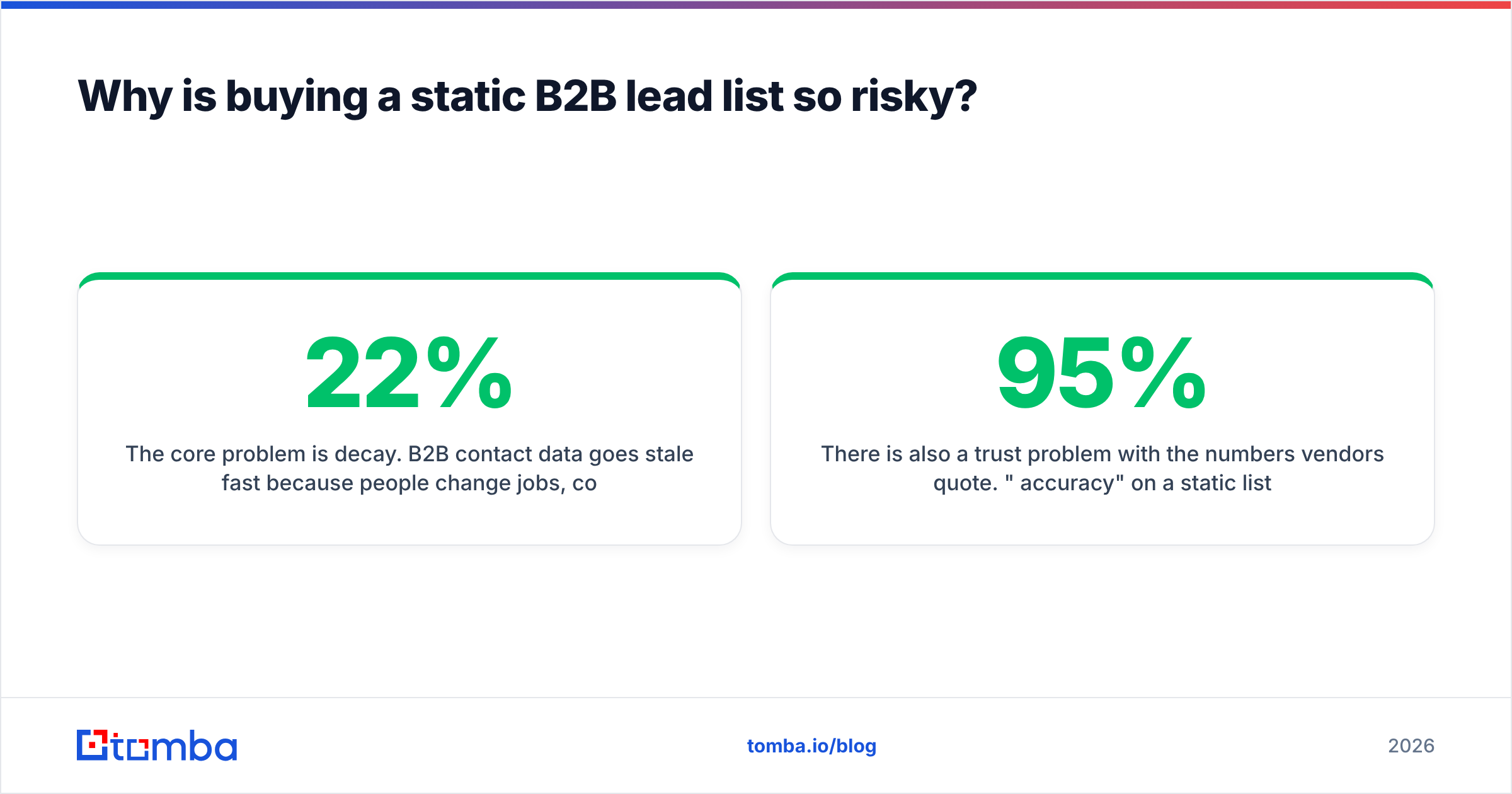
The core problem is decay. B2B contact data goes stale fast because people change jobs, companies rebrand, domains migrate, and inboxes get deactivated. Industry estimates put B2B data decay between 22% and 30% per year — meaning that within roughly four years, an untouched list is mostly fiction.
When you blast a decayed list, mailbox providers notice. High bounce rates and spam complaints are exactly the signals Gmail and Outlook use to decide whether your future mail lands in the inbox or the junk folder. One bad import can quietly cap your email deliverability for months. Google's own Postmaster Tools guidance is blunt about keeping complaint rates low and avoiding sending to addresses that bounce.
There is also a trust problem with the numbers vendors quote. "95% accuracy" on a static list usually describes the data on the day it was compiled, not the day you send. And many cheap lists are padded with catch-all domains — addresses that accept every message at the server level, so they look valid but tell you nothing about whether the inbox exists. Without a catch-all verifier in your pipeline, those records inflate the count and tank your real deliverability.
How do the ways to buy B2B leads compare?#
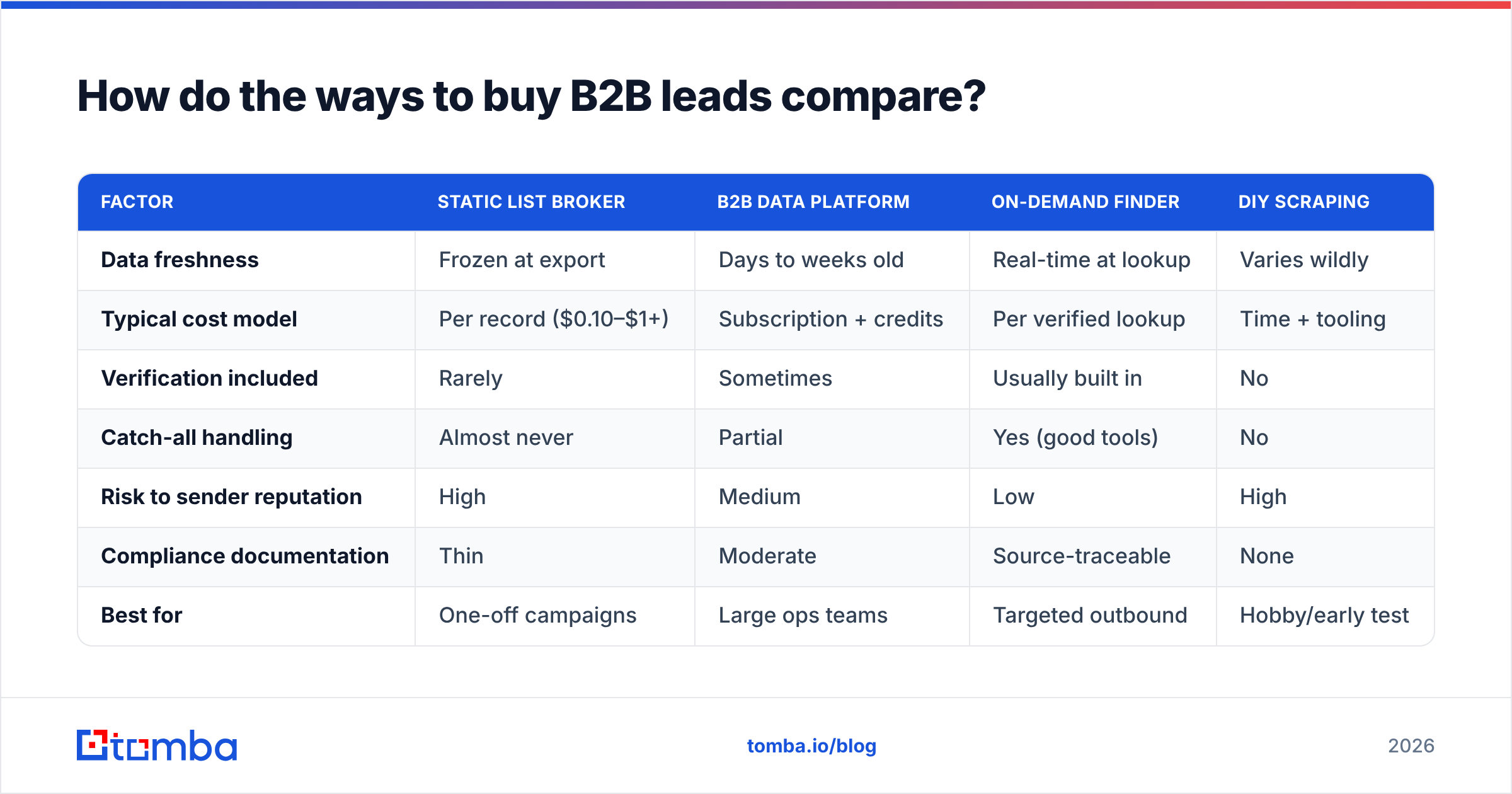
Here is the honest trade-off across the three models, plus the DIY baseline of scraping it yourself.
| Factor | Static list broker | B2B data platform | On-demand finder | DIY scraping |
|---|---|---|---|---|
| Data freshness | Frozen at export | Days to weeks old | Real-time at lookup | Varies wildly |
| Typical cost model | Per record ($0.10–$1+) | Subscription + credits | Per verified lookup | Time + tooling |
| Verification included | Rarely | Sometimes | Usually built in | No |
| Catch-all handling | Almost never | Partial | Yes (good tools) | No |
| Risk to sender reputation | High | Medium | Low | High |
| Compliance documentation | Thin | Moderate | Source-traceable | None |
| Best for | One-off campaigns | Large ops teams | Targeted outbound | Hobby/early test |
The pattern is consistent: the more "bulk and frozen" the model, the cheaper the sticker price and the higher the hidden cost in bounces, wasted SDR hours, and reputation repair.
What should you check before buying any B2B lead?#
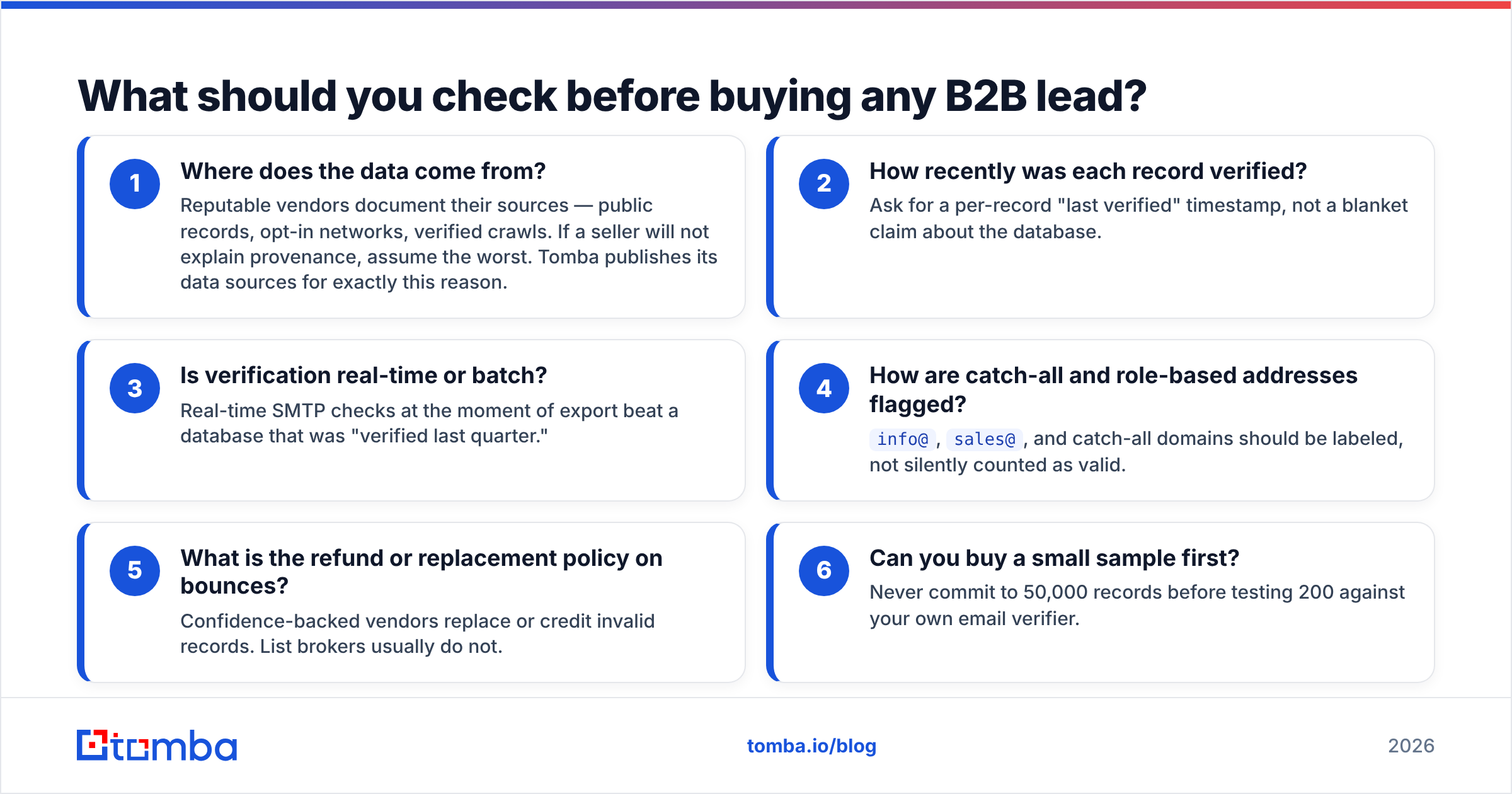
Before you hand over a credit card, run every prospective vendor through this checklist. Treat a "no" or a vague answer on any line as a red flag.
- Where does the data come from? Reputable vendors document their sources — public records, opt-in networks, verified crawls. If a seller will not explain provenance, assume the worst. Tomba publishes its data sources for exactly this reason.
- How recently was each record verified? Ask for a per-record "last verified" timestamp, not a blanket claim about the database.
- Is verification real-time or batch? Real-time SMTP checks at the moment of export beat a database that was "verified last quarter."
- How are catch-all and role-based addresses flagged?
info@,sales@, and catch-all domains should be labeled, not silently counted as valid. - What is the refund or replacement policy on bounces? Confidence-backed vendors replace or credit invalid records. List brokers usually do not.
- Can you buy a small sample first? Never commit to 50,000 records before testing 200 against your own email verifier.
That last point is the one most buyers skip and most regret. A 200-record sample tells you the real bounce rate in an afternoon for a few dollars.
Is it better to buy lists or build leads on demand?#
For most B2B teams in 2026, building leads on demand wins — and it is not particularly close. The reason is that you stop paying for inventory you will never contact.
A static list of 10,000 contacts assumes you will work all 10,000. In reality, your reps touch the few hundred that match a live opportunity, and the other 9,500 rot in a CRM while you paid full price for them. An on-demand model flips this: you run a domain search on a target account, pull the three or four decision-makers you actually need, verify them, and move on. Every credit maps to a contact you intend to use.

On-demand buying also stays compliant more easily because you can document why each contact was sourced and when. That source traceability is what auditors and, increasingly, prospects want to see. If you are weighing platforms, our breakdown of Apollo alternatives and other B2B database options compares the subscription-heavy model against pay-for-what-you-use directly.
None of this means lists are never useful. If you are running a single, time-boxed campaign into a narrow vertical and you verify aggressively before sending, a well-sourced list can work. The failure mode is treating a bought list as a permanent, send-anytime asset.
How do you verify and clean a purchased B2B list?#
Assume every list you buy is dirty until proven otherwise, then clean it in this order:
- Deduplicate first. Remove exact and fuzzy duplicates so you are not double-counting or double-sending. A simple remove-duplicates pass before anything else saves credits.
- Verify every address. Run the full list through verification and split it into valid, risky (catch-all), and invalid buckets. Send only to valid; trickle-test the risky bucket in small batches.
- Strip role-based and disposable addresses unless your offer genuinely targets a shared inbox.
- Enrich the gaps. Where a record is missing a title, company size, or a second contact, use data enrichment to fill it rather than guessing.
- Warm up before volume. If the list is large relative to your normal sending, ramp gradually so providers do not read the spike as an attack.
This is unglamorous work, but skipping it is how a "great deal" on 50,000 contacts becomes a three-month deliverability recovery project.
What about compliance when you buy B2B leads?#
Buying a list does not transfer consent — that is the rule everything else follows from. In the EU and UK, GDPR requires a lawful basis (often legitimate interest for B2B) and a clear, easy opt-out; the bought list itself is not your legal basis. In the US, CAN-SPAM requires accurate headers, a real physical address, and a working unsubscribe in every message. Several other jurisdictions (Canada's CASL, for example) are stricter still and effectively require prior consent.
Practical guardrails:
- Keep records of where and when each contact was sourced.
- Honor opt-outs instantly and permanently across every tool.
- Avoid sending to consumer (B2C) addresses dressed up as business contacts.
- When in doubt on EU contacts, lean on legitimate interest with a tight relevance argument, and document it.
Vendors that publish provenance and let you trace each record make this dramatically easier than a broker who hands you an unlabeled CSV. For a deeper read on how data quality and outreach interact, G2's lead intelligence category is a useful neutral reference for comparing how vendors describe their sourcing.
How much should you expect to pay to buy B2B leads?#
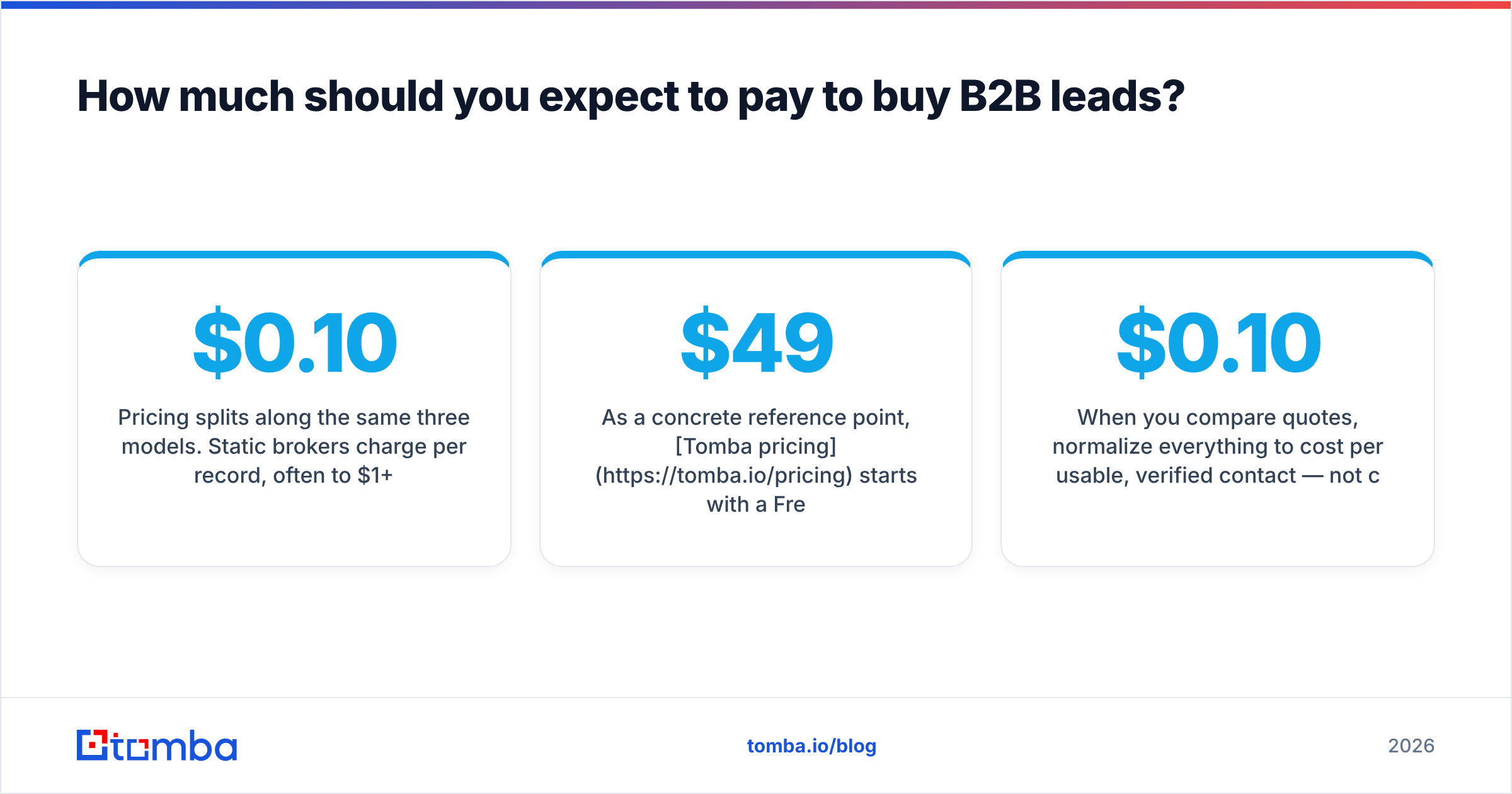
Pricing splits along the same three models. Static brokers charge per record, often $0.10 to $1+ depending on data depth, with steep discounts at volume — and a hidden tax in bounces. Subscription platforms bundle credits into monthly tiers that can run from under a hundred to several thousand dollars. On-demand finders price per verified lookup or via flexible credit tiers, so cost scales with actual usage.
As a concrete reference point, Tomba pricing starts with a Free tier (25 searches per month), then Starter at $49/mo, Growth at $99/mo, Pro at $249/mo, and custom Enterprise. The advantage of a usage-based tier is that you are paying for verified contacts you pull deliberately, not for a frozen file you hope to work through someday.
When you compare quotes, normalize everything to cost per usable, verified contact — not cost per raw record. A $0.10 record with a 35% bounce rate is more expensive than a $0.30 record that actually lands, once you factor in wasted rep time and reputation risk.
Buy smarter, not bigger#
The best way to buy B2B leads in 2026 is to stop thinking of leads as a warehouse to fill and start thinking of them as fresh ingredients you source per dish. Verify everything, document your sources, respect consent, and measure cost per landed contact instead of per row in a spreadsheet.
If you want fresh, verified contacts on demand instead of a stale CSV, start with the Tomba Email Finder. Search by name, company, or domain, pull only the decision-makers you need, and let built-in verification keep the junk out of your pipeline — so your sender reputation stays intact and your reps spend their time on people who actually pick up. Try it free with 25 searches a month and scale only when the pipeline says so.
// get started
Find, verify and enrich your first contacts today
Start on the free plan with 25 searches a month, then scale when your team is ready.
Free plan · No credit card required · GDPR & CCPA
// about the author