Cold Email Format in 2026: The Complete Structure Guide
A field-tested cold email format that actually gets replies in 2026 — subject line, opener, pitch, CTA, and signature broken down line by line with examples.
Cold Email Format in 2026: The Complete Structure Guide
Most cold emails fail before the pitch. Not because the offer is weak, but because the structure buries it. The reader skims, finds no reason to keep reading, and archives. A clean cold email format fixes that by putting the right line in the right place so the eye lands where you want it.
This guide breaks the format down component by component — subject line, opener, value pitch, call to action, and signature — with copy-paste examples and a comparison of the two structures that dominate 2026 outbound.
TL;DR#
- A winning cold email has five parts: subject line, personalized opener, one-sentence value pitch, a single soft CTA, and a plain-text signature.
- Keep it under 120 words. Short emails render fully in the preview pane and read like a person, not a campaign.
- One CTA, one idea. Every extra ask or link cuts your reply rate.
- Personalization goes in the first line, not the subject. The subject earns the open; the opener earns the read.
- Deliverability is part of the format — clean lists, verified addresses, and warmed domains decide whether your perfectly formatted email is even seen.
What is the ideal cold email format?#
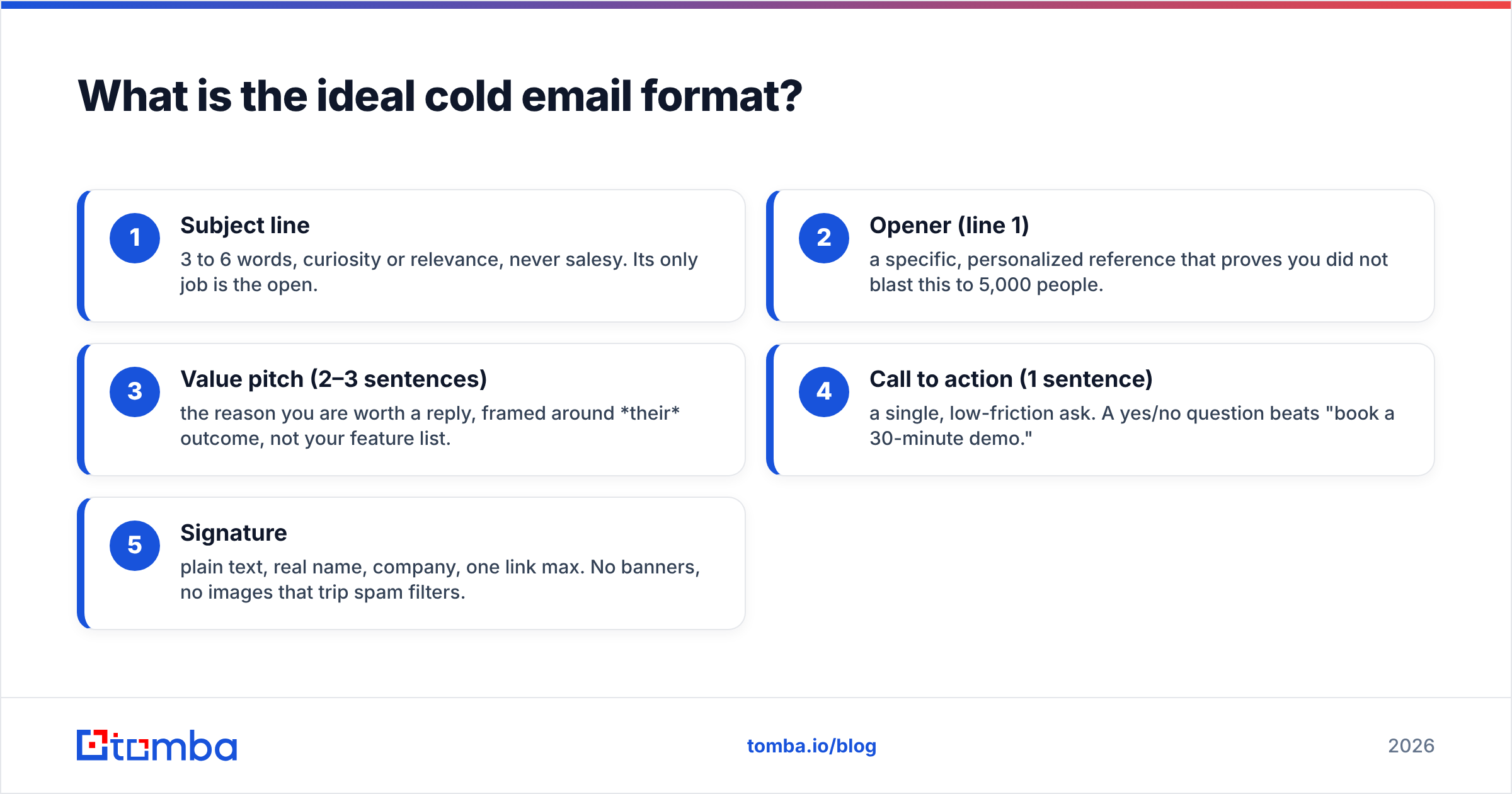
The ideal cold email format is a five-part skeleton that moves the reader from "who is this?" to "sure, let's talk" in under 15 seconds of reading. Each part has one job, and skipping any of them creates a gap the reader fills with "delete."
Here is the anatomy, top to bottom:
- Subject line — 3 to 6 words, curiosity or relevance, never salesy. Its only job is the open.
- Opener (line 1) — a specific, personalized reference that proves you did not blast this to 5,000 people.
- Value pitch (2–3 sentences) — the reason you are worth a reply, framed around their outcome, not your feature list.
- Call to action (1 sentence) — a single, low-friction ask. A yes/no question beats "book a 30-minute demo."
- Signature — plain text, real name, company, one link max. No banners, no images that trip spam filters.

That order matters. The opener has to appear in the preview pane next to the subject line, because on mobile that preview is your email for the first two seconds. If line one reads "Hope this email finds you well," you have already lost the reader who was deciding whether to tap.
Why does structure beat clever copy?#
Structure beats clever copy because attention is spent in a fixed sequence, and a good format spends it wisely. Think of it like a storefront window: you have three seconds of a walking glance to make someone stop. A cluttered window with ten products and five signs gets ignored; one item, well-lit, gets a second look. Your email is that window.
A tight structure also survives the two things that kill most cold emails: the preview-pane skim and the mobile screen. Roughly 60% of email opens happen on mobile, where a dense paragraph becomes a wall. When your format is five short blocks, the message stays legible everywhere.
There is a deliverability angle too. Inbox providers weigh engagement — replies, opens, and lack of spam complaints — when deciding placement. A clean, human-looking format earns more positive engagement, which protects your sender reputation over time. Clever copy inside a bloated template does none of that.
What does the cold email format look like in practice?#
Here is a full example built on the five-part skeleton. Notice how every line earns its place.
Subject: quick question about your Q3 onboarding
Hi Dana,
Saw Northwind just rolled out self-serve signups — congrats on the launch. Teams that ship self-serve usually see support tickets spike in the first 60 days.
We help SaaS ops teams cut onboarding tickets by routing common questions before they reach a human. Acme did this and dropped first-week tickets 34%.
Worth a 10-minute look next week?
Ben
Tomba · tomba.io
That is 68 words. It opens with a specific trigger (the launch), connects it to a pain (ticket spikes), offers proof (Acme's 34%), and asks one small question. No "circling back," no five bullet points, no calendar link wall.
Now compare the two structural approaches most teams choose between.
Which cold email format performs better: short-form or story-form?#
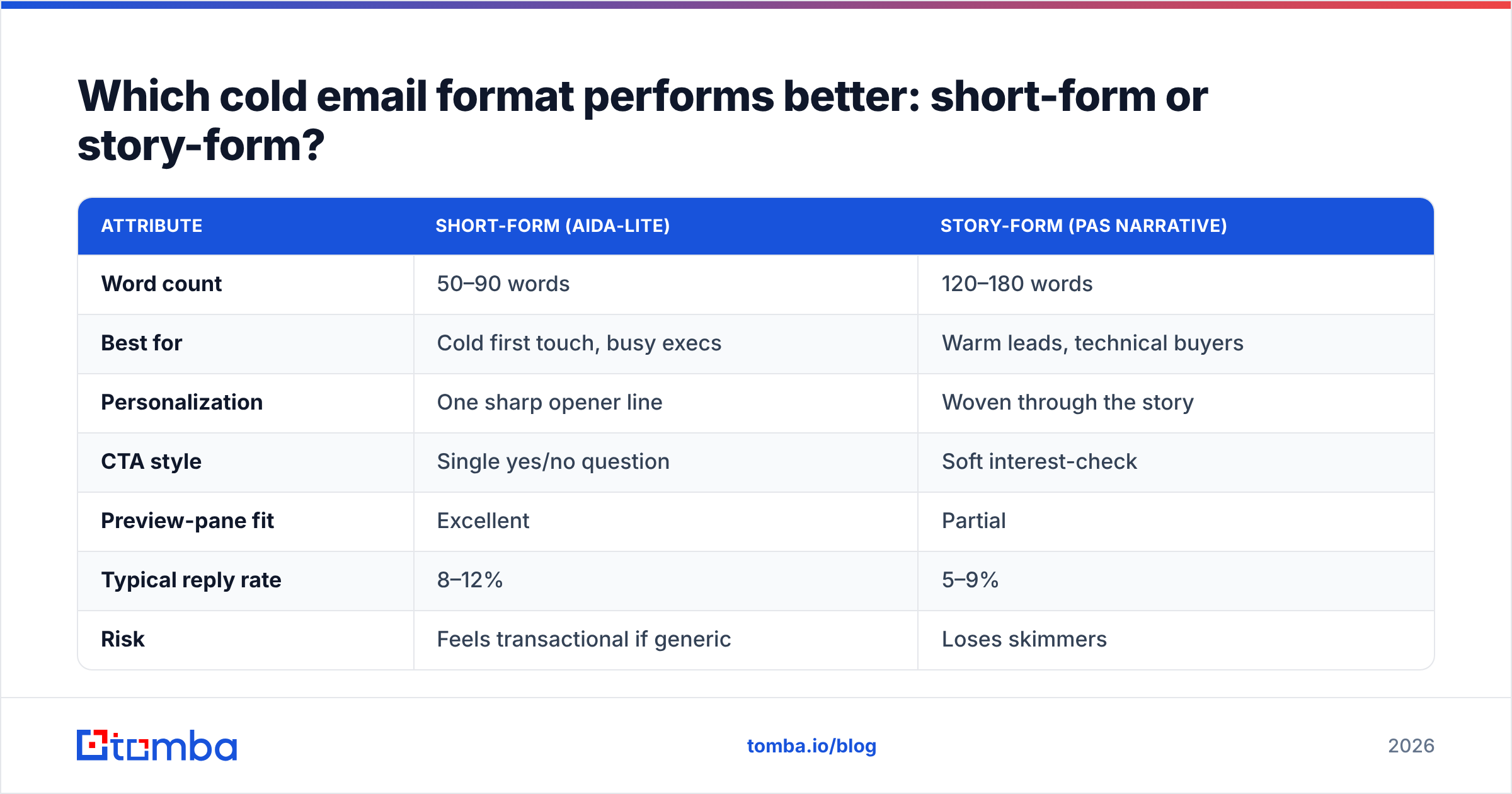
Short-form wins for cold, first-touch outreach; story-form belongs in warmer or later-stage sequences. The table below shows how they differ across the attributes that actually move reply rates.
| Attribute | Short-form (AIDA-lite) | Story-form (PAS narrative) |
|---|---|---|
| Word count | 50–90 words | 120–180 words |
| Best for | Cold first touch, busy execs | Warm leads, technical buyers |
| Personalization | One sharp opener line | Woven through the story |
| CTA style | Single yes/no question | Soft interest-check |
| Preview-pane fit | Excellent | Partial |
| Typical reply rate | 8–12% | 5–9% |
| Risk | Feels transactional if generic | Loses skimmers |
For most outbound in 2026, start with short-form. It respects the reader's time, renders fully in the preview pane, and forces you to cut everything that is not the point. Move to story-form only when you have earned a bit of attention — a reply, a website visit, a warm intro.
If you want to test both, keep the format fixed and vary only one variable at a time (subject, opener, or CTA). Changing three things at once tells you nothing about which one worked.
How long should each part of the cold email be?#
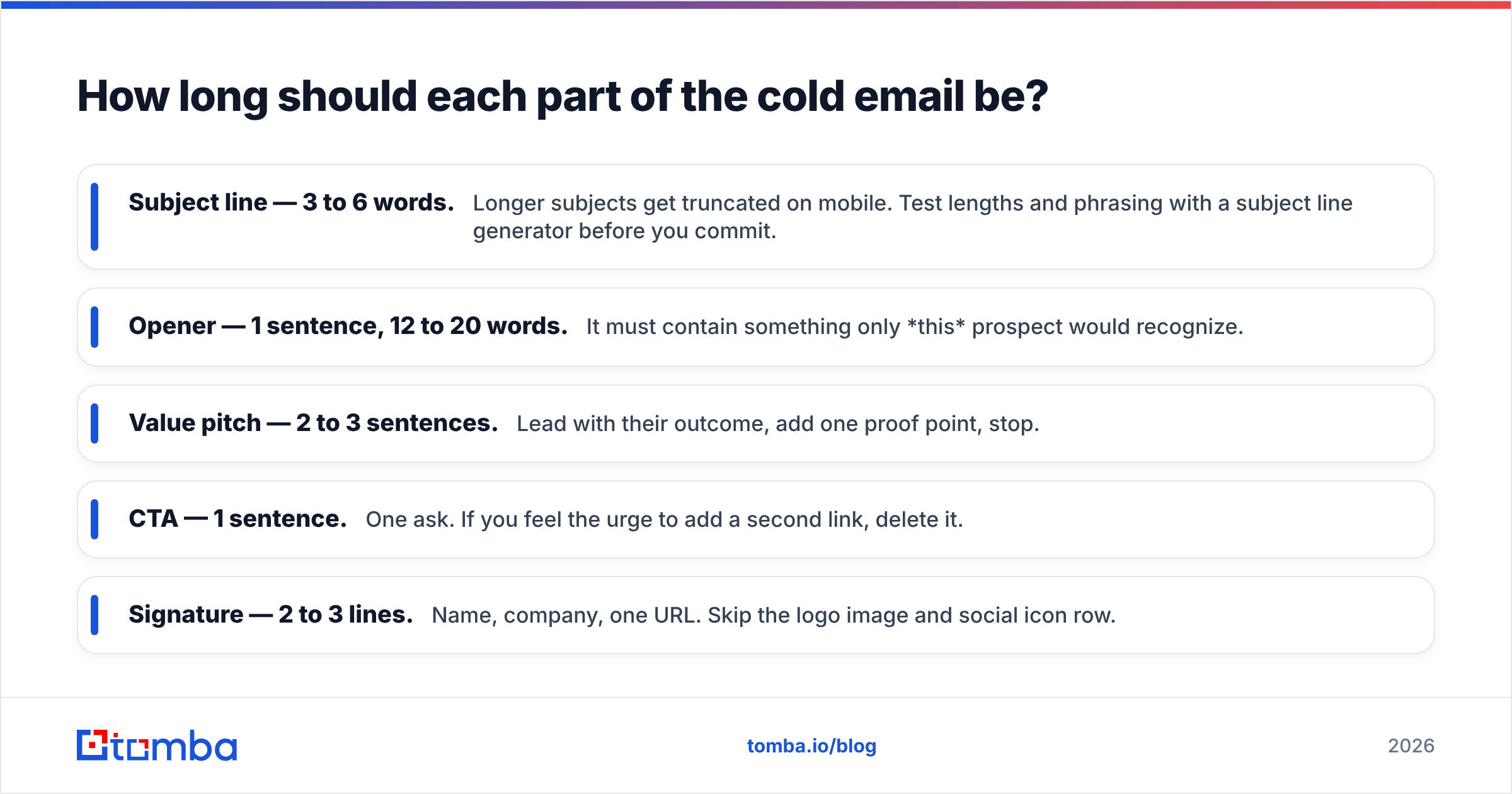
Each part should be as short as it can be while still doing its job. Here are concrete limits that keep the whole email under the 120-word sweet spot:
- Subject line — 3 to 6 words. Longer subjects get truncated on mobile. Test lengths and phrasing with a subject line generator before you commit.
- Opener — 1 sentence, 12 to 20 words. It must contain something only this prospect would recognize.
- Value pitch — 2 to 3 sentences. Lead with their outcome, add one proof point, stop.
- CTA — 1 sentence. One ask. If you feel the urge to add a second link, delete it.
- Signature — 2 to 3 lines. Name, company, one URL. Skip the logo image and social icon row.
A useful gut check: read the email out loud. If you run out of breath before the CTA, it is too long. If any sentence exists to sound impressive rather than to move the reader forward, cut it.
How do you personalize the format without spending an hour per email?#
You personalize the opener with a repeatable research pattern, then let the rest of the format stay templated. The mistake teams make is trying to personalize every line — that does not scale and reads as forced. Instead, spend your effort on line one only.
A three-tier personalization system works well:
- Trigger-based (best): a funding round, product launch, new hire, or job change. These are timely and prove relevance.
- Role-based (good): a pain specific to their title and industry. Reusable across a segment.
- Company-based (baseline): something true of their business you can pull at scale.
The bottleneck is usually getting accurate contact data, not writing the line. This is where your prospecting stack matters. A reliable email finder gets you verified addresses so your carefully formatted email actually reaches a real inbox, and data enrichment fills in the role and company details that feed tier-2 and tier-3 openers. When you are working a whole account list at once, a bulk email finder keeps the research from becoming the whole job.
Personalize the opener, verify the address, template everything else. That is how you keep quality high and time-per-email low.
What formatting mistakes get cold emails ignored or flagged as spam?#
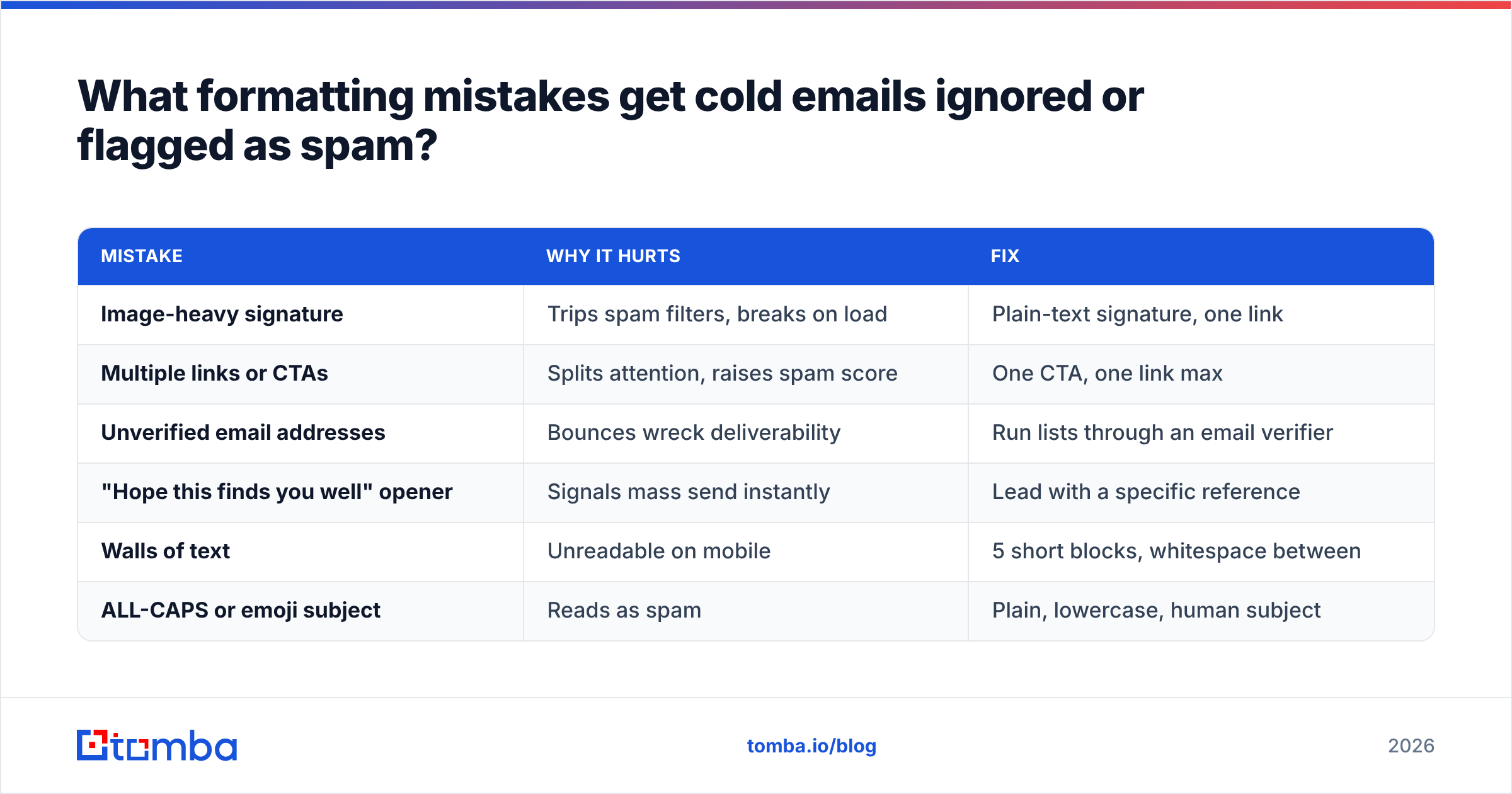
The fastest way to kill a well-structured email is to break the technical and visual rules that inbox filters and human readers both punish. Watch for these:
| Mistake | Why it hurts | Fix |
|---|---|---|
| Image-heavy signature | Trips spam filters, breaks on load | Plain-text signature, one link |
| Multiple links or CTAs | Splits attention, raises spam score | One CTA, one link max |
| Unverified email addresses | Bounces wreck deliverability | Run lists through an email verifier |
| "Hope this finds you well" opener | Signals mass send instantly | Lead with a specific reference |
| Walls of text | Unreadable on mobile | 5 short blocks, whitespace between |
| ALL-CAPS or emoji subject | Reads as spam | Plain, lowercase, human subject |
Bounces deserve special attention. Every hard bounce tells the inbox provider your list is dirty, and that damages placement for every future send. Before a campaign, clean your list with an email verifier so the format you worked on lands in the inbox instead of the spam folder. For a quick manual check, a free email checker confirms individual addresses.
It is also worth understanding the plumbing behind delivery. Guides from HubSpot on cold email and the deliverability basics on G2 reinforce the same point: format and infrastructure work together. A great template on a cold, unauthenticated domain still lands in spam.
How do you format the call to action for maximum replies?#
Format the CTA as a single, low-commitment question that is easy to answer with one tap. The biggest jump in reply rate usually comes from softening the ask, not rewriting the pitch.
Compare these:
- High friction: "Book a 30-minute demo using this Calendly link." → asks for a big time commitment and a click before any value is established.
- Low friction: "Worth a quick look next week?" → asks only for interest, answerable with "yes."
The soft CTA works because it lowers the psychological cost of replying. Once someone says yes, then you send the calendar link. Asking for the meeting and the calendar action in the first cold email is asking a stranger to marry you on the first date.
Keep exactly one CTA. If you find yourself writing "or, if that does not work, feel free to check out our case studies here," you have created a decision, and a confused reader does nothing. One ask, phrased as a question, at the bottom of the email where it belongs.
Putting the cold email format to work#
The format is only half the equation — the other half is getting your message in front of a real, reachable person. A flawless five-part email sent to a guessed address or a stale list never gets the chance to work.
Start by building a clean, verified prospect list. Tomba's Email Finder locates professional email addresses by name, company, or domain, so your outreach reaches the actual decision-maker instead of bouncing. Pair it with the email verifier to strip out risky addresses before you send, and check the Tomba pricing plans — including a free tier with 25 searches a month — to find the fit for your volume. Nail the format, verify the address, and your reply rate takes care of itself.
Related guides#
Ready to find emails that actually work?
Join 150,000+ professionals who stopped guessing and started sending. Free credits on signup — no credit card required.
Get the Tomba newsletter
Practical outbound tactics and product updates — once every two weeks.
About the author