Cold Email Subject Line Generator: The 2026 No-Fluff Guide
A cold email subject line generator can lift open rates or torch your domain. Here's how the tools actually work, what to test, and the scoring framework that separates a real winner from a clever-sounding line nobody opens.
TL;DR
- A cold email subject line generator is a pattern engine, not a copywriter. It gives you variants fast; it cannot tell you which one your buyer will open.
- Open rate is a broken metric on its own. Apple Mail Privacy Protection inflates it. Judge subject lines on reply rate per 100 delivered, not opens.
- The three inputs that move opens — recipient relevance, sender reputation, and list hygiene — sit outside the generator. A perfect line to a dead mailbox is a bounce.
- Free generators (Tomba, HubSpot, Copy.ai) are good enough for ideation. Paid ones justify themselves only if they include testing, scoring, and deliverability checks.
- The workflow that actually works: generate 8-12 variants → score them against a rubric → spam-check the top 3 → A/B them across 200+ verified contacts each.
What is a cold email subject line generator?#
A cold email subject line generator is a tool that takes a small brief — your offer, the recipient's role, an optional trigger event — and returns a list of subject line candidates. Most are thin wrappers around a large language model with a prompt template underneath. Some layer on scoring, spam-word detection, or historical performance data.
Think of it like a spice rack, not a chef. It hands you options fast. It has no idea what's in your pot.
The useful ones do three distinct jobs, and it's worth knowing which job you're actually buying:
- Ideation — produce 10-20 raw variants from a brief. Cheap, commoditized, mostly free.
- Scoring — grade a line against length, spam triggers, personalization tokens, and sentiment. This is where a subject line tester earns its place.
- Testing — run real A/B splits across a live list and report statistical significance. Almost no standalone generator does this; your sending platform does.
Vendors blur these three together in their marketing. When you evaluate a tool, ask which of the three it actually performs.
Do subject line generators actually improve open rates?#
Yes — but far less than the tools imply, and the honest ceiling is smaller than you've been told.
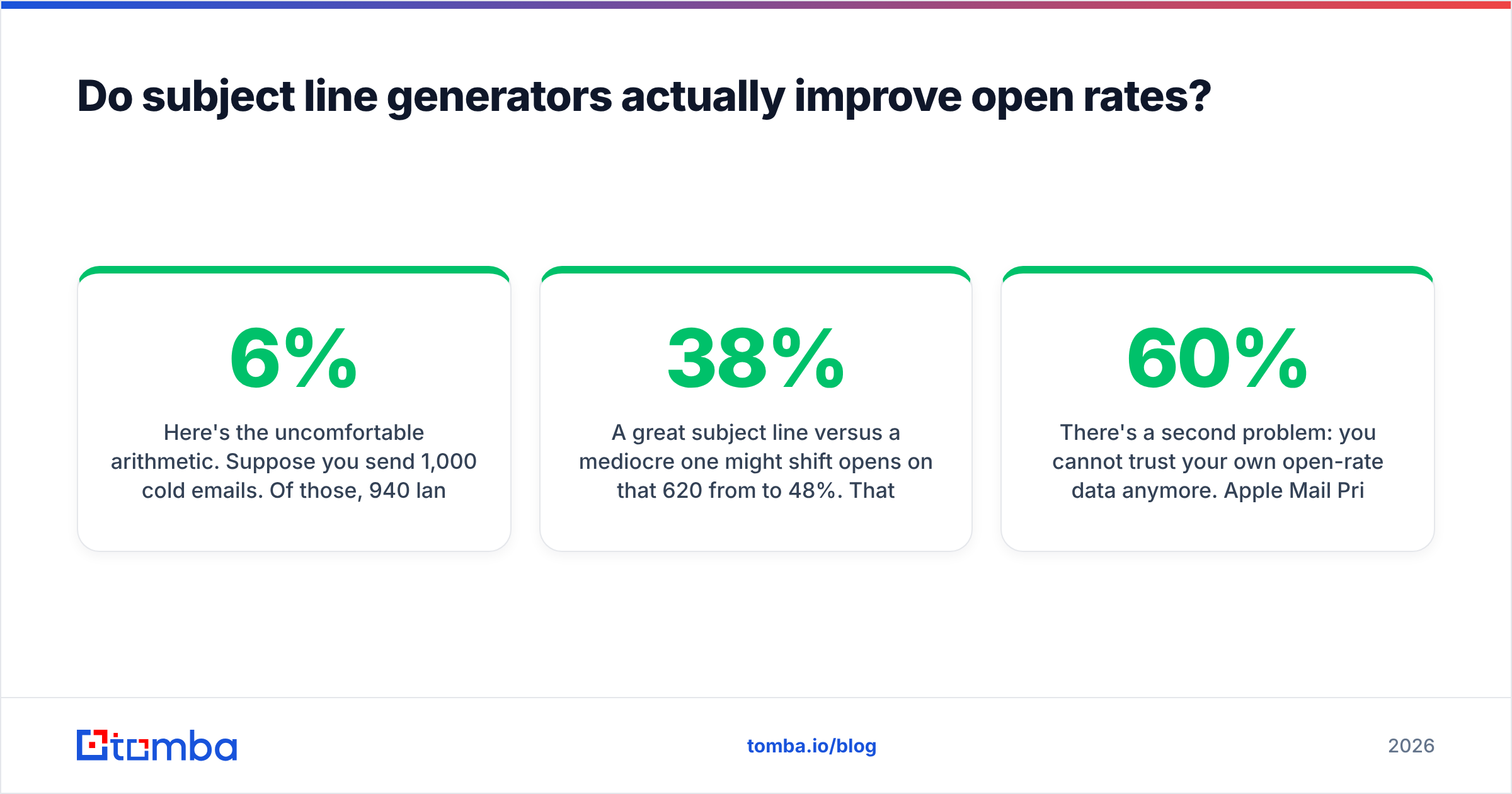
Here's the uncomfortable arithmetic. Suppose you send 1,000 cold emails. Of those, 940 land in an inbox (6% bounce, which is already generous for an unverified list). Of the 940 delivered, maybe 620 land in the primary tab rather than spam or promotions. Only those 620 people ever see a subject line at all.
A great subject line versus a mediocre one might shift opens on that 620 from 38% to 48%. That's a real, meaningful ten-point swing — roughly 62 extra people who read your first sentence. But if you'd fixed the bounce rate and spam placement instead, you'd have exposed several hundred more people to any subject line at all.
Subject lines are a multiplier on a base you control elsewhere. The generator optimizes the multiplier. Verification and reputation optimize the base.
There's a second problem: you cannot trust your own open-rate data anymore. Apple Mail Privacy Protection pre-fetches tracking pixels, which means a chunk of your "opens" are machine opens that never involved a human. Depending on your audience's device mix, 30-60% of reported opens can be phantom. Google's own bulk sender guidelines push in the same direction: engagement signals that matter to the mailbox provider are replies, stars, and moves-to-folder — not pixel loads.
So the metric to optimize is replies per 100 delivered. A subject line that wins on opens but loses on replies attracted curiosity, not intent. That's a clickbait tax you pay on the next send.
How do the main cold email subject line generators compare?#
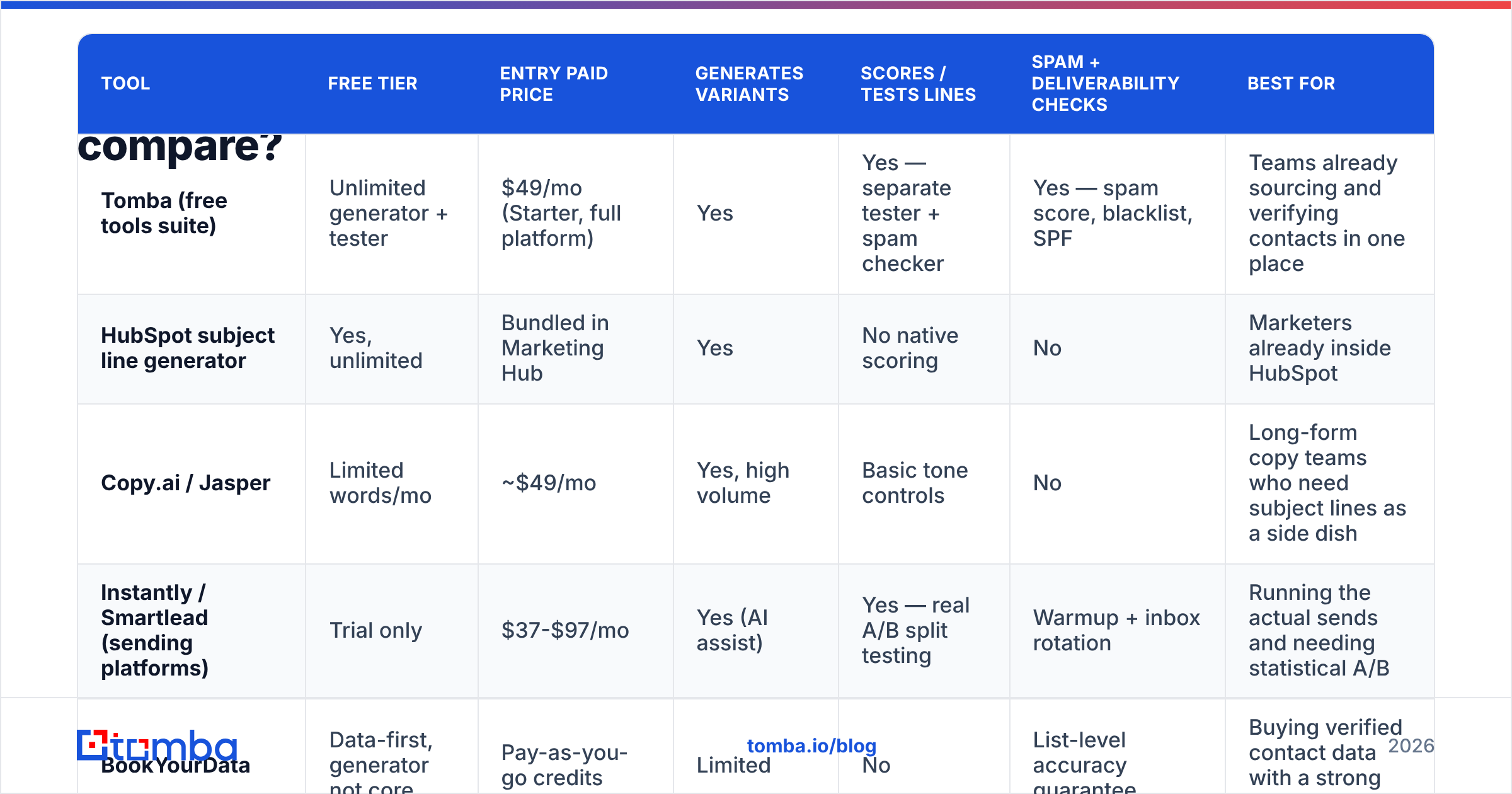
Below is a working comparison of the tools people actually shortlist. Prices are the entry paid tier as of early 2026; free tiers are noted separately because for most teams the free tier is the real product.
| Tool | Free tier | Entry paid price | Generates variants | Scores / tests lines | Spam + deliverability checks | Best for |
|---|---|---|---|---|---|---|
| Tomba (free tools suite) | Unlimited generator + tester | $49/mo (Starter, full platform) | Yes | Yes — separate tester + spam checker | Yes — spam score, blacklist, SPF | Teams already sourcing and verifying contacts in one place |
| HubSpot subject line generator | Yes, unlimited | Bundled in Marketing Hub | Yes | No native scoring | No | Marketers already inside HubSpot |
| Copy.ai / Jasper | Limited words/mo | ~$49/mo | Yes, high volume | Basic tone controls | No | Long-form copy teams who need subject lines as a side dish |
| Instantly / Smartlead (sending platforms) | Trial only | $37-$97/mo | Yes (AI assist) | Yes — real A/B split testing | Warmup + inbox rotation | Running the actual sends and needing statistical A/B |
| BookYourData | Data-first, generator not core | Pay-as-you-go credits | Limited | No | List-level accuracy guarantee | Buying verified contact data with a strong accuracy SLA |
Two honest reads of that table.
First, the generator itself is not a differentiator. Every row produces competent variants because they all call similar models. Paying for generation alone is paying for a prompt.
Second, the value sits in the adjacent columns. Testing lives in your sending platform. Deliverability lives in your domain setup. Data quality lives in your list source. A tool is worth money when it closes one of those gaps, not when it produces a 13th variant of "Quick question about {{company}}."
For a broader vendor landscape, G2's email marketing category is a reasonable neutral starting point, with the usual caveat that review volume correlates with marketing budget more than product quality.
What separates a good subject line from a generated one?#
Generated lines fail in predictable, diagnosable ways. Run every candidate through this rubric before it touches a list.
Specificity over cleverness. "Quick question" is a category, not a subject line. "Your Q3 hiring page still lists 4 SDR roles" is a subject line. If a competitor could paste the same line into their own campaign unchanged, it's not personalized — it's a template with a merge tag.
Length under 45 characters. Mobile Gmail truncates around 40-45 characters; Outlook desktop shows more but buries it in a preview pane. Front-load the identifying noun. Generators default to 55-70 characters because models optimize for grammatical completeness, not for a 6-inch screen.
No promise you can't pay off in sentence one. The single biggest cause of high-open, zero-reply campaigns is a subject line that sets up a question the body never answers. If your line is "Saw your talk at SaaStr," the first line had better reference the talk.
Zero spam triggers. "Free," "guarantee," "act now," exclamation points, ALL CAPS, and excessive personalization tokens all raise filter scores. Run the top candidates through a spam checker before committing. Filters don't score subject lines in isolation, but a bad line combined with a cold domain is what tips borderline mail into the junk folder.
Lowercase where it fits. A line written the way a colleague would type it — "re: your careers page" — outperforms title-cased marketing copy in most cold contexts, because it pattern-matches to human mail rather than campaign mail. Generators almost always return title case. Fix it manually.
No false threading. Prepending "Re:" or "Fwd:" to a first-touch email is a dark pattern. It lifts opens and destroys trust in the same second. HubSpot's research on email subject lines has been consistent on this for years: deception converts opens into unsubscribes.
Apply this rubric and you'll typically kill 7 of 10 generated lines. That's the correct hit rate. A generator that produces ten usable lines is producing ten forgettable lines.
How should you test subject lines properly?#
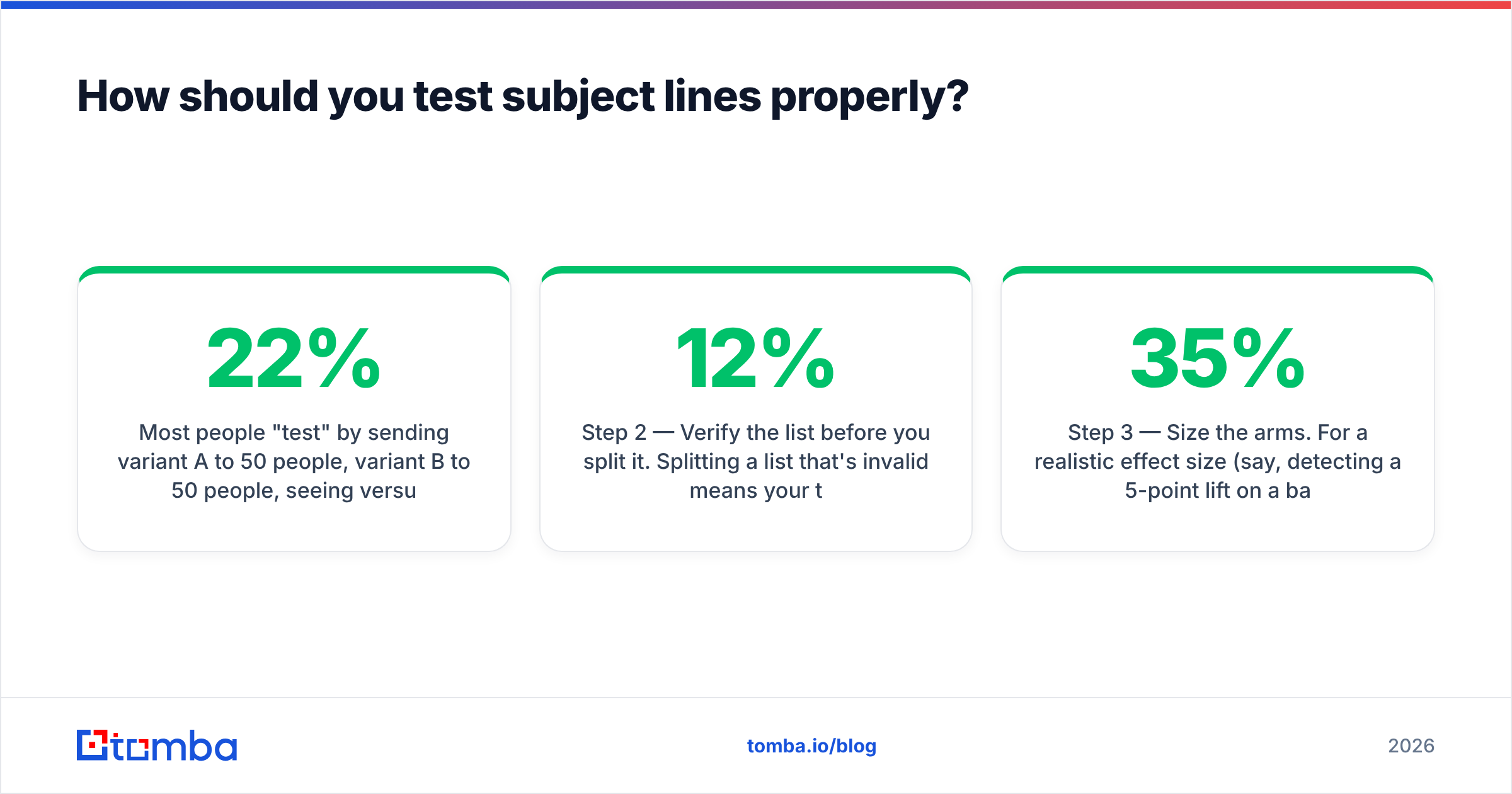
Most people "test" by sending variant A to 50 people, variant B to 50 people, seeing 22% versus 26%, and declaring a winner. That difference is noise. With 50 recipients per arm, you need roughly a 20-point gap before you can claim anything.
Here's a workflow that survives contact with statistics.
Step 1 — Generate wide, keep narrow. Pull 10-12 variants from a subject line generator. Apply the six-point rubric above. Keep the three survivors.
Step 2 — Verify the list before you split it. Splitting a list that's 12% invalid means your test arms have different bounce profiles. Run the list through an email verifier first. Bounces are noise injected directly into your denominator, and they hurt sender reputation in a way that persists across future campaigns.
Step 3 — Size the arms. For a realistic effect size (say, detecting a 5-point lift on a 35% baseline), you want roughly 200-400 contacts per arm. Below 200, don't bother — you're reading tea leaves. If your total list is 150 people, skip testing entirely and just write the best line you can.
Step 4 — Hold everything else constant. Same send window, same sending domain, same body copy, same first line. If you change the subject line and the opener, you've learned nothing about either.
Step 5 — Measure replies, not opens. Track opens as a secondary diagnostic (a huge open gap with no reply gap tells you the line is curiosity bait). Declare the winner on replies per 100 delivered.
Step 6 — Re-test quarterly. Subject line performance decays. The line that won in January is being copied by every competitor by April. Treat winners as perishable.
When is a subject line generator the wrong tool?#
Three situations where reaching for a generator is a symptom, not a solution.
Your bounce rate is above 3%. No subject line survives a bad list. Bounces above 3% signal to mailbox providers that you're sending to scraped or stale data, and that signal outweighs anything in your subject field. Fix the data first — clean the list, verify every address, drop the ones you can't confirm. A catch-all verifier matters here too, because catch-all domains accept everything and tell you nothing, quietly padding your "deliverable" count with addresses no human reads.
Your reply rate is under 1% and your open rate is above 40%. People are opening. They're just not interested. The problem is your offer, your targeting, or your first sentence. Rewriting the subject line will make the number worse by attracting even more of the wrong opens.
You're sending fewer than 100 emails a week. At that volume, a human writing a genuinely researched line per prospect will beat any generated batch. The generator's advantage is throughput. If you don't need throughput, you're paying for a constraint.
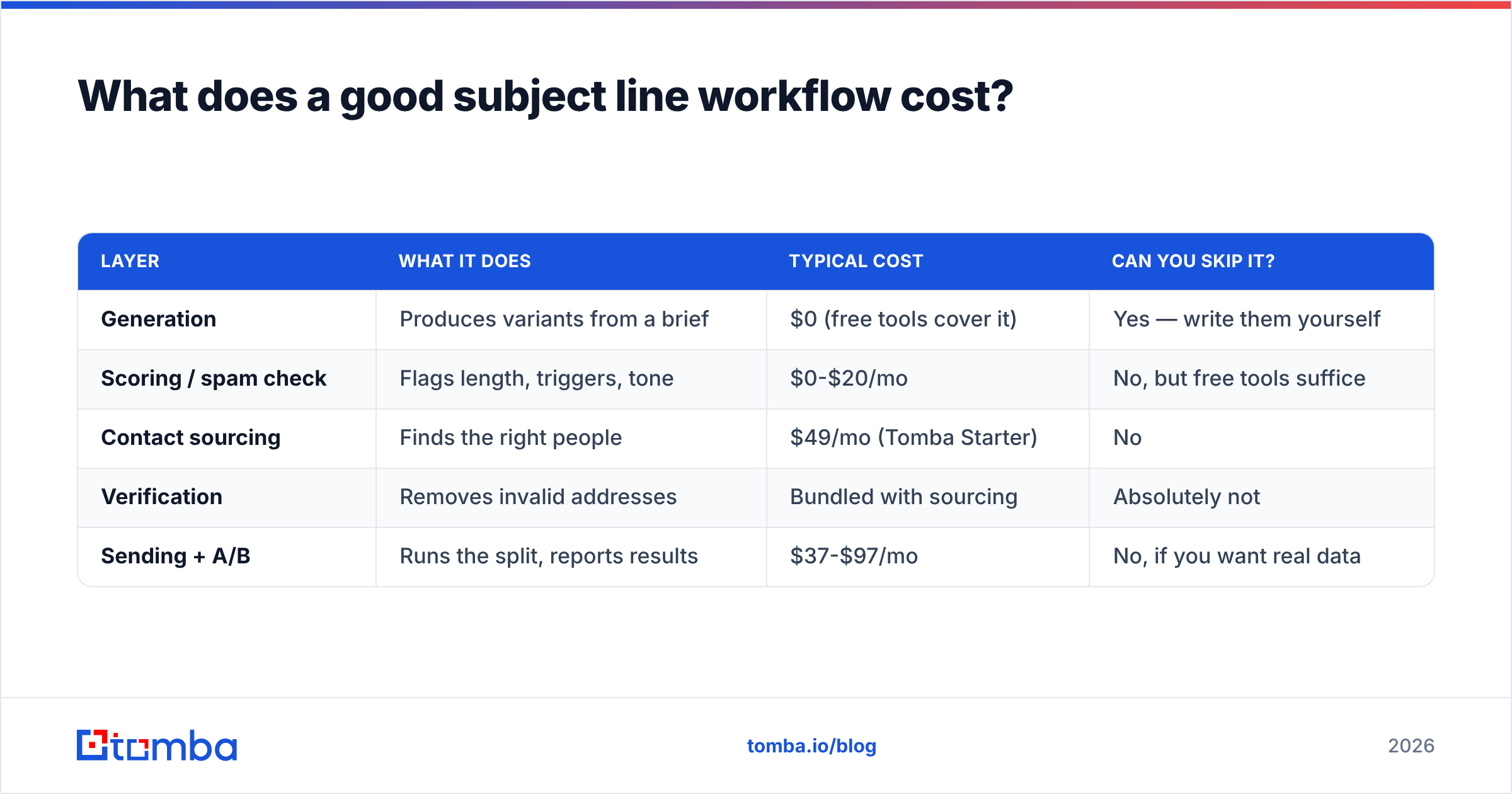
What does a good subject line workflow cost?#
The honest answer for most teams: near zero for the generation layer, and real money for the layers that matter.
| Layer | What it does | Typical cost | Can you skip it? |
|---|---|---|---|
| Generation | Produces variants from a brief | $0 (free tools cover it) | Yes — write them yourself |
| Scoring / spam check | Flags length, triggers, tone | $0-$20/mo | No, but free tools suffice |
| Contact sourcing | Finds the right people | $49/mo (Tomba Starter) | No |
| Verification | Removes invalid addresses | Bundled with sourcing | Absolutely not |
| Sending + A/B | Runs the split, reports results | $37-$97/mo | No, if you want real data |
The pattern: pay for data and sending. Don't pay for a prompt.
If you're evaluating platform costs, Tomba's pricing starts with a free tier at 25 searches per month, Starter at $49/mo, Growth at $99/mo, and Pro at $249/mo — with verification, domain search, and the free tools suite included rather than metered separately. That bundling is the actual reason to consolidate: fewer tools where the credits are the same currency.
What should you do next?#
Start from the bottom of the funnel and work up. Get the right people on the list. Verify that they exist. Then, and only then, argue about whether "quick question" beats "re: your careers page."
The best cold email subject line generator in 2026 is the one attached to a list you trust. A brilliant line sent to a guessed address is a bounce with good grammar.
If your list is the weak link — and for most teams running cold outbound, it is — start there. Tomba Email Finder finds verified professional email addresses by name, domain, or company, with verification built into the same workflow rather than bolted on afterward. Free tier gives you 25 searches a month to test the data quality against a list you already know. Run it against ten contacts you can independently confirm, check the hit rate yourself, and only then decide whether the subject line was ever the problem.
Related guides#
Ready to find emails that actually work?
Join 150,000+ professionals who stopped guessing and started sending. Free credits on signup — no credit card required.
Get the Tomba newsletter
Practical outbound tactics and product updates — once every two weeks.
About the author