Company-data.com, BoldData vs CUFinder: 2026 B2B Data Test
Company-data.com, BoldData, and CUFinder all sell B2B data, but they buy leads in completely different ways. We compare pricing, coverage, accuracy, and delivery so you know which one fits your outbound motion in 2026.
Choosing a B2B data vendor is a bet on where your leads come from. This Company-data.com, BoldData vs CUFinder guide compares all three on price, coverage, and accuracy. Each one promises "accurate company data." But they source, package, and price it in very different ways. Pick wrong and you overpay for a giant static list you can't email. Or you under-buy and starve your pipeline.
This is a neutral, side-by-side breakdown. No vendor here paid for placement. Where a real-time enrichment approach beats a bulk file dump, we say so.
TL;DR — Which B2B data provider wins in 2026?#
- Company-data.com is best for official registry data — legal entities, registration numbers, firmographics — sold as bulk country or industry files. It is strong for compliance and market sizing. It is weaker for direct outreach contacts.
- BoldData is a custom list broker. You name the target — industry, geography, size — and they build a database for you. It is great for one-off campaigns and hard-to-find niches. It is less suited to always-on prospecting.
- CUFinder is the most outreach-native. It is an email finder plus an enrichment API and prospecting UI. It is priced on subscriptions and credits, not per list.
- If you need verified, fresh contact emails on demand rather than a static file, a real-time email finder or B2B database is a better spend than a bulk list you can't keep current.
Company-data.com, BoldData vs CUFinder: what do they actually sell?#
These three aren't really the same product. That is the whole point.
- Company-data.com aggregates official company records. Think chamber-of-commerce and registry-grade firmographics across millions of legal entities. You buy a dataset — by country, industry, or size band — and receive a file.
- BoldData works as a data brokerage. Instead of a self-serve list, you brief a specialist. They then compile a targeted database from their global sources, down to niche verticals most self-serve tools can't segment.
- CUFinder is a prospecting platform. It handles email and phone finding, company and person enrichment, and list building. It also adds an API and integrations layer for sales and marketing teams running active outreach.
So the honest question isn't "which is best." It's "which shape of data do you need?" A registry dump, a custom-brokered file, or a live enrichment feed.

How do they compare on pricing and delivery?#
Pricing models differ enough that a flat "cheaper or pricier" comparison misleads. Here is the structural difference.
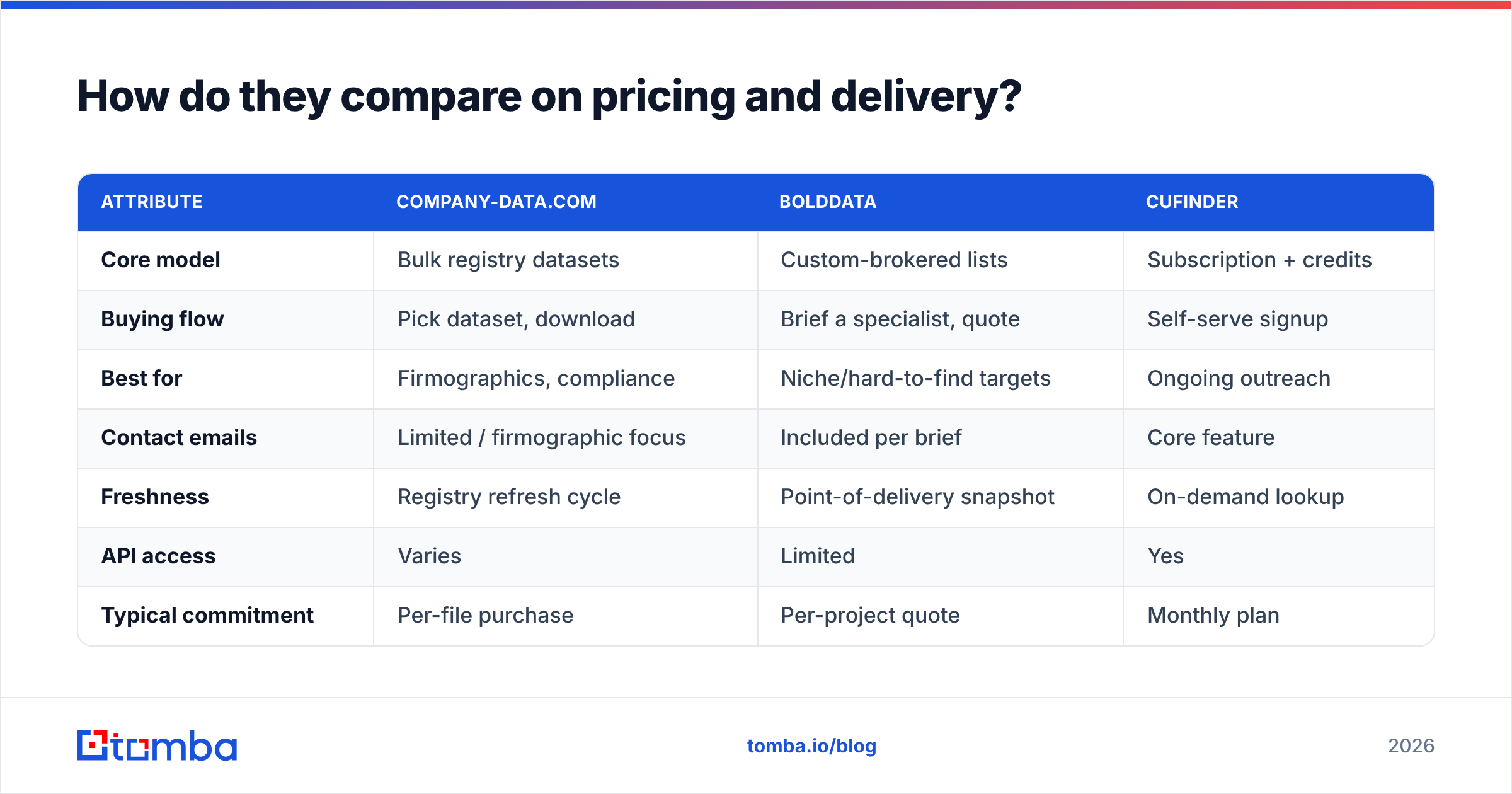
| Attribute | Company-data.com | BoldData | CUFinder |
|---|---|---|---|
| Core model | Bulk registry datasets | Custom-brokered lists | Subscription + credits |
| Buying flow | Pick dataset, download | Brief a specialist, quote | Self-serve signup |
| Best for | Firmographics, compliance | Niche/hard-to-find targets | Ongoing outreach |
| Contact emails | Limited / firmographic focus | Included per brief | Core feature |
| Freshness | Registry refresh cycle | Point-of-delivery snapshot | On-demand lookup |
| API access | Varies | Limited | Yes |
| Typical commitment | Per-file purchase | Per-project quote | Monthly plan |
A few practical takeaways:
- Company-data.com shines when you need structured firmographics at scale. Think market maps, TAM sizing, or enriching a CRM with registration data. It is not built to be your daily contact-discovery tool.
- BoldData wins on specificity. Say your ICP is "family-owned packaging makers in the Benelux with 50–200 staff." A broker can assemble that better than most self-serve UIs. The trade-off is turnaround time and per-project cost.
- CUFinder wins on speed and repeatability. Self-serve credits let you prospect today without a sales call. But like any single-source finder, coverage varies by region and seniority.
For a deeper look at how vendors acquire records, it helps to understand where the data comes from before you commit budget. Sourcing quality drives everything downstream.
Which one is most accurate?#
Accuracy is where bulk lists and live lookups diverge hardest. It is also the number that quietly decides your bounce rate.
Static files — registry dumps or brokered lists — are accurate at the moment of delivery. But B2B data decays fast. People change jobs, companies rebrand, and domains migrate. Industry estimates put contact data decay at 22–30% per year. So a list that is "98% accurate" on delivery can be stale within two quarters.

Real-time enrichment sidesteps this. The lookup happens the moment you need the record. That is the core argument for pairing any list purchase with a live email verifier step. Even the best-sourced file should be re-validated before it touches your sending domain.
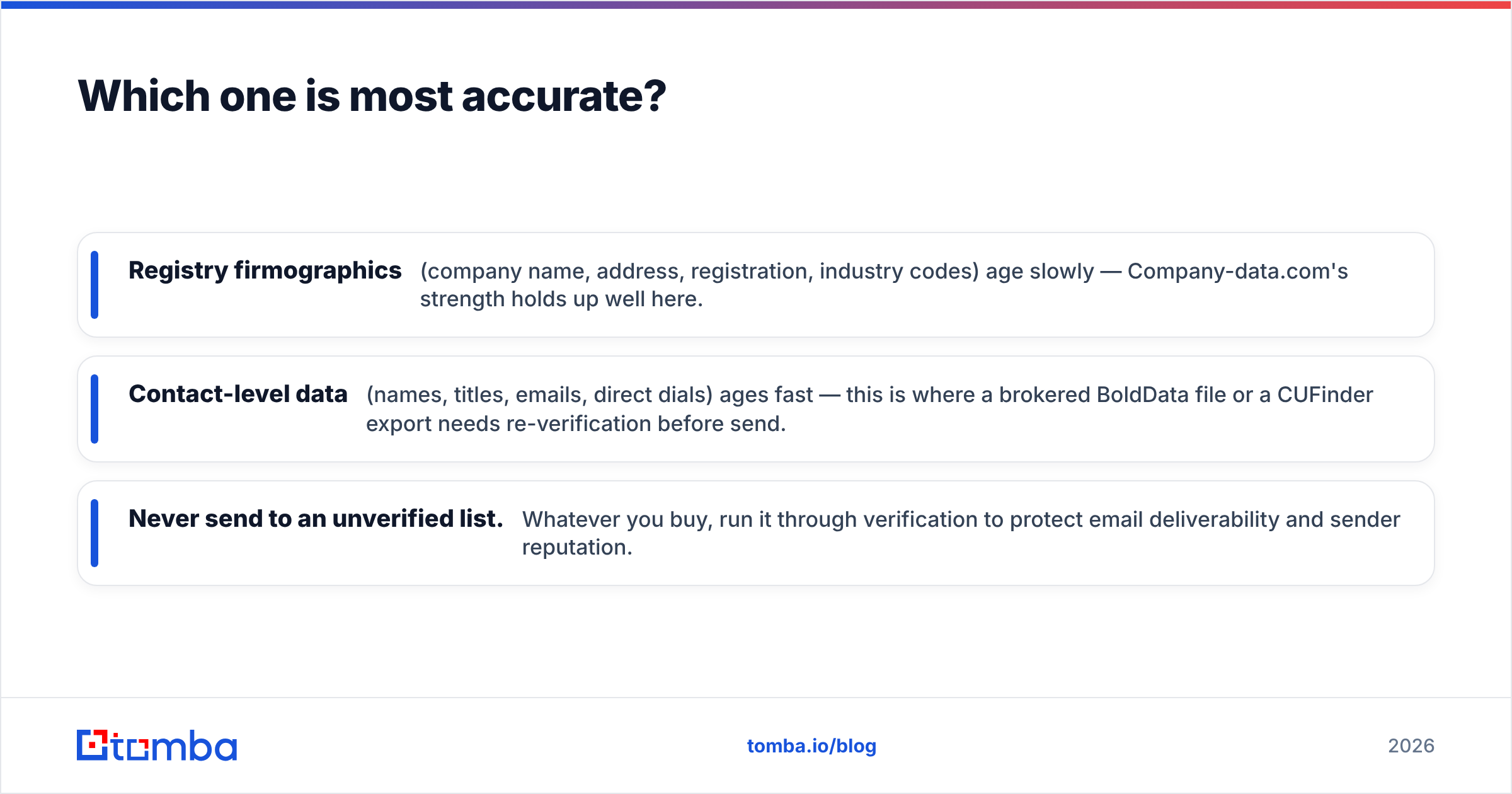
Rules of thumb:
- Registry firmographics — company name, address, registration, industry codes — age slowly. Company-data.com's strength holds up well here.
- Contact-level data — names, titles, emails, direct dials — ages fast. This is where a brokered BoldData file or a CUFinder export needs re-verification before send.
- Never send to an unverified list. Whatever you buy, run it through verification. It protects email deliverability and sender reputation.
When should you pick each one?#
Match the tool to the motion, not the marketing.
Pick Company-data.com if:
- You need official, structured firmographics for compliance, KYC, or market analysis.
- You're enriching an existing CRM with registration-grade fields.
- Direct email outreach is secondary to data completeness.
Pick BoldData if:
- Your target segment is niche and self-serve tools can't isolate it.
- You're running a defined campaign with a clear, finite list.
- You're fine with a quote-and-deliver cycle rather than instant self-serve.
Pick CUFinder if:
- You run continuous outbound and want self-serve prospecting.
- You need an API and integrations wired into your stack.
- You value speed and monthly predictability over bespoke segmentation.
You can compare all three against peer reviews on G2. You can also check each vendor's own claims at company-data.com, BoldData, and CUFinder. Reading the fine print on refresh cycles and refund policies matters more than the headline record count.
What's the smarter alternative for most outbound teams?#
For teams whose main job is sending — cold email, prospecting, ABM — the bottleneck is rarely "we need 40 million company rows." It is "we need the right verified contact at this account, right now." And it has to still be valid when we hit send.
That is a different tool than a bulk-list vendor. It is an on-demand finder-plus-verifier workflow:
- Find the decision-maker's email by name and domain. Or pull every contact on a target domain via domain search.
- Verify each address in real time so you never send to a spam trap or dead mailbox.
- Enrich the record with firmographics and role data using data enrichment so your sequences personalize automatically.
- Sync it straight into your CRM or sequencer through native integrations. No CSV round-trips.
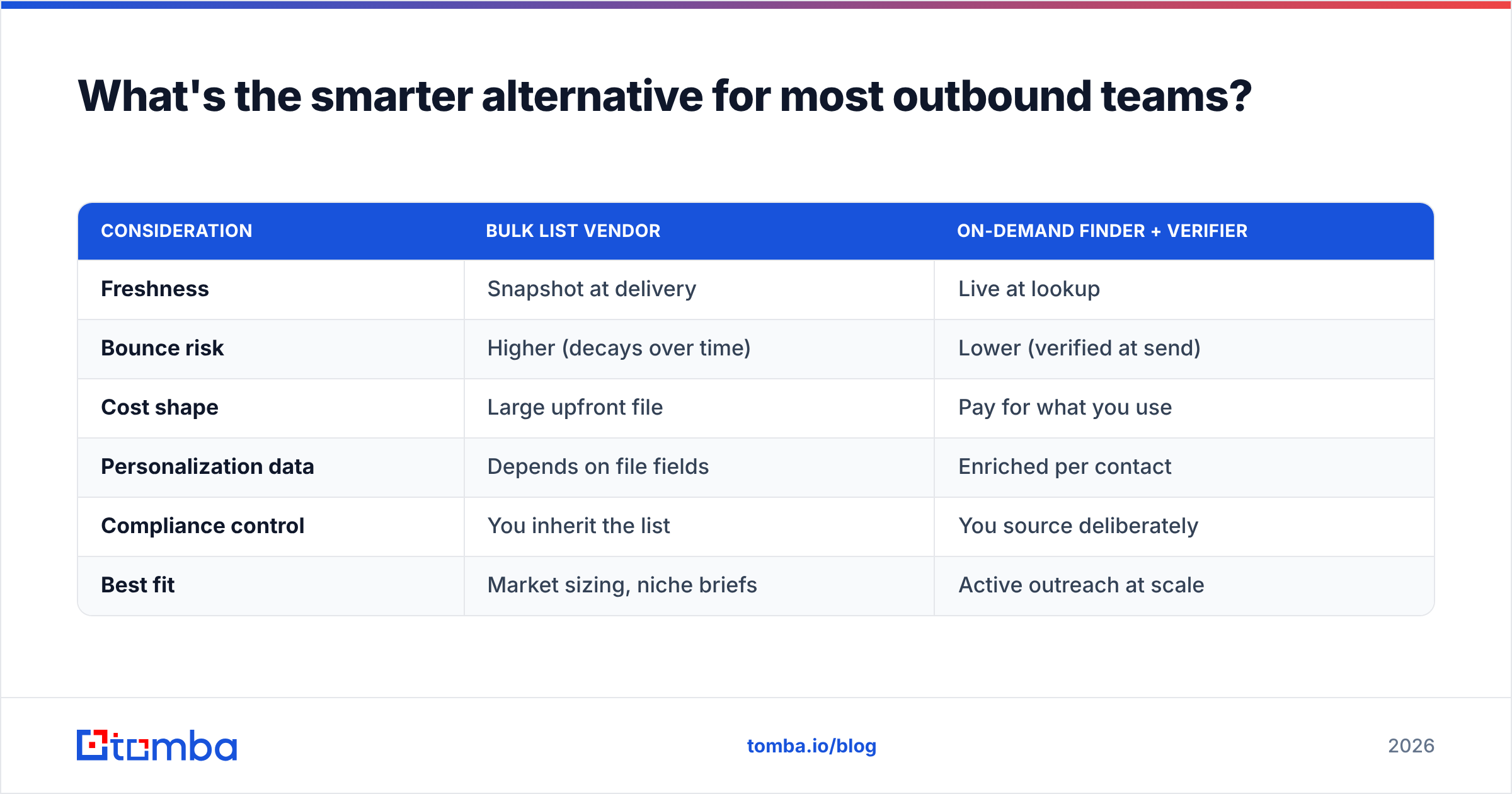
Here's how the two approaches stack up:
| Consideration | Bulk list vendor | On-demand finder + verifier |
|---|---|---|
| Freshness | Snapshot at delivery | Live at lookup |
| Bounce risk | Higher (decays over time) | Lower (verified at send) |
| Cost shape | Large upfront file | Pay for what you use |
| Personalization data | Depends on file fields | Enriched per contact |
| Compliance control | You inherit the list | You source deliberately |
| Best fit | Market sizing, niche briefs | Active outreach at scale |

None of this makes Company-data.com, BoldData, or CUFinder "bad." Bulk and brokered data solve a market intelligence problem. A finder solves a reach the right person today problem. Most go-to-market teams need the second one far more often than they think. And they often overspend on the first.
How much should you actually budget?#
A quick sanity check before you sign anything:
- Registry or bulk files often run into four or five figures for a full country or industry dataset. That is justified if you need the whole market map. It is wasteful if you'll only email 2,000 of the 400,000 rows.
- Brokered lists are quoted per project. They are excellent value for a razor-targeted niche, but pricey per record for broad asks.
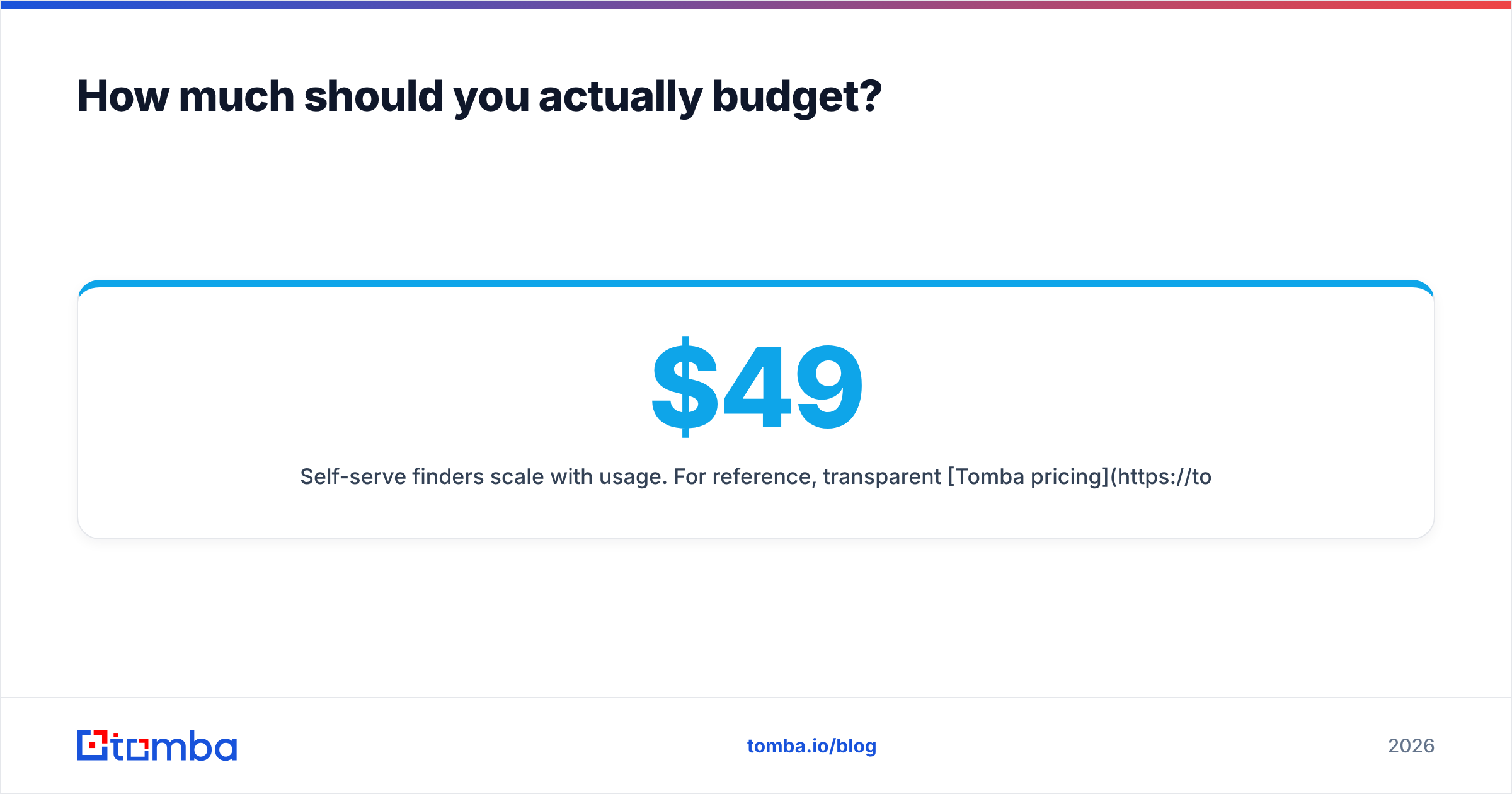
- Self-serve finders scale with usage. For reference, transparent Tomba pricing starts with a free tier of 25 searches per month. Paid plans then run $49/mo (Starter), $99/mo (Growth), and $249/mo (Pro). So you can start small and scale credits with your sending volume instead of committing to one giant file.
The cheapest option is rarely the largest file. It is the one where the usable, verified, in-ICP records cost the least per booked meeting.
The bottom line#
In this Company-data.com, BoldData vs CUFinder breakdown, each tool wins a different job:
- Company-data.com for registry-grade firmographics and compliance.
- BoldData for custom, hard-to-source niche lists.
- CUFinder for self-serve, API-driven prospecting.
But say your real goal is filling a pipeline with contacts you can email this week without torching your domain. Then a list is only half the answer. You still have to find the right person and verify the address.
That is exactly what the Tomba Email Finder is built for. It finds professional emails by domain, name, or company. It verifies them in real time. And it pushes clean, enriched contacts straight into your workflow. Start on the free tier, test it against any list you're considering, and only pay for what moves the number that matters — booked meetings. Try Tomba before you commit budget to a static file.
Related guides#
Ready to find emails that actually work?
Join 150,000+ professionals who stopped guessing and started sending. Free credits on signup — no credit card required.
Get the Tomba newsletter
Practical outbound tactics and product updates — once every two weeks.
About the author