CompanyData.com, BoldData vs DiscoverOrg: 2026 Comparison
CompanyData.com, BoldData, and DiscoverOrg all sell B2B data — but they serve very different buyers. Here's an honest breakdown of coverage, pricing, freshness, and which one fits your outbound motion.
CompanyData.com, BoldData vs DiscoverOrg looks like one choice. It is really three. All three say "B2B data" on the box. Open the box and you find three different products. One sells you a file. One sells you a custom-built list. One sells you a sales-intelligence platform with a seat-based contract. Get this wrong and you waste budget on data your team can't use.
This is a neutral breakdown. We cover what each provider is, where it wins, and where it quietly falls short. We also show how to decide — and where a pay-as-you-go verification layer fits, so you stop paying for stale records.
TL;DR — the fast verdict#
- CompanyData.com is best when you want firmographic company files (industry, size, location) in bulk and don't need verified individual contacts on day one.
- BoldData shines for custom, country-specific list building — you brief them, they compile and deliver a targeted dataset, often for niche European markets.
- DiscoverOrg (now folded into ZoomInfo) is a full sales-intelligence platform: org charts, intent data, and contact-level detail — powerful, but priced for funded sales teams.
- All three sell data that decays. Around 2–3% of B2B contacts change jobs every month, so any static file starts rotting the day you buy it.
- The smart stack: buy or build your list from one of these, then verify and enrich contacts on demand with a tool like the Tomba Email Finder before you send.
What is CompanyData.com?#
CompanyData.com is a firmographic data vendor. You tell it the segment you want. Say, US manufacturing firms with 50–200 employees. It then delivers a structured file of company records: legal name, industry codes, revenue band, headcount, address, and often a generic company phone or website.
Think of it like buying a phone book for an entire industry. It's excellent at the account layer. You learn which companies exist and roughly how big they are. It won't hand you a named decision-maker's verified work email. You get the company. You still have to find the person.
That's a reasonable trade if your motion is account-based. You just need a way to resolve contacts afterward. It's a poor trade if your reps expect to load a list and email named leads the same afternoon.
What is BoldData?#
BoldData is a custom list-building service. There's no self-serve dashboard. You brief a team on your ideal customer profile. They then compile a bespoke dataset. It's often built for hard-to-reach international segments where self-serve tools have thin coverage.
BoldData's strength is targeting depth in specific geographies. Need every architecture firm in the Netherlands? Or wholesalers in a particular German region? A custom compiler often beats a generic global database for that exact slice. The trade-off is the delivery model. It's not a live platform. You get a snapshot, and refreshing it usually means a new order.
For reference, you can compare each vendor's positioning directly on their own sites — CompanyData.com, BoldData, and DiscoverOrg via ZoomInfo — before you commit budget.
What is DiscoverOrg?#
DiscoverOrg was a premium sales-intelligence platform. It was known for human-verified org charts and deep IT/tech-stack data. In 2019 it merged with ZoomInfo. The DiscoverOrg product line now lives inside the ZoomInfo platform.
This is the heavyweight of the three. You're not buying a file. You're buying a subscription to an interface. It holds contact-level records, reporting hierarchies, intent signals, and CRM integrations. When it's populated well, a rep can see who reports to whom, what tech a company runs, and which accounts show buying intent.
The cost of that power is real: annual contracts, seat-based pricing, and a sales process to match. It's built for well-funded revenue teams, not a two-person outbound experiment.
CompanyData.com, BoldData vs DiscoverOrg: side-by-side#
Here's the core comparison. Prices are directional. All three quote based on volume, geography, and contract. Treat these as buckets, not exact rate cards.
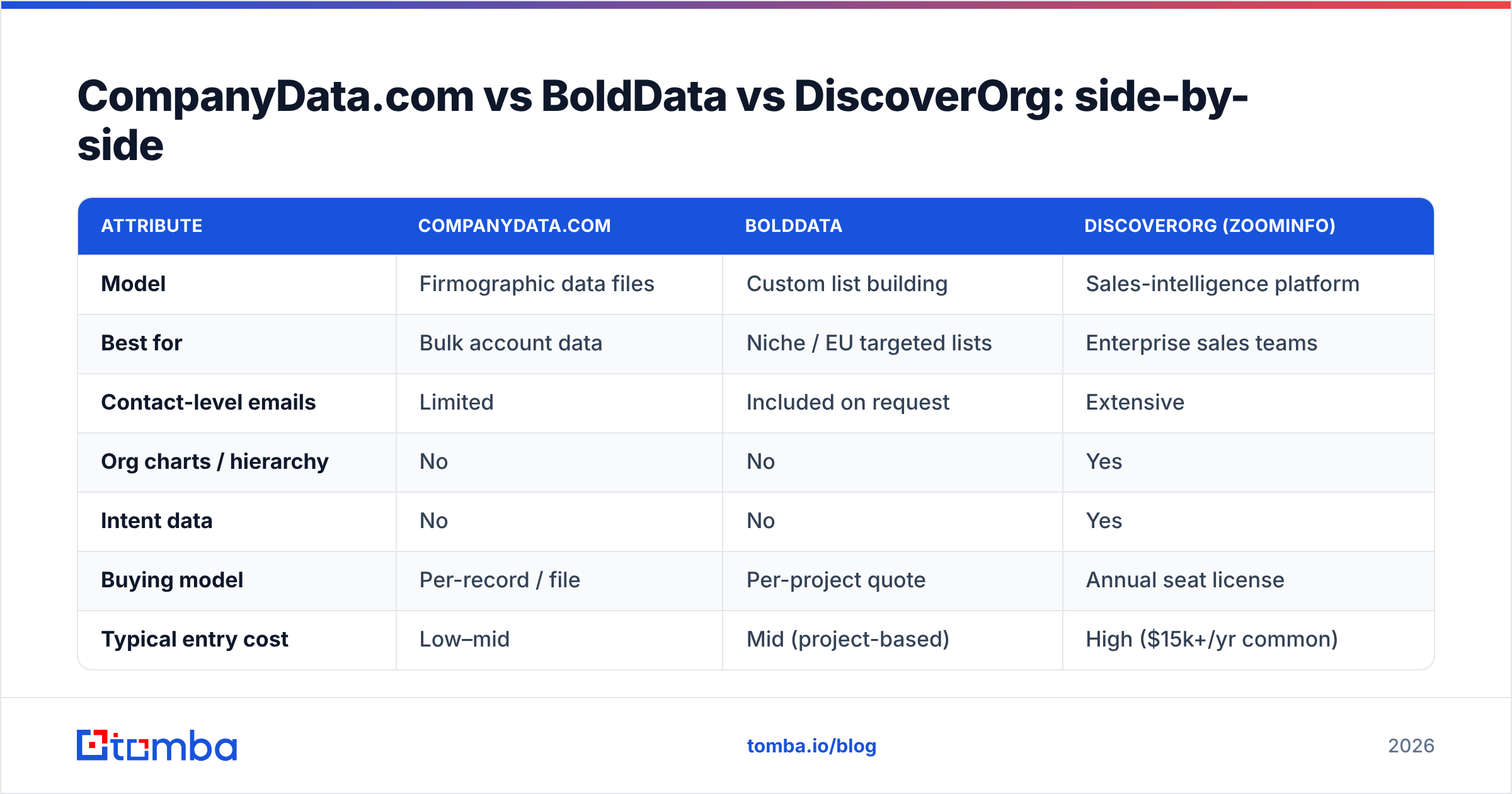
| Attribute | CompanyData.com | BoldData | DiscoverOrg (ZoomInfo) |
|---|---|---|---|
| Model | Firmographic data files | Custom list building | Sales-intelligence platform |
| Best for | Bulk account data | Niche / EU targeted lists | Enterprise sales teams |
| Contact-level emails | Limited | Included on request | Extensive |
| Org charts / hierarchy | No | No | Yes |
| Intent data | No | No | Yes |
| Buying model | Per-record / file | Per-project quote | Annual seat license |
| Typical entry cost | Low–mid | Mid (project-based) | High ($15k+/yr common) |
| Data freshness | Snapshot | Snapshot at delivery | Continuously refreshed |
| Self-serve | Partial | No (concierge) | Yes |
The pattern is clear. As you move left to right, you gain depth and freshness. But you pay more and commit harder. There's no universal winner. There's only a best fit for your motion and budget.
Which one is right for you?#
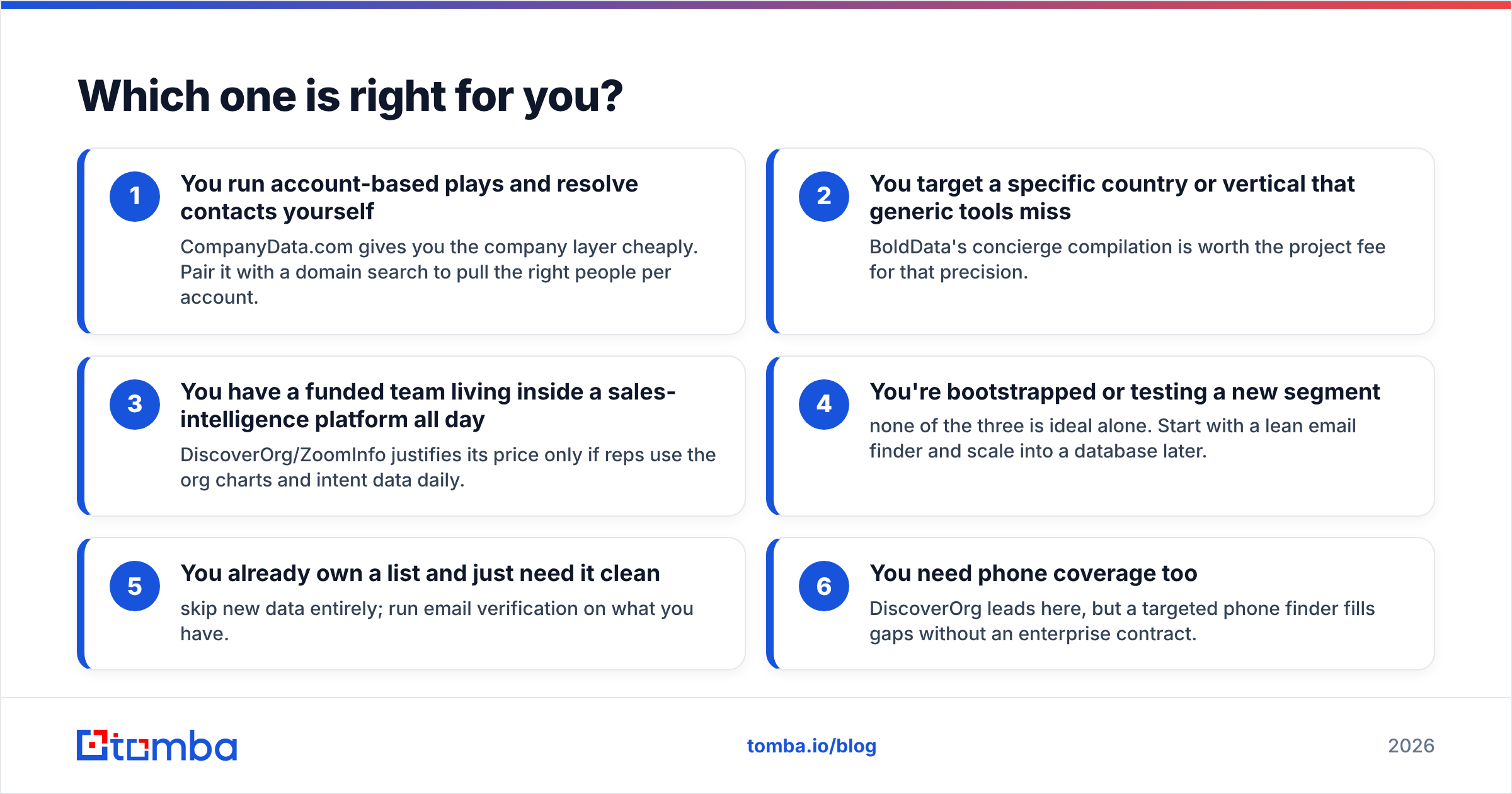
Match the tool to how you actually sell:
- You run account-based plays and resolve contacts yourself — CompanyData.com gives you the company layer cheaply. Pair it with a domain search to pull the right people per account.
- You target a specific country or vertical that generic tools miss — BoldData's concierge compilation is worth the project fee for that precision.
- You have a funded team living inside a sales-intelligence platform all day — DiscoverOrg/ZoomInfo justifies its price only if reps use the org charts and intent data daily.
- You're bootstrapped or testing a new segment — none of the three is ideal alone. Start with a lean email finder and scale into a database later.
- You already own a list and just need it clean — skip new data entirely; run email verification on what you have.
- You need phone coverage too — DiscoverOrg leads here, but a targeted phone finder fills gaps without an enterprise contract.
Why does data freshness beat data volume?#
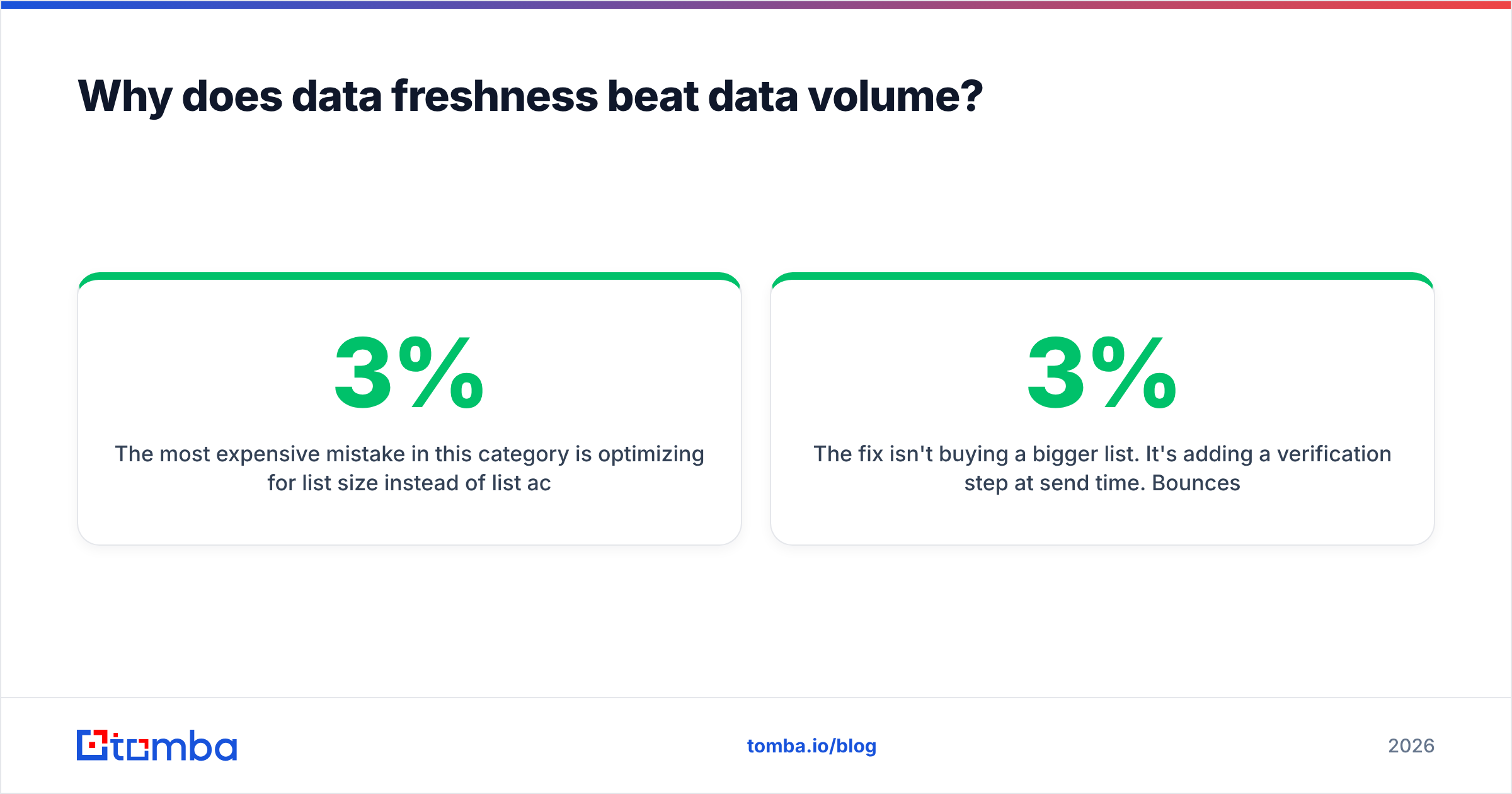
The most expensive mistake here is optimizing for list size instead of list accuracy. A file with 500,000 records sounds impressive. But B2B contact data decays at roughly 2–3% per month. Blame job changes, company moves, and role shifts. Over a year, a static list can lose 20–30% of its accuracy. Analysts at firms like Gartner have long flagged poor data quality as a drag on revenue operations.
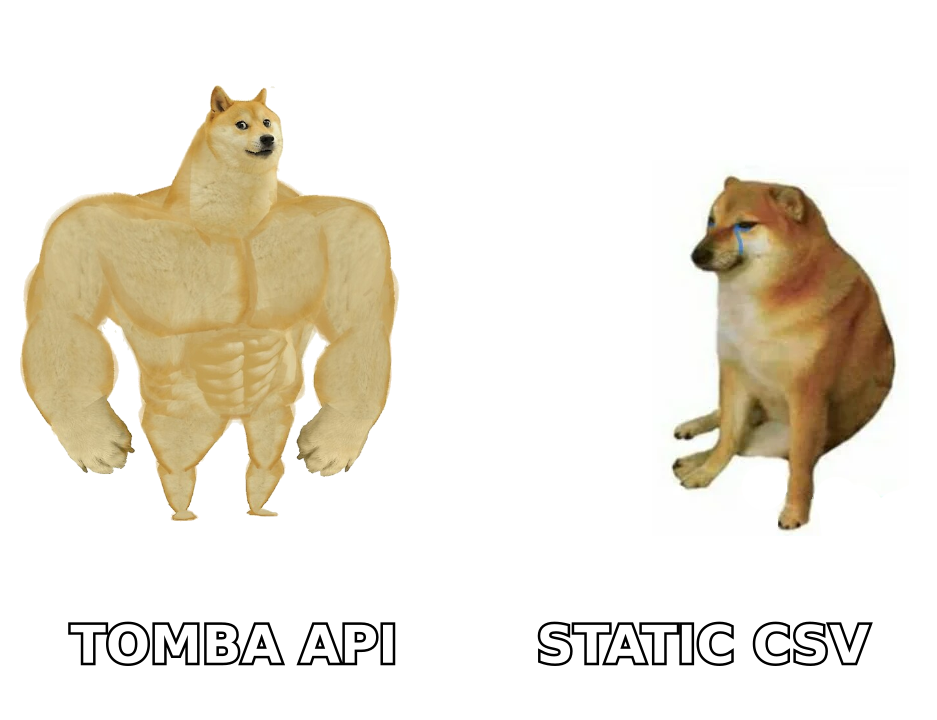
That's the quiet weakness shared by all three providers. CompanyData.com and BoldData deliver snapshots. They're accurate on delivery day and aging from then on. DiscoverOrg refreshes continuously, which is part of what you pay for. But even continuous refresh can't guarantee the specific email you're about to hit is deliverable right now.
The fix isn't buying a bigger list. It's adding a verification step at send time. Bounces above 2–3% damage your sender reputation and drag down email deliverability across your whole domain. So a "cheap" unverified list can quietly cost you inbox placement on your good contacts too.
How Tomba fits alongside these providers#
Tomba isn't a replacement for a firmographic database or a concierge list builder. It's the verification and contact-resolution layer that makes those datasets safe to send to.
Here's the practical stack:
- Buy accounts from CompanyData.com or commission a list from BoldData for your target segment.
- Resolve contacts with Tomba's domain search — feed a company domain, get the pattern and named people back.
- Verify before sending with the email verifier and, for tricky domains, the catch-all verifier.
- Enrich the record with data enrichment so your CRM has more than a name and a guess.
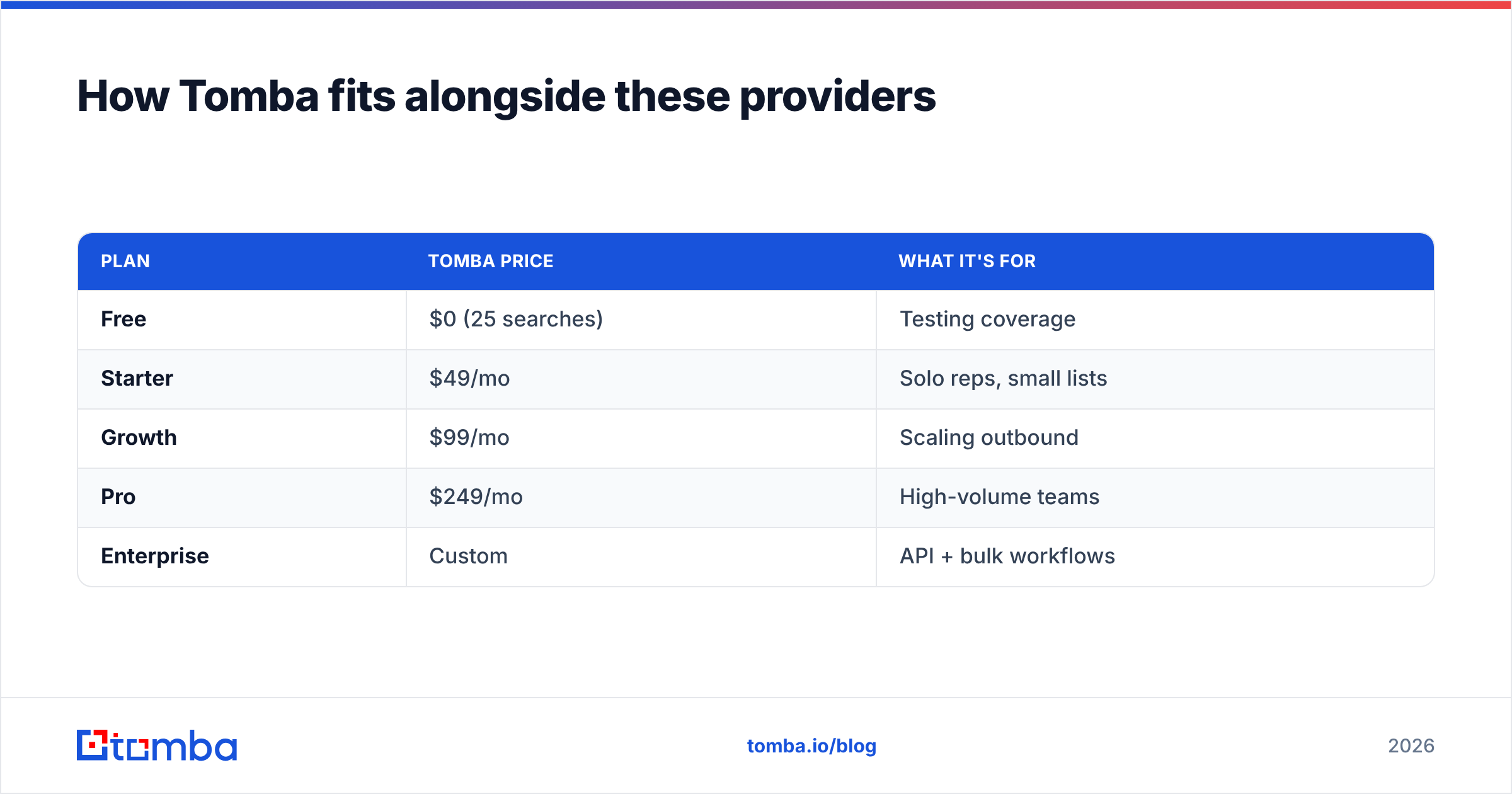
The pricing difference matters here. DiscoverOrg locks you into a five-figure annual seat contract. Tomba's plans start free (25 searches/month). Then Starter at $49/mo, Growth at $99/mo, and Pro at $249/mo. It's pay-as-you-grow, with no seat minimums. For teams that already have account data and just need clean, deliverable contacts, that's the difference between spending thousands and spending tens.
| Plan | Tomba price | What it's for |
|---|---|---|
| Free | $0 (25 searches) | Testing coverage |
| Starter | $49/mo | Solo reps, small lists |
| Growth | $99/mo | Scaling outbound |
| Pro | $249/mo | High-volume teams |
| Enterprise | Custom | API + bulk workflows |
Is a platform like DiscoverOrg worth it over a data file?#
It depends entirely on whether your team lives in the platform. DiscoverOrg/ZoomInfo earns its price when reps use it daily. They map buying committees with org charts and time outreach with intent data. If your reps export a list and work it in a sequencer, you're paying platform prices for file-level value. A CompanyData.com file plus a verification tool delivers most of the outcome for a fraction of the cost.
You can sanity-check real user sentiment on G2 before signing. Watch for reviews mentioning contract lock-in and data accuracy. Those are the two most common complaints across every vendor in this space, not just these three.
The bottom line#
There is no single winner in CompanyData.com, BoldData vs DiscoverOrg. There's only the right fit for your motion. CompanyData.com wins on cheap firmographic breadth. BoldData wins on custom, geo-specific targeting. DiscoverOrg wins on depth and freshness, for teams that can afford it and use it fully.
What they share is a weakness. Every dataset decays. None of them guarantees the specific email you send today will land. That's the gap worth closing.
Whichever provider you choose for raw data, verify and enrich contacts before you hit send. Start free with the Tomba Email Finder. Find deliverable, verified emails on demand. Keep your sender reputation intact, and only pay for the data you actually use. Your bounce rate, and your budget, will thank you.
Related guides#
Ready to find emails that actually work?
Join 150,000+ professionals who stopped guessing and started sending. Free credits on signup — no credit card required.
Get the Tomba newsletter
Practical outbound tactics and product updates — once every two weeks.
About the author