CompanyData.com, BoldData vs GrowMeOrganic Compared
CompanyData.com, BoldData, and GrowMeOrganic all sell B2B contact data, but they solve very different problems. Here's an honest breakdown of coverage, pricing, and accuracy so you buy the right one.
Buying B2B contact data is easy. Buying the right data is where most teams waste their first quarter of budget. This CompanyData.com, BoldData vs GrowMeOrganic guide compares all three side by side. Each tool promises leads. But each one is built for a different buyer. Pick the wrong one and you pay for records you can never email.
This is a neutral, side-by-side breakdown. No vendor wrote it, and each tool gets credit where it earns it.
TL;DR — Which one should you pick?#
- CompanyData.com is best if you need firmographic and company-registry data at scale (structured company records, industry codes, financials) rather than individual contacts.
- BoldData is best for custom, one-off targeted lists — you tell them the exact segment, they hand-build a CSV. Strong for niche international targeting, weak for continuous prospecting.
- GrowMeOrganic is best for solo founders and small teams who want an all-in-one prospecting + cold-email tool at a flat price, accepting lower data accuracy in exchange.
- The catch nobody advertises: all three sell you a snapshot. B2B data decays ~2.5% per month. So the record you buy today is measurably worse in 90 days.
- The fix: pair any list provider with a live email verifier and an API-based email finder. That way you re-check contacts at send time instead of trusting a stale export.
What is CompanyData.com?#
CompanyData.com is a company-data provider. It focuses on structured firmographics: business registrations, company size, industry codes, addresses, and financial signals. Most of it is pulled from official registries and public filings. Think of it less as a "list of people to email" and more as a reference database of companies.
That distinction matters. Say your go-to-market motion is account-based. You first pick target accounts, then find the people inside them. Here CompanyData.com gives you a clean top-of-funnel account list. What it does not specialize in is the verified personal email of the VP of Sales at each account. You still need a contact layer on top.
Its strength is breadth and structure: steady country coverage, normalized industry codes, and clean fields for a CRM or a data warehouse. Its weakness for outreach teams is simple. Raw firmographics don't reply to cold emails — people do.
What is BoldData?#
BoldData is a Netherlands-based data vendor. It sells custom-built targeted lists. You brief them on the exact segment — say, "packaging makers in Germany with 50–200 staff." Their team then builds and delivers the list, usually as a one-time CSV.
The model is closer to a data agency than a self-serve SaaS. That helps with hard-to-reach niches and thin international markets. Targeting one vertical in one country? A hand-scoped BoldData pull can beat a generic database.
The trade-offs are the ones you'd expect from any list-broker model:
- It's a snapshot, not a subscription. You buy the list once; it starts decaying immediately.
- Turnaround isn't instant. Custom scoping means you wait, which is fine for a campaign and painful for daily prospecting.
- You can't easily re-query. Need an adjacent segment next month? That's often another order.
BoldData is a respected option for what it does. Just know you're buying a targeted export, not a living data pipeline.

What is GrowMeOrganic?#
GrowMeOrganic is an all-in-one prospecting platform. It targets founders, agencies, and small sales teams. One flat-fee plan bundles a contact database, an email finder, a LinkedIn extractor, and a cold-email sequencer, with marketed unlimited usage.
The pitch is convenience and price: one login, one bill, prospect-to-send in one tool. For a solo founder who wants to run outbound this week, that's compelling. There's no need to stitch five tools together.
The honest caveat is data quality. Tools that promise "unlimited" contacts often pull from broad, rarely refreshed sources. Expect higher bounce rates than a specialist provider. Budget for verification before you send. Convenience is real; accuracy is the hidden tax.
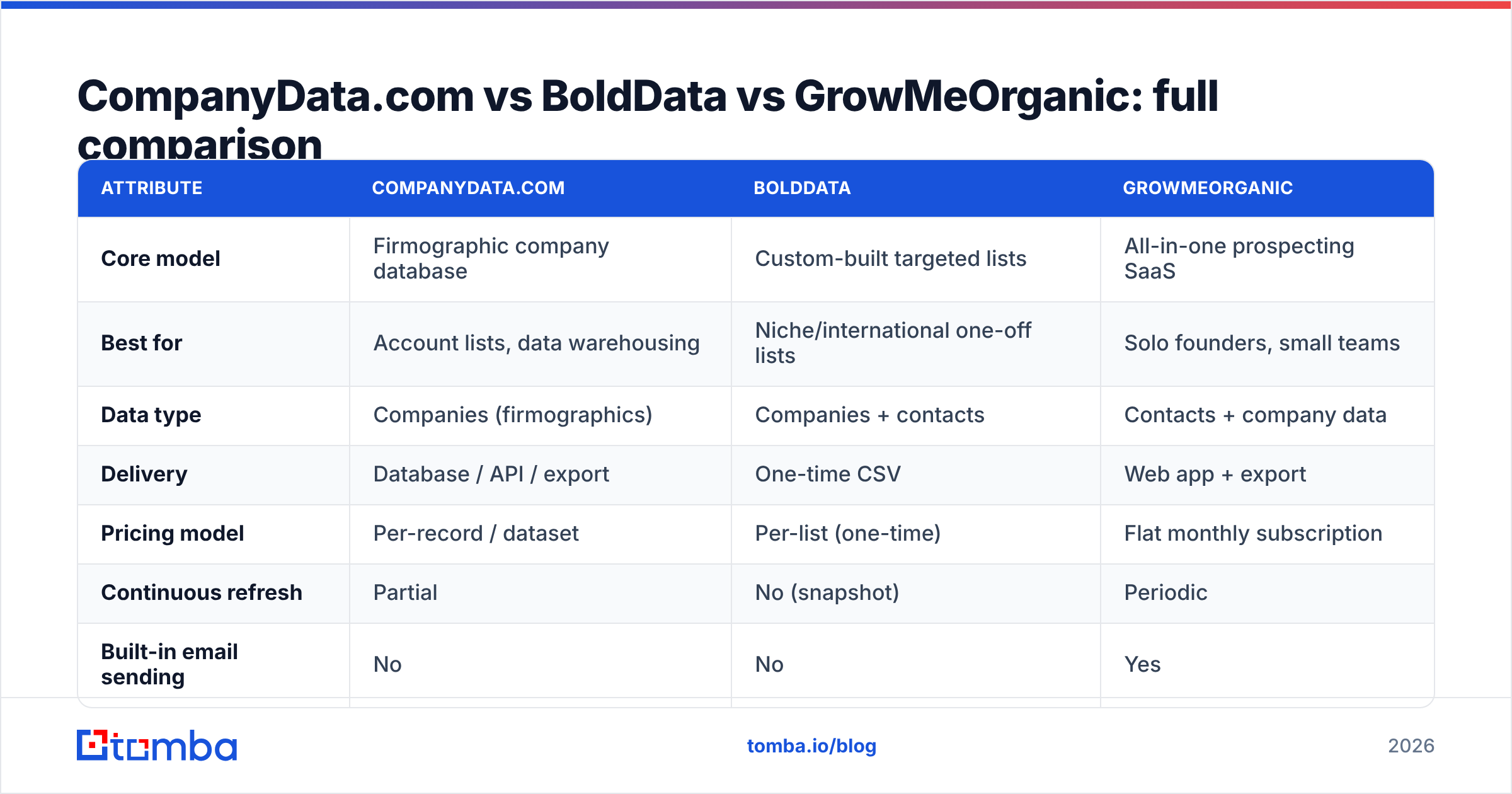
CompanyData.com, BoldData vs GrowMeOrganic: full comparison#
Here's how the three line up on the attributes that decide fit. Prices reflect each vendor's public positioning and change often. Confirm current rates before you buy.
| Attribute | CompanyData.com | BoldData | GrowMeOrganic |
|---|---|---|---|
| Core model | Firmographic company database | Custom-built targeted lists | All-in-one prospecting SaaS |
| Best for | Account lists, data warehousing | Niche/international one-off lists | Solo founders, small teams |
| Data type | Companies (firmographics) | Companies + contacts | Contacts + company data |
| Delivery | Database / API / export | One-time CSV | Web app + export |
| Pricing model | Per-record / dataset | Per-list (one-time) | Flat monthly subscription |
| Continuous refresh | Partial | No (snapshot) | Periodic |
| Built-in email sending | No | No | Yes |
| Verification included | Limited | Limited | Basic |
| Learning curve | Medium (data ops) | Low (they build it) | Low |
Read the table by your motion, not by the feature count. A RevOps team feeding a warehouse reads it differently than a founder who just wants 500 emails to send Monday.
Which has the most accurate data?#
Don't trust any of them blindly at send time. That's not a knock — it's how B2B data works. Contacts change jobs. Domains get retired. Catch-all servers hide invalid addresses. Independent reviews on G2 put every vendor here in the 70–95% accuracy band, depending on region and recency. The number you get depends on how fresh your segment is.
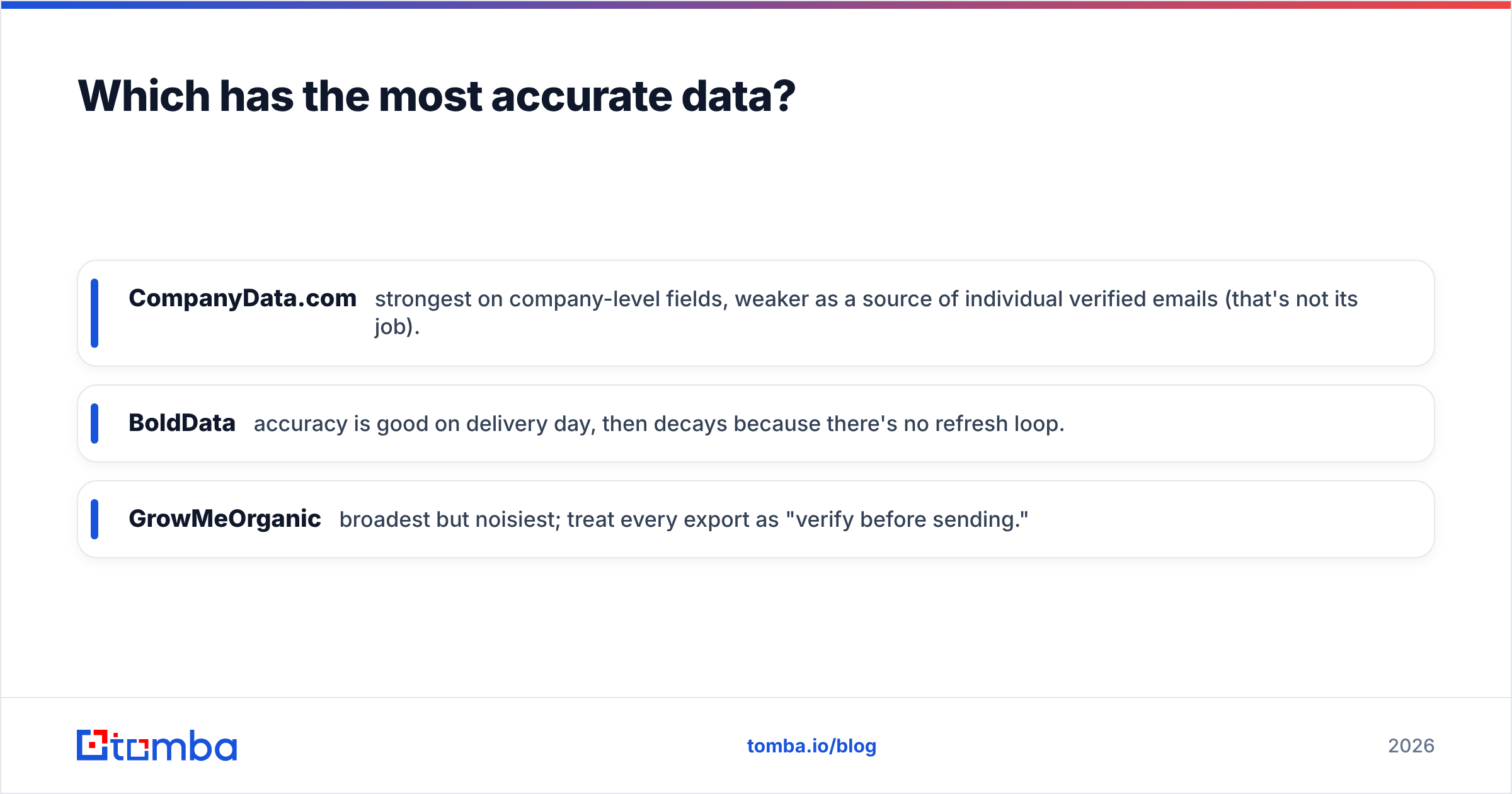
Here's the practical ranking for email accuracy specifically:
- CompanyData.com — strongest on company-level fields, weaker as a source of individual verified emails (that's not its job).
- BoldData — accuracy is good on delivery day, then decays because there's no refresh loop.
- GrowMeOrganic — broadest but noisiest; treat every export as "verify before sending."
The winning move is the same for every vendor. Run any list through a real-time email verification pass before your first send. Then re-enrich stale records with a live data enrichment step. That one habit does more for deliverability than picking the "best" provider.
When should you use a list provider vs an email-finder API?#
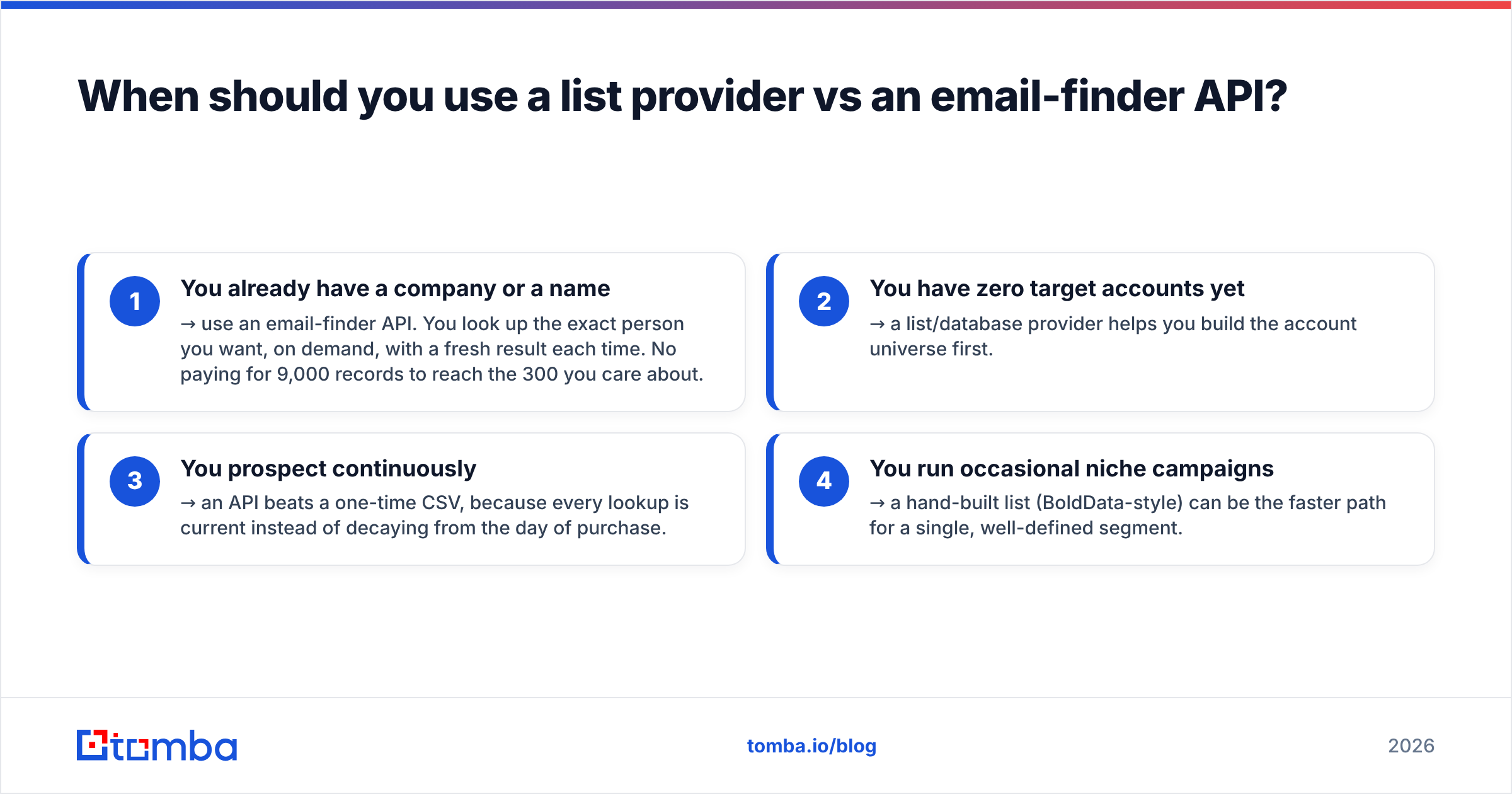
This is the question that actually saves money. List providers and email-finder APIs solve different halves of the problem:
- You already have a company or a name → use an email-finder API. You look up the exact person you want, on demand, with a fresh result each time. No paying for 9,000 records to reach the 300 you care about.
- You have zero target accounts yet → a list/database provider helps you build the account universe first.
- You prospect continuously → an API beats a one-time CSV, because every lookup is current instead of decaying from the day of purchase.
- You run occasional niche campaigns → a hand-built list (BoldData-style) can be the faster path for a single, well-defined segment.
Most modern teams do both. A database defines the account list. An API pulls fresh, verified contacts inside those accounts at outreach time. That combo avoids the two classic failure modes: paying for contacts you never touch, and emailing addresses that died months ago.

How does Tomba compare to these three?#
Tomba plays the API and verification layer, not the "sell you a giant CSV" game. That's exactly where the three tools above are weakest. Instead of buying a static snapshot, you query for the contact you need, when you need it. You get a confidence-scored, freshly verified result.
Where that fits against the trio:
- Use CompanyData.com or BoldData to define who you want to reach.
- Use Tomba's email finder, domain search, and B2B database to pull and verify the actual contacts at send time.
- Skip the "unlimited but noisy" trap by verifying before every campaign rather than trusting an export.
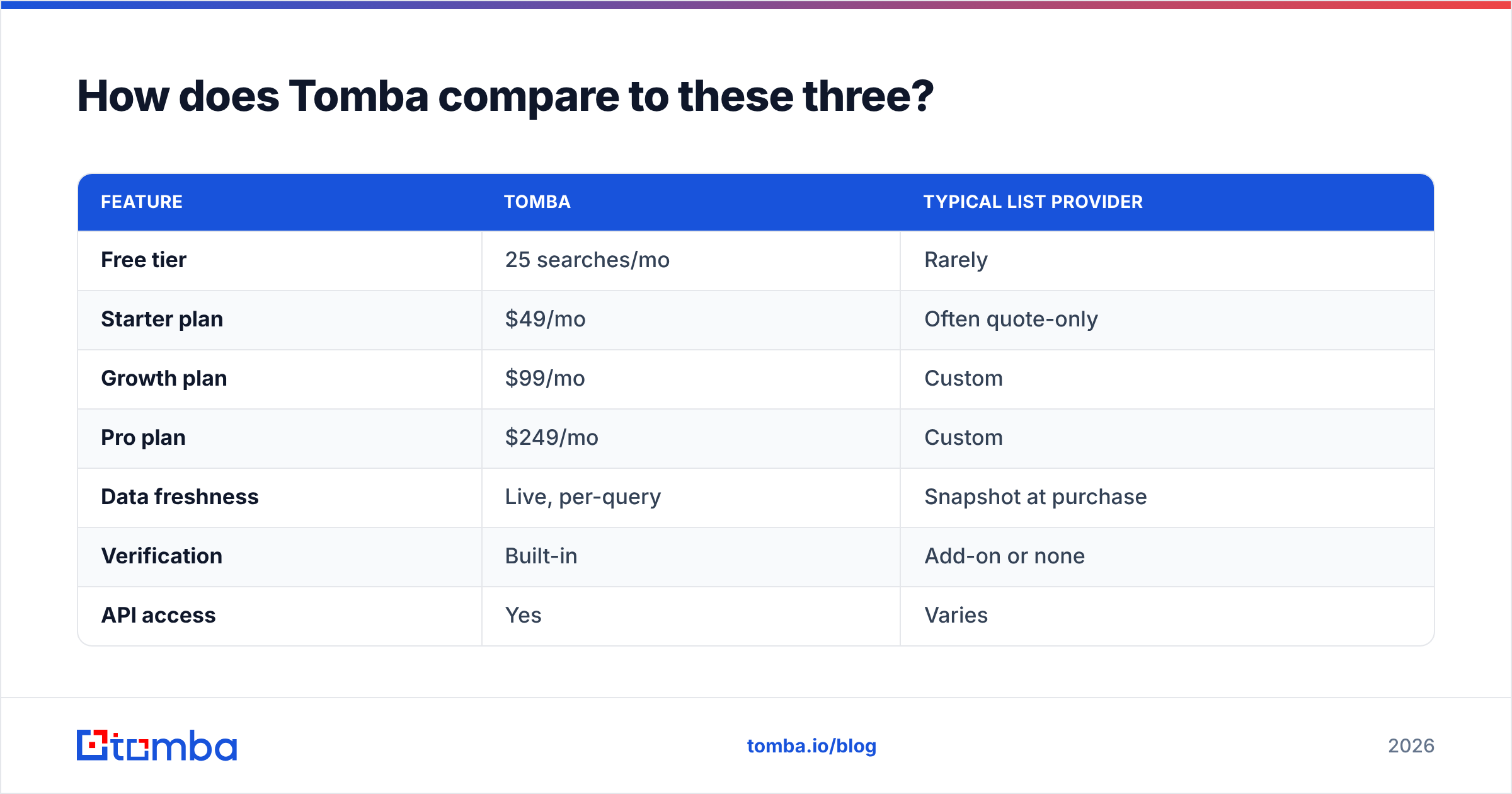
Here's how the pricing and model differ:
| Feature | Tomba | Typical list provider |
|---|---|---|
| Free tier | 25 searches/mo | Rarely |
| Starter plan | $49/mo | Often quote-only |
| Growth plan | $99/mo | Custom |
| Pro plan | $249/mo | Custom |
| Data freshness | Live, per-query | Snapshot at purchase |
| Verification | Built-in | Add-on or none |
| API access | Yes | Varies |
See the full breakdown on the Tomba pricing page. Tomba doesn't replace a firmographic database. A live finder-plus-verifier layer just keeps whichever database you choose from rotting between campaigns.
Pros and cons at a glance#
CompanyData.com
- Pro: clean, structured firmographics at scale.
- Pro: good for data warehousing and account definition.
- Con: not a source of verified individual emails.
BoldData
- Pro: excellent for niche and international one-off segments.
- Pro: they do the scoping work for you.
- Con: snapshot model with no refresh; slower turnaround.
GrowMeOrganic
- Pro: all-in-one, flat price, fast to start.
- Pro: sending built in — good for solo founders.
- Con: broader data means higher bounce rates; verify before sending.
So which should you buy in 2026?#
The CompanyData.com, BoldData vs GrowMeOrganic choice comes down to your motion, not the marketing:
- You're a data/RevOps team building an account universe → CompanyData.com, then layer an API for contacts.
- You need one sharp, niche international list → BoldData.
- You're a solo founder who wants everything in one flat-price tool → GrowMeOrganic, with verification bolted on.
- You prospect continuously and care about deliverability → an API-first finder + verifier is the backbone, whichever database you pair it with.
The mistake is treating these as interchangeable. A firmographic database, a custom list broker, and an all-in-one SaaS are three different products that happen to share the phrase "B2B data."
Start with fresh, verified contacts#
Whatever list you buy, the leads only convert if the emails land. Run your target companies through the Tomba Email Finder to pull verified, confidence-scored addresses on demand. Start free with 25 searches a month, no static CSV required. Define your accounts with a database provider. Then let Tomba keep the contact layer fresh, so your outreach hits real inboxes instead of dead records.
Related guides#
Ready to find emails that actually work?
Join 150,000+ professionals who stopped guessing and started sending. Free credits on signup — no credit card required.
Get the Tomba newsletter
Practical outbound tactics and product updates — once every two weeks.
About the author