CompanyData.com, BoldData vs Salesbot: 2026 Comparison
CompanyData.com, BoldData, and Salesbot all sell B2B data — but they solve very different problems. Here's an honest, side-by-side breakdown of coverage, freshness, and price to help you pick.
CompanyData.com, BoldData vs Salesbot: 2026 Comparison
A CompanyData.com, BoldData vs Salesbot comparison gets confusing fast. The three vendors look alike on the surface, but they sell different things. CompanyData.com is a firmographic database. BoldData is a custom list builder. Salesbot is a lead-gen automation layer. Pick the wrong category and it costs you more than money — your CRM fills with records that never convert.
This is a neutral, side-by-side look at each tool. You will see where each one is strong, where it falls short, and which fits your motion in 2026.
TL;DR — Which Should You Pick?#
- CompanyData.com is best when you want structured firmographic and company-registry data at scale — think enrichment, market sizing, and compliance-grade records.
- BoldData is best when you need a custom-built targeted list for a specific country, industry, or niche, delivered as a one-off file.
- Salesbot is best when you want lead-generation automation — scraping, outreach triggers, and workflow glue — more than a raw database.
- None of the three is mainly an email finder or verifier. If verified contact emails are your bottleneck, pair them with a dedicated tool like Tomba's email finder.
- Data freshness, not headline record counts, is the metric that predicts your bounce rate and reply rate.
What Does Each Tool Actually Do?#
Before comparing prices, get the categories straight. These three products often get lumped together in searches. But they answer different questions.
- CompanyData.com — the firmographic database. It focuses on company-level records: legal name, registration number, industry codes, headcount, revenue bands, and location. You query or bulk-export company profiles, often for enrichment or analytics rather than one-to-one outreach.
- BoldData — the custom list vendor. BoldData sells targeted marketing lists compiled to your spec. You tell them the country, sector, and company size; they hand back a file. It leans toward European and global company coverage and one-time purchases.
- Salesbot — the automation layer. Salesbot is closer to a lead-generation and outreach tool. It emphasizes automating the collection and activation of leads, so the "data" is a means to a workflow rather than the deliverable itself.
The practical takeaway is simple. CompanyData.com and BoldData compete on coverage and record quality. Salesbot competes on workflow and speed to first touch. A team comparing all three is really asking two questions at once: "whose data is cleaner?" and "who saves me the most manual work?"
How Do CompanyData.com, BoldData vs Salesbot Compare?#
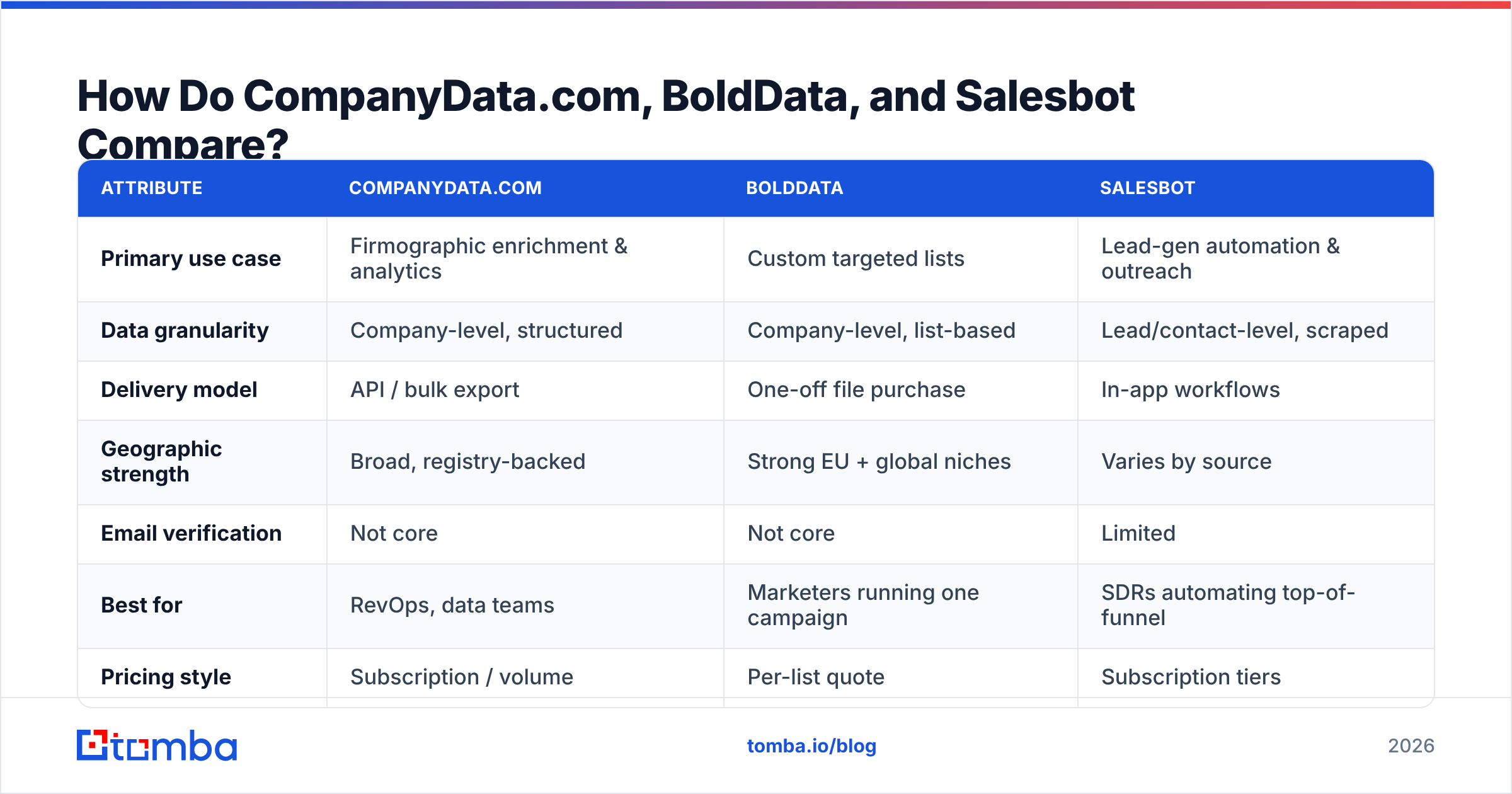
Here is the honest side-by-side. Treat headline numbers as directional. Every vendor counts records differently, and a bigger database is worthless if half of it is stale.
| Attribute | CompanyData.com | BoldData | Salesbot |
|---|---|---|---|
| Primary use case | Firmographic enrichment & analytics | Custom targeted lists | Lead-gen automation & outreach |
| Data granularity | Company-level, structured | Company-level, list-based | Lead/contact-level, scraped |
| Delivery model | API / bulk export | One-off file purchase | In-app workflows |
| Geographic strength | Broad, registry-backed | Strong EU + global niches | Varies by source |
| Email verification | Not core | Not core | Limited |
| Best for | RevOps, data teams | Marketers running one campaign | SDRs automating top-of-funnel |
| Pricing style | Subscription / volume | Per-list quote | Subscription tiers |
Notice that the "email verification" row is thin across the board. That is the single most common gap teams discover after buying. A registry-grade company record tells you a business exists. It does not guarantee the person you want to reach still works there, or that their inbox accepts mail. That is why mature stacks bolt a email verifier onto whichever list source they choose.
Is CompanyData.com Better Than BoldData?#
It depends on whether you want a subscription firehose or a curated one-off list. CompanyData.com wins when you need ongoing, structured company data flowing into a system — a CRM, a data warehouse, a scoring model. Its registry-backed approach fits RevOps and analytics teams. They value schema consistency and repeatable enrichment.
BoldData wins when your need is narrow and finite: "give me every logistics company in the Netherlands with 50–200 employees." You are not buying an ongoing feed. You are buying a precise cut of the market once. For a single campaign, that can be far cheaper and faster than standing up a data pipeline. BoldData is a respected specialist here, especially for European and hard-to-source niche segments. Their own company database overview shows how granular the targeting gets.
The trap in both cases is the same: a static file decays. B2B data goes stale at roughly 2–3% per month. People change jobs, companies rebrand, and domains lapse. A one-off BoldData list is pristine on day one and much weaker six months later. CompanyData.com's subscription model helps, but only if you re-sync. Many teams buy once and let the records rot.
Where Does Salesbot Fit?#
Salesbot fits when the bottleneck is labor, not data. If your SDRs are manually copying leads out of directories and into sequences, an automation layer like Salesbot removes that grind. It is less "here is a clean database" and more "here is a machine that keeps your top-of-funnel moving."
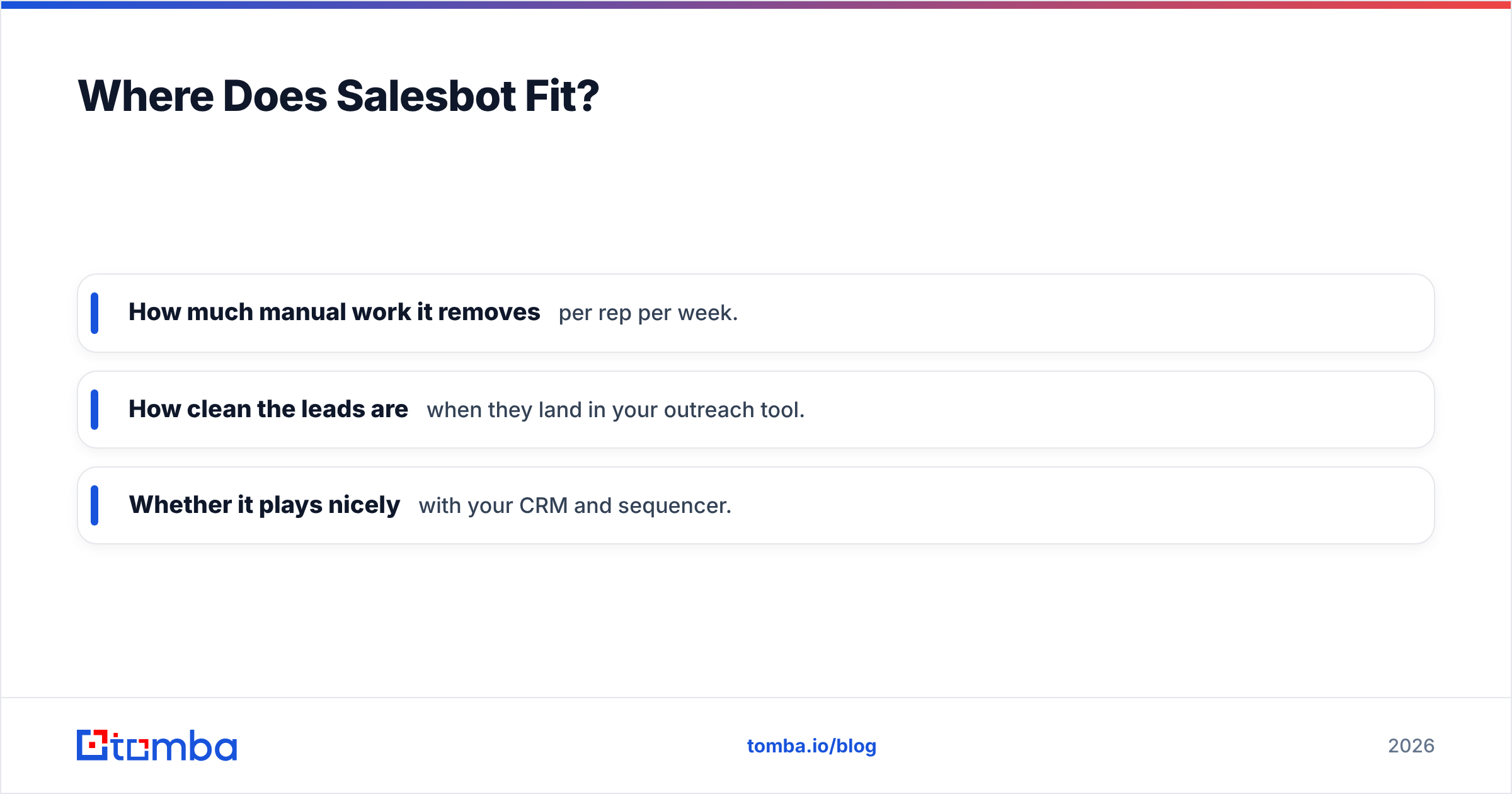
That framing matters for evaluation. You should not judge Salesbot on raw record count the way you'd judge CompanyData.com. Judge it on:
- How much manual work it removes per rep per week.
- How clean the leads are when they land in your outreach tool.
- Whether it plays nicely with your CRM and sequencer.
The risk with automation-first tools is volume without validation. Scraping a thousand leads a day feels productive — until your sender reputation tanks from bounces. So guard the exit. Add verification and good email deliverability hygiene, or the speed advantage turns into a spam-folder problem.

What Do These Tools Miss — and How Do You Fill the Gap?#
All three share one blind spot: verified, person-level contact data tied to a live inbox. Company records and scraped leads get you the target. They rarely hand you a confirmed, deliverable email for the exact decision-maker.
That is the layer where a dedicated email-intelligence tool earns its place. A typical modern stack looks like this:
- Source the accounts — CompanyData.com for structured firmographics, or BoldData for a niche one-off list.
- Automate collection — Salesbot or a similar tool to keep the pipeline moving without manual copy-paste.
- Find the right people — use a domain search to pull the actual contacts and email patterns at each target company.
- Verify before you send — run every address through verification so bounces don't wreck your sender reputation.
- Enrich and sync — push clean, complete records into your CRM with data enrichment.
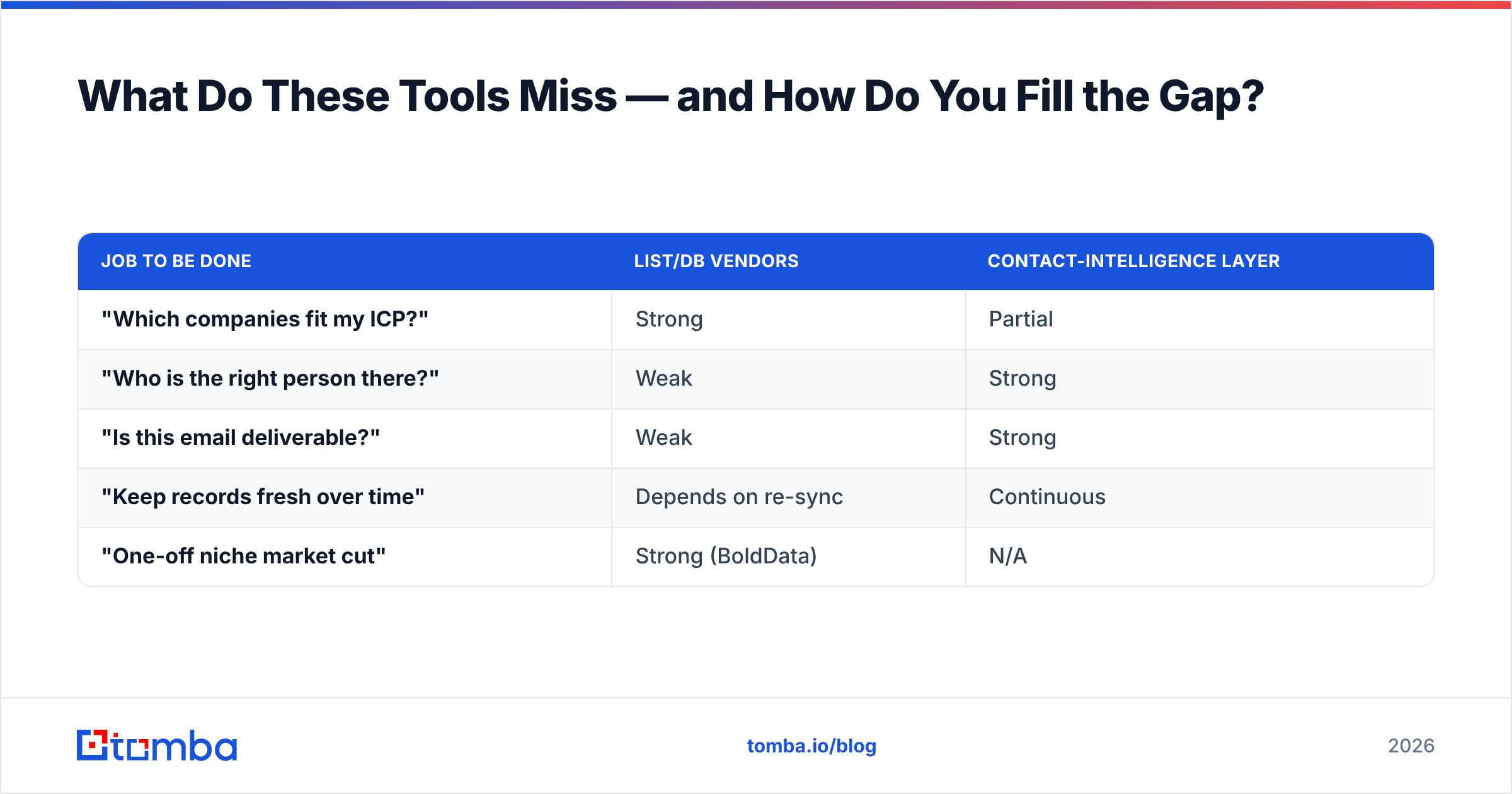
Here's how the "data source vs contact-intelligence" split looks in practice:
| Job to be done | List/DB vendors | Contact-intelligence layer |
|---|---|---|
| "Which companies fit my ICP?" | Strong | Partial |
| "Who is the right person there?" | Weak | Strong |
| "Is this email deliverable?" | Weak | Strong |
| "Keep records fresh over time" | Depends on re-sync | Continuous |
| "One-off niche market cut" | Strong (BoldData) | N/A |
The point isn't that CompanyData.com, BoldData, or Salesbot are wrong choices. Each one is a starting point, not a finished pipeline. The teams with the best reply rates treat account data and contact data as two separate purchases, each with its own quality bar.
How Should You Choose in 2026?#
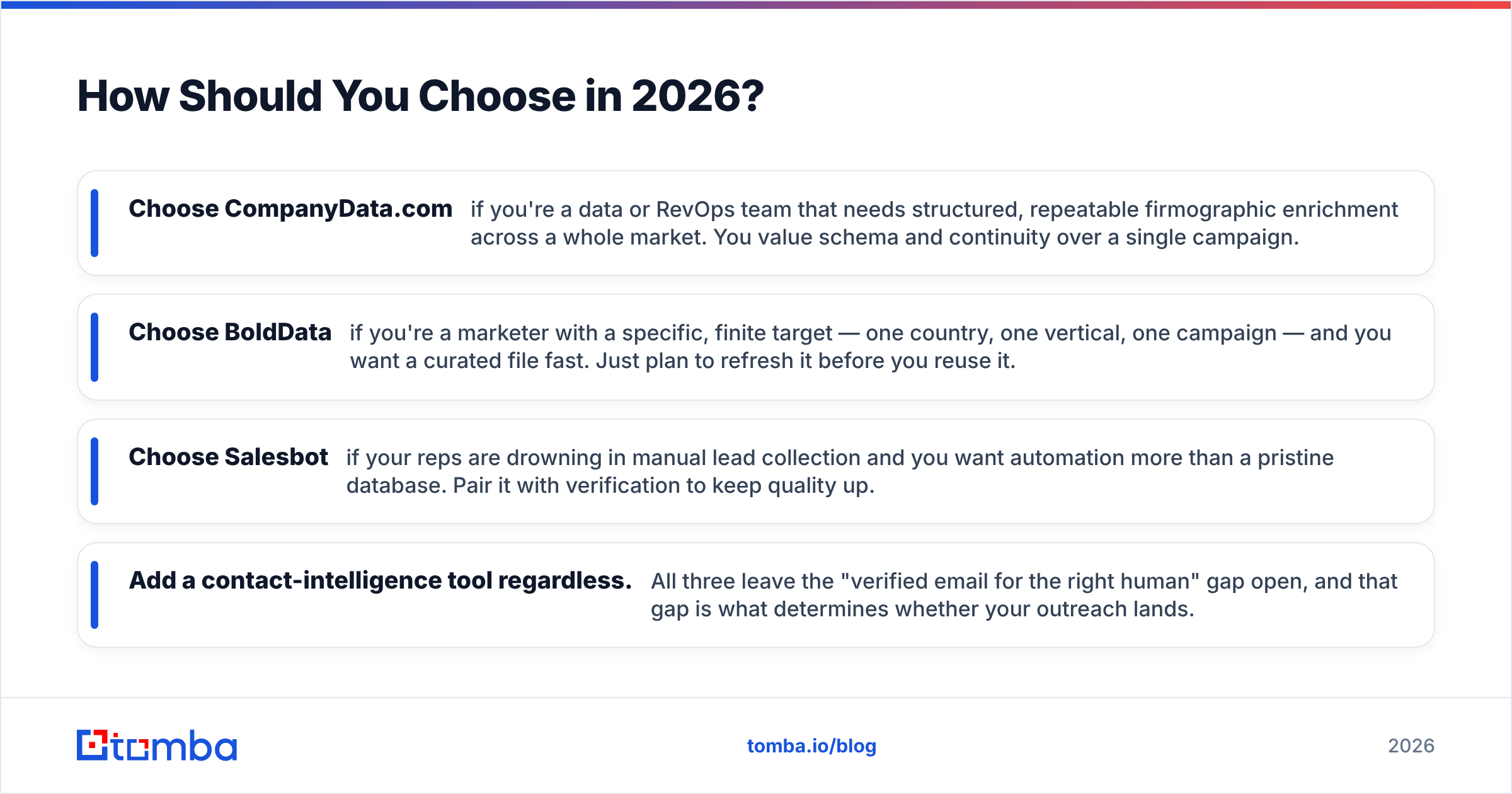
Match the tool to your actual constraint, not to the biggest number on the pricing page.
- Choose CompanyData.com if you're a data or RevOps team that needs structured, repeatable firmographic enrichment across a whole market. You value schema and continuity over a single campaign.
- Choose BoldData if you're a marketer with a specific, finite target — one country, one vertical, one campaign — and you want a curated file fast. Just plan to refresh it before you reuse it.
- Choose Salesbot if your reps are drowning in manual lead collection and you want automation more than a pristine database. Pair it with verification to keep quality up.
- Add a contact-intelligence tool regardless. All three leave the "verified email for the right human" gap open, and that gap is what determines whether your outreach lands.
One more honest note on cost. A cheap list that bounces 20% of the time is not cheap. It burns your domain reputation, which takes weeks to repair. Weigh vendors on delivered, usable records, not gross counts. Independent review sites like G2 help you sanity-check vendor claims against real user feedback before you commit budget.
The Bottom Line#
There is no single "winner" here, because they aren't really the same product. CompanyData.com is your structured firmographic backbone. BoldData is your surgical one-off list. Salesbot is your automation muscle. The mistake is assuming any one of them delivers a finished, verified, ready-to-email pipeline. None of them does that as a core job.
Whichever account source you land on, the contact layer is where deals are won or lost. Tomba's Email Finder turns the companies and domains you've sourced into verified, deliverable contacts. A free tier gives you 25 searches a month to test on your own list first. See the full Tomba pricing when you're ready to plug the gap these three tools leave open, and stop letting stale records decide your reply rate.
Related guides#
Ready to find emails that actually work?
Join 150,000+ professionals who stopped guessing and started sending. Free credits on signup — no credit card required.
Get the Tomba newsletter
Practical outbound tactics and product updates — once every two weeks.
About the author