CompanyData.com, BoldData vs SignalHire: 2026 Comparison
CompanyData.com, BoldData, and SignalHire all sell B2B contact data, but they solve very different problems. Here is an honest, side-by-side breakdown to help you pick the right one.
This CompanyData.com, BoldData vs SignalHire comparison is really about three different jobs. One tool buys a bulk company list. One orders a custom-built database. One pulls live contact details, a single prospect at a time. All three sell "B2B data," yet they behave nothing alike once money changes hands. Below we break down what each tool delivers, what it costs, and where a live email finder beats a static file.
TL;DR: Which one should you pick?#
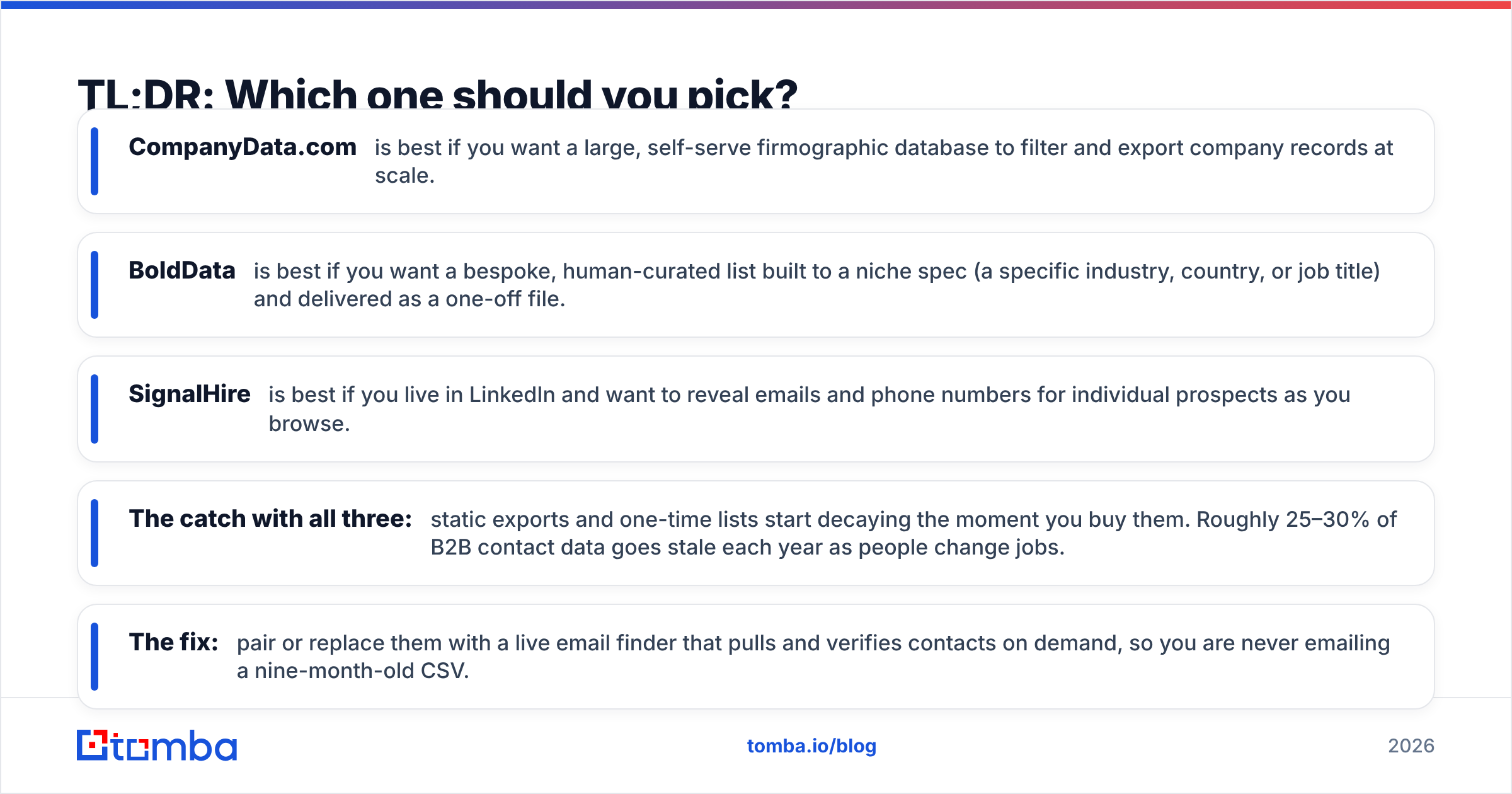
- CompanyData.com is best if you want a large, self-serve firmographic database to filter and export company records at scale.
- BoldData is best if you want a bespoke, human-curated list built to a niche spec (a specific industry, country, or job title) and delivered as a one-off file.
- SignalHire is best if you live in LinkedIn and want to reveal emails and phone numbers for individual prospects as you browse.
- The catch with all three: static exports and one-time lists start decaying the moment you buy them. Roughly 25–30% of B2B contact data goes stale each year as people change jobs.
- The fix: pair or replace them with a live email finder that pulls and verifies contacts on demand, so you are never emailing a nine-month-old CSV.

What does each tool actually do?#
The fastest way to avoid buyer's remorse is to match the tool to the job. These three sit at very different points on the B2B data spectrum.
- CompanyData.com — self-serve company database. You log in, filter by firmographics (industry, size, location, revenue), and export company-level records. It is built around accounts, not individual people. That matters a lot if you need named decision-makers.
- BoldData — custom list vendor. You tell a sales rep what you want ("all logistics companies in Germany with 50+ employees"). They build and clean a targeted file. You buy it as a one-time delivery. Think of it as a tailored suit versus off-the-rack.
- SignalHire — real-time contact finder. A browser extension and web app. It reveals verified emails and phone numbers for specific people, usually while you browse LinkedIn. It is people-first and pay-as-you-go on credits.
Here is an analogy. CompanyData.com is a warehouse you walk through with a cart. BoldData is a personal shopper who packs a box for you. SignalHire is a vending machine that dispenses one contact at a time. None is "better" in the abstract. They just answer different questions.
CompanyData.com, BoldData vs SignalHire: how do they compare?#
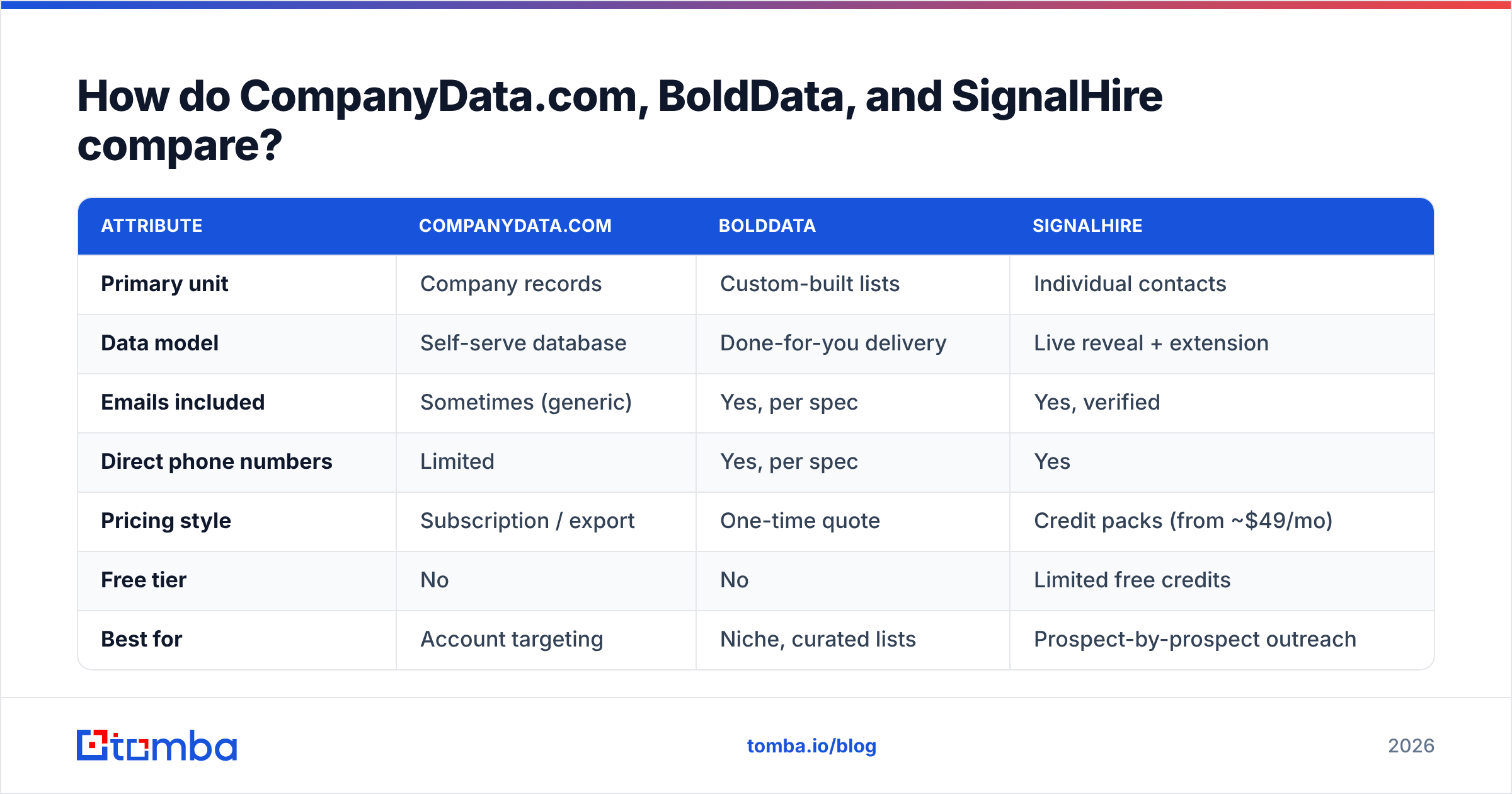
Here is the side-by-side view. Pricing for BoldData and CompanyData.com is quote- and volume-driven. Treat the ranges as directional, not fixed sticker prices.
| Attribute | CompanyData.com | BoldData | SignalHire |
|---|---|---|---|
| Primary unit | Company records | Custom-built lists | Individual contacts |
| Data model | Self-serve database | Done-for-you delivery | Live reveal + extension |
| Emails included | Sometimes (generic) | Yes, per spec | Yes, verified |
| Direct phone numbers | Limited | Yes, per spec | Yes |
| Pricing style | Subscription / export | One-time quote | Credit packs (from ~$49/mo) |
| Free tier | No | No | Limited free credits |
| Best for | Account targeting | Niche, curated lists | Prospect-by-prospect outreach |
| Data freshness risk | Moderate–high | High (one-time) | Lower (on-demand) |
Two patterns jump out. First, only SignalHire is built around live individual contacts with verified emails and phones. The other two lean toward bulk company data. Second, all three leave you exposed on freshness. You might export a database last quarter, buy a list once, or burn credits on profiles that later change jobs.
Is CompanyData.com or BoldData better for bulk lists?#
It depends on whether you want breadth or precision. Choose based on how specific your target is.
- Pick CompanyData.com when your criteria are broad and firmographic ("US SaaS companies, 200–1,000 employees"). You want to self-serve, filter interactively, and re-export whenever you like. You trade some niche precision for control and speed.
- Pick BoldData when your target is narrow or unusual ("kosher food importers in the Benelux"). You would rather hand the research to a vendor than build the query yourself. According to BoldData's own site, they specialize in custom-built datasets across hundreds of countries.
The shared weakness is the one every list buyer hits: the file is a snapshot. B2B contact data decays fast. A one-time BoldData delivery has no built-in refresh. When a contact moves companies, your record silently becomes wrong. So serious teams treat a purchased list as a starting seed. They re-verify it before any campaign, using an email verifier to strip dead addresses before they hurt sender reputation.
Where does SignalHire fit, and where does it fall short?#
SignalHire wins on one workflow: "I found a person, now get me their email and phone." It shines when your prospecting starts on a LinkedIn profile. You get contact details in seconds without leaving the page. Its credit model (packs starting around $49/mo per SignalHire's pricing) suits reps doing targeted, moderate-volume outreach, not million-row list pulls.
Where it falls short: it is not a firmographic database. Say you need to build a list from scratch by company attributes, or enrich thousands of rows at once. A contact-reveal tool is the wrong shape. You would click one profile at a time, and credits add up fast. It also concentrates coverage where LinkedIn is strong. That can leave gaps in regions or industries with lighter LinkedIn adoption.
What about data accuracy and freshness?#
Accuracy is where the "one big list" model quietly loses money. Independent industry estimates put B2B data decay at roughly 22–30% per year. People change roles, companies rebrand, domains migrate. A static CompanyData.com export or a one-off BoldData file is accurate on delivery day. After that, it drifts. SignalHire's on-demand model ages better, because you pull the contact when you need it. Even so, you pay per reveal and can still hit unverified or catch-all addresses.
Three habits protect you regardless of vendor:
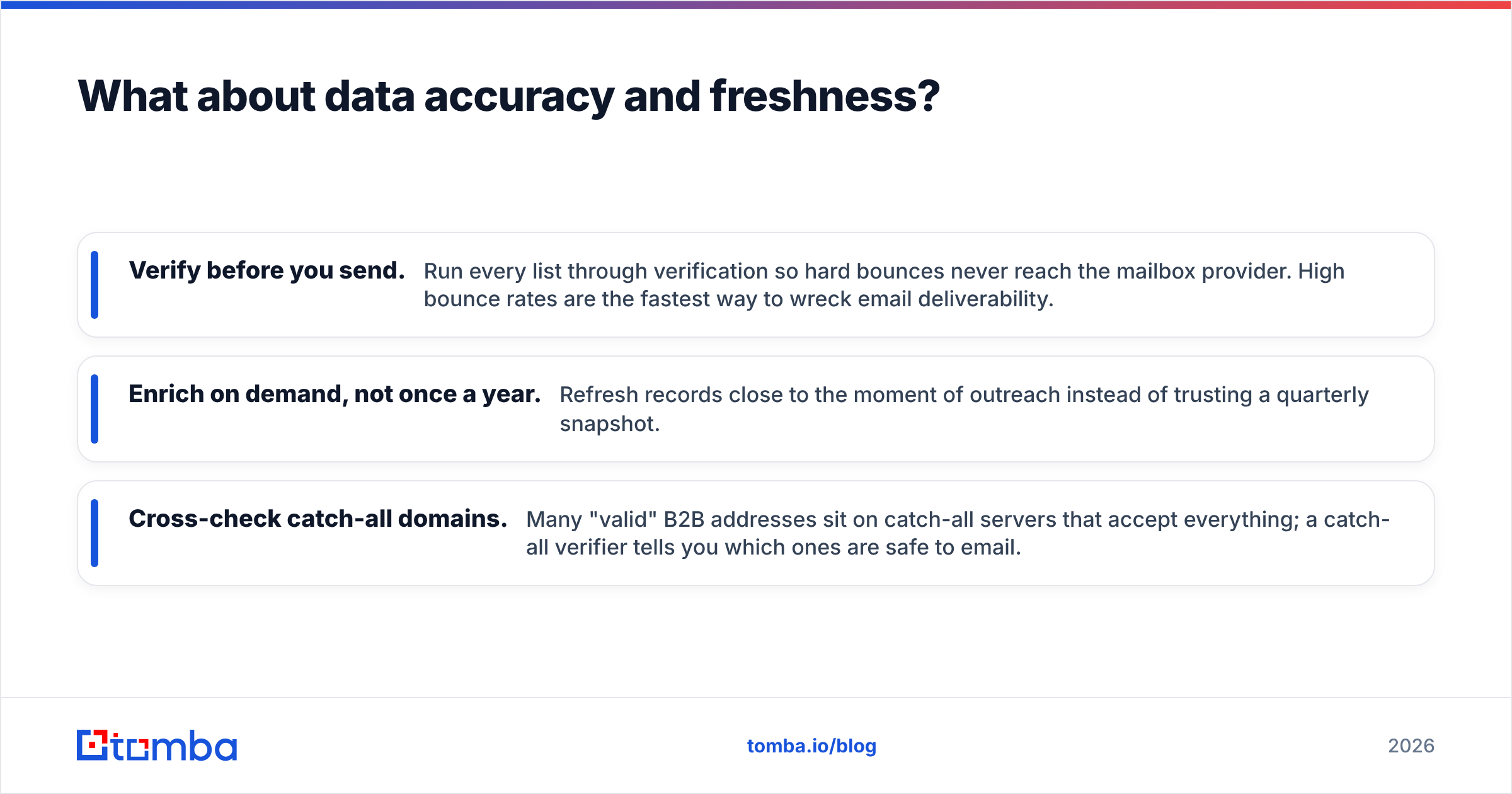
- Verify before you send. Run every list through verification so hard bounces never reach the mailbox provider. High bounce rates are the fastest way to wreck email deliverability.
- Enrich on demand, not once a year. Refresh records close to the moment of outreach. Do not trust a quarterly snapshot.
- Cross-check catch-all domains. Many "valid" B2B addresses sit on catch-all servers that accept everything. A catch-all verifier tells you which ones are safe to email.
Reviews on G2 for all three categories echo the same theme in the one-star column: the data was fine at purchase and stale a few months later. That is not a knock on any single vendor. It is the physics of static data.
How does Tomba compare to all three?#
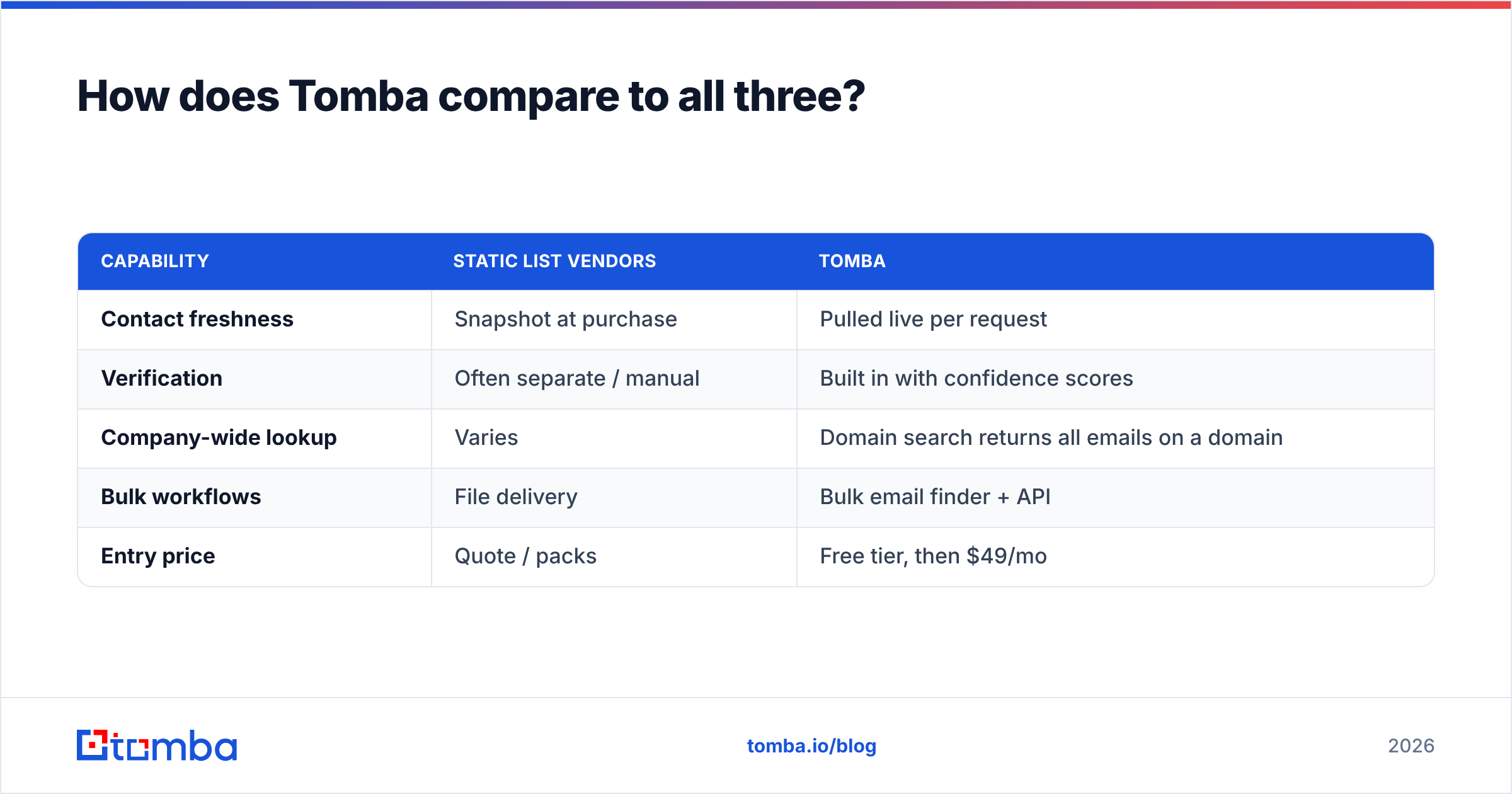
Tomba is not a bulk-list warehouse. It is a live finder-and-verifier that produces fresh contacts on demand. Instead of buying a snapshot, you query by name, company, or domain. You get verified results at the moment you need them. Then you push them straight into your CRM or sequence.
| Capability | Static list vendors | Tomba |
|---|---|---|
| Contact freshness | Snapshot at purchase | Pulled live per request |
| Verification | Often separate / manual | Built in with confidence scores |
| Company-wide lookup | Varies | Domain search returns all emails on a domain |
| Bulk workflows | File delivery | Bulk email finder + API |
| Entry price | Quote / packs | Free tier, then $49/mo |
A few concrete advantages, named honestly:
- Free to start. Tomba's free tier gives you 25 searches a month. You can test accuracy on your own domains before paying anything. CompanyData.com and BoldData are quote-first.
- Verification is not an upsell. Every result carries a status and confidence score. You are not exporting a list and then discovering half of it bounces.
- Domain-first discovery. Point it at a company domain and get the people and patterns behind it. It is close to CompanyData.com's account view, but with live, verified individual emails attached.
- Predictable pricing. Tomba's plans run Free (25 searches), Starter $49/mo, Growth $99/mo, and Pro $249/mo. There is no custom-quote gatekeeping to run a first campaign.
Where Tomba is not the answer: maybe you specifically need a human-curated niche list built to an exotic spec. A done-for-you vendor like BoldData still has a place. For most teams, though, the smart move is simple. Use a live finder as the daily engine. Reserve custom lists for the rare, hard-to-source segment.
Which tool should you choose?#
When you weigh CompanyData.com, BoldData vs SignalHire, match the tool to the motion, not the marketing:
- You target accounts by firmographics and want self-serve exports → CompanyData.com, with a verification pass before sending.
- You need a narrow, curated list you cannot easily build yourself → BoldData, treated as a seed to enrich and re-verify.
- You prospect person-by-person from LinkedIn → SignalHire for on-the-spot reveals.
- You want fresh, verified contacts on demand — daily, at a predictable price → a live email finder is the better default, and it complements all three above.
The mistake is assuming one tool covers every job. The list vendors are strong at breadth and curation. The reveal tools are strong at live, individual lookups. What ties a modern stack together is verification and freshness. A contact you cannot reach is worth nothing, no matter who sold it to you.
Start with fresh, verified contacts#
If your outreach is only as good as the email address behind it, start where the data is live. The Tomba Email Finder lets you find and verify professional emails by name, company, or domain. You get 25 free searches a month to test accuracy on accounts you already know, before you commit a cent. Use it as your daily prospecting engine. Keep the static lists for the niche segments they do best. And stop emailing data that went stale months ago.
Related guides#
Ready to find emails that actually work?
Join 150,000+ professionals who stopped guessing and started sending. Free credits on signup — no credit card required.
Get the Tomba newsletter
Practical outbound tactics and product updates — once every two weeks.
About the author