ContactOut Reviews (2026): Pricing, Accuracy & Real Limits
An independent look at ContactOut reviews in 2026 — real accuracy, hidden pricing, LinkedIn dependence, and where cheaper alternatives quietly win.
Most ContactOut reviews stop at the star rating and the "9 billion emails" headline. That number sells demos; it doesn't tell you what happens when your rep pushes 500 profiles through the extension on a Tuesday and gets a bounce report on Thursday. This is the version that does.
Below is an independent breakdown of what ContactOut actually does well, where it quietly falls short, what it really costs once you leave the free tier, and which alternatives make more sense depending on how you prospect.
TL;DR — The Honest Verdict on ContactOut#
- Best for: LinkedIn-first recruiters and SDRs who live inside Sales Navigator and want personal emails and phone numbers without leaving the tab.
- Weak spots: Pricing is opaque and quote-based on higher tiers, coverage skews consumer/personal email, and results drop sharply outside LinkedIn workflows.
- Accuracy: Strong on personal Gmail-style addresses, noticeably weaker on verified corporate emails and non-US contacts.
- Value check: If you prospect by company domain (not by LinkedIn profile), a straight email finder like Tomba covers the same job at a lower, published price.
- Bottom line: ContactOut is a good LinkedIn scraper, not a complete B2B data platform. Match it to that job or you'll overpay.
What Is ContactOut and Who Is It For?#
ContactOut is a contact-data tool built around a Chrome extension that overlays LinkedIn profiles and surfaces personal emails, work emails, and phone numbers. It also ships a web "Search Portal," a basic CRM-style list manager, and integrations with common outreach tools.
Think of it like a metal detector you sweep over LinkedIn: when you're standing on a profile, it beeps and hands you contact details. That's a genuinely useful motion for two audiences — technical recruiters sourcing candidates, and SDRs building lists off Sales Navigator searches.
The catch is that the metal detector only works where you're standing. ContactOut is profile-first, not domain-first. If your workflow starts with "I need everyone in marketing at these 40 target accounts," you're using the tool against its grain. That distinction drives almost every complaint and every rave in the review sites, so keep it in mind as we go.
What Do ContactOut Reviews Say About Accuracy?#
Accuracy is where ContactOut reviews split hardest, and the split makes sense once you separate email types.
ContactOut's strongest asset is personal email coverage — the Gmail/Yahoo/Outlook addresses tied to an individual. For recruiters trying to reach a candidate who ignores their work inbox, that's gold. On verified corporate emails, the picture is more average: users on G2 and Capterra regularly report solid hit rates on US tech profiles and a steep drop-off for EU, APAC, and non-technical roles.
A few patterns show up consistently across public reviews:
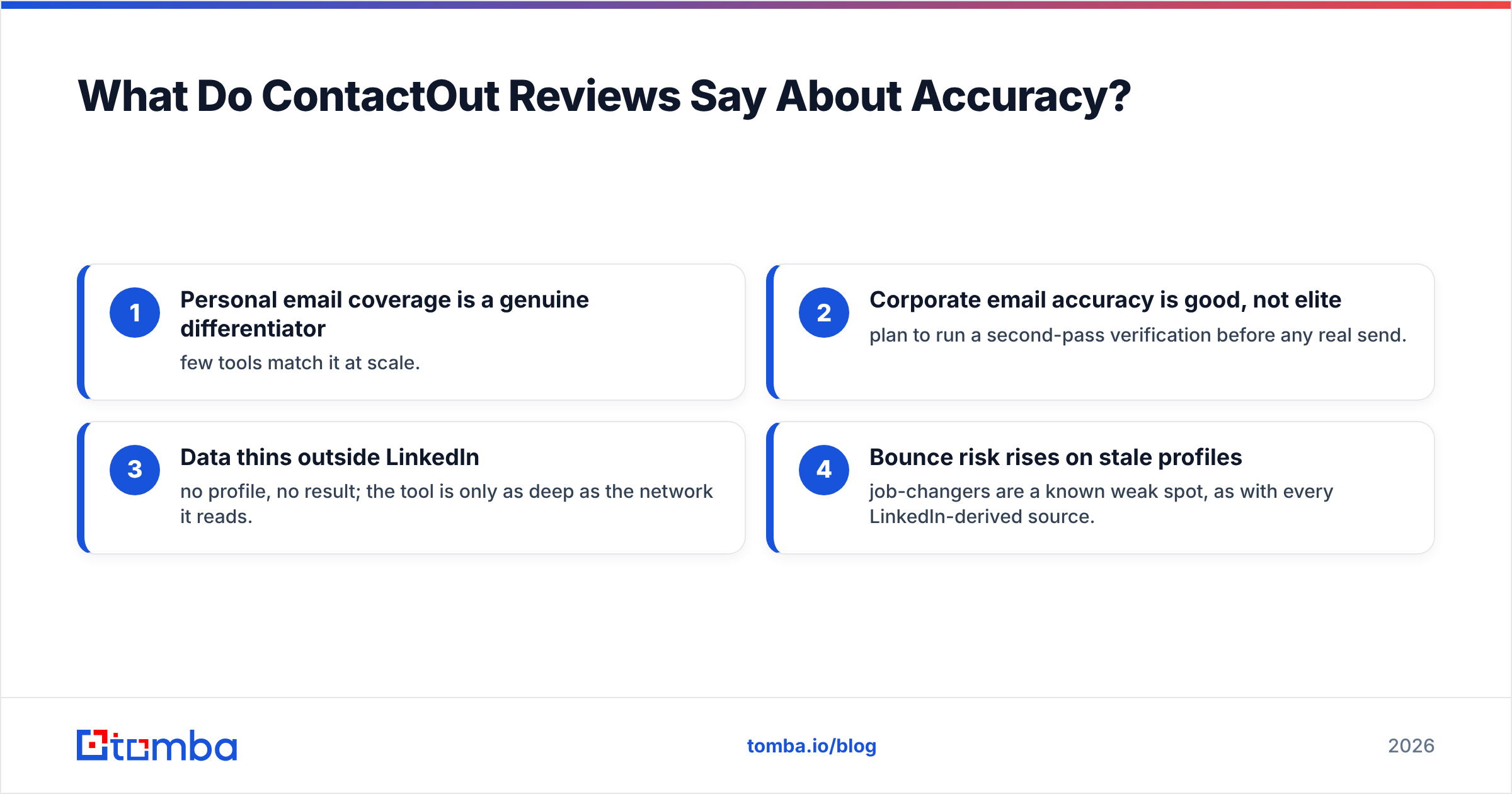
- Personal email coverage is a genuine differentiator — few tools match it at scale.
- Corporate email accuracy is good, not elite — plan to run a second-pass verification before any real send.
- Data thins outside LinkedIn — no profile, no result; the tool is only as deep as the network it reads.
- Bounce risk rises on stale profiles — job-changers are a known weak spot, as with every LinkedIn-derived source.
The practical takeaway: treat ContactOut's output as candidate data, not validated data. Running results through a dedicated email verifier before you load them into a sequence is the difference between a 2% and an 8% bounce rate — and your sender reputation depends on staying near the former.

How Much Does ContactOut Actually Cost in 2026?#
Here's the friction point almost every buyer hits: ContactOut's pricing is not fully transparent. There's a limited free plan and an entry paid tier, but Team and higher plans are quote-based, and credit limits (emails vs. phones, monthly vs. annual) are structured in a way that's hard to model before you're on a call with sales.
That opacity is the single most common gripe in ContactOut reviews. Buyers who want to compare cost-per-verified-contact across tools can't do it cleanly, because one side of the comparison is a black box until you book a demo.
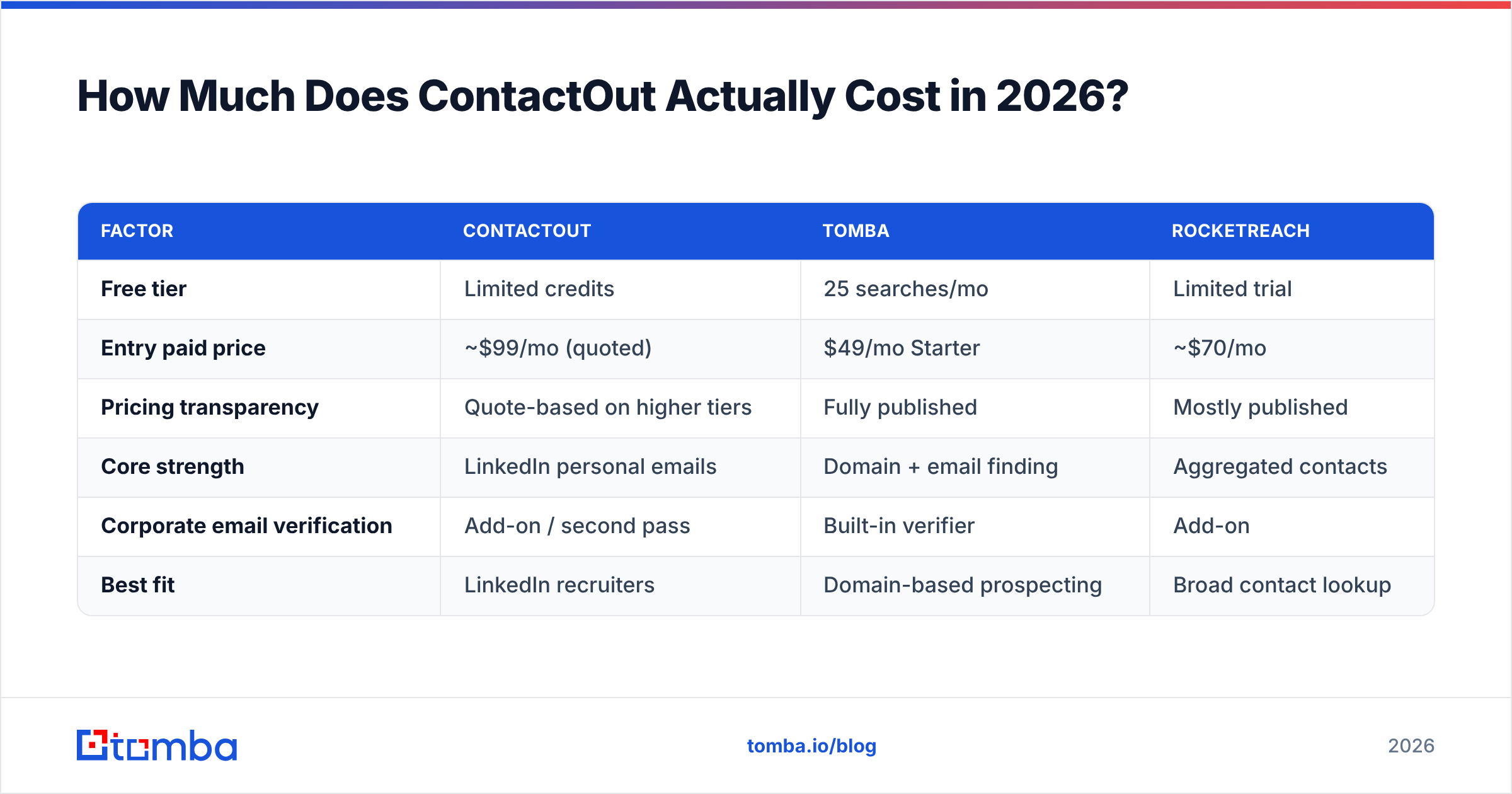
For contrast, here's how ContactOut stacks up against tools that publish their numbers — including Tomba pricing, which is listed in full on the page:
| Factor | ContactOut | Tomba | RocketReach |
|---|---|---|---|
| Free tier | Limited credits | 25 searches/mo | Limited trial |
| Entry paid price | ~$99/mo (quoted) | $49/mo Starter | ~$70/mo |
| Pricing transparency | Quote-based on higher tiers | Fully published | Mostly published |
| Core strength | LinkedIn personal emails | Domain + email finding | Aggregated contacts |
| Corporate email verification | Add-on / second pass | Built-in verifier | Add-on |
| Best fit | LinkedIn recruiters | Domain-based prospecting | Broad contact lookup |
Two honest notes on this table. First, ContactOut's entry price moves, so treat "~$99" as a directional figure and confirm current numbers on their site. Second, cheaper isn't automatically better — if personal emails are your lifeblood, ContactOut's premium can be justified. The point is that you should be able to see what you're paying per outcome, and with a domain search tool you can.
Is ContactOut Better Than the Alternatives?#
It depends entirely on where your prospecting starts. Let me be concrete instead of diplomatic.
Choose ContactOut when your motion is "I found a person on LinkedIn, now get me their contact info." Recruiters and LinkedIn-native SDRs get real value here, and the extension is smooth.
Choose a domain-first finder when your motion is "I have a list of target companies, now get me the right people." This is the majority of outbound sales, and it's exactly where ContactOut's profile-by-profile model becomes slow and expensive. Feeding a list of domains into a bulk email finder returns patterned, role-based corporate contacts far faster than clicking through profiles one at a time.
Choose a broad aggregator like RocketReach or Apollo when you want a large database plus sequencing in one place and can tolerate lower per-record precision.
The mistake buyers make is treating these as interchangeable. They're not. ContactOut optimizes for reach on a known person; domain tools optimize for coverage across a known company. Your pipeline math decides the winner — not the review score.
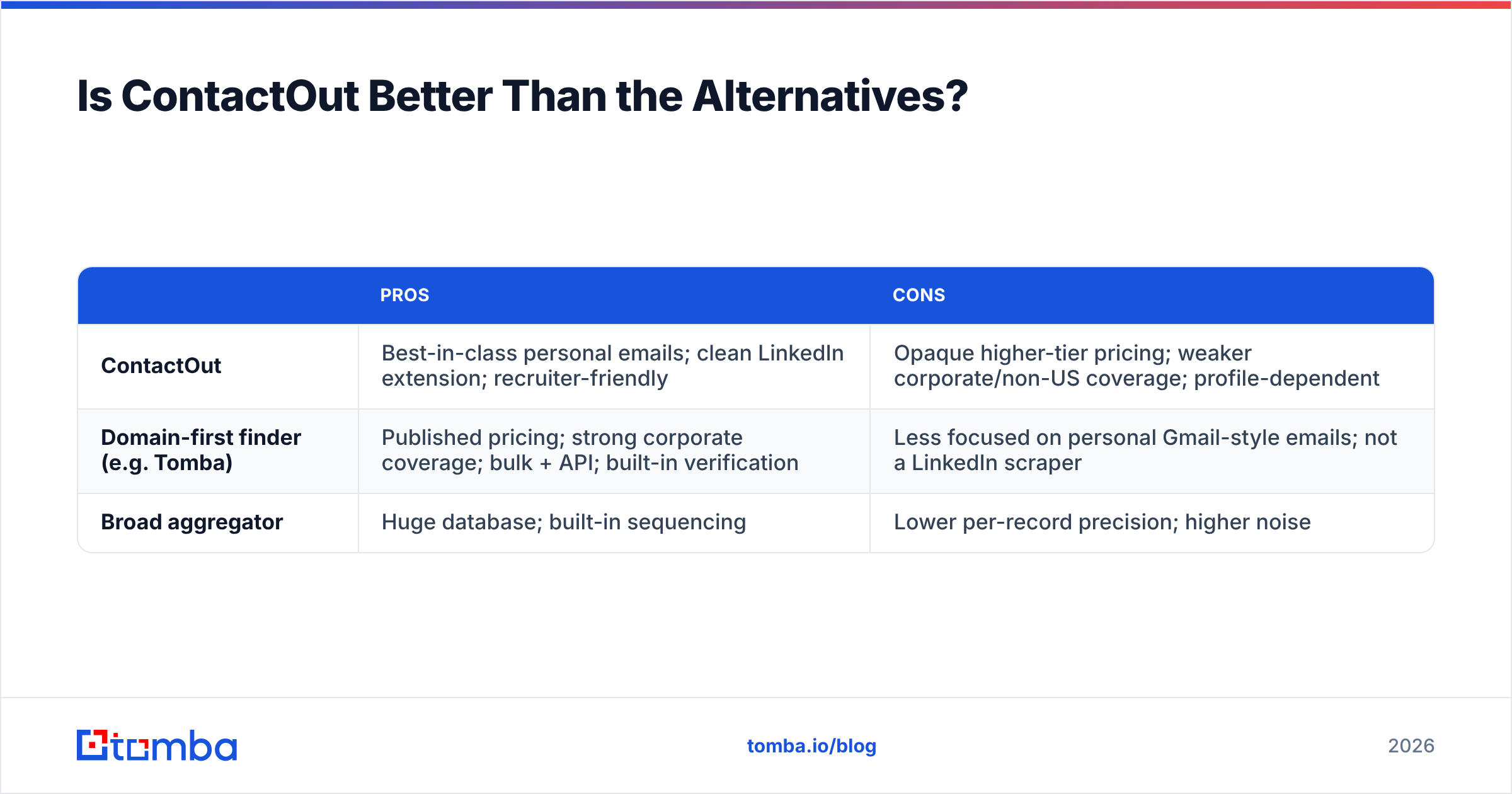
Here's a quick pros-and-cons pass to keep it balanced:
| Pros | Cons | |
|---|---|---|
| ContactOut | Best-in-class personal emails; clean LinkedIn extension; recruiter-friendly | Opaque higher-tier pricing; weaker corporate/non-US coverage; profile-dependent |
| Domain-first finder (e.g. Tomba) | Published pricing; strong corporate coverage; bulk + API; built-in verification | Less focused on personal Gmail-style emails; not a LinkedIn scraper |
| Broad aggregator | Huge database; built-in sequencing | Lower per-record precision; higher noise |
What Are ContactOut's Real Limitations?#
Every tool has edges. These are the ones that show up repeatedly once people are past the trial.
LinkedIn dependence. ContactOut is tethered to LinkedIn's structure and policies. That's fine until LinkedIn tightens rate limits or a target simply isn't active there. No profile, no data — and heavy extension use can attract friction on your LinkedIn account.
Corporate email gaps. For verified work emails at scale, coverage is average outside US tech. If you sell into manufacturing, EU mid-market, or public sector, test before you commit a year.
Verification is a second step. ContactOut surfaces contacts; it isn't primarily a validation engine. You'll still want a real verification pass to protect email deliverability and keep bounces low.
Pricing you can't self-serve. The quote-based structure slows procurement and makes honest cost comparison hard — a recurring theme in negative reviews.
None of these are dealbreakers for the right buyer. They're just the reasons ContactOut shouldn't be your only data source. Many teams pair it with a domain finder and a verifier, using each where it's strongest.
How Should You Test ContactOut Before Buying?#
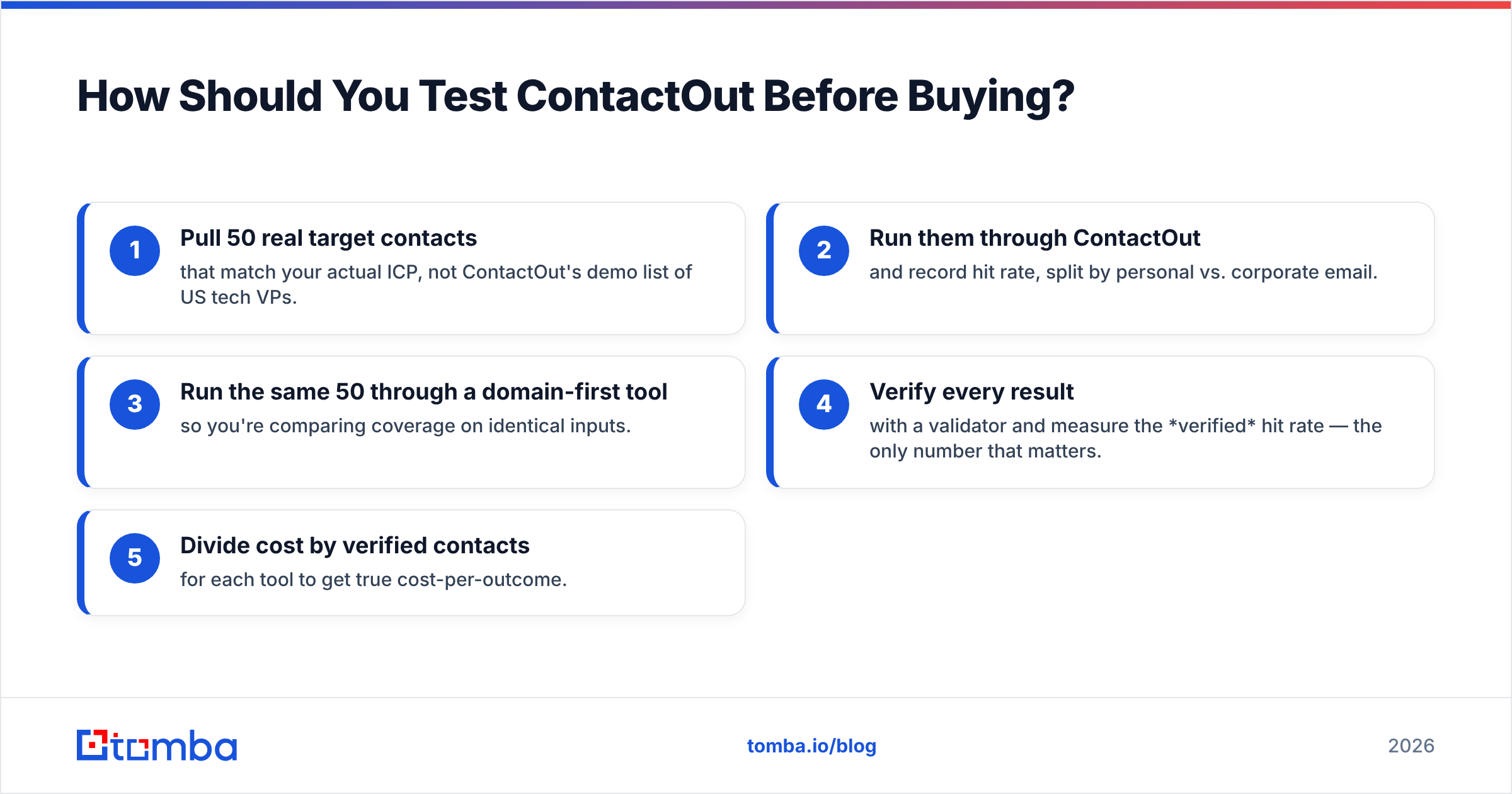
Don't trust the aggregate star rating — including this one. Run a 30-minute bake-off on your data:
- Pull 50 real target contacts that match your actual ICP, not ContactOut's demo list of US tech VPs.
- Run them through ContactOut and record hit rate, split by personal vs. corporate email.
- Run the same 50 through a domain-first tool so you're comparing coverage on identical inputs.
- Verify every result with a validator and measure the verified hit rate — the only number that matters.
- Divide cost by verified contacts for each tool to get true cost-per-outcome.
Whichever tool wins on verified cost-per-contact for your segment wins the deal. If ContactOut takes it on personal emails for recruiting, buy it with confidence. If a published-price finder matches its corporate coverage for half the spend, you just saved your budget — and you can enrich the winners further with data enrichment instead of paying a premium per lookup.
The Bottom Line: Match the Tool to the Motion#
ContactOut earns its reviews. It's a legitimately good LinkedIn contact tool with standout personal-email coverage, and recruiters especially get real value from it. It's just not a universal B2B data platform, and the quote-based pricing makes it hard to prove ROI before you're committed.
If your outbound starts with a list of companies rather than a stack of LinkedIn profiles, you'll get faster, cheaper, more verifiable results from a domain-first approach. Tomba's Email Finder does exactly that: point it at a domain or a name-plus-company, get patterned corporate emails back, verify them in the same platform, and scale it through bulk or the Tomba API — all on pricing you can read on the page, starting free with 25 searches a month and $49/mo when you're ready to grow. Test it against ContactOut on your own 50 contacts and let the verified hit rate decide.
Related guides#
Ready to find emails that actually work?
Join 150,000+ professionals who stopped guessing and started sending. Free credits on signup — no credit card required.
Get the Tomba newsletter
Practical outbound tactics and product updates — once every two weeks.
About the author