ContactOut vs OutboundView: Which One Actually Fills Your Pipeline?
ContactOut sells you contact data. OutboundView sells you booked meetings. They are not the same purchase — and picking the wrong one burns either your budget or your quarter. Here is the honest breakdown.
TL;DR — what you actually need to know#
- These are not competitors in the normal sense. ContactOut is a self-serve contact-data tool (Chrome extension + search + API). OutboundView is a done-for-you outbound agency that runs the campaigns and books the meetings for you.
- The real question is buy-vs-build. ContactOut costs tens of dollars a month and requires you to own the strategy, copy, sending infrastructure, and follow-up. OutboundView costs thousands a month and takes that work off your plate.
- ContactOut's edge is personal-email coverage on LinkedIn profiles, which makes it strong for recruiters and founder-led sales.
- OutboundView's edge is that it is a team, not a database — worth it if you have no SDR, no sequencer, and no time to learn either.
- Most teams under 20 people are better served by a data tool + a sequencer. If you go that route, the accuracy of the data layer is the whole ballgame — which is where a dedicated email finder with verification built in usually beats a browser plug-in.
What is ContactOut, exactly?#
ContactOut is a contact-discovery platform best known for its Chrome extension. You open a LinkedIn profile, click the icon, and it surfaces work emails, personal emails, and phone numbers pulled from its index. It also ships a web-based search app (filter by title, company, industry, headcount) and a REST API for programmatic lookups.
Its calling card is personal email coverage. Most B2B providers concentrate on first.last@company.com patterns. ContactOut leans harder into consumer-domain addresses — the Gmail account someone has carried across three jobs. That is a genuinely different asset, and it is why recruiters adopted the tool long before sales teams did.
What ContactOut does not do: it does not write your sequences, warm your domains, handle replies, or book anything. It hands you rows. What happens next is entirely your problem.
What is OutboundView, exactly?#
OutboundView is an outbound lead-generation and appointment-setting agency. You are not buying software. You are buying a service engagement in which their team builds the target list, writes the messaging, runs email and phone outreach under your brand, and passes qualified meetings back to your AEs.
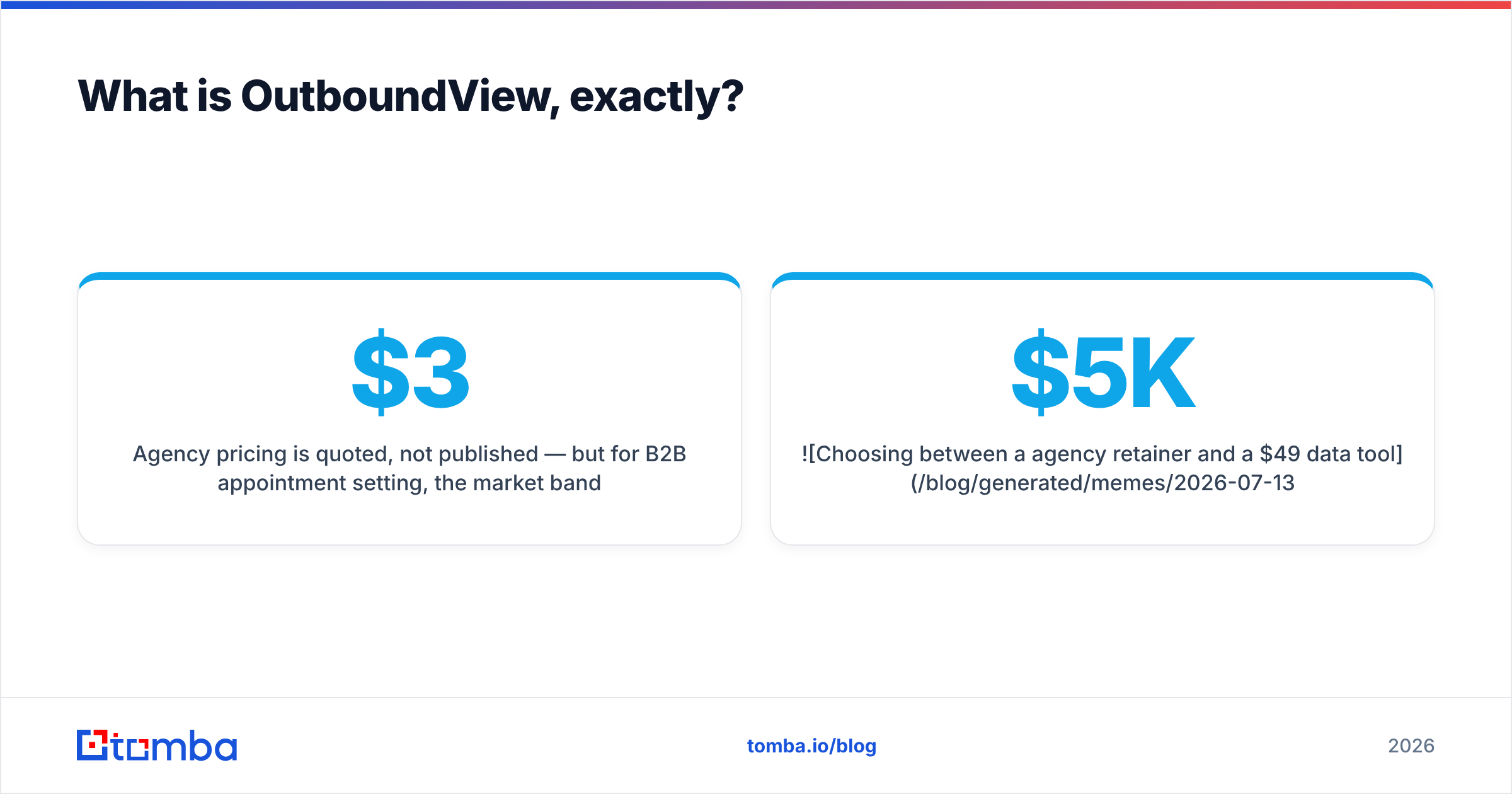
Agency pricing is quoted, not published — but for B2B appointment setting, the market band sits roughly between $3,000 and $10,000 per month on a retainer, often with a 3–6 month minimum and sometimes a per-appointment component layered on top. Ask any agency for exact numbers before you assume; the range moves with target seniority and industry.
The value proposition is straightforward: you skip the entire learning curve. The trade is equally straightforward: you rent the machine instead of owning it, and when the contract ends, so does the pipeline.
Is ContactOut better than OutboundView?#
Wrong question. The right one is: which layer of the outbound stack are you missing?
Outbound has four layers. Be honest about which ones you already have.
- Data layer — finding and verifying the contact. This is where ContactOut sits, alongside dedicated finders and verifiers.
- Infrastructure layer — sending domains, SPF/DKIM/DMARC, warmup, inbox rotation. Neither ContactOut nor a database gives you this. An agency does.
- Message layer — the actual positioning, sequence, and offer. ContactOut: not included. OutboundView: this is a large part of what you pay for.
- Execution layer — sending, replying, qualifying, handing off. Tools automate it; agencies staff it.
- Ownership layer — who keeps the playbook, the domain reputation, and the data when the engagement ends. This one gets ignored until it hurts.
If you have layers 2–5 and only need better contacts, a tool wins on price by two orders of magnitude. If you have none of them and a quarterly number to hit, an agency is a rational shortcut — you are buying time, not data.
How do ContactOut and OutboundView compare on cost, control, and speed?#
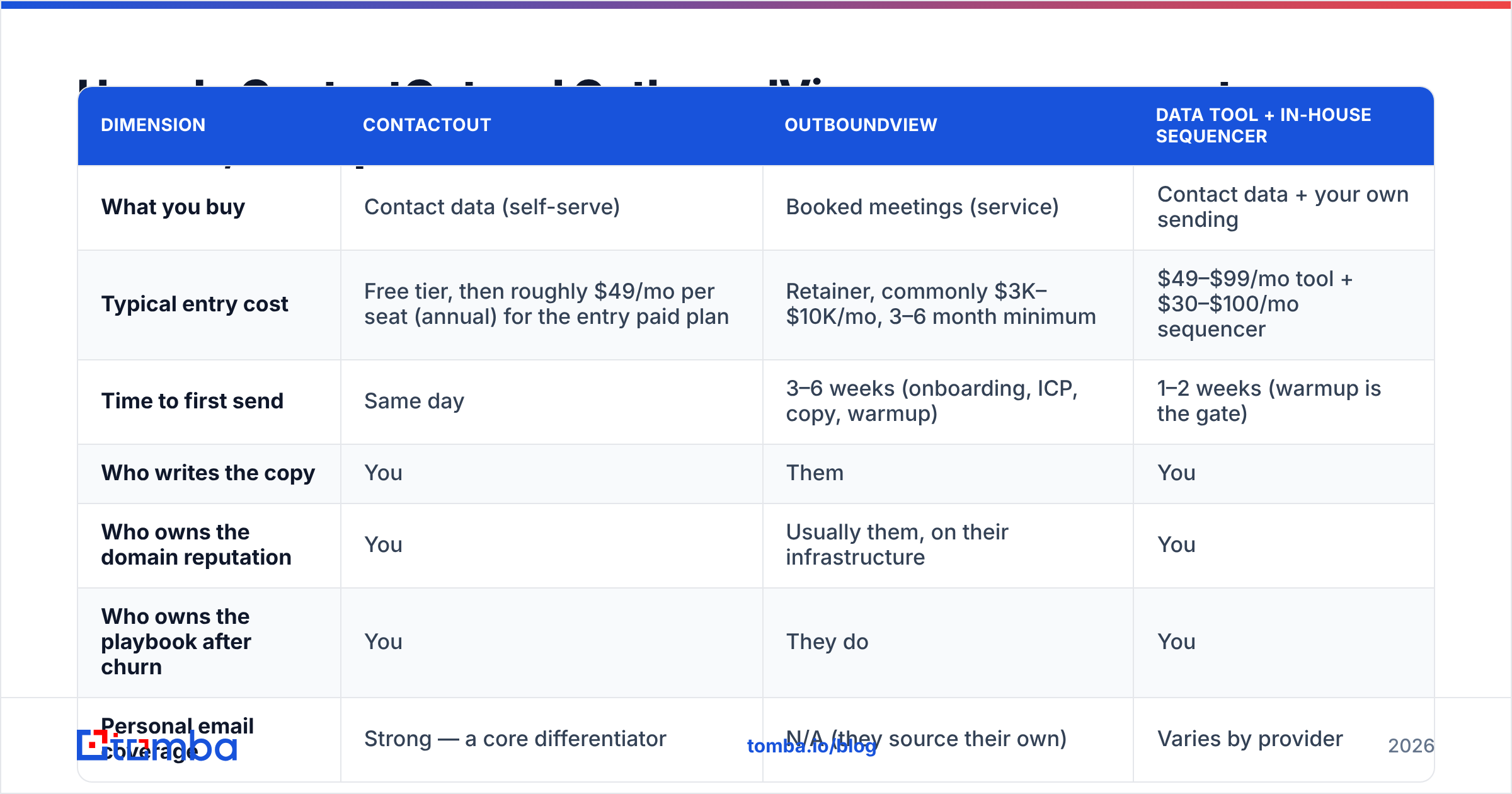
| Dimension | ContactOut | OutboundView | Data tool + in-house sequencer |
|---|---|---|---|
| What you buy | Contact data (self-serve) | Booked meetings (service) | Contact data + your own sending |
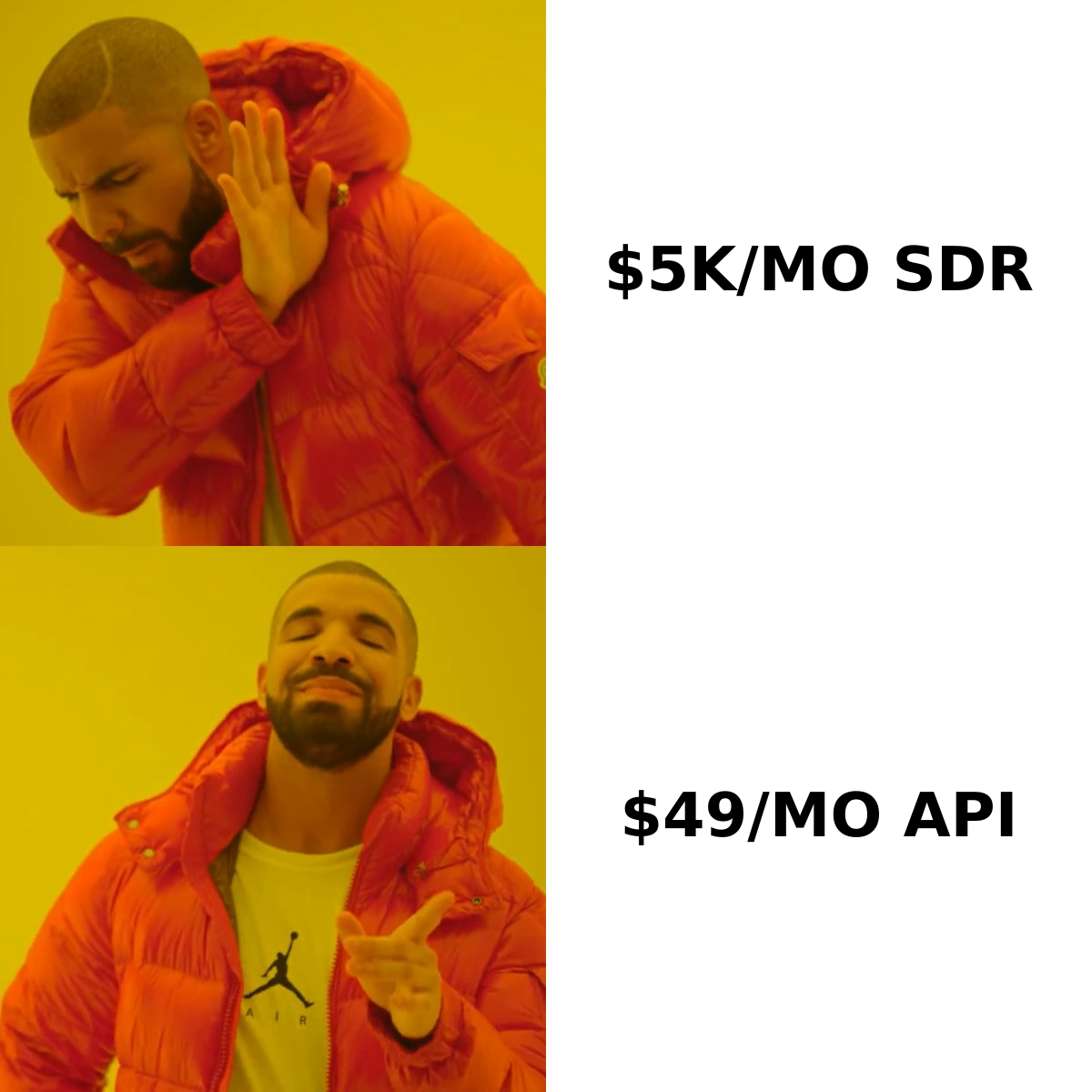
| Typical entry cost | Free tier, then roughly $49/mo per seat (annual) for the entry paid plan | Retainer, commonly $3K–$10K/mo, 3–6 month minimum | $49–$99/mo tool + $30–$100/mo sequencer |
| Time to first send | Same day | 3–6 weeks (onboarding, ICP, copy, warmup) | 1–2 weeks (warmup is the gate) |
| Who writes the copy | You | Them | You |
| Who owns the domain reputation | You | Usually them, on their infrastructure | You |
| Who owns the playbook after churn | You | They do | You |
| Personal email coverage | Strong — a core differentiator | N/A (they source their own) | Varies by provider |
| Best for | Recruiters, founder-led sales, LinkedIn-first prospecting | Teams with budget but no SDR function | Teams scaling volume with cost control |
| Worst for | Anyone who needs the messaging done for them | Sub-$5K/mo budgets or long, technical sales cycles | Anyone unwilling to learn deliverability |
Read that table twice. The row that decides most arguments is "who owns the playbook after churn." An agency engagement that ends in month seven leaves you with a spreadsheet of past meetings and nothing repeatable. A tool-based stack that you ran badly for seven months still leaves you with a warmed domain, a tested offer, and a list you own.
What does ContactOut actually cost — and what are the catches?#
ContactOut publishes tiered plans: a limited free tier, a paid individual plan in roughly the $49/month neighborhood when billed annually, a higher sales tier around $99/month, and custom team/enterprise pricing. Check their pricing page before you budget — vendors reprice quarterly and credit allotments move more often than the headline number.
Three catches worth naming:
- Credits, not unlimited lookups. Every plan is metered. Heavy prospecting weeks burn through allotments faster than the monthly average suggests.
- Per-seat, not per-org. Five SDRs means five seats. That $49 becomes $245 quickly.
- Coverage is uneven outside tech and North America. Every provider has this problem — but if your ICP is manufacturing in the EU or public sector in APAC, run a paid test batch before you commit annually. Read the G2 reviews for your specific segment, not the aggregate score.
What does an outbound agency actually cost you beyond the retainer?#
The retainer is the visible number. The invisible ones:
- Ramp cost. Weeks 1–6 usually produce very little while ICP, copy, and infrastructure get built. You pay full freight during the quiet period.
- Meeting quality variance. "Booked meeting" is a metric that can be gamed. Define show-rate and qualification criteria in the contract, not after month two.
- Brand risk. Someone else is emailing your market under your name. Get approval rights on copy.
- Data opacity. You often do not learn which contacts were touched, or how they were sourced and verified. If bad data goes out under your domain, the spam complaints land in your reputation, not theirs.
None of these make agencies a bad purchase. They make agencies a managed purchase. Go in with a scorecard.
Which one should you pick? A decision framework#
Pick ContactOut (or another self-serve data tool) if:
- Your prospecting is LinkedIn-first and profile-by-profile.
- You're a founder or a small team doing 20–100 targeted touches a week.
- Personal emails matter to you — recruiting, executive search, or reaching people who ignore work inboxes.
- Your budget is under $500/month and you can write your own copy.
Pick OutboundView (or a comparable agency) if:
- You have budget but no SDR headcount and no appetite to hire.
- Your ACV is high enough that 3–5 extra meetings a month pays the retainer back with room to spare.
- Leadership wants pipeline this quarter and will not accept a two-quarter internal build.
- You are testing a brand-new market and want someone else to absorb the failed experiments.
Pick neither — build the stack — if:
- You need volume with cost control (thousands of verified contacts a month, not hundreds).
- You want the data in your CRM and warehouse, not locked in a vendor UI.
- You already have, or will hire, one person who can own sequences and deliverability.
That third path is where most scaling teams end up, and it is worth being specific about what it looks like.

What does the build-it-yourself stack look like?#
Four components. That's it.
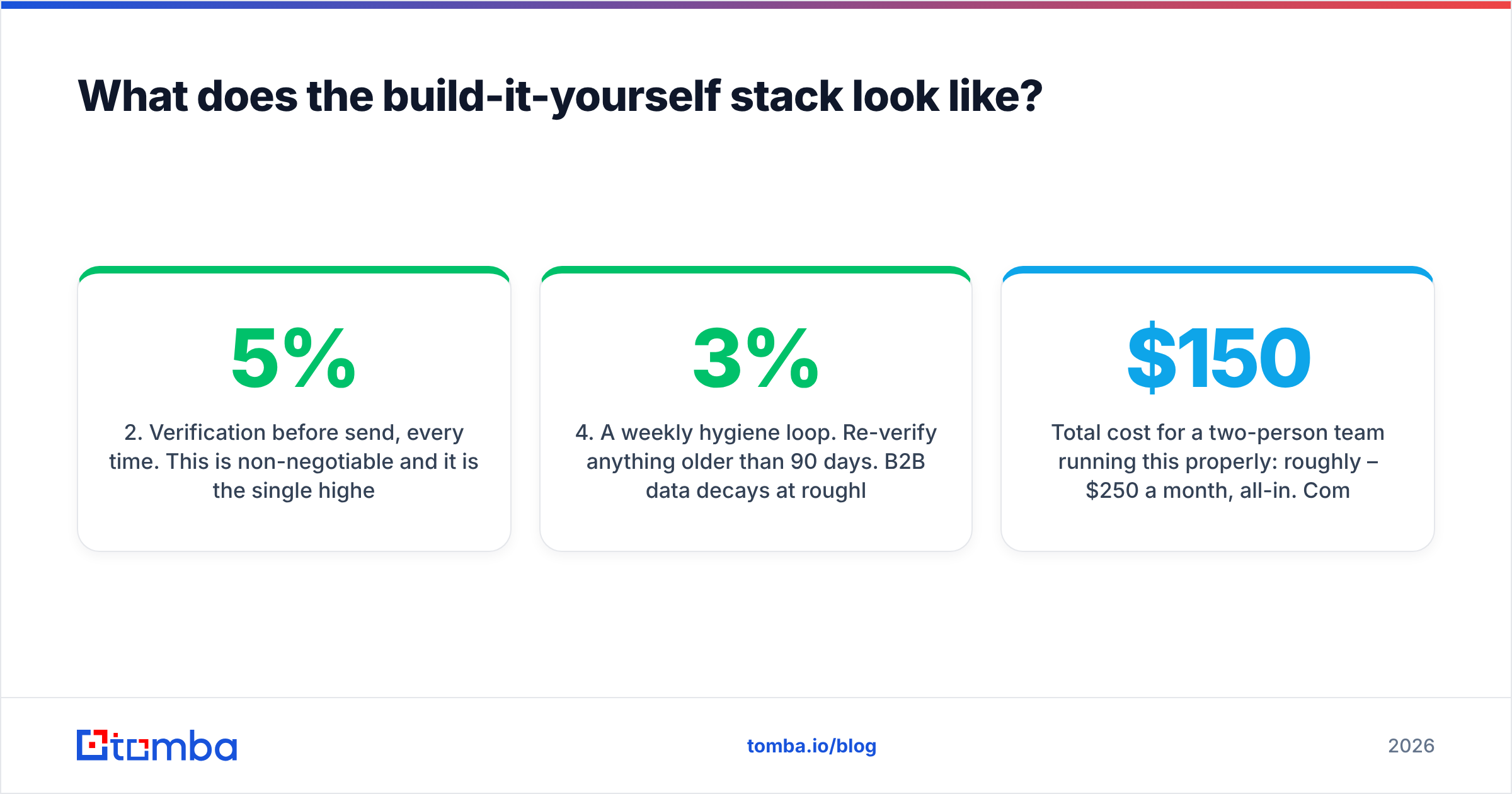
- A data source with an API. Browser extensions are fine for one-off lookups and terrible for scale — nobody wants to click 400 profiles. You want programmatic access: pass a domain and a name, get an address back. Tomba's email finder API does exactly this, and the same key drives domain search and enrichment, so you are not stitching three vendors together.
- Verification before send, every time. This is non-negotiable and it is the single highest-ROI habit in outbound. A bounce rate above 3–5% degrades your sender reputation, and a degraded reputation quietly kills campaigns that look fine in the dashboard. Run every list through an email verifier and drop the risky rows before they ever hit a sequencer. HubSpot's own deliverability guidance hammers the same point.
- A sequencer with warmed domains. Buy a secondary domain, warm it for 2–4 weeks, then ramp volume slowly. Any of the mainstream sequencers work; the tool matters less than the discipline.
- A weekly hygiene loop. Re-verify anything older than 90 days. B2B data decays at roughly 2–3% per month as people change jobs — the list you bought in January is measurably worse in April, and nobody sends you a notification about it.
Total cost for a two-person team running this properly: roughly $150–$250 a month, all-in. Compare that to a retainer and the arithmetic makes itself.
Where does Tomba fit in this comparison?#
Honestly? Tomba competes with the data layer of ContactOut, not with OutboundView at all. If you want someone to run your campaigns, hire an agency — no email-finding tool replaces a human SDR team, and any vendor telling you otherwise is selling.
But if you have concluded that you want to own your outbound and just need the contact layer to be accurate and affordable, the differences matter:
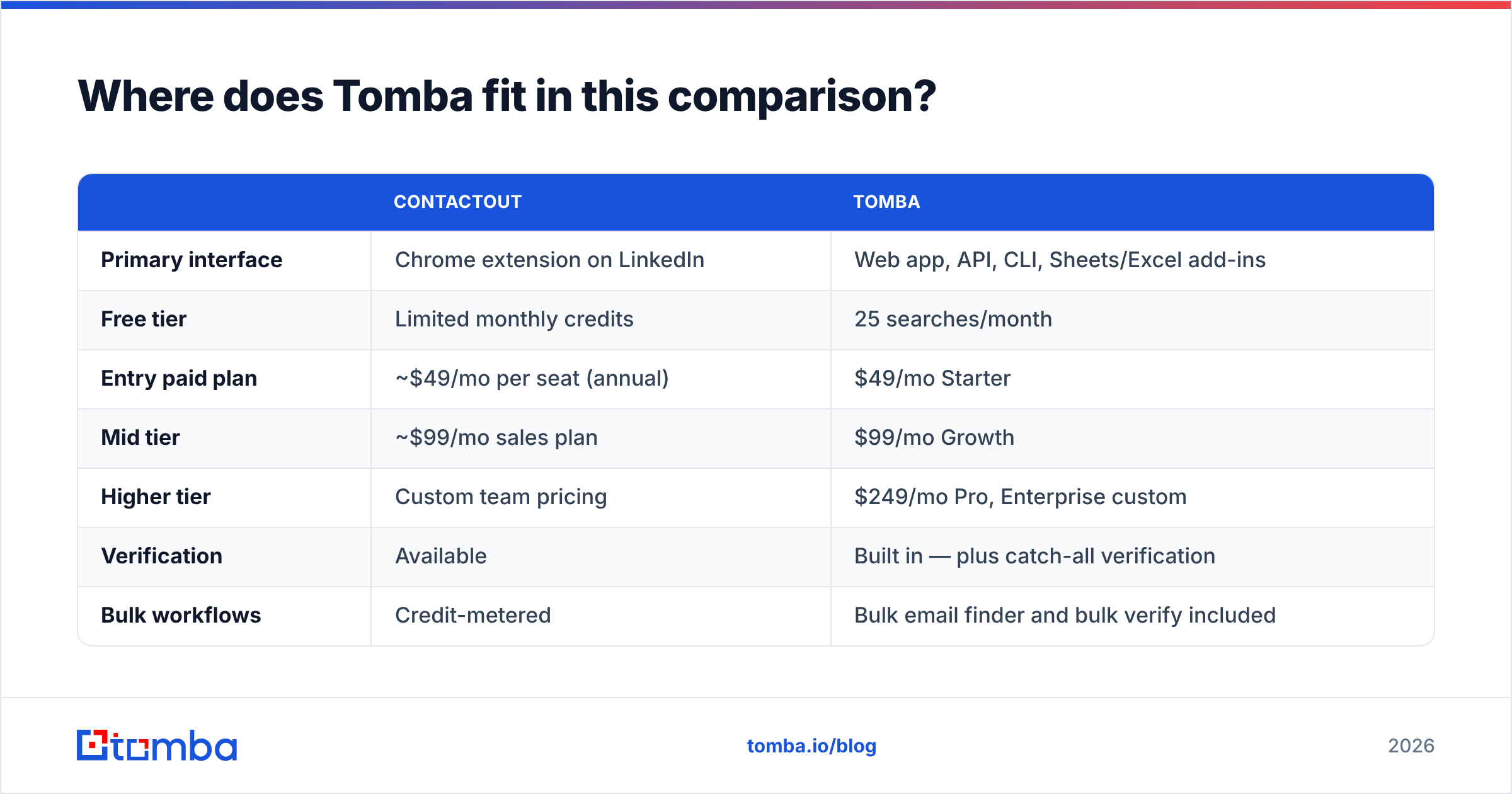
| ContactOut | Tomba | |
|---|---|---|
| Primary interface | Chrome extension on LinkedIn | Web app, API, CLI, Sheets/Excel add-ins |
| Free tier | Limited monthly credits | 25 searches/month |
| Entry paid plan | ~$49/mo per seat (annual) | $49/mo Starter |
| Mid tier | ~$99/mo sales plan | $99/mo Growth |
| Higher tier | Custom team pricing | $249/mo Pro, Enterprise custom |
| Verification | Available | Built in — plus catch-all verification |
| Bulk workflows | Credit-metered | Bulk email finder and bulk verify included |
| Standout strength | Personal / consumer-domain emails | Domain search, verification depth, API-first workflows |
| Standout weakness | Extension-centric; scales awkwardly | Weaker on personal Gmail-style addresses |
Pricing above reflects published plans at the time of writing. Confirm current numbers on the vendor pages — Tomba's plans are here — before you commit to an annual contract.
The candid read: if reaching people at their personal addresses is the job, ContactOut is genuinely good at something most tools are bad at. If the job is finding and verifying work email at volume, feeding it into a CRM or a script, and keeping bounce rates low enough that your domain survives the quarter, an API-first finder with verification baked in is the better shape of tool. And no browser extension, from any vendor, is a scaling strategy.
The bottom line#
ContactOut and OutboundView answer two different questions. ContactOut answers "how do I reach this specific person?" OutboundView answers "who will do outbound for me?" Confusing the two is how companies end up paying agency prices for a problem a $49 tool solves, or buying a Chrome extension to fix a strategy gap it cannot touch.
Diagnose the missing layer first. If it's data, buy data. If it's people, buy people. If it's both and your budget is small, buy data and become the people — that path is slower for one quarter and cheaper forever after.
Ready to own the data layer? Tomba's Email Finder gives you work emails by domain, name, or company, with verification and catch-all detection built in — free tier included, $49/mo when you outgrow it, and an API when you outgrow the UI. Start with 25 free searches and test it against your real ICP before you spend a dollar.
Related guides#
Ready to find emails that actually work?
Join 150,000+ professionals who stopped guessing and started sending. Free credits on signup — no credit card required.
Get the Tomba newsletter
Practical outbound tactics and product updates — once every two weeks.
About the author