ContactOut vs SellHack (2026): Which Email Finder Wins?
ContactOut sells LinkedIn depth. SellHack sells cheap volume. We break down accuracy, pricing, credit math, and export limits to show which one is worth paying for in 2026 — and when a third option beats both.
TL;DR — ContactOut vs SellHack in one screen#
- ContactOut is a LinkedIn-native contact finder. Its personal-email coverage is genuinely strong, its Chrome extension is the fastest way to pull a profile's contacts, and it charges accordingly — plans are seat-based and get expensive past one or two users.
- SellHack is the budget option. It's a lightweight extension plus a bulk uploader with a "hunt" workflow, priced for solo operators and small teams who care more about cost per lead than about enrichment depth.
- Accuracy diverges most on catch-all domains. ContactOut returns more contacts; SellHack returns fewer but is cheaper per attempt. Neither one removes the need for a separate verification pass.
- Neither is API-first. If your workflow lives in a CRM, a script, or a spreadsheet rather than in a browser tab, both tools fight you.
- The honest verdict: ContactOut if you live inside LinkedIn Recruiter and need mobile numbers plus personal emails. SellHack if you're price-sensitive and mostly need work emails. Tomba if you want an API, bulk processing, and verification in the same $49/mo tool.
What are ContactOut and SellHack, actually?#
Both tools solve the same narrow problem: you're looking at a person, and you don't have their email address. Everything else about them differs.
ContactOut started as a recruiter tool and still behaves like one. It layers a sidebar onto LinkedIn, surfaces work emails, personal emails, and phone numbers, and keeps a saved-list system so recruiters can build talent pools. Its differentiator is personal-email coverage — Gmail, Outlook, Yahoo addresses that a work-email-only tool will never return. That matters when you're contacting people who might change jobs, and matters much less when you're selling to a company rather than a person.
SellHack is an older, leaner product. It's a browser extension plus a bulk-upload flow: give it a name and a company domain, and it guesses candidate patterns, checks them, and hands back what survives. The "hack" is exactly that — permutation plus validation. It doesn't try to be a database. Its appeal is a low floor: you can do real prospecting on a small monthly spend without buying seats for people who don't need them.
The mental model that helps: ContactOut is a contact database with a LinkedIn skin. SellHack is a pattern engine with a checker. Databases return more contacts but cost more and go stale. Pattern engines cost less but fall apart on domains that don't follow a pattern.

How do ContactOut and SellHack compare head to head?#
Here's the practical comparison — not the feature-checkbox version, the one that decides which credit card you pull out.
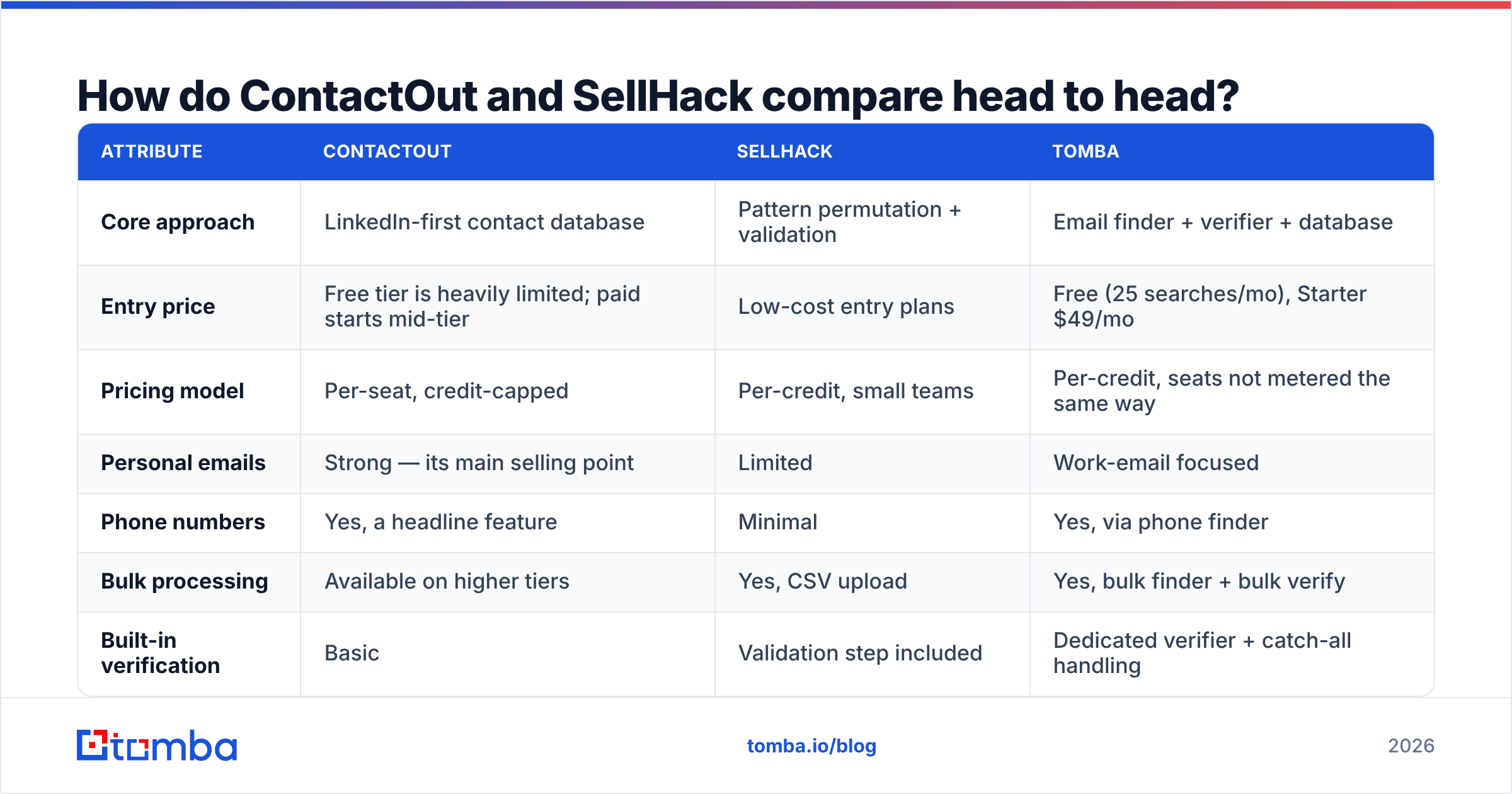
| Attribute | ContactOut | SellHack | Tomba |
|---|---|---|---|
| Core approach | LinkedIn-first contact database | Pattern permutation + validation | Email finder + verifier + database |
| Entry price | Free tier is heavily limited; paid starts mid-tier | Low-cost entry plans | Free (25 searches/mo), Starter $49/mo |
| Pricing model | Per-seat, credit-capped | Per-credit, small teams | Per-credit, seats not metered the same way |
| Personal emails | Strong — its main selling point | Limited | Work-email focused |
| Phone numbers | Yes, a headline feature | Minimal | Yes, via phone finder |
| Bulk processing | Available on higher tiers | Yes, CSV upload | Yes, bulk finder + bulk verify |
| Built-in verification | Basic | Validation step included | Dedicated verifier + catch-all handling |
| Public API | Limited / higher tiers | Limited | Full REST API, CLI, MCP, Sheets, Excel |
| Best for | Recruiters, LinkedIn-heavy sourcing | Solo founders, budget outbound | Teams automating enrichment at scale |
Two things jump out of that table.
First, pricing model matters more than headline price. ContactOut's per-seat structure is fine for a two-person recruiting team and punishing for an eight-person SDR pod where only three people prospect daily. SellHack's per-credit structure scales more gracefully downward but hits a ceiling: there's no enterprise story, and there's no API story worth building on.
Second, neither tool closes the loop. You find the email, then you still need to know whether it will bounce. ContactOut's validation is a light touch. SellHack validates as part of its hunt, but on catch-all domains that validation is inherently inconclusive — and catch-all domains are now a large slice of mid-market B2B.
Which one is more accurate?#
Accuracy in this category is not one number. It's three, and vendors quote whichever one flatters them.
- Hit rate — of the contacts you searched, how many returned anything. ContactOut wins here on LinkedIn profiles, because it's pulling from a contributed database rather than guessing.
- Precision — of the emails returned, how many are actually deliverable. This is where pattern-based tools like SellHack can quietly beat databases, because a database can return a confidently-wrong address that was correct three jobs ago.
- Bounce rate in production — the only number your domain reputation cares about.

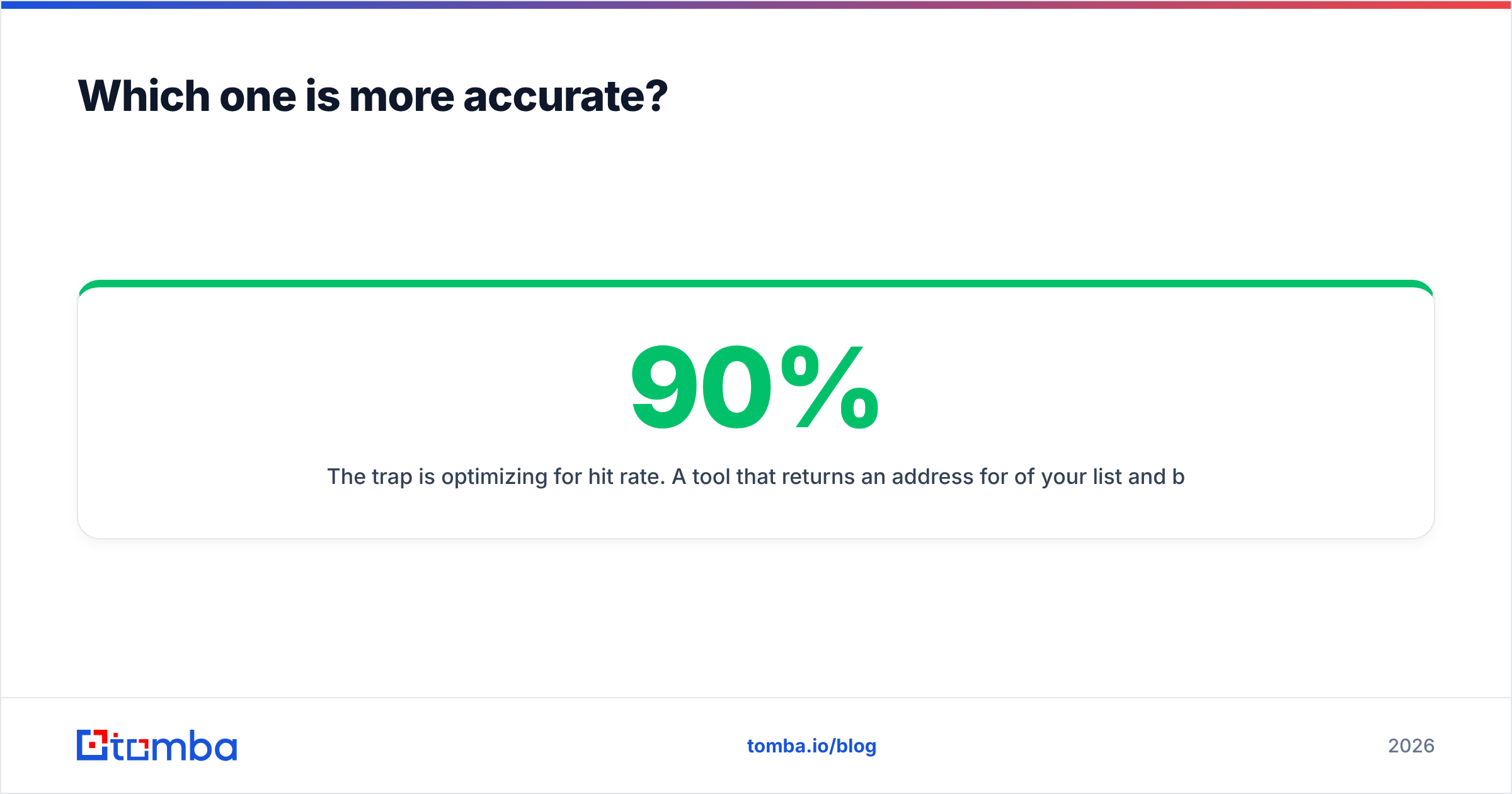
The trap is optimizing for hit rate. A tool that returns an address for 90% of your list and bounces on 12% of them has cost you more than a tool that returns 65% with a 2% bounce rate — because bounces don't just fail, they degrade email deliverability for every subsequent send from that domain. Google and Yahoo's bulk sender requirements pushed the tolerable complaint and bounce thresholds low enough that a single sloppy list can put a warmed-up domain in the penalty box for weeks.
So the practical accuracy test for either tool:
- Run 100 contacts you already know the answer for. Real ones, from closed-won accounts, spread across at least 20 domains.
- Include catch-all domains deliberately. Ten of your hundred should be domains that accept all mail. This is the stress test both vendors' marketing pages avoid.
- Measure precision, not hit rate. Of what came back, how much was right.
- Send a 200-contact pilot through your actual sequencer and read the bounce report, not the vendor dashboard.
Do this before you sign an annual contract, not after. Every vendor in this space — including us — publishes accuracy figures under conditions they chose. Your list is not their list.
Is ContactOut worth the price?#
ContactOut is worth it in one specific shape of business: you source people, not companies.
If you're a recruiter, personal emails and mobile numbers are the product. Candidates ignore work email — it's monitored, it's cluttered, and reaching out about a new job through it is a bad idea for them. ContactOut's personal-email coverage is the reason recruiters keep paying, and it's a real moat. No pattern-permutation tool is going to guess someone's firstname.lastname.1987@gmail.com.
If you're a B2B seller, that same moat is mostly irrelevant. You want the work email at the company you're selling into, and you want it cheaply, in bulk, joined to firmographic data. Paying ContactOut's premium for personal-email coverage you'll never use is the most common way teams overspend in this category. Check the G2 category reviews and you'll see the split clearly — the enthusiastic reviews are overwhelmingly from talent teams.
The other cost to model is seats. Per-seat pricing punishes exactly the team structure most outbound orgs have: a few heavy users and a long tail of light ones. Before you commit, count the people who will realistically open the tool more than twice a week. That's your seat count. Everyone else should be served by a bulk export or an API call, not a license.
Is SellHack good enough for serious outbound?#
SellHack is honest about what it is, which is more than most tools in this space manage. It's cheap, it's fast, and for a solo founder doing 50 targeted emails a week it is entirely sufficient.
Where it breaks:
- Catch-all domains. Pattern-plus-validation gives you a maybe, and a maybe is not a send decision. You need a dedicated catch-all verifier to get past this, or you accept a higher bounce rate.
- Volume. The bulk uploader works, but it's not an ingestion pipeline. Once you're processing thousands of rows on a schedule, you want an email finder API, not a CSV round trip.
- Enrichment depth. SellHack finds an email. It doesn't tell you the company's headcount, tech stack, or funding stage. If your ICP filtering happens downstream, you'll be paying for a second tool anyway.
- Support and roadmap velocity. It's a small product. That's a feature when it comes to price and a liability when something breaks in the middle of a campaign.
The blunt way to put it: SellHack is a great first email finder and a poor only email finder. Teams typically outgrow it at roughly the point where they hire their second SDR.

What does each tool actually cost per verified email?#
This is the only pricing comparison that means anything, and almost nobody runs it.
The formula:
Cost per usable contact = (monthly price ÷ credits) ÷ (hit rate × precision)
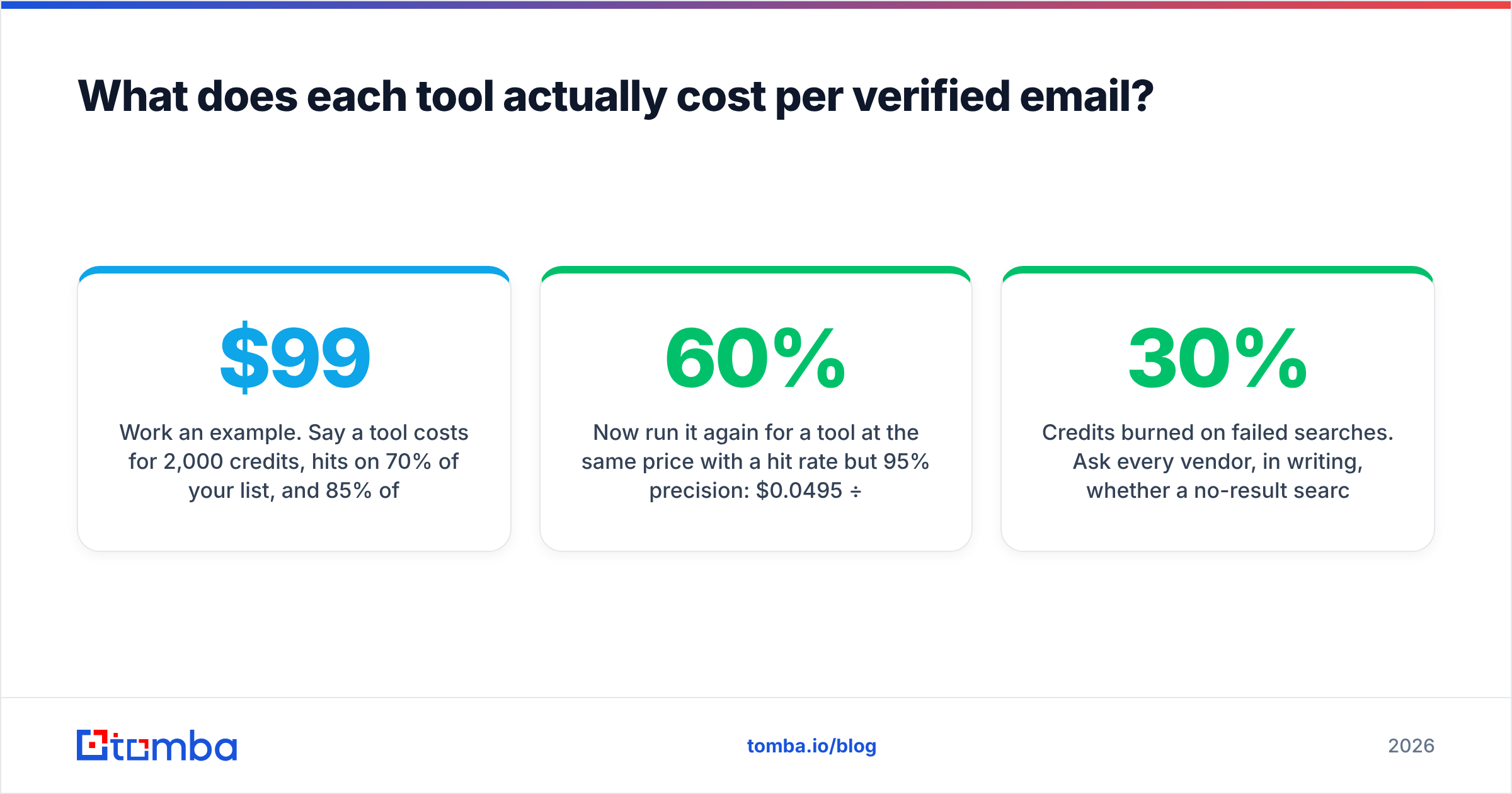
Work an example. Say a tool costs $99/mo for 2,000 credits, hits on 70% of your list, and 85% of what it returns is deliverable. Your nominal cost is $0.0495 per credit. Your real cost is $0.0495 ÷ (0.70 × 0.85) = $0.083 per usable contact — 68% higher than the sticker.
Now run it again for a tool at the same price with a 60% hit rate but 95% precision: $0.0495 ÷ (0.60 × 0.95) = $0.087. Nearly identical, despite the very different-looking accuracy claims. The lesson: hit rate and precision trade off against each other, and the sticker price is a weaker signal than either.
What actually moves the number:
- Credits burned on failed searches. Ask every vendor, in writing, whether a no-result search consumes a credit. This single policy can swing your real cost 20–30%.
- Rollover. Credits that expire monthly are a hidden price increase for teams with lumpy prospecting cycles.
- Seat minimums. Two seats you don't need is a permanent tax on your cost per contact.
- The second tool. If your finder can't verify, you're paying a verification vendor too. Fold that into the math.

When should you skip both and use something else?#
There's a third category neither ContactOut nor SellHack sits in: finder plus verifier plus API in one bill.
You want that when any of these are true:
- Your prospecting is programmatic. Leads arrive from a form, a scraper, a data warehouse, or a website-visitor tool — not from a human scrolling LinkedIn. Browser extensions are useless here; you need endpoints.
- You process in bulk on a schedule. Nightly enrichment of new CRM records, weekly re-verification of an aging list. That's a bulk email finder job, not a Chrome extension job.
- You need catch-all handling. A large share of mid-market domains accept all mail. If your tool shrugs at those, you're either bouncing or discarding good leads.
- You want one vendor for find and verify. Two vendors means two contracts, two credit pools, and two accuracy claims that don't reconcile.
This is where Tomba fits. Tomba pricing starts free with 25 searches per month, then $49/mo Starter, $99/mo Growth, and $249/mo Pro — with the email verifier, domain search, catch-all handling, and phone lookup sitting alongside the finder rather than being sold as separate SKUs. The API, CLI, Google Sheets add-on, and Chrome extension all hit the same credit pool, so you're not choosing between "the tool my SDRs use" and "the tool my RevOps person automates with."
That's not a knock on either competitor. ContactOut is better than Tomba at personal emails and mobile numbers for recruiting. SellHack is cheaper than almost everything at the very bottom of the market. Pick the tool whose shape matches your workflow, not the one with the loudest accuracy number.
Which should you choose?#
Decide with three questions:
- Are you sourcing people or companies? People → ContactOut. Companies → SellHack or Tomba.
- Is your workflow a browser tab or a pipeline? Browser tab → either extension works. Pipeline → you need an API, which points to Tomba.
- Who eats the bounces? If your sending domain is a shared asset the whole company depends on, buy verification as a first-class feature, not an afterthought.
Most teams reading a "ContactOut vs SellHack" comparison are actually asking a different question: how do I get accurate work emails, in volume, without wrecking my domain reputation or blowing the budget? If that's you, neither of these tools is the obvious answer — and that's worth knowing before you sign.
Try it on your own list. Take 50 contacts you're about to email, run them through the Tomba Email Finder, and compare the precision against whatever you're using today. The free tier gives you 25 searches a month with no card, and Starter is $49/mo when you're ready to scale — finder, verifier, catch-all checks, and API access in one plan. Bring your hardest domains. That's the only test that settles this.
Related guides#
Ready to find emails that actually work?
Join 150,000+ professionals who stopped guessing and started sending. Free credits on signup — no credit card required.
Get the Tomba newsletter
Practical outbound tactics and product updates — once every two weeks.
About the author