ContactOut vs Techsalerator: Full 2026 Data Comparison
One is a LinkedIn-first contact finder, the other is a bulk data licensor. They solve different problems at wildly different prices. Here's which one actually fits your outbound motion in 2026.
TL;DR
- ContactOut is a LinkedIn-first contact finder: a Chrome extension plus a searchable database, priced per user, aimed at recruiters and SDRs working profile-by-profile.
- Techsalerator is a bulk B2B/B2C data licensor: you buy datasets (by geography, industry, or firmographic slice), usually as a file or feed, often with a meaningful minimum spend.
- They are not really substitutes. One gives you a contact when you're already looking at a person; the other gives you a hundred thousand rows you then have to clean.
- The hidden cost in both models is verification. LinkedIn-scraped emails go stale, and licensed dumps carry unknown decay — neither is a substitute for an SMTP-level check before you send.
- If your workflow is "I know the company, I need the right person's work email, and I need it validated at scale," a programmatic finder + verifier (Tomba, Findymail, Prospeo) is usually cheaper per usable contact than either.
What are ContactOut and Techsalerator, exactly?#
They get compared because both sell B2B contact data. That's where the similarity ends.
ContactOut started as a recruiter tool. Its core surface is a browser extension that sits on top of LinkedIn: you open a profile, the sidebar reveals personal and work emails plus phone numbers. Over time it added a search portal, a Chrome-based list builder, and an API. The pricing model is per seat, with monthly credit caps. Recruiters love it because it surfaces personal Gmail addresses — which matters when you're trying to reach a passive candidate who ignores their work inbox.
Techsalerator is a different animal: a data licensing company. You tell them the slice you want — "all manufacturing decision-makers in Germany," "US healthcare admins with phone numbers," "consumer records in APAC" — and they quote you a dataset. Delivery is typically CSV, S3 drop, or API feed. It's a procurement conversation, not a self-serve signup. Volumes are large, coverage is broad (they market both B2B and B2C, plus firmographic, technographic, and even geospatial products), and the buyer is usually a data team or a marketing ops lead, not an individual SDR.
So the honest framing is not "which is better." It's: do you buy contacts one at a time, or do you buy them by the truckload?

How do ContactOut and Techsalerator compare on the things that matter?#
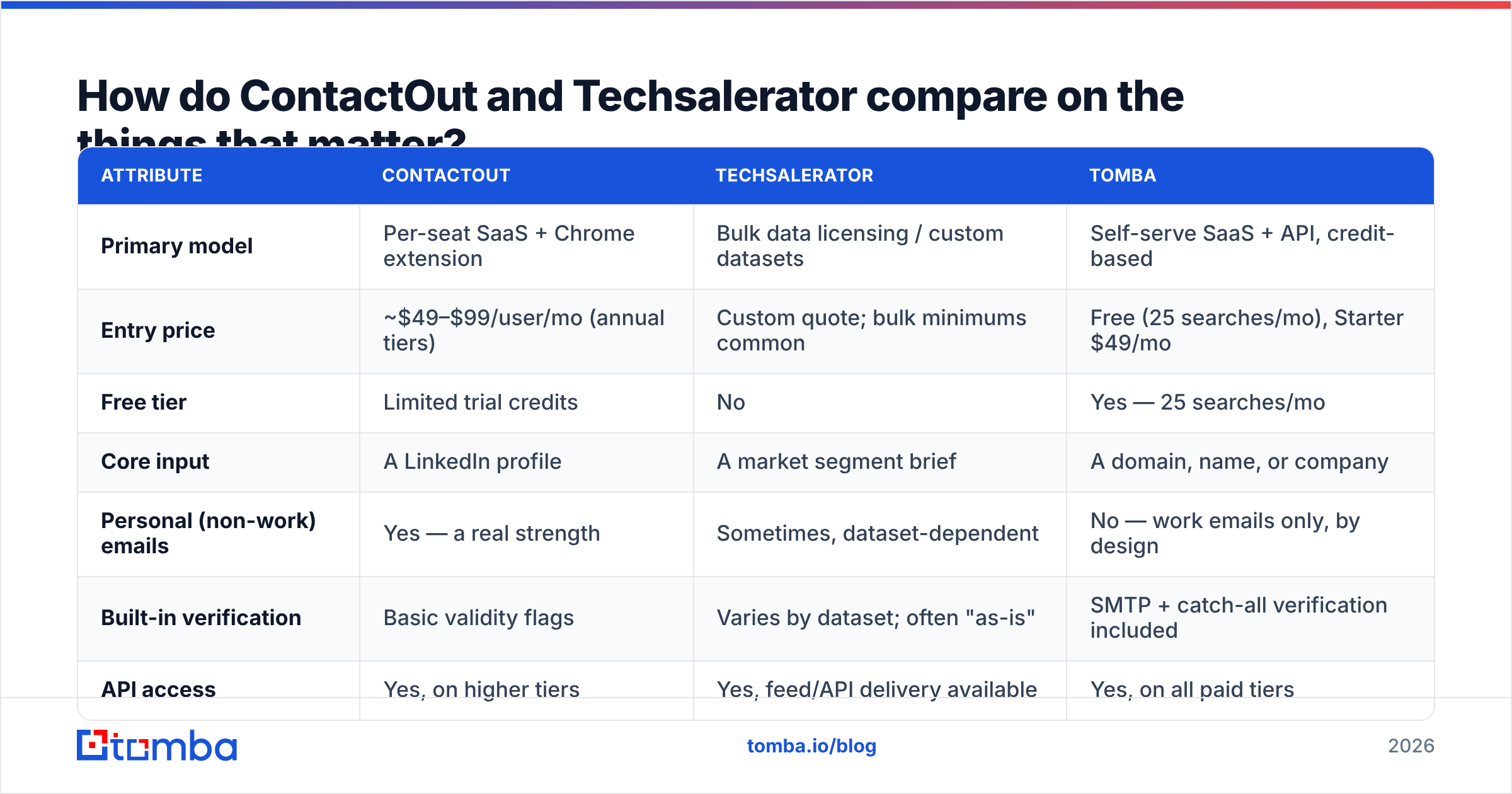
Here's the head-to-head on the attributes buyers actually evaluate. Note that Techsalerator quotes are bespoke; the figures below reflect typical market ranges for licensed B2B datasets, not a published rate card.
| Attribute | ContactOut | Techsalerator | Tomba |
|---|---|---|---|
| Primary model | Per-seat SaaS + Chrome extension | Bulk data licensing / custom datasets | Self-serve SaaS + API, credit-based |
| Entry price | ~$49–$99/user/mo (annual tiers) | Custom quote; bulk minimums common | Free (25 searches/mo), Starter $49/mo |
| Free tier | Limited trial credits | No | Yes — 25 searches/mo |
| Core input | A LinkedIn profile | A market segment brief | A domain, name, or company |
| Personal (non-work) emails | Yes — a real strength | Sometimes, dataset-dependent | No — work emails only, by design |
| Built-in verification | Basic validity flags | Varies by dataset; often "as-is" | SMTP + catch-all verification included |
| API access | Yes, on higher tiers | Yes, feed/API delivery available | Yes, on all paid tiers |
| Bulk enrichment | Capped by seat credits | Native — that's the whole product | Yes, via bulk jobs and CSV upload |
| Best for | Recruiters, single-profile prospecting | Data teams, large TAM builds, resellers | SDRs and RevOps needing verified work emails at API scale |
| Worst for | High-volume programmatic enrichment | Anyone who needs 200 contacts, not 200,000 | Sourcing personal Gmail addresses |
The pattern is clear once you lay it out. ContactOut charges per human. Techsalerator charges per record volume. Tools like Tomba's email finder charge per lookup, which is the model that scales most linearly with how much outbound you actually run — see the full pricing breakdown if you want to model cost-per-contact against your own volumes.
Which one is more accurate?#
This is where most comparison posts hand-wave. Let's be specific about where each tool's accuracy comes from, because the source dictates the failure mode.
ContactOut's accuracy is strongest on the LinkedIn profile you're actively viewing. It cross-references a large crowd-sourced and scraped index against the profile, so match rates on well-known tech companies are high. Its weakness is decay: a personal Gmail address stays valid roughly forever, but a work email attached to a profile someone hasn't updated in three years is a bounce waiting to happen. ContactOut flags validity but is not primarily a verification engine.
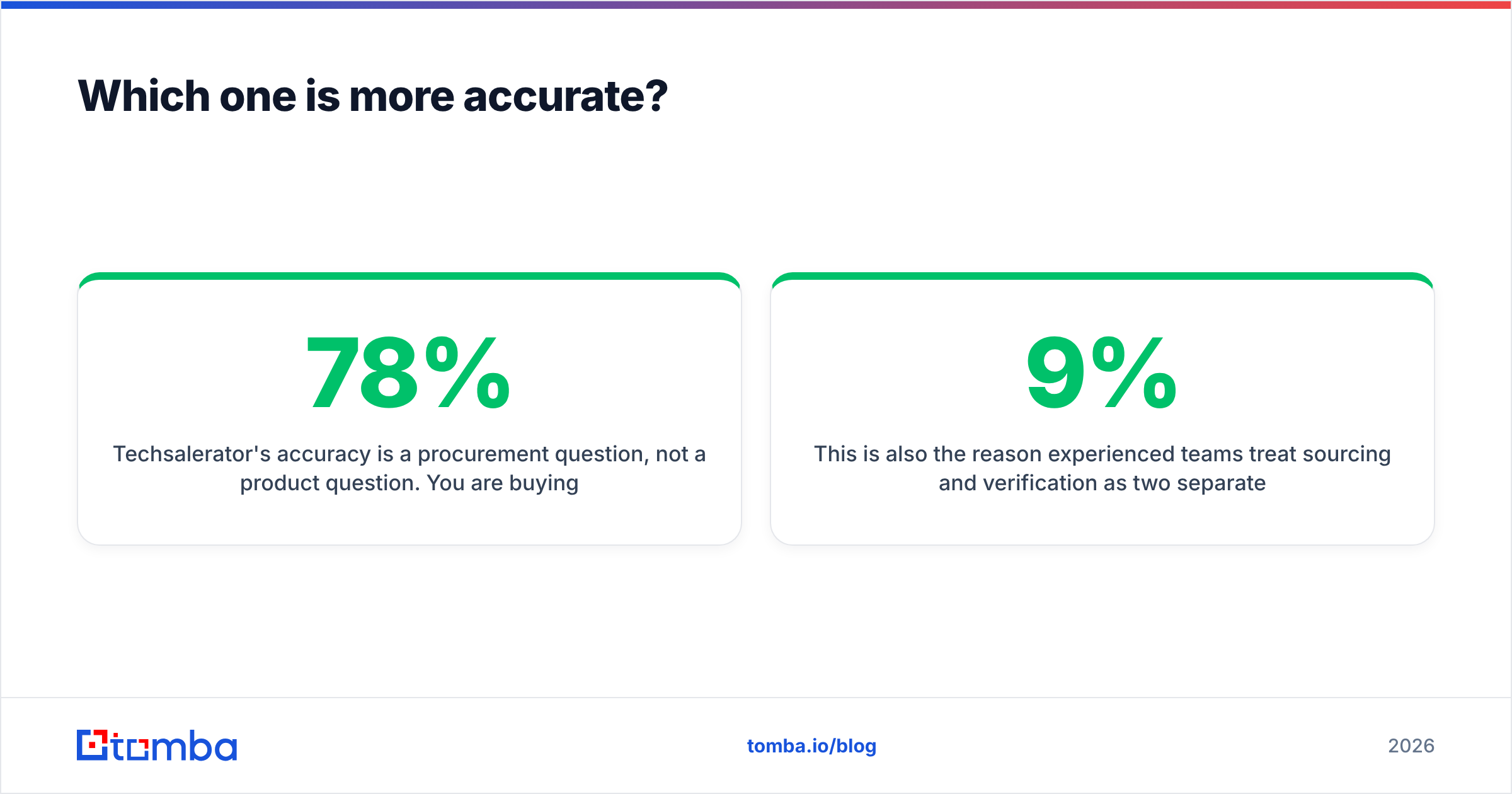
Techsalerator's accuracy is a procurement question, not a product question. You are buying a snapshot. Its freshness depends on the refresh cadence of that specific dataset and the sources behind it. Reputable licensors refresh quarterly or better; less reputable ones resell aging aggregations. Ask for a sample file, run it through a verifier, and measure the real deliverable rate before signing. A dataset that's 78% valid at a $0.02/record price is more expensive per usable contact than one that's 94% valid at $0.05.
The universal lesson: the number that matters is not "records delivered," it's "records that land in an inbox." Multiply every quoted volume by your measured validity rate. That's your real cost per contact.

This is also the reason experienced teams treat sourcing and verification as two separate steps. Whatever your source — a LinkedIn extension, a licensed file, an API — you run it through an email verifier before it touches your sequencer. Tomba's verifier does SMTP-level checks plus catch-all handling, which is the step that stops a 9% bounce rate from torching your sending domain. If you're unsure how bounce rate connects to inbox placement, the email deliverability fundamentals are worth ten minutes.
Is ContactOut worth it in 2026?#
Yes — for a specific person doing a specific job.
Buy ContactOut if:
- You're a recruiter. Personal email + mobile on a LinkedIn profile is the whole job. Nothing else on this list does that as well.
- Your prospecting is manual and profile-driven. You browse, you find, you reach out. Seat pricing is fine when one seat produces the leads.
- You need mobile numbers alongside emails. Coverage is decent in North America and reasonable in Western Europe.
- Your volume is modest — hundreds of contacts a month, not tens of thousands.
Skip it if:
- You want to enrich a 50,000-row CRM export. Seat credits make that arithmetic ugly fast.
- You only send to work domains, in which case you're paying a premium for a personal-email capability you'll never use.
- You need programmatic enrichment inside a product or workflow — the API exists, but it's gated behind higher tiers and priced for humans, not machines.
Its user reviews on G2 skew positive on match rate and negative on credit limits and renewal terms. Read the renewal clauses. Several teams have been surprised by annual auto-renew.
Is Techsalerator worth it in 2026?#
Also yes — for a completely different buyer.
Buy Techsalerator if:
- You're building a TAM, not a list. You need 200,000 records covering an entire market, and you want firmographics attached.
- You have a data team. Someone has to dedupe, normalize, verify, and load the file. If nobody owns that, the file rots in an S3 bucket.
- You need non-US coverage. International B2B and B2C breadth is one of their stronger claims, and it's genuinely hard to replicate with a US-centric SaaS tool.
- You're doing ABM, market sizing, or feeding an ML model. Bulk beats precision here.
Skip it if:
- You need 300 contacts this week. Minimum spends and a sales cycle make small buys uneconomic.
- You have no verification pipeline. Buying raw volume without a validation step is how teams end up with a 12% bounce rate and a burned domain.
- You expect self-serve. There is no credit card checkout equivalent to signing up for a tool and pulling 25 emails in the next five minutes.
What's the middle ground between a Chrome extension and a data dump?#
Most outbound teams are neither a lone recruiter nor a data department. They're four SDRs and a RevOps person who need a few thousand verified work emails a month, delivered into HubSpot or Instantly without ceremony.
That's the gap the programmatic finder category fills. You give it a domain and a name — or just a domain — and it returns work emails with a confidence score and a verification status, via API, CSV, or a spreadsheet add-on.

How the three models stack up on cost-per-usable-contact:
- Per-seat extension (ContactOut): cheap at low volume, brutal at high volume. Every extra thousand contacts costs another seat or another credit pack.
- Bulk license (Techsalerator): cheap per raw record, expensive per usable record until you've verified. Great when you genuinely need scale; wasteful when you need precision.
- Per-lookup API (Tomba, Findymail, Prospeo): cost tracks usage almost linearly. You pay for the contacts you actually pull, and verification is part of the same call rather than a second vendor.
- Curated list marketplace (BookYourData and similar): a solid option when you want a targeted, pre-filtered list without a procurement cycle — a genuine middle path between one-at-a-time and truckload, and worth a look if you'd rather buy a clean segment than build one.
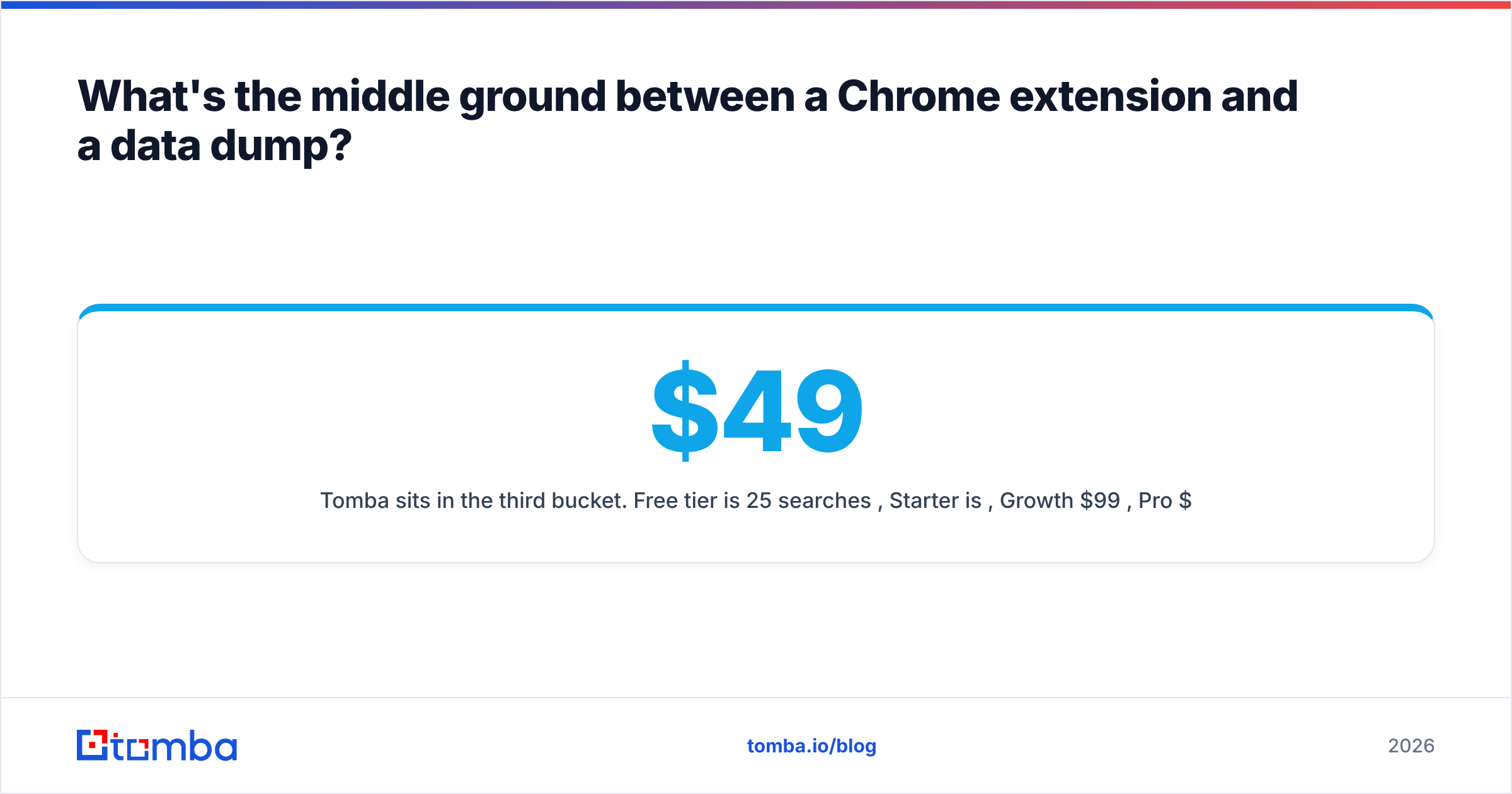
Tomba sits in the third bucket. Free tier is 25 searches/month, Starter is $49/mo, Growth $99/mo, Pro $249/mo, Enterprise on request. Every plan includes API access, which is the part that matters — you can wire the Tomba API directly into your enrichment job instead of exporting CSVs by hand. If you're currently on ContactOut and want a like-for-like feature map, the ContactOut alternative page lays it out without the marketing gloss.

How should you actually decide?#
Run this in order. It takes an afternoon and saves a quarter.
Step 1 — Define your unit of work. Are you finding a person (extension wins), a market (licensor wins), or a list of known companies (API finder wins)? Most teams answer the third and buy the first.
Step 2 — Ask for a sample and verify it yourself. Ten thousand rows from Techsalerator, a hundred lookups from ContactOut. Run both through an independent verifier. Do not accept the vendor's own validity claim as evidence.
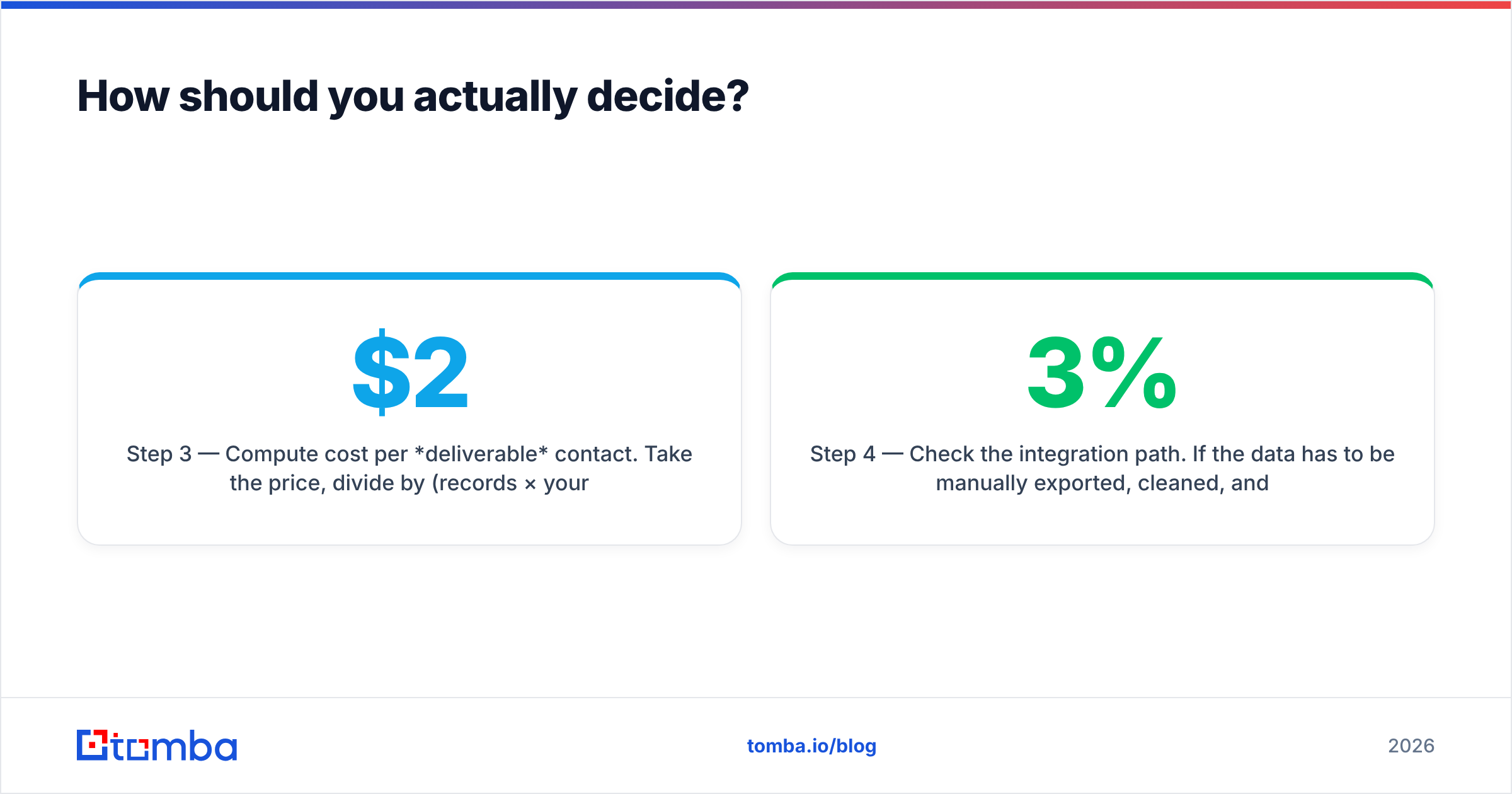
Step 3 — Compute cost per deliverable contact. Take the price, divide by (records × your measured valid rate). A $2,000 file with 65% validity costs more per usable contact than a $99/mo tool at 95%.
Step 4 — Check the integration path. If the data has to be manually exported, cleaned, and re-uploaded every week, that's a salary line item nobody put in the business case. Native integrations into your CRM or sequencer are worth more than a 3% accuracy edge.
Step 5 — Model the renewal, not the trial. Annual commitments and auto-renew clauses are where per-seat tools recoup discounts. Read them.
What's the verdict on ContactOut vs Techsalerator?#
ContactOut wins if you're a recruiter or a manual prospector who lives inside LinkedIn and needs personal emails and mobiles. Nothing in this comparison beats it at that job.
Techsalerator wins if you're a data or marketing ops team buying market-scale coverage — especially outside the US — and you have the pipeline to clean and verify what arrives.
Neither wins if you're a normal outbound team that needs a steady flow of verified work emails wired into a sequencer. That's a per-lookup, API-first problem, and paying seat prices or minimum spends to solve it is how outbound budgets quietly bloat.
Whichever way you go, the non-negotiable is verification. Sourcing and validating are two different jobs, and a vendor that does both in the same call saves you a second contract and a second failure point.
Ready to test the middle path? Start with the Tomba Email Finder free tier — 25 searches a month, no card, work emails returned with a confidence score and an SMTP verification status attached. Feed it a domain, feed it a name, or point the API at your CRM and let it enrich in the background. If the numbers beat what you're paying per seat or per record today, upgrading to Starter at $49/mo takes about thirty seconds. If they don't, you've lost nothing but an afternoon — and you'll have a real benchmark to hold your current vendor to.
Related guides#
Ready to find emails that actually work?
Join 150,000+ professionals who stopped guessing and started sending. Free credits on signup — no credit card required.
Get the Tomba newsletter
Practical outbound tactics and product updates — once every two weeks.
About the author