CUFinder vs GetEmail.io: Which Email Finder Wins in 2026?
CUFinder sells breadth. GetEmail.io sells simplicity. We compared accuracy, pricing, credit models, and API depth to show which one actually fits your prospecting stack — and when neither does.
TL;DR
- CUFinder is a broad B2B data platform — 20+ enrichment services, company data, LinkedIn scraping, and email finding bundled together. Good breadth, inconsistent depth.
- GetEmail.io is a narrow, simple email finder with a clean Chrome extension and a first-name/last-name/domain lookup. Fast to learn, thin on everything else.
- Neither is the cheapest per verified email. CUFinder's credit system charges differently per service; GetEmail.io's per-credit cost climbs fast on low tiers.
- If you need volume + verification + API in one workflow, a dedicated email finder like Tomba usually lands cheaper per valid address.
- Pick CUFinder if you want enrichment breadth. Pick GetEmail.io if you want one job done with zero setup. Pick neither if bounce rate is your KPI.
What are CUFinder and GetEmail.io?#
Both tools answer the same question — "what's this person's work email?" — but they were built from opposite directions.
CUFinder (cufinder.io) started as a company-data engine and grew outward. Today it markets itself as an all-in-one B2B lead generation and enrichment platform: email finder, phone finder, company search, LinkedIn URL enrichment, technology lookup, and a prospect database. You buy credits, and different services consume credits at different rates.
GetEmail.io (getemail.io) went the other way. It does one thing: give it a first name, last name, and company domain, and it predicts the email using pattern matching plus a machine-learning model trained on public email data. There's a Chrome extension, a Gmail/LinkedIn integration, and an API. That's the whole surface area.
The practical difference: CUFinder is a platform you configure. GetEmail.io is a tool you open. Which one you want depends entirely on whether your bottleneck is finding data types or finding emails fast.

How do CUFinder and GetEmail.io compare head-to-head?#
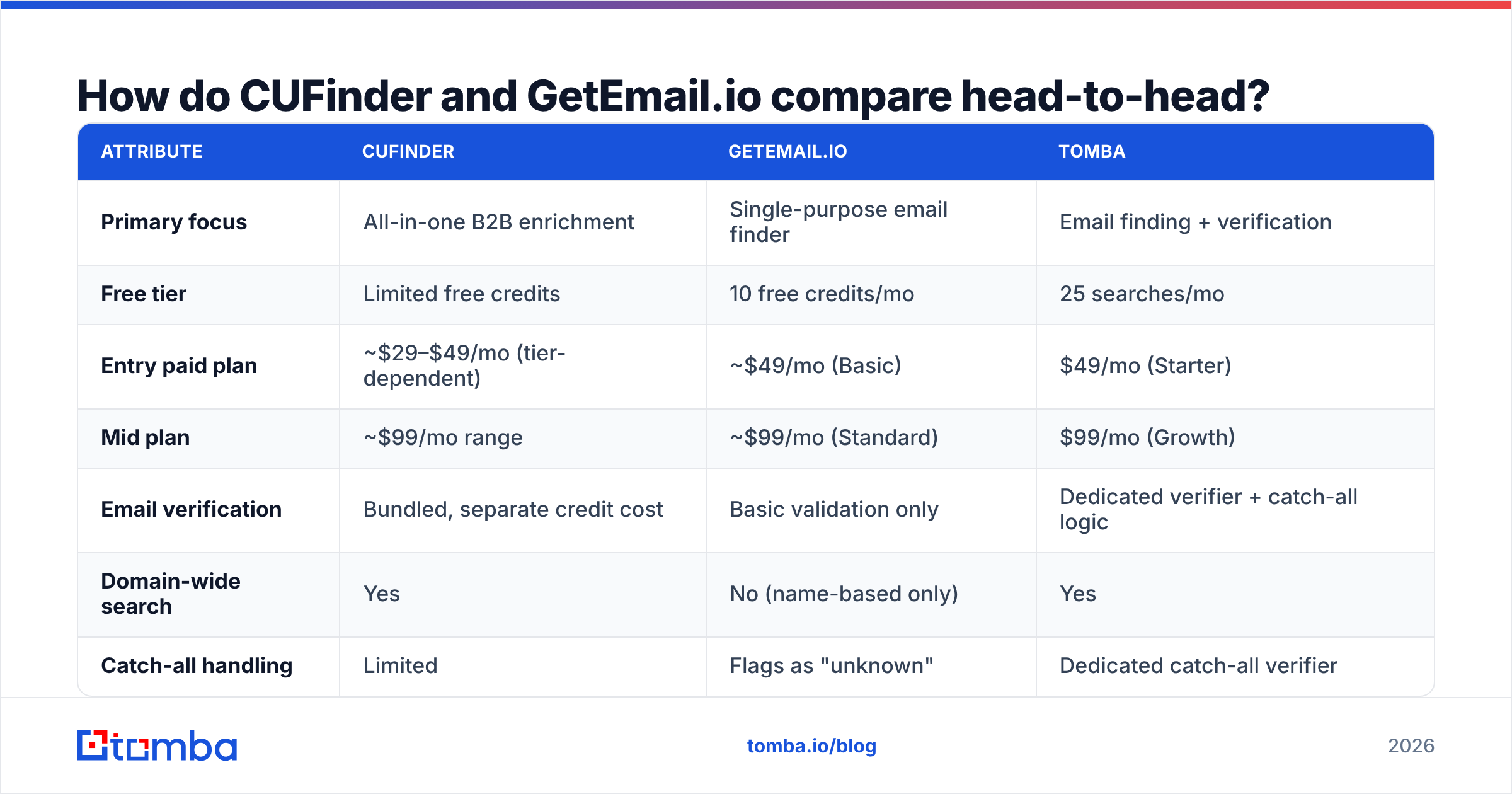
Here's the shape of the two products side by side, with Tomba included as a reference point since it sits in the same category.
| Attribute | CUFinder | GetEmail.io | Tomba |
|---|---|---|---|
| Primary focus | All-in-one B2B enrichment | Single-purpose email finder | Email finding + verification |
| Free tier | Limited free credits | 10 free credits/mo | 25 searches/mo |
| Entry paid plan | ~$29–$49/mo (tier-dependent) | ~$49/mo (Basic) | $49/mo (Starter) |
| Mid plan | ~$99/mo range | ~$99/mo (Standard) | $99/mo (Growth) |
| Email verification | Bundled, separate credit cost | Basic validation only | Dedicated verifier + catch-all logic |
| Domain-wide search | Yes | No (name-based only) | Yes |
| Catch-all handling | Limited | Flags as "unknown" | Dedicated catch-all verifier |
| Phone numbers | Yes | No | Yes |
| API | Yes, service-specific endpoints | Yes, simple REST | Full REST + CLI + MCP |
| Chrome extension | Yes | Yes (strong Gmail/LinkedIn UX) | Yes |
| Bulk upload | Yes | Yes (CSV) | Yes, with dedupe |
| Best for | Teams needing many data types | Solo reps needing quick lookups | Teams optimizing per-valid-email cost |
Pricing on both products moves. Check CUFinder's pricing page and GetEmail.io's pricing page before you commit — and compare against Tomba pricing so you're benchmarking against a fixed reference.
Which one is more accurate?#
Neither vendor's marketing number should be your planning number.
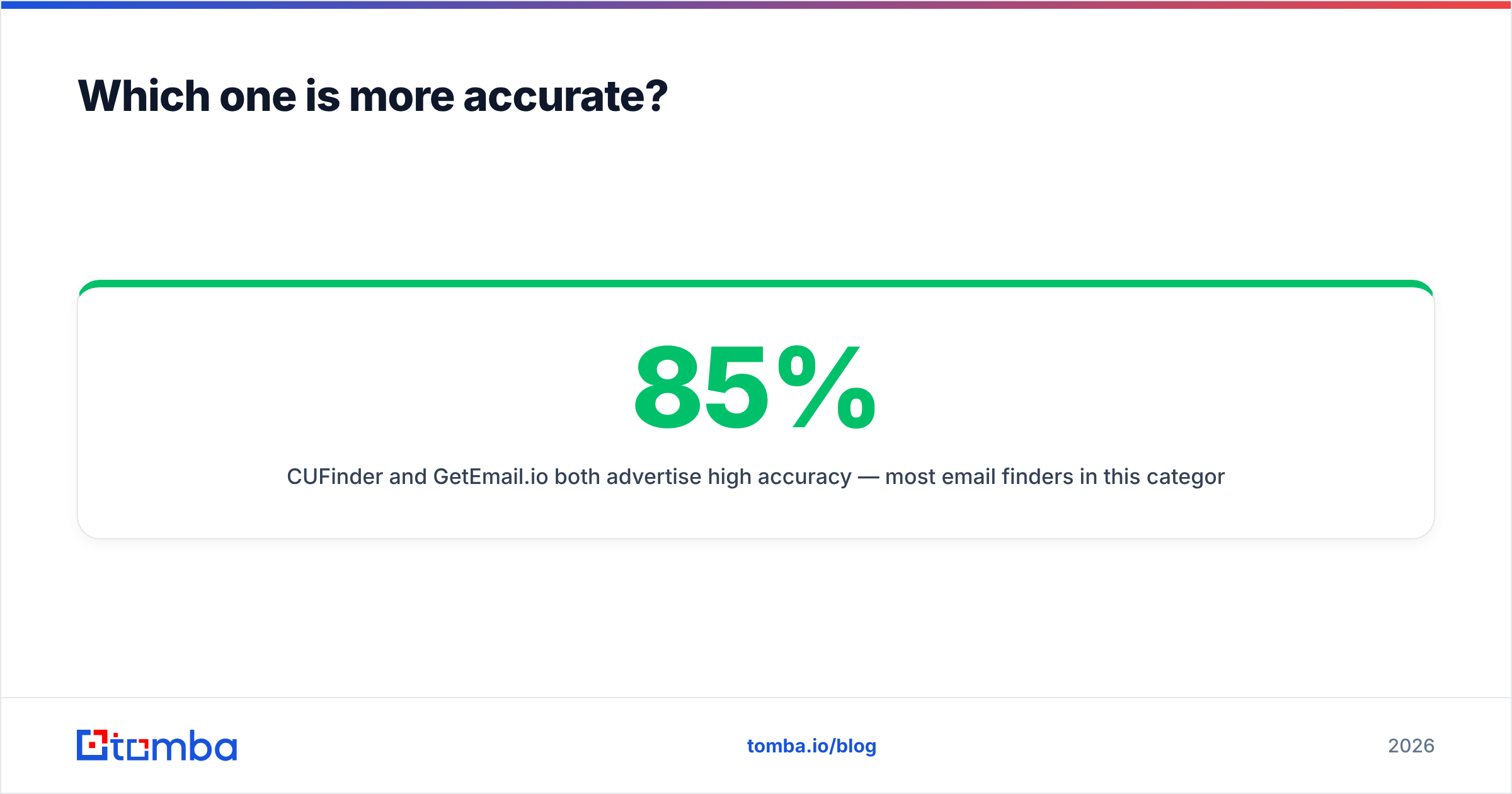
CUFinder and GetEmail.io both advertise high accuracy — most email finders in this category claim somewhere between 85% and 98%. Those figures are almost always measured on the subset of queries where the tool returned a result, not on your actual list. If a tool returns nothing for 40% of your prospects and is 95% accurate on the rest, your effective coverage is 57%.

The structural difference matters more than the headline percentage:
- GetEmail.io leans on prediction. It generates likely patterns (
first.last@,flast@,first@) and scores them with an ML model. On big, well-documented companies this works well. On a 30-person agency with an unconventional format, prediction degrades and you get a confident-looking guess. - CUFinder leans on aggregation. It pulls from scraped and licensed datasets. Coverage is broader across regions, but stale records are a real risk — a contact who left 14 months ago still returns a "valid" address.
- Verification is where both get thin. Prediction without SMTP-level confirmation is a bounce waiting to happen. Aggregation without recency checks is the same problem wearing a different hat.
- Catch-all domains break the scoreboard. Roughly a fifth of B2B domains accept every address at the MTA level. Any tool that marks those "valid" is inflating its own accuracy stat. A catch-all verifier that actually probes deliverability signals is the only honest way through.
Run your own test before buying either. Take 100 prospects you already have confirmed emails for, run them through both trials, and measure two numbers: hit rate (did it return anything?) and precision (was it right?). That 30-minute exercise beats every review page on the internet, including this one.

How does the pricing actually work?#
This is where the two diverge hardest, and where most buyers get surprised.
GetEmail.io uses a straightforward credit model: one credit, one email lookup. Plans step up from a free tier (10 credits/month) through Basic, Standard, Premium, and Ultra. The catch is the curve — the per-credit price on the entry plan is several times higher than on the top plan. If you're a two-person team doing 500 lookups a month, you're paying near the worst rate on the board. Volume buyers get a genuinely competitive rate; small teams subsidize them.
CUFinder uses a shared credit pool across services, but services burn credits at different rates. An email lookup might cost 1 credit; a full company enrichment might cost several; a phone number costs more again. This is flexible if you use the breadth, and expensive if you only ever run email lookups — you're paying for a buffet and eating the bread.
Model the cost per verified email, not per credit:
True cost per usable email =
  (plan price / credits) ÷ (hit rate × precision)
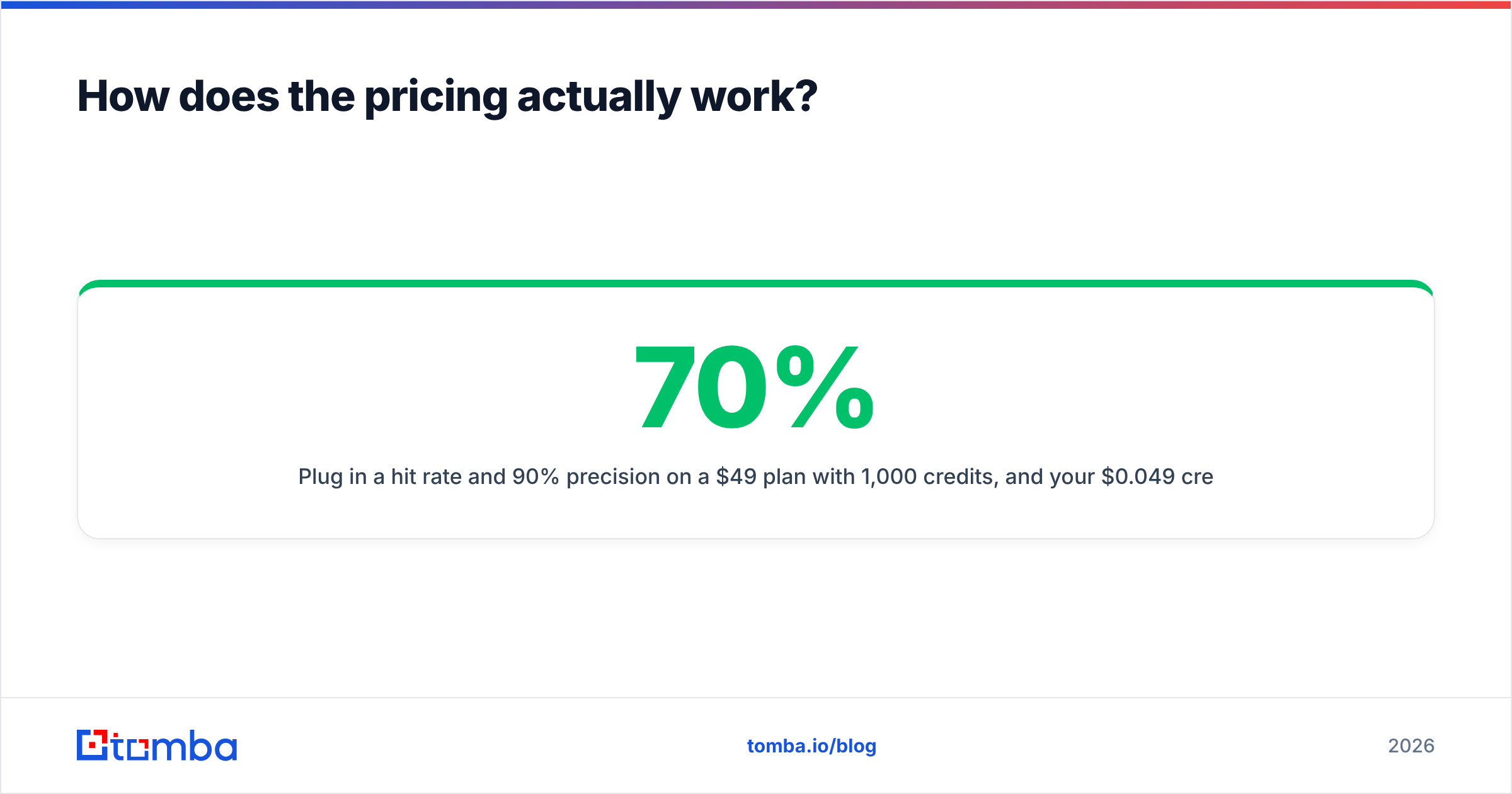
Plug in a 70% hit rate and 90% precision on a $49 plan with 1,000 credits, and your $0.049 credit is really $0.078 per usable address. Plug in a 50% hit rate and 80% precision and it's $0.12. The headline price is a starting point, not an answer.

Which one fits your workflow better?#
Match the tool to the job, not the feature list.
- You're a solo founder doing 20 targeted lookups a week. GetEmail.io. The Chrome extension inside Gmail and LinkedIn is genuinely well built, there's nothing to configure, and the free tier covers a real week of prospecting.
- You need company data, tech stack, and phone numbers alongside emails. CUFinder. The breadth is real, and consolidating four vendors into one contract has non-obvious value in procurement time alone.
- You're building a list from domains, not names. Neither is ideal. GetEmail.io requires a name; CUFinder's domain-side coverage is uneven. This is where a proper domain search — give it
stripe.com, get back the pattern plus every discoverable address — does the job in one call. - You're piping data into a CRM or a sequencer automatically. Compare the APIs carefully. GetEmail.io's REST endpoint is simple to the point of being limited. CUFinder's endpoints are service-specific, which means more integration surface. If you want one email finder API with consistent auth, verification in the same response, and a CLI for scripting, that's a different shortlist.
- Deliverability is your KPI. Whatever you pick, don't send from a raw finder output. Run the list through an email verifier first. A 4% bounce rate will hurt your sender reputation faster than any of these tools will help your reply rate.
What do reviewers and users actually say?#
Third-party review sites are noisy, but the pattern across G2 and Capterra listings for both products is consistent enough to be useful:
CUFinder — recurring praise: breadth of services, responsive support, aggressive pricing relative to enterprise platforms like ZoomInfo. CUFinder — recurring complaints: credit consumption is confusing, data freshness varies by region, some enrichment services underdeliver relative to the email finder.
GetEmail.io — recurring praise: dead simple, extension works, fast results, good for LinkedIn workflows. GetEmail.io — recurring complaints: no domain search, thin verification, low-tier pricing feels steep, limited support for non-US/EU companies.
Neither profile is disqualifying. They're just different trade-offs: CUFinder trades focus for coverage, GetEmail.io trades coverage for focus.
It's also worth noting the category is crowded and the honest answer to "which is best" is often "neither, for your specific list." Tools like BookYourData come at the problem from a pre-built database angle with pay-as-you-go pricing, which suits buyers who'd rather purchase a filtered list than run lookups. If your ICP is narrow and well-defined, that model can beat both tools here on time-to-first-email.
What are the alternatives to both?#
If this comparison left you unconvinced, that's a reasonable outcome. The category has real depth:
| Need | Better fit than either |
|---|---|
| Domain-first list building | Tomba domain search, Hunter |
| Highest-accuracy verification | Tomba email verifier, ZeroBounce |
| Massive contact database + intent | Apollo, ZoomInfo |
| Pre-built purchasable lists | BookYourData |
| LinkedIn-native extraction | Wiza, ContactOut |
| API-first, developer-driven | Tomba API, Findymail |
Most teams over-buy here. You rarely need a platform — you need a reliable lookup, honest verification, and an API that doesn't fight your stack. Everything past that is procurement theater.
What's the verdict on CUFinder vs GetEmail.io?#
GetEmail.io wins on simplicity. CUFinder wins on breadth. Neither wins on cost-per-verified-email.
If you're choosing strictly between the two: pick GetEmail.io if email lookup is genuinely your only need and your volume is low-to-moderate. Pick CUFinder if you'd otherwise be buying two or three separate data tools and consolidation saves you real money.
But run the 100-prospect test first. Both offer free credits. Measure hit rate and precision on your ICP, then divide the plan price by the number of emails that actually landed. The tool that wins that math is the tool you should buy — regardless of what any comparison post, including this one, concludes.
And if the test shows both leaving 30–40% of your list unresolved, that's your signal to widen the shortlist rather than pick the less-bad option.
Try the alternative before you commit. Tomba's Email Finder gives you 25 free searches a month with no card, domain-wide and name-based lookup in the same tool, verification built into the response instead of billed as a separate credit, and a REST API with a CLI if you'd rather script it than click it. Paid plans start at $49/mo. Run it against the same 100 prospects you use to test CUFinder and GetEmail.io — then let the hit rate decide.
Related guides#
Ready to find emails that actually work?
Join 150,000+ professionals who stopped guessing and started sending. Free credits on signup — no credit card required.
Get the Tomba newsletter
Practical outbound tactics and product updates — once every two weeks.
About the author