Datanyze vs Thomson Data: Full 2026 Comparison for B2B Teams
Datanyze sells technographics and self-serve contact data; Thomson Data sells built-to-order B2B lists. Here's how they actually compare in 2026 — and where a verified email layer beats both.
Choosing between Datanyze and Thomson Data feels like comparing a Swiss Army knife to a catering order. One is a self-serve tool that lives in your browser and surfaces technographics; the other is a data vendor that builds you a custom list and emails you a spreadsheet. They both promise "B2B data," but they solve genuinely different problems — and picking the wrong one wastes budget you can't get back.
This comparison breaks down what each one actually does, what it costs, where the data comes from, and which buyer profile each fits. Then we'll be honest about the gap both share: a static list is only as good as the day it was pulled.
TL;DR: Datanyze vs Thomson Data#
- Datanyze is a self-serve Chrome-extension tool for technographics and on-the-fly contact lookups. Best for reps who prospect account-by-account inside a browser.
- Thomson Data is a done-for-you list vendor. You specify a target (industry, title, geo, tech), they deliver a custom CSV. Best for one-off campaigns and event marketing.
- Accuracy is the pain point for both: technographic and pre-built list data decays fast, so you still need to verify before you send.
- Pricing models differ hard: Datanyze is a low monthly subscription with credits; Thomson Data quotes per-record for custom lists (no public price).
- The smarter stack: use either for discovery, then run contacts through a live email verifier so you're not paying to bounce.
What is Datanyze?#
Datanyze is a sales-intelligence tool built around technographics — the practice of identifying which software and technologies a company uses. Its signature feature is a Chrome extension that overlays contact and company data on top of LinkedIn profiles and company websites while you browse.
The workflow is rep-first. You land on a prospect's LinkedIn page, click the extension, and Datanyze surfaces a best-guess business email, a mobile number, and firmographic details. You spend credits per reveal. It's designed for the individual seller who works accounts one at a time rather than the ops team building a 50,000-row campaign list.
Where Datanyze historically stood out was tech-stack detection: knowing that a target runs Shopify, HubSpot, or a specific analytics tag lets you write a sharper opener. That signal still has value for outbound sales strategy, even if the raw contact accuracy is uneven.
What is Thomson Data?#
Thomson Data is a B2B data provider and list-building service. You don't log into a self-serve dashboard and pull records yourself — you tell their team what audience you want (say, "IT directors at US manufacturing firms with 200+ employees using SAP"), and they assemble and deliver a targeted list. They also sell pre-packaged industry email lists, healthcare and technology databases, and data-append/enrichment services.
This is the classic done-for-you model. It shines when you need a large, specific list fast and don't want to burn rep hours assembling it. It's common in event marketing, trade-show follow-up, and account-based campaigns where a team wants a defined universe handed over as a file.
The trade-off is transparency and freshness. You're buying a snapshot, and you're trusting the vendor's collection and hygiene process. Pricing is quote-based, so you negotiate rather than swipe a card.
Datanyze vs Thomson Data: the core differences#
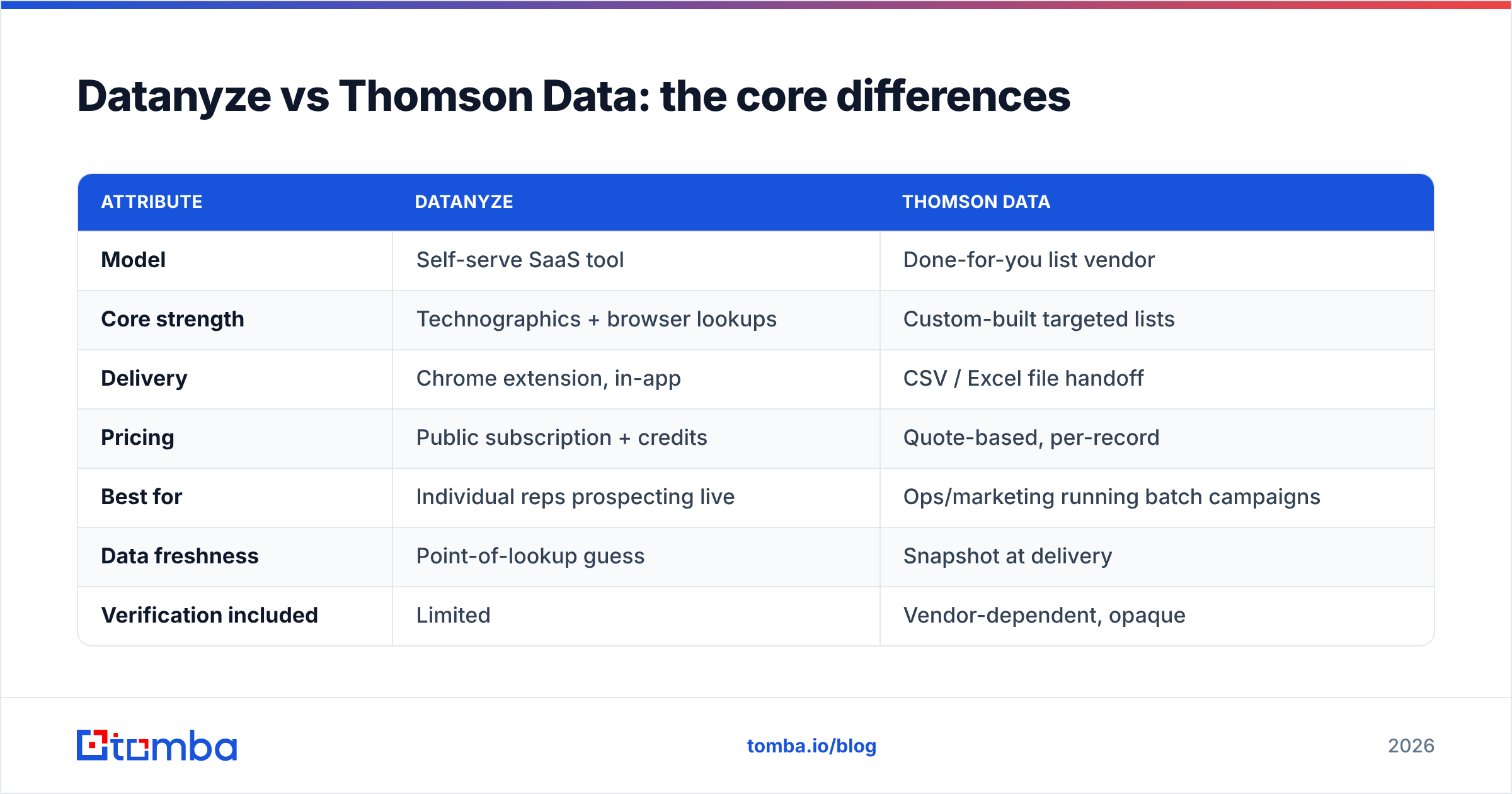
The fastest way to see the split is by delivery model. Datanyze is a tool you operate; Thomson Data is a service that operates for you.
| Attribute | Datanyze | Thomson Data |
|---|---|---|
| Model | Self-serve SaaS tool | Done-for-you list vendor |
| Core strength | Technographics + browser lookups | Custom-built targeted lists |
| Delivery | Chrome extension, in-app | CSV / Excel file handoff |
| Pricing | Public subscription + credits | Quote-based, per-record |
| Best for | Individual reps prospecting live | Ops/marketing running batch campaigns |
| Data freshness | Point-of-lookup guess | Snapshot at delivery |
| Verification included | Limited | Vendor-dependent, opaque |
| Learning curve | Low (install and click) | None (you receive a file) |
Notice that neither column says "guaranteed deliverable emails." That's not an accident — it's the shared weakness we'll get to.
Which has better data accuracy?#
Neither wins outright, and both decay. Here's the honest read.
Datanyze's contact emails are frequently pattern-guessed (first.last@company.com) rather than confirmed against a live mail server. That's fine for volume prospecting where a 15–25% bounce doesn't sink you, but it will hurt your sender reputation if you blast without cleaning.
Thomson Data's lists are collected and appended in batches, which means a record's accuracy depends heavily on when that batch was assembled. B2B data ages at roughly 22–30% per year as people change jobs, so a list built even six months ago carries meaningful rot by the time it hits your sequence.
The practical rule: treat both as discovery sources, not send-ready lists. Run every address through verification before it enters your sequencer. This is exactly why teams increasingly pair a data source with a real-time checker — you can even spot-check a handful with a free email checker before committing a whole file.
How do Datanyze and Thomson Data price?#
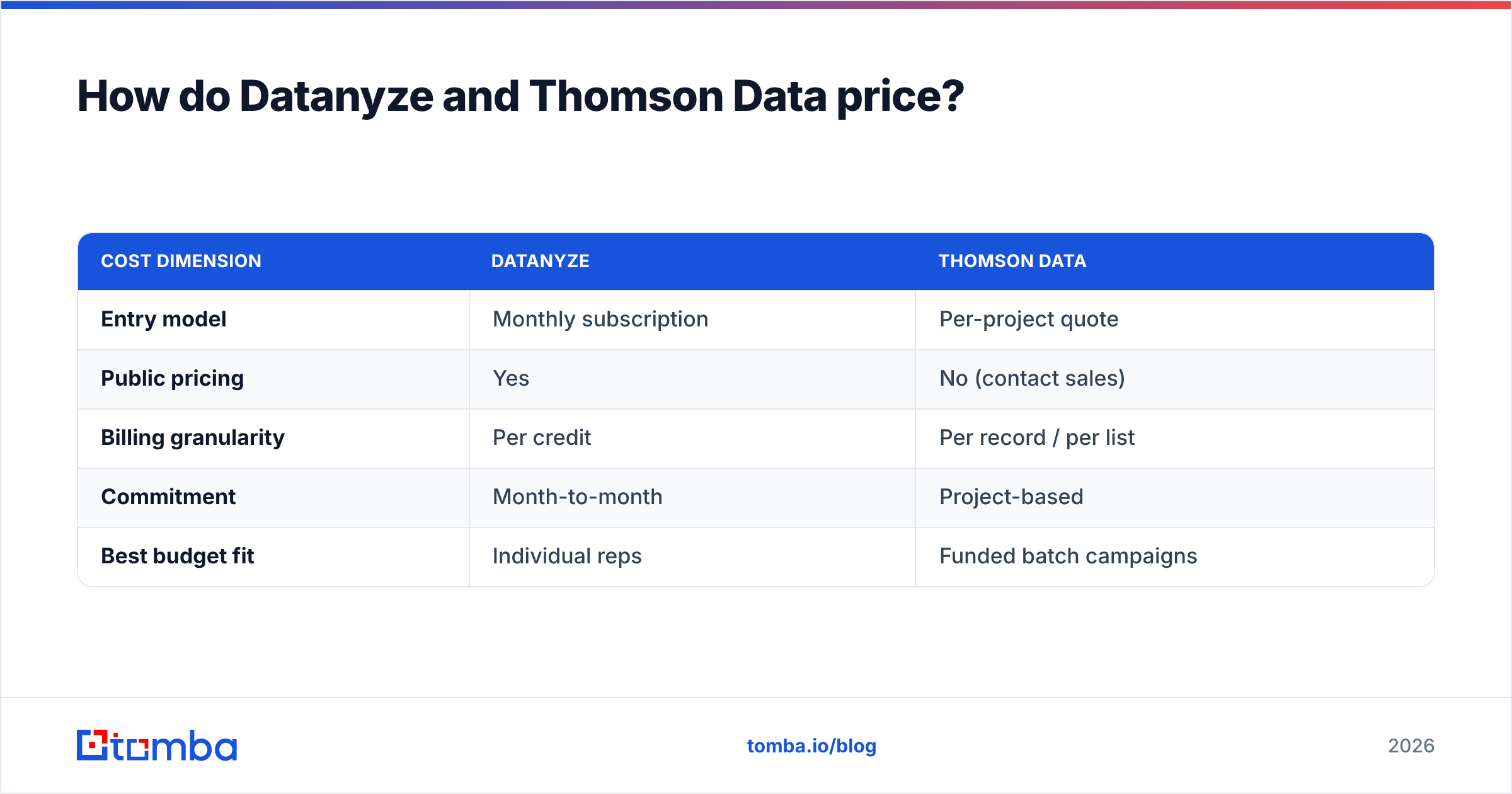
The pricing philosophies barely overlap, which is itself a decision factor.
Datanyze uses a transparent subscription. You pay a monthly fee and consume credits per reveal, so cost scales with how many contacts you unlock. Predictable, self-serve, cancel-anytime — good for a solo rep or small team.
Thomson Data uses custom quotes. Price is negotiated per record and per project, typically with volume discounts. There's no public price card, so budgeting requires a sales conversation. Good for a funded campaign with a defined target count; frustrating if you just want to experiment.
Here's a rough shape of how the two feel to buy — figures are illustrative since Thomson Data doesn't publish rates:
| Cost dimension | Datanyze | Thomson Data |
|---|---|---|
| Entry model | Monthly subscription | Per-project quote |
| Public pricing | Yes | No (contact sales) |
| Billing granularity | Per credit | Per record / per list |
| Commitment | Month-to-month | Project-based |
| Best budget fit | Individual reps | Funded batch campaigns |
If predictable, self-serve pricing matters to you, compare both against a tool with a public card like Tomba's pricing before you sign anything.
Which tool fits which team?#
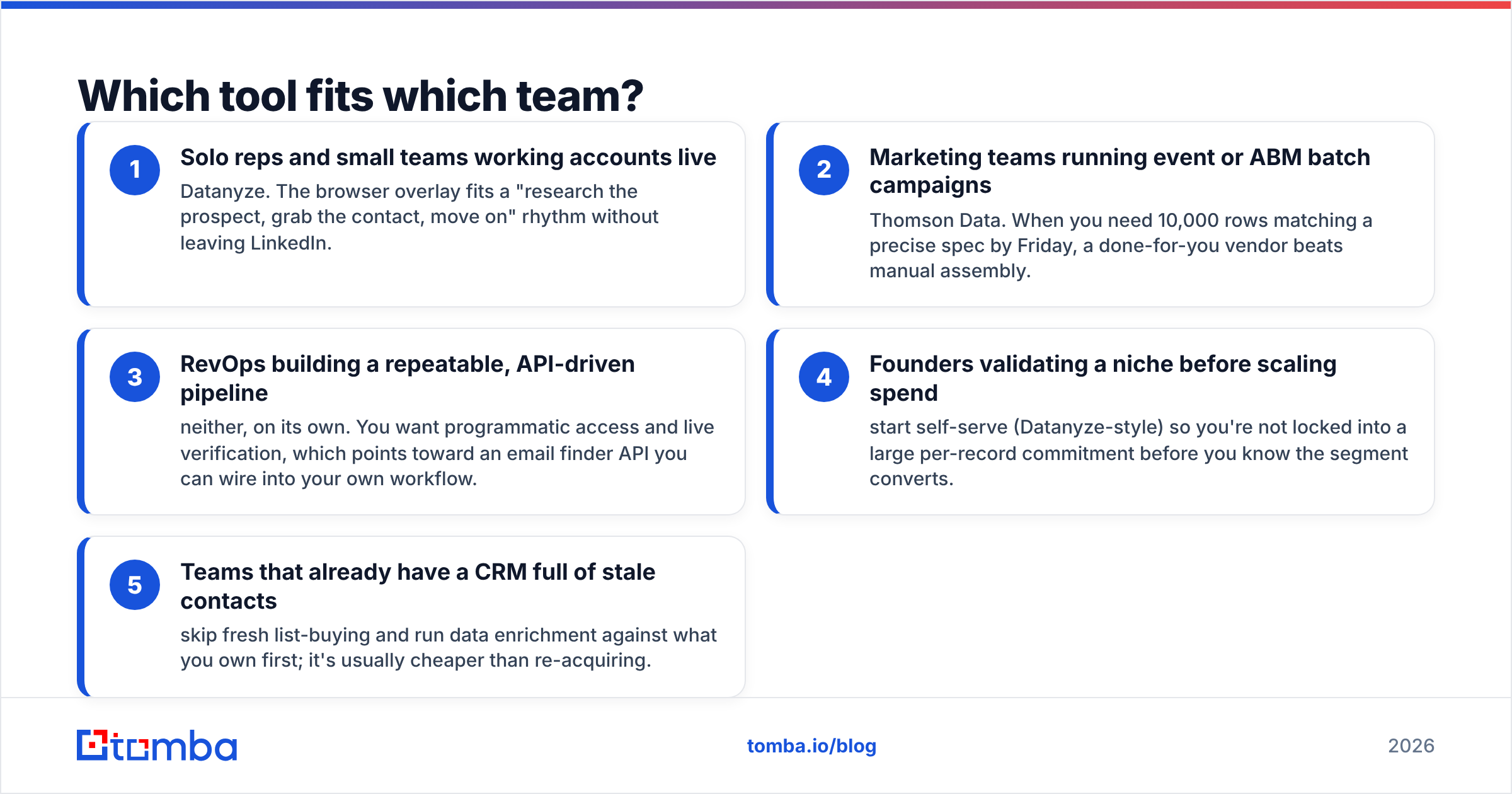
Match the tool to the motion, not the marketing.
- Solo reps and small teams working accounts live — Datanyze. The browser overlay fits a "research the prospect, grab the contact, move on" rhythm without leaving LinkedIn.
- Marketing teams running event or ABM batch campaigns — Thomson Data. When you need 10,000 rows matching a precise spec by Friday, a done-for-you vendor beats manual assembly.
- RevOps building a repeatable, API-driven pipeline — neither, on its own. You want programmatic access and live verification, which points toward an email finder API you can wire into your own workflow.
- Founders validating a niche before scaling spend — start self-serve (Datanyze-style) so you're not locked into a large per-record commitment before you know the segment converts.
- Teams that already have a CRM full of stale contacts — skip fresh list-buying and run data enrichment against what you own first; it's usually cheaper than re-acquiring.
What both tools miss: live verification#
Here's the gap neither Datanyze nor Thomson Data fully closes: a verified, deliverable email at the moment you send.
Datanyze hands you a guess. Thomson Data hands you a snapshot. Both are useful inputs, but the moment that data leaves their system it starts drifting from reality. The person got promoted, the company migrated from a @company.com to a @company.io domain, the mailbox went catch-all. None of that shows up in a CSV you bought last quarter.
A modern prospecting stack separates two jobs that these tools blur together:
- Discovery — finding candidate companies and contacts (technographics, list-building, intent signals).
- Validation — confirming, right now, that a specific address will actually land.
When you split those jobs, you can source from wherever's cheapest and still protect your deliverability. That's the model behind pairing a discovery layer with a dedicated email finder plus verification, rather than trusting a single vendor's static output. Tools like BookYourData occupy a similar "built list" niche to Thomson Data and are worth a look too — but the same rule applies: verify before you send, regardless of source.
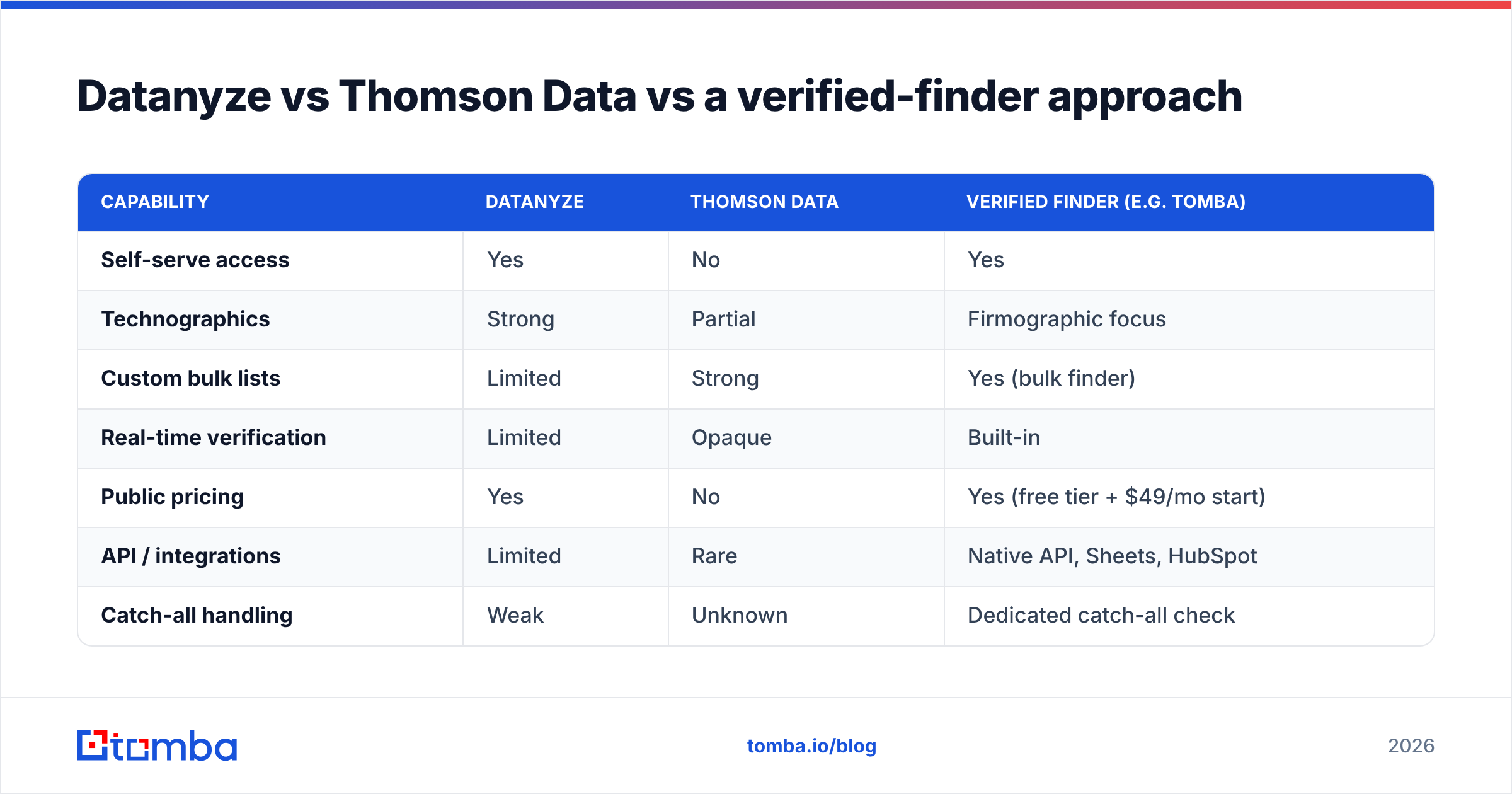
Datanyze vs Thomson Data vs a verified-finder approach#
Zooming out to a three-way view makes the trade-offs obvious.
| Capability | Datanyze | Thomson Data | Verified finder (e.g. Tomba) |
|---|---|---|---|
| Self-serve access | Yes | No | Yes |
| Technographics | Strong | Partial | Firmographic focus |
| Custom bulk lists | Limited | Strong | Yes (bulk finder) |
| Real-time verification | Limited | Opaque | Built-in |
| Public pricing | Yes | No | Yes (free tier + $49/mo start) |
| API / integrations | Limited | Rare | Native API, Sheets, HubSpot |
| Catch-all handling | Weak | Unknown | Dedicated catch-all check |
The third column isn't a knock on the other two — it's a reminder that discovery and verification are different products. If your main pain is bounce rate and wasted sends, that's a verification problem no amount of list-buying solves. You can validate an entire acquired file with a bulk email finder and catch the dead addresses before they cost you domain reputation, tying back into your broader email deliverability strategy.
How to choose in 5 minutes#
Run this quick decision:
- Do you prospect live, one account at a time? → Lean Datanyze for the browser workflow.
- Do you need a large, spec'd list delivered as a file? → Lean Thomson Data (or a comparable list vendor; get more than one quote).
- Do you care about deliverability and repeatable pipelines? → Whatever you pick for discovery, add a verification layer on top.
- Is transparent, self-serve pricing non-negotiable? → Rule out quote-only vendors and favor tools with a public card and a free tier.
The mistake teams make is treating this as an either/or when the real answer is often "a discovery source + a verifier." Datanyze and Thomson Data both answer the first half. Neither reliably answers the second.
The bottom line#
Datanyze and Thomson Data aren't really rivals — they're different tools for different motions. Datanyze suits the individual rep who wants technographics and quick lookups inside the browser. Thomson Data suits the marketer who needs a large, custom list handed over as a file. Both are legitimate; both leave you holding data that's aging the moment you receive it.
Whatever you choose for discovery, close the loop on accuracy. Source your prospects, then confirm every address is real and deliverable before it enters a sequence. The Tomba Email Finder does exactly that — find professional emails by domain, name, or company, verify them live, and pull them into your CRM through a public API and a free tier to start. Start with 25 free searches, keep your bounce rate low, and let your list-buying budget go toward contacts you'll actually reach. See the full Tomba plans to match a tier to your volume.
Further reading: compare data vendors independently on G2 and review technographic methodology on the Datanyze site before committing budget.
Related guides#
Ready to find emails that actually work?
Join 150,000+ professionals who stopped guessing and started sending. Free credits on signup — no credit card required.
Get the Tomba newsletter
Practical outbound tactics and product updates — once every two weeks.
About the author