DiscoverOrg vs Gazelle: Which B2B Data Tool Wins in 2026
DiscoverOrg (now ZoomInfo) and Gazelle sit at opposite ends of the B2B data market. Here's how coverage, pricing, contracts, and accuracy actually compare — and which one fits your team.
DiscoverOrg vs Gazelle is really a budget question. One tool sells deep account data. The other sells lists at a low monthly price. Here is what each one costs, what data you get, and which one fits your team in 2026.
TL;DR
- DiscoverOrg is no longer sold on its own. It merged with ZoomInfo in 2019. Its org charts and tech data now ship inside ZoomInfo Sales. If a rep pitches you "DiscoverOrg," you are buying ZoomInfo.
- Gazelle is a much smaller, lighter tool. It finds leads and company signals. It suits teams who want a list without a five-figure yearly contract.
- Price is the headline gap. ZoomInfo deals usually land between $15,000 and $40,000+ per year. They come with yearly terms and seat minimums. Gazelle-class tools cost a few hundred per month.
- Neither one is a true email finder. If your real job is "get verified work emails for a target list," a finder plus a verifier costs 10-50x less. Delivery rates come out similar.
- Our pick in the DiscoverOrg vs Gazelle call: big ABM teams with budget should take ZoomInfo. Lean outbound teams, agencies, and founders should take Gazelle or a credit-based finder.
What Is DiscoverOrg, and Does It Still Exist?#
DiscoverOrg was one of the first B2B data vendors to sell org charts, not just contact rows. Its edge was human research. Analysts phoned into companies. They mapped who reported to whom. They logged the tools each team ran, then refreshed those records on a cycle. That is why it cost so much. It is also why big ABM teams paid the price.
In February 2019, DiscoverOrg bought ZoomInfo. The merged company then took the ZoomInfo name. Today "DiscoverOrg" is a legacy brand. The data itself lives on — org charts, intent, tech stacks, and scoops. But you buy it as ZoomInfo Sales, ZoomInfo Marketing, or ZoomInfo Operations.
That matters here. Most people who search "DiscoverOrg vs Gazelle" are asking a budget question: do I need deep account data, or do I just need contacts? Those are two very different buys.
What you get in the DiscoverOrg/ZoomInfo line:
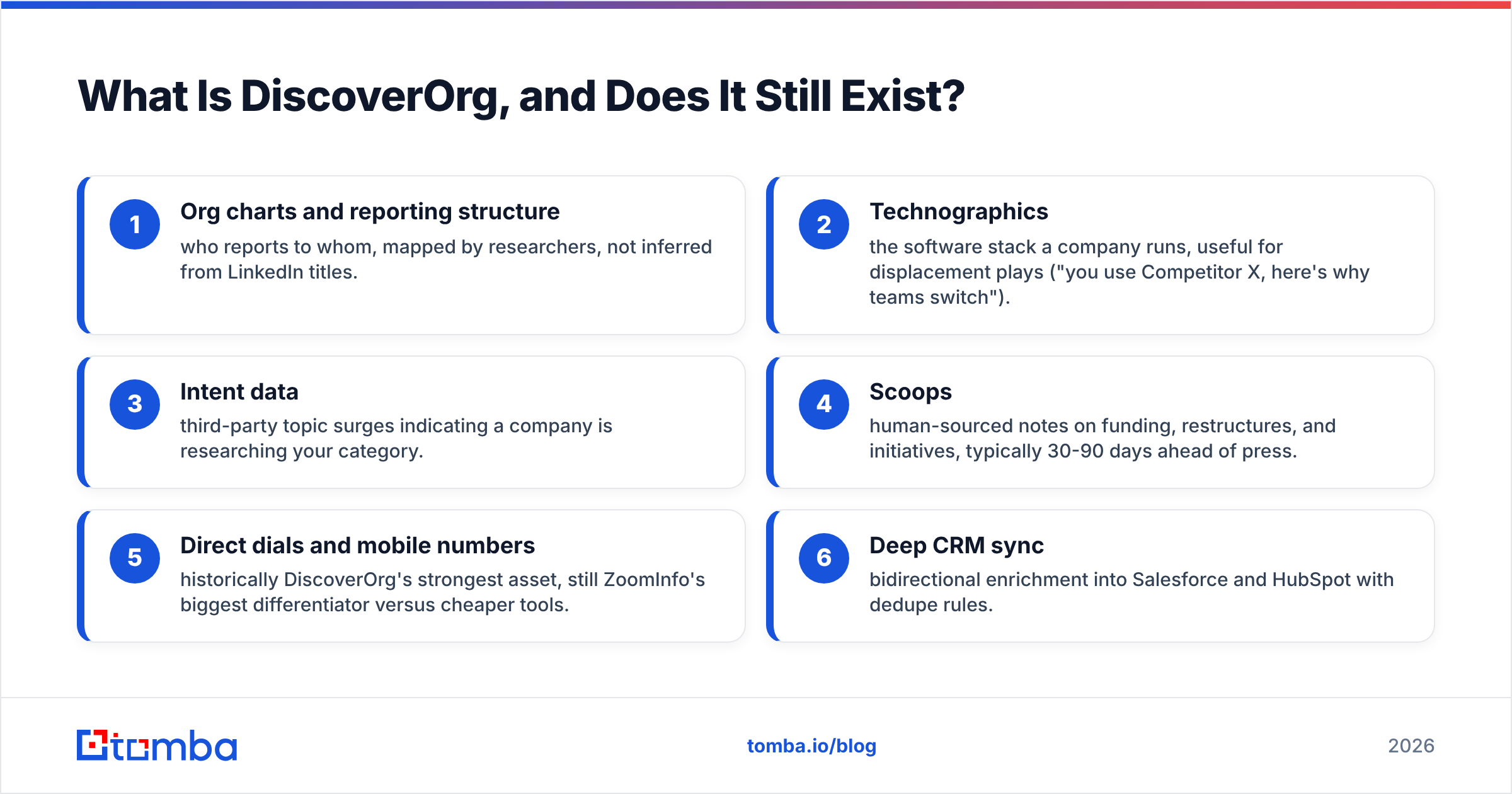
- Org charts — who reports to whom, mapped by people, not guessed from LinkedIn titles.
- Tech stack data — the software a company runs. Useful for switch pitches ("you use Competitor X, here is why teams move").
- Intent data — topic surges that hint a company is shopping in your category.
- Scoops — human notes on funding, shake-ups, and new projects. Often 30-90 days ahead of the press.
- Direct dials and mobiles — the old DiscoverOrg strong suit. Still ZoomInfo's biggest edge over cheap tools.
- Deep CRM sync — two-way updates into Salesforce and HubSpot, with dedupe rules.
What Is Gazelle and Who Is It For?#
Gazelle sits in the light lead-sourcing tier. The logic is simple. Give a small sales team a way to build company and contact lists. Add filters for size, industry, and location. Let them export to a sequencer. Skip the long buying cycle, the yearly lock, and the seat minimums.
Tools in this tier share a few traits. You can search companies by industry, size, place, and growth signals. You can find contacts at those companies. You get some email data. You pay monthly or by credit, and you can cancel. They do not build human org charts. They do not sell intent data at enterprise scale.
Here is the honest framing. Gazelle does not try to beat DiscoverOrg on data depth. It tries to make the 80% case cheap. Whether that trade works comes down to one thing: does your motion need depth, or volume?
DiscoverOrg vs Gazelle: How Do They Compare Head to Head?#
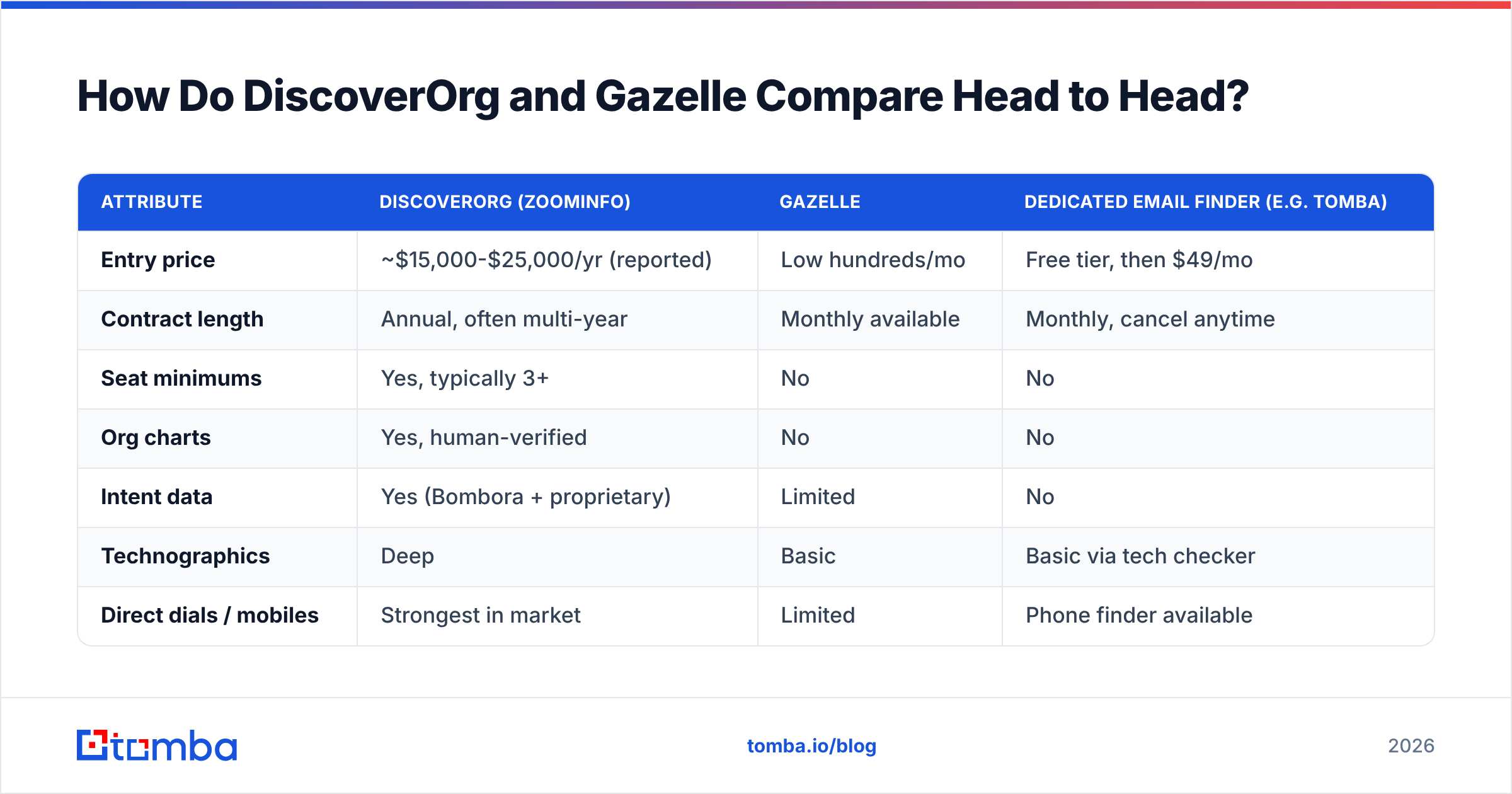
Here is the practical breakdown. The ZoomInfo prices below come from buyer reviews on G2 and Capterra. The vendor does not publish a rate card. Quotes swing a lot by seat count and module bundle.
| Attribute | DiscoverOrg (ZoomInfo) | Gazelle | Dedicated email finder (e.g. Tomba) |
|---|---|---|---|
| Entry price | ~$15,000-$25,000/yr (reported) | Low hundreds/mo | Free tier, then $49/mo |
| Contract length | Annual, often multi-year | Monthly available | Monthly, cancel anytime |
| Seat minimums | Yes, typically 3+ | No | No |
| Org charts | Yes, human-verified | No | No |
| Intent data | Yes (Bombora + proprietary) | Limited | No |
| Technographics | Deep | Basic | Basic via tech checker |
| Direct dials / mobiles | Strongest in market | Limited | Phone finder available |
| Email verification | Included | Basic | Dedicated verifier + catch-all |
| API access | Enterprise tier only | Varies | All paid plans |
| Credit rollover | Rarely | Plan-dependent | Plan-dependent |
| Time to first list | 2-6 weeks (onboarding) | Same day | Minutes |
| Best fit | Enterprise ABM, 20+ reps | SMB outbound, agencies | Targeted list building at any size |
Two things jump out of that table.
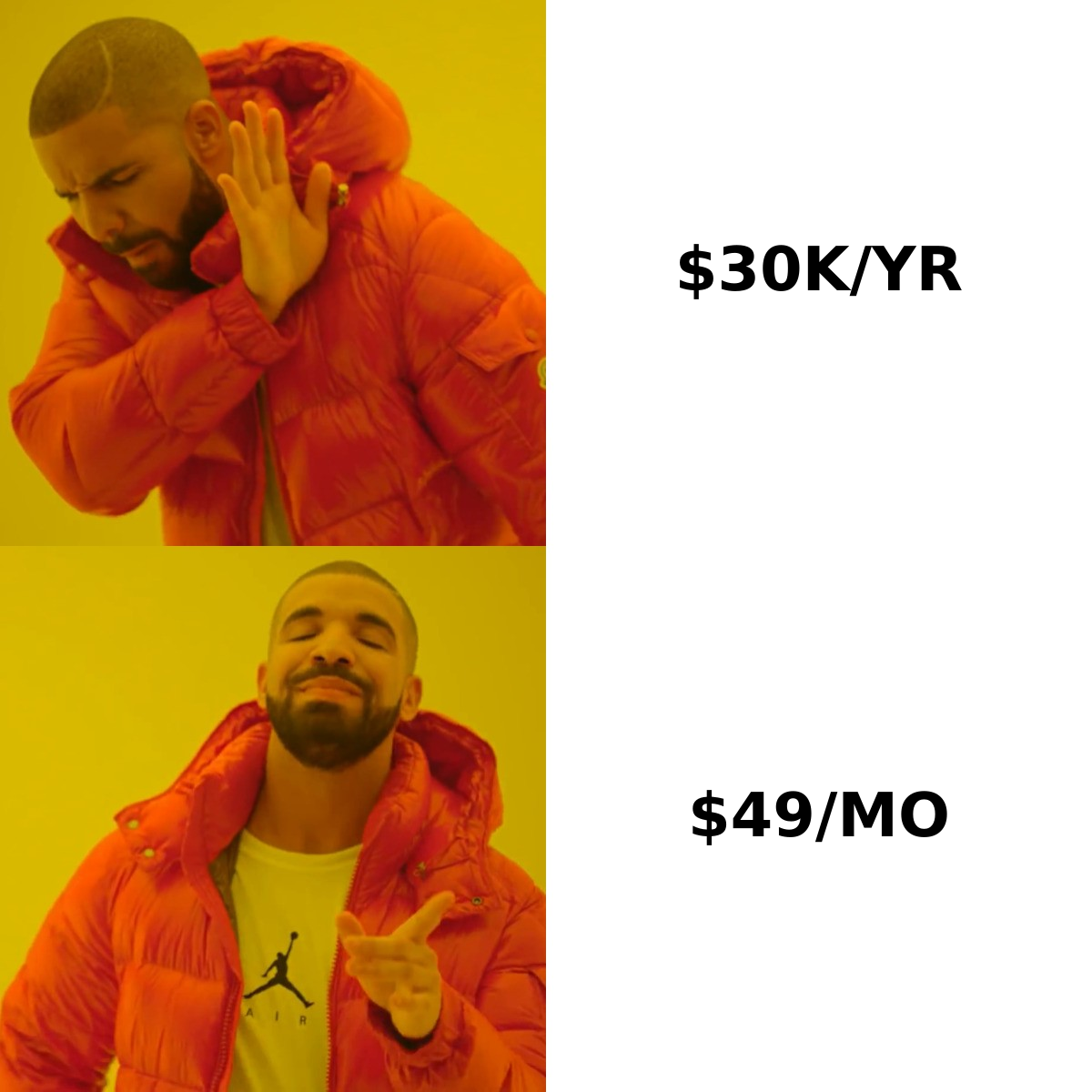
First, the cost curve is not linear. Moving from a $49/mo finder to a $99/mo plan buys more credits. Moving from a lean tool to ZoomInfo buys a whole different product. It also buys a buying process. You are not paying 20x for 20x more emails. You pay for org charts, intent, dials, and an enterprise support motion.
Second, the fastest path to a working list is rarely the biggest platform. Setup, CRM field mapping, and admin training often burn a month. That happens before the first sequence goes out. If you need pipeline this quarter, that lag is a real cost.
Which One Has Better Data Accuracy?#
Everyone asks about accuracy. Almost nobody measures it well. Vendors quote "95% accuracy" the way diners quote "fresh." The number means nothing without a definition.
Here is how to run a real test in under an hour, before you sign anything:
- Build a 200-row control list from your real ICP. Use companies you would actually prospect, not a random sample.
- Run that same list through every trial. Same accounts, same titles, same countries.
- Measure match rate. How many rows returned any contact at all? Cheap tools often fail here on mid-market and non-US firms.
- Measure bounce rate on a small send. Or push every result through an independent email verifier and compare valid rates.
- Measure freshness. Spot-check 20 records against LinkedIn. Job changes are the silent killer. A contact that was right 14 months ago bounces today.
- Measure the catch-all share. Domains that accept every address inflate valid counts. A catch-all verifier tells you what is truly deliverable.
On raw phone data, the DiscoverOrg line still wins. That is what the research team was built for. On email delivery, the gap gets small. Email checking is a solved problem. Specialist vendors do it as their whole business, not as one module out of nine.
So the DiscoverOrg vs Gazelle answer shifts with your channel. If your outbound is email-first, enterprise pricing pays for phone-grade research you will never use.
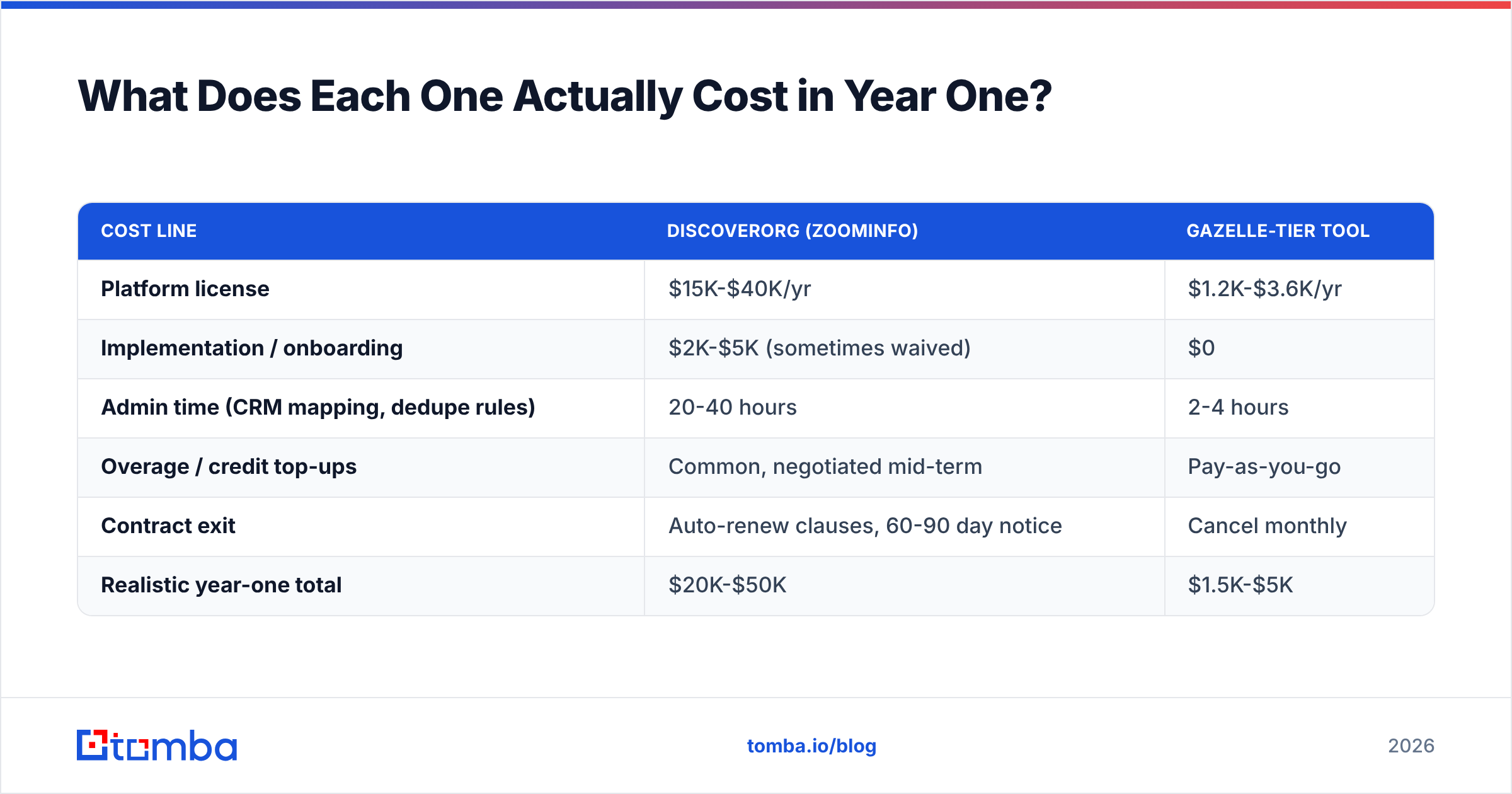
What Does Each One Actually Cost in Year One?#
Sticker price is the smaller number. Budget the total.
| Cost line | DiscoverOrg (ZoomInfo) | Gazelle-tier tool |
|---|---|---|
| Platform license | $15K-$40K/yr | $1.2K-$3.6K/yr |
| Implementation / onboarding | $2K-$5K (sometimes waived) | $0 |
| Admin time (CRM mapping, dedupe rules) | 20-40 hours | 2-4 hours |
| Overage / credit top-ups | Common, negotiated mid-term | Pay-as-you-go |
| Contract exit | Auto-renew clauses, 60-90 day notice | Cancel monthly |
| Realistic year-one total | $20K-$50K | $1.5K-$5K |
Two contract details deserve real attention. This is where buyers get burned.
Auto-renewal windows. Enterprise data contracts often renew on their own. You must give written notice 60 or 90 days before the term ends. Put that date in your calendar the day you sign. Do not wait until the month you are unhappy.
Credit expiry. Ask directly whether unused credits roll over. Many enterprise deals reset each year. A slow Q3 then wipes out data you already paid for. Clear pricing with monthly terms sidesteps the whole problem. You never prepay for volume you may not use.

Are There Better Alternatives to Both?#
Yes, for most teams. The reason is scope mismatch.
Ask what job you are hiring the tool for. "We need B2B data" hides four different jobs. Each one has a different right answer.
Job 1: Account intelligence. You need the reporting lines inside a 4,000-person firm. You need their tech stack. You need to know if they are shopping this quarter. Only enterprise platforms do this. ZoomInfo, Demandbase, and 6sense compete here. If this is truly your job, pay for it. Cheap tools will waste more rep hours than the license costs.
Job 2: List building at volume. You need 5,000 companies that match a filter, with a contact at each. Gazelle-tier tools and Apollo handle this well. They cost a fraction of enterprise. Depth per record is lower. Coverage per dollar is much higher.
Job 3: Verified contacts on a known list. You already know the companies and the roles. You need work emails and phone numbers, fast, and they must land. Dedicated finders win here outright. Enterprise platforms are wild overkill.
Job 4: Enrichment of records you own. Your CRM has 40,000 rows with gaps and stale titles. You need data enrichment by API or bulk upload. You do not need a new prospecting UI.
Most teams describe Job 1 in the buying meeting. Then they do Job 3 all quarter. That gap is the top reason B2B data spend lets people down.
Other options worth a shortlist, depending on the job:
- BookYourData — a pay-as-you-go B2B contact database with a bounce guarantee and no subscription. Good when you want a clean, verified list without a platform. It holds up on quality against far pricier vendors.
- Apollo.io — a large contact database with a built-in sequencer. Handy if you would otherwise buy data and sending apart. See the Apollo alternative page for the gaps.
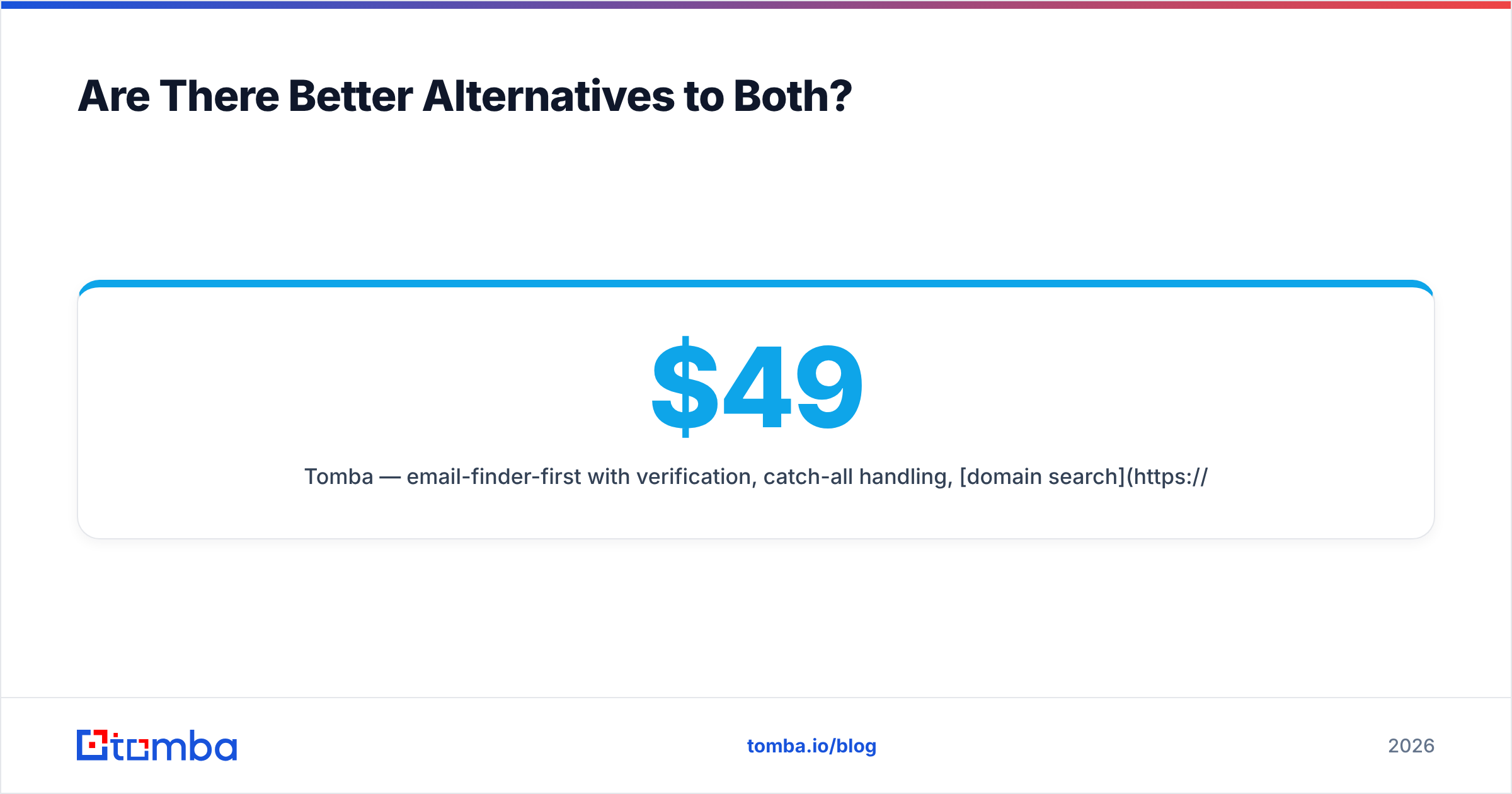
- Tomba — email finder first, with verification, catch-all handling, domain search, and phone lookup. Free tier at 25 searches a month. Then $49/mo Starter, $99/mo Growth, $249/mo Pro.
How Should You Run the Evaluation?#
Do this in a fixed order. It blocks the two classic mistakes: buying on demo polish, and buying on price alone.
- Write down your ICP before any demo. Industry, headcount, region, seniority, and the exact titles you sell to. Vendors will reshape your criteria to fit their strengths if you show up without them.
- Ask for a trial on your own list. Not their sample data. If a vendor will not test 100 of your accounts, that tells you about their coverage in your segment.
- Score match rate and validity apart. A tool that guesses an address for every row looks great on match rate. It bounces hard. Both numbers matter.
- Check global coverage on purpose. Most US-first databases thin out badly across EMEA and APAC. If 30% of your ICP sits outside the US, test that 30%.
- Price the exit, not just the entry. Notice period, auto-renew, credit expiry, and data retention after you leave. Ask in writing.
- Pilot for one quarter first. If a vendor refuses a quarterly pilot at any price, that says a lot about their retention.
If compliance matters to you, check how each vendor sources and refreshes records. Where the data comes from sets your GDPR and CCPA risk. Public web, opt-in contribution, partner feeds, and scraped profiles are not the same thing. The marketing page will not tell you. The FTC's business guidance is a fair starting point for US norms.
DiscoverOrg vs Gazelle: So Which Should You Buy?#
Buy the DiscoverOrg line (ZoomInfo) if you run named-account ABM at big firms. You have 15+ reps. Phone outreach is core to your motion. You need org charts to work a buying group of six or more. And you can sign off on a five-figure yearly line item. The product is good at that job. It is not overpriced for it. It is overpriced for every other job.
Buy Gazelle or a similar lean tool if you build lists at volume. You do not need reporting lines. You want to stay on monthly terms. Your team is small, so a 40-hour CRM setup is a real cost.
Buy a finder plus verifier stack if your target list already exists. The bottleneck is turning names and domains into contacts that land. That covers most SDR teams under 20 reps, most agencies, and nearly every founder-led sales motion.
The mistake to avoid is simple. Do not buy enterprise depth for a volume problem. Org charts will not lift reply rates on a 2,000-contact email campaign. Verified addresses will.
Ready to Test Coverage on Your Own List?#
Skip the buying cycle. Measure the thing that matters: how many target accounts return a contact that lands. Run 25 real ICP accounts through the Tomba Email Finder on the free tier. Verify the results. Compare the valid rate to whatever quote sits in your inbox. Paid plans start at $49/mo, billed monthly, with full API access on every tier and no yearly lock. Scale up when pipeline justifies it. Scale down when it does not. That is the test any vendor should be willing to lose.
Related guides#
// get started
Find, verify and enrich your first contacts today
Start on the free plan with 25 searches a month, then scale when your team is ready.
Free plan · No credit card required · GDPR & CCPA
// about the author