DiscoverOrg vs Jet Leads Pro: Full 2026 Data Comparison
One is an enterprise sales-intelligence platform that now lives inside ZoomInfo. The other is a low-cost list tool with almost no public paper trail. Here is what actually separates them on price, accuracy, and contract risk.
TL;DR
- DiscoverOrg no longer exists as a standalone product. It merged with ZoomInfo in 2019 and its data now sits inside ZoomInfo SalesOS, so "buying DiscoverOrg" in 2026 means signing a ZoomInfo contract.
- Jet Leads Pro sits at the opposite end of the market: cheap, self-serve, thin on public documentation, and effectively unauditable before you pay. Treat any accuracy claim from that tier as unverified until you test it.
- The real gap is not features. It is contract structure — annual seat minimums and credit expiry on one side, pay-as-you-go and no lock-in on the other.
- For most teams under 20 reps, neither extreme is right. A per-verified-contact tool costs a fraction of enterprise pricing and beats budget list tools on bounce rate.
- Run the same 200-row test list through any shortlist before you sign anything. Vendor-published accuracy percentages are marketing numbers, not benchmarks.
What is DiscoverOrg and what is Jet Leads Pro?#
They are not the same category of product, and pretending otherwise is how buyers overspend.
DiscoverOrg launched in 2007 as a human-researched org-chart database aimed at enterprise IT sales. Its differentiator was never volume — it was depth: verified reporting lines, tech-stack detail, direct dials, and a research team that re-touched records on a cycle. In February 2019 DiscoverOrg acquired ZoomInfo and adopted the ZoomInfo name. Today the DiscoverOrg dataset is folded into ZoomInfo SalesOS. If a rep tells you they "use DiscoverOrg," they mean legacy contracts, legacy habits, or the ZoomInfo product with DiscoverOrg lineage.
Jet Leads Pro is the archetype of the budget tier: a self-serve lead tool sold on volume and a low monthly price, with a light public footprint — no meaningful analyst coverage, minimal published documentation, and few verifiable customer reviews on G2 or Capterra. That is not automatically disqualifying. Plenty of useful tools start small. But it does mean you cannot outsource the diligence. You have to run the test yourself.
So the honest framing of DiscoverOrg vs Jet Leads Pro is: a mature, expensive, contract-heavy enterprise dataset versus a cheap, unproven, low-commitment one. Everything below follows from that.

How do DiscoverOrg and Jet Leads Pro compare on price?#
DiscoverOrg was never cheap and ZoomInfo did not make it cheaper. Public buyer reports and reseller listings consistently put ZoomInfo SalesOS in the $15,000–$40,000/year range for a small team, scaling well past six figures for enterprise deployments with intent data, Copilot, and workflow add-ons. Pricing is quote-only, annual, and seat-based, with credit caps layered on top.
Jet Leads Pro publishes a low monthly figure and sells credits or list exports. The sticker price is not the risk. The risk is what those credits are worth when 30% of the addresses bounce.
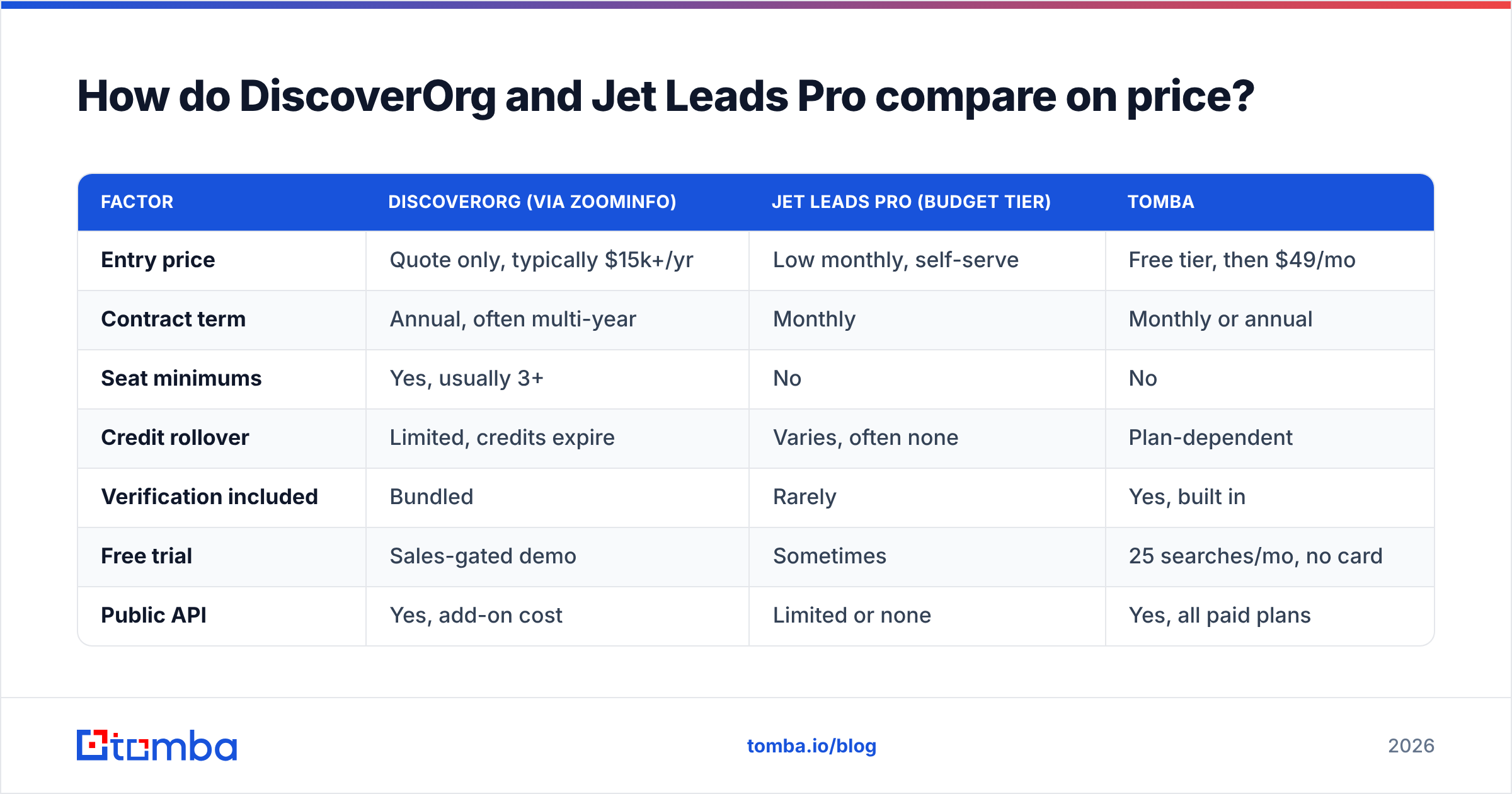
| Factor | DiscoverOrg (via ZoomInfo) | Jet Leads Pro (budget tier) | Tomba |
|---|---|---|---|
| Entry price | Quote only, typically $15k+/yr | Low monthly, self-serve | Free tier, then $49/mo |
| Contract term | Annual, often multi-year | Monthly | Monthly or annual |
| Seat minimums | Yes, usually 3+ | No | No |
| Credit rollover | Limited, credits expire | Varies, often none | Plan-dependent |
| Verification included | Bundled | Rarely | Yes, built in |
| Free trial | Sales-gated demo | Sometimes | 25 searches/mo, no card |
| Public API | Yes, add-on cost | Limited or none | Yes, all paid plans |
| Org-chart depth | Best in class | None | Not the focus |
The pattern is clear. DiscoverOrg's price buys depth and coverage you genuinely cannot assemble yourself. The budget tier's price buys volume you then have to clean. Neither is priced for the middle — a 5-to-20-rep outbound team that needs accurate work emails and nothing else.
Which one has more accurate data?#
DiscoverOrg wins on accuracy. That is not a close call, and it should not be, given the price difference.
The legacy DiscoverOrg methodology combined automated collection with a human research layer that re-verified records on a defined cycle. That approach is expensive to run, which is exactly why the product costs what it costs. Independent buyer surveys and Gartner peer reviews consistently rate ZoomInfo/DiscoverOrg data at or near the top for firmographic completeness and direct-dial coverage in North America.
Budget list tools rarely disclose methodology at all. When a vendor cannot tell you where the data came from, how often it is refreshed, or what "verified" means in their pipeline, assume the worst case: scraped once, never re-checked, sold repeatedly.
Three things to measure yourself, on your own list, before you believe anyone:
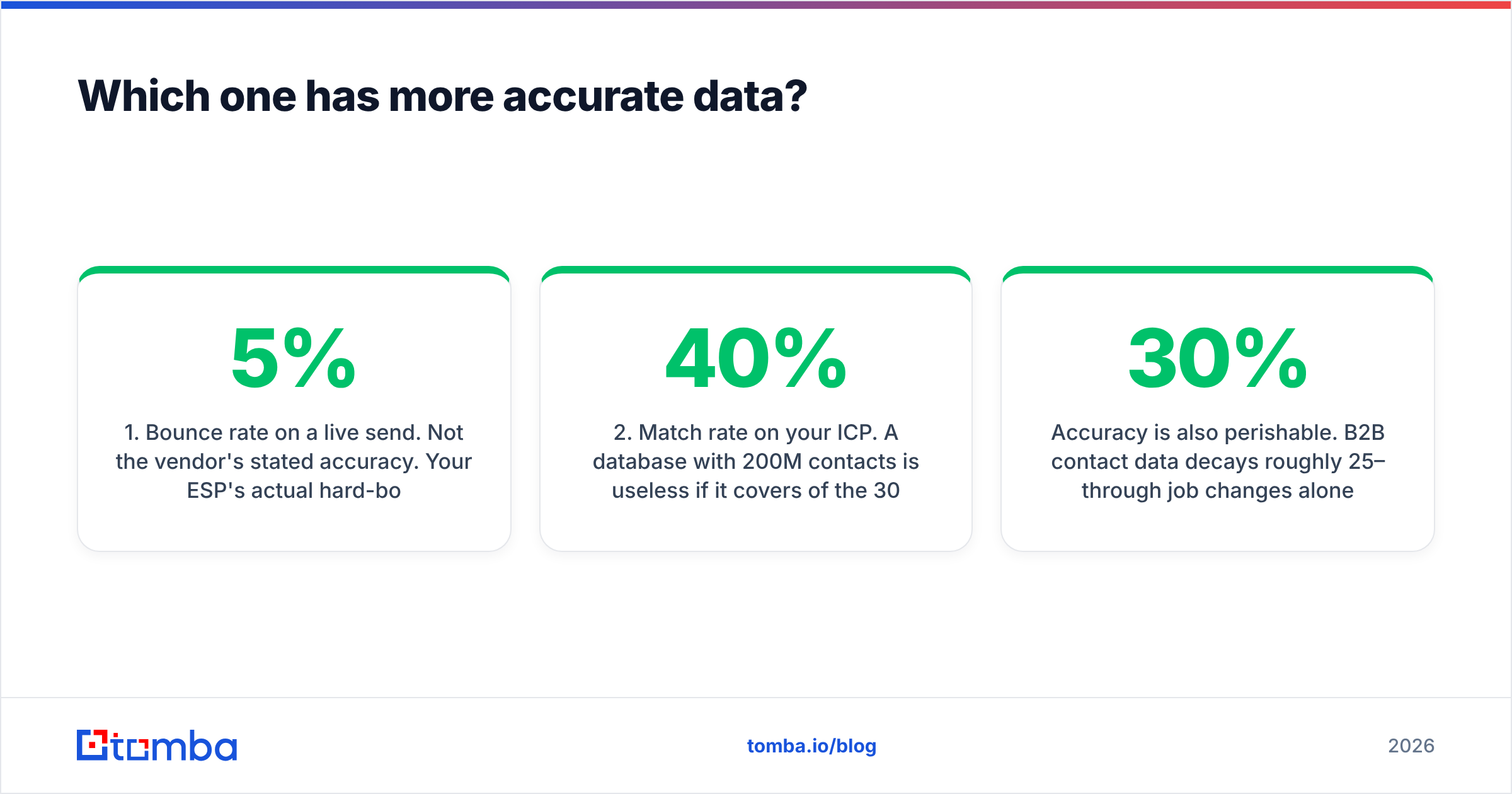
- Bounce rate on a live send. Not the vendor's stated accuracy. Your ESP's actual hard-bounce percentage on 200 addresses. Anything above 5% will start damaging sender reputation.
- Match rate on your ICP. A database with 200M contacts is useless if it covers 40% of the 300 accounts you actually sell to. Run your target account list, not a random sample.
- Catch-all handling. Domains configured to accept all mail are where accuracy claims quietly go to die. A tool that returns "valid" for every catch-all address is lying by omission — proper catch-all verification treats them as a separate risk class.

Accuracy is also perishable. B2B contact data decays roughly 25–30% per year through job changes alone. A dataset that was 95% accurate at purchase is meaningfully worse nine months into your annual contract. That decay hits the expensive vendor and the cheap one alike — the difference is that the expensive one re-verifies and the cheap one usually does not.
What does each one actually cost in year one?#
Sticker price is the smallest line item in an enterprise data contract. Run the full model before you compare.
DiscoverOrg / ZoomInfo year-one reality:
- Platform fee, annual, paid up front or quarterly
- Seat minimums — you often cannot buy fewer than three, even if two people will use it
- Credit caps — exports are metered; overage is billed or blocked mid-quarter
- Add-on modules — intent, WebSights, workflows, and enrichment are frequently separate line items
- Implementation and CRM sync — real hours, sometimes real professional-services fees
- Auto-renewal clauses — 30-to-60-day notice windows that catch teams every year
Budget-tier year-one reality:
- Monthly fee that looks trivial next to the above
- Cleanup cost — the hours your SDRs spend removing bounces and duplicates
- Deliverability cost — the harder-to-price damage from sending to dead addresses
- Replacement cost — the churn to a second tool six months in when the data does not hold up
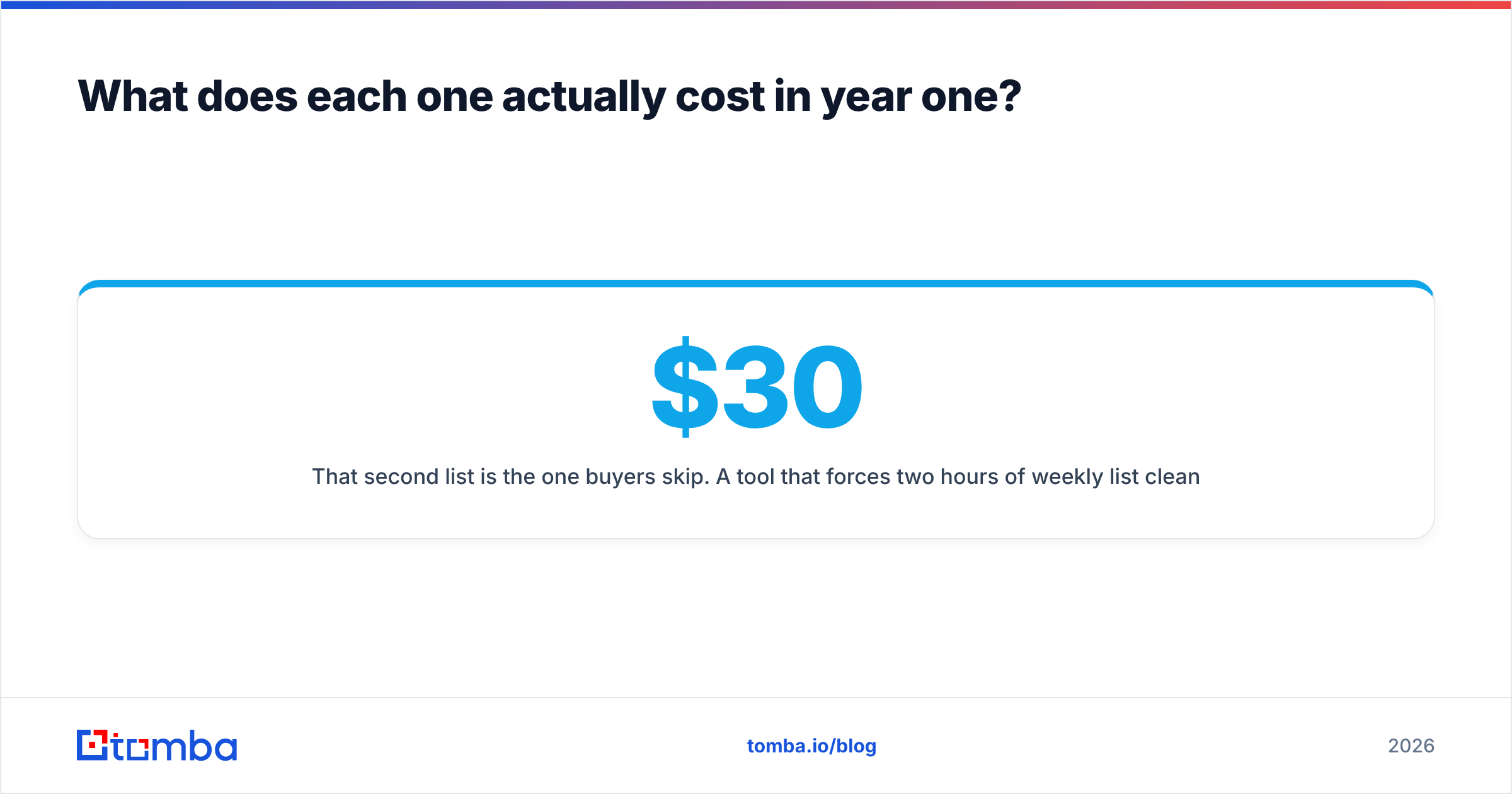
That second list is the one buyers skip. A $30/month tool that forces two hours of weekly list cleaning at a $60k SDR salary costs more than a $49/month tool with verification baked in. Cheap data is not cheap; it is deferred billing.
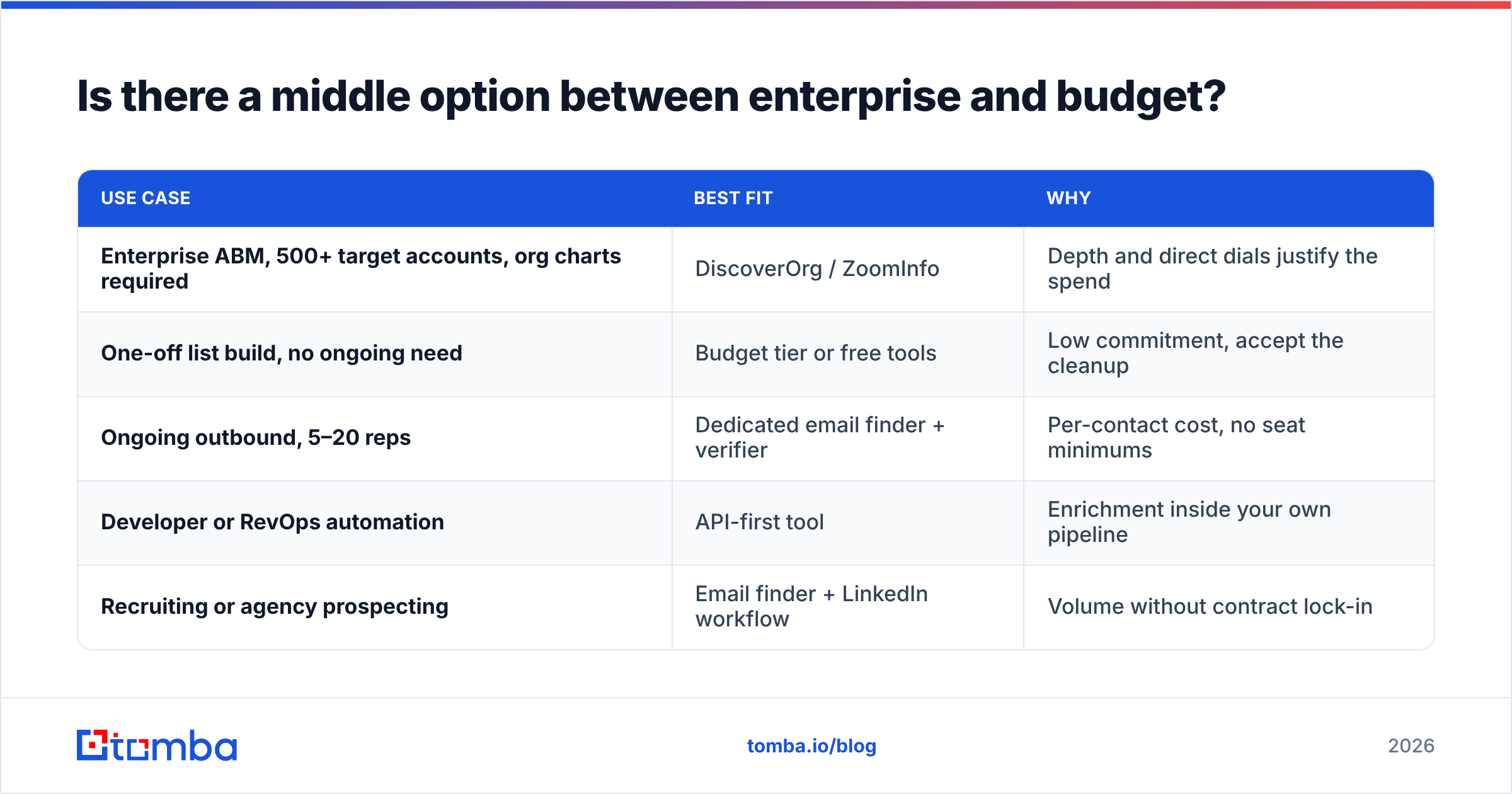
Is there a middle option between enterprise and budget?#
Yes, and it is where most outbound teams actually belong.
The enterprise-versus-budget framing assumes you need either everything or nothing. Most teams need one thing reliably: a correct work email for a named person at a named company, verified before it enters a sequence. That is a narrow job, and narrow tools do it for a fraction of enterprise pricing.
| Use case | Best fit | Why |
|---|---|---|
| Enterprise ABM, 500+ target accounts, org charts required | DiscoverOrg / ZoomInfo | Depth and direct dials justify the spend |
| One-off list build, no ongoing need | Budget tier or free tools | Low commitment, accept the cleanup |
| Ongoing outbound, 5–20 reps | Dedicated email finder + verifier | Per-contact cost, no seat minimums |
| Developer or RevOps automation | API-first tool | Enrichment inside your own pipeline |
| Recruiting or agency prospecting | Email finder + LinkedIn workflow | Volume without contract lock-in |
A Tomba Email Finder subscription starts at $49/mo on the Starter plan, with Growth at $99/mo and Pro at $249/mo — and a free tier at 25 searches a month if you want to test before spending anything. Full Tomba pricing is public, which is itself a differentiator against quote-only enterprise vendors. Verification runs through the same platform via the email verifier, so addresses are checked before they hit your sequencer rather than after your bounce rate tells you.
The trade-off is honest: you do not get DiscoverOrg's org charts, intent signals, or research-desk depth. If your deal cycle depends on knowing that the VP of Infrastructure reports to a CTO who reports to a COO, buy the enterprise product. If your deal cycle depends on 400 accurate emails a month, you are overpaying by an order of magnitude.

What should you check before signing either contract?#
Six questions. Ask all of them, in writing, before money moves.
- What is the refresh cycle on records in my ICP? Not the whole database. Your segment. "Continuously" is not an answer — ask for a median record age.
- What happens to unused credits at renewal? Expiring credits turn a 12-month contract into an artificial Q4 rush to spend.
- What is the exact cancellation window? Auto-renew clauses with a 60-day notice period are standard in enterprise data contracts and are the most common source of unwanted year-two invoices.
- Can I test on my own list before signing? A vendor confident in its data will let you run 100–200 of your rows. A vendor that refuses is telling you something.
- What is the GDPR/CCPA posture for EU contacts? Ask for the lawful basis, the opt-out mechanism, and the DPA. This is not optional if you sell into Europe.
- What is the API rate limit and is it included? Metered API access billed separately is the most common surprise line item in year two.
If a budget vendor cannot answer questions 1, 4, and 5, walk. If an enterprise vendor cannot answer 2 and 3 in plain language, get it in the redline.

How do you test both tools fairly in one week?#
Build one control list and run it through everything. This takes about three hours and saves five-figure mistakes.
- Day 1 — Pull 200 contacts from closed-won accounts in your CRM where you already know the correct email. This is your answer key.
- Day 2 — Strip the emails, keep name + company domain, and run the same 200 rows through each tool. Record match rate and cost per match.
- Day 3 — Compare returned addresses against your answer key. Score exact matches, wrong-format guesses, and no-results separately. A tool that guesses
first.last@for everyone will look accurate on companies that use that pattern and fail silently elsewhere. - Day 4 — Run every returned address through an independent verifier. Note how many the source tool marked "valid" that a second opinion flags as risky.
- Day 5 — Send a real 50-address campaign from a warmed domain. Measure hard bounces. This is the only number that matters.
Score cost per verified deliverable address, not cost per credit. The rankings usually invert once you do. For teams running this repeatedly, a bulk email finder workflow makes the whole test a single CSV upload, and you can check where the underlying data sources come from before you commit.
Which should you buy?#
Buy DiscoverOrg (ZoomInfo) if you sell six-figure deals into enterprise accounts, need org charts and direct dials, have a RevOps function to maintain the integration, and can absorb a five-figure annual commitment without it distorting your budget. The data quality is real and the depth is genuinely hard to replicate.
Consider Jet Leads Pro or similar budget tools only for disposable, low-stakes list building where you accept manual cleanup and are not putting your primary sending domain at risk. Test before you trust; the tier has real variance.
Choose a focused email finder if what you actually need is accurate work emails at predictable per-contact cost, without seat minimums, annual lock-in, or a procurement cycle. That is the overwhelming majority of outbound teams, and it is the option most buyers skip because it does not have an enterprise sales rep pushing it.
Start with the Tomba Email Finder free tier — 25 searches a month, no card, no demo call. Run the 200-row test above against whatever you are currently paying for. If the verified match rate holds up, Starter at $49/mo replaces a contract that costs more than most SDR quotas. If it does not, you have lost an afternoon instead of a fiscal year.
Related guides#
Ready to find emails that actually work?
Join 150,000+ professionals who stopped guessing and started sending. Free credits on signup — no credit card required.
Get the Tomba newsletter
Practical outbound tactics and product updates — once every two weeks.
About the author