Dolibarr vs Odoo in 2026: Which Open-Source ERP Wins?
Dolibarr is free forever and light on resources. Odoo is slicker but charges per user, per month, forever. Here's the honest breakdown of cost, CRM depth, modules, and hosting so you pick the right one the first time.
Dolibarr vs Odoo comes down to one question: do you pay per user, or pay with your own time? Dolibarr is free to run, forever. Odoo looks slicker, but it bills you per seat every month. This Dolibarr vs Odoo guide covers cost, CRM depth, modules, and hosting, so you can pick once and move on.
TL;DR
- Dolibarr is a truly free, self-hosted ERP/CRM (GPLv3). There is no per-user license, ever. You pay in hosting and your own time.
- Odoo is two products under one name. Community is free (LGPLv3). Enterprise is paid, billed per user per month, and it holds the best modules.
- Pick Dolibarr if you have 1–25 users, simple processes, and a preference for owning your stack.
- Pick Odoo if you need manufacturing, multi-warehouse stock, e-commerce, and a CRM reps will open daily. You also need budget for seats and setup fees.
- Neither tool fills your pipeline. Both just store data you have to find elsewhere. That is why an enrichment layer matters more than the ERP debate itself.
What are Dolibarr and Odoo, actually?#
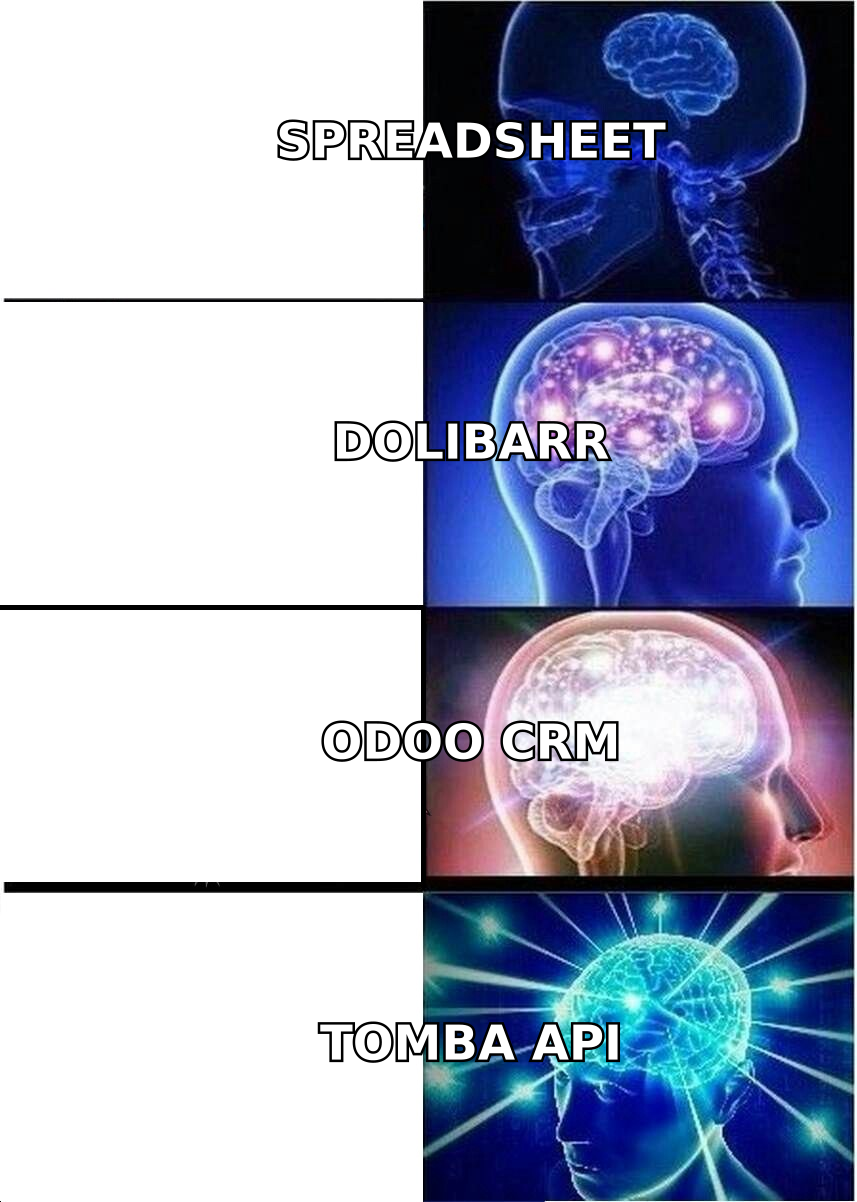
Think of Dolibarr as a toolbox you assemble yourself. Odoo is a modular kitchen. It ships gorgeous, then bills you monthly for each cook standing in it.
Dolibarr ERP & CRM is a PHP and MySQL app released under GPLv3. A community foundation maintains it, not a venture-backed vendor. It launched in 2003 and has stayed light on purpose. It runs on cheap shared hosting, installs in minutes, and switches features on and off from a module panel.
There is no "Enterprise tier." The version you download is the whole product. Paid options do exist. The official Dolibarr project lists cloud hosting partners and a paid add-on store. Those are optional, not gates.
Odoo (once OpenERP, and TinyERP before that) is a Belgian company with a commercial engine under the open-source badge. Odoo Community is LGPLv3 and free. Odoo Enterprise is proprietary and sold per user, per month.
Enterprise holds what most mid-market buyers want: full accounting, Studio customization, Odoo.sh hosting, mobile apps, and vendor support. The Odoo pricing page lists rates by plan and region. Expect roughly $25–$40 per user per month at list, before partner fees.
That one difference — no license tier versus a license tier — drives most of what follows.
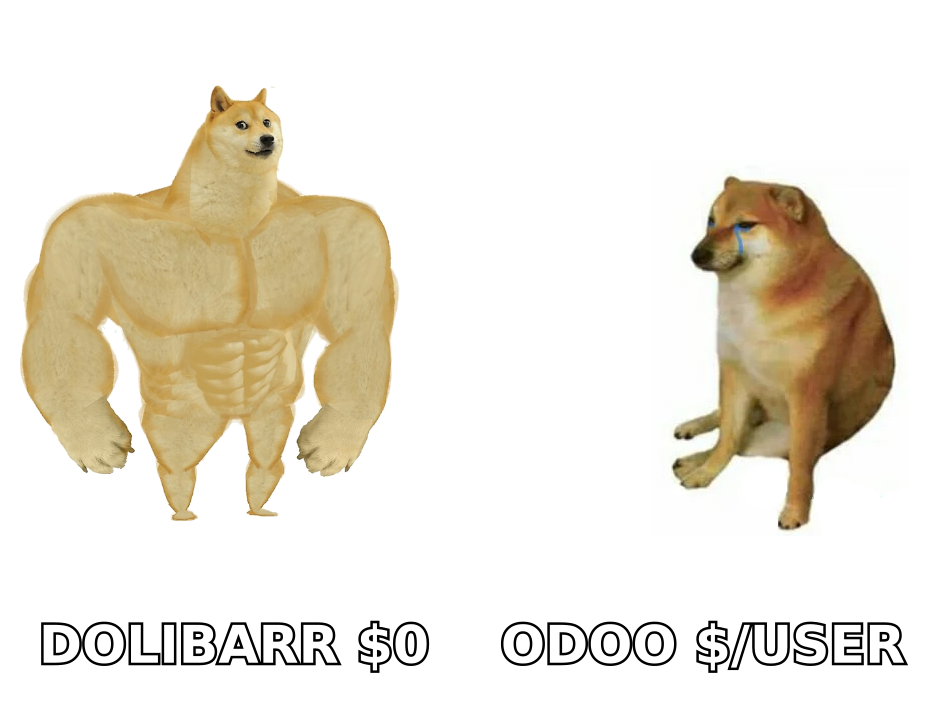
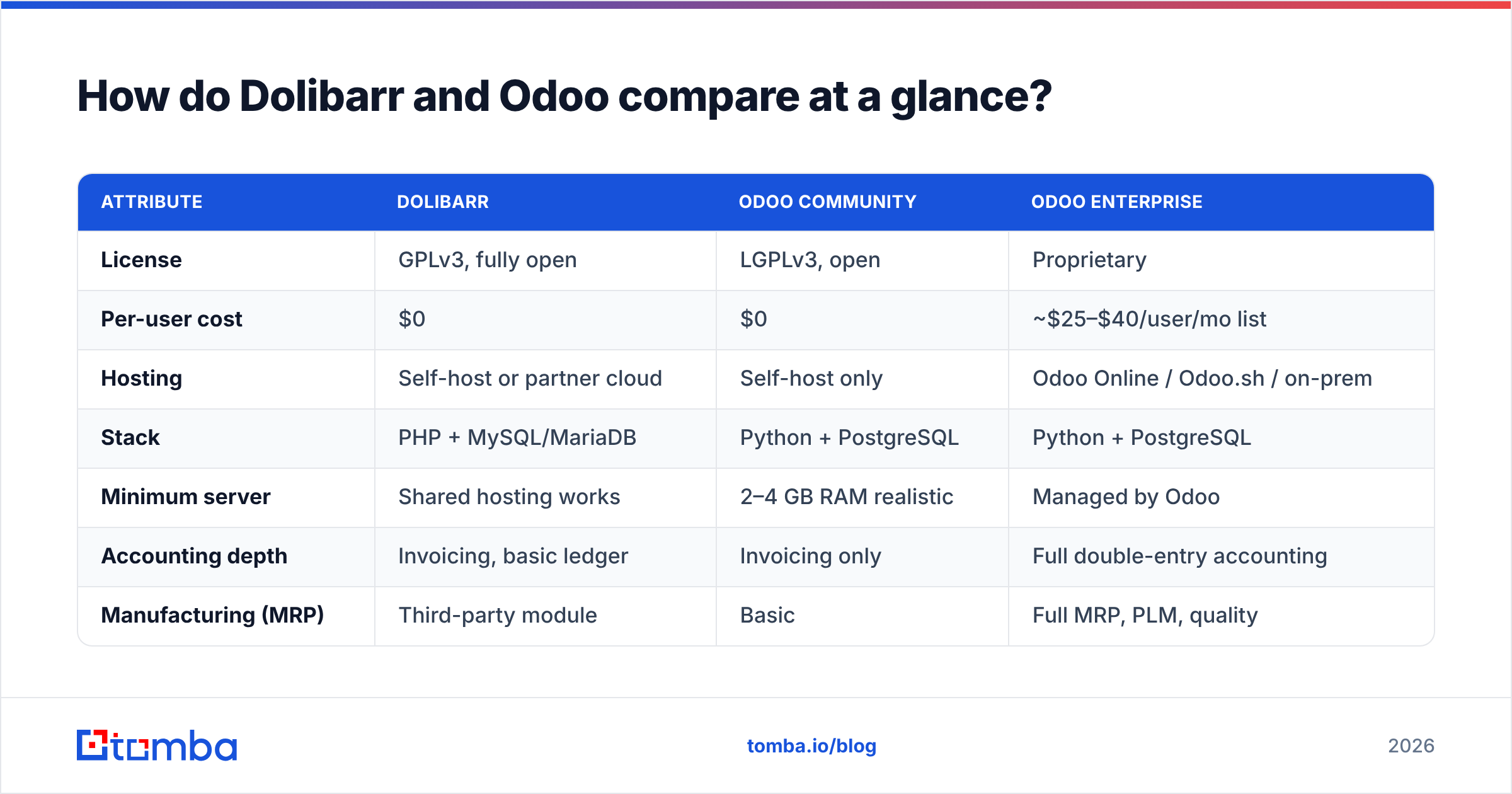
How do Dolibarr vs Odoo compare at a glance?#
| Attribute | Dolibarr | Odoo Community | Odoo Enterprise |
|---|---|---|---|
| License | GPLv3, fully open | LGPLv3, open | Proprietary |
| Per-user cost | $0 | $0 | ~$25–$40/user/mo list |
| Hosting | Self-host or partner cloud | Self-host only | Odoo Online / Odoo.sh / on-prem |
| Stack | PHP + MySQL/MariaDB | Python + PostgreSQL | Python + PostgreSQL |
| Minimum server | Shared hosting works | 2–4 GB RAM realistic | Managed by Odoo |
| Accounting depth | Invoicing, basic ledger | Invoicing only | Full double-entry accounting |
| Manufacturing (MRP) | Third-party module | Basic | Full MRP, PLM, quality |
| Native e-commerce | No (bridges exist) | Website builder included | Website + payment + shipping |
| Mobile app | Third-party / responsive UI | No official app | Official iOS + Android |
| Add-on marketplace | DoliStore (~1,000+ modules) | Odoo Apps (~40,000 listings) | Same, plus certified apps |
| Best fit team size | 1–25 users | 1–10 technical users | 10–500+ users |
| Realistic time-to-live | Days to 2 weeks | 2–8 weeks | 4–16 weeks with a partner |
Two rows decide most evaluations. The per-user cost row is why Dolibarr wins on five-year cost for small teams.
The accounting depth row is the other one. It explains why Odoo Community lets so many people down. They install it expecting a free accounting system, and they find an invoicing tool instead.
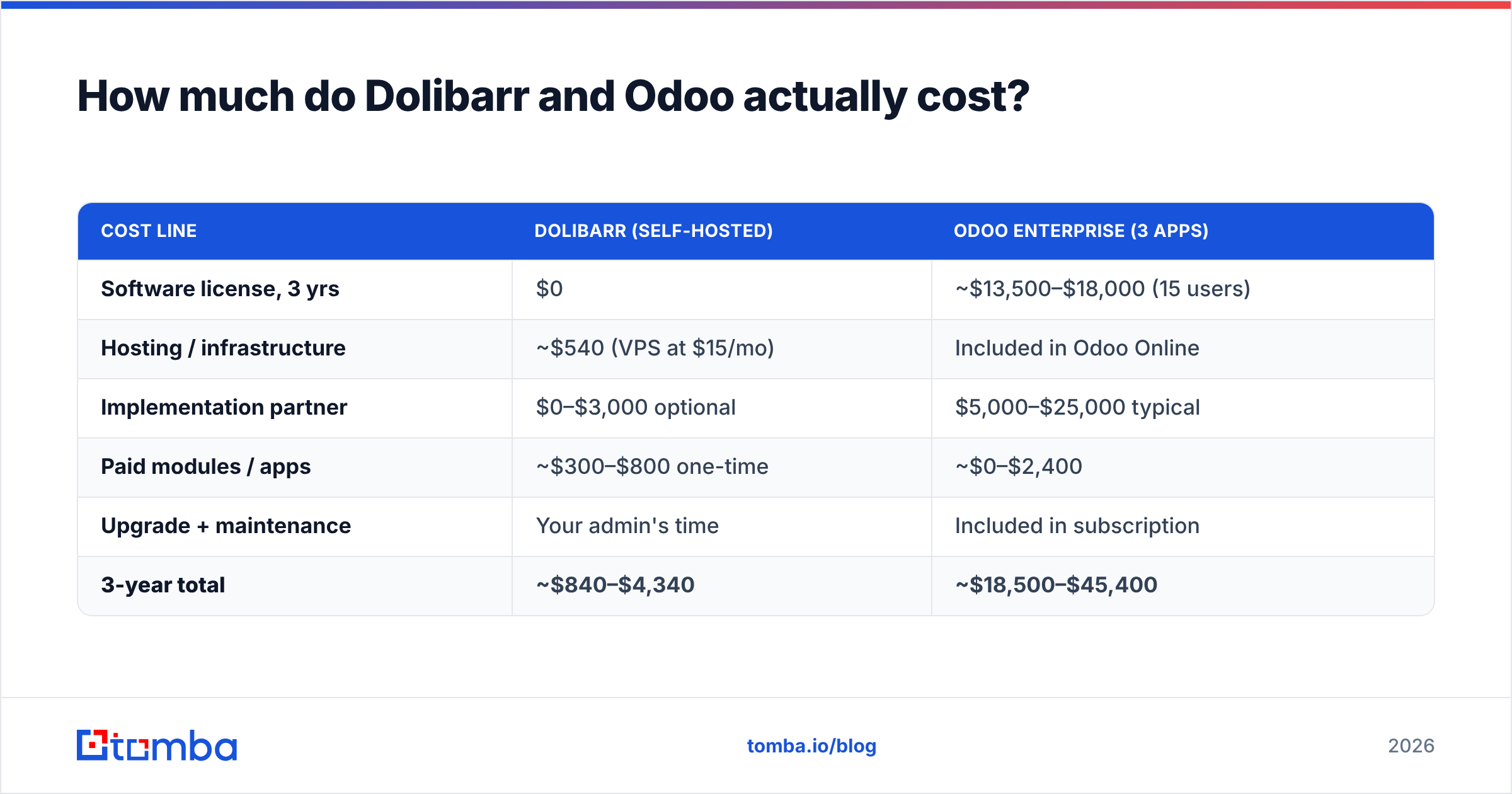
How much do Dolibarr vs Odoo actually cost?#
List price is the smallest part of the bill. Here is a more honest three-year model for a 15-user services company.
| Cost line | Dolibarr (self-hosted) | Odoo Enterprise (3 apps) |
|---|---|---|
| Software license, 3 yrs | $0 | ~$13,500–$18,000 (15 users) |
| Hosting / infrastructure | ~$540 (VPS at $15/mo) | Included in Odoo Online |
| Implementation partner | $0–$3,000 optional | $5,000–$25,000 typical |
| Paid modules / apps | ~$300–$800 one-time | ~$0–$2,400 |
| Upgrade + maintenance | Your admin's time | Included in subscription |
| 3-year total | ~$840–$4,340 | ~$18,500–$45,400 |
Those Odoo numbers are not a knock. They buy a supported product, guided version migrations, and a partner who has done your industry before.
But be honest about what each line buys. Say you are a 12-person agency sending 40 invoices a month. Then you are paying enterprise prices for spreadsheet-grade work.
The trap runs the other way too. A $0 license is not a $0 cost. The cost simply moves onto your calendar.
Someone has to patch PHP, run backups, and test module compatibility before upgrades. Someone has to answer "why did the invoice PDF break?" If that person bills $90 an hour and spends four hours a month, you have quietly rebuilt Odoo's subscription.
Which one handles CRM and sales better?#
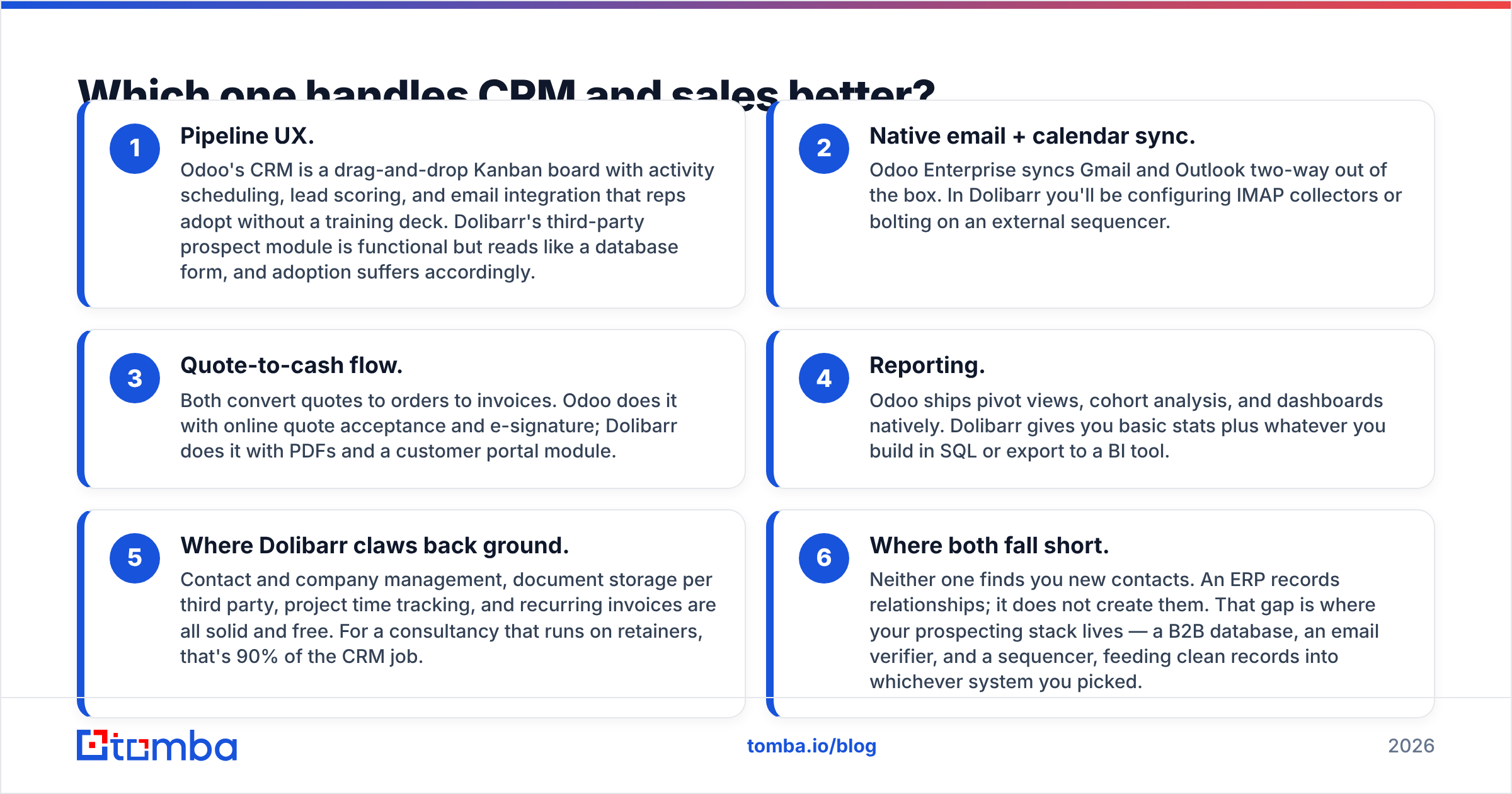
On CRM, the Dolibarr vs Odoo answer is clear: Odoo. But there are caveats.
- Pipeline UX. Odoo's CRM is a drag-and-drop Kanban board. It has activity scheduling, lead scoring, and email built in. Reps adopt it without a training deck. Dolibarr's third-party prospect module works, but it reads like a database form. Adoption suffers.
- Native email and calendar sync. Odoo Enterprise syncs Gmail and Outlook both ways out of the box. In Dolibarr, you will set up IMAP collectors or bolt on an external sequencer.
- Quote-to-cash flow. Both turn quotes into orders and then invoices. Odoo adds online quote acceptance and e-signature. Dolibarr uses PDFs and a customer portal module.
- Reporting. Odoo ships pivot views, cohort analysis, and dashboards. Dolibarr gives you basic stats. Anything more means SQL or a BI tool.
- Where Dolibarr claws back ground. Contacts, company records, per-client document storage, project time tracking, and recurring invoices are all solid and free. For a retainer-based consultancy, that is 90% of the CRM job.
- Where both fall short. Neither one finds you new contacts. An ERP records relationships. It does not create them.
That last gap is where your prospecting stack lives. You need a B2B database, an email verifier, and a sequencer feeding clean records into whichever system you picked.
If your sales motion is transactional and inbound, Dolibarr is enough. If you run a multi-stage outbound motion with board-level forecasting, Odoo's CRM earns its subscription.
What about implementation, hosting, and technical skill?#
Dolibarr installs in a weekend. Anyone who has used cPanel can do it. Unzip the files, point at a MySQL database, click through the wizard, then enable modules.
Its footprint is small. A $10 VPS handles a 20-user company without complaint. Upgrades are a file swap plus a migration script. Fiddly at times, rarely a disaster.
Odoo Community is a different animal. You deal with Python dependencies, PostgreSQL tuning, and a worker setup that matters under load. The upgrade path has long been the loudest complaint in the ecosystem.
Major-version upgrades on Community are manual. Odoo saves the automated migration tooling for Enterprise customers. Budget for that, or use Odoo.sh and stop thinking about it.
Here is a practical rule. If nobody on your team is comfortable in a terminal, self-hosted Odoo Community is not a saving. It is a deferred invoice. Pay for Enterprise hosting, or choose Dolibarr, where failures are simpler to fix.
How do the module ecosystems compare?#
Odoo's app store dwarfs DoliStore in raw count. But count misleads. The catalog is padded with version-specific relistings of the same module, plus partner variants of near-identical features. Quality is uneven. A module built for version 16 will not run on version 18 without a paid update.
DoliStore is smaller and less glossy. Its modules track a slower core, so upgrades break things less often. The trade is coverage. Niche verticals like dental practices, textile plants, and rental fleets are far better served on Odoo.
For integrations, both hold their own. Odoo has native connectors for major payment gateways, carriers, and marketplaces. Dolibarr covers the basics and exposes a clean REST API.
Whichever you choose, plan for a middleware layer. Zapier or Make sitting between your ERP, your enrichment source, and your outbound tools is normal architecture in 2026, not a hack.
Which one should you choose?#
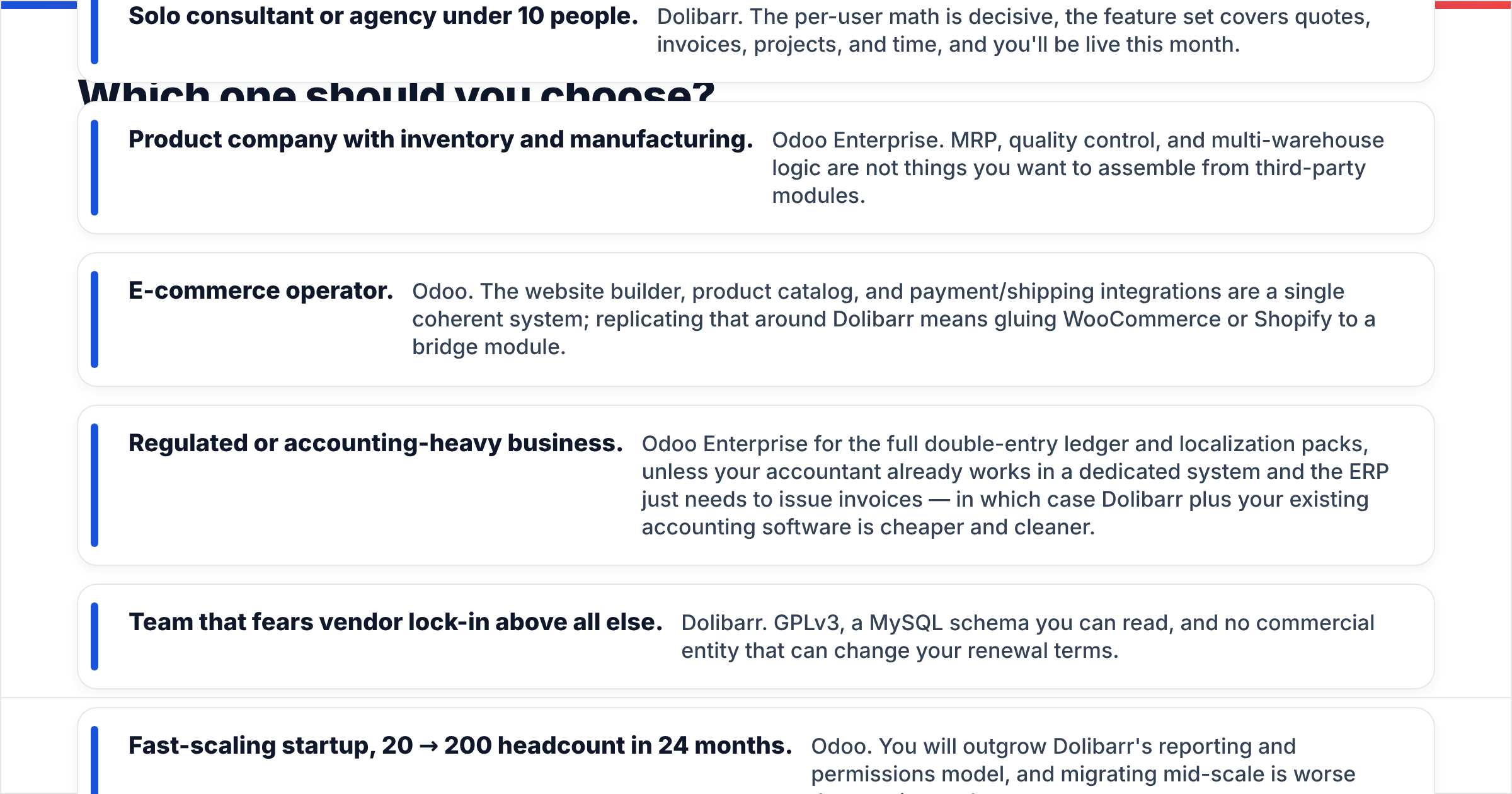
- Solo consultant or agency under 10 people. Dolibarr. The per-user math is decisive. Quotes, invoices, projects, and time are all covered, and you will be live this month.
- Product company with inventory and manufacturing. Odoo Enterprise. You do not want to build MRP, quality control, and multi-warehouse logic from third-party modules.
- E-commerce operator. Odoo. The website builder, catalog, and payment and shipping tools form one system. Around Dolibarr, you would glue WooCommerce or Shopify to a bridge module.
- Regulated or accounting-heavy business. Odoo Enterprise, for the full ledger and localization packs. One exception: if your accountant already works in a dedicated system, Dolibarr plus that software is cheaper and cleaner.
- Team that fears vendor lock-in. Dolibarr. You get GPLv3, a MySQL schema you can read, and no vendor who can change your renewal terms.
- Fast-scaling startup, 20 to 200 staff in 24 months. Odoo. You will outgrow Dolibarr's reporting and permissions, and migrating mid-scale hurts more than paying early.
Check current user sentiment on G2 before you commit. Review volume and recency say more about support quality than any feature grid, including this one.
How do you keep either ERP from filling up with junk data?#
Most Dolibarr vs Odoo comparisons skip this part. An ERP is only as useful as the records inside it. Both systems will happily store a contact whose email bounced eight months ago.
Three habits keep either system honest.
- Verify on entry, not on send. Run every new contact through an email verification step before it becomes a CRM record. A bad address is worse than no address. It survives, it syncs, and it burns your sender reputation when someone finally emails that stale list.
- Enrich once, centrally. Do not let reps hand-copy job titles from LinkedIn. Push enrichment through an API so every record gets the same fields in the same format. Both ERPs expose REST endpoints. A scheduled job that calls the Tomba API and writes back takes an afternoon to build, and it kills a whole category of manual work.
- Re-verify quarterly. B2B contact data decays about 25–30% a year. Whatever you imported in January is badly wrong by autumn. A quarterly bulk verify pass on your active pipeline is cheap insurance.
Do those three things and the question shrinks to what it should be. It becomes a choice about interface and budget, not a gamble on data quality.
What's the final verdict on Dolibarr vs Odoo?#
Dolibarr wins on cost, simplicity, and independence. Odoo wins on depth, polish, and room to grow past 50 seats. Neither choice is a mistake.
The mistake is buying Odoo Enterprise for work Dolibarr does free. Or forcing Dolibarr to run a factory it was never built for.
So start with the honest question: how complex is our operation, really? Most small B2B service companies guess twice as high as the truth, then pay for that guess every month for years.
Fill whichever ERP you choose with contacts that actually exist. Tomba's Email Finder finds verified professional addresses by domain, name, or company. It then pushes them into your CRM through the API or a no-code integration.
The free tier gives you 25 searches a month, so you can test accuracy on your own target accounts. Paid plans start at $49/mo — see the full Tomba pricing breakdown. Get the data layer right first. The Dolibarr vs Odoo debate gets much easier after that.
Related guides#
// get started
Find, verify and enrich your first contacts today
Start on the free plan with 25 searches a month, then scale when your team is ready.
Free plan · No credit card required · GDPR & CCPA
// about the author