Dubsado Pricing Reviews Pros and Cons: 2026 Buyer's Guide
Dubsado charges $20-$40/mo with unlimited clients and no per-seat fee. Here's what the pricing really covers, where reviewers say it breaks down, and when a CRM plus a dedicated data tool beats it.
Dubsado pricing reviews pros and cons come up in every service-business software search. Here is the short answer: two plans, unlimited clients, and a setup curve that costs more than the subscription.
TL;DR
- Dubsado costs $20/mo (Starter) or $40/mo (Premier) billed monthly, with roughly 17% off on annual billing — and both plans include unlimited clients and unlimited projects, which is the single biggest reason service businesses pick it.
- The free trial has no time limit: you get three full clients before you're asked to pay. That's unusual and genuinely useful for evaluating fit.
- The most consistent complaint across G2 and Capterra reviews is setup time, not price. Workflows, canned emails, and form logic take days — not an afternoon.
- Dubsado is a client-management CRM, not a sales CRM. It has no prospecting database, no email finder, and no cold-outreach sequencing. If you need to find clients, you'll pair it with something else.
- Best fit: solo consultants, agencies, photographers, coaches, and small studios billing 5-50 clients. Worst fit: outbound sales teams and anyone who needs pipeline analytics.
What is Dubsado, and who actually uses it?#
Dubsado is a client-management platform for service businesses. A project starts with a proposal. It moves through a contract and an invoice. Then you deliver the work. Think wedding photographers, brand designers, virtual assistants, bookkeepers, coaches, and small creative agencies.
The mental model that helps: Dubsado is less like Salesforce and more like a front office in a box. Salesforce is a warehouse where you track a thousand deals through fifteen stages. Dubsado is the reception desk, the contract folder, the invoice pad, and the follow-up calendar. They are wired together. A lead fills out your form, and the next steps fire on their own.
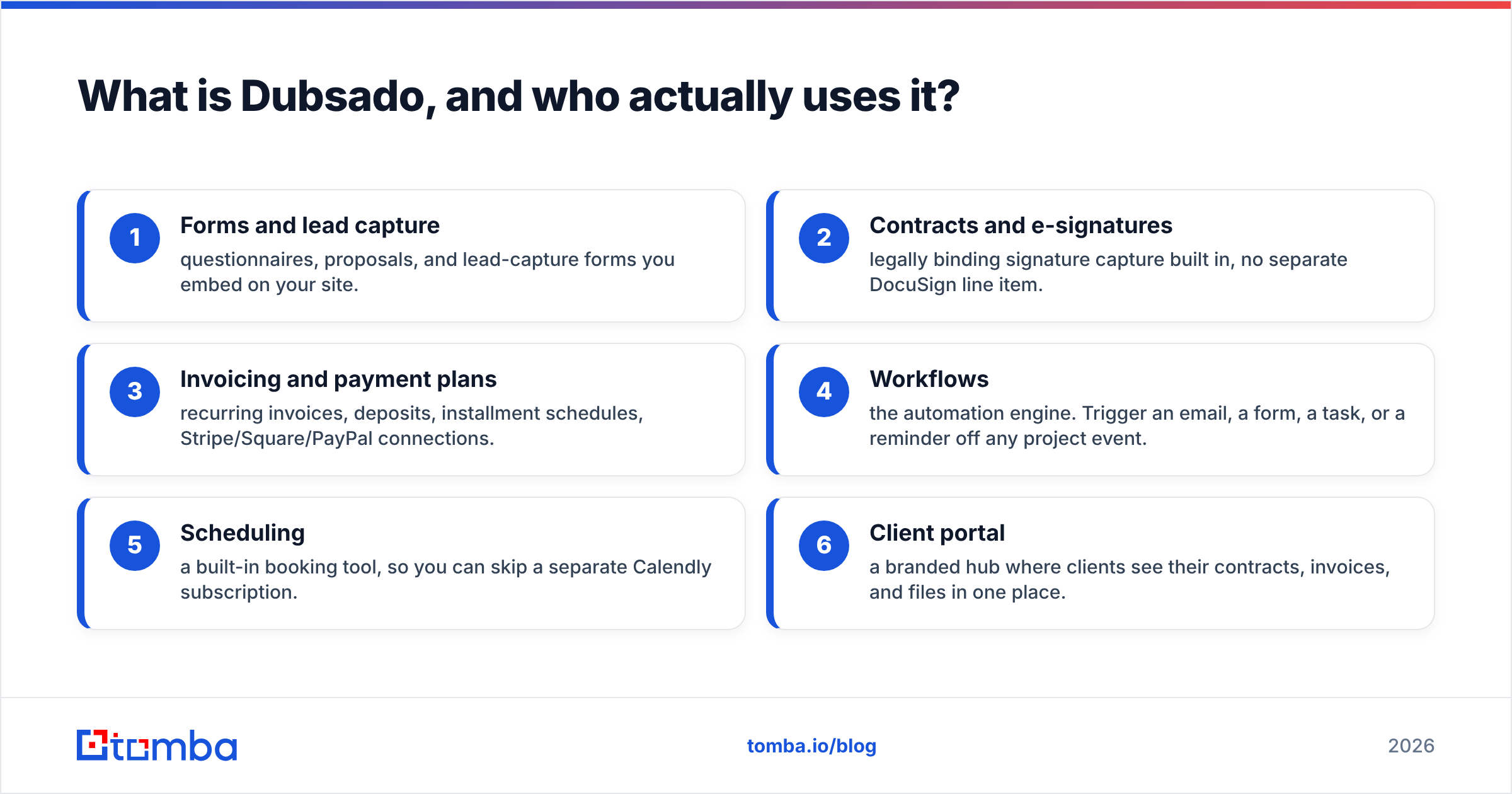
The feature set covers:
- Forms and lead capture — questionnaires, proposals, and lead-capture forms you embed on your site.
- Contracts and e-signatures — legally binding signature capture built in, no separate DocuSign line item.
- Invoicing and payment plans — recurring invoices, deposits, installment schedules, Stripe/Square/PayPal connections.
- Workflows — the automation engine. Trigger an email, a form, a task, or a reminder off any project event.
- Scheduling — a built-in booking tool, so you can skip a separate Calendly subscription.
- Client portal — a branded hub where clients see their contracts, invoices, and files in one place.
What it does not do matters just as much. Dubsado has no lead database, no email discovery, no cold-email sequencer, and no intent data. It manages the clients you already have conversations with.

How much does Dubsado actually cost in 2026?#
Two plans. That's the whole menu, and the simplicity is a real advantage over tools with five tiers and a credit meter.
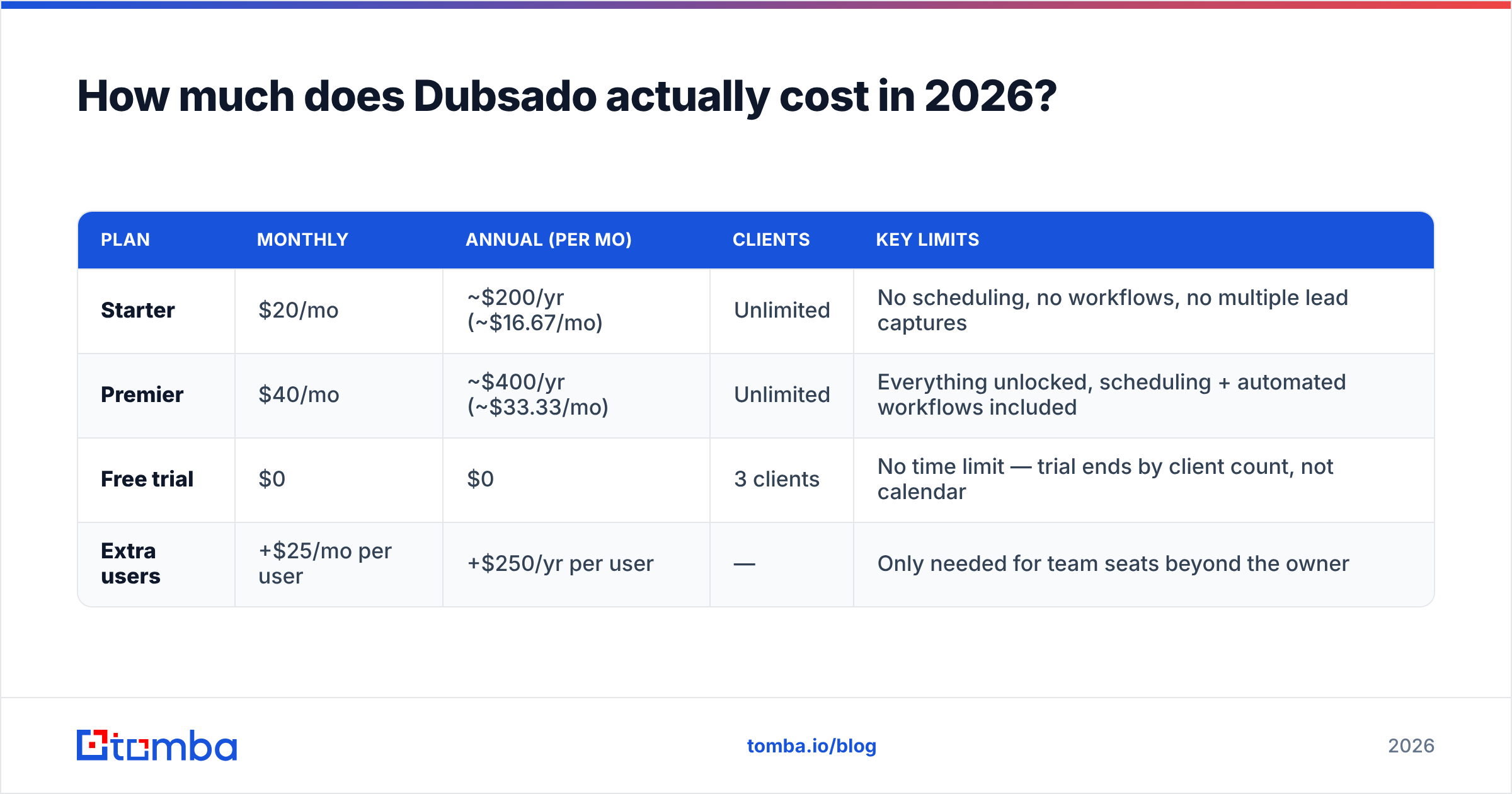
| Plan | Monthly | Annual (per mo) | Clients | Key limits |
|---|---|---|---|---|
| Starter | $20/mo | Unlimited | No scheduling, no workflows, no multiple lead captures | |
| Premier | $40/mo | Unlimited | Everything unlocked, scheduling + automated workflows included | |
| Free trial | $0 | $0 | 3 clients | No time limit — trial ends by client count, not calendar |
| Extra users | +$25/mo per user | +$250/yr per user | — | Only needed for team seats beyond the owner |
Read that table carefully, because the two rows that decide most purchases are the ones people skim past.
First: Starter does not include workflows or scheduling. Those are the two features people buy Dubsado for. If your reason for signing up is "I want the intake-to-invoice process to run itself," Starter will disappoint you and you'll upgrade within a month. Budget $40/mo from the start, or $400/yr if you're confident.
Second: unlimited clients is not marketing fluff. Most client-management tools meter you. HoneyBook, Bonsai, and 17hats have all used client caps or feature-gated project counts. Dubsado's flat $40 covers 5 clients or 500. For an agency with 30 retainers a year, the cost per client is close to nothing.
Third: the free trial is genuinely open-ended. Three clients, no 14-day countdown. You can spend six weeks building workflows before you pay a cent. That is the most honest trial window in this category. Take it seriously, because the real cost of Dubsado is setup time, not the monthly fee.
Is Dubsado expensive compared to the alternatives?#
Not on the sticker. On total cost of ownership, it depends on whether you need a second tool for finding clients.
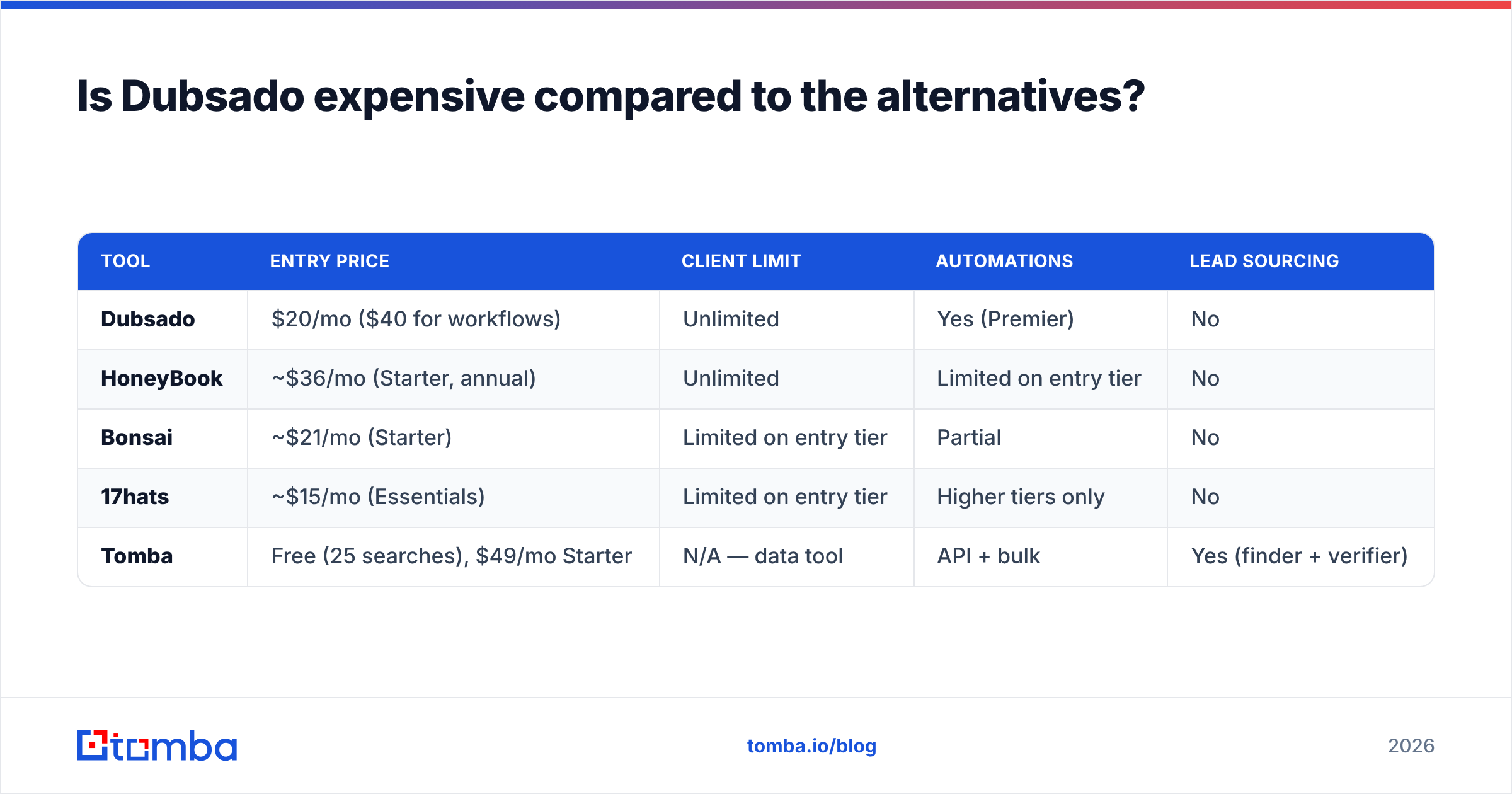
| Tool | Entry price | Client limit | Automations | Lead sourcing |
|---|---|---|---|---|
| Dubsado | $20/mo ($40 for workflows) | Unlimited | Yes (Premier) | No |
| HoneyBook | ~$36/mo (Starter, annual) | Unlimited | Limited on entry tier | No |
| Bonsai | ~$21/mo (Starter) | Limited on entry tier | Partial | No |
| 17hats | ~$15/mo (Essentials) | Limited on entry tier | Higher tiers only | No |
| Tomba | Free (25 searches), $49/mo Starter | N/A — data tool | API + bulk | Yes (finder + verifier) |
The comparison that matters isn't Dubsado vs HoneyBook. Both are competent, and both cost about the same. The winner comes down to taste: Dubsado's deep but fiddly workflow builder, or HoneyBook's simpler but shallower one. Reviewers on G2 split almost evenly, and that split has been stable for years.
The comparison that actually changes your budget is Dubsado vs "Dubsado plus a pipeline source." If your leads arrive from referrals and an Instagram bio link, Dubsado alone at $40/mo is a complete stack. If you need to start 20 new conversations a month, you also need a prospecting layer. That means a way to find decision-maker contacts at target companies, and it is a separate line item. A dedicated email finder plus Dubsado is a cleaner stack than forcing a client-management tool to do outbound it was never built for.
What do Dubsado reviews consistently praise?#
Reading through several hundred reviews on Capterra and G2, the same four things surface again and again.
Workflow depth. Dubsado's automation builder is more granular than nearly anything at this price. You can chain conditional triggers — send this email only if the questionnaire was completed, apply this task only when the invoice is paid in full, pause the sequence if the client replies. Users who've migrated from HoneyBook consistently cite this as the reason they left.
Unlimited everything. No per-client fee, no per-project fee, no storage panic. For seasonal businesses — photographers with a wedding season, tax preparers with a Q1 crush — flat pricing removes the "should I really onboard this small client?" hesitation entirely.
Branding control. Client portals, forms, invoices, and emails all take your fonts, colors, and logo. For agencies who resell the experience as part of their premium positioning, this matters more than any feature list suggests.
Support quality. Reviewers repeatedly single out Dubsado's support team as responsive and genuinely knowledgeable — not a chatbot deflecting you to a help doc. Given how much setup the product demands, that's not a minor perk.
What are the real Dubsado cons reviewers report?#
Here's where the honest assessment earns its keep. Four complaints recur with enough frequency to be structural, not anecdotal.
1. The learning curve is steep and front-loaded. This is the number-one complaint, by a wide margin. Its power comes from a big workflow engine. You have to set all of it up before anything runs on its own. Realistic estimate: 10-20 hours to build a working intake-to-invoice flow, more if your service has multiple packages. Paid Dubsado setup specialists exist for a reason.
2. The mobile experience lags. There's an app, but reviewers describe it as read-mostly. Editing workflows, building forms, and adjusting invoice templates are desktop tasks. If you run your business from a phone between shoots or client sites, this is a daily friction point.
3. The interface feels dated. Functional, dense, and not especially pleasant. Compared with newer competitors, Dubsado's UI reads like software that grew feature-by-feature rather than being redesigned. Users adapt, but it's a common first impression.
4. Reporting is thin. You get invoice and payment summaries. You do not get pipeline velocity, conversion rate by lead source, or forecast views. If you manage revenue targets against a sales pipeline, Dubsado won't answer your questions. You'll export to a spreadsheet instead. Anyone thinking in terms of revenue operations discipline will find this the hardest limit to live with.
Is Dubsado a CRM for sales, or just for clients?#
Just for clients — and conflating the two is the most expensive mistake buyers make here.
A sales CRM is built around people who haven't bought yet: leads, stages, activities, forecasts, sequences. A client-management platform like Dubsado is built around people who have bought: contracts, deliverables, invoices, and the recurring admin around them.
Dubsado does have a "leads" concept, and its lead-capture forms work fine for inbound. But outbound is a different job. You have to pick target accounts, find the right contact, verify the address, and send a sequence. Dubsado does none of that. There is no contact database, no email verifier, no sequencer, no deliverability tooling.
The practical stack for a service business that does both looks like this:
- Find and qualify — a data tool that turns a company domain into verified decision-maker contacts.
- Reach out — a cold-email or LinkedIn tool with sequencing and reply detection.
- Convert and deliver — Dubsado, from the moment someone says "send me a proposal."
Trying to collapse steps one and two into Dubsado leads to hand-built spreadsheets and bounced emails. Keep them separate.
Who should buy Dubsado, and who should skip it?#
Buy Dubsado if:
- You run a service business with a repeatable intake → proposal → contract → invoice → deliver cycle.
- Your client volume is high enough that per-client pricing elsewhere would hurt, or unpredictable enough that flat pricing removes anxiety.
- You're willing to invest a full weekend (or hire a setup specialist) to configure workflows properly.
- Your leads come primarily from referrals, inbound, or existing networks.
Skip Dubsado if:
- You need outbound prospecting, lead sourcing, or cold-email infrastructure. Wrong category entirely.
- You want pipeline forecasting and sales analytics. Use a real sales CRM.
- You have a team of 5+ — the $25/user add-on erodes the flat-fee advantage fast, and collaboration features are basic.
- You're allergic to setup and want value in an hour. HoneyBook or Bonsai will get you live faster, with less ceiling.
- Your business model is products, not services. Dubsado's entire architecture assumes project-based work.
Some teams need a purchased-contact database instead of a client-management layer. Providers like BookYourData serve that different need: verified B2B contact lists you can load into whatever outreach system you already run. It's worth knowing where the category lines fall before you buy anything.
What's the smartest way to price out your full stack?#
Do the math on the whole system, not one subscription.
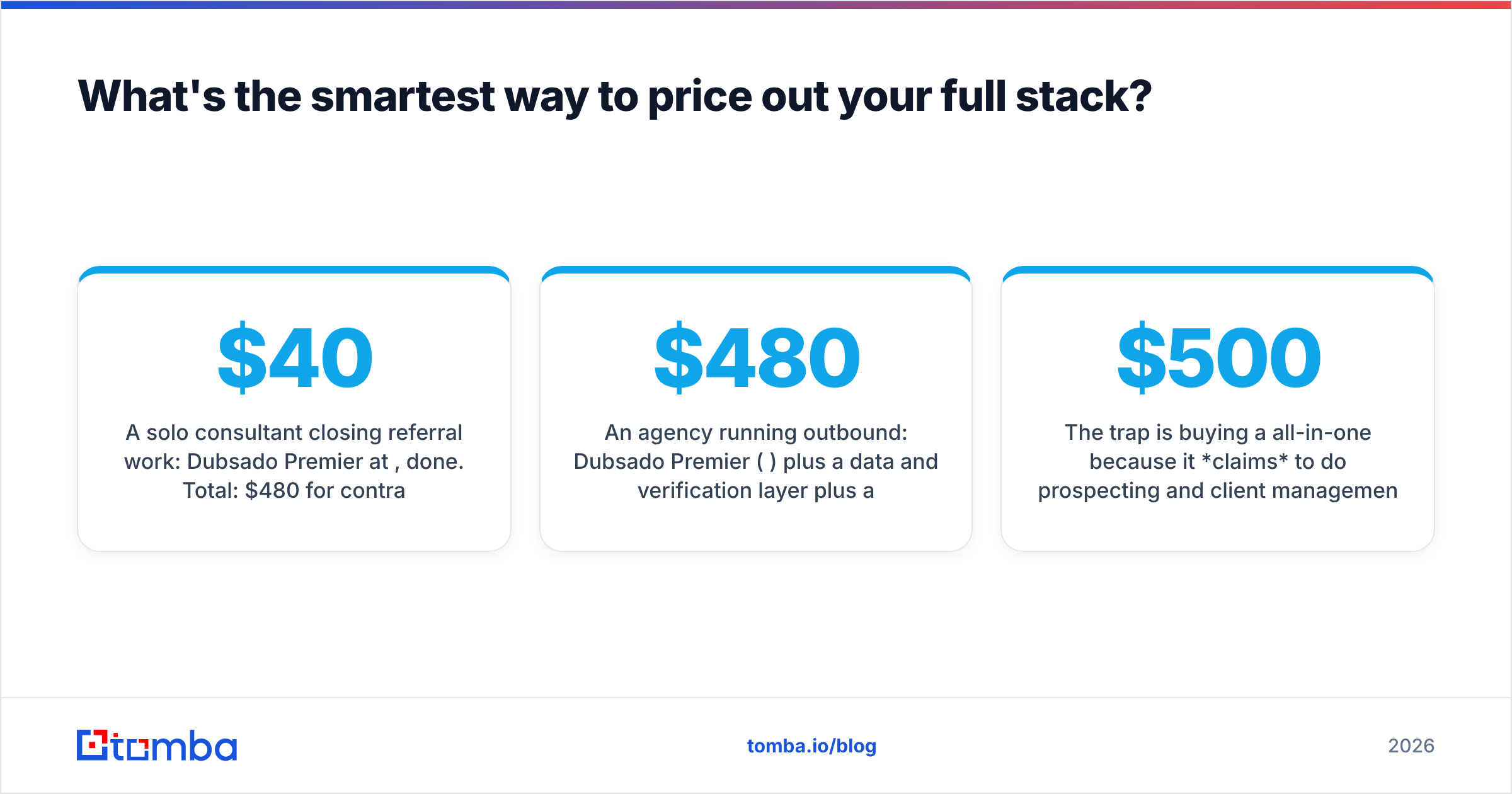
A solo consultant closing referral work: Dubsado Premier at $40/mo, done. Total: $480/year for contracts, invoicing, scheduling, and automation. That's cheap for what it replaces.
An agency running outbound: Dubsado Premier ($480/yr) plus a data and verification layer plus a sending tool. On the data side, Tomba pricing starts free at 25 searches per month, with Starter at $49/mo and Growth at $99/mo. A realistic agency stack lands somewhere between $1,000 and $2,000 a year all-in. Next to a single seat of an enterprise sales platform, that's still a bargain.
The trap is the $500/mo all-in-one. It claims to do prospecting and client management. Then you find that its contact data is stale and its invoicing is worse than Dubsado's. Specialized tools that do one thing well, connected properly, beat a mediocre suite almost every time. Dubsado is a good example of a specialist worth keeping. It does client management well and doesn't pretend to do anything else.
Check whether the tools you pick expose an API or native connectors before you commit. Dubsado has Zapier support, which covers most handoffs between your prospecting layer and your client layer without custom code.
Dubsado pricing reviews pros and cons: the final verdict#
Dubsado is fairly priced and honestly positioned. At $40/mo for unlimited clients with a real automation engine, it's one of the better value propositions in service-business software. The pros — workflow depth, flat pricing, branding control, strong support — are real. The cons — steep setup, weak mobile, dated UI, thin reporting — are also real, and none of them are fixed by paying more.
The decision comes down to a single question: do you already have clients coming to you? If yes, Dubsado turns that flow into a professional, automated operation for pocket change. If no, Dubsado won't solve your actual problem, and no amount of workflow configuration will change that.
If you're on the "no" side of that question — or on the "yes, but I want more" side — the missing piece is a reliable way to turn target companies into verified, reachable decision-makers. That's what the Tomba Email Finder is built for: give it a domain and a name, get a verified professional email back, then hand the closed deal off to Dubsado for contracts and invoicing. Start on the free tier with 25 searches a month, and only scale up when the pipeline justifies it.
Related guides#
// get started
Find, verify and enrich your first contacts today
Start on the free plan with 25 searches a month, then scale when your team is ready.
Free plan · No credit card required · GDPR & CCPA
// about the author