EasyLeadz vs LeadsForge (2026): Which Lead Tool Wins?
EasyLeadz sells direct-dial phone numbers. LeadsForge builds lead lists from a chat prompt. They solve different problems badly if you pick the wrong one — here is the honest breakdown.
TL;DR
- EasyLeadz is a phone-number tool first. Its Chrome extension ("Mr. E") pulls direct-dial mobile numbers off LinkedIn profiles. Email is a secondary output, not the core promise.
- LeadsForge is a list-building tool. You describe your ICP in plain language, it returns a contact list. Speed of list assembly is the pitch; per-record depth is not.
- They are not really competitors. One enriches a person you already found; the other finds people you haven't. Teams that buy the wrong one end up paying twice.
- Neither ships a strong verification layer. Both push the bounce-risk problem downstream to you, which is where most of the hidden cost lives.
- Credit economics decide this, not features. Once you normalise for wasted credits on unverified records, the cheap plan is usually the expensive one.
If you searched EasyLeadz vs LeadsForge, you probably have a list-building problem and a budget line that only fits one tool. This breakdown covers what each actually does, where the data comes from, what you pay per usable contact, and when a dedicated finder-plus-verifier stack beats both.
What is EasyLeadz?#
EasyLeadz is an India-headquartered B2B contact intelligence company best known for Mr. E, its browser extension. You open a LinkedIn profile, click the extension, and it attempts to return that person's direct mobile number — plus, in many cases, a work email.
The positioning is deliberate. Most contact databases are email-heavy and phone-thin, because phone data is harder to source and decays faster. EasyLeadz went the other direction: it built its reputation on mobile numbers, particularly for the Indian and wider APAC market, where its coverage is noticeably deeper than most US-first vendors.
That focus shapes everything about the product:
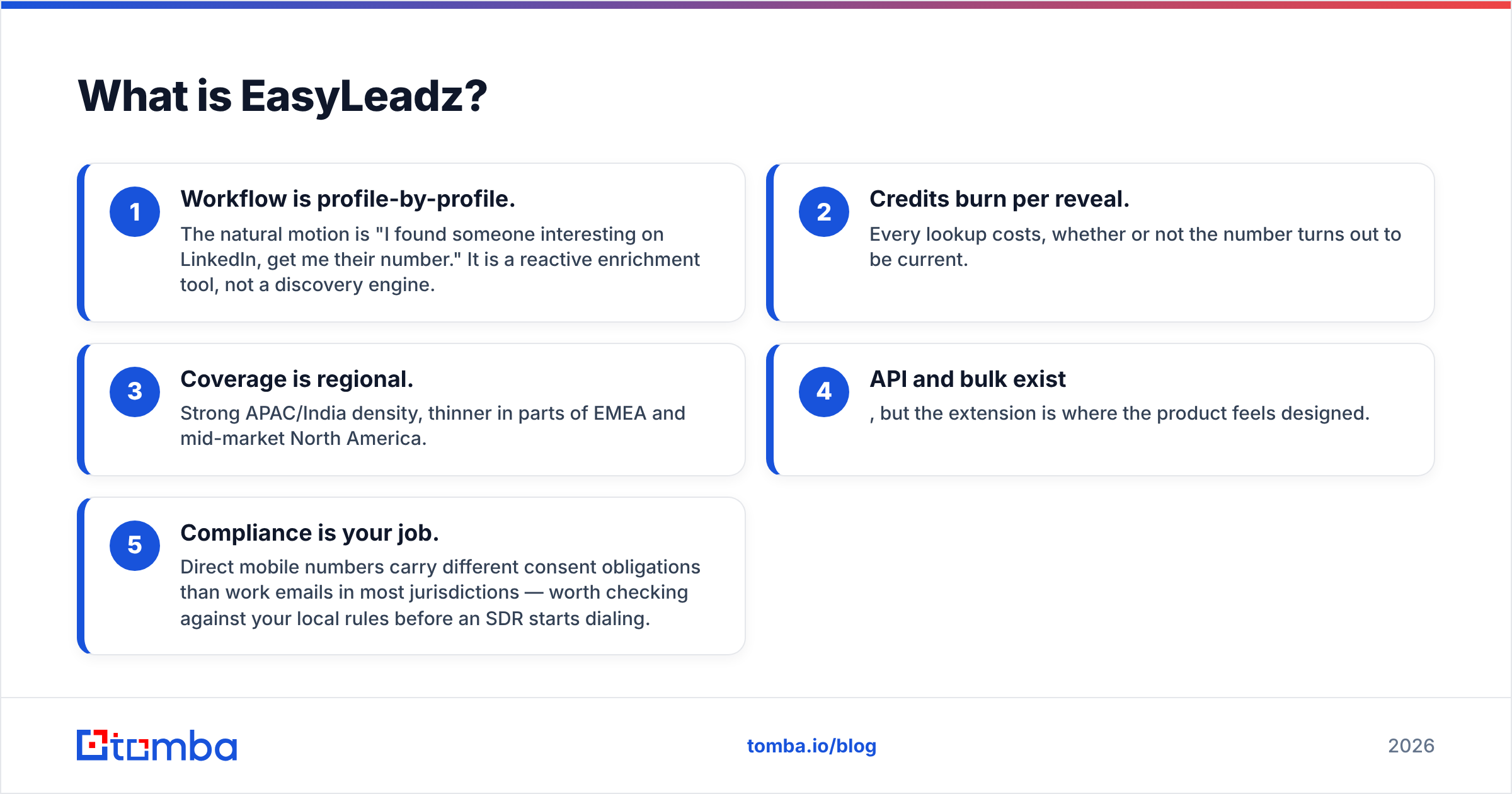
- Workflow is profile-by-profile. The natural motion is "I found someone interesting on LinkedIn, get me their number." It is a reactive enrichment tool, not a discovery engine.
- Credits burn per reveal. Every lookup costs, whether or not the number turns out to be current.
- Coverage is regional. Strong APAC/India density, thinner in parts of EMEA and mid-market North America.
- API and bulk exist, but the extension is where the product feels designed.
- Compliance is your job. Direct mobile numbers carry different consent obligations than work emails in most jurisdictions — worth checking against your local rules before an SDR starts dialing.
You can see the official product framing on the EasyLeadz site, and third-party user reviews on G2's lead intelligence category.
What is LeadsForge?#
LeadsForge sits in the newer "AI-native prospecting" bucket. Instead of building a filter query — industry equals SaaS, headcount 50–200, title contains VP Sales — you type what you want in a sentence and the system assembles a list.
That is a genuine UX improvement for people who hate filter builders, and it is the entire value proposition. The trade-off is legibility: when a filter-based tool returns 400 companies, you know exactly why each one qualified. When a natural-language layer returns 400 companies, you are trusting an interpretation of your prompt.
In practice LeadsForge-style tools behave like this:
- Fast first list. Minutes from signup to a downloadable CSV.
- Broad, shallow records. Name, title, company, email, sometimes a LinkedIn URL. Deep firmographics and technographics are usually not the strength.
- Prompt quality is the skill. Vague input produces a vague list, and the tool will not tell you it guessed.
- Verification is assumed, not proven. "Verified emails" in AI-list products often means a syntax and MX check, not a full SMTP-level validation.

Which has better data accuracy?#
Neither vendor publishes an independently audited accuracy figure, so treat every marketing percentage — theirs, everyone's — as a claim rather than a measurement. What you can reason about is how each one gets its data, because sourcing predicts decay.
EasyLeadz builds around phone data, which decays faster than email. A work email survives a role change inside the same company; a mobile number survives a job change but breaks when the person switches carriers or retires a personal line. Phone data also cannot be validated the way email can — there is no equivalent of an SMTP handshake that tells you a number is live without dialing it.
LeadsForge, like most AI-assembled list products, leans on aggregated and licensed sources plus pattern inference. Pattern inference is exactly what it sounds like: if six people at acme.com use first.last@, the seventh probably does too. That works often enough to be useful and fails often enough to hurt, which is why the verification step matters more than the finding step.

The practical rule: any contact record that has not been verified within the last 30 days should be treated as a hypothesis. Run it through an email verifier before it enters a sequence. A 4% bounce rate is the line most inbox providers watch; crossing it repeatedly does lasting damage to your sending domain, and no list vendor will pay to repair that for you.
How do EasyLeadz and LeadsForge compare head-to-head?#
Pricing on both products moves and both sell credit packs alongside subscriptions, so verify current numbers on the vendor sites before you sign. The shape of the comparison is stable even when the digits shift.
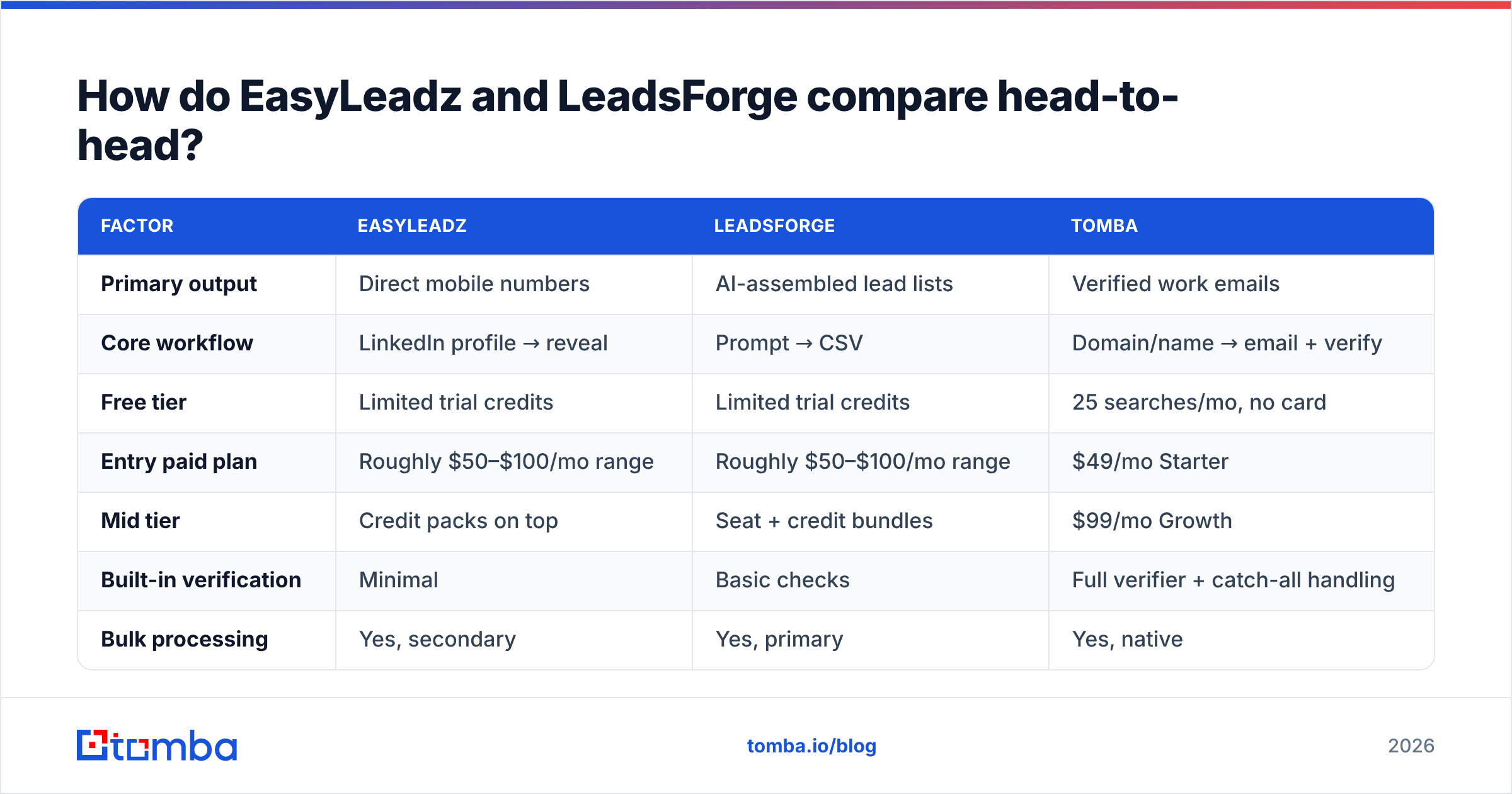
| Factor | EasyLeadz | LeadsForge | Tomba |
|---|---|---|---|
| Primary output | Direct mobile numbers | AI-assembled lead lists | Verified work emails |
| Core workflow | LinkedIn profile → reveal | Prompt → CSV | Domain/name → email + verify |
| Free tier | Limited trial credits | Limited trial credits | 25 searches/mo, no card |
| Entry paid plan | Roughly $50–$100/mo range | Roughly $50–$100/mo range | $49/mo Starter |
| Mid tier | Credit packs on top | Seat + credit bundles | $99/mo Growth |
| Built-in verification | Minimal | Basic checks | Full verifier + catch-all handling |
| Bulk processing | Yes, secondary | Yes, primary | Yes, native |
| Public API | Yes | Limited | Yes, documented |
| Geographic strength | India / APAC | US-centric | Global |
| Best for | Phone-led outbound | Fast first lists | Email-led outbound at scale |
Two things stand out.
First, the free tiers are not comparable. A trial credit pack that expires in seven days is a demo. A recurring monthly free allowance is a workflow you can actually run a small territory on. Check which one you are being offered.
Second, credit definitions differ. Some vendors charge a credit for any lookup attempt. Others charge only on a successful reveal. On a 60% hit rate, that single policy difference changes your real cost per contact by roughly 40% — more than any headline price gap between these two products.

Is EasyLeadz better than LeadsForge for your team?#
Pick by motion, not by feature count.
Choose EasyLeadz if:
- Your primary channel is the phone and your reps measure connects, not opens.
- You sell into India or APAC, where its coverage advantage is real.
- Your SDRs already live inside LinkedIn Sales Navigator and prospect one profile at a time.
- You need a mobile number for a named account you have already qualified.
Choose LeadsForge if:
- You need volume fast and have no list to start from.
- Your ICP is fuzzy and you want to explore segments before committing to a filter.
- Nobody on the team wants to learn a query builder.
- Email is your channel and you already own a verification tool.
Choose neither if: you need a repeatable, API-driven pipeline where every record is verified before it hits your CRM. That is a different category of tool, and it is where the cost math flips.

What does either tool cost you in wasted sends?#
Run the numbers on a modest campaign. Say you pull 2,000 contacts.
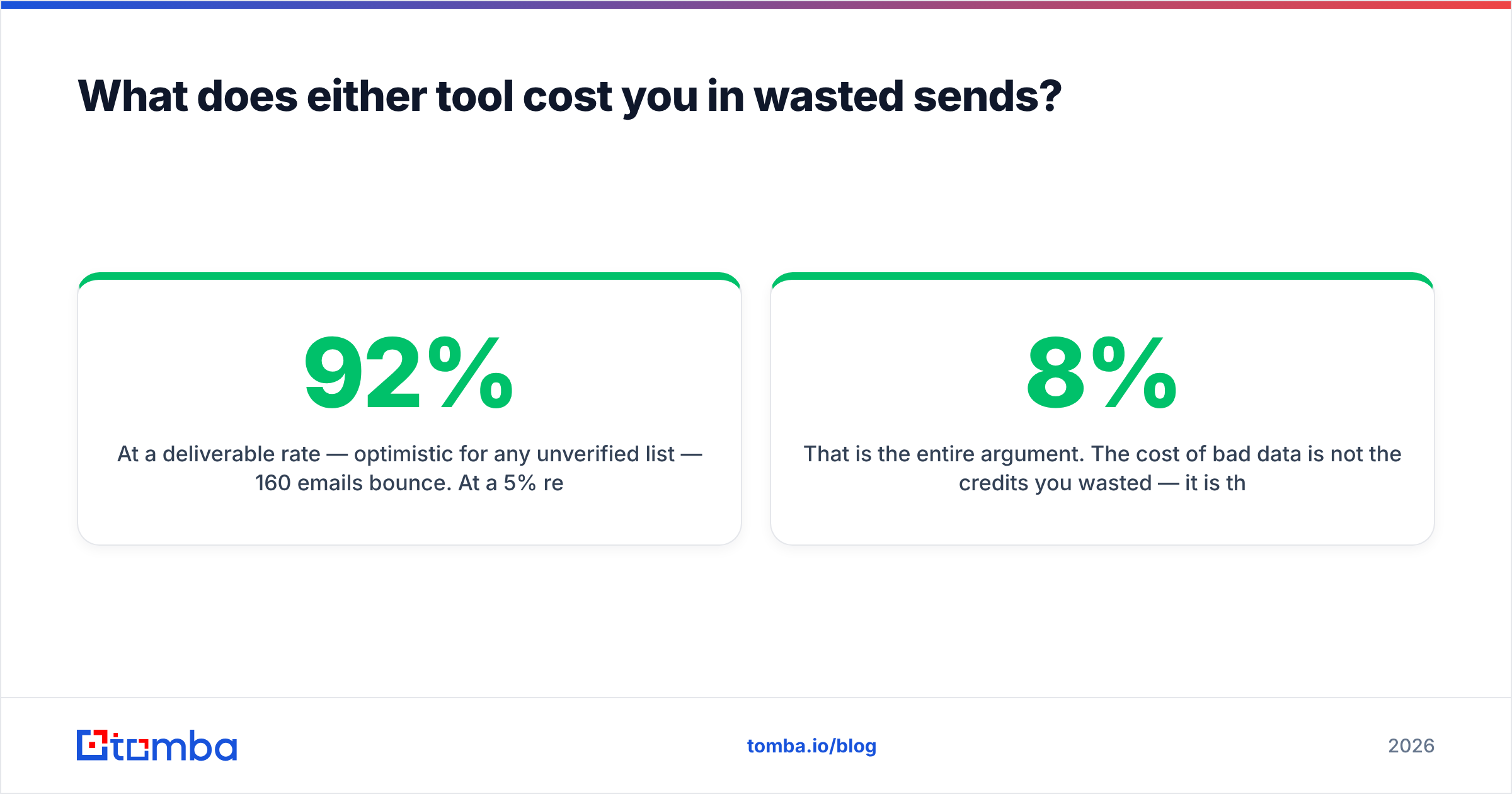
At a 92% deliverable rate — optimistic for any unverified list — 160 emails bounce. At a 5% reply rate on the deliverable remainder, you get roughly 92 replies. Now assume you had verified the list first and removed the 160 bad addresses before sending: same replies, but your bounce rate drops from 8% to under 1%, and your sending domain stays healthy for the next campaign, and the one after that.
That is the entire argument. The cost of bad data is not the credits you wasted — it is the deliverability you burned. Domain reputation is a slow asset to build and a fast one to lose. A single 8% bounce campaign can suppress inbox placement for weeks, which silently taxes every subsequent send.
This is why a verification layer is not an optional add-on. Whichever finder you pick, budget for validation:
- Syntax and MX check — catches typos and dead domains. Cheap, table stakes.
- SMTP-level validation — confirms the mailbox accepts mail. This is the step that matters.
- Catch-all handling — domains that accept everything need catch-all verification, not a pass/fail flag.
- Role-account filtering —
info@,sales@, andsupport@inflate your list count and depress your reply rate. - Recency stamping — know when each record was last confirmed, and re-verify anything older than a quarter.
HubSpot's outbound research and most deliverability guidance converge on the same point: list hygiene outperforms list size. A clean 500-contact list beats a dirty 2,000-contact one on absolute meetings booked, not just on percentages.
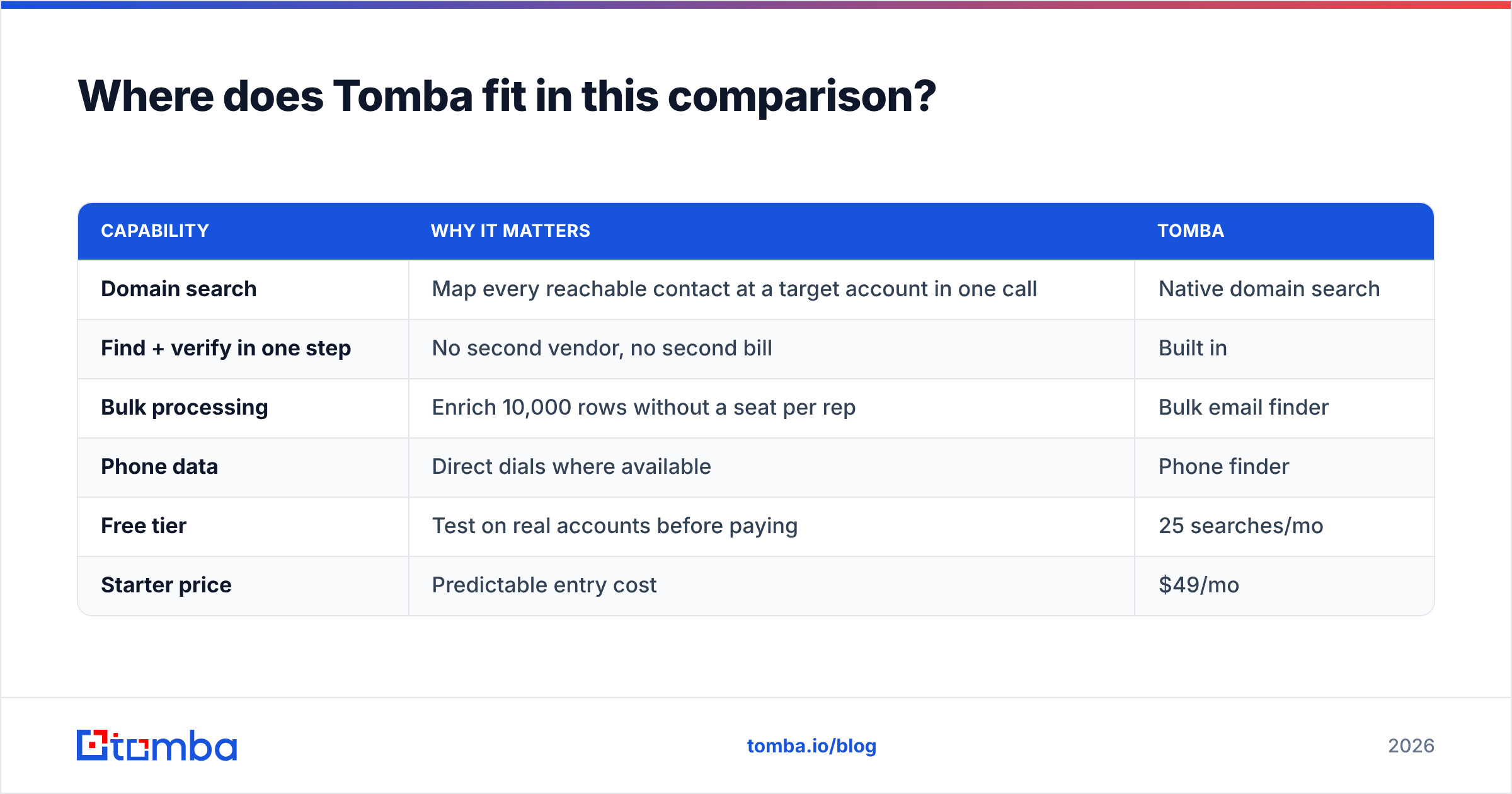
Where does Tomba fit in this comparison?#
Tomba solves the part both tools treat as secondary: getting a verified work email, at scale, through an interface you can automate.
The workflow differences are concrete:
| Capability | Why it matters | Tomba |
|---|---|---|
| Domain search | Map every reachable contact at a target account in one call | Native domain search |
| Find + verify in one step | No second vendor, no second bill | Built in |
| Bulk processing | Enrich 10,000 rows without a seat per rep | Bulk email finder |
| Phone data | Direct dials where available | Phone finder |
| Free tier | Test on real accounts before paying | 25 searches/mo |
| Starter price | Predictable entry cost | $49/mo |
The honest framing: if your outbound is phone-led and India-heavy, EasyLeadz has coverage Tomba does not match, and you should buy it for that. If you want a list conjured from a sentence with zero setup, LeadsForge does that faster than any filter-based tool.
But if your primary channel is email — and for most B2B teams in 2026 it still is — then the tool you need is the one that gives you a deliverable address, tells you how confident it is, and lets you re-run the whole thing through an API when your CRM data goes stale six months from now. That is a finder-plus-verifier problem, not a list-generation problem.
Full Tomba pricing runs Free (25 searches/mo), Starter $49/mo, Growth $99/mo, Pro $249/mo, and Enterprise custom — with verification included rather than sold as a separate line item.
Can you use more than one of these tools?#
Yes, and the better-run teams usually do. The stack that works looks like this:
- Discovery layer — build the account list. LeadsForge, Sales Navigator, or your own ICP query.
- Contact layer — get the person and the verified email. This is where a dedicated email finder earns its cost.
- Phone layer — add direct dials only for accounts that clear a qualification bar. Phone credits are the most expensive per record, so do not spray them across a cold list.
- Hygiene layer — re-verify quarterly. Contact data decays at roughly 2–3% per month; a year-old list is meaningfully broken.
Layering this way means you buy phone credits for 200 qualified accounts instead of 2,000 unqualified ones. That single change usually pays for the rest of the stack.
Which should you actually buy?#
Buy EasyLeadz if the phone is your channel and APAC is your market. It does one thing better than the generalists and prices accordingly.
Buy LeadsForge if you are starting from zero and need a list this afternoon more than you need a perfect one. Just budget separately for verification — the list will not be clean out of the box, and no AI list product's will be.
Buy neither as your only tool. The failure mode we see repeatedly is a team that buys a discovery product, skips verification because the vendor said "verified," burns its domain in month two, and then spends month three on warmup instead of pipeline.
If email is where your pipeline comes from, start with the layer that determines whether anything lands at all. Tomba Email Finder gives you 25 free searches a month with no card — enough to run your next 25 target accounts through it, check the results against whatever you are using now, and see the hit rate for yourself before you commit a budget line. Verification is included on every plan, so the address you export is the address that arrives.
Related guides#
Ready to find emails that actually work?
Join 150,000+ professionals who stopped guessing and started sending. Free credits on signup — no credit card required.
Get the Tomba newsletter
Practical outbound tactics and product updates — once every two weeks.
About the author