eGrabber Pricing and Reviews (2026): Costs, Pros, Cons
eGrabber still sells desktop lead-grabbing software on annual per-seat licenses that start in the thousands. Here is what it really costs in 2026, what reviewers praise, where it frustrates teams, and the cheaper API-first alternatives worth testing first.
Looking for eGrabber pricing and reviews in one place? Here it is. This guide covers what each eGrabber product costs in 2026, what buyers praise, where teams get stuck, and which cheaper tools do the same job.
TL;DR
- eGrabber sells annual, per-seat Windows desktop licenses, not monthly SaaS. List price for its flagship LeadGrabber Pro has sat near $3,495/year, with promos closer to $1,495–$2,495/year.
- The pricing model is the single biggest complaint in reviews: you commit for a year, per seat, and email-append credits are metered separately from the license.
- What people genuinely like: it scrapes LinkedIn and directory pages fast, appends business emails and phones in bulk, and exports straight to CSV or CRM without an engineering ticket.
- What people dislike: Windows-only, no real API-first workflow, opaque quote-based pricing, and accuracy that varies a lot by industry and seniority.
- If your job is simply "turn a name and a domain into a verified email," a credit-based tool like Tomba's email finder does that for $49/mo on Starter. That is roughly 6x cheaper than one eGrabber seat.
What is eGrabber and what does it actually sell?#
eGrabber is one of the oldest names in B2B prospecting software. The company has been shipping Windows desktop tools since the late 1990s, and its product line is built around one idea: point the software at a list of people on a web page, and let it extract, append, and verify contact data in bulk.
That's a different shape from most modern tools. Apollo, Clay, or Tomba are cloud services you hit from a browser, a spreadsheet add-on, or an API. eGrabber is software you install on a Windows machine, license per seat, and run locally against a credit balance held on your account.
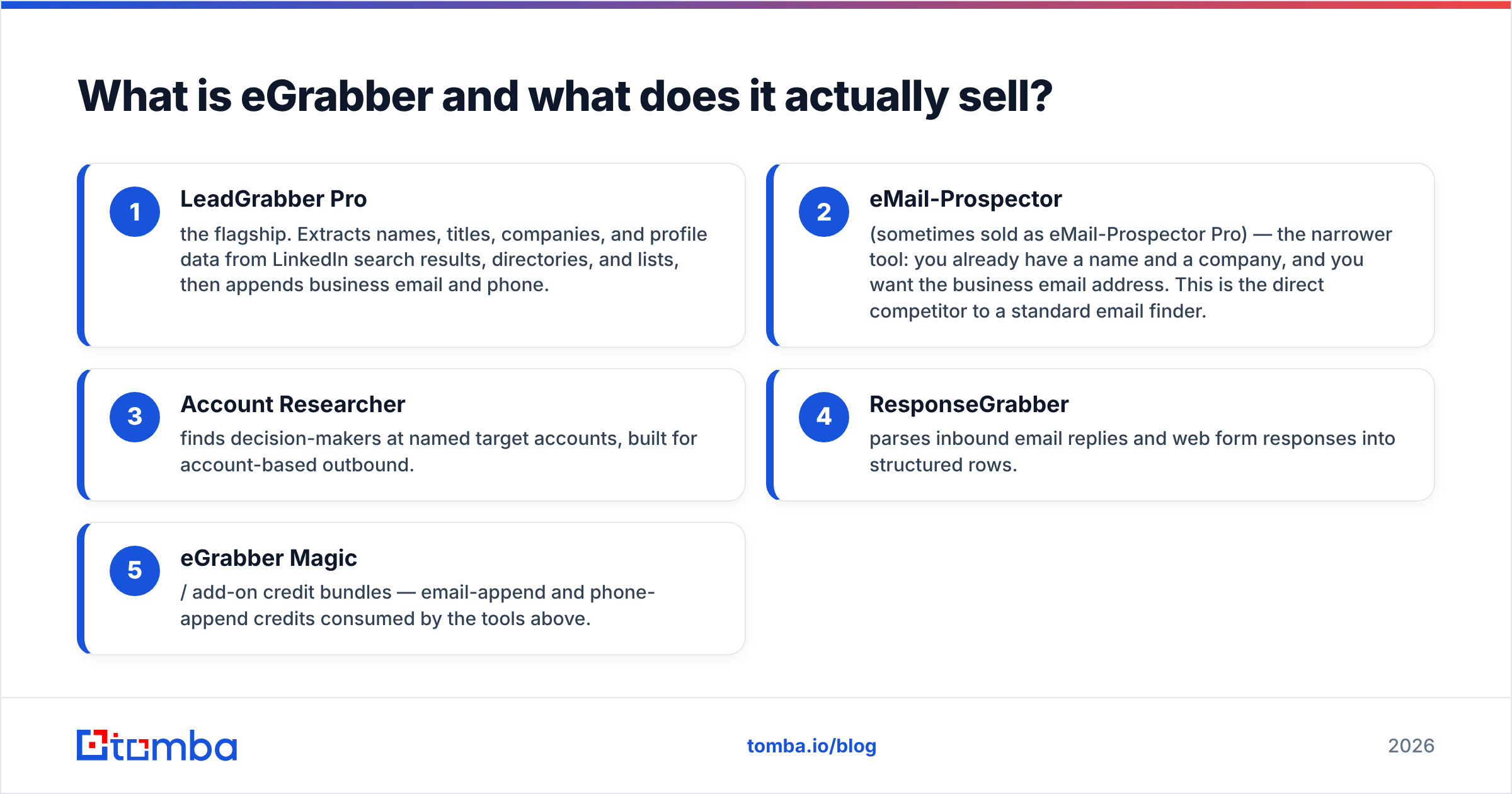
The main products, as of 2026:
- LeadGrabber Pro — the flagship. Extracts names, titles, companies, and profile data from LinkedIn search results, directories, and lists, then appends business email and phone.
- eMail-Prospector (sometimes sold as eMail-Prospector Pro) — the narrower tool: you already have a name and a company, and you want the business email address. This is the direct competitor to a standard email finder.
- Account Researcher — finds decision-makers at named target accounts, built for account-based outbound.
- ResponseGrabber — parses inbound email replies and web form responses into structured rows.
- eGrabber Magic / add-on credit bundles — email-append and phone-append credits consumed by the tools above.
The important structural detail: the license and the credits are separate line items. You can own a seat and still be unable to append emails because your credit balance ran out. That surprises a lot of first-year buyers.
How much does eGrabber cost in 2026?#
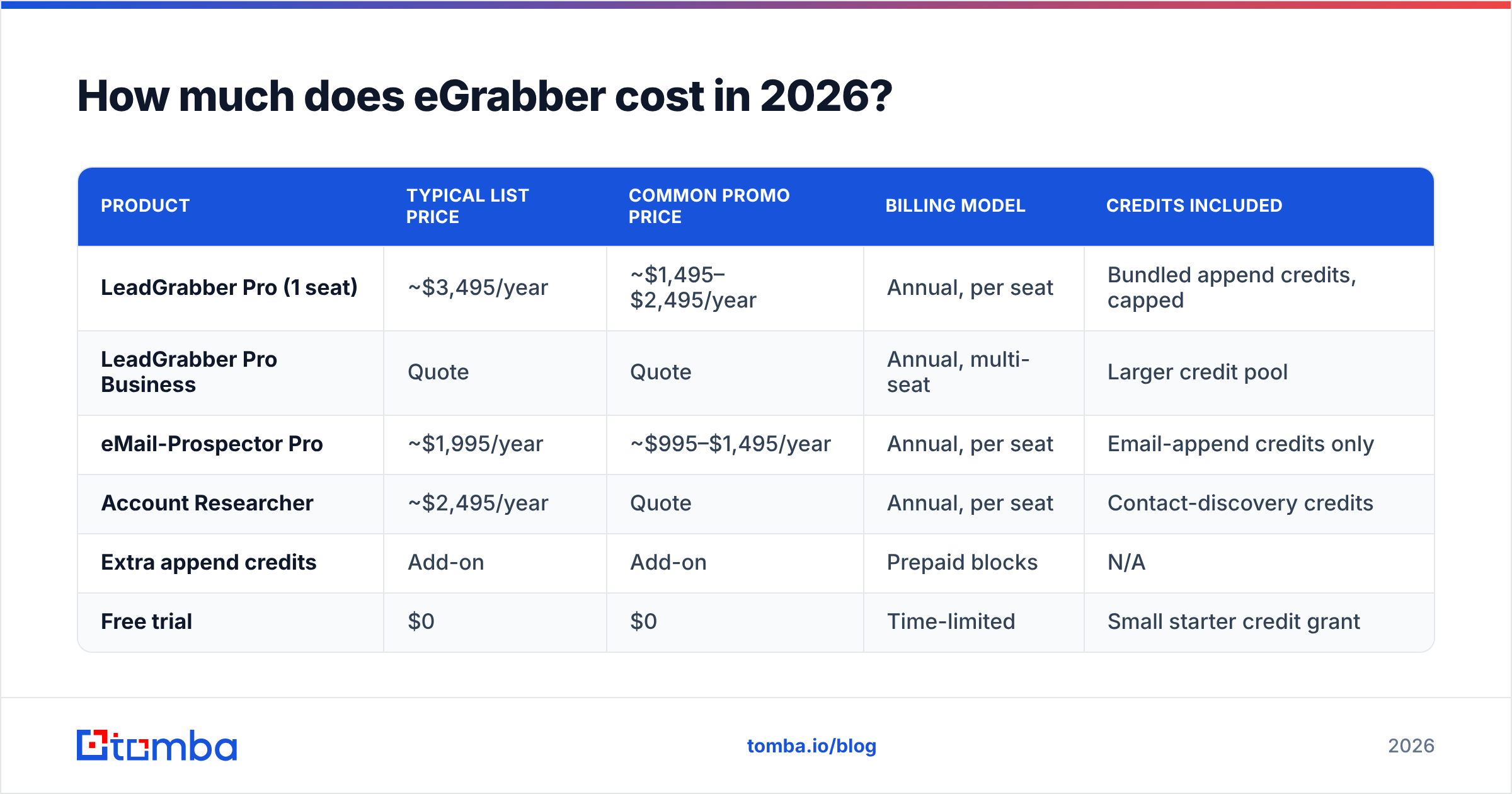
eGrabber does not publish a clean, self-serve pricing table the way most SaaS vendors do. Prices are shown as annual licenses with frequent promotional discounts. Larger seat counts move to a sales quote. The figures below reflect the list and promo ranges eGrabber has published on its own product pages — verify current numbers directly on egrabber.com before you budget, because promos rotate.
| Product | Typical list price | Common promo price | Billing model | Credits included |
|---|---|---|---|---|
| LeadGrabber Pro (1 seat) | ~$3,495/year | ~$1,495–$2,495/year | Annual, per seat | Bundled append credits, capped |
| LeadGrabber Pro Business | Quote | Quote | Annual, multi-seat | Larger credit pool |
| eMail-Prospector Pro | ~$1,995/year | ~$995–$1,495/year | Annual, per seat | Email-append credits only |
| Account Researcher | ~$2,495/year | Quote | Annual, per seat | Contact-discovery credits |
| Extra append credits | Add-on | Add-on | Prepaid blocks | N/A |
| Free trial | $0 | $0 | Time-limited | Small starter credit grant |
Three things to notice.
First, there is no monthly plan. You are signing an annual commitment on a per-seat basis. For a two-person SDR team, that's two licenses, not one shared login.
Second, the promo price is the real price. eGrabber has run discounted pricing more or less continuously for years. If a rep quotes you list, ask what the current promotion is — it's almost always available.
Third, credits are the hidden meter. The license buys you the software. Appending 5,000 emails buys you credits. Teams that model eGrabber as "one flat fee" tend to blow through the bundled allocation in the first quarter and get a surprise add-on invoice.

eGrabber pricing and reviews: what do buyers say?#
Reviews on public marketplaces like G2 and Capterra cluster into a consistent pattern. eGrabber is not a bad product — it is a product built for a workflow that fewer teams run in 2026.
What reviewers consistently praise:
- Bulk speed on list pages. Feed it a LinkedIn or directory search result set and it pulls hundreds of rows without manual copy-paste. For researchers who live in list view, this is the whole value proposition.
- No engineering dependency. Non-technical researchers can run it end to end. There's no API key, no Zapier step, no spreadsheet formula.
- Phone appends. Several reviewers rate the phone-number coverage more highly than the email coverage, which is unusual — most tools are the reverse.
- Responsive support. Onboarding calls and hands-on setup help come up repeatedly as a positive.
What reviewers consistently criticize:
- Price relative to output. The most common complaint by a wide margin. A four-figure annual seat is hard to justify when per-credit cloud tools exist.
- Windows-only desktop install. Mac and Linux users are out. So are teams running everything through a browser or a cloud sequencer.
- Accuracy variance. Coverage is decent for US mid-market and enterprise, weaker for EMEA, small companies, and non-English markets. Bounce rates in reviews range from "fine" to "painful" depending on segment.
- Quote-based opacity. Buyers dislike not knowing the number before a sales call. That friction shows up in review text more than in feature complaints.
- Verification is a separate concern. Appended emails still need to go through a real email verifier before you load them into a sequencer, which means another tool in the stack anyway.
Is eGrabber accurate enough for cold outreach in 2026?#
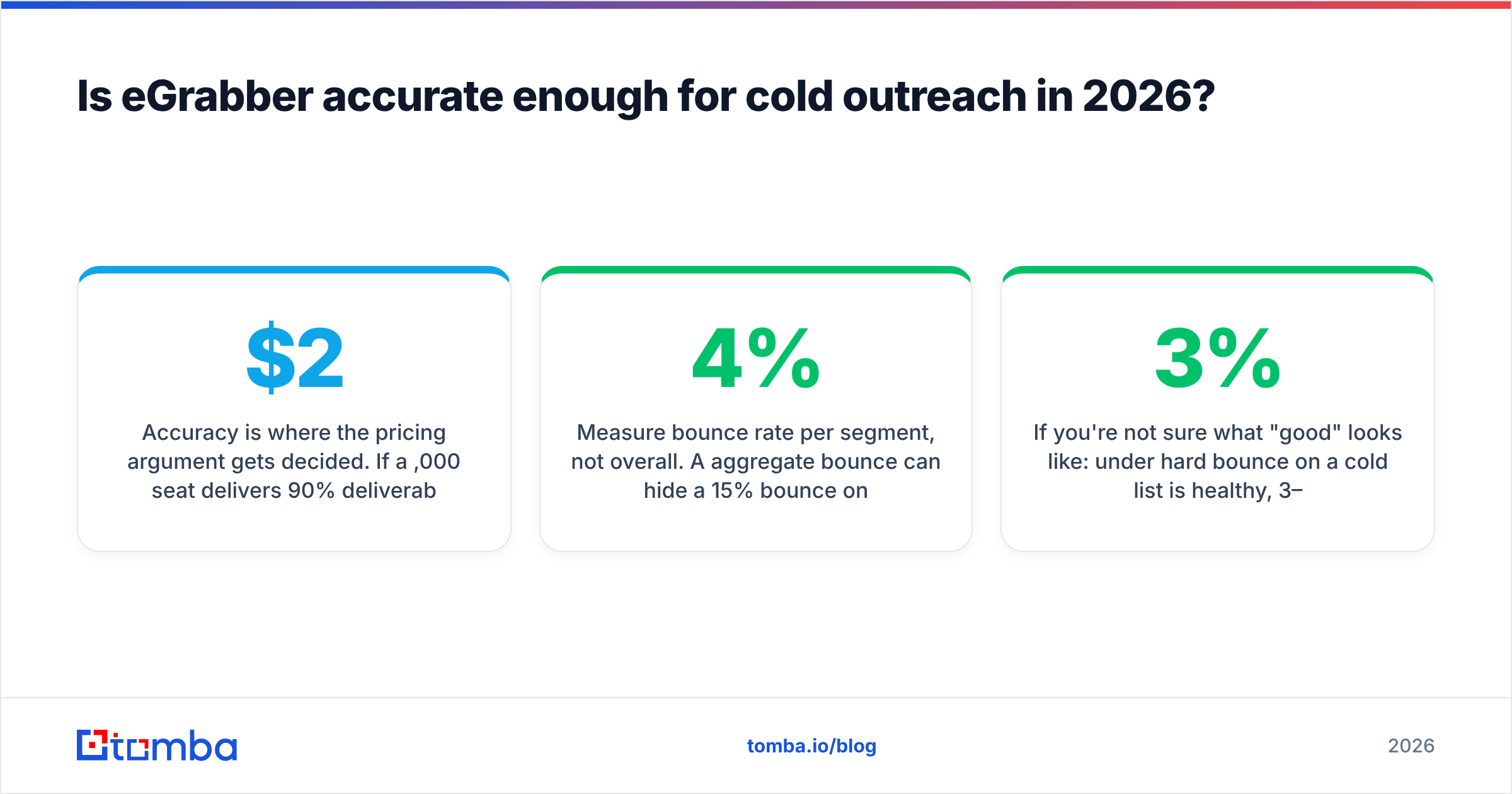
Accuracy is where the pricing argument gets decided. If a $2,000/year seat delivers 90% deliverable emails, it's defensible. If it delivers 60%, you're paying premium prices to burn your sending domain.

The honest read: eGrabber's append quality is segment-dependent and unverified by default. It uses pattern inference plus web-source matching. That works well when a company has a clear email format and a public footprint. It degrades on catch-all domains, small companies, and regions with thin web data.
Two practical consequences:
- Always run a verification pass. Whatever tool appends the address, a separate SMTP-level check is non-negotiable. For catch-all domains — where a standard check returns "accept all" and tells you nothing — you need a dedicated catch-all verifier rather than a binary valid/invalid result.
- Measure bounce rate per segment, not overall. A 4% aggregate bounce can hide a 15% bounce on your EMEA list. Split your test by region and company size before you renew anything annual.
If you're not sure what "good" looks like: under 3% hard bounce on a cold list is healthy, 3–5% is a warning, and above 5% starts damaging sender reputation fast enough to matter within a single campaign.
How does eGrabber pricing compare to modern alternatives?#
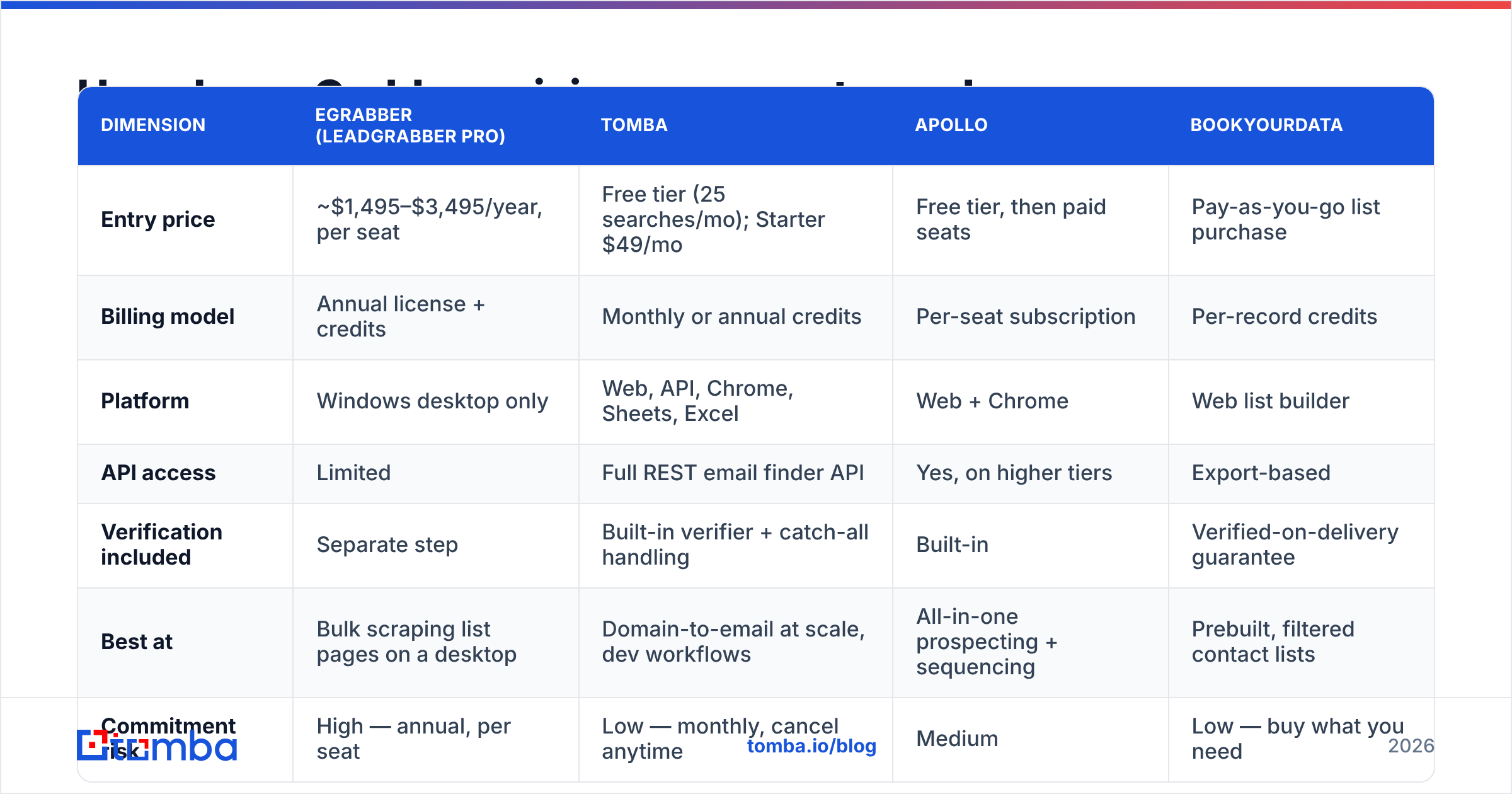
Most eGrabber pricing and reviews skip the question that matters: total annual cost of ownership. Here is what a small team pays for roughly 5,000 verified contacts per month.

| Dimension | eGrabber (LeadGrabber Pro) | Tomba | Apollo | BookYourData |
|---|---|---|---|---|
| Entry price | ~$1,495–$3,495/year, per seat | Free tier (25 searches/mo); Starter $49/mo | Free tier, then paid seats | Pay-as-you-go list purchase |
| Billing model | Annual license + credits | Monthly or annual credits | Per-seat subscription | Per-record credits |
| Platform | Windows desktop only | Web, API, Chrome, Sheets, Excel | Web + Chrome | Web list builder |
| API access | Limited | Full REST email finder API | Yes, on higher tiers | Export-based |
| Verification included | Separate step | Built-in verifier + catch-all handling | Built-in | Verified-on-delivery guarantee |
| Best at | Bulk scraping list pages on a desktop | Domain-to-email at scale, dev workflows | All-in-one prospecting + sequencing | Prebuilt, filtered contact lists |
| Commitment risk | High — annual, per seat | Low — monthly, cancel anytime | Medium | Low — buy what you need |
Read the middle column carefully against the first. The comparison isn't "which tool has more features" — it's which billing model matches how you actually work.
If you run one dedicated researcher on a Windows box, doing deep list extraction eight hours a day, an annual seat can pencil out. If you have three reps who each need a few hundred emails a month, or an engineer who wants to enrich records inside your own product, per-seat annual desktop licensing is the wrong shape entirely. See Tomba pricing for the credit-based comparison: Free (25 searches/mo), Starter $49/mo, Growth $99/mo, Pro $249/mo, Enterprise custom.
BookYourData is worth a separate mention because it solves a different problem well: if you want a prebuilt, filtered list delivered ready to use rather than software you operate yourself, buying verified records outright can beat both models on time-to-first-email.
Who should buy eGrabber, and who should skip it?#
Buy eGrabber if:
- You have a dedicated list-building role. One person, full-time, on Windows, whose job is bulk extraction from search result pages. The seat cost amortizes over thousands of hours.
- Phone numbers matter as much as email. Reviewers rate the phone append above average, and if your motion is cold calling plus email, that's a real differentiator.
- You cannot use cloud tools for policy reasons. Some regulated buyers genuinely prefer data processing on a local machine. Desktop software is a feature here, not a bug.
- You want zero technical setup. No API keys, no automation platform, no spreadsheet functions.
Skip eGrabber if:
- You're on Mac or Linux. Full stop.
- You need emails inside another system. CRM enrichment, product signup enrichment, or a nightly job all want an API, not a desktop UI.
- Your volume is spiky. Annual per-seat licensing punishes teams that need 20,000 contacts in March and 500 in April.
- You're pre-revenue or testing a market. Committing four figures before you know your ICP converts is the most expensive way to learn.
- Your list is heavily non-US. Test coverage on your actual target geography before signing anything annual.

What's the cheapest way to replace eGrabber's workflow?#
You can usually decompose an eGrabber seat into two or three cheaper, better-fitting parts. Map your workflow first, then buy for each piece:
- List sourcing — Get the names and companies. LinkedIn search, a conference attendee page, a directory, or a purchased list. This is the part eGrabber's scraper does; a LinkedIn finder or a browser extension covers most of it.
- Email discovery — Turn name + domain into an address. Use domain search when you want everyone at a company, and single lookups when you have specific targets.
- Verification — Check every address before it enters a sequencer, with explicit handling for catch-all domains rather than a coin flip.
- Enrichment — Add titles, company size, tech stack, or phone numbers via data enrichment so your copy can actually reference something specific.
- Bulk processing — For anything over a few hundred rows, run it through a bulk email finder or the API on a schedule instead of babysitting a desktop app.
Priced out, that stack typically lands between $49 and $249 per month with no annual lock-in — and it survives a change in your list source, your CRM, or your operating system.
FAQ about eGrabber pricing and reviews#
Does eGrabber offer a free trial? Yes, a time-limited trial with a small credit grant. Use it to test coverage on 100 contacts from your real ICP, not on a sample list of Fortune 500 companies where every tool looks good.
Is eGrabber a monthly subscription? No. Licenses are annual and per seat. Plan for the full-year commitment, plus credit top-ups.
Can I share one eGrabber license across a team? Not legitimately — licensing is per seat and per machine. Multi-seat pricing is a sales quote.
Does eGrabber verify emails? It appends and applies internal checks, but you should still run an independent verification pass before sending. Treat appended data as a hypothesis, not a fact.
Is eGrabber worth it in 2026? For a dedicated full-time researcher on Windows who needs phone plus email at volume, it can be. For everyone else, the annual per-seat model is hard to defend against credit-based cloud tools that cost a fraction of it and expose an API.
Where to go from here#
Before you sign an annual eGrabber license, run the same 200 contacts through a monthly tool. Compare hard-bounce rate and coverage side by side. That single test tells you more than any review — including this one.
If your bottleneck is simply getting verified business emails from names and domains, start with the Tomba Email Finder. The free tier gives you 25 searches per month to benchmark against your eGrabber trial. Starter is $49/mo when you're ready to scale. Every result runs through built-in verification with explicit catch-all handling, so what lands in your sequencer is actually sendable. No annual commitment, no Windows requirement, and an API waiting when you want to automate the whole thing.
Related guides#
Ready to find emails that actually work?
Join 150,000+ professionals who stopped guessing and started sending. Free credits on signup — no credit card required.
Get the Tomba newsletter
Practical outbound tactics and product updates — once every two weeks.
About the author