eGrabber vs Saleshandy: Full 2026 Comparison and Verdict
eGrabber builds lists from a Windows desktop. Saleshandy sends sequences from the cloud. They solve different halves of outbound — here is which one you actually need, what each really costs, and where an API beats both.
TL;DR
- eGrabber and Saleshandy are not really competitors. eGrabber is a Windows desktop list-builder (LeadGrabber Pro, eMail-Prospector); Saleshandy is a cloud cold-email sending platform with a bolt-on B2B Lead Finder.
- Pick eGrabber if you already live inside LinkedIn/Sales Navigator, want a local tool that scrapes a page into a spreadsheet, and can stomach an annual per-seat license in the four-figure range.
- Pick Saleshandy if your bottleneck is sending — multi-inbox rotation, sequences, warmup, unified inbox — and you want a monthly plan you can cancel.
- Neither is a great pure data layer. If all you need is accurate emails at volume, a dedicated finder plus verifier (Tomba's Free tier, then $49/mo Starter) costs a fraction of either.
- The honest verdict: most teams end up buying a finder + a sender. Deciding which of these two to buy is really deciding which half you're outsourcing.
What is eGrabber, exactly?#
eGrabber is one of the oldest names in B2B list building — the company has been shipping desktop prospecting software since the late 1990s. Its two relevant products are LeadGrabber Pro (extract names, titles, companies and contact data from LinkedIn, Sales Navigator, directories and web pages into a grid you can export) and eMail-Prospector (take a name + company and append a business email and phone).
Three things define the eGrabber experience:
- It's a Windows desktop app. Not a Chrome extension with a web dashboard — an installed .exe. No native macOS support, no cloud workspace, no team-wide shared database unless you build one yourself.
- It appends on demand, from the open web. Rather than serving you a pre-built database record, eGrabber runs live searches and pattern checks per contact. That's a genuine strength for obscure SMB contacts that never made it into a data vendor's index.
- It's licensed annually per seat, in the low four figures. eGrabber publishes list prices on egrabber.com and runs frequent promotions; expect a per-seat annual commitment rather than a $49 monthly card charge. Always price it directly — the sticker moves.
Where eGrabber loses people: throughput is tied to your machine and your session. If the app is closed or the laptop sleeps, appending stops. There is no meaningful modern API story, so it does not slot into a RevOps pipeline the way an HTTP endpoint does.
What is Saleshandy, exactly?#
Saleshandy came from the opposite direction. It started as an email tracking and sequencing tool and grew into a full cold-outreach platform: unlimited email accounts on most plans, sender rotation, spintax, A/Z testing, a unified master inbox, reply detection, and built-in deliverability tooling (SPF/DKIM checks, warmup). In 2023–2024 it added B2B Lead Finder, a contact database sold as a separate credit line on top of the sending plan.
So the sequencing engine is the main product and the data is the add-on. That ordering matters, because it predicts the quality trade-off: Saleshandy's sending infrastructure is competitive with Instantly or Smartlead, while its data is a licensed/aggregated database — broad, decent on mid-market and enterprise, thinner on the long tail of 12-person agencies and regional manufacturers.
Pricing sits in normal SaaS territory: an Outreach plan (roughly $35–$100/mo depending on tier and billing cycle) plus Lead Finder credits. It's month-to-month if you want it to be, and there's a free trial. Check their pricing page before you budget — tiers were restructured recently.
Correction on the image above — here it is properly:
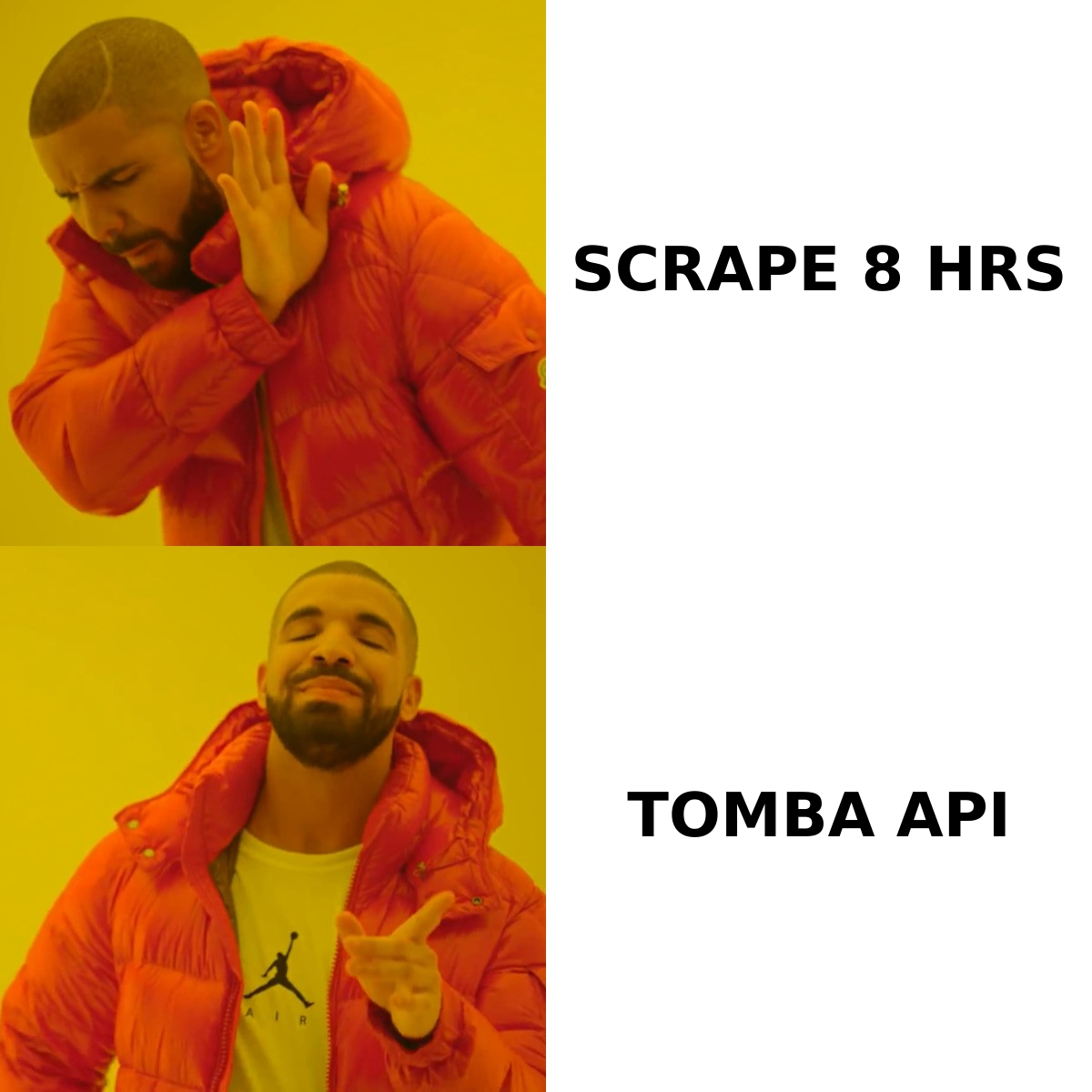
eGrabber vs Saleshandy: how do they actually compare?#
| Dimension | eGrabber (LeadGrabber Pro / eMail-Prospector) | Saleshandy |
|---|---|---|
| Primary job | Build and append lists | Send and manage sequences |
| Delivery model | Windows desktop install | Cloud web app |
| macOS / Linux | No (VM or Parallels only) | Yes (browser) |
| Data method | Live web search + pattern append | Licensed B2B database (Lead Finder) |
| Email sending | None — export and send elsewhere | Core feature: rotation, warmup, unified inbox |
| Verification | Basic built-in checks | Basic; most users add a third-party verifier |
| API | Minimal / not a modern REST story | Yes, plus Zapier and native CRM syncs |
| Team collaboration | Per-seat, local files | Shared workspace, roles, shared inbox |
| Pricing model | Annual per-seat license, four figures | Monthly SaaS + separate lead credits |
| Best for | Recruiters and SMB list builders | Agencies and SDR teams running volume |
| Worst for | Automated pipelines, Mac teams | Long-tail SMB contact coverage |
Read that table twice, because the interesting rows are the ones where both columns are weak: verification and long-tail coverage. That's the gap teams usually fill with a dedicated email verifier and a purpose-built email finder, regardless of which of these two platforms they buy.
Which one has better data quality?#
Different failure modes, so compare them honestly.
eGrabber wins on obscure contacts. Because it searches live rather than querying a snapshot, it can find the operations manager at a 15-person HVAC company in Ohio who has never appeared in a data marketplace. Recruiters sourcing niche technical candidates report this repeatedly in G2 reviews — coverage on the long tail is its actual moat.
Saleshandy wins on speed and structure. A database query returns 5,000 filtered contacts in seconds with firmographics attached. eGrabber appending 5,000 rows is an overnight job on a machine you're not allowed to close.
Both share the same weakness: neither treats verification as a first-class product. eGrabber's checks are pattern-and-syntax heavy. Saleshandy's Lead Finder gives you a confidence flag, not a fresh SMTP result at send time. If you export from either and load straight into a sequence, expect a bounce rate in the 5–15% band — and on some segments a lot worse. Google and Microsoft both treat bounce rate as a reputation signal, so that number is not cosmetic; it directly drags your email deliverability down.
The fix is boring and cheap: re-verify every list immediately before it enters a sequence, and route catch-all domains through a catch-all verifier instead of guessing. Catch-all domains are where most "the data was bad" complaints actually originate — the mail server accepts everything, so a naive check reports "valid" for an address that doesn't exist.

Which is cheaper in real terms?#
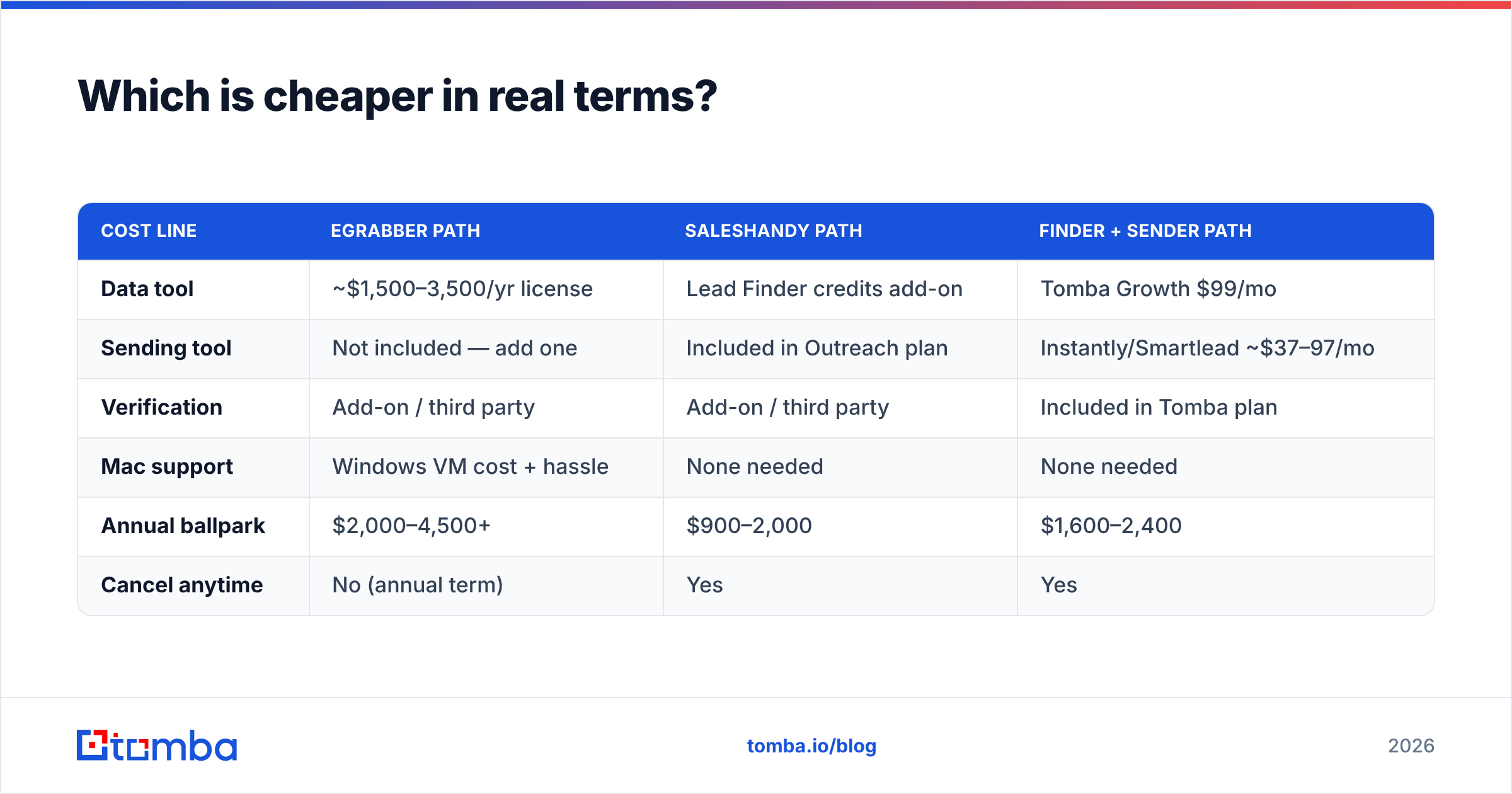
Sticker price is misleading here because you're buying different things. Model a realistic scenario instead: one SDR, 2,000 new contacts per month, 6,000 emails sent per month.
| Cost line | eGrabber path | Saleshandy path | Finder + sender path |
|---|---|---|---|
| Data tool | ~$1,500–3,500/yr license | Lead Finder credits add-on | Tomba Growth $99/mo |
| Sending tool | Not included — add one | Included in Outreach plan | Instantly/Smartlead ~$37–97/mo |
| Verification | Add-on / third party | Add-on / third party | Included in Tomba plan |
| Mac support | Windows VM cost + hassle | None needed | None needed |
| Annual ballpark | $2,000–4,500+ | $900–2,000 | $1,600–2,400 |
| Cancel anytime | No (annual term) | Yes | Yes |
Two conclusions fall out. First, eGrabber is the expensive option and it only covers half the job — you still need a sending tool. Second, Saleshandy is the cheaper single-vendor answer, but you're accepting database-grade data as the price of that convenience.
The third column is why most teams in 2026 unbundle. A dedicated finder priced per lookup — see Tomba pricing, which starts free at 25 searches/mo and moves to $49/mo Starter — plus a specialist sender, usually beats both on total cost and on each individual capability. You're not paying an enterprise license for a desktop app, and you're not paying for database records you'll re-verify anyway.
When should you choose eGrabber?#
Choose eGrabber when all of these are true:
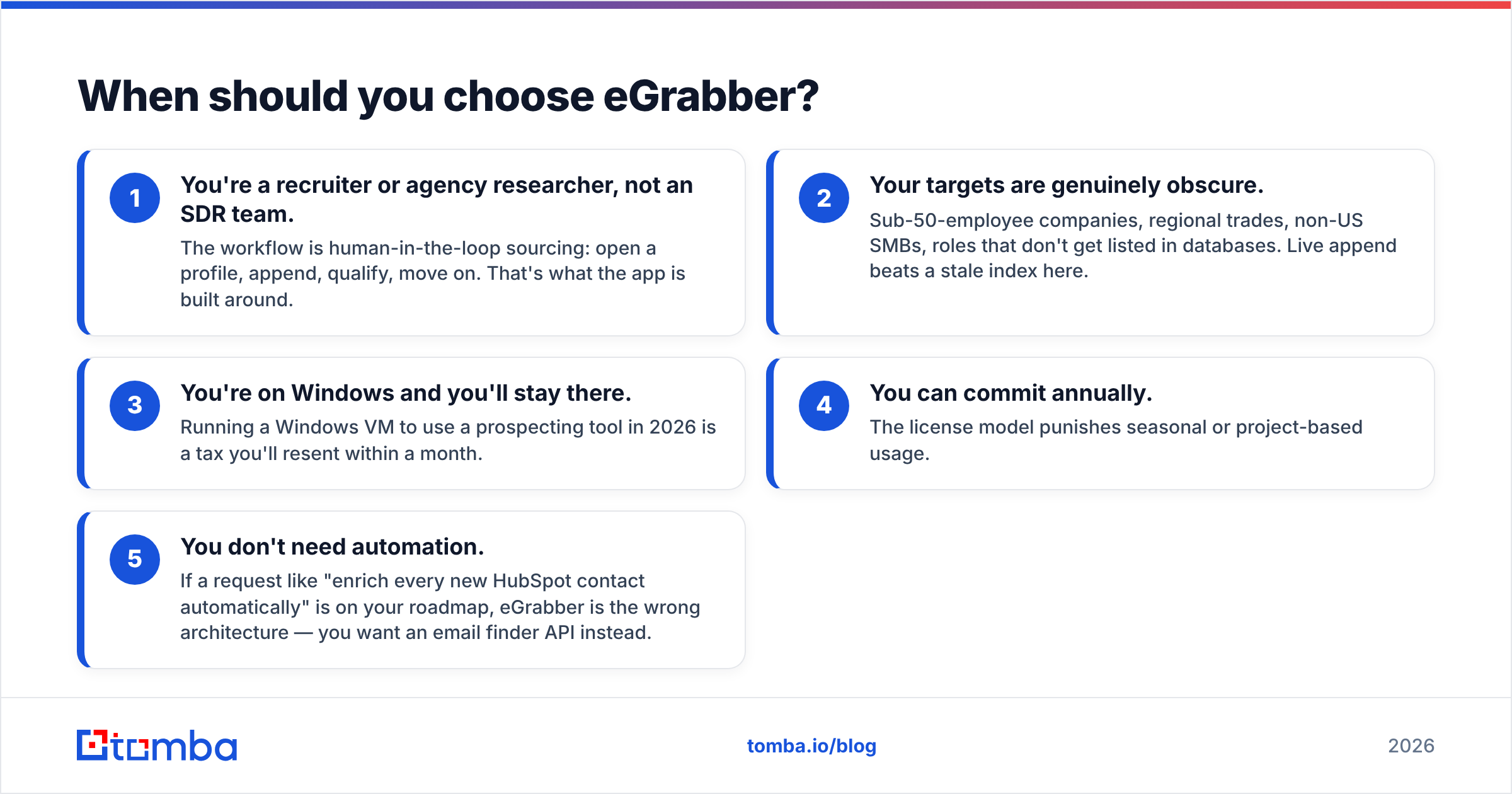
- You're a recruiter or agency researcher, not an SDR team. The workflow is human-in-the-loop sourcing: open a profile, append, qualify, move on. That's what the app is built around.
- Your targets are genuinely obscure. Sub-50-employee companies, regional trades, non-US SMBs, roles that don't get listed in databases. Live append beats a stale index here.
- You're on Windows and you'll stay there. Running a Windows VM to use a prospecting tool in 2026 is a tax you'll resent within a month.
- You can commit annually. The license model punishes seasonal or project-based usage.
- You don't need automation. If a request like "enrich every new HubSpot contact automatically" is on your roadmap, eGrabber is the wrong architecture — you want an email finder API instead.
When should you choose Saleshandy?#
Choose Saleshandy when:
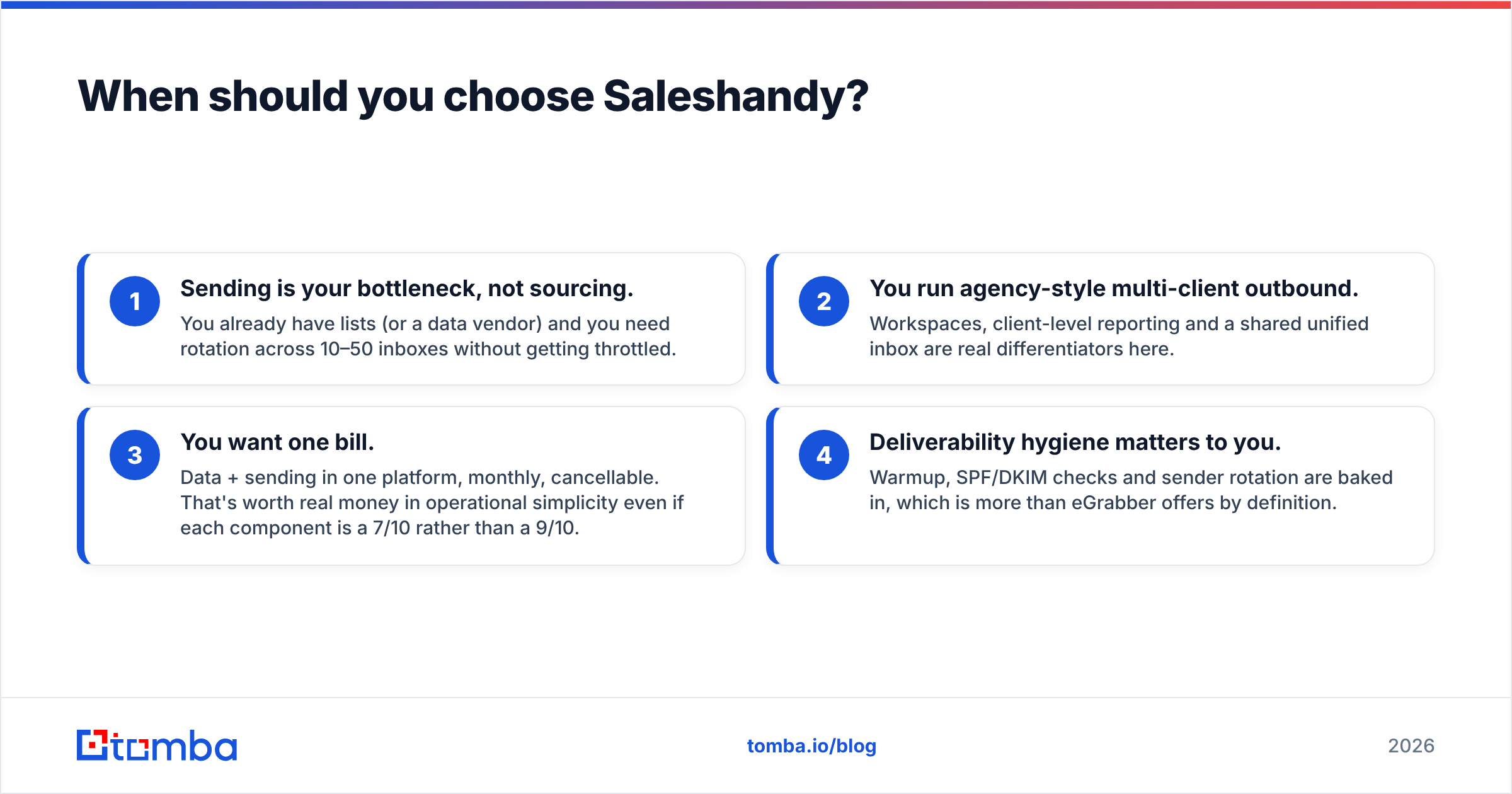
- Sending is your bottleneck, not sourcing. You already have lists (or a data vendor) and you need rotation across 10–50 inboxes without getting throttled.
- You run agency-style multi-client outbound. Workspaces, client-level reporting and a shared unified inbox are real differentiators here.
- You want one bill. Data + sending in one platform, monthly, cancellable. That's worth real money in operational simplicity even if each component is a 7/10 rather than a 9/10.
- Deliverability hygiene matters to you. Warmup, SPF/DKIM checks and sender rotation are baked in, which is more than eGrabber offers by definition.
Where Saleshandy frustrates people: Lead Finder credit consumption on filtered searches, and thin coverage on very small companies. If more than half your ICP is under 20 employees, budget for a supplementary finder from day one.
What do most teams actually end up buying?#
The pattern we see repeatedly across outbound stacks in 2026:
- A finder/verifier layer that owns data accuracy — queried by API or via bulk upload, priced per lookup, re-verified before every send. This is where a bulk email finder and domain search earn their keep: give it a target company list, get back verified, role-filtered contacts.
- A sending layer that owns inboxes, rotation, warmup and replies. Saleshandy competes well here; so do Instantly and Smartlead.
- A CRM that owns the record of truth, fed by both.
Under that model, "eGrabber vs Saleshandy" resolves cleanly: Saleshandy is a legitimate candidate for the sending layer, and eGrabber is a niche specialist for the data layer that most teams outgrow the moment they need automation or Mac support. If you're comparing them head to head as if one replaces the other, you'll buy the wrong thing.
One more practical note: whatever you pick, don't let the sourcing tool also be the judge of its own data quality. Vendors grade their own homework. Run an independent check — even a spot check of 200 addresses through a free email checker before you commit budget will tell you more than any G2 star rating.
Final verdict: eGrabber or Saleshandy?#
For sending: Saleshandy, comfortably. Better infrastructure, better pricing model, better team features, and eGrabber doesn't compete in this category at all.
For data: neither wins outright. eGrabber has real long-tail coverage but the wrong delivery model for 2026 — desktop-only, annual license, no API. Saleshandy's Lead Finder is convenient but is a secondary product with secondary depth, and both leave verification to you.
For most teams: buy Saleshandy (or a peer sender) for outreach, and pair it with a dedicated finder + verifier for data. That combination costs less than an eGrabber license alone and outperforms both on the metric that actually decides your campaign — how many of your emails land in a real human's inbox.
Start with the data half, because it's the half that silently destroys campaigns. Run your next 500 target accounts through Tomba Email Finder — 25 free searches to test coverage on your actual ICP, verified results with confidence scores, and an API when you're ready to stop doing this by hand. If the accuracy holds on your list, Starter at $49/mo replaces a four-figure annual license and leaves budget for the sending tool you still need.
Related guides#
Ready to find emails that actually work?
Join 150,000+ professionals who stopped guessing and started sending. Free credits on signup — no credit card required.
Get the Tomba newsletter
Practical outbound tactics and product updates — once every two weeks.
About the author