EmailListVerify vs GetProspect: Honest 2026 Comparison
One tool cleans lists you already have. The other builds lists from scratch. Here is how EmailListVerify and GetProspect actually compare on accuracy, pricing, and workflow fit in 2026 — and when you need neither.
TL;DR
- These tools do different jobs. EmailListVerify is a bulk email verification service. GetProspect is a B2B email finder with a contact database and a LinkedIn extension. Comparing them head-to-head only makes sense if you are deciding which half of the problem to solve first.
- If you already have a list, EmailListVerify is the cheaper, more focused pick — pay-as-you-go credits, no seat fees, good throughput on large uploads.
- If you have no list, EmailListVerify cannot help you at all. GetProspect (or a finder like Tomba) is the starting point.
- Running both means two vendors, two credit pools, and CSV ping-pong between them. A single platform that finds and verifies usually costs less per usable contact.
- Catch-all domains are where both tools get judged. Any vendor that returns "unknown" on 20–30% of your list is quietly handing you the hard part back.
What is EmailListVerify and what is GetProspect?#
Short version: EmailListVerify checks whether an address is deliverable. GetProspect tells you what the address is in the first place. Think of it as a spell-checker versus a dictionary — one validates what you wrote, the other supplies the words.
Here is the breakdown of what each actually ships:
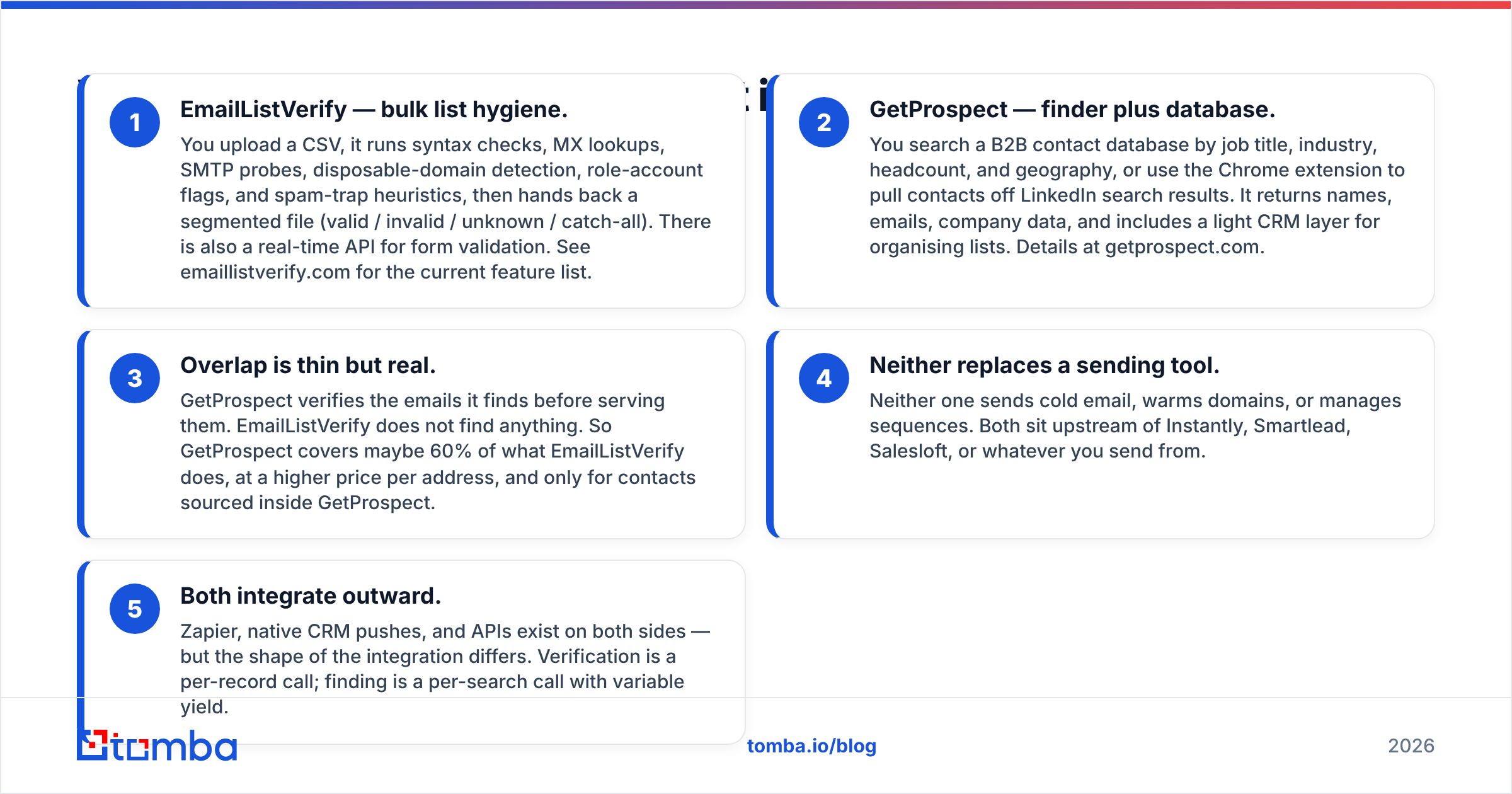
- EmailListVerify — bulk list hygiene. You upload a CSV, it runs syntax checks, MX lookups, SMTP probes, disposable-domain detection, role-account flags, and spam-trap heuristics, then hands back a segmented file (valid / invalid / unknown / catch-all). There is also a real-time API for form validation. See emaillistverify.com for the current feature list.
- GetProspect — finder plus database. You search a B2B contact database by job title, industry, headcount, and geography, or use the Chrome extension to pull contacts off LinkedIn search results. It returns names, emails, company data, and includes a light CRM layer for organising lists. Details at getprospect.com.
- Overlap is thin but real. GetProspect verifies the emails it finds before serving them. EmailListVerify does not find anything. So GetProspect covers maybe 60% of what EmailListVerify does, at a higher price per address, and only for contacts sourced inside GetProspect.
- Neither replaces a sending tool. Neither one sends cold email, warms domains, or manages sequences. Both sit upstream of Instantly, Smartlead, Salesloft, or whatever you send from.
- Both integrate outward. Zapier, native CRM pushes, and APIs exist on both sides — but the shape of the integration differs. Verification is a per-record call; finding is a per-search call with variable yield.
The practical question is not "which is better." It is "which gap is currently costing me more money?" If your bounce rate is 8% and climbing, you need verification. If your rep has 40 accounts and no contacts at any of them, you need a finder.

How do EmailListVerify and GetProspect compare feature by feature?#
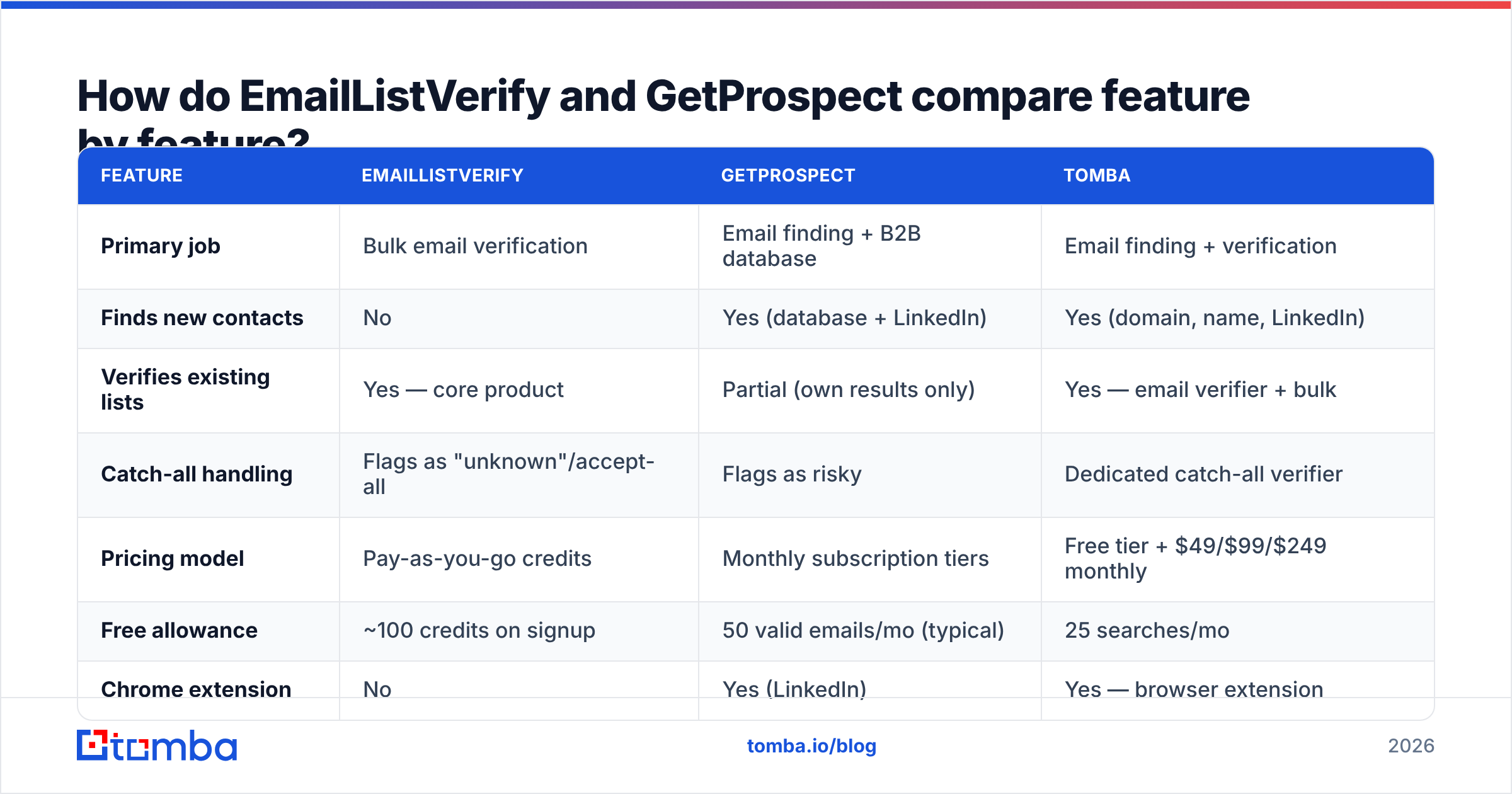
| Feature | EmailListVerify | GetProspect | Tomba |
|---|---|---|---|
| Primary job | Bulk email verification | Email finding + B2B database | Email finding + verification |
| Finds new contacts | No | Yes (database + LinkedIn) | Yes (domain, name, LinkedIn) |
| Verifies existing lists | Yes — core product | Partial (own results only) | Yes — email verifier + bulk |
| Catch-all handling | Flags as "unknown"/accept-all | Flags as risky | Dedicated catch-all verifier |
| Pricing model | Pay-as-you-go credits | Monthly subscription tiers | Free tier + $49/$99/$249 monthly |
| Free allowance | ~100 credits on signup | 50 valid emails/mo (typical) | 25 searches/mo |
| Chrome extension | No | Yes (LinkedIn) | Yes — browser extension |
| API | Yes (verification) | Yes (search + find) | Yes — Tomba API |
| Phone numbers | No | Limited | Yes — phone finder |
| Best for | Cleaning purchased/legacy lists | Building lists from ICP filters | Doing both in one credit pool |
Pricing on both vendors shifts; the figures above are list prices at the time of writing and you should confirm on the vendor page before you buy. Tomba's numbers are fixed and public on the Tomba pricing page.

Which one is more accurate?#
They are not measured on the same axis, which is exactly why vendor accuracy claims are so slippery.
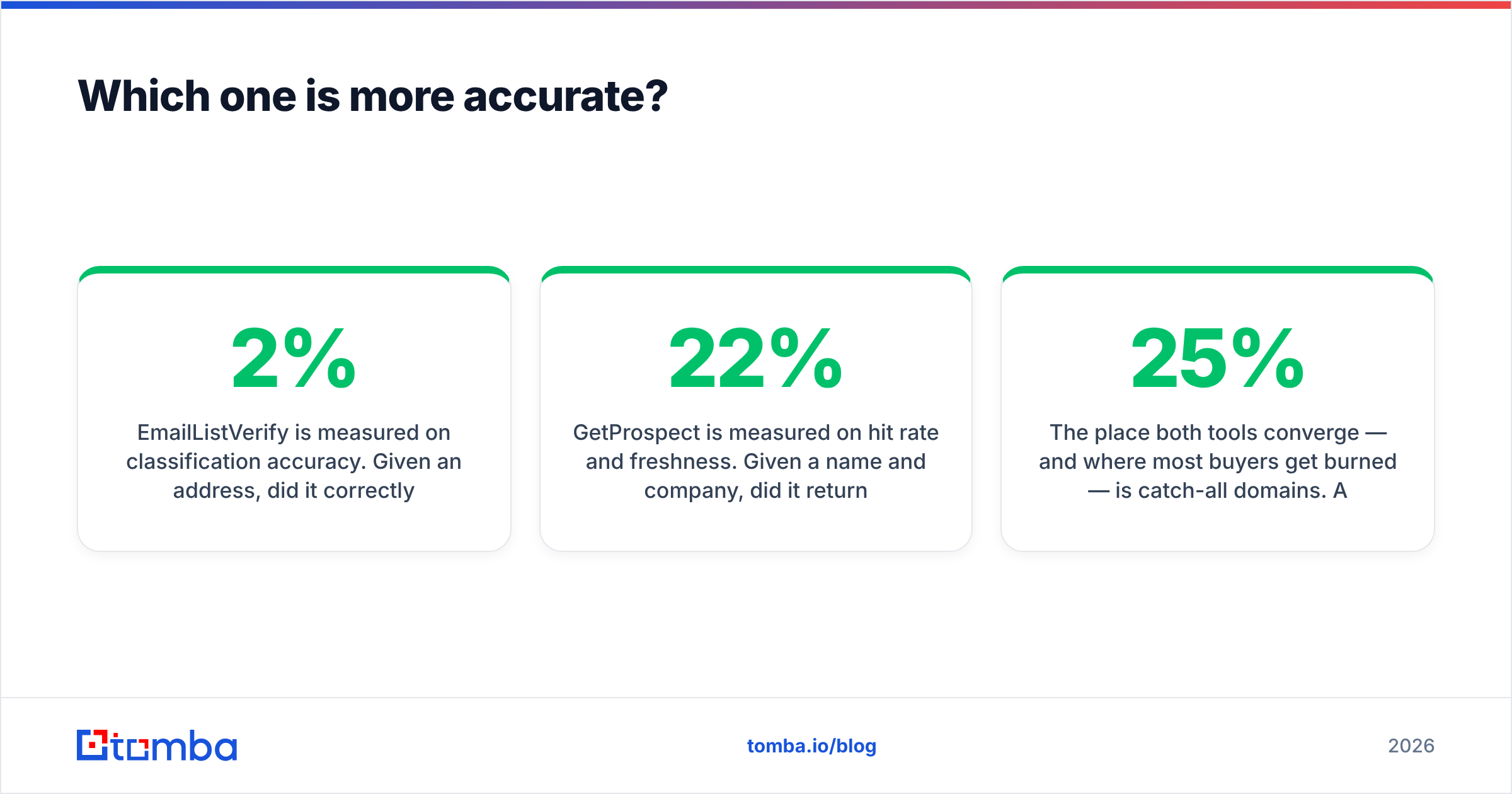
EmailListVerify is measured on classification accuracy. Given an address, did it correctly say deliverable or not? The honest benchmark is: of the addresses it marked "valid," what percentage actually bounced when you sent? Good verifiers keep that under 2%. EmailListVerify generally lands in that band on standard corporate domains — Google Workspace, Microsoft 365, self-hosted Postfix with a strict recipient policy.
GetProspect is measured on hit rate and freshness. Given a name and company, did it return an address at all, and was that address still in use? Database-first tools inherit the staleness of their source. A contact scraped 14 months ago at a company with 22% annual churn is a coin flip. Reported hit rates in the 50–70% range are normal for database-driven finders; anything advertised above 90% deserves a test batch before you believe it.
The place both tools converge — and where most buyers get burned — is catch-all domains. A catch-all server accepts mail for any address at the domain, so SMTP probing tells you nothing. Roughly 20–25% of B2B domains are configured this way. EmailListVerify will return "unknown" or "accept-all." GetProspect will mark the contact risky. Both are technically correct and both leave you holding a list you cannot confidently send to.
That is why Tomba built a separate catch-all finder that uses pattern confidence, multi-source corroboration, and engagement signals rather than SMTP alone. It will not resolve every catch-all — nobody can — but it converts a meaningful slice of "unknown" into a graded confidence score you can actually act on.
How to run your own test in 30 minutes:
- Take 200 addresses you have already sent to and know the outcome for.
- Split into 100 known-good and 100 known-bounced.
- Run the same 200 through each tool.
- Count false positives (marked valid, actually bounced) — this is the number that costs you sender reputation.
- Count false negatives (marked invalid, actually fine) — this is the number that costs you pipeline.
Vendors optimise for whichever error type their marketing emphasises. Your test tells you which one they chose.
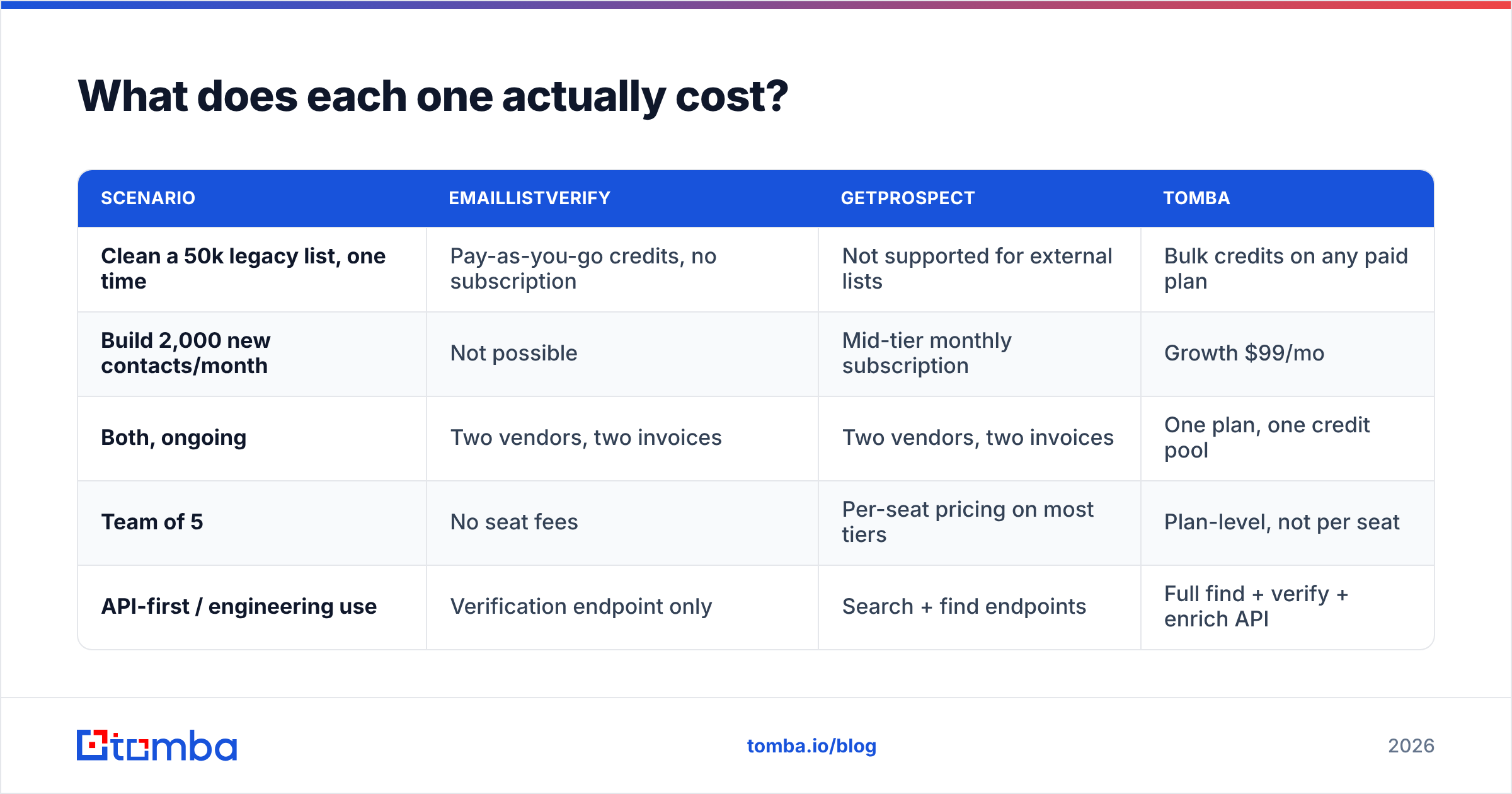
What does each one actually cost?#
The pricing models are structurally different, which makes sticker comparison misleading.
| Scenario | EmailListVerify | GetProspect | Tomba |
|---|---|---|---|
| Clean a 50k legacy list, one time | Pay-as-you-go credits, no subscription | Not supported for external lists | Bulk credits on any paid plan |
| Build 2,000 new contacts/month | Not possible | Mid-tier monthly subscription | Growth $99/mo |
| Both, ongoing | Two vendors, two invoices | Two vendors, two invoices | One plan, one credit pool |
| Team of 5 | No seat fees | Per-seat pricing on most tiers | Plan-level, not per seat |
| API-first / engineering use | Verification endpoint only | Search + find endpoints | Full find + verify + enrich API |
Two cost traps worth naming:
Trap one: credits that expire. Pay-as-you-go verification credits usually do not expire. Subscription finder credits usually do. If your outbound volume is lumpy — heavy in Q1, quiet in Q3 — you will pay for months of unused finder credits.
Trap two: the double-charge. If you use GetProspect to find a contact and then run it through EmailListVerify anyway (because you do not fully trust the finder's own verification), you are paying twice per contact. That is the strongest single argument for consolidating: Tomba's bulk workflows find and verify against the same credit, so a contact costs one unit, not two.
For teams evaluating this seriously, cross-check current user sentiment on G2 rather than trusting any vendor's own comparison page — including this one. Read the 3-star reviews; they are the honest ones.

When should you pick EmailListVerify?#
Pick EmailListVerify when the list already exists and you did not build it.
Concrete situations:
- You inherited a database. A 120k-row marketing list from 2023 that nobody has mailed in 18 months. Verification is mandatory before you touch it, and you need a tool that handles large uploads without a subscription commitment.
- You bought a list. Whether that is a good idea is a separate argument, but if you did it, verify before sending. Purchased lists routinely carry 15–30% dead addresses plus spam traps that will torch your domain.
- You need real-time form validation. Blocking typos and disposable addresses at signup is a verification API job, not a finder job.
- You are re-permissioning a dormant segment. Before a win-back campaign, clean first. Email deliverability damage from a dormant-list blast is expensive and slow to undo.
Where EmailListVerify runs out of road: it never tells you who to contact. If your problem is an empty pipeline, verification is polishing an empty shelf.
When should you pick GetProspect?#
Pick GetProspect when you know your ICP but not the names in it, and you live in LinkedIn.
Concrete situations:
- SDR-driven prospecting. Reps working LinkedIn Sales Navigator lists benefit from an extension that pulls contacts in-flow rather than making them tab out to a web app.
- Filter-first list building. "Series B SaaS, 50–200 employees, US, VP Marketing" is a database query. GetProspect answers it. A domain-based finder answers a different question.
- Small teams without a data engineer. The built-in list management and light CRM mean you can go from search to outreach-ready CSV without a separate ops step.
Where GetProspect runs out of road: it cannot clean lists it did not source, per-seat pricing gets expensive past three or four reps, and database coverage outside North America and Western Europe thins out noticeably.
It is worth noting that neither tool is the only shape of solution here. Providers like BookYourData take a pay-as-you-go database approach that suits teams who want verified contacts without a monthly finder subscription — a genuinely different trade-off, and a reasonable one depending on your volume pattern.
Is there a reason to run both — or neither?#
Running both is defensible in exactly one case: you source from GetProspect and you also maintain large legacy lists that GetProspect never touched. Then you are buying two different products for two different jobs, and that is fine.
Running neither — that is, consolidating — makes sense when your contacts come primarily from company domains and named prospects rather than broad database filters. That is the workflow Tomba is built around:
- Domain search — give it
stripe.com, get the discoverable addresses at that company plus the detected email pattern. - Email finder — give it a name and a domain, get the address with a confidence score and the sources it was corroborated against.
- Email verifier — validate anything, including lists you imported from elsewhere.
- LinkedIn finder — resolve a LinkedIn profile URL to a work email, covering the extension use case.
- Data enrichment — fill in title, company size, and firmographics on records you already hold.
All of it draws from one credit pool on one plan, and all of it is reachable through the Tomba API if you would rather build the workflow than click it. If transparency about sourcing matters to your legal team — and in 2026 it should — Tomba documents its data sources publicly.

What is the verdict on EmailListVerify vs GetProspect?#
If you must pick one:
- List already exists, bounce rate is the problem → EmailListVerify. It is the cheaper, more specialised tool for exactly that job, and pay-as-you-go means you are not locked in.
- No list, clear ICP, LinkedIn-heavy workflow → GetProspect. Verification alone cannot manufacture prospects.
- Both problems, one budget → consolidate. Two subscriptions plus CSV hand-offs between them is a workflow tax, and it scales badly past a couple of reps.
The failure mode we see most often is teams buying a verifier because bounce rates spiked, without asking why the list was dirty. Usually the answer is that the addresses were guessed or scraped without confidence scoring in the first place. Verification is a downstream fix for an upstream sourcing problem. Fix the sourcing and the verification bill shrinks on its own.
One last practical note: whichever you choose, do not skip SPF record and DMARC configuration. Clean data sent from a misconfigured domain still lands in spam. Data quality and authentication are two locks on the same door.
Ready to stop paying two vendors for one workflow? The Tomba Email Finder finds verified work emails by domain, name, or LinkedIn profile — with confidence scoring and catch-all handling built in, not bolted on. Start on the free tier with 25 searches a month, no card required, and run your own accuracy test against whatever you are using today. If the numbers hold up, paid plans start at $49/mo with everything in one credit pool.
Related guides#
Ready to find emails that actually work?
Join 150,000+ professionals who stopped guessing and started sending. Free credits on signup — no credit card required.
Get the Tomba newsletter
Practical outbound tactics and product updates — once every two weeks.
About the author