EmailVerifyIO vs Tomba: Which Email Finder Wins in 2026?
EmailVerifyIO vs Tomba: one cleans lists, the other finds and verifies. We compare accuracy, pricing, API depth, and catch-all handling to show which one belongs in your stack.
EmailVerifyIO vs Tomba comes down to one question: do you need to clean a list you already have, or build one from scratch? EmailVerify.io scrubs lists. Tomba finds addresses and then verifies them. Here is how the two compare on accuracy, price, and catch-all domains.
TL;DR
- EmailVerify.io is a list-cleaning tool. Tomba is a find-plus-verify platform. They overlap on one job (validating an address) and diverge on everything else.
- If you already have a list and only need it scrubbed before a send, a dedicated verifier does the job at low cost per email.
- If you're building lists from scratch — domains, names, LinkedIn profiles, article bylines — a verifier alone leaves you with nothing to verify.
- Tomba starts at $49/mo with a free tier of 25 searches; pure verifiers usually sell credit packs that expire, which changes the math on bursty workloads.
- The real decision isn't "which is more accurate." It's whether you want one vendor covering discovery and validation, or two vendors and a CSV shuttling between them.
What is EmailVerify.io and what does it actually do?#
EmailVerify.io is an email validation service. You upload a list — CSV, paste, or API — and it returns a status per address: valid, invalid, catch-all/accept-all, disposable, role-based, or unknown.
Under the hood, every serious verifier runs roughly the same chain:
- Syntax check — does the string parse as a valid RFC 5322 address? Cheap, instant, catches typos like
john@gmail..com. - Domain and MX lookup — does the domain resolve, and does it publish mail exchange records? A domain with no MX cannot receive mail, full stop.
- Disposable and role detection — is this
mailinator.com? Is itinfo@,sales@,admin@? Both classes tank engagement metrics even when technically deliverable. - SMTP handshake — connect to the receiving server, issue
RCPT TO, read the response code without sending anything. This is where the real signal lives. - Catch-all classification — some servers accept every address at the handshake stage. The verifier flags these as "accept-all" because a green light means nothing.
That's the whole product surface. EmailVerify.io does it, ZeroBounce does it, Bouncer does it, Tomba's email verifier does it. The differences between vendors show up at the margins: how aggressively they guess on catch-alls, how they handle Microsoft 365 tenants that throttle SMTP probes, and how fast a 100k-row list clears.
What EmailVerify.io does not do is find addresses. That distinction drives most of this comparison.

What is Tomba and how is it different?#
Tomba is an email-finding and lead-enrichment platform where verification is one module among several. The core product is the email finder: give it a name and a company domain, get back a professional address with a confidence score and the sources that support it.
Around that sit the pieces that make a finder usable at volume:
- Domain search — pull every discoverable address on a company domain, with roles and departments attached. Useful when you know the account but not the person.
- LinkedIn finder — resolve a profile URL to a work email.
- Catch-all verifier — the specific hard case that generic verifiers punt on.
- Data enrichment — append job title, seniority, company size, and social handles to a bare email.
- Phone finder and phone validator — for teams that pair email with dials.
- API, CLI, MCP server, Chrome extension, Sheets and Excel add-ins — the same data, wherever your workflow lives.
So the honest framing is: this is not a like-for-like fight. It's a point solution versus a platform. Whether that's an advantage depends entirely on what your pipeline looks like upstream.
Is EmailVerify.io more accurate than Tomba?#
Accuracy here is slipperier than vendor marketing admits. Anyone quoting a single "99% accurate" number has folded three separate measurements into one.
Here's what actually varies:
- Bounce-rate accuracy — of the addresses marked valid, what percentage bounced? Every credible verifier lands in the 95–99% range on clean, mainstream domains. Differences here are small and workload-dependent.
- Coverage — of the addresses submitted, how many got a definitive answer instead of "unknown"? This gap is much wider between vendors than raw accuracy, and it's the number that hurts. A verifier that returns 30% "unknown" on your list has effectively verified 70% of it.
- Catch-all resolution — roughly 15–25% of B2B domains are accept-all. That share has grown as more teams moved to Microsoft 365. A verifier that dumps all of these into "risky" is handing the decision back to you.
For pure list scrubbing on well-behaved domains, EmailVerify.io and Tomba will produce similar verdicts. Where they diverge is coverage on hard domains and what happens after the verdict.
There's a second accuracy question that only applies to Tomba: finder accuracy. When a tool proposes an address that wasn't in your list, how often is it correct? That's a different measurement. It depends on pattern data, crawl freshness, and the size of the underlying B2B database. A verifier has no exposure to this risk because it never proposes an address.

The practical takeaway: if your list came from a scraper or a purchased database, verification accuracy is your bottleneck. If your list doesn't exist yet, finder accuracy is.
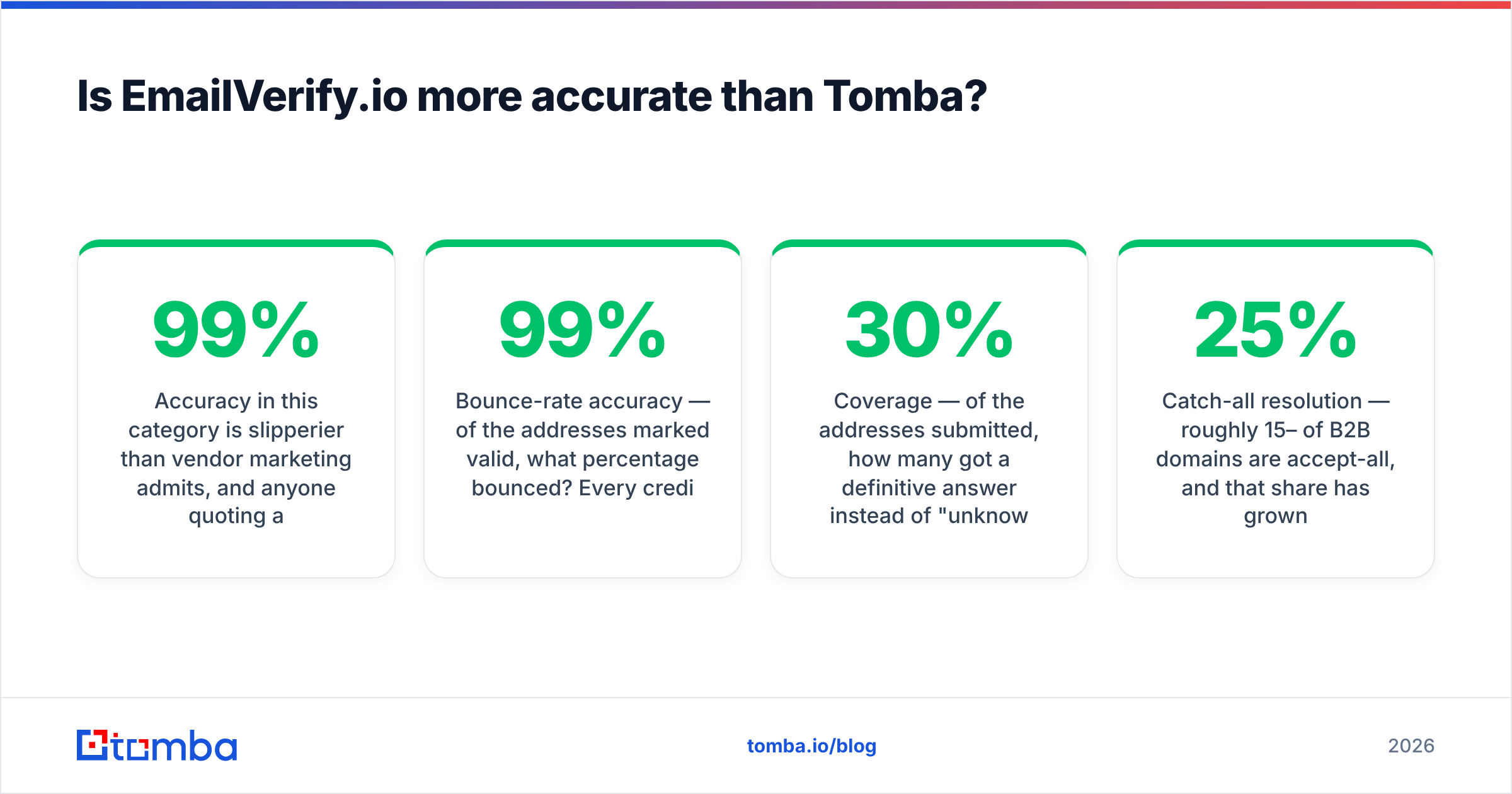
EmailVerifyIO vs Tomba: how do they compare head to head?#
| Attribute | EmailVerify.io | Tomba |
|---|---|---|
| Primary job | Validate existing lists | Find + verify + enrich |
| Email finder | No | Yes (name + domain, LinkedIn, author) |
| Domain search | No | Yes |
| Email verification | Yes — core product | Yes — one module |
| Catch-all handling | Flagged as accept-all/risky | Dedicated catch-all verifier |
| Data enrichment | No | Yes (title, seniority, company) |
| Phone numbers | No | Yes (finder + validator) |
| Entry price | Credit packs, pay-as-you-go | $49/mo Starter |
| Free tier | Trial credits | 25 searches/mo, ongoing |
| API | Verification endpoints | Finder, verifier, domain search, enrichment |
| Spreadsheet add-ins | Limited | Google Sheets, Excel, Airtable |
| Best for | Cleaning a list you already own | Building and maintaining lists |
The table makes the split obvious. These tools answer different questions. The overlap is one column out of twelve.

What does each one cost in practice?#
Pricing models differ in kind, not just amount. That's why per-email comparisons mislead.
Credit-pack verifiers (EmailVerify.io's model, shared with most of the category) sell blocks of validations. You buy 10,000 credits, you spend them when you need them. Attractive if your verification need is lumpy — one big list quarterly, nothing in between. Watch for two things. Credits often expire after 12 months. And the low per-email rate usually starts at volumes you won't hit.
Subscription platforms charge monthly for a pooled allowance across features. Tomba pricing runs a Free tier at 25 searches/mo, Starter at $49/mo, Growth at $99/mo, Pro at $249/mo, and custom Enterprise. Searches and verifications draw from the same allowance. So a month heavy on discovery and light on validation still uses the plan fully.
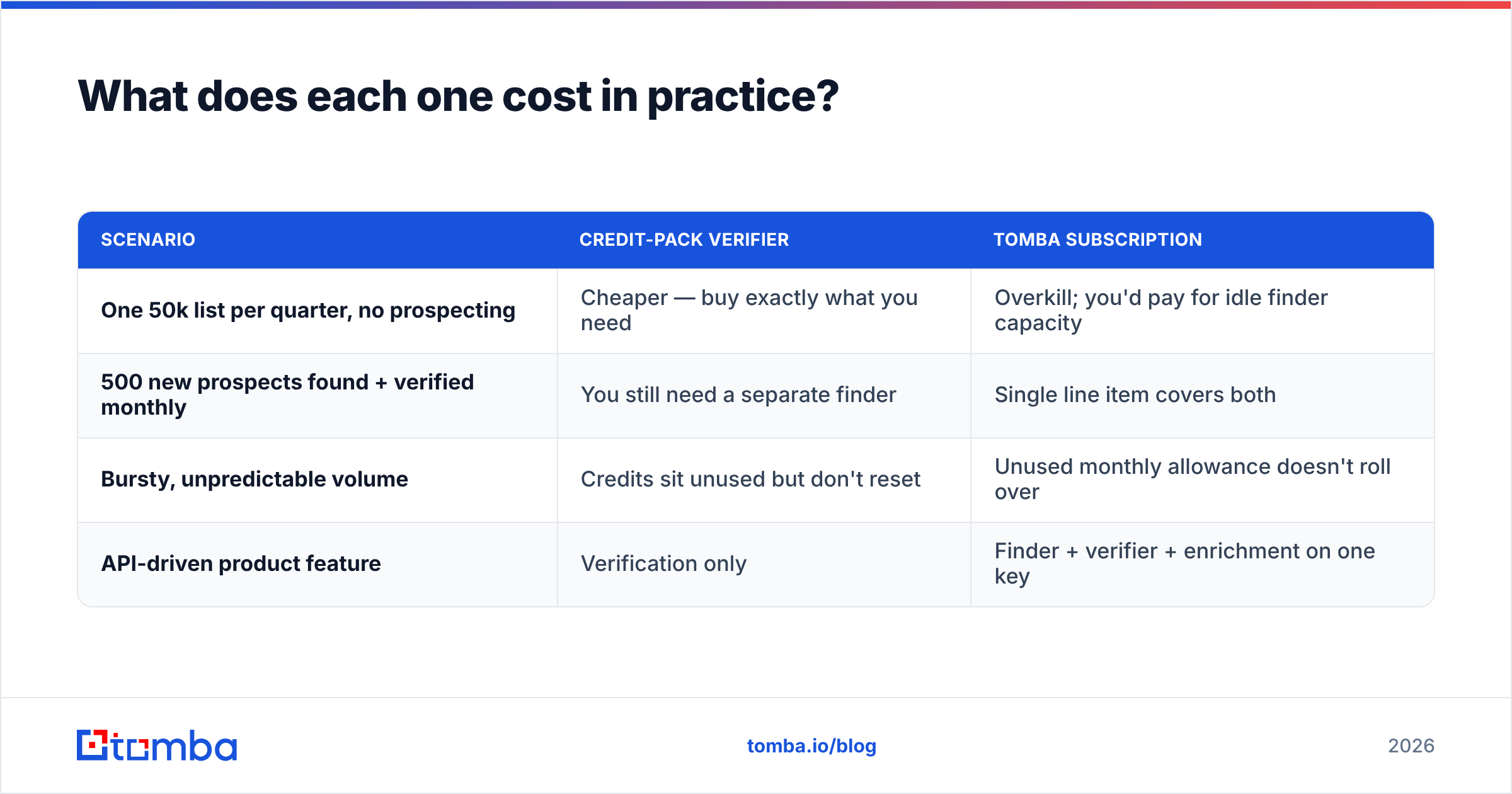
| Scenario | Credit-pack verifier | Tomba subscription |
|---|---|---|
| One 50k list per quarter, no prospecting | Cheaper — buy exactly what you need | Overkill; you'd pay for idle finder capacity |
| 500 new prospects found + verified monthly | You still need a separate finder | Single line item covers both |
| Bursty, unpredictable volume | Credits sit unused but don't reset | Unused monthly allowance doesn't roll over |
| API-driven product feature | Verification only | Finder + verifier + enrichment on one key |
Here's the trap teams fall into. They price the verifier and sign up. Three weeks later they discover they also need a finder, a LinkedIn extractor, and an enrichment source. Two invoices, two rate limits, two failure modes, and a CSV bouncing between them. That's not a pricing win — it's a deferred cost.
This pattern isn't unique to EmailVerify.io. It's what happens when you buy a point solution for a workflow problem. Vendors like BookYourData come at it from the data-first end. They sell the verified list outright instead of the tooling to build it. That's a fair third path if your ICP is stable and you'd rather buy than build.
Which one handles catch-all domains better?#
Catch-all is the single most useful differentiator in this comparison, so it's worth its own section.
A catch-all (or accept-all) server returns 250 OK for every recipient at the handshake stage — ceo@, nobody@, asdfghjkl@, all green. Standard SMTP verification is blind here. The server is lying by design, usually to block directory-harvest attacks.
Most verifiers respond by marking the address "risky" or "accept-all" and moving on. That's honest, but it's not an answer. On a B2B list where a fifth of domains are catch-all, you're left holding thousands of maybes. You then get two bad options: send anyway and eat the bounce risk, or discard and lose real contacts.
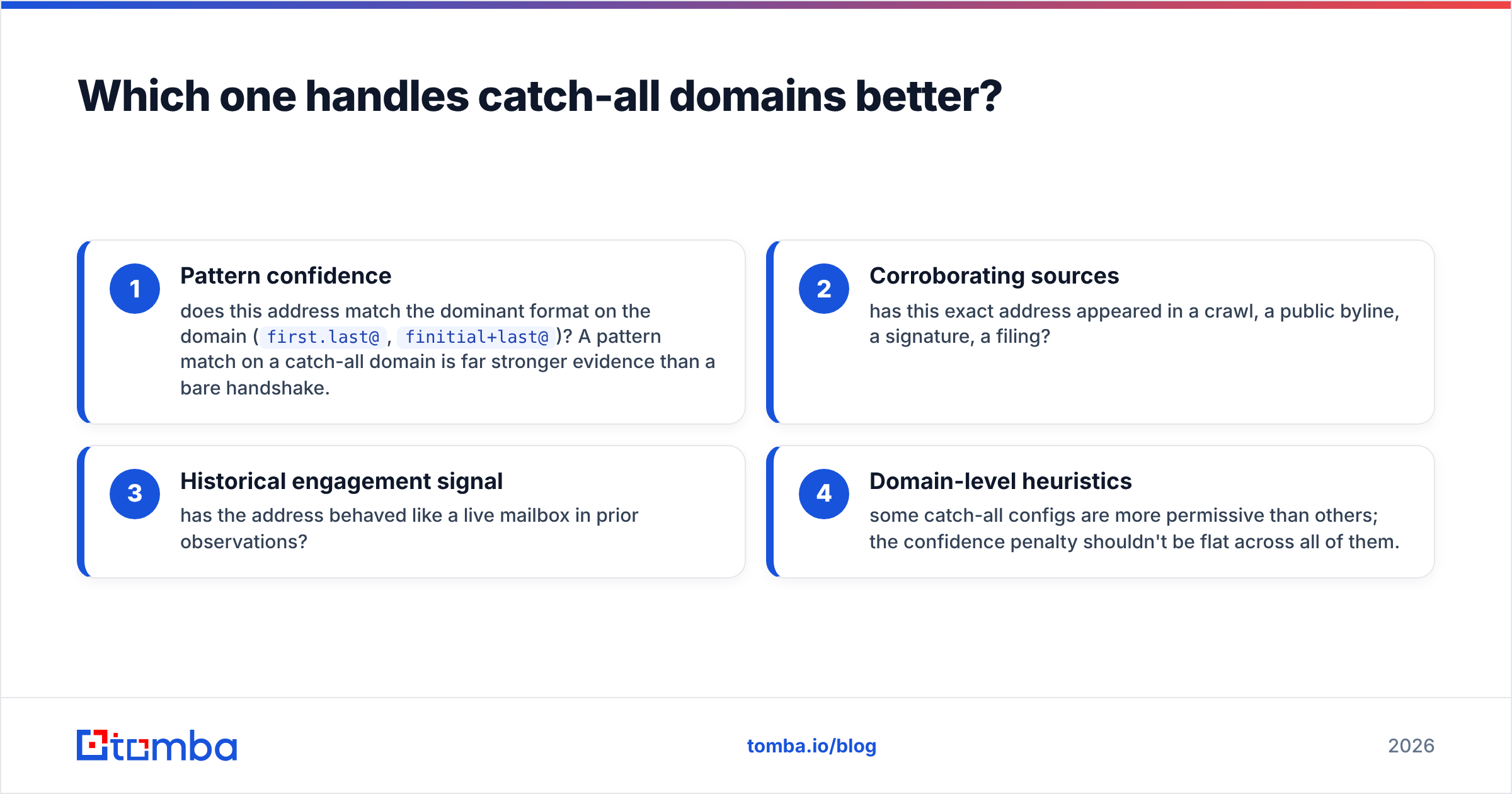
Tomba's catch-all finder and catch-all verifier attack this with secondary signals instead of SMTP alone:
- Pattern confidence — does this address match the dominant format on the domain (
first.last@,finitial+last@)? A pattern match on a catch-all domain is far stronger evidence than a bare handshake. - Corroborating sources — has this exact address appeared in a crawl, a public byline, a signature, a filing?
- Historical engagement signal — has the address behaved like a live mailbox in prior observations?
- Domain-level heuristics — some catch-all configs are more permissive than others, so the confidence penalty shouldn't be flat across all of them.
The output is a graded confidence score rather than a binary. That lets you set your own threshold. Send to everything above 80. Hold everything below. That's a decision you can act on; "risky" isn't.
If your target market skews enterprise, this alone may decide the comparison — catch-all setups are near-universal there. If you're selling to SMBs on Google Workspace with default settings, it matters much less.
When should you choose EmailVerify.io?#
Pick a dedicated verifier when these are true:
- Your lists arrive from elsewhere. Inbound signups, event scans, a partner feed, a purchased database. You're not sourcing, you're cleaning.
- Verification is your only gap. You already have a finder you like, or your CRM handles discovery.
- Volume is lumpy and large. Occasional 100k+ scrubs favor credit packs over monthly allowances.
- You need a second opinion. Some teams run two verifiers on high-value segments and only send where both agree. This is legitimate and worth the cost on a list you can't afford to burn.
- Budget is tight and scope is narrow. A verifier is the cheapest way to protect email deliverability if your only problem is a dirty list.
Nothing about a dedicated verifier is a compromise for these use cases. It's the right tool.
When should you choose Tomba?#
Pick a find-plus-verify platform when:
- You're building lists from scratch. A verifier can't validate addresses you don't have. This is the decisive case.
- Your workflow starts with a company, not a contact. Domain search turns "we should sell to these 200 accounts" into named contacts with addresses.
- You want one API for the whole chain. The Tomba API handles find, verify, and enrich on one key — meaningful if you're embedding this in a product rather than running it manually.
- Catch-all domains are a material share of your TAM. See above.
- You want enrichment attached. An email without a title or seniority is a send, not a segment. Personalization needs the fields around the address.
- Your team lives in spreadsheets. Sheets and Excel add-ins mean nobody exports a CSV to upload it somewhere else.
The honest counter-argument: if you never need discovery, you're paying for capability you won't touch. Buy the platform for the finder, not for the verifier.
Can you use both together?#
Yes, and for some teams that's the right answer. The EmailVerifyIO vs Tomba choice doesn't have to be either/or.
A common setup: Tomba handles discovery and first-pass verification during list building. Then a dedicated verifier runs a final scrub right before a large send. The logic is simple. Email data decays at roughly 2–3% per month as people change jobs. A list built in March and sent in June has already drifted.
Whether the second pass earns its cost depends on send size and list age. On a 500-contact sequence built last week, skip it. On a 50,000-contact campaign built six months ago, run it — the bounce risk to your sender reputation costs far more than the credits.
Independent user reviews on G2 and Capterra are worth skimming before you commit. Read the one- and two-star reviews first. They surface support delays and rate-limit surprises that feature tables never show.
What should you actually do next?#
Run both against the same 200-row sample from your real list. Not a demo list, not a curated sample — your actual data, including the messy rows. The only EmailVerifyIO vs Tomba test that counts is the one run on your own domains.
Compare three numbers:
- Definitive-answer rate — what percentage came back valid or invalid rather than unknown or risky?
- Agreement rate — where both tools gave a verdict, how often did they match? Disagreements are where you learn something.
- Actual bounce rate — send to a small slice of each tool's "valid" bucket and measure. This is the only number that isn't a proxy.
That test costs you a free tier and an afternoon. It beats any comparison article, including this one.
If your bottleneck is finding addresses rather than validating them, start with the Tomba Email Finder. The free tier gives you 25 searches a month with no card. That's enough to check finder accuracy against contacts you already know are correct. If it clears your bar, Starter at $49/mo covers find, verify, domain search, and enrichment on one plan — one fewer CSV export than the alternative.
Related guides#
Ready to find emails that actually work?
Join 150,000+ professionals who stopped guessing and started sending. Free credits on signup — no credit card required.
Get the Tomba newsletter
Practical outbound tactics and product updates — once every two weeks.
About the author