Enrow vs Pubrio: Which B2B Email Data Tool Wins in 2026?
Enrow verifies emails other tools give up on. Pubrio sells you the contacts in the first place. Here is where each one actually earns its credits — and where you still need a third tool.
TL;DR
- They are not really competitors. Enrow is a verification-first tool built to rule on addresses other verifiers mark "unknown." Pubrio is a B2B contact database with search, enrichment, and an email finder attached.
- Pick Enrow if you already have lists (scraped, exported, bought) and your bounce rate is the thing keeping you up at night.
- Pick Pubrio if your problem is upstream — you need to find companies and people before you can email anyone.
- Catch-all domains are the real dividing line. Verification-first tools invest heavily here; database-first tools usually pass the risk on to you.
- Most teams end up paying for both, which is why a single platform that does discovery and verification on the same credits — Tomba, Findymail, Prospeo — is worth pricing out before you commit.
What problem does each tool actually solve?#
Start here, because "Enrow vs Pubrio" is a search a lot of people run before realizing they are comparing a scalpel to a shopping cart.
Enrow positions itself as an email verification and finding service with an emphasis on deciding addresses that other tools refuse to decide. Its pitch is accuracy on the hard cases: catch-all servers, role addresses, providers that never return a clean SMTP response. If you have ever exported a verification result and found 40% of it sitting in an "unknown / risky" bucket you are not allowed to send to, you already understand the market Enrow is chasing.
Pubrio sits one step earlier in the funnel. It is a B2B lead-generation platform: search a database of companies and contacts by firmographic and technographic filters, build a list, enrich it, export it. Email finding is a feature inside that workflow rather than the whole product. Buyer intent, website visitor identification, and AI-assisted search are the sort of features it advertises alongside contact data.
So the honest framing is:
- Enrow answers "is this address safe to send?" — a quality question about data you already have.
- Pubrio answers "who should I email?" — a discovery question about data you do not have yet.
- Neither answers both well enough that a serious outbound team can run on one alone without workarounds.
- Your bottleneck decides the winner. Bounce rate problem → Enrow. Empty pipeline problem → Pubrio.
How do Enrow and Pubrio compare head-to-head?#
Here is the practical breakdown. Treat pricing rows as directional — both vendors adjust plans and credit ratios regularly, so confirm on their own pricing pages before you buy.
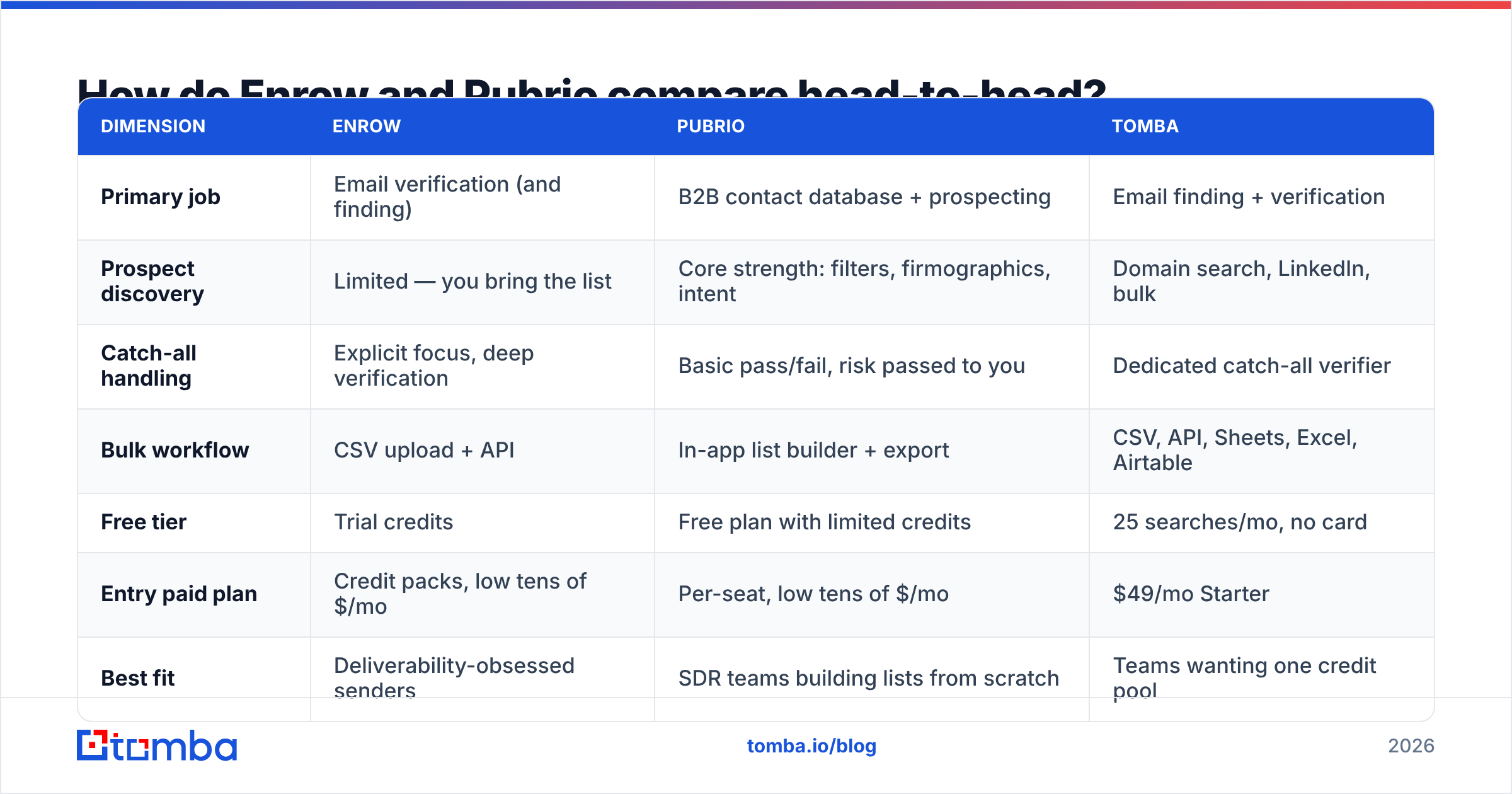
| Dimension | Enrow | Pubrio | Tomba |
|---|---|---|---|
| Primary job | Email verification (and finding) | B2B contact database + prospecting | Email finding + verification |
| Prospect discovery | Limited — you bring the list | Core strength: filters, firmographics, intent | Domain search, LinkedIn, bulk |
| Catch-all handling | Explicit focus, deep verification | Basic pass/fail, risk passed to you | Dedicated catch-all verifier |
| Bulk workflow | CSV upload + API | In-app list builder + export | CSV, API, Sheets, Excel, Airtable |
| Free tier | Trial credits | Free plan with limited credits | 25 searches/mo, no card |
| Entry paid plan | Credit packs, low tens of $/mo | Per-seat, low tens of $/mo | $49/mo Starter |
| Best fit | Deliverability-obsessed senders | SDR teams building lists from scratch | Teams wanting one credit pool |
| Weakness | Not a source of new contacts | Verification depth is not the focus | Smaller intent-data layer |

Read the table one column at a time and the pattern is obvious: the two products barely overlap except in the middle row. Enrow's answer to "where do leads come from?" is your CRM, your scrapes, your events list. Pubrio's answer to "how do I know this address is real?" is we checked, mostly.
Which one is more accurate — and how would you know?#
Accuracy claims in this category are close to meaningless without a definition, so define it before you evaluate either vendor.
Three numbers matter, and vendors love to quote only the first:
- Hit rate — of 1,000 contacts submitted, how many came back with an address? A high hit rate is easy to fake by guessing patterns.
- Bounce rate — of the addresses returned, how many hard-bounced when you actually sent? This is the only number your ESP cares about.
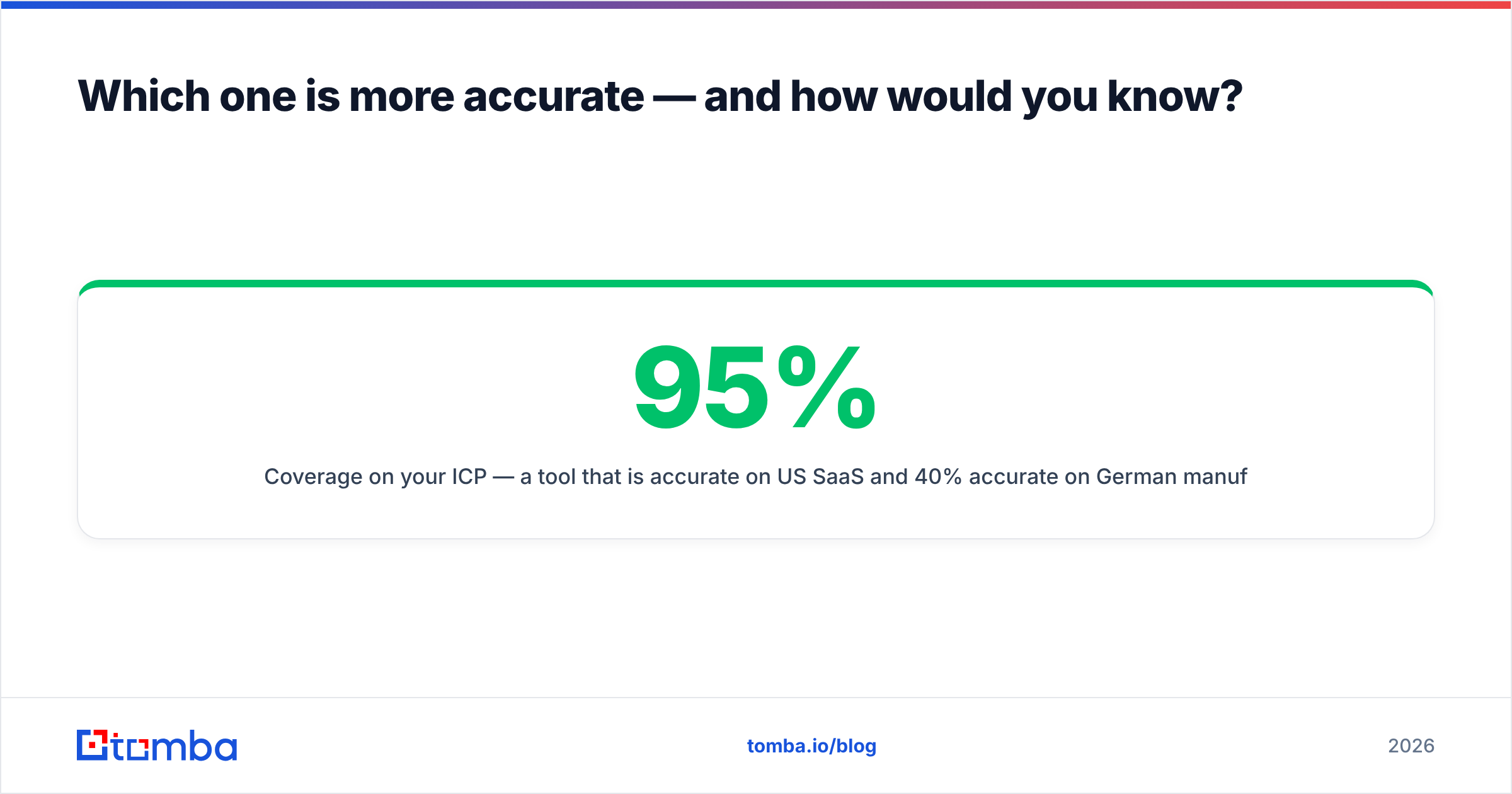
- Coverage on your ICP — a tool that is 95% accurate on US SaaS and 40% accurate on German manufacturing is not a 95% tool if you sell to German manufacturers.

The test that settles it takes an afternoon. Pull 200 contacts you already have confirmed, working emails for — replies in your inbox are the ground truth. Strip the emails. Run the names and domains through each tool. Compare returned addresses to what you know is correct. You will get a hit rate and a precision rate, and the gap between them tells you how much guessing is happening.
Run the same 200 through a neutral third checker afterward. Our email verifier works fine for this, as does any provider you do not already pay for — the point is that no vendor should grade its own homework.
Why do catch-all domains decide this comparison?#
Because catch-all is where 20–40% of B2B domains live, and it is the single biggest source of disagreement between verification vendors.
A catch-all server accepts mail for every address at the domain, real or not. jsmith@acme.com and zzzzzz@acme.com both return "accepted" at the SMTP layer. A basic verifier cannot distinguish them, so it returns "risky" or "unknown" and hands the decision back to you. That is safe for the vendor and useless for you.
Verification-first tools like Enrow build their pitch on solving exactly this — using pattern confidence, historical send data, and provider-specific behaviour to give a real verdict instead of a shrug. Database-first tools like Pubrio generally do not, because their revenue comes from list volume rather than per-address certainty.
If a meaningful share of your target accounts run catch-all (common in enterprise, common in Europe), this is not a footnote. It is the whole decision. Test it directly: take 50 domains you know are catch-all and see what each tool returns. A tool that marks all 50 "unknown" has not verified anything — it has just relabeled your problem. Our catch-all verifier exists for the same reason Enrow leans on this feature: the bucket is too big to write off.
How should you think about pricing?#
Credits are not comparable across vendors, and that is not an accident.
Watch for these four traps when you compare quotes:
- What consumes a credit. A search that returns nothing should not cost you. Some tools charge for the attempt; some only for a result. Ask directly and get it in writing.
- Per-seat versus pooled. Database platforms often price per seat, so a five-person SDR team pays five times before touching data volume. Verification tools usually price on volume alone.
- Export limits inside the plan. Some database products cap how many records you can export per month regardless of how many credits you hold. That cap, not the credit count, is your real ceiling.
- Rollover and expiry. Credits that expire monthly turn a cheap plan into an expensive one the first time your campaign slips two weeks.
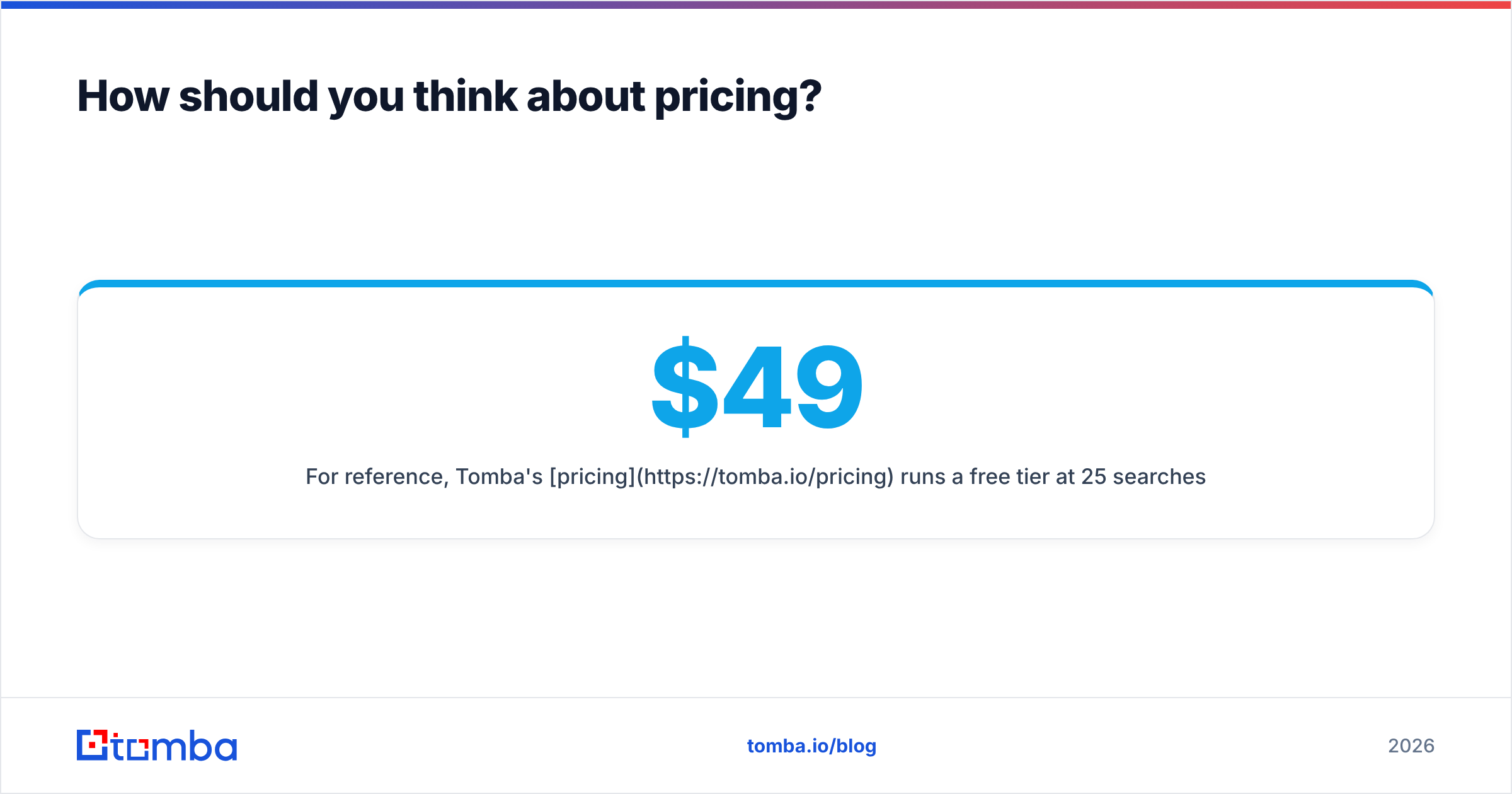
For reference, Tomba's pricing runs a free tier at 25 searches/month, Starter at $49/mo, Growth at $99/mo, Pro at $249/mo, and custom Enterprise — with finding and verification drawing on the same pool rather than two separate meters. The reason we mention it here is not that it is always cheapest; it is that "one meter" versus "two meters" is the comparison most people forget to run when stacking Enrow plus a data source.

Where does each tool fall short?#
Every tool in this category has a shape, and the shape has edges.
Enrow's limits:
- It does not fill your pipeline. Great verification on an empty list is still an empty list.
- Verification-only workflows create handoffs. Export from source, upload to Enrow, download, re-import to sequencer. Each hop is a place for stale data and human error.
- You pay twice for the same contact — once to find it, once to check it.
Pubrio's limits:
- Database freshness is invisible to you. You cannot tell from the UI whether a record was refreshed last week or eighteen months ago, and job-change churn in B2B runs roughly 20–30% a year.
- Verification depth is secondary. Expect to run exports through a dedicated verifier before sending anything at volume.
- Per-seat pricing scales with headcount, not usage, which punishes small teams doing large volume.
The shared limit: neither tool improves your copy, your targeting logic, or your sending infrastructure. A perfectly verified list sent from a cold domain with no SPF record still lands in spam. Data quality is necessary and nowhere near sufficient — if your email deliverability foundation is broken, changing data vendors will not move your reply rate.
Is a combined platform a better answer than either?#
For most teams under 20 reps, yes — and the reason is workflow, not features.
The two-tool stack (database + verifier) makes sense at scale, where you have a RevOps person owning the pipeline, an API gluing the steps, and volume high enough that specialization pays. Below that threshold, the handoffs cost more than the specialization saves.
A combined platform collapses find-and-verify into one step on one credit pool. Practically that looks like: run a domain search on a target account, get the pattern plus the named contacts, verify inline, push to your CRM through an integration — no CSV round trip, no second invoice, no reconciling two dashboards that disagree about whether an address is valid.
The trade-off is real and worth naming: combined platforms usually have thinner intent and technographic filtering than a dedicated database product like Pubrio, and may not chase the last few percent of catch-all resolution as aggressively as a verification specialist like Enrow. If those specific capabilities are load-bearing for your motion, buy the specialist.
Which should you choose?#
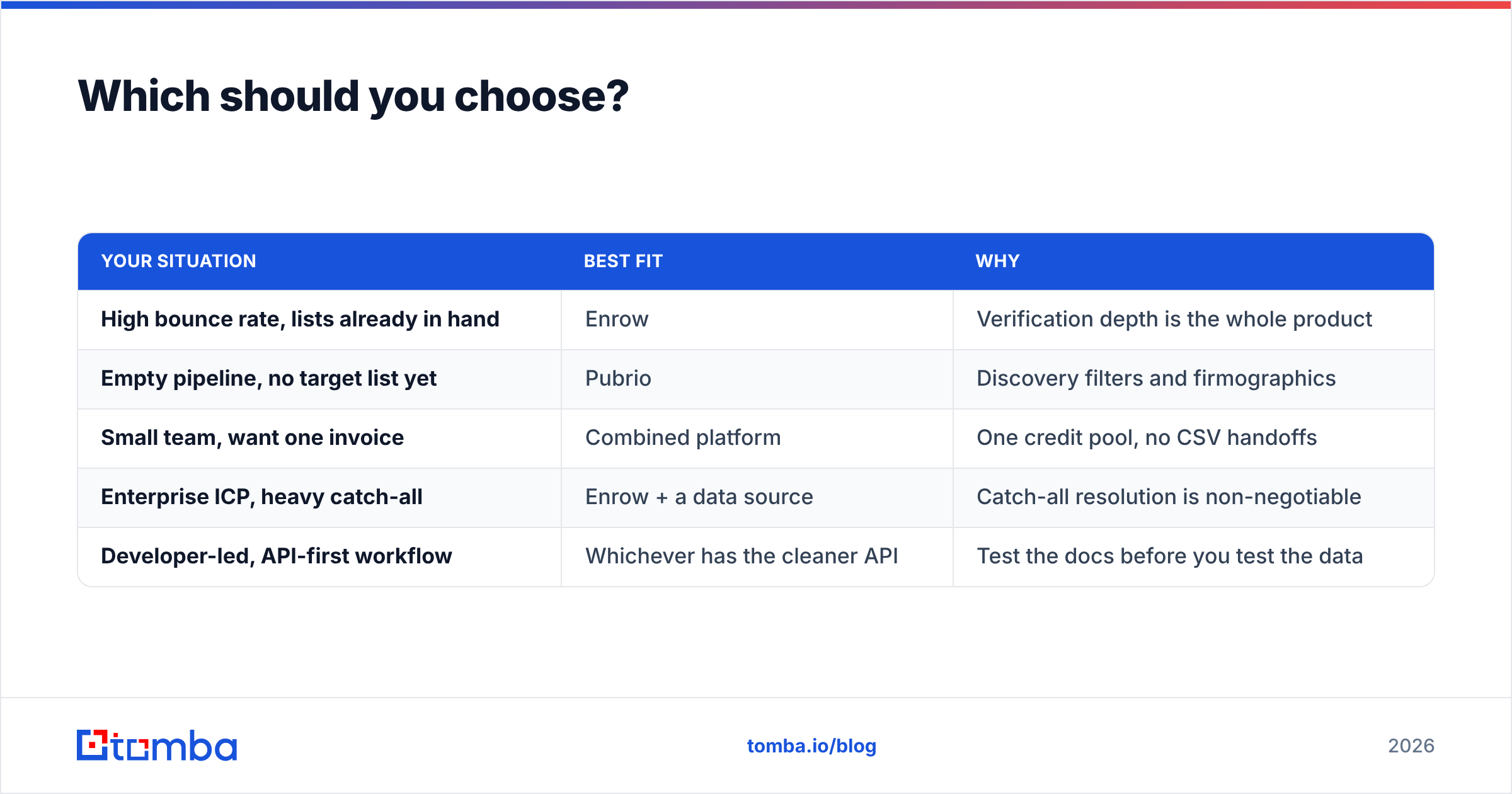
Match the tool to your actual bottleneck, not to the review with the best score on G2.
| Your situation | Best fit | Why |
|---|---|---|
| High bounce rate, lists already in hand | Enrow | Verification depth is the whole product |
| Empty pipeline, no target list yet | Pubrio | Discovery filters and firmographics |
| Small team, want one invoice | Combined platform | One credit pool, no CSV handoffs |
| Enterprise ICP, heavy catch-all | Enrow + a data source | Catch-all resolution is non-negotiable |
| Developer-led, API-first workflow | Whichever has the cleaner API | Test the docs before you test the data |
Whatever you shortlist, run the 200-contact benchmark before you sign anything annual. Vendors publish accuracy numbers measured on their own sample; yours will differ, sometimes by 30 points. An afternoon of testing is cheaper than a year of credits you do not use, and it converts a marketing argument into a number you own.
One last practical note: whichever direction you go, verify at send time rather than at purchase time. A list verified in March and sent in July is not a verified list — it is a historical document.
Try it on your own data. If you want to see how a combined find-and-verify workflow compares against your current Enrow or Pubrio output, run the same 200 contacts through the Tomba Email Finder. The free tier gives you 25 searches a month with no card, which is enough to benchmark a sample and see the hit rate, the verification verdict, and the catch-all handling side by side before you spend anything.
Related guides#
Ready to find emails that actually work?
Join 150,000+ professionals who stopped guessing and started sending. Free credits on signup — no credit card required.
Get the Tomba newsletter
Practical outbound tactics and product updates — once every two weeks.
About the author