Exact Data vs LeadsForge: Which B2B Data Provider Wins in 2026?
One sells you a static list built by a legacy data broker. The other builds it with AI on demand. Here is how Exact Data and LeadsForge actually differ on accuracy, pricing, compliance, and refresh rate — plus when neither is the right buy.
TL;DR
- Exact Data is a legacy list broker: you buy a one-time file (or a licensed multi-use file) built from compiled consumer and business databases. Volume is huge, freshness is the risk.
- LeadsForge is an AI list builder: you describe your ICP in plain English and it assembles a targeted list on demand. Speed and targeting are the strength, depth on niche firmographics is the risk.
- Neither is primarily a verification tool. Both hand you addresses; both expect you to validate before you send.
- If your bottleneck is "I have accounts, I need reachable contacts," a per-contact email finder plus a verifier is usually cheaper than either list purchase.
- Budget reality: static list buys often land in the low four figures for a usable file; AI list builders and email-finder tools start under $100/month. That gap decides most purchases.
What is Exact Data and who actually buys it?#
Exact Data is one of the older names in American list brokerage. The company sells targeted mailing lists, email lists, and phone lists across both consumer and B2B segments, assembled from compiled sources: public records, self-reported registrations, subscription data, transaction files, and partner databases. You pick selects (industry, SIC/NAICS, employee count, revenue, job title, geography), get a count, and buy the records — sometimes as a one-time-use rental, sometimes as an owned file.
The buyer profile is specific. Exact Data works for direct mail campaigns, telemarketing programs, and multi-channel campaigns where you need tens of thousands of records at once and postal accuracy matters as much as email. If you run a regional HVAC franchise campaign or a compliance-heavy financial services mailer, a compiled list broker is a reasonable line item.
Where it gets uncomfortable is cold email. Compiled B2B email data decays fast — the commonly cited figure across the data industry is roughly 2 to 2.5% of B2B contact records going stale every month, which compounds to 25–30% annually. A file assembled six months ago and sold to you today can carry a meaningful bounce rate before you send a single message. That is not a knock specific to Exact Data; it is the structural weakness of every compiled-list model. You can check current positioning and category reviews on Exact Data's site and cross-reference buyer sentiment in the G2 lead intelligence category.
What is LeadsForge and how is the AI angle different?#
LeadsForge sits in the newer category of AI-assisted list builders. Instead of navigating a selects menu, you type something like "Series A fintech companies in the UK with 20–100 employees, head of engineering or CTO" and the system interprets the prompt, queries its underlying data layer, and returns a contact list. Some tools in this class layer on enrichment and export directly into your sequencer or CRM.
The value is time-to-list. What takes 40 minutes of filter-fiddling in a traditional platform takes one prompt. For a founder or a two-person SDR team building their first 500-contact test list, that matters more than it sounds.
The trade-offs are real too:
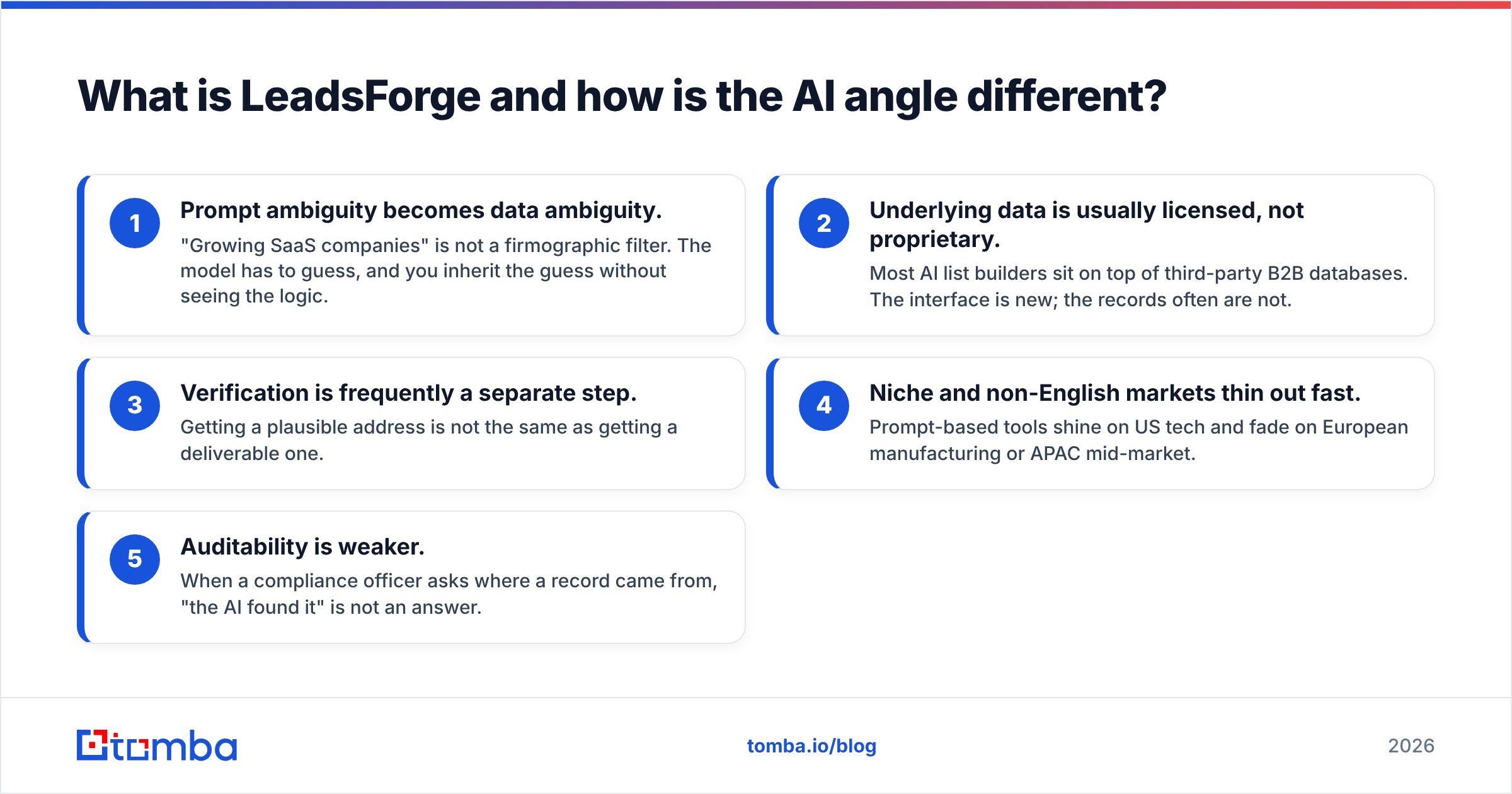
- Prompt ambiguity becomes data ambiguity. "Growing SaaS companies" is not a firmographic filter. The model has to guess, and you inherit the guess without seeing the logic.
- Underlying data is usually licensed, not proprietary. Most AI list builders sit on top of third-party B2B databases. The interface is new; the records often are not.
- Verification is frequently a separate step. Getting a plausible address is not the same as getting a deliverable one.
- Niche and non-English markets thin out fast. Prompt-based tools shine on US tech and fade on European manufacturing or APAC mid-market.
- Auditability is weaker. When a compliance officer asks where a record came from, "the AI found it" is not an answer.
Correction on formatting — here is the visual:

Exact Data vs LeadsForge: how do they compare head to head?#
Pricing for both is quote-driven or tier-driven and moves frequently, so treat the numbers below as directional ranges pulled from published tiers and typical buyer-reported quotes rather than locked prices. Always get a written count and a bounce guarantee before you pay.
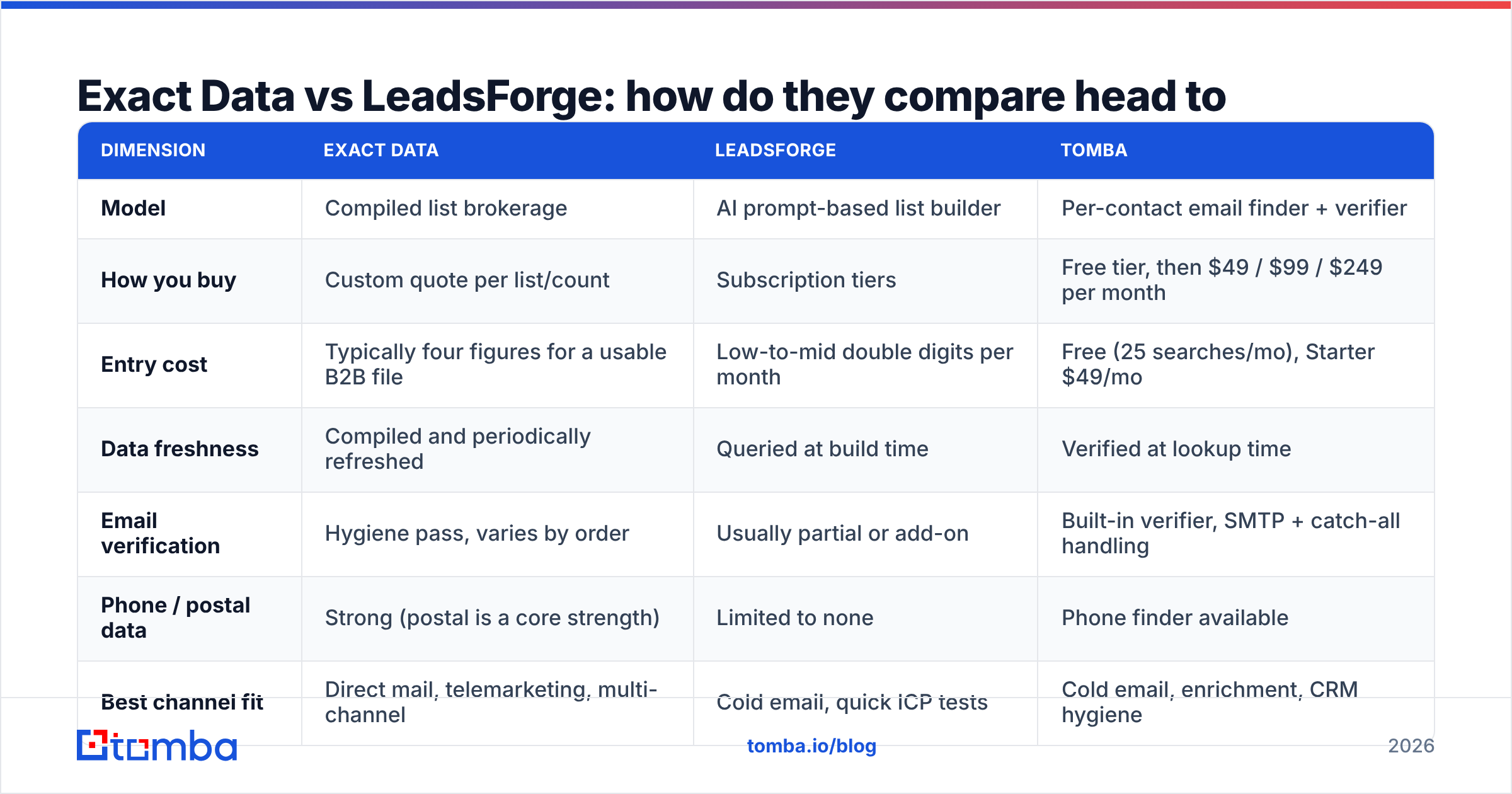
| Dimension | Exact Data | LeadsForge | Tomba |
|---|---|---|---|
| Model | Compiled list brokerage | AI prompt-based list builder | Per-contact email finder + verifier |
| How you buy | Custom quote per list/count | Subscription tiers | Free tier, then $49 / $99 / $249 per month |
| Entry cost | Typically four figures for a usable B2B file | Low-to-mid double digits per month | Free (25 searches/mo), Starter $49/mo |
| Data freshness | Compiled and periodically refreshed | Queried at build time | Verified at lookup time |
| Email verification | Hygiene pass, varies by order | Usually partial or add-on | Built-in verifier, SMTP + catch-all handling |
| Phone / postal data | Strong (postal is a core strength) | Limited to none | Phone finder available |
| Best channel fit | Direct mail, telemarketing, multi-channel | Cold email, quick ICP tests | Cold email, enrichment, CRM hygiene |
| API access | Limited / enterprise | Varies by plan | Full API, CLI, MCP, Sheets, Excel |
| Compliance posture | Established broker with documented sourcing | Newer vendor, less public documentation | Published data sourcing and opt-out policy |
| Best for | 50k+ record campaigns, offline channels | Solo founders and small SDR teams testing ICPs | Teams that already know their accounts |
The pattern in that table is the actual story. Exact Data and LeadsForge answer the same question — "who should I contact?" — from opposite ends. Exact Data optimizes for breadth and offline channels. LeadsForge optimizes for speed and prompt-level targeting. Neither one primarily optimizes for deliverability of the email address at the moment you send, which is the metric that decides whether your cold email campaign survives.
Which one has better data accuracy?#
Accuracy in B2B data is three separate things that vendors happily blur together:
- Existence accuracy — does this person exist at this company right now?
- Match accuracy — is this email address actually theirs, not a pattern guess?
- Deliverability accuracy — will the mail server accept it today?
Compiled brokers like Exact Data are strongest on existence accuracy for established firms and postal records, and weakest on deliverability, because the file was assembled before you bought it. AI list builders are strongest on match accuracy for well-covered segments (US tech, mid-market SaaS) because they query live, and weakest on existence accuracy in thin segments where the model fills gaps with inference.
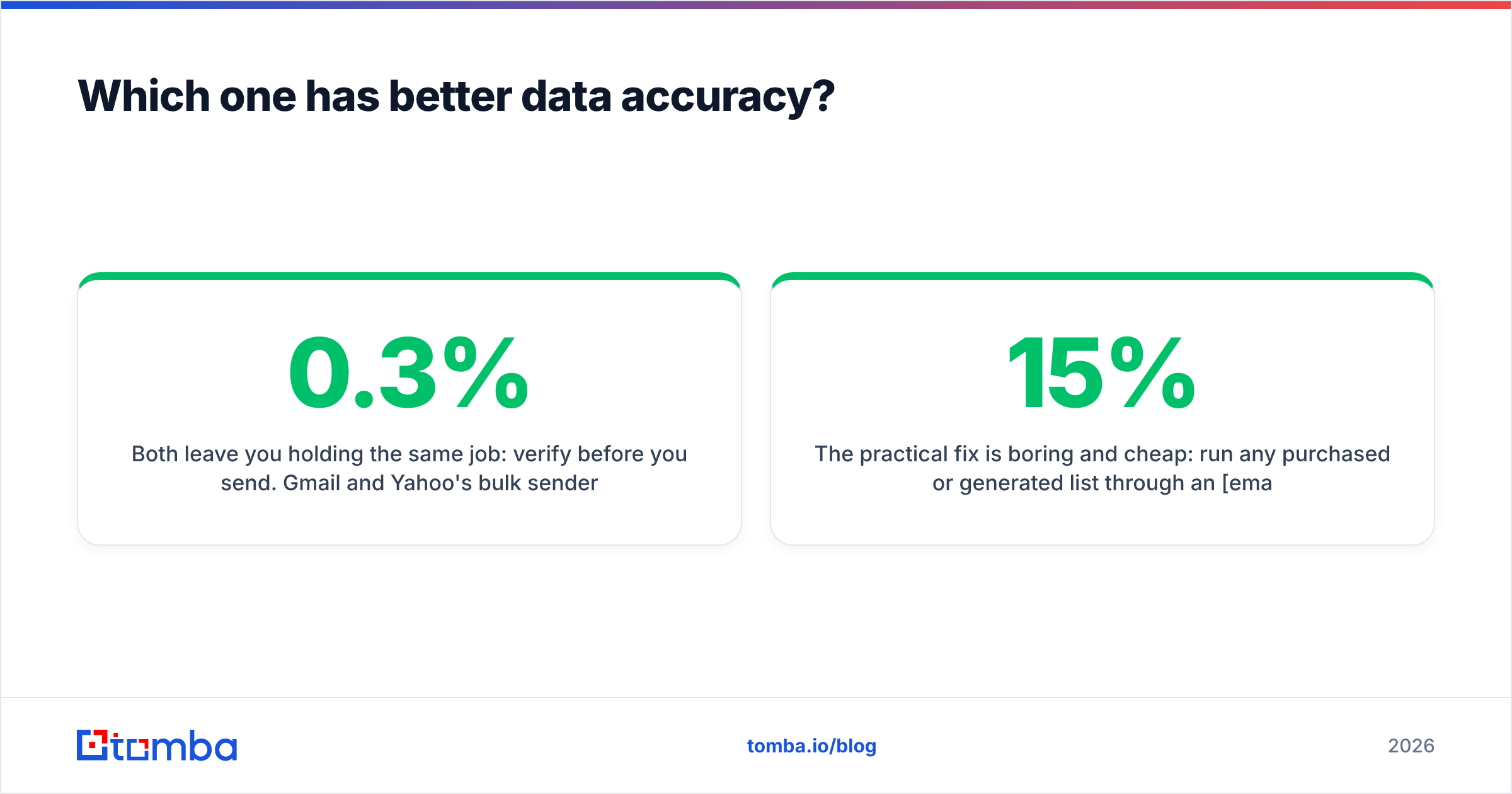
Both leave you holding the same job: verify before you send. Gmail and Yahoo's bulk sender requirements pushed the acceptable spam complaint rate to 0.3%, and a hard bounce rate above roughly 2% starts eroding sender reputation quickly. If you buy 20,000 records with 12% dead addresses and blast them, you will spend the next quarter rebuilding domain reputation instead of booking meetings.
The practical fix is boring and cheap: run any purchased or generated list through an email verifier before it touches your sequencer. A verification pass on 20,000 records costs a fraction of the list itself and routinely removes 8–15% of a compiled file. That single step changes the economics of both vendors more than any feature on the comparison table.
When should you skip both and just use an email finder?#
Here is the question most buyers skip: do you actually need a list, or do you need contacts at accounts you already know?
If you have a target account list — from your CRM, a G2 category export, a conference attendee sheet, a funding-round tracker, LinkedIn Sales Navigator — you do not need to buy 50,000 compiled records or prompt an AI for a fresh audience. You need to turn known companies and known names into deliverable email addresses. That is a different product category, and it is dramatically cheaper.
Concretely, the workflow looks like this:
- Start from accounts, not audiences. Export the 800 companies that match your ICP from whatever source you already trust.
- Run a domain sweep. Use domain search to pull every discoverable contact and the company's email pattern in one call.
- Target by role, not by list select. Feed first name + last name + domain into an email finder for the specific decision-makers you want.
- Verify in the same pass. Catch-all domains, role accounts, and dead mailboxes get flagged before export.
- Enrich what survives. Add title, seniority, company size, and social profiles via data enrichment so your sequencer has personalization fuel.
- Push to CRM and sequence. No CSV round-trip, no stale file sitting on someone's desktop.
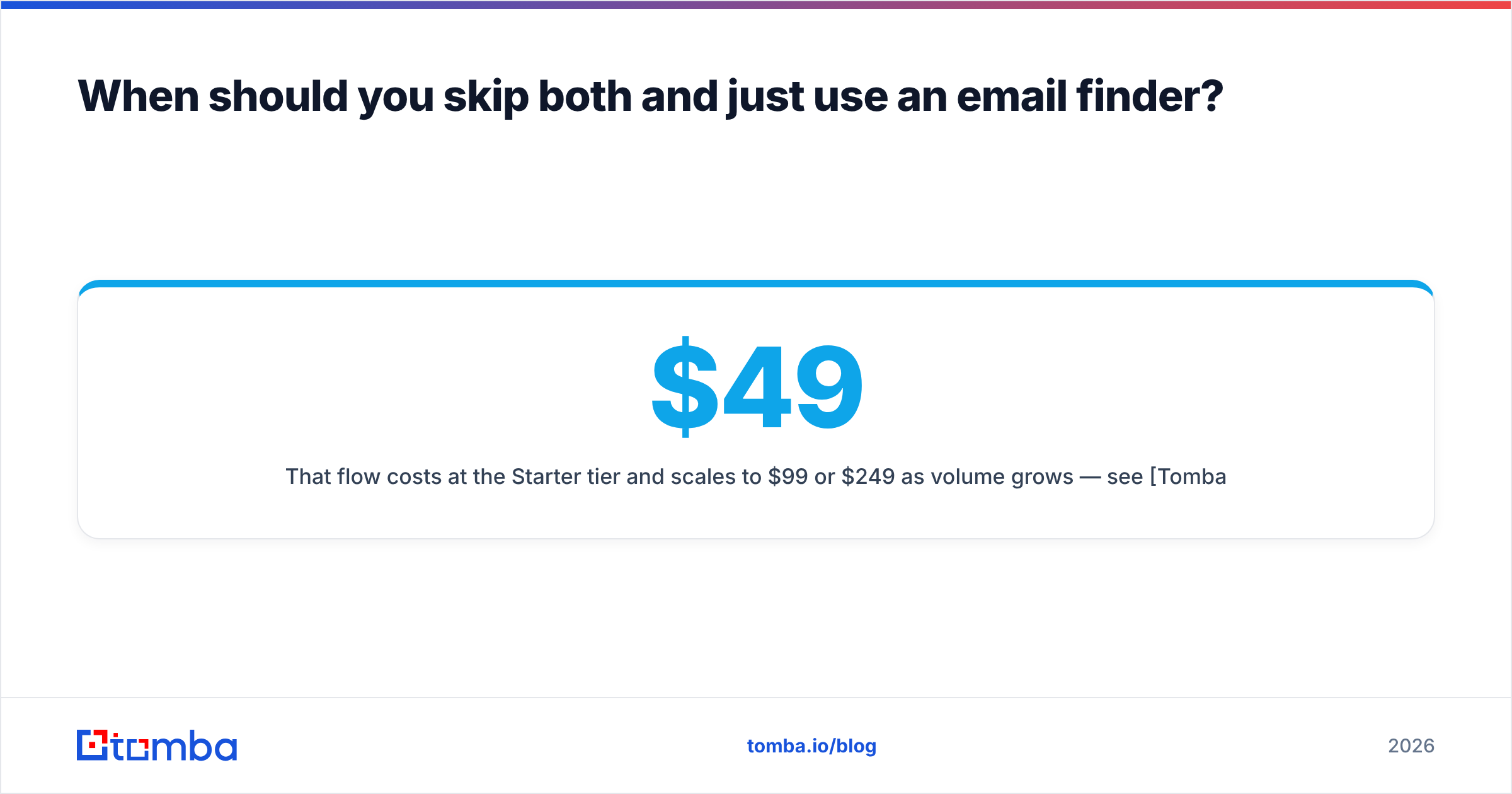
That flow costs $49/month at the Starter tier and scales to $99 or $249 as volume grows — see Tomba pricing for exact credit allocations. Compare that to a four-figure one-time list purchase you cannot refresh, and the math is not close for teams under 50 SDRs.

What about compliance, and does it change the decision?#
Yes, and it is the most underrated factor in this comparison.
If you sell into the EU or UK, purchased B2B lists are legally fraught. GDPR requires a lawful basis for processing, and legitimate interest for cold B2B outreach is defensible only with documentation: where the record came from, when, and how the recipient can opt out. A compiled list broker with decades of documented sourcing gives you a better paper trail than a newer AI vendor that describes its sources vaguely. Exact Data has the advantage here purely on institutional maturity.
In the US, the FTC's CAN-SPAM guidance governs commercial email regardless of how you sourced the address — accurate headers, honest subject lines, a physical address, and a working unsubscribe that you honor within 10 business days. Buying a list does not exempt you from any of it, and "the vendor said it was opt-in" is not a defense if the record is bad.
Three practical rules:
- Ask any data vendor for a written source disclosure and a suppression/opt-out process. If they hedge, walk.
- Prefer vendors that publish their data sources rather than describing them as "proprietary."
- Keep your own global suppression list. Vendor-side suppression is not sufficient when you buy from more than one supplier.
What is the honest verdict for 2026?#
Buy Exact Data if you run offline or multi-channel campaigns at volume, need postal accuracy, and have a compliance function that wants a documented broker relationship. Get the bounce guarantee in writing, negotiate the count, and budget for a verification pass on top.
Buy LeadsForge if you are small, fast, and testing ICPs. The prompt interface genuinely compresses the list-building cycle, and for US-centric tech targeting the coverage is usually adequate. Do not treat its output as send-ready.
Skip both if your accounts are already identified. That is the majority of B2B teams, and it is where list purchases quietly waste the most money — you pay for 40,000 records to use 900 of them.
The uncomfortable truth about the entire "exact data vs leadsforge" question is that list quality converges. Most vendors license overlapping underlying data. What does not converge is what happens between the record and the send — verification, enrichment, suppression, and pattern intelligence. That layer is where campaign outcomes are actually decided, and it is the layer both of these products treat as someone else's job.
How do you test any of these vendors in one week?#
Do not buy on a demo. Run a controlled bake-off:
- Pick 200 accounts you know well, including 20 where you already have a confirmed contact.
- Request the same 200 from each vendor (a sample file from the broker, a prompt-built list from the AI tool, a domain sweep from an email finder).
- Score three numbers: coverage (contacts found per account), precision (of your 20 known contacts, how many matched), and bounce rate after verification.
- Compute cost per verified, deliverable contact — not cost per record. That single number reorders most vendor shortlists.
Teams that run this test almost always find their real bottleneck is verification, not sourcing.
Ready to stop paying for records you cannot send to?#
If your target accounts are already defined, you do not need another list purchase — you need reachable contacts at the companies you picked. The Tomba Email Finder turns a name and a domain into a verified, deliverable address, with catch-all handling, confidence scoring, and enrichment built into the same call. Start on the free tier with 25 searches a month, run the 200-account bake-off above against whatever quote is sitting in your inbox, and compare cost per deliverable contact instead of cost per row. If Tomba does not win that comparison for your segment, you will at least know exactly what you are buying from everyone else.
Related guides#
Ready to find emails that actually work?
Join 150,000+ professionals who stopped guessing and started sending. Free credits on signup — no credit card required.
Get the Tomba newsletter
Practical outbound tactics and product updates — once every two weeks.
About the author