Exact Data vs Tomba: Which B2B Contact Data Tool Wins?
One sells you a licensed list. The other looks contacts up in real time and verifies them before you send. Here is how Exact Data and Tomba actually differ on price, freshness, accuracy, and compliance risk.
Exact Data vs Tomba is a choice between two very different products. One sells you a licensed list. The other looks each contact up in real time and verifies it before you send. Here is how the two differ on price, freshness, accuracy, and compliance risk.
TL;DR
- Exact Data is a list broker. You describe an audience. They quote you a file of records. You license it for a set number of uses. It is a purchase, not a software subscription.
- Tomba is a real-time lookup and verification engine. Feed it a domain, a name, or a LinkedIn profile. It returns a verified email right now, priced per credit from $49/mo.
- The decision is really about freshness. A licensed file is a snapshot of a database, taken on the day it was pulled. B2B contact data decays about 2-3% per month. So a list you bought in January is badly wrong by June.
Two more points settle most Exact Data vs Tomba evaluations:
- Compliance risk differs. Buying a list of people who never heard of you is not the same as looking up one person you researched and chose. CAN-SPAM and GDPR treat those cases differently.
- Pick Exact Data for high-volume direct mail, consumer targeting, and postal-first campaigns. Pick Tomba for account-based outbound, where you already know who you want to reach and just need today's address.
What is Exact Data, and what are you actually buying?#
Exact Data is a Chicago-based data compiler and list brokerage. The model predates SaaS. You tell them the audience you want — industry codes, company size, geography, job function, and for consumer files things like homeownership or income band. They run counts against their compiled database and quote you a price for the file. You license that file, usually for one-time or multi-use over a set window, and receive it as a CSV or through a delivery integration.
That is a different product from an email finder. What you buy is records, not access. The value is breadth. Compiled databases cover postal addresses, phone numbers, consumer demographics, and business firmographics at a scale no lookup API tries to match. If your campaign is a physical mailer to 40,000 dental practices, a broker is the right vendor. An email finder is not.
The tradeoffs come from the same place. A compiled file is built from public filings, directories, surveys, partner data, and bought sources. Accuracy on any single record is a statistical claim, not a per-record promise. And it was true as of a compile date you do not control. Check the Exact Data site for current counts and licensing terms before you commit. Brokerage pricing is quote-driven and shifts by audience.
What is Tomba, and how does it differ structurally?#
Tomba is a self-serve email finder with verification built in. You do not describe an audience and wait for a quote. You pass an input — a company domain, a name plus domain, a LinkedIn URL, or an article byline. You get back a work email with a confidence score and the public sources it was checked against.
The structural difference in one line: a broker answers "who should I contact?" Tomba answers "what is this person's working email?"
So Tomba assumes you already did the targeting. You built a list of 300 accounts from your ICP. You picked the VP of Engineering at each. Now you need addresses that will not bounce. Tomba's domain search returns every discoverable address at a company, plus the dominant email pattern. Its email verifier checks deliverability before you send. The Tomba API does all of it inside your own enrichment job.

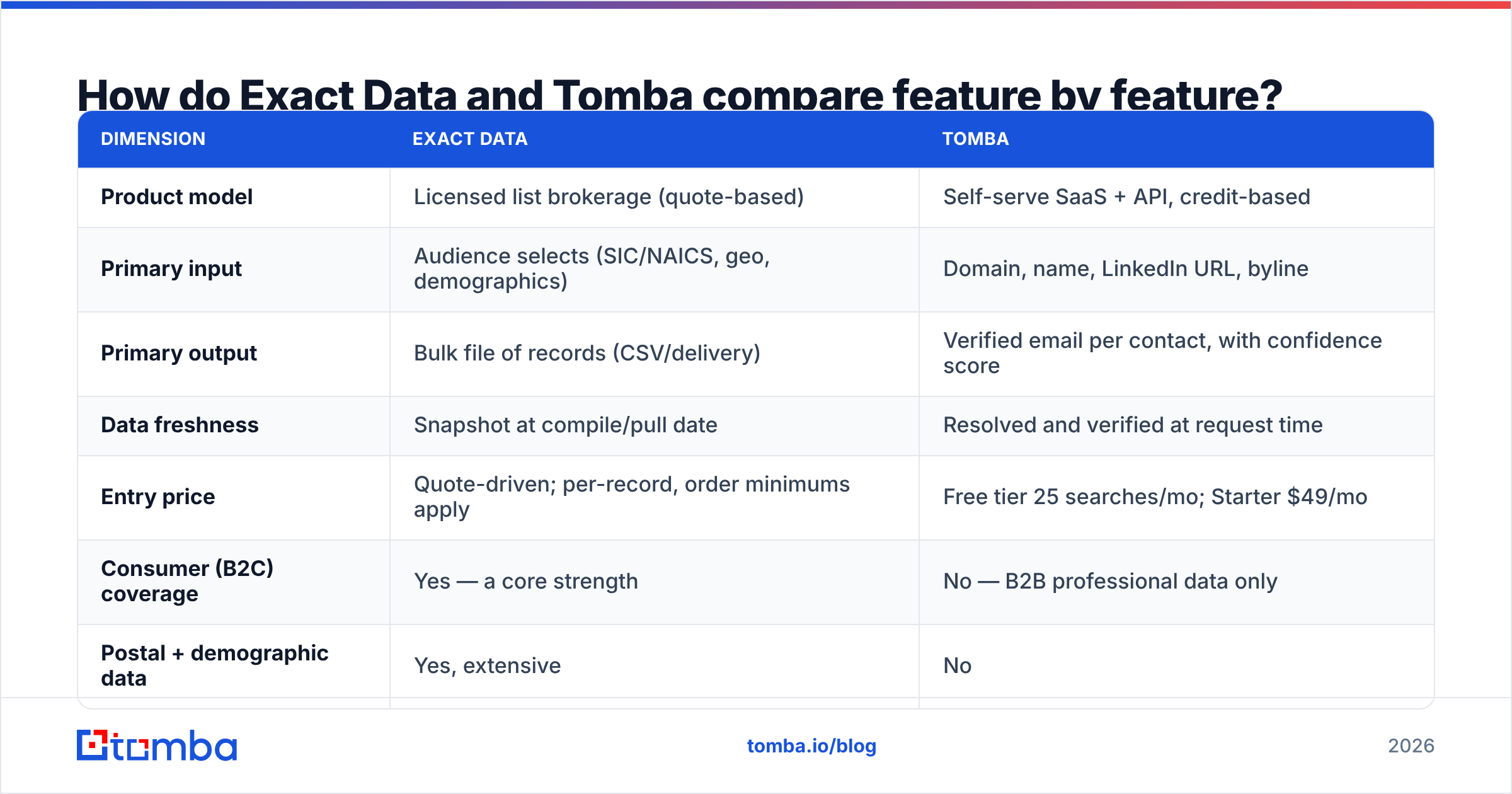
Exact Data vs Tomba: how do they compare feature by feature?#
| Dimension | Exact Data | Tomba |
|---|---|---|
| Product model | Licensed list brokerage (quote-based) | Self-serve SaaS + API, credit-based |
| Primary input | Audience selects (SIC/NAICS, geo, demographics) | Domain, name, LinkedIn URL, byline |
| Primary output | Bulk file of records (CSV/delivery) | Verified email per contact, with confidence score |
| Data freshness | Snapshot at compile/pull date | Resolved and verified at request time |
| Entry price | Quote-driven; per-record, order minimums apply | Free tier 25 searches/mo; Starter $49/mo |
| Consumer (B2C) coverage | Yes — a core strength | No — B2B professional data only |
| Postal + demographic data | Yes, extensive | No |
| Built-in email verification | Hygiene varies by order/add-on | Included; standalone verifier and catch-all handling |
| Self-serve trial | No — sales-led quoting | Yes — free tier, no call required |
| API / automation | Limited, delivery-oriented | Full REST API, CLI, Sheets, Excel, Zapier, HubSpot |
| Best fit | Direct mail, broad B2C/B2B reach campaigns | Targeted B2B outbound, enrichment pipelines |
The rows that matter most are freshness and model. Everything else follows from those two.

Which one gives you more accurate email addresses?#
Neither vendor can honestly promise a universal accuracy number. Distrust anyone who does. Accuracy depends on when a record was last confirmed and how it was confirmed. So compare the mechanism, not the marketing figure.
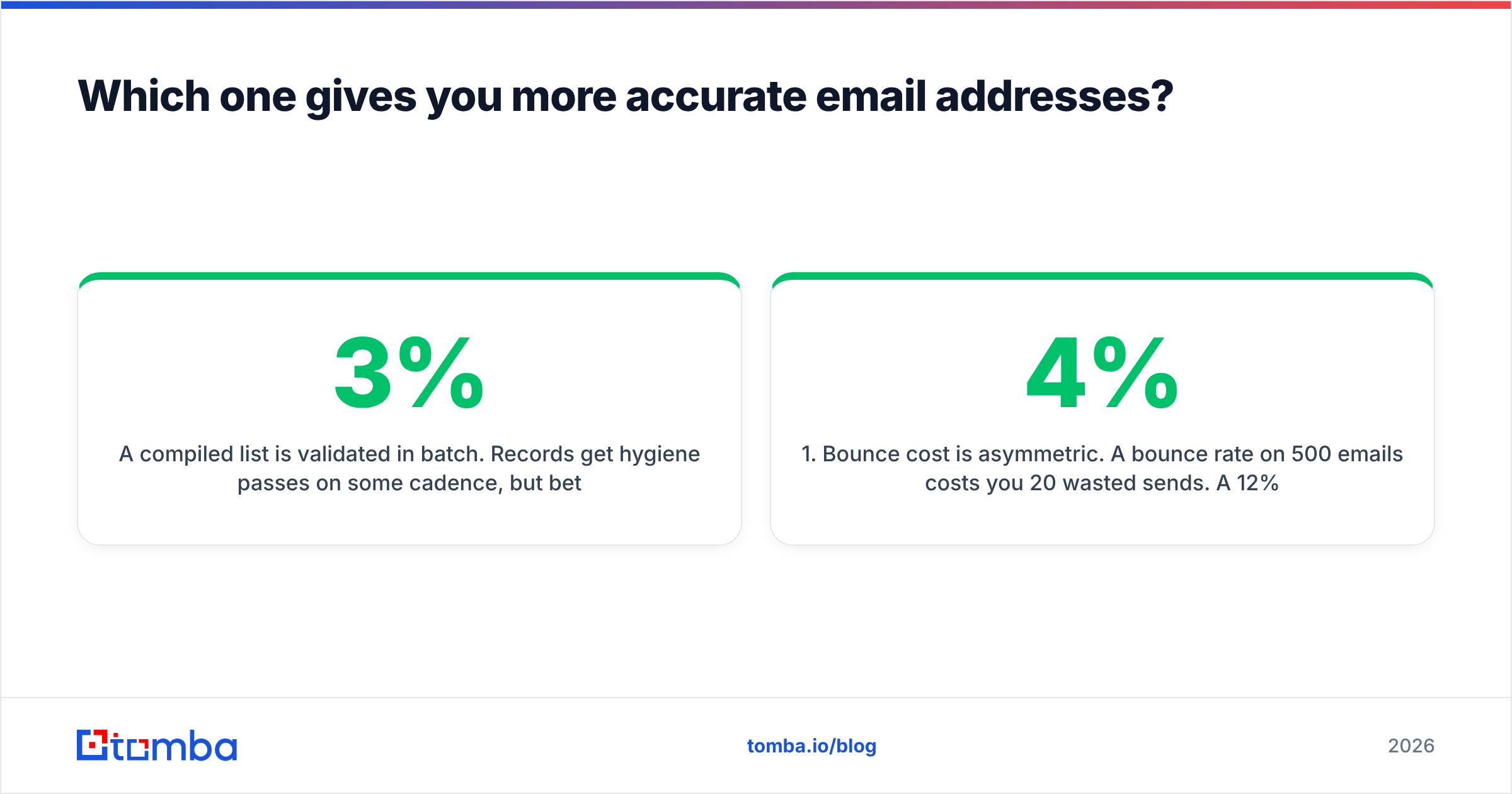
A compiled list is checked in batches. Records get a cleaning pass on some cadence. Between passes, people change jobs. Industry estimates put B2B contact decay at 2-3% per month, and it compounds. A file that was 95% accurate at compile time drifts toward the low 70s after a year in your CRM. That decay is invisible. The CSV looks just as authoritative on day 400 as it did on day 1.
Real-time lookup flips that. Tomba resolves the address when you ask. It checks MX records and SMTP acceptance, flags catch-all domains separately, and returns a score instead of a yes/no. You can see the data sources behind a result. The failure mode is better too. Instead of quietly mailing a dead box, you get a "risky" or "not found" flag and skip the send.
Here is the practical framing:
- Bounce cost is asymmetric. A 4% bounce rate on 500 emails wastes 20 sends. A 12% bounce rate costs you inbox placement for everything after it. That is far more expensive than the credits.
- Verification timing beats verification quality. A merely good check run today beats an excellent check run eight months ago.
- Catch-all domains are the honest test. Ask any vendor how they handle a domain that accepts everything. Vendors that mark them "valid" are inflating their numbers. Tomba splits them out with a dedicated catch-all verifier.
- Never trust a file you did not re-verify. Whatever you buy, run it through verification before it touches your sending domain. That one step is the highest-ROI hygiene move in outbound.
What does each one actually cost?#
Comparing prices here means comparing a subscription to a purchase order. So normalize to cost per usable contact.
| Cost factor | Exact Data | Tomba |
|---|---|---|
| Pricing shape | Per-record, quote-based, order minimums | Monthly subscription with credit allotment |
| Free entry point | No | 25 searches/mo, free forever |
| Entry paid tier | Varies by audience and volume | $49/mo Starter |
| Mid tier | Volume-discounted per record | $99/mo Growth |
| Team/scale tier | Negotiated | $249/mo Pro; Enterprise custom |
| Re-use rights | License-limited (one-time vs multi-use) | Results are yours; re-verify anytime |
| Hidden cost | Re-verification of decayed records | Credits consumed on hard-to-find contacts |
Do this math before you sign either contract. Take your realistic monthly contact volume. Multiply it by the share that still verifies clean. Then divide total spend by that number. A cheap per-record file with a 25% decay rate is not cheap. A $99/mo plan that returns 2,000 verified addresses costs $0.05 per usable contact. You can also check Tomba pricing without booking a call, which is itself a real difference in buying friction.
One line item people forget: the cost of a burned domain. Say a bought list pushes your spam complaint rate past the limit at a major mailbox provider. You are not out the price of the list. You are out weeks of pipeline while you warm a new domain.
Is buying a list riskier than looking up contacts?#
Both approaches can be done well, and both can be done badly. But the risk profiles are not the same.
Under the US CAN-SPAM Act, commercial email does not need prior consent. It needs accurate headers, an honest subject line, a physical postal address, and a working opt-out honored within 10 business days. The FTC's compliance guide is the primary source, and it is worth reading in full. Bought lists are not illegal in the US. They are just harder to defend when most recipients have no plausible link to your product.
Under GDPR, the question becomes lawful basis. Legitimate interest can support B2B outreach. But it needs a documented balancing test, transparency about where the data came from, and a way to honor deletion requests. A bulk file with unclear provenance makes each of those harder to evidence. A per-contact lookup with a recorded source is easier to defend. It is still not automatic compliance, though. You need the balancing test either way.
Then there is deliverability. No regulator enforces it, but every mailbox provider does. Sending to a large, unverified, low-relevance list creates the exact engagement pattern spam filters are trained on. If you buy a list, segment hard, re-verify, and warm slowly. If you look contacts up instead, you naturally send smaller and more relevant batches. That is why targeted outbound holds sender reputation better.
Which should you choose for your use case?#
Choose Exact Data when:
- Your channel is postal mail, and you need street addresses, not inboxes.
- You are targeting consumers, where household attributes matter and Tomba has no coverage at all.
- You need scale in one transaction — tens of thousands of records for a broad awareness campaign.
- Your audience is defined by traits you cannot infer from a website, such as income band or vehicle type.
Choose Tomba when:
- You already know your accounts and need the right person's address at each one.
- You want verification inside the same workflow, not bolted on afterward.
- You need automation: a CRM sync, a nightly job, or a workflow that calls an API instead of waiting on a quote.
- You want to test before committing. The free tier and $49/mo Starter let you validate hit rate on your own ICP this afternoon.
Consider running both if you are a hybrid GTM team. Use compiled data for top-of-funnel reach and channel variety. Use real-time lookup for the named accounts your AEs actually work. They are not substitutes. Treating them as competitors is the most common mistake in this evaluation.

How should you run a fair head-to-head test?#
Do not evaluate on vendor-published accuracy claims. Run this instead. It takes about an hour.
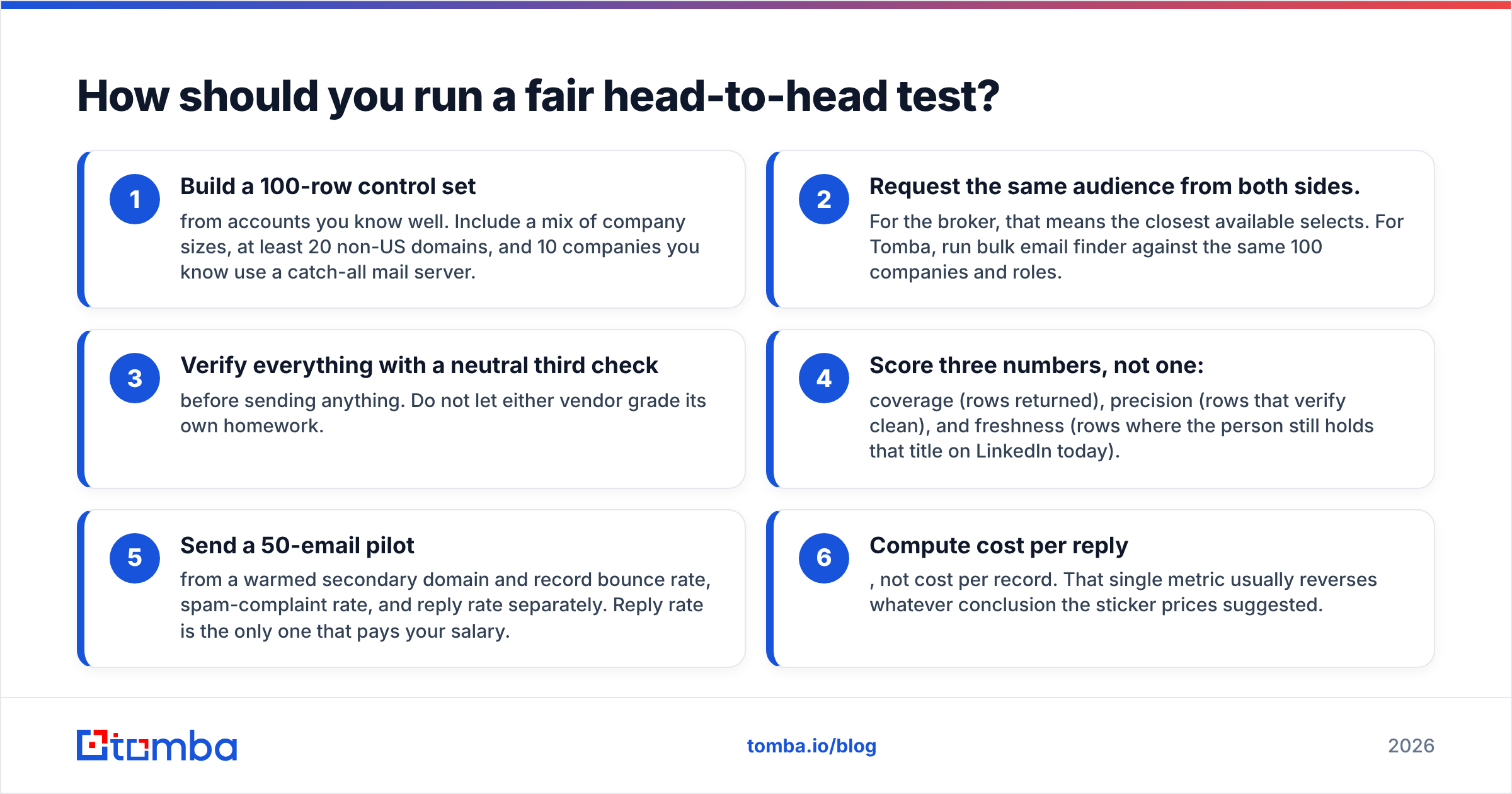
- Build a 100-row control set from accounts you know well. Include a mix of company sizes, at least 20 non-US domains, and 10 companies that use a catch-all mail server.
- Request the same audience from both sides. For the broker, that means the closest available selects. For Tomba, run bulk email finder against the same 100 companies and roles.
- Verify everything with a neutral third check before you send anything. Do not let either vendor grade its own homework.
Then score the results, and score them on more than one axis.
- Score three numbers, not one: coverage (rows returned), precision (rows that verify clean), and freshness (rows where the person still holds that title on LinkedIn today).
- Send a 50-email pilot from a warmed secondary domain. Record bounce rate, spam-complaint rate, and reply rate separately. Reply rate is the only one that pays your salary.
- Compute cost per reply, not cost per record. That single metric usually reverses whatever the sticker prices suggested.
If a vendor resists giving you a sample for step 1, that is data too.
Verdict#
These two tools answer different questions. The right one depends on whether your bottleneck is targeting or contactability. If you do not yet know who to reach, and you need broad, multi-channel reach with rich demographics, a compiled list is the tool built for that job. That is especially true in consumer marketing and direct mail. But if you already know exactly which 400 people you want, and the failure mode is bouncing on a stale address, a purchased snapshot is the wrong shape.
For most B2B outbound teams in 2026, the bottleneck is contactability. You have an ICP. You have LinkedIn. You do not have the address, and you cannot afford to burn your domain finding out which ones are dead.
That is the job Tomba's Email Finder is built for. Pass a name and domain. Get a verified work address with a confidence score and its sources. Push it into your CRM through the API or a native integration. Start on the free tier with 25 searches a month, run it against 25 accounts you already know, and check the hit rate yourself before you spend a dollar on either vendor.
Related guides#
Ready to find emails that actually work?
Join 150,000+ professionals who stopped guessing and started sending. Free credits on signup — no credit card required.
Get the Tomba newsletter
Practical outbound tactics and product updates — once every two weeks.
About the author