ExactVerify vs UpLead 2026: Verification vs Contact Data
ExactVerify verifies the list you already have. UpLead sells you the list. Here's how the two actually compare on pricing, accuracy, catch-all handling, and which one belongs in your outbound stack in 2026.
TL;DR
- ExactVerify and UpLead are not really competitors. ExactVerify is a bulk email verification service; UpLead is a B2B contact database you buy lists from. Comparing them head-to-head only makes sense if you're deciding where your next data dollar goes.
- If your problem is "I have 40,000 contacts and my bounce rate is 6%," you want a verifier. If your problem is "I have no contacts," you want a database.
- UpLead is materially more expensive per contact (seat-based plans in the ~$99–$199/mo range) because you're paying for the record itself, not just the check.
- Neither tool solves the whole job. Most teams end up paying twice: once for data, once for verification. A combined finder-plus-verifier stack usually lands cheaper.
- Catch-all domains are where both tools get vague. Ask for the catch-all methodology before you sign anything.
What is the actual difference between ExactVerify and UpLead?#
They sit at different stages of the same pipeline.
ExactVerify is an email validation service. You upload a CSV or hit an API with an address, and it tells you whether that address will accept mail: syntax check, MX record lookup, disposable-domain detection, role-account flagging, SMTP handshake, and a catch-all verdict. It does not find you anything. It grades what you already have.
UpLead is a prospecting database. You filter by industry, headcount, technology stack, job title, and geography, then export contacts with emails and often phone numbers. UpLead markets real-time email verification at the moment of export, which is why people confuse the two — but the verification is a feature bundled inside a data product, not the product itself.
The practical translation: ExactVerify reduces waste on a list you sourced elsewhere. UpLead is the elsewhere.
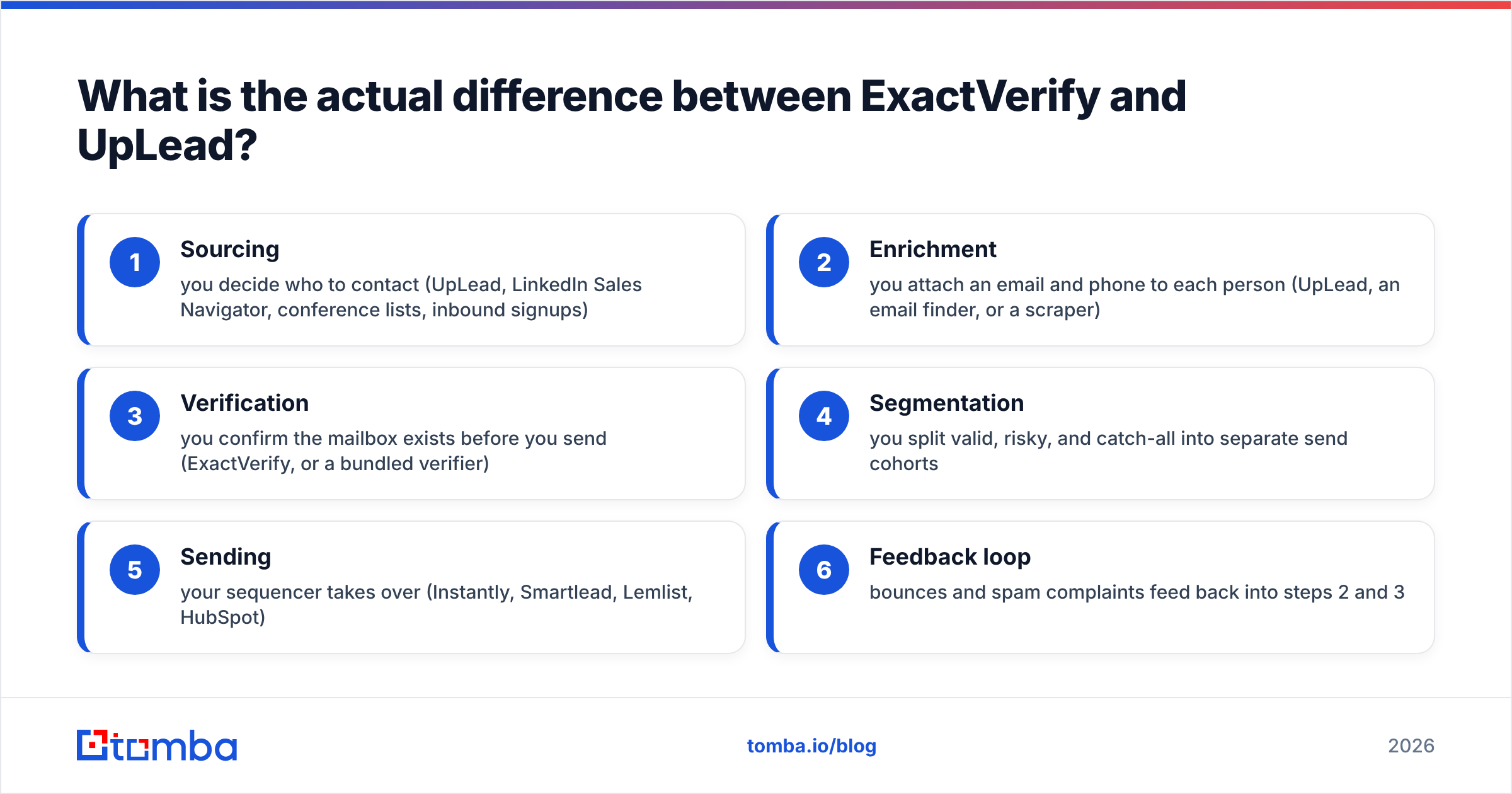
Where each one fits in a normal outbound workflow:
- Sourcing — you decide who to contact (UpLead, LinkedIn Sales Navigator, conference lists, inbound signups)
- Enrichment — you attach an email and phone to each person (UpLead, an email finder, or a scraper)
- Verification — you confirm the mailbox exists before you send (ExactVerify, or a bundled verifier)
- Segmentation — you split valid, risky, and catch-all into separate send cohorts
- Sending — your sequencer takes over (Instantly, Smartlead, Lemlist, HubSpot)
- Feedback loop — bounces and spam complaints feed back into steps 2 and 3
ExactVerify owns step 3. UpLead covers steps 1, 2, and part of 3. If you already have a data source you trust, buying UpLead to get verification is an expensive way to solve a cheap problem.

How do ExactVerify and UpLead compare on features and price?#
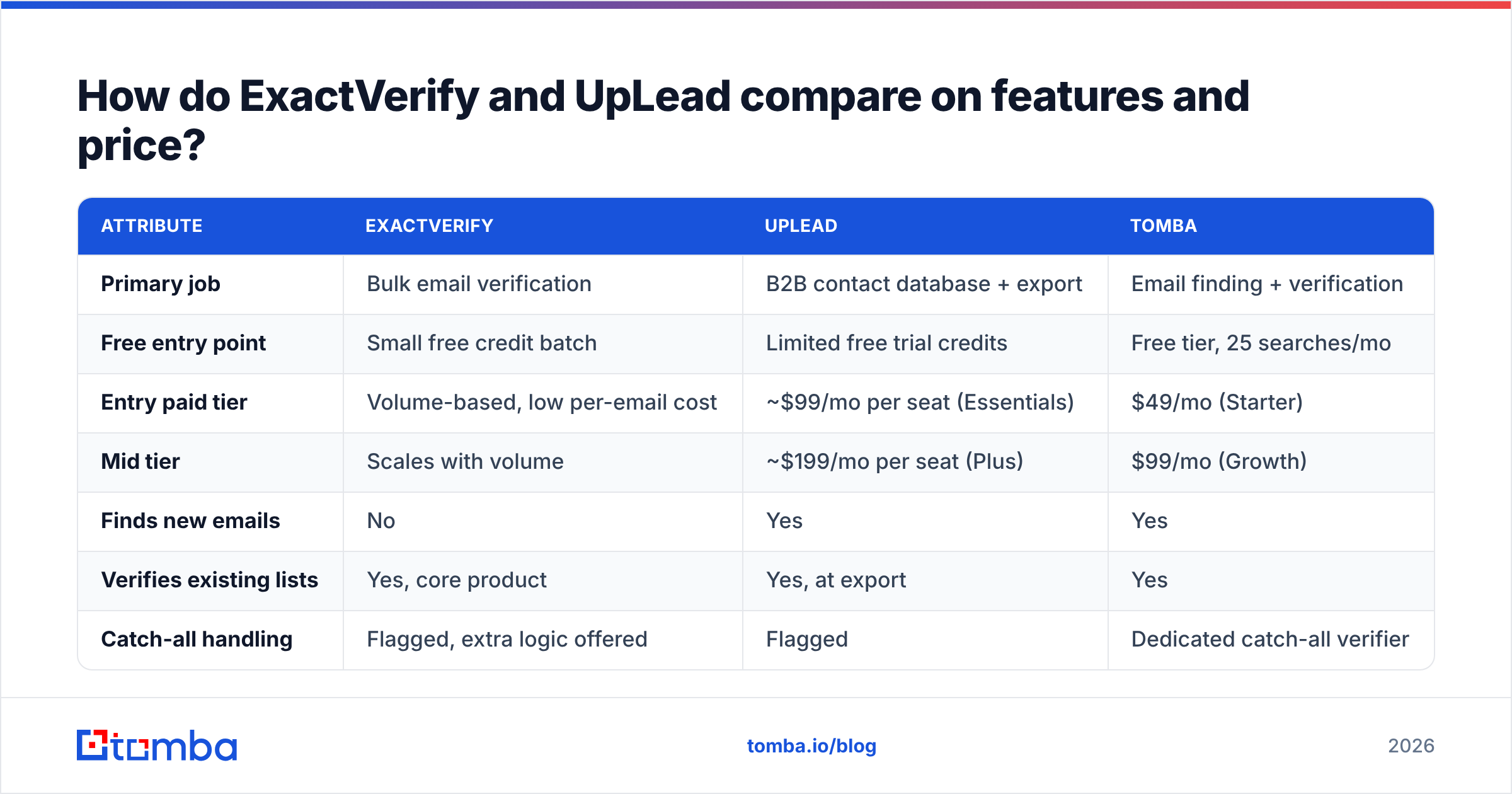
Pricing on both platforms shifts, and both use different units — UpLead sells credits per seat per month, ExactVerify sells verification volume. Check each vendor's page before you commit; the table below reflects the structure of the offers rather than a frozen price list.
| Attribute | ExactVerify | UpLead | Tomba |
|---|---|---|---|
| Primary job | Bulk email verification | B2B contact database + export | Email finding + verification |
| Free entry point | Small free credit batch | Limited free trial credits | Free tier, 25 searches/mo |
| Entry paid tier | Volume-based, low per-email cost | ~$99/mo per seat (Essentials) | $49/mo (Starter) |
| Mid tier | Scales with volume | ~$199/mo per seat (Plus) | $99/mo (Growth) |
| Finds new emails | No | Yes | Yes |
| Verifies existing lists | Yes, core product | Yes, at export | Yes |
| Catch-all handling | Flagged, extra logic offered | Flagged | Dedicated catch-all verifier |
| Phone numbers | No | Yes, on higher tiers | Yes |
| API access | Yes | Yes, on higher tiers | Yes, all paid tiers |
| Credit rollover | Typically credits don't expire | Monthly credits, limited rollover | Plan-dependent |
| Best for | Cleaning lists you already own | Building lists from scratch | Doing both in one place |
The seat model is the part people underestimate. UpLead prices per user. A three-person SDR team on Plus is roughly $600/month before anyone has sent an email. ExactVerify is volume-priced, so it costs the same whether one person or ten uses it — but it also does not hand you a single new contact.
Independent review aggregators are useful for temperature-checking both, though read the dates: a G2 listing from 2023 tells you very little about 2026 database coverage.

Which one is more accurate?#
Wrong question — they measure different things, and "accuracy" means something different for each.
For ExactVerify, accuracy means low false negatives and low false positives on a known address. A false positive (marking a dead mailbox as valid) costs you a bounce. A false negative (marking a live mailbox as invalid) costs you a real prospect, silently, forever. Verifiers optimize for one or the other, and most tune toward caution because bounces are the visible failure and discarded good leads are not.
For UpLead, accuracy means the record is correct and current. The person still works there, the title is right, and the email pattern matches the company's actual convention. A database can hand you a perfectly deliverable address for someone who left the company eight months ago. The email verifies. The outreach still fails.
That's why the two failure modes stack instead of cancel:
- Deliverability failure — the mailbox doesn't exist. A verifier catches this.
- Relevance failure — the mailbox exists but belongs to the wrong or departed person. Only fresh sourcing catches this.
- Catch-all ambiguity — the domain accepts everything, so SMTP tells you nothing. Neither tool fully solves it; a catch-all verifier with pattern-plus-signal logic gets closest.
- Role-account risk — info@, sales@, support@ are technically valid and commercially useless. Both flag them; make sure you actually filter on the flag.
Run your own test before you believe anyone's marketing number. Take 500 addresses you already know the ground truth for — past customers, current employees, verified inbound signups — and salt the list with 50 addresses you know are dead. Run it through each tool. Score the confusion matrix yourself. Vendor-published accuracy percentages are measured on the vendor's own sample.
Is UpLead worth $99/month if you already have a verifier?#
Only if your bottleneck is sourcing, not hygiene.
Buy UpLead when: you're entering a new market segment and have no contact list, your ICP is well-defined by firmographic filters, and you value the ability to export a targeted 2,000-record list in ten minutes without a scraper.
Skip UpLead when: you already generate leads from inbound, LinkedIn, events, or partner referrals, and your problem is that those contacts arrive with missing or stale emails. In that case you need enrichment and verification, not a new database subscription.
The trap is buying a database to solve a verification problem. It works, technically — UpLead's export-time verification will clean things up — but you're paying database prices for a hygiene function. Verification is one of the cheapest things in the outbound stack. Contact records are one of the most expensive.
Also worth noting: database quality varies sharply by geography and company size. Every provider is strongest in US mid-market tech and weakest in, say, European SMBs or APAC manufacturing. Providers like BookYourData have carved out solid reputations with pay-as-you-go models that avoid the seat problem entirely, and they're worth a look if the subscription structure is what's bothering you. Run a trial against your actual target accounts, not a generic search.
What does a sane 2026 stack look like?#
The teams with the cleanest numbers tend to converge on the same shape: one source of contacts, one verification layer, and an automated handoff between them.
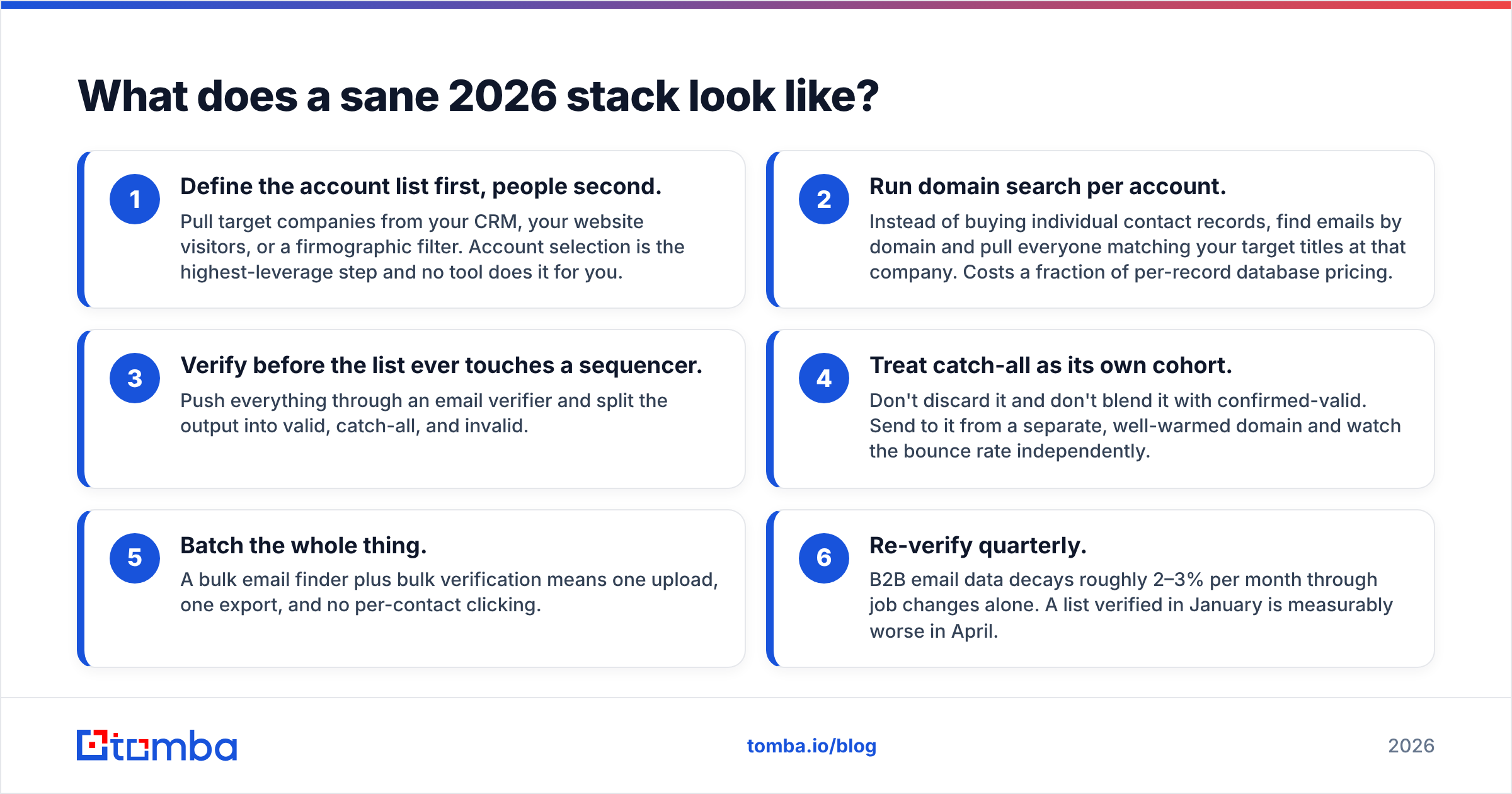
Here's the version that costs the least for what it delivers:
- Define the account list first, people second. Pull target companies from your CRM, your website visitors, or a firmographic filter. Account selection is the highest-leverage step and no tool does it for you.
- Run domain search per account. Instead of buying individual contact records, find emails by domain and pull everyone matching your target titles at that company. Costs a fraction of per-record database pricing.
- Verify before the list ever touches a sequencer. Push everything through an email verifier and split the output into valid, catch-all, and invalid.
- Treat catch-all as its own cohort. Don't discard it and don't blend it with confirmed-valid. Send to it from a separate, well-warmed domain and watch the bounce rate independently.
- Batch the whole thing. A bulk email finder plus bulk verification means one upload, one export, and no per-contact clicking.
- Re-verify quarterly. B2B email data decays roughly 2–3% per month through job changes alone. A list verified in January is measurably worse in April.
That workflow is where the seat-based versus volume-based pricing distinction bites hardest. Volume pricing scales with the work; seat pricing scales with your headcount, which has nothing to do with how much data you need.
Should you use one tool instead of two?#
For most teams under 50 people, yes — and it's mostly a math argument, not a preference.
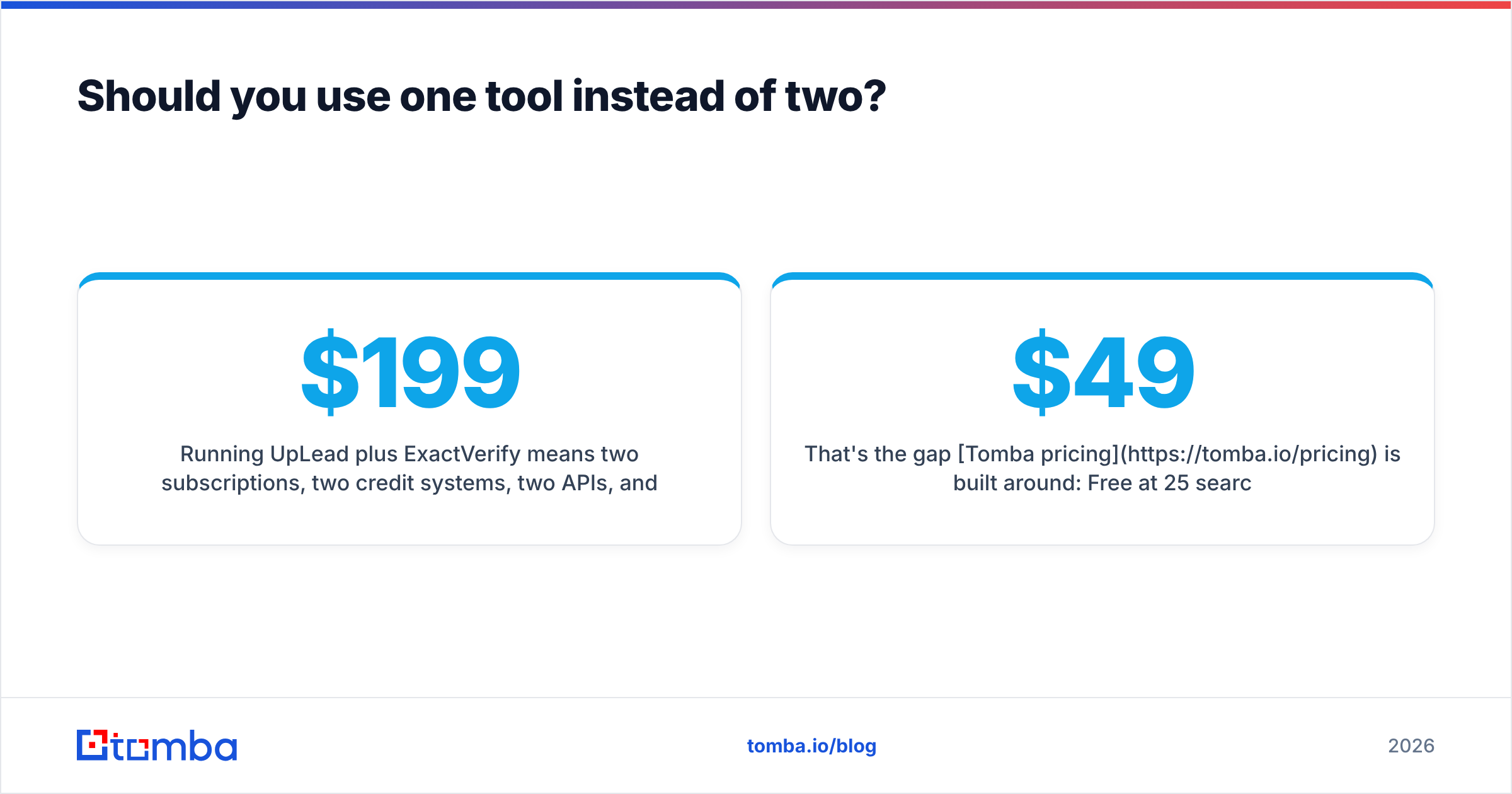
Running UpLead plus ExactVerify means two subscriptions, two credit systems, two APIs, and a CSV shuttle between them. If you're spending $199/month on database seats and another chunk on verification volume, a consolidated finder-and-verifier covers the same ground for less.
That's the gap Tomba pricing is built around: Free at 25 searches/month to test the data on your own accounts, Starter at $49/month, Growth at $99/month, Pro at $249/month, Enterprise custom. Finding and verification live in the same credit pool, so you're not forecasting two budgets. The same account covers domain search, catch-all verification, phone lookup, and enrichment, and the Tomba API exposes all of it if you'd rather wire this into your own pipeline than click through a UI.
Where a dedicated verifier still wins: if you process millions of addresses a month as a core business function — an ESP, a data broker, a marketing platform cleaning customer uploads — a specialist like ExactVerify is priced for that scale and a bundled tool is not. Know which of those two you are.
Where UpLead still wins: if you genuinely need firmographic and technographic filtering to discover accounts you didn't know existed, a search-first database interface is a different product than a lookup-first finder. Some teams need that discovery layer and should pay for it.
Which should you pick?#
Decide by naming your bottleneck out loud.
- "My bounce rate is above 3% and I don't know why." You need verification. ExactVerify does this well and cheaply. So does a bundled verifier if you'd rather not add a vendor.
- "I have a great list and no way to email them." You need enrichment — attach emails to names you already have. Neither a pure verifier nor a full database is the efficient answer; a finder is.
- "I don't know who to contact in this new segment." You need a database. UpLead is a reasonable pick, budget the seat cost honestly.
- "All three, and I'd rather not manage three vendors." Consolidate. One platform covering find, verify, and enrich removes the CSV shuttle and usually costs less than the two-tool version.
- "I'm processing millions of records as a service." Buy the specialist. Bundled tools aren't priced for infrastructure-scale volume.
One last thing worth saying plainly: no tool fixes a bad offer. Verification stops bounces. Fresh data stops sending to ghosts. Neither makes a generic pitch to a poorly chosen account work. The stack is the floor, not the ceiling.
Start with the data problem you actually have. If yours is finding and confirming real, current business emails without stacking two subscriptions, try the Tomba Email Finder — the free tier gives you 25 searches a month, enough to test the accuracy against accounts you already know before you spend a dollar. Run your own confusion matrix. That's the only benchmark that means anything.
Related guides#
Ready to find emails that actually work?
Join 150,000+ professionals who stopped guessing and started sending. Free credits on signup — no credit card required.
Get the Tomba newsletter
Practical outbound tactics and product updates — once every two weeks.
About the author