FinalScout vs Xverum in 2026: Which B2B Data Tool Wins?
One scrapes LinkedIn profiles one at a time. The other ships hundreds of millions of records to your data warehouse. Here is how FinalScout and Xverum actually compare on price, accuracy, and who should buy which.
TL;DR
- FinalScout and Xverum are not really competitors. FinalScout is a LinkedIn-first email finder you run from a Chrome extension. Xverum is a bulk B2B data provider that ships datasets to your S3 bucket or API endpoint. They solve different problems for different buyers.
- Buy FinalScout if one or two SDRs work LinkedIn manually and need 500–3,000 emails a month with AI-drafted outreach attached.
- Buy Xverum if you have a data engineer, a warehouse, and a budget measured in annual contracts — and you need tens of millions of records to power scoring, enrichment, or a product feature.
- Neither is great at the middle ground: a team of 3–15 people who need verified emails on demand, in a spreadsheet or CRM, without a scraping workflow or an annual data contract.
- Pricing gap is enormous. FinalScout lists plans in the $35–$170/mo range; Xverum quotes custom annual deals that typically land in the low five figures and up.
What are FinalScout and Xverum, exactly?#
The comparison people search for as "finalscout vs xverum" is really a comparison of two philosophies about where B2B contact data comes from.
FinalScout is a browser-extension email finder built around LinkedIn. You open a profile, a search result page, a group, or a post's engager list, and FinalScout pulls the person's professional email address and stitches it into a lead list. It also bolts on an AI writer that drafts a cold email from the profile you just scraped. The product's marketing centers on a claimed 98% deliverability rate — a number worth reading as "of the emails we return, this share pass validation," not as coverage of everyone you looked up.
Xverum sits at the other end of the pipeline. It is a data-as-a-service vendor. You do not sit inside a UI clicking profiles; you buy access to datasets — professional profiles, company firmographics, job postings, ecommerce and local business data — and receive them as bulk files (S3, GCS, SFTP) or through an API, refreshed on a schedule. Volume claims run in the hundreds of millions of profiles and hundreds of millions of company records. There is no free tier and no credit-card checkout. You talk to sales, define a schema, and sign for a year.
So one is a tactical tool for a rep. The other is infrastructure for a data team. That distinction drives almost every difference below.
How do the two data models actually differ?#
Before comparing features, understand the four structural differences that decide whether a tool fits your workflow at all:
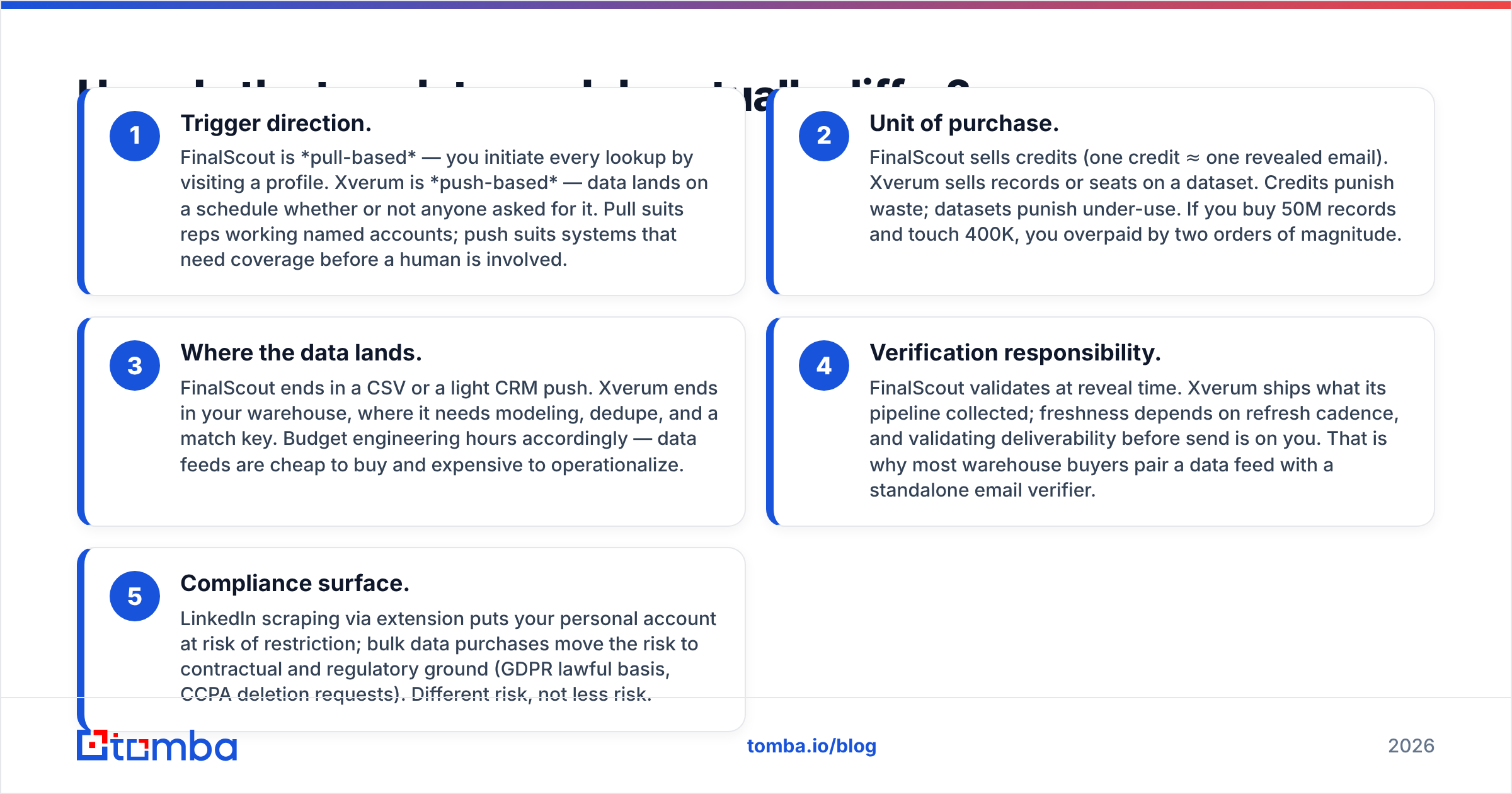
- Trigger direction. FinalScout is pull-based — you initiate every lookup by visiting a profile. Xverum is push-based — data lands on a schedule whether or not anyone asked for it. Pull suits reps working named accounts; push suits systems that need coverage before a human is involved.
- Unit of purchase. FinalScout sells credits (one credit ≈ one revealed email). Xverum sells records or seats on a dataset. Credits punish waste; datasets punish under-use. If you buy 50M records and touch 400K, you overpaid by two orders of magnitude.
- Where the data lands. FinalScout ends in a CSV or a light CRM push. Xverum ends in your warehouse, where it needs modeling, dedupe, and a match key. Budget engineering hours accordingly — data feeds are cheap to buy and expensive to operationalize.
- Verification responsibility. FinalScout validates at reveal time. Xverum ships what its pipeline collected; freshness depends on refresh cadence, and validating deliverability before send is on you. That is why most warehouse buyers pair a data feed with a standalone email verifier.
- Compliance surface. LinkedIn scraping via extension puts your personal account at risk of restriction; bulk data purchases move the risk to contractual and regulatory ground (GDPR lawful basis, CCPA deletion requests). Different risk, not less risk.

How do FinalScout, Xverum, and Tomba compare head to head?#
Pricing below reflects publicly listed plans at the time of writing; vendors change tiers often, so confirm on their own pages before you commit.
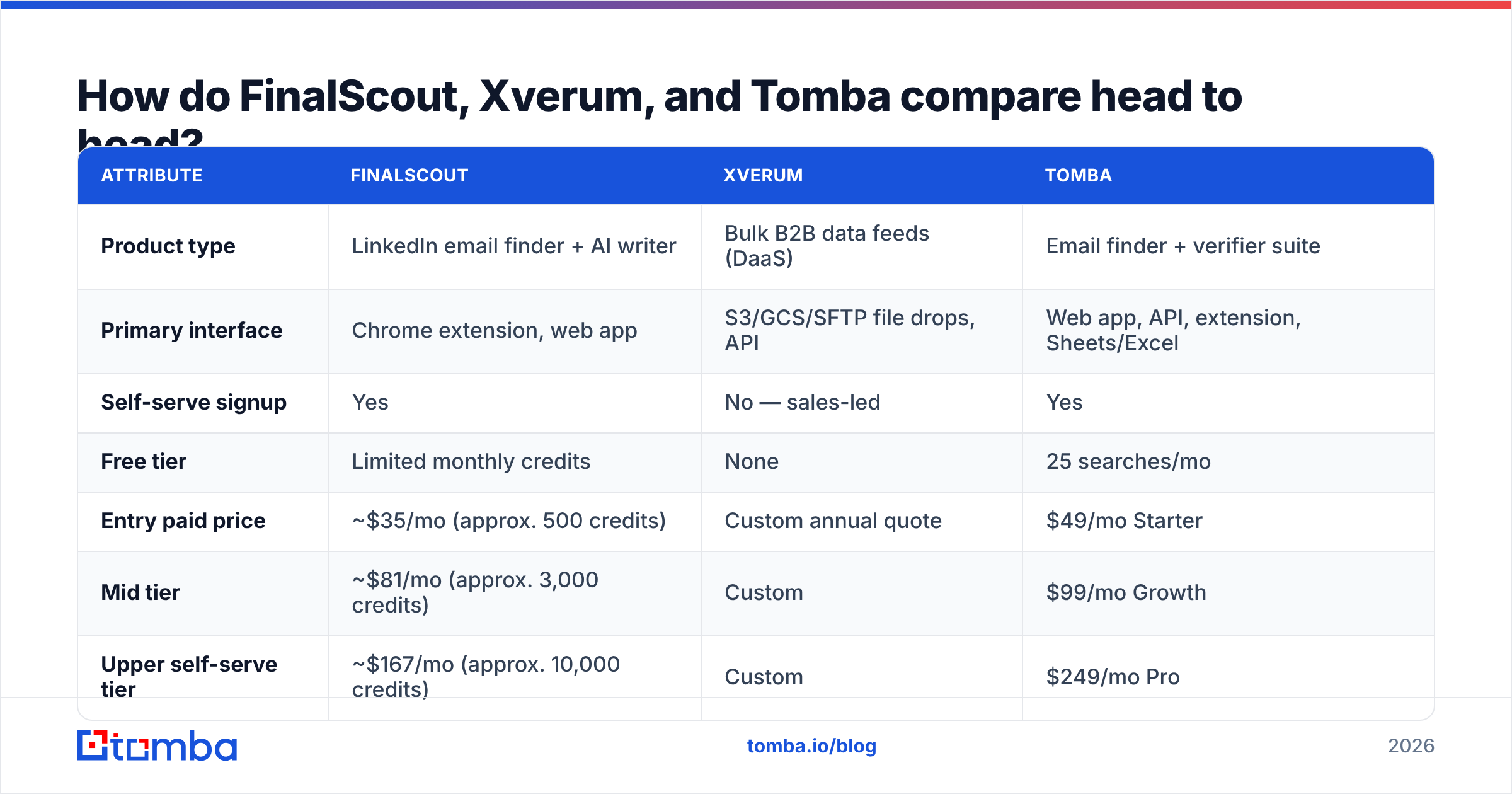
| Attribute | FinalScout | Xverum | Tomba |
|---|---|---|---|
| Product type | LinkedIn email finder + AI writer | Bulk B2B data feeds (DaaS) | Email finder + verifier suite |
| Primary interface | Chrome extension, web app | S3/GCS/SFTP file drops, API | Web app, API, extension, Sheets/Excel |
| Self-serve signup | Yes | No — sales-led | Yes |
| Free tier | Limited monthly credits | None | 25 searches/mo |
| Entry paid price | ~$35/mo (approx. 500 credits) | Custom annual quote | $49/mo Starter |
| Mid tier | ~$81/mo (approx. 3,000 credits) | Custom | $99/mo Growth |
| Upper self-serve tier | ~$167/mo (approx. 10,000 credits) | Custom | $249/mo Pro |
| Data delivery speed | Instant, per profile | Scheduled batch refresh | Instant, per lookup or bulk |
| Built-in verification | Yes, at reveal | Not the core offering | Yes, separate verifier + catch-all handling |
| Bulk processing | Limited by credit tier | Native strength | Bulk email finder with CSV in/out |
| API access | Limited | Core delivery method | Full email finder API, CLI, MCP |
| Best for | Solo SDR / small team on LinkedIn | Data teams, platforms, ML scoring | SMB to mid-market GTM teams |
| Contract | Monthly or annual | Annual typical | Monthly, cancel anytime |
The row that matters most is "self-serve signup." If you cannot get a corporate procurement cycle approved this quarter, Xverum is not a real option no matter how good the data is. And if you need 40 million records to train a propensity model, no per-credit tool will get you there at a sane price.
Is FinalScout accurate enough for cold outreach?#
FinalScout's accuracy story is decent for what it is: a reveal-time finder that runs a validation step before handing you an address. The 98% figure is a deliverability claim on returned emails, and vendors compute that differently. Read it alongside two other numbers nobody advertises:
- Hit rate — of the profiles you looked up, what share returned any email at all? For LinkedIn-sourced tools this typically falls well below the validity number, and it drops hard on non-US, non-tech, and sub-50-employee companies.
- Catch-all share — what proportion of returns are on catch-all domains, where SMTP verification cannot prove anything? A tool that counts catch-alls as "valid" inflates its own score. If a meaningful slice of your target list sits behind catch-all servers, you need a dedicated catch-all verifier rather than a green checkmark.
The practical failure mode with LinkedIn-first tools is coverage, not correctness. You will get clean addresses for the profiles that resolve, and nothing for a stubborn fraction of your ICP. If that fraction contains your best accounts, you end up buying a second tool anyway — which is the exact moment teams start pricing out a general-purpose email finder that works from a name and domain instead of requiring a LinkedIn URL.
Xverum's accuracy question is completely different. You are not asking "is this one email right?" — you are asking "how stale is this snapshot?" A profile dataset refreshed monthly will carry job-change decay of roughly 2–3% per month in volatile segments. Multiply that across a year and a big chunk of your titles are wrong. That is not a knock on Xverum specifically; it is physics for any bulk B2B dataset, and it is why serious buyers run a verification pass immediately before a send rather than trusting the file.
What does FinalScout vs Xverum cost in practice?#
Sticker price hides the real number. Model total cost like this:
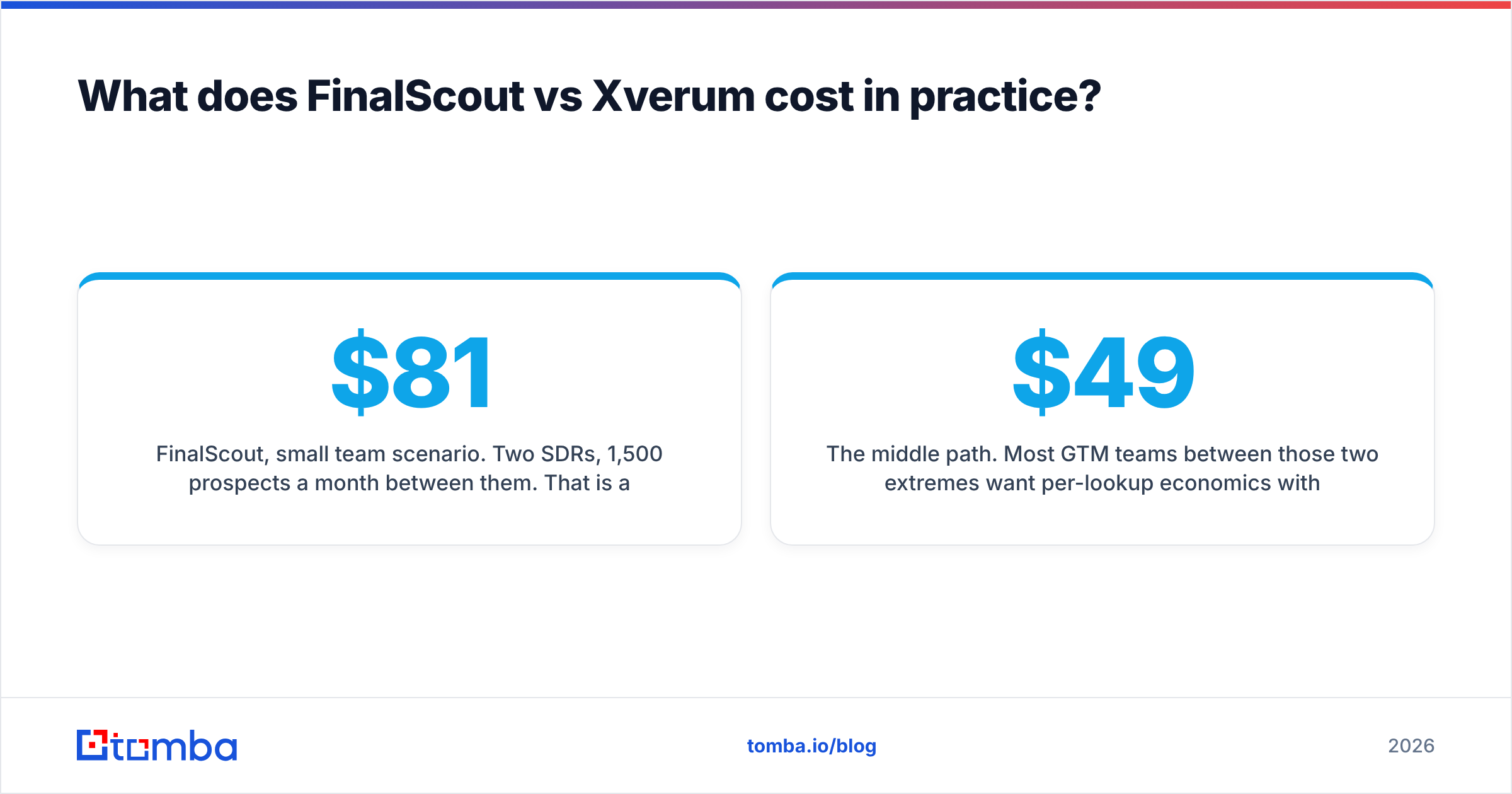
FinalScout, small team scenario. Two SDRs, 1,500 prospects a month between them. That is a mid tier at roughly $81/mo, plus wasted credits on profiles that return nothing (credits are typically only consumed on successful reveals, but plan headroom is still bought upfront). Call it $1,000/year plus the soft cost of reps manually working LinkedIn — the part that does not scale.
Xverum, data team scenario. Custom quote, annual commitment, typically low five figures for a meaningful slice of a profile or company dataset. Then add the invisible line items: pipeline engineering to ingest and normalize, storage, a match-key strategy against your CRM, and a verification layer before anything reaches an inbox. Teams routinely find the implementation cost rivals the license in year one.
The middle path. Most GTM teams between those two extremes want per-lookup economics with API access and no annual lock-in. That is where Tomba pricing sits — a free tier at 25 searches/mo, Starter at $49/mo, Growth at $99/mo, Pro at $249/mo, Enterprise custom. You can start on a card today, hit the API from your own scripts, and scale up without a procurement cycle.

Which one should your team actually buy?#
Match the tool to your operating model, not to a feature list.
Choose FinalScout when:
- LinkedIn is where your ICP genuinely lives, and reps already work it daily.
- You need fewer than ~3,000 contacts a month.
- You want AI-drafted first-touch copy in the same window as the lookup.
- You have no engineering support and no appetite for one.
Choose Xverum when:
- You are building a product feature, a lead-scoring model, or a TAM map that needs whole-market coverage.
- You have a warehouse, a data engineer, and a legal team who can sign off on bulk personal data processing.
- Latency does not matter — you need breadth, not real-time answers.
- Annual contracts are normal in your org.
Choose neither — and look at a dedicated finder/verifier stack — when:
- You want verified emails on demand from a name + domain, without a LinkedIn URL.
- You want the same data available through a UI, a spreadsheet add-on, and an API, so ops and reps use one source.
- Your list-building is bursty: 200 contacts one week, 8,000 the next.
- You need verification and catch-all handling as first-class features, not a claimed percentage.
That third bucket is bigger than most vendor comparisons admit. If you are running a domain search to map everyone at a target account, then enriching those rows before a send, you need the pipeline stitched together — not a browser extension on one end and a data lake on the other.
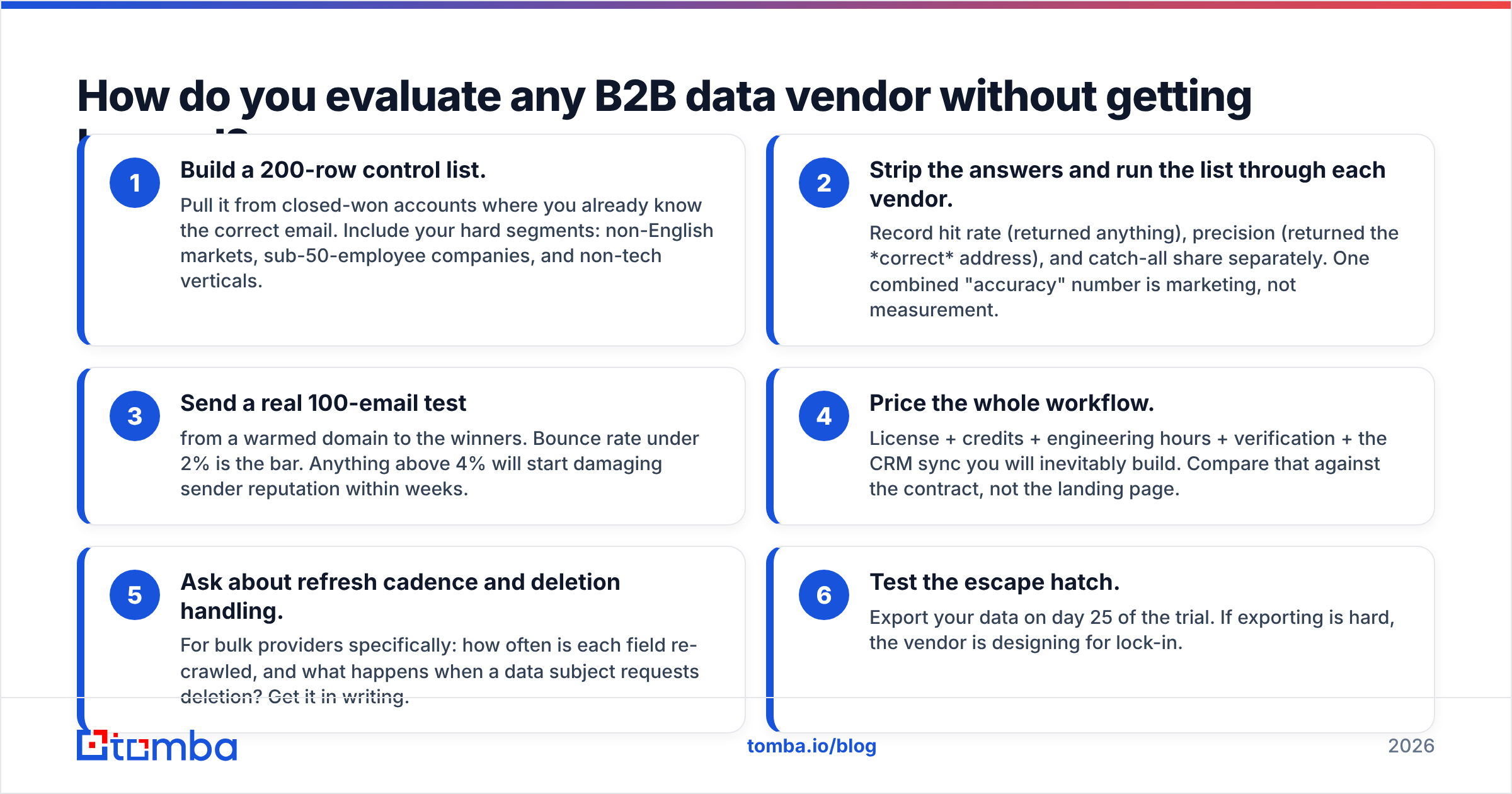
How do you evaluate any B2B data vendor without getting burned?#
Run the same test on every vendor on your shortlist, including the one you already use. Independent review data on G2 is useful for support and billing complaints, but it will never tell you coverage on your ICP. Only a bake-off does.
- Build a 200-row control list. Pull it from closed-won accounts where you already know the correct email. Include your hard segments: non-English markets, sub-50-employee companies, and non-tech verticals.
- Strip the answers and run the list through each vendor. Record hit rate (returned anything), precision (returned the correct address), and catch-all share separately. One combined "accuracy" number is marketing, not measurement.
- Send a real 100-email test from a warmed domain to the winners. Bounce rate under 2% is the bar. Anything above 4% will start damaging sender reputation within weeks.
- Price the whole workflow. License + credits + engineering hours + verification + the CRM sync you will inevitably build. Compare that against the contract, not the landing page.
- Ask about refresh cadence and deletion handling. For bulk providers specifically: how often is each field re-crawled, and what happens when a data subject requests deletion? Get it in writing.
- Test the escape hatch. Export your data on day 25 of the trial. If exporting is hard, the vendor is designing for lock-in.
Vendor documentation is worth reading here too — even outside the two tools in question, the enrichment and data-hygiene guidance published by platforms like HubSpot is a reasonable baseline for how CRM records should be structured before you pour third-party data into them.
Where does Tomba fit between these two?#
Honestly: in the gap. FinalScout wins the "I live in LinkedIn and want AI copy" use case. Xverum wins the "I need 100 million records in my warehouse" use case. Tomba is built for the far more common situation between them — a GTM team that needs verified contact data on demand, in whatever surface they happen to be working in.
Concretely, that means finding emails from a name and company domain without requiring a LinkedIn profile to exist, mapping every reachable address at a target domain, verifying before send including catch-all domains, and reaching all of it three ways: a web app for reps, Google Sheets and Excel add-ons for ops, and a REST API for engineers. Same credits, same data, no annual contract, and a free tier to sanity-check coverage against your own control list before you pay anything.
If you tried FinalScout and hit a coverage wall outside LinkedIn, or you priced Xverum and realized you were buying a warehouse project rather than a lead source, start with the Tomba Email Finder. Run your 200-row control list on the free tier this afternoon, measure hit rate and bounce rate yourself, and let the numbers pick the vendor instead of the pitch deck.
Related guides#
Ready to find emails that actually work?
Join 150,000+ professionals who stopped guessing and started sending. Free credits on signup — no credit card required.
Get the Tomba newsletter
Practical outbound tactics and product updates — once every two weeks.
About the author