FindThatLead vs Snappy Leads: Honest 2026 Comparison
FindThatLead and Snappy Leads solve the same problem from opposite ends: one starts with domains, the other starts with LinkedIn tabs. Here is how they compare on accuracy, credits, pricing, and where each one quietly falls apart.
TL;DR
- FindThatLead is domain-first. You feed it a company URL or a name-plus-domain pair and it returns patterns, bulk lists, and a built-in verifier. Best when your ICP is a list of companies.
- Snappy Leads is LinkedIn-first. It lives in your browser and pulls contact data off profiles and Sales Navigator lists. Best when your ICP is a list of people you already found manually.
- Neither is a full data platform. Both are finders. Enrichment depth, phone coverage, and CRM sync are thin compared to Apollo-class tools.
- Credit models differ in ways that matter. FindThatLead charges per lookup on plan tiers; Snappy Leads charges per revealed contact and typically bills separately for phone reveals.
- Accuracy is the tiebreaker, not features. If your bounce rate is above 5%, the tool you picked is costing you deliverability, not just credits.
What are FindThatLead and Snappy Leads?#
Think of these two like a phone book and a business-card scanner. FindThatLead is the phone book: you tell it "everyone at stripe.com with the title Head of Growth" and it works outward from the domain. Snappy Leads is the card scanner: you're already looking at a person, and it tells you how to reach them.
FindThatLead is a Spain-based prospecting suite that's been around since roughly 2015. Its core modules are Lead Search (find people by role, location, and industry), Prospector (name + domain to email), Domain Search (all emails at a company), an email verifier, and a light cold-email sender. It also ships Scrapp, a LinkedIn extension, which is where it overlaps directly with Snappy Leads.
Snappy Leads is a newer, narrower product built around a Chrome extension. You open a LinkedIn profile or a Sales Navigator search and it reveals work emails and, on higher tiers, direct-dial or mobile numbers. There's a web app and CSV export, but the extension is the product.
That difference in origin explains almost every other difference between them. One was built for people who think in accounts. The other for people who think in profiles.

How do the two workflows actually differ?#
Here's what a real prospecting session looks like on each side.
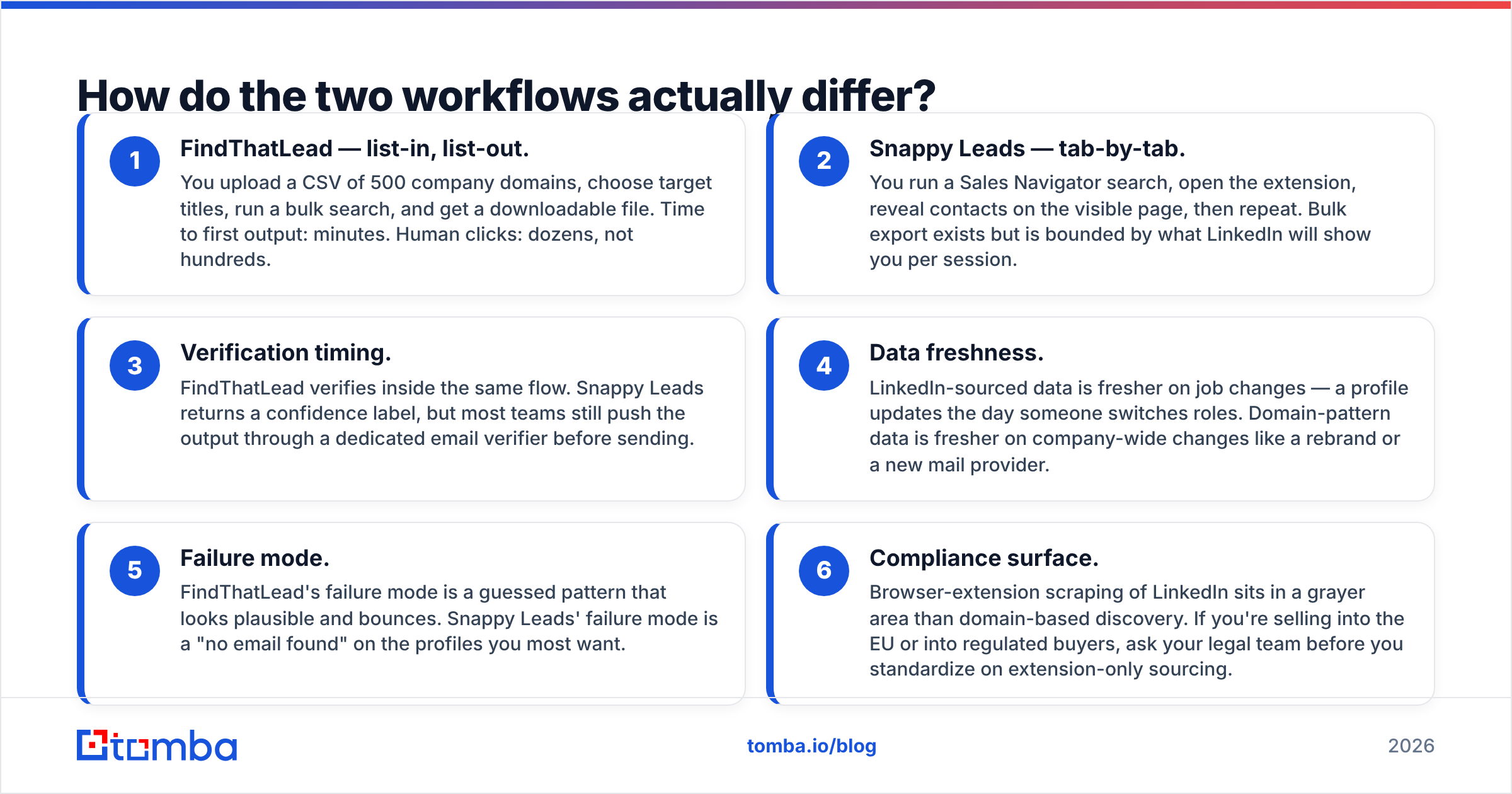
- FindThatLead — list-in, list-out. You upload a CSV of 500 company domains, choose target titles, run a bulk search, and get a downloadable file. Time to first output: minutes. Human clicks: dozens, not hundreds.
- Snappy Leads — tab-by-tab. You run a Sales Navigator search, open the extension, reveal contacts on the visible page, then repeat. Bulk export exists but is bounded by what LinkedIn will show you per session.
- Verification timing. FindThatLead verifies inside the same flow. Snappy Leads returns a confidence label, but most teams still push the output through a dedicated email verifier before sending.
- Data freshness. LinkedIn-sourced data is fresher on job changes — a profile updates the day someone switches roles. Domain-pattern data is fresher on company-wide changes like a rebrand or a new mail provider.
- Failure mode. FindThatLead's failure mode is a guessed pattern that looks plausible and bounces. Snappy Leads' failure mode is a "no email found" on the profiles you most want.
- Compliance surface. Browser-extension scraping of LinkedIn sits in a grayer area than domain-based discovery. If you're selling into the EU or into regulated buyers, ask your legal team before you standardize on extension-only sourcing.
Neither workflow is wrong. The mistake is picking one and then complaining it's bad at the other one's job.
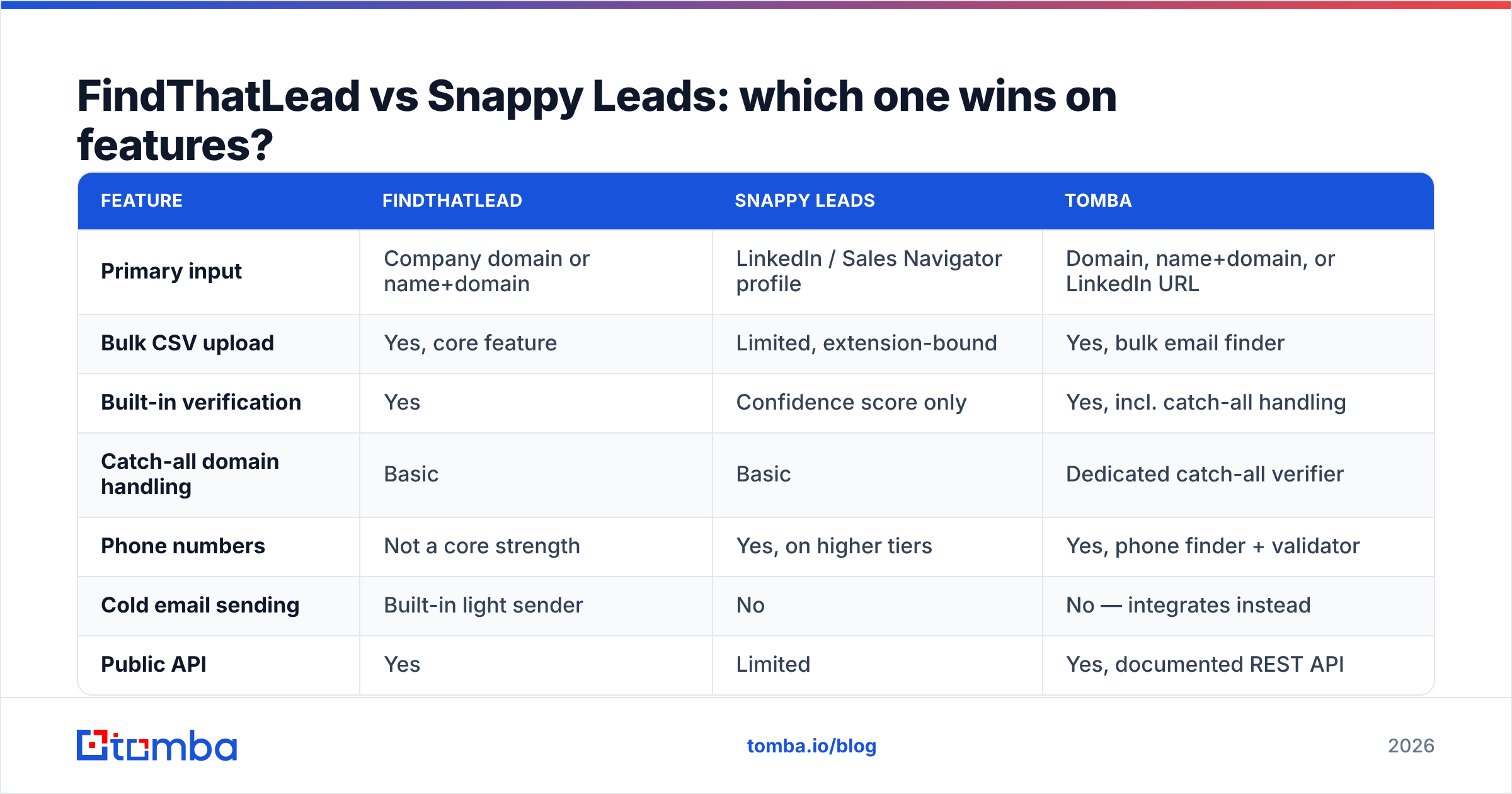
FindThatLead vs Snappy Leads: which one wins on features?#
| Feature | FindThatLead | Snappy Leads | Tomba |
|---|---|---|---|
| Primary input | Company domain or name+domain | LinkedIn / Sales Navigator profile | Domain, name+domain, or LinkedIn URL |
| Bulk CSV upload | Yes, core feature | Limited, extension-bound | Yes, bulk email finder |
| Built-in verification | Yes | Confidence score only | Yes, incl. catch-all handling |
| Catch-all domain handling | Basic | Basic | Dedicated catch-all verifier |
| Phone numbers | Not a core strength | Yes, on higher tiers | Yes, phone finder + validator |
| Cold email sending | Built-in light sender | No | No — integrates instead |
| Public API | Yes | Limited | Yes, documented REST API |
| Free tier | Trial credits | Trial credits | 25 searches/mo, no card |
| Entry paid price | ~$49/mo (published) | Credit packs, varies by tier | $49/mo Starter |
Two honest caveats on that table. First, published pricing on both tools moves; check the vendors' own pages before you budget. Second, "built-in sender" is a feature only if you actually want to send from a prospecting tool — most teams over 5 SDRs run a dedicated sequencer and treat the finder as a data source.
Where FindThatLead clearly leads: volume workflows. If you need 5,000 contacts across 800 accounts by Friday, the bulk uploader plus domain search-style discovery is the right shape of tool.
Where Snappy Leads clearly leads: precision workflows. If you're an AE working 40 named accounts and you need the mobile number of one specific VP, an extension that reveals on the profile you're already reading beats any CSV round-trip.
How accurate are they, really?#

Accuracy claims in this category are close to meaningless unless you know what's being measured. Vendors report three different numbers and call all of them "accuracy":
- Hit rate — of 1,000 inputs, how many returned an email. Easy to inflate: just guess more aggressively.
- Deliverable rate — of the emails returned, how many actually accept mail. This is the number that protects your domain.
- Verified rate — of the emails returned, how many the tool is willing to mark as confirmed rather than "risky" or "catch-all."
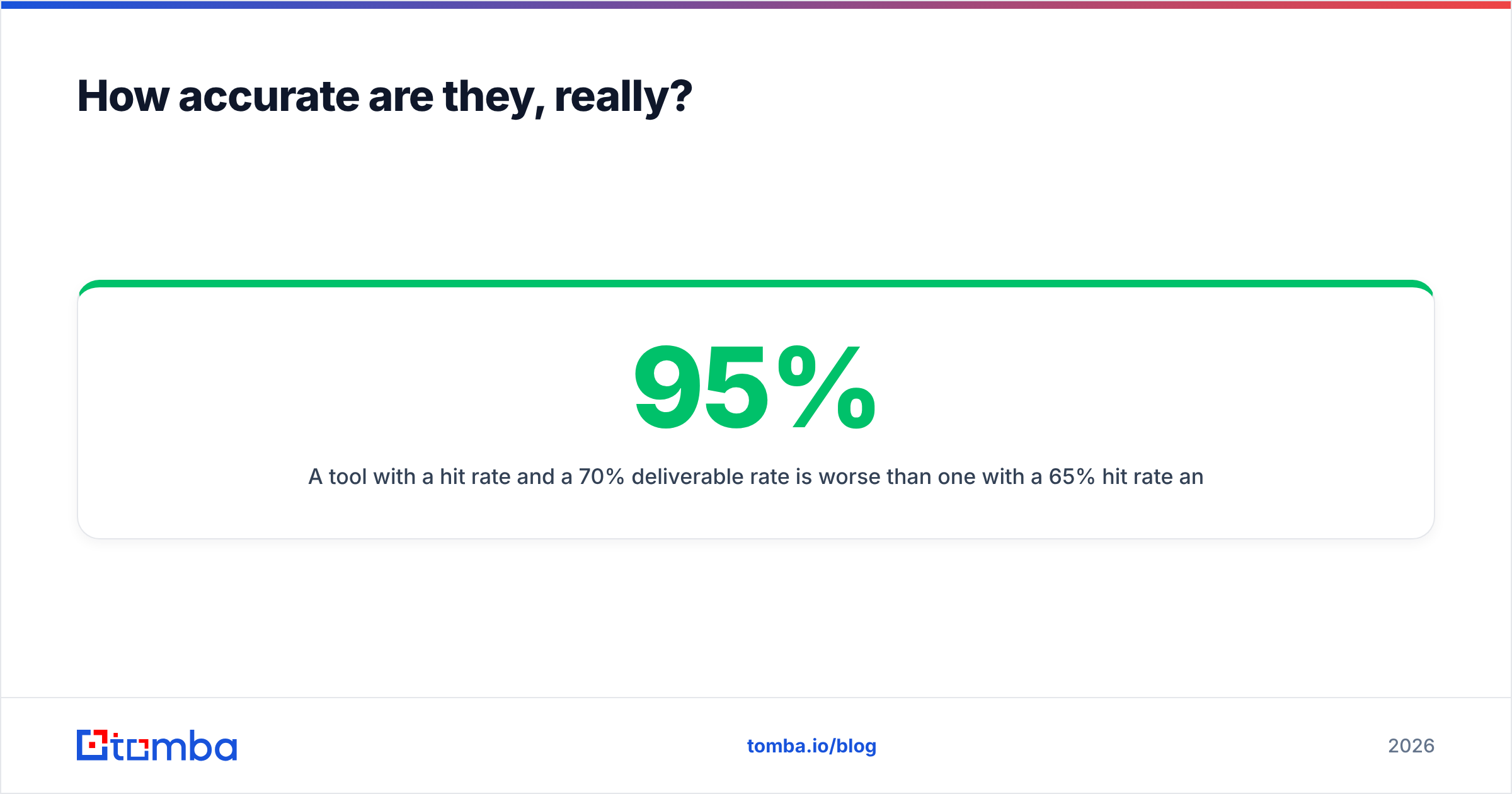
A tool with a 95% hit rate and a 70% deliverable rate is worse than one with a 65% hit rate and a 97% deliverable rate, because the first one is quietly burning your sender reputation at scale. Mailbox providers don't care that you paid for the credit.
Run your own test before committing. Take 100 contacts you already know are valid — customers, past deals, people who've replied to you — strip the emails, and feed the names and domains into each tool. Then compare. Two hours of work saves you a quarter of bad data.
In practice, from how each tool is built, expect:
- FindThatLead to return more results per input on well-known domains with predictable patterns, and to degrade on small companies, agencies, and catch-all domains.
- Snappy Leads to return fewer but tighter results, because it's anchored to a real profile rather than a pattern guess — but to leave gaps on people with thin or private LinkedIn presence.
- Both to struggle on catch-all domains, which now cover a large share of mid-market companies. A catch-all accepts every address at SMTP time, so a naive verifier marks garbage as valid. This is the single biggest hidden source of bounces in 2026, and it's why catch-all verification deserves its own line item in your evaluation.
What does each one cost?#

Sticker price is the least interesting part of the cost. Three things matter more:
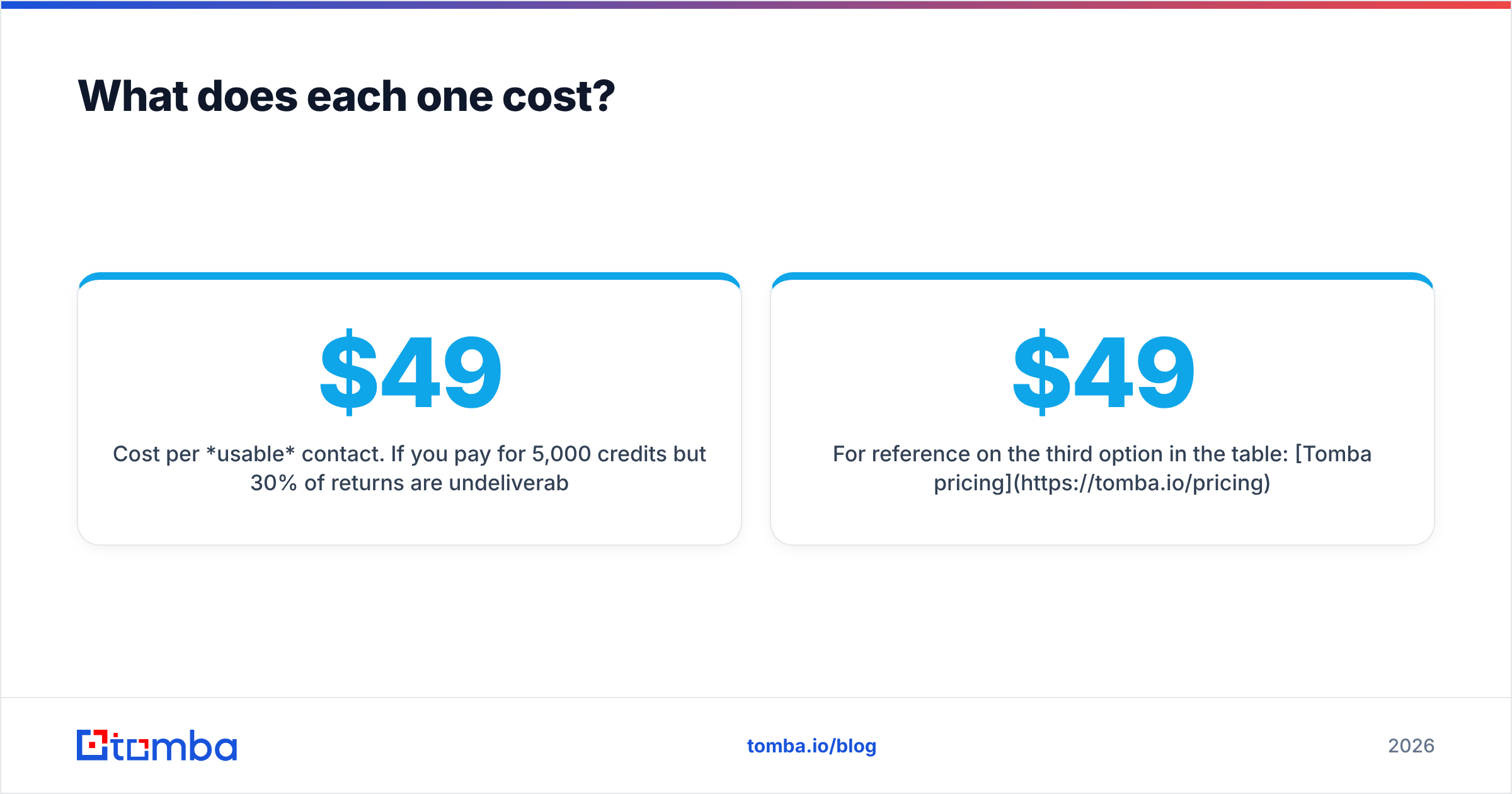
Cost per usable contact. If you pay $49 for 5,000 credits but 30% of returns are undeliverable, your real cost per usable contact is 43% higher than the math on the pricing page. Divide by deliverables, not by credits.
Credit burn on failures. Ask directly: are you charged for a search that returns nothing? Are you charged again for re-verifying? Some tools charge per attempt, others only on a successful reveal. Over a year at volume, this is the difference between two plan tiers.
Rollover and expiry. Monthly credits that vanish at midnight on the 30th push you into either over-buying or panic-prospecting. Annual credit pools are usually cheaper per unit but lock you in before you know whether the accuracy holds.
For reference on the third option in the table: Tomba pricing runs a free tier at 25 searches/month, Starter at $49/mo, Growth at $99/mo, Pro at $249/mo, and custom Enterprise. Verification is bundled rather than sold as a separate SKU, which removes one of the more annoying line items when you're comparing quotes across vendors.

Which should you choose for your team?#
Match the tool to how your pipeline is actually built, not to a feature checklist.
Choose FindThatLead if:
- Your motion starts from an account list — a funding database, a tech-stack filter, a conference exhibitor list.
- You need bulk output in CSV form on a weekly cadence.
- You want a single tool that also sends the first sequence and you're under ~5 reps.
- Your ICP skews toward companies with 50+ employees and predictable email patterns.
Choose Snappy Leads if:
- Your reps live in Sales Navigator and prospect person-by-person.
- Mobile numbers matter as much as emails — you're running a call-heavy motion.
- Your list sizes are in the hundreds per month, not the tens of thousands.
- You want zero onboarding: install extension, reveal, done.
Choose neither — go with a dedicated data layer — if:
- You're pushing contacts into a CRM or sequencer programmatically and need a stable email finder API rather than a UI.
- You're operating at a volume where a 5% bounce delta changes your inbox placement.
- You need one vendor covering email, catch-all verification, phone, and enrichment so your RevOps team isn't reconciling three exports.
Worth checking independently: both tools have review histories on G2, and the recurring themes there (credit disputes, support latency, accuracy on SMB domains) tend to be more informative than any feature grid, including this one.
What do most teams get wrong when comparing these tools?#
They optimize for hit rate. More emails found feels like winning. It isn't, if a third of them bounce. Set a bounce ceiling — 3% is a reasonable internal SLA — and reject any tool that can't hold it on your own test list.
They skip the catch-all question entirely. Ask every vendor: "What do you return for a catch-all domain, and do you charge me for it?" The answers vary wildly and the difference shows up as bounces six weeks later.
They ignore the seat/credit interaction. A $49 plan for one user is fine. Five reps each needing their own extension login turns into a very different number. Model it at your real headcount.
They evaluate in a vacuum. The finder is one link in a chain that includes your sequencer, your warmup, your domain setup, and your copy. A perfect list sent from an unauthenticated domain still lands in spam. If your SPF record and DMARC aren't clean, fix that before you spend another dollar on data.
They never re-test. Data providers drift. The vendor that won your bake-off in 2024 may not win it now. Re-run the 100-contact test annually — it takes an afternoon and it occasionally saves five figures.
The bottom line#
FindThatLead wins on volume and bulk workflows. Snappy Leads wins on LinkedIn-native precision and phone coverage. Both are legitimate picks for the job they were designed for, and both will disappoint you if you force them into the other's lane.
If you want one layer that handles both patterns — domain-based discovery and LinkedIn-sourced lookups — with verification and catch-all handling built into the same credit pool, run your test list through the Tomba Email Finder. The free tier gives you 25 searches a month with no card, which is enough to run the 100-contact accuracy test described above against whichever finalist you're leaning toward. Compare the deliverable rate, not the hit rate, and let the numbers pick your vendor.
Related guides#
Ready to find emails that actually work?
Join 150,000+ professionals who stopped guessing and started sending. Free credits on signup — no credit card required.
Get the Tomba newsletter
Practical outbound tactics and product updates — once every two weeks.
About the author