Findymail vs QuickEnrich (2026): Which Email Finder Wins?
Findymail and QuickEnrich both promise verified B2B emails with no bounces. We compare match rates, credit models, pricing and API limits to show which one earns a slot in your stack in 2026.
TL;DR
- Findymail is the safer default for LinkedIn-heavy, Sales Navigator-driven outbound. Its export workflow and bounce guarantee are the reason most SDR teams buy it.
- QuickEnrich competes on price and on bulk enrichment volume. It is attractive when you already have a list of names and domains and need cheap per-row enrichment rather than net-new prospecting.
- Credit accounting is where both tools bite you. Findymail charges on successful finds; enrichment platforms in QuickEnrich's tier often charge per attempted row. Read the fine print before you upload 50,000 rows.
- Neither is a verification platform. If your deliverability depends on catch-all handling, you need a dedicated verifier layer regardless of which finder you choose.
- If you want one API for find + verify + enrich, Tomba's Free tier (25 searches/mo) and $49/mo Starter make it cheap to benchmark all three on your own list before committing.
What are Findymail and QuickEnrich?#
Both tools answer the same question — "what is this person's work email?" — but they were built for different halves of the funnel.
Findymail launched as a bounce-obsessed email finder aimed at cold outreach agencies. Its pitch is simple: every email it returns has been verified, and if it bounces, you get the credit back. It leans hard into LinkedIn and Sales Navigator exports, with a Chrome extension and native pushes into sequencers like Instantly, Lemlist and Smartlead.
QuickEnrich sits closer to the data-enrichment side. The core use case is taking a list you already own — names, domains, LinkedIn URLs, partial CRM records — and filling in the missing fields at volume, usually with an emphasis on cost per enriched row rather than on discovery.
That framing matters more than any feature checklist. One tool is optimised for finding people you do not have yet. The other is optimised for completing records you already have. Teams that buy the wrong one end up paying for capacity they never use.
How do Findymail and QuickEnrich compare head to head?#
Here is the practical comparison. Pricing on both vendors changes; treat these as the published figures at the time of writing and confirm on the vendor pages before you buy.
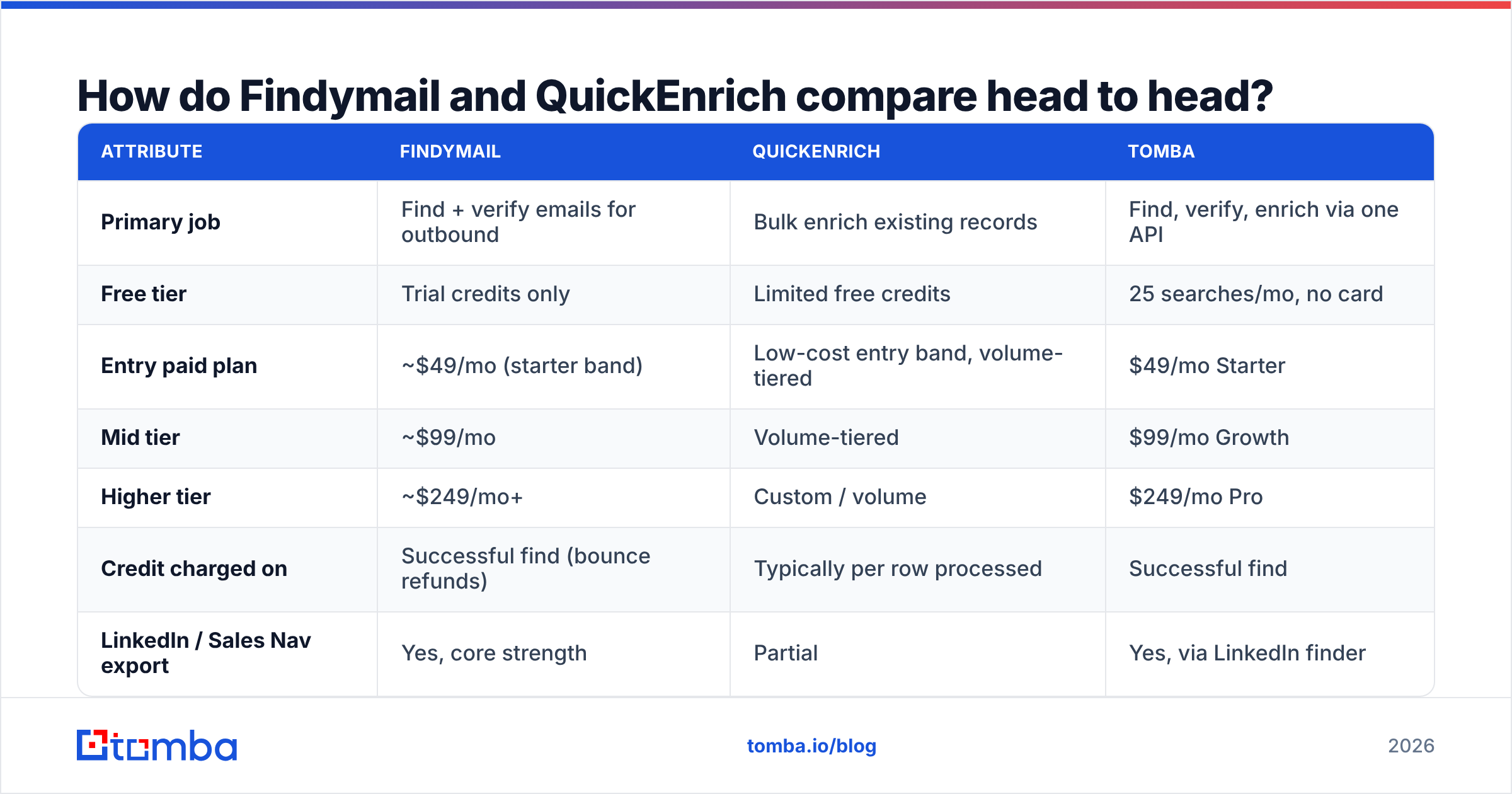
| Attribute | Findymail | QuickEnrich | Tomba |
|---|---|---|---|
| Primary job | Find + verify emails for outbound | Bulk enrich existing records | Find, verify, enrich via one API |
| Free tier | Trial credits only | Limited free credits | 25 searches/mo, no card |
| Entry paid plan | ~$49/mo (starter band) | Low-cost entry band, volume-tiered | $49/mo Starter |
| Mid tier | ~$99/mo | Volume-tiered | $99/mo Growth |
| Higher tier | ~$249/mo+ | Custom / volume | $249/mo Pro |
| Credit charged on | Successful find (bounce refunds) | Typically per row processed | Successful find |
| LinkedIn / Sales Nav export | Yes, core strength | Partial | Yes, via LinkedIn finder |
| Built-in verification | Yes, bundled | Basic syntax/MX level | Dedicated verifier + catch-all verifier |
| Catch-all handling | Often excluded from guarantee | Limited | Dedicated catch-all verifier |
| Phone numbers | No | Sometimes, plan-dependent | Yes, phone finder + validator |
| Public API | Yes | Yes | Yes, plus CLI and MCP |
| Spreadsheet add-ins | Limited | CSV-first | Google Sheets, Excel, Airtable |

The row that decides most deals is "credit charged on." A tool that only bills for successful finds looks more expensive per credit and is usually cheaper per usable contact. A tool that bills per row processed looks cheap until you upload a list where 40% of the domains are dead.
Which tool finds more valid emails?#
Neither vendor publishes a methodology you can audit, so the honest answer is: it depends entirely on your ICP, and you should test both on the same 500 rows.
That said, the patterns are consistent across the teams we have talked to:
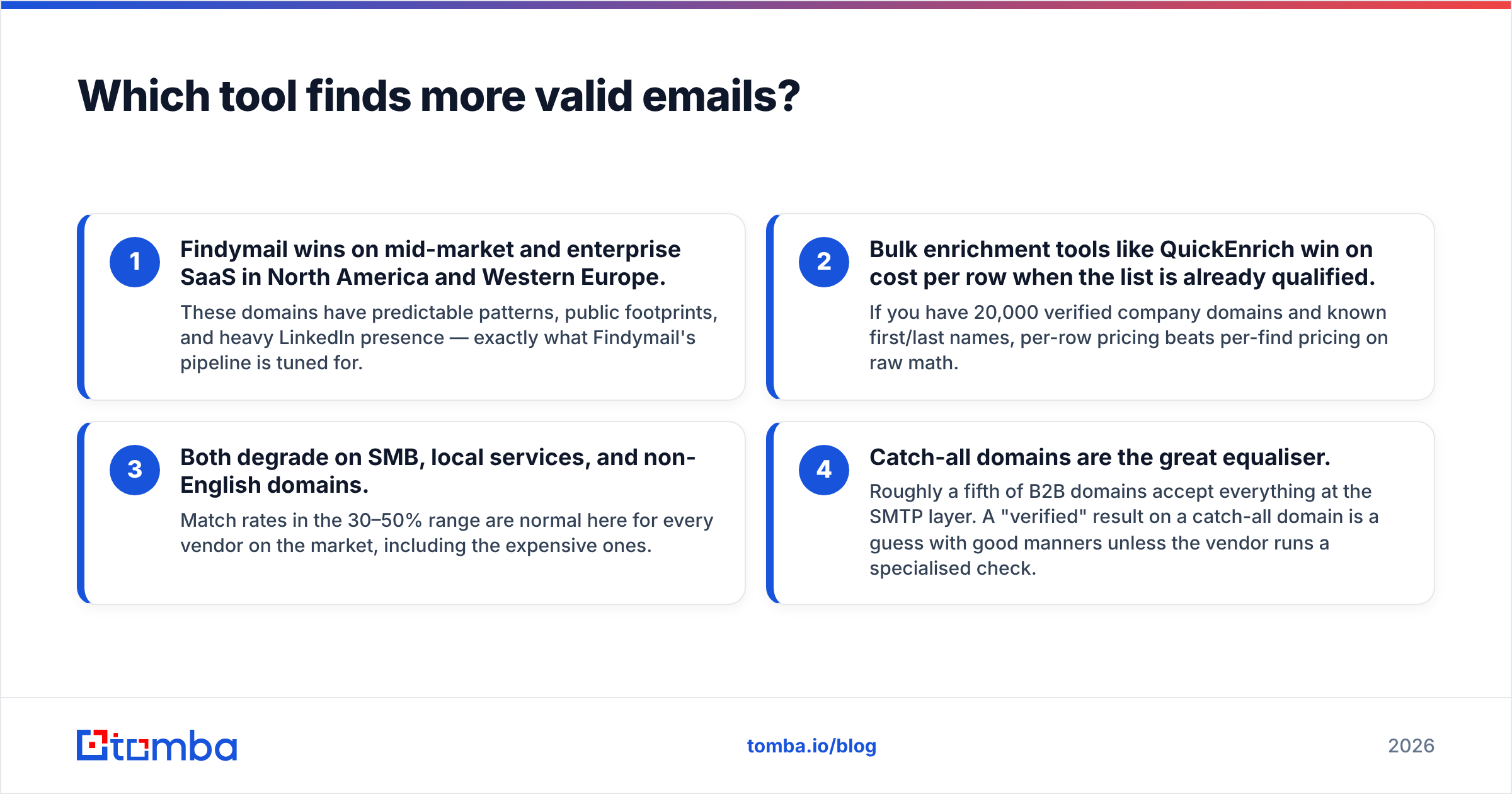
- Findymail wins on mid-market and enterprise SaaS in North America and Western Europe. These domains have predictable patterns, public footprints, and heavy LinkedIn presence — exactly what Findymail's pipeline is tuned for.
- Bulk enrichment tools like QuickEnrich win on cost per row when the list is already qualified. If you have 20,000 verified company domains and known first/last names, per-row pricing beats per-find pricing on raw math.
- Both degrade on SMB, local services, and non-English domains. Match rates in the 30–50% range are normal here for every vendor on the market, including the expensive ones.
- Catch-all domains are the great equaliser. Roughly a fifth of B2B domains accept everything at the SMTP layer. A "verified" result on a catch-all domain is a guess with good manners unless the vendor runs a specialised check.

Run the test properly: take one list, split it in half by row parity so both halves have the same ICP mix, run each tool on both halves, then push every result through the same independent email verifier so the scoring is neutral. Judging Findymail's output with Findymail's own verifier is a rigged benchmark, and the same applies to QuickEnrich.

How does the pricing actually work?#
This is where the two tools diverge most, and where the marketing pages are least helpful.
Findymail's model is a credit bucket that resets monthly. A credit is consumed when the tool returns an email it believes is valid. Failed lookups do not burn credits, and bounced emails are typically refunded on request. That model is easy to forecast: if you need 2,000 new contacts a month, you buy a 2,000-credit plan and you are roughly right.
Volume enrichment tools, QuickEnrich included, generally charge on rows submitted. The headline price per credit is lower — sometimes dramatically lower — but your effective cost is:
Effective cost per usable contact = (price per row ÷ match rate) ÷ deliverable rate
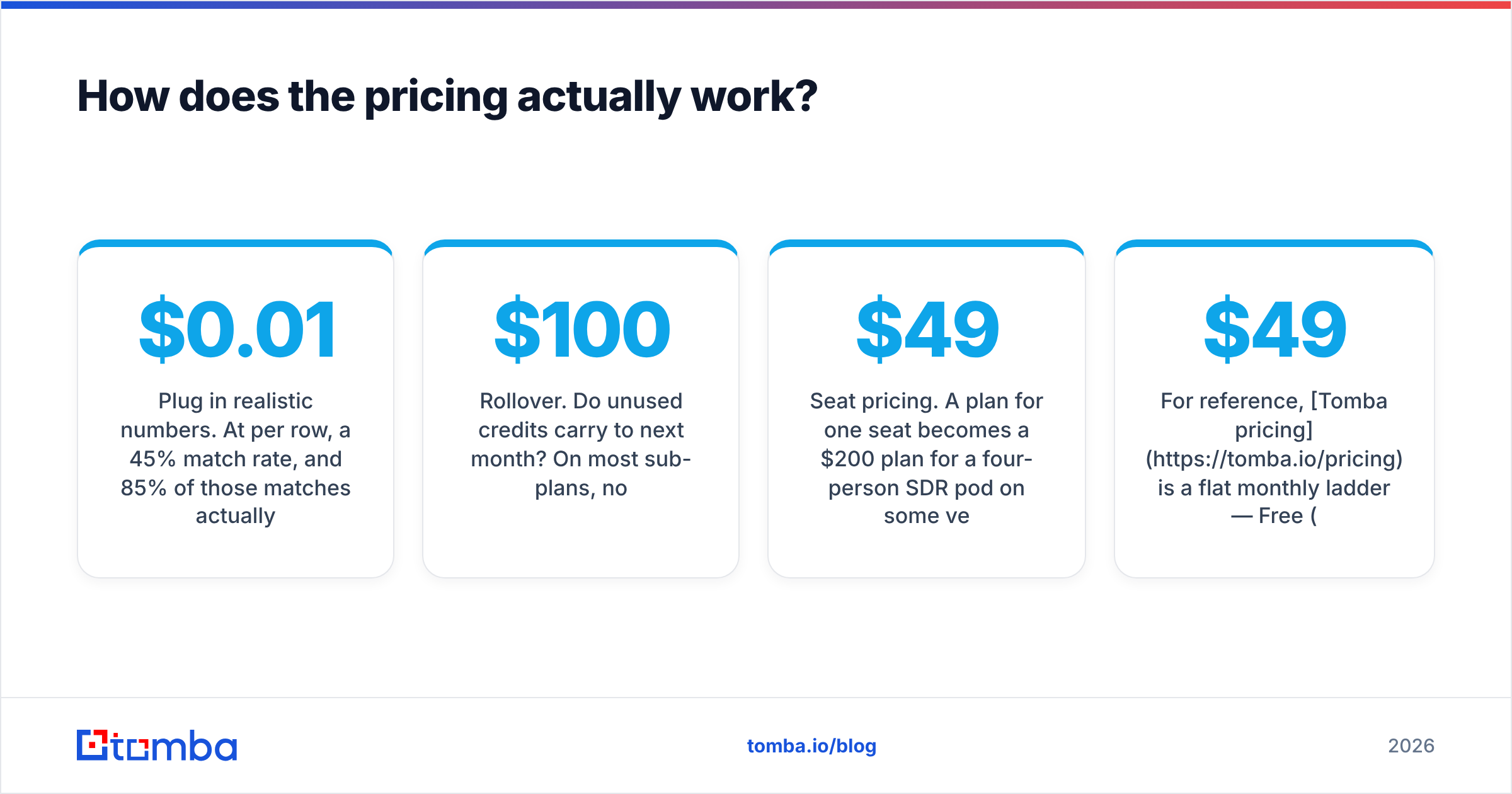
Plug in realistic numbers. At $0.01 per row, a 45% match rate, and 85% of those matches actually landing, your true cost is about $0.026 per usable contact. At $0.04 per successful find with a 90% deliverable rate, the true cost is about $0.044. The cheap tool is still cheaper — but the gap is under 2x, not the 4x the price sheet implies, and it evaporates the moment your list quality drops.
Three cost traps to check before you sign:
- Rollover. Do unused credits carry to next month? On most sub-$100 plans, no.
- Overage rates. Some platforms auto-charge for rows above your plan cap at a materially higher unit price.
- Seat pricing. A $49 plan for one seat becomes a $200 plan for a four-person SDR pod on some vendors, and stays $49 on others.
For reference, Tomba pricing is a flat monthly ladder — Free (25 searches/mo), Starter $49/mo, Growth $99/mo, Pro $249/mo, Enterprise custom — with credits consumed on successful results and the verifier, domain search, and enrichment endpoints included in the same balance rather than sold as separate SKUs.
Which tool fits which workflow?#
Match the tool to the motion, not to the feature count.
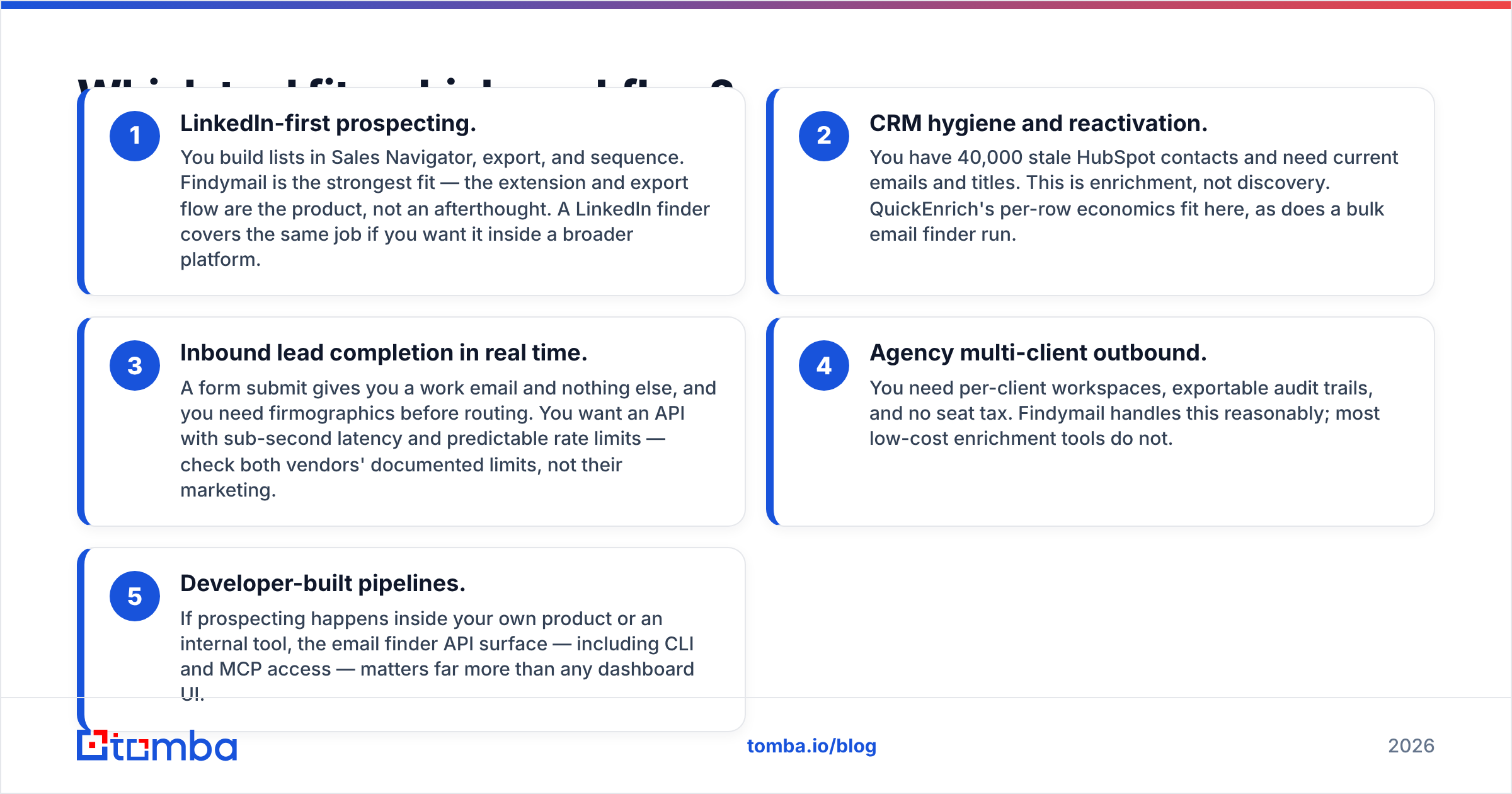
- LinkedIn-first prospecting. You build lists in Sales Navigator, export, and sequence. Findymail is the strongest fit — the extension and export flow are the product, not an afterthought. A LinkedIn finder covers the same job if you want it inside a broader platform.
- CRM hygiene and reactivation. You have 40,000 stale HubSpot contacts and need current emails and titles. This is enrichment, not discovery. QuickEnrich's per-row economics fit here, as does a bulk email finder run.
- Inbound lead completion in real time. A form submit gives you a work email and nothing else, and you need firmographics before routing. You want an API with sub-second latency and predictable rate limits — check both vendors' documented limits, not their marketing.
- Agency multi-client outbound. You need per-client workspaces, exportable audit trails, and no seat tax. Findymail handles this reasonably; most low-cost enrichment tools do not.
- Developer-built pipelines. If prospecting happens inside your own product or an internal tool, the email finder API surface — including CLI and MCP access — matters far more than any dashboard UI.
What about verification, catch-alls and deliverability?#
Here is the uncomfortable part: a "verified" flag from a finder is not the same thing as a verified address.
Most finders run a syntax check, an MX record check, and an SMTP handshake. That catches obvious garbage. It does not catch:
- Catch-all domains that accept every address at the gateway, then bounce or silently drop internally.
- Role accounts (info@, sales@, support@) that technically resolve but destroy reply rates and often sit behind shared inboxes.
- Recently departed employees whose mailbox still accepts mail for a 90-day grace window.
- Spam traps on recycled domains, which will do real damage to your sender reputation.
If your outbound volume is meaningful, keep a verification step that is independent of your finder. A catch-all verifier that goes beyond a handshake is the single highest-leverage addition to a prospecting stack, because a 4% bounce rate on a new domain is enough to get your sending flagged. Google and Microsoft both tightened bulk sender requirements in recent years, and G2 reviewer threads for every vendor in this category are full of teams who learned that the expensive way. Cross-check current user sentiment on G2 before you commit to an annual plan — the reviews move faster than the vendor comparison pages do.
How do they handle data coverage and compliance?#
Coverage is the second silent variable. Ask both vendors three questions in writing:
- Where does the data come from? Public web crawl, contributed contact books, partner data co-ops, or a purchased database? Each has different freshness and different legal exposure. Tomba publishes its data sources for exactly this reason.
- How often is it refreshed? A record found live at query time beats a record pulled from a two-year-old snapshot, every time.
- What is the GDPR/CCPA posture? If you sell into the EU, you need a documented lawful basis and a working suppression process. "We only use public data" is not, on its own, a compliance answer.
Neither Findymail nor QuickEnrich is unusual here — this is a category-wide diligence step, and it applies equally to database-first vendors like BookYourData, which take a different but legitimate approach by selling verified static lists rather than live lookups. Match the sourcing model to your risk tolerance.
Findymail vs QuickEnrich: which should you pick?#
Pick Findymail if your motion is LinkedIn-driven net-new prospecting, your lists are under ~5,000 contacts a month, and you value a bounce guarantee more than the lowest possible per-credit price. It is the more finished product for SDR teams and agencies.
Pick QuickEnrich if your bottleneck is volume enrichment of records you already own, you are comfortable measuring match rate yourself, and per-row cost is the number your finance team cares about.
Pick neither, or pick a third, if you need find + verify + catch-all + phone in one billing relationship. Running two vendors to cover discovery and verification is normal, but running four is how tool sprawl starts — and every extra vendor is another set of credits that expire unused.
The pragmatic move is a two-week bake-off. Take 500 rows from your real ICP. Run them through Findymail, QuickEnrich, and a third option on a free tier. Score match rate, bounce rate after independent verification, and reply rate at day 14. That last metric is the only one that pays your salary, and it frequently ranks the tools differently than match rate does. If you want a starting point for the comparison shortlist, our Findymail alternative breakdown covers the wider field.
Start your own benchmark#
You do not need a sales call to settle this. Run your list through the Tomba Email Finder on the free tier — 25 searches, no card — and compare the results side by side with whatever Findymail or QuickEnrich returns on the same rows. If the match rate and deliverability hold up on your ICP, the $49/mo Starter plan gives you find, verify, domain search, catch-all checks, and API access on one credit balance instead of three invoices. Test it against your own data, not against anyone's comparison page.
Related guides#
Ready to find emails that actually work?
Join 150,000+ professionals who stopped guessing and started sending. Free credits on signup — no credit card required.
Get the Tomba newsletter
Practical outbound tactics and product updates — once every two weeks.
About the author