Findymail vs ReachStream 2026: Which B2B Data Tool Wins?
Findymail sells verified emails one lookup at a time. ReachStream sells a bulk contact database you download. Here is how the two actually compare on accuracy, credits, pricing, and the outbound workflows each one breaks.
TL;DR
- Findymail is a per-lookup email finder built around a no-bounce promise. You bring a name and a domain (or a LinkedIn/Sales Navigator list) and it returns verified work emails.
- ReachStream is a bulk B2B contact database. You filter by industry, title, geography, and revenue, then export lists of contacts you never had to source yourself.
- They are not really the same product. Findymail wins when you already know who you want. ReachStream wins when you are still deciding who exists.
- Both charge in credits, and both credit models punish sloppy list-building. Findymail refunds unverifiable lookups; database exports generally do not refund stale records.
- If you need finding, verification, enrichment, and an API on one bill, a general-purpose platform like Tomba covers both jobs — starting at $49/mo, with a free tier to test accuracy before you commit.
What is Findymail and what is ReachStream?#
Start with the honest framing: comparing these two is like comparing a locksmith to a hardware store. One opens the specific door you point at. The other sells you a bin of keys and lets you sort through it.
Findymail is a B2B email finder. Its pitch is deliverability: it only returns addresses that pass its own verification layer, and it credits you back for lookups that come up empty or unverifiable. Its most-used surface is the LinkedIn and Sales Navigator export — build a search, run the extension, get a CSV of names, companies, and verified emails. It plugs into the usual outbound stack (Lemlist, Instantly, Smartlead, HubSpot) and exposes an API for teams that want to script it.
ReachStream is a contact database. You buy access to a pool of B2B records — the vendor markets a catalog in the hundreds of millions across contacts and companies — and you filter down to a segment: "VP Marketing, SaaS, 200–1,000 employees, US". Then you export. The value is discovery and volume, not surgical precision on one named person.
That distinction drives every other difference in this post. Keep it in mind when you read the pricing table, because a credit at Findymail and a credit at ReachStream do not buy the same thing.
Wait — that image reference is malformed above; here it is properly:

How do Findymail and ReachStream actually differ?#
Six differences matter more than the feature-list noise:
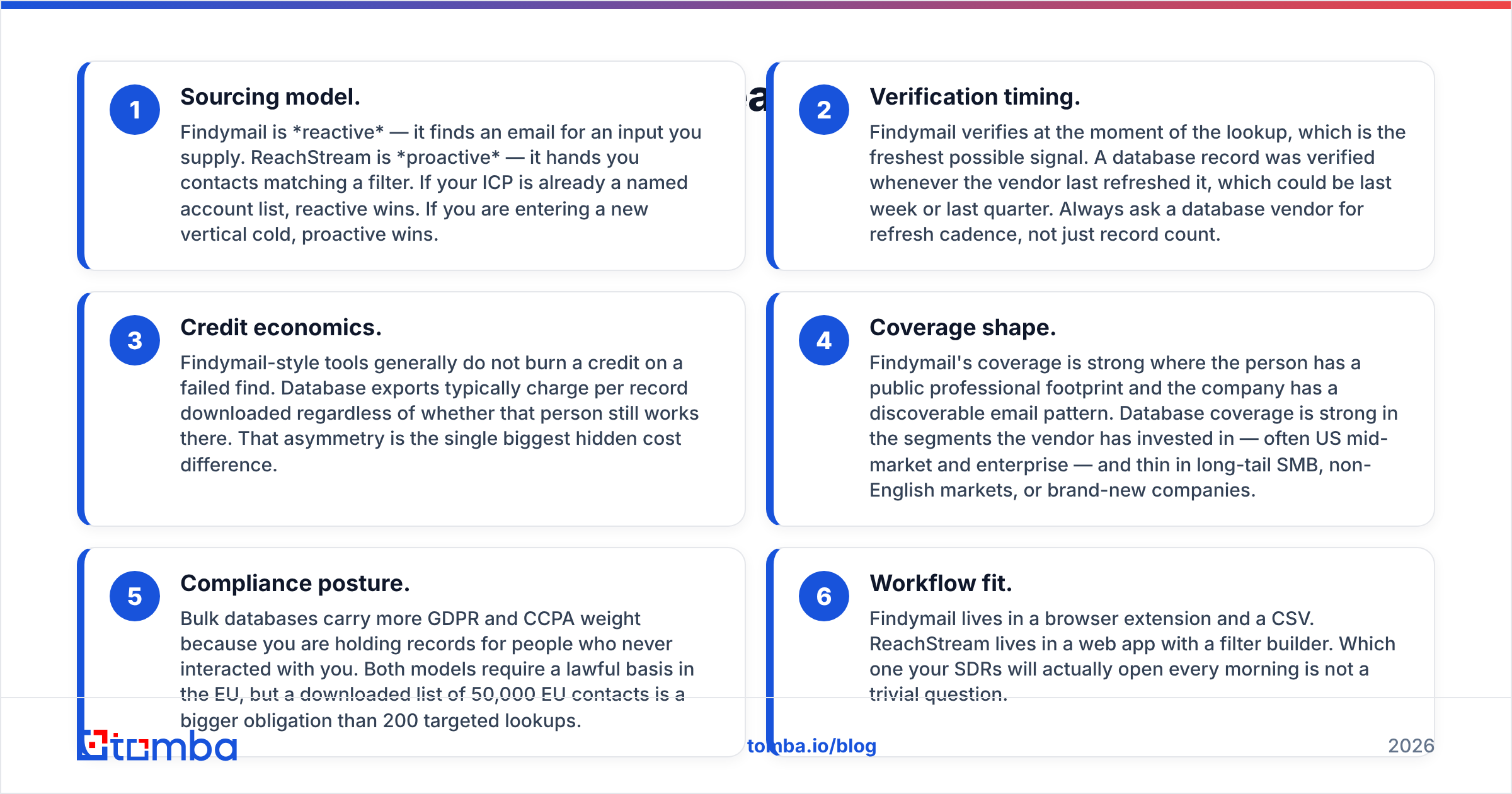
- Sourcing model. Findymail is reactive — it finds an email for an input you supply. ReachStream is proactive — it hands you contacts matching a filter. If your ICP is already a named account list, reactive wins. If you are entering a new vertical cold, proactive wins.
- Verification timing. Findymail verifies at the moment of the lookup, which is the freshest possible signal. A database record was verified whenever the vendor last refreshed it, which could be last week or last quarter. Always ask a database vendor for refresh cadence, not just record count.
- Credit economics. Findymail-style tools generally do not burn a credit on a failed find. Database exports typically charge per record downloaded regardless of whether that person still works there. That asymmetry is the single biggest hidden cost difference.
- Coverage shape. Findymail's coverage is strong where the person has a public professional footprint and the company has a discoverable email pattern. Database coverage is strong in the segments the vendor has invested in — often US mid-market and enterprise — and thin in long-tail SMB, non-English markets, or brand-new companies.
- Compliance posture. Bulk databases carry more GDPR and CCPA weight because you are holding records for people who never interacted with you. Both models require a lawful basis in the EU, but a downloaded list of 50,000 EU contacts is a bigger obligation than 200 targeted lookups.
- Workflow fit. Findymail lives in a browser extension and a CSV. ReachStream lives in a web app with a filter builder. Which one your SDRs will actually open every morning is not a trivial question.
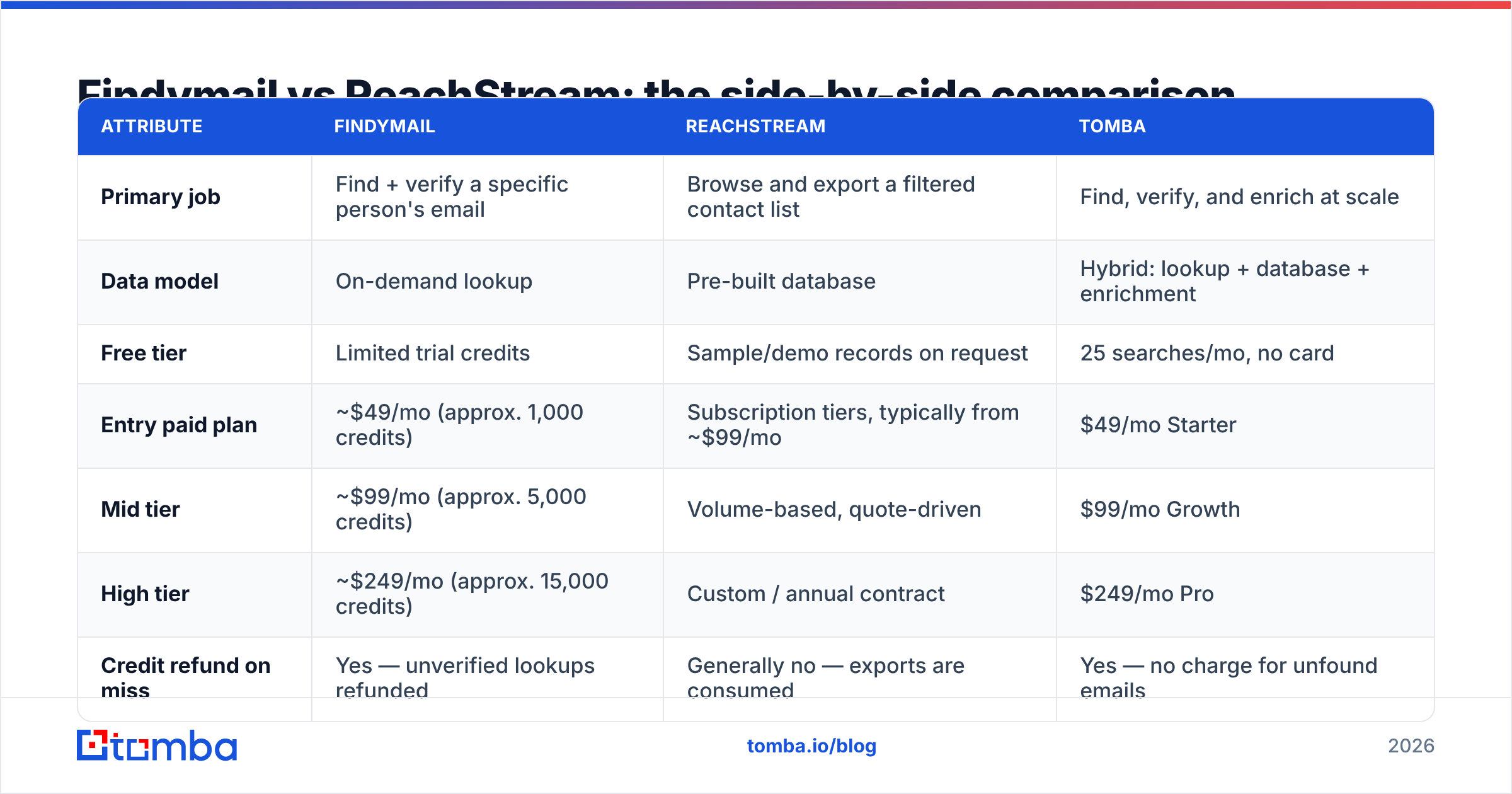
Findymail vs ReachStream: the side-by-side comparison#
Prices below reflect publicly listed plans at the time of writing. Both vendors change tiers; confirm on their own pricing pages before you buy.
| Attribute | Findymail | ReachStream | Tomba |
|---|---|---|---|
| Primary job | Find + verify a specific person's email | Browse and export a filtered contact list | Find, verify, and enrich at scale |
| Data model | On-demand lookup | Pre-built database | Hybrid: lookup + database + enrichment |
| Free tier | Limited trial credits | Sample/demo records on request | 25 searches/mo, no card |
| Entry paid plan | ~$49/mo (approx. 1,000 credits) | Subscription tiers, typically from ~$99/mo | $49/mo Starter |
| Mid tier | ~$99/mo (approx. 5,000 credits) | Volume-based, quote-driven | $99/mo Growth |
| High tier | ~$249/mo (approx. 15,000 credits) | Custom / annual contract | $249/mo Pro |
| Credit refund on miss | Yes — unverified lookups refunded | Generally no — exports are consumed | Yes — no charge for unfound emails |
| LinkedIn / Sales Nav export | Core strength | Not the core use case | Available via LinkedIn finder |
| Bulk CSV processing | Yes | Yes (native to the model) | Yes, plus bulk verification |
| Standalone verification | Bundled with finding | Limited | Dedicated verifier + catch-all handling |
| Phone numbers | Limited | Yes, in many records | Yes, plus phone validation |
| API | Yes | Yes | Yes, plus CLI, MCP, Sheets, Excel |
| Best for | Targeted outbound on known accounts | Net-new list building in a new segment | Teams that need both on one bill |
Read that table twice. The row that decides most purchases is not price — it is "credit refund on miss." A $99 plan that charges you for 30% dead records is more expensive than a $129 plan that does not.
Which one has better data accuracy?#
Neither vendor's marketing number is the number you will get. Every provider quotes accuracy on its own favorable sample. The only accuracy figure that matters is the one you measure on your ICP.
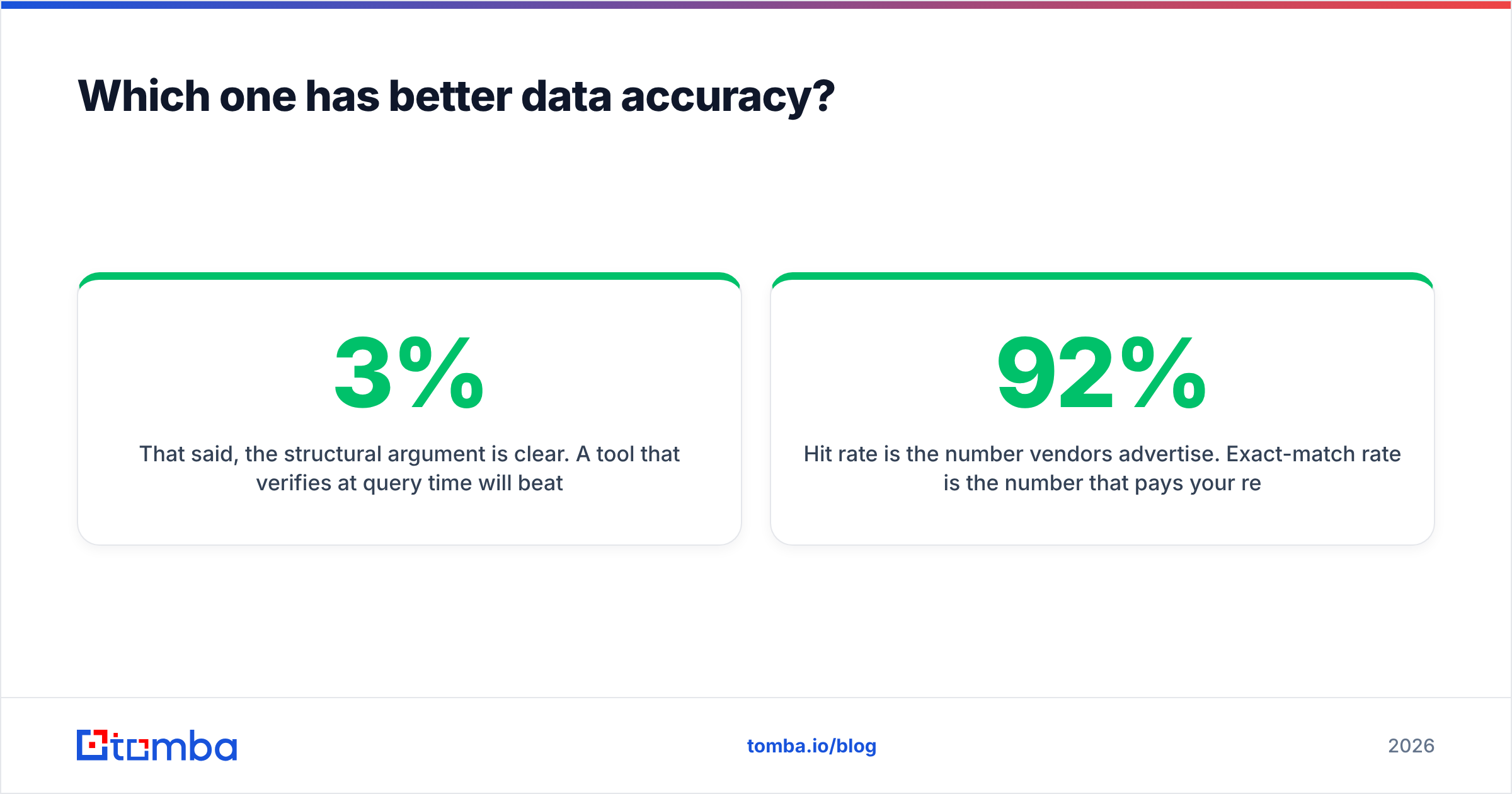
That said, the structural argument is clear. A tool that verifies at query time will beat a static database on freshness, because B2B contact data decays roughly 2–3% per month as people change jobs. Twelve months of decay on an unrefreshed record set is brutal. A database vendor that refreshes aggressively closes most of that gap; one that does not will hand you a list where a fifth of the addresses bounce.

Here is how to run a fair test in under an hour:
- Pull 100 contacts you can independently confirm — current customers, past demos, people whose emails you already have in your CRM.
- Strip the email column. Feed names and domains to each tool.
- Score three things separately: hit rate (did it return anything?), exact-match rate (was it the right address?), and bounce rate (did it survive a send?).
- Run the survivors through an independent email verifier so you are not grading each tool with its own answer key.
Hit rate is the number vendors advertise. Exact-match rate is the number that pays your rent. A tool with a 92% hit rate and a 71% exact-match rate is worse than one with 78% and 76%.
One more accuracy trap: catch-all domains. Many enterprise mail servers accept every address at the domain, so SMTP verification returns "valid" for nonsense@company.com. Findymail handles this by declining to return risky guesses. Databases often ship them as normal records. If your target market is enterprise, use a dedicated catch-all verifier before you load anything into a sequencer — otherwise your bounce rate is a lottery.
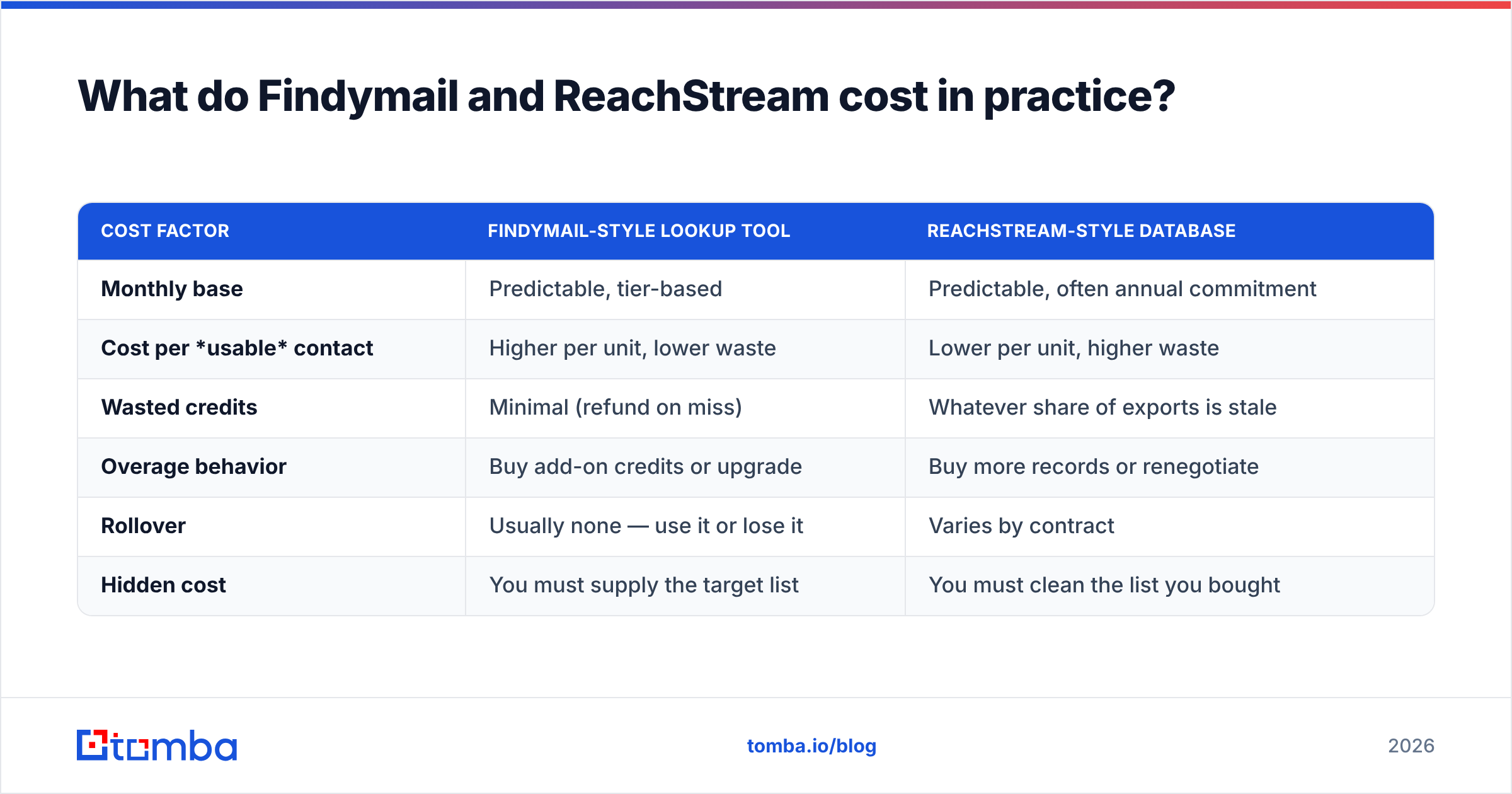
What do Findymail and ReachStream cost in practice?#
Sticker price is the smallest part of the bill. Model the real cost like this:
| Cost factor | Findymail-style lookup tool | ReachStream-style database |
|---|---|---|
| Monthly base | Predictable, tier-based | Predictable, often annual commitment |
| Cost per usable contact | Higher per unit, lower waste | Lower per unit, higher waste |
| Wasted credits | Minimal (refund on miss) | Whatever share of exports is stale |
| Overage behavior | Buy add-on credits or upgrade | Buy more records or renegotiate |
| Rollover | Usually none — use it or lose it | Varies by contract |
| Hidden cost | You must supply the target list | You must clean the list you bought |
Run the arithmetic on 5,000 contacts. At roughly $99 for 5,000 lookup credits with refunds on misses, you land near $0.02 per attempted contact and close to $0.025 per usable one. A database export at a lower headline per-record cost but a 20% stale rate quietly lands in the same place — after you have paid for the verification pass to find out which 20%.
Neither is a rip-off. But "cheaper per record" is a claim about the invoice, not about the pipeline.
For reference on published plans, Tomba pricing runs Free (25 searches/mo), Starter $49/mo, Growth $99/mo, Pro $249/mo, and Enterprise custom — with unfound emails not charged. That is the shape you should be comparing against, tier for tier.

Is Findymail or ReachStream better for cold outbound?#
Depends entirely on where your list comes from.
Pick Findymail if:
- Your SDRs build target lists on LinkedIn Sales Navigator and need emails attached to them.
- You run tightly targeted ABM against named accounts, not spray campaigns.
- Your domain reputation is fragile — a warmed-up but young sending domain cannot absorb a 10% bounce.
- You want per-lookup accountability rather than a bulk file you have to trust.
Pick ReachStream if:
- You are entering a segment where you genuinely do not know the company names yet.
- You need firmographic filters (revenue band, employee count, tech stack, SIC) to define a TAM.
- You want phone numbers alongside emails for a multichannel motion.
- Volume matters more than surgical precision, and you have a verification budget to clean what you get.
Pick neither if: you are trying to solve both problems and do not want two contracts, two credit pools, and two exports to reconcile. That is the case for a consolidated platform.
A note on peers worth benchmarking: BookYourData is a strong option in the bulk-list category with a pay-as-you-go model and its own accuracy guarantee, and it is a reasonable third quote to collect if the database side of this comparison is where you are leaning. Cross-check all of them on G2 for recent, dated reviews rather than vendor-published testimonials — reviews older than 18 months describe a product that no longer exists.
Where does Tomba fit between them?#
Tomba sits deliberately across the line. The core product is an email finder that works the way Findymail does — give it a name and a domain and it returns a verified address, with no charge for a miss. But it also ships the pieces a database buyer needs: domain search to pull every discoverable address at a company, a B2B database for discovery, and bulk email finder processing for lists you already own.
The practical argument for consolidation is not "one vendor is nicer." It is that the handoffs between tools are where data quality dies. Export from a database, import to a verifier, export again, import to a sequencer — every step is a chance for a column mismatch, a duplicate, or a silently dropped row. One platform with a Tomba API means the find → verify → enrich path is a single call, not a Tuesday afternoon.
Where Tomba is genuinely not the answer: if your entire workflow is Sales Navigator scraping and nothing else, a specialist extension may feel snappier day to day. And if you need deep intent data or technographic scoring, you want a platform in the 6sense/Demandbase class, not an email-finding tool. Be honest about which problem you have.

How should you run the evaluation?#
Do not buy on a demo. Run a bake-off:
- Define one list of 100 real targets from your actual ICP. Not a sample the vendor picks.
- Trial all three — Findymail, ReachStream, and one consolidated platform. Use free tiers and trial credits so this costs you nothing but an afternoon.
- Score hit rate, exact-match rate, and bounce rate separately, using a neutral verifier.
- Time the workflow. How many minutes from "I want this segment" to "the list is in my sequencer"? Multiply by how often you do it.
- Price the winner at your real annual volume, including the verification pass you will need on top of any database export.
- Check the integration list — if it does not write into your CRM cleanly, an SDR will end up doing it by hand and the savings evaporate.
That process takes a day and routinely saves four figures a year. Skipping it is how teams end up paying for two overlapping tools and using neither properly.
The verdict#
There is no universal winner in Findymail vs ReachStream, because they answer different questions. Findymail is the better email finder: fresher verification, credit refunds on misses, and a workflow built around lists you already have. ReachStream is the better discovery engine: filters, firmographics, phone numbers, and volume for segments you are entering cold.
If you are choosing between them, choose based on where your list originates. If you are tired of choosing — if you want targeted lookups, bulk discovery, verification, and enrichment behind one API and one invoice — that is exactly the gap a consolidated platform fills.
Start with the Tomba Email Finder. The free tier gives you 25 searches a month with no card, which is enough to run the 100-contact bake-off described above and see the accuracy numbers for your own ICP rather than someone's marketing deck. If it wins, Starter is $49/mo and you never pay for an email it cannot find.
Related guides#
Ready to find emails that actually work?
Join 150,000+ professionals who stopped guessing and started sending. Free credits on signup — no credit card required.
Get the Tomba newsletter
Practical outbound tactics and product updates — once every two weeks.
About the author